Page 102 of 432
yellowblue
2-30 Automatic Transfer Case (If Equipped)
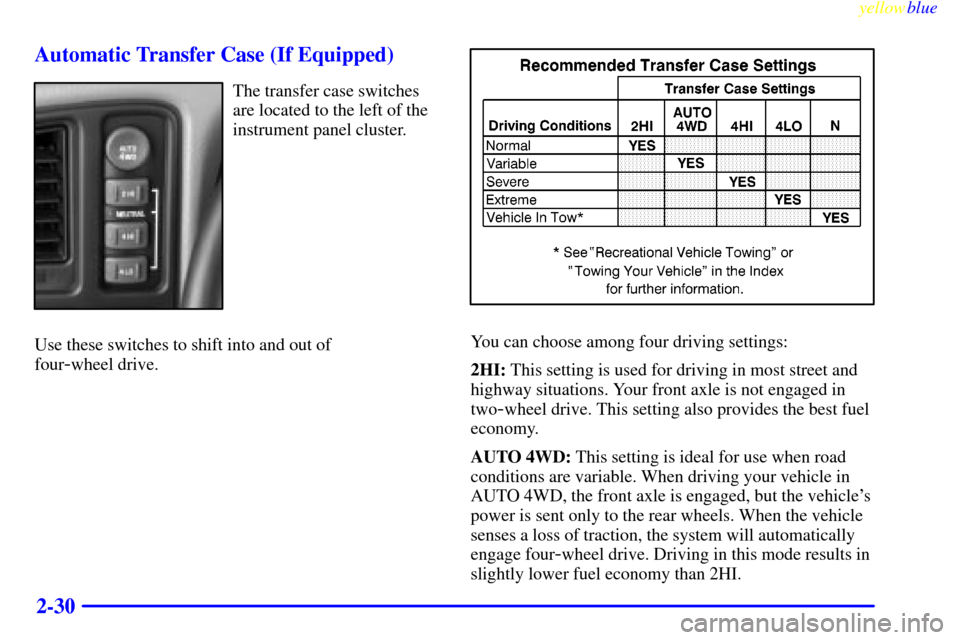
The transfer case switches
are located to the left of the
instrument panel cluster.
Use these switches to shift into and out of
four
-wheel drive.
You can choose among four driving settings:
2HI: This setting is used for driving in most street and
highway situations. Your front axle is not engaged in
two
-wheel drive. This setting also provides the best fuel
economy.
AUTO 4WD: This setting is ideal for use when road
conditions are variable. When driving your vehicle in
AUTO 4WD, the front axle is engaged, but the vehicle's
power is sent only to the rear wheels. When the vehicle
senses a loss of traction, the system will automatically
engage four
-wheel drive. Driving in this mode results in
slightly lower fuel economy than 2HI.
Page 103 of 432
yellowblue
2-31
4HI: Use 4HI when you need extra traction, such as on
snowy or icy roads or in most off
-road situations. This
setting also engages your front axle to help drive your
vehicle. This is the best setting to use when plowing snow.
4LO: This setting also engages your front axle and
delivers extra torque. You may never need 4LO. It sends
maximum power to all four wheels. You might choose
4LO if you are driving off
-road in deep sand, deep mud,
deep snow and climbing or descending steep hills.
CAUTION:
Shifting the transfer case to NEUTRAL can
cause your vehicle to roll even if the transmission
is in PARK (P). You or someone else could be
seriously injured. Be sure to set the parking
brake before placing the transfer case in
NEUTRAL. See ªParking Brakeº in the Index.
NEUTRAL: Shift the vehicle's transfer case to neutral
only when towing your vehicle. See ªRecreational
Vehicle Towingº or ªTowing Your Vehicleº in the Index
for more information.Indicator lights in the switches show which setting you
are in. The indicator lights will come on briefly when
you turn on the ignition and one will stay on. If the
lights do not come on, you should take your vehicle to
your dealer for service. An indicator light will flash
while shifting the transfer case. It will remain
illuminated when the shift is complete. If for some
reason the transfer case cannot make a requested shift, it
will return to the last chosen setting.
If the SERVICE 4WD light stays on, you should take
your vehicle to your dealer for service. See ªService
4WDº in the Index for further information.
Shifting to 4HI or AUTO 4WD
Press and release the 4HI or AUTO 4WD switch. This
can be done at any speed (except when shifting from
4LO), and the indicator light will flash while shifting. It
will remain illuminated when the shift is completed.
Shifting to 2HI
Press and release the 2HI switch. This can be done at
any speed (except when shifting from 4LO).
Page 107 of 432
yellowblue
2-35
CAUTION: (Continued)
With four-wheel drive if your transfer case is in
NEUTRAL (N), your vehicle will be free to roll,
even if your shift lever is in PARK (P). So, be
sure the transfer case is in a drive gear
-- not in
NEUTRAL (N). If you're pulling a trailer, see
ªTowing a Trailerº in
the Index.
1. Hold the brake pedal down with your right foot and
set the parking brake.
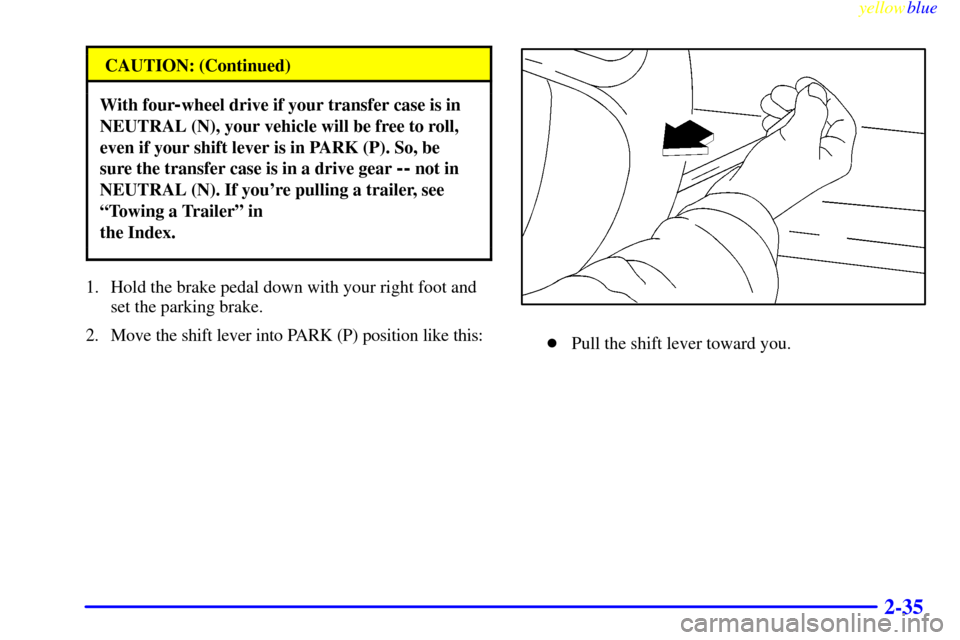
2. Move the shift lever into PARK (P) position like this:
�Pull the shift lever toward you.
Page 108 of 432
yellowblue
2-36
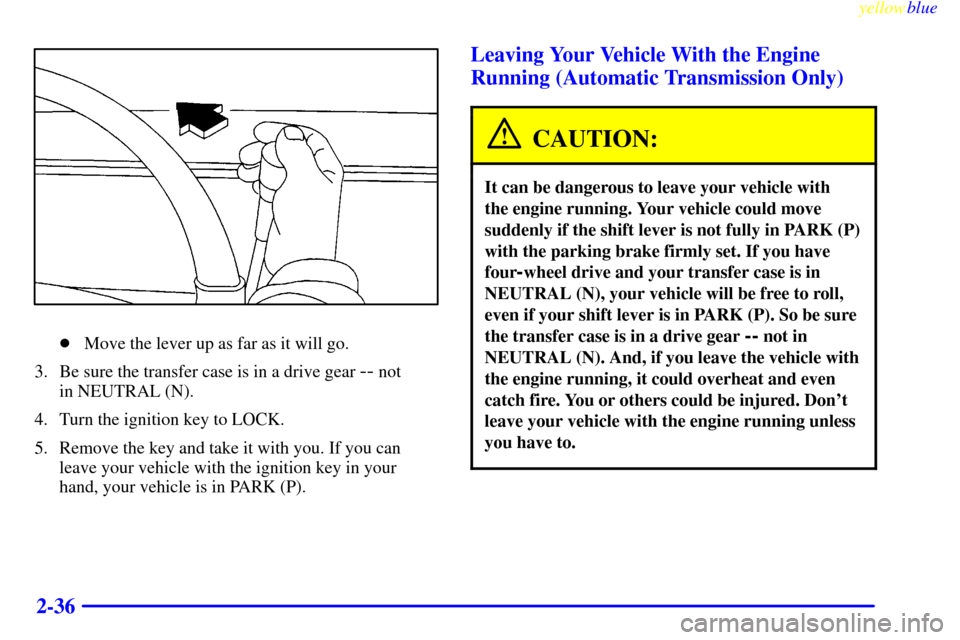
�Move the lever up as far as it will go.
3. Be sure the transfer case is in a drive gear
-- not
in NEUTRAL (N).
4. Turn the ignition key to LOCK.
5. Remove the key and take it with you. If you can
leave your vehicle with the ignition key in your
hand, your vehicle is in PARK (P).
Leaving Your Vehicle With the Engine
Running (Automatic Transmission Only)
CAUTION:
It can be dangerous to leave your vehicle with
the engine running. Your vehicle could move
suddenly if the shift lever is not fully in PARK (P)
with the parking brake firmly set. If you have
four
-wheel drive and your transfer case is in
NEUTRAL (N), your vehicle will be free to roll,
even if your shift lever is in PARK (P). So be sure
the transfer case is in a drive gear
-- not in
NEUTRAL (N). And, if you leave the vehicle with
the engine running, it could overheat and even
catch fire. You or others could be injured. Don't
leave your vehicle with the engine running unless
you have to.
Page 112 of 432
yellowblue
2-40
Running Your Engine While You're
Parked (Automatic Transmission)
It's better not to park with the engine running. But if
ever you have to, here are some things to know.
CAUTION:
Idling the engine with the climate control
system off could allow dangerous exhaust into
your vehicle (see the earlier Caution under
ªEngine Exhaustº).
Also, idling in a closed-in place can let deadly
carbon monoxide (CO) into your vehicle even if
the fan switch is at the highest setting. One place
this can happen is a garage. Exhaust
-- with
CO
-- can come in easily. NEVER park in a
garage with the engine running.
Another closed-in place can be a blizzard.
(See ªBlizzardº in the Index.)
CAUTION:
It can be dangerous to get out of your vehicle if
the shift lever is not fully in PARK (P) with the
parking brake firmly set. Your vehicle can roll.
Don't leave your vehicle when the engine is
running unless you have to. If you've left the
engine running, the vehicle can move suddenly.
You or others could be injured. To be sure your
vehicle won't move, even when you're on fairly
level ground, always set your parking brake and
move the shift lever to PARK (P).
Four-wheel drive vehicles with the transfer case in
NEUTRAL (N) will allow the vehicle to roll, even if
your shift lever is in PARK (P). So, be sure the transfer
case is in a drive gear
-- not in NEUTRAL (N). Always
set your parking brake. Follow the proper steps to be
sure your vehicle won't move. See ªShifting Into
PARK (P)º in the Index.
If you're pulling a trailer, see ªTowing a Trailerº in
the Index.
Page 114 of 432
yellowblue
2-42
Locking Rear Axle
If your vehicle has this feature, your locking rear axle
can give you additional traction on snow, mud, ice, sand
or gravel. It works like a standard axle most of the time,
but when one of the rear wheels has no traction and the
other does, this feature will allow the wheel with
traction to move the vehicle.
Windows
Manual Windows
Turn the hand crank on each door to raise or lower
manual windows.
Power Windows (If Equipped)
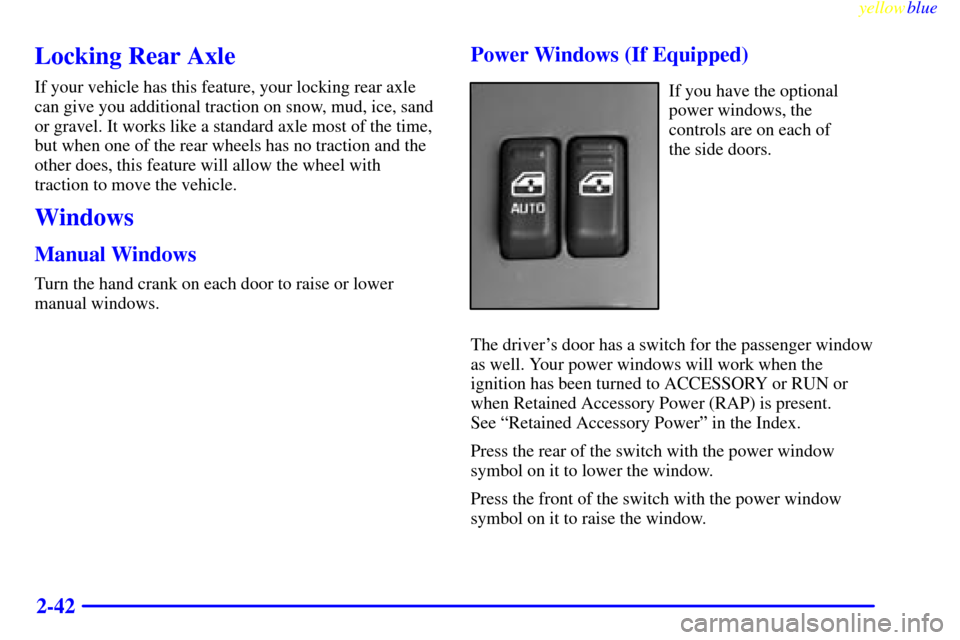
If you have the optional
power windows, the
controls are on each of
the side doors.
The driver's door has a switch for the passenger window
as well. Your power windows will work when the
ignition has been turned to ACCESSORY or RUN or
when Retained Accessory Power (RAP) is present.
See ªRetained Accessory Powerº in the Index.
Press the rear of the switch with the power window
symbol on it to lower the window.
Press the front of the switch with the power window
symbol on it to raise the window.
Page 115 of 432
yellowblue
2-43
The driver's window also has an express down feature
that allows the window to be lowered without holding
the switch. Press and hold the rear of the window switch
for one second to activate the express down mode. The
express down mode can be canceled at any time by
pressing the opposite side of the switch. To open the
window partway, lightly tap the switch until the window
is at the desired position.
Swing-Out Windows (Extended Cab)
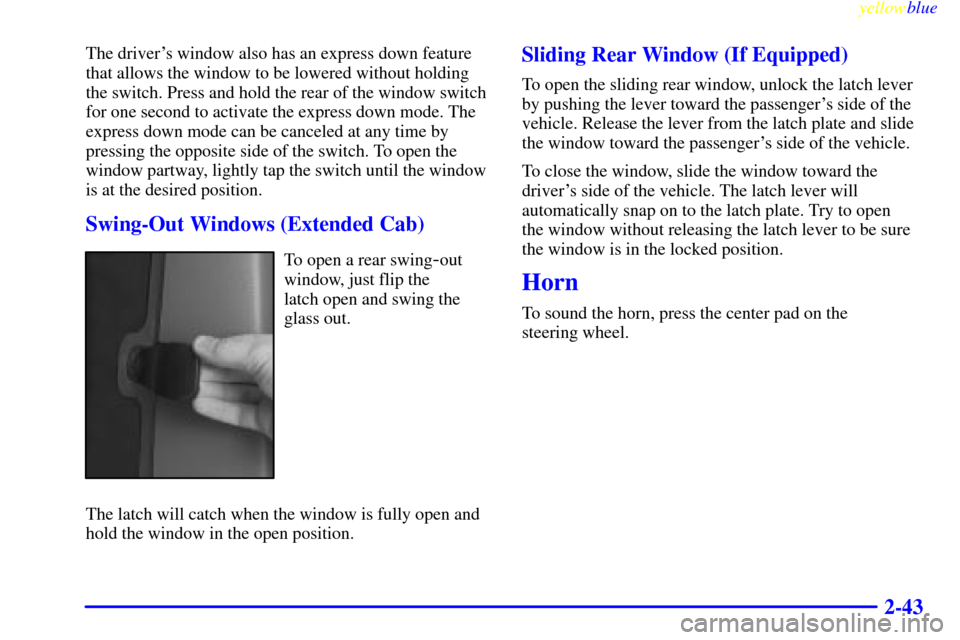
To open a rear swing-out
window, just flip the
latch open and swing the
glass out.
The latch will catch when the window is fully open and
hold the window in the open position.
Sliding Rear Window (If Equipped)
To open the sliding rear window, unlock the latch lever
by pushing the lever toward the passenger's side of the
vehicle. Release the lever from the latch plate and slide
the window toward the passenger's side of the vehicle.
To close the window, slide the window toward the
driver's side of the vehicle. The latch lever will
automatically snap on to the latch plate. Try to open
the window without releasing the latch lever to be sure
the window is in the locked position.
Horn
To sound the horn, press the center pad on the
steering wheel.
Page 116 of 432
yellowblue
2-44
Tilt Wheel (If Equipped)
The tilt steering wheel
allows you to adjust the
steering wheel before
you drive.
You can also raise it to the highest level to give your
legs more room when you enter and exit the vehicle.
To tilt the wheel, hold the steering wheel and pull the
lever. Move the steering wheel to a comfortable level,
then release the lever to lock the wheel in place.
Turn Signal/Multifunction Lever
The lever on the left side of the steering column
includes your:
�Turn Signal and Lane Change Indicator
�Headlamp High/Low Beam Changer
�Flash
-to-Pass
�Windshield Wipers
�Windshield Washer
�Cruise Control (If Equipped)