Page 103 of 328

yellowblue
2-41
Parking lamps, front and rear sidemarker
lamps, taillamps, license plate lamps, ashtray lamps,
backlighting to the radio controls and instrument
panel lights.
Headlamps.
Fog lamps.
Twilight Sentinel.
Turns the Twilight Sentinel system off.
Instrument panel brightness control.
Turn the lamp control dial clockwise (to the first
position) to turn on the parking lamps, front and rear
sidemarker lamps, taillamps, license plate lamps, ashtray
lamps, instrument panel lights and backlighting to the
center console controls. Turn the lamp control dial all
the way clockwise (to the second position) to turn on the
low
-beam headlamps.
Turn the lamp control dial counterclockwise to turn the
lamps off.
Headlamps
Turn the lamp control dial all the way to the right to turn
on the low
-beam headlamps.
To turn on the high
-beam headlamps, the low-beam
headlamps must already be on. Push the turn signal lever
on the left side of the steering wheel away from you to
engage the high
-beam headlamps. Pull the lever toward
you to return to the low
-beam headlamps. For more
information, seeªHeadlamp High/Low Beamº in
the Index.
Turn the lamp control dial all the way to the left to turn
the headlamps off.
Note: If the headlamps are activated while driving and
then you turn your vehicle's ignition off while the lamp
dial is still turned on, the headlamps will turn off. If,
however, you open the driver's door while the lamp dial
is still turned on, a warning chime will sound reminding
you to turn the lamp control dial to OFF. This will stop
the warning chime from sounding. (If you want the
headlamps to remain on, you must manually turn the
lamp control dial off and then back on to the headlamp
position. The headlamps will stay on until manually
turned off again.)
Page 123 of 328
yellowblue
2-61
The instrument panel is designed to let you know at a glance how your vehicle is running. You'll know how fast
you're going, how much fuel you're using and many of the other things you'll need to know to drive safely and
economically. The main components of the instrument panel are:
A. Air Outlets
B. Turn Signal/Multifunction Lever
C. Instrument Cluster
D. Windshield Wiper/Washer Lever
E. Comfort Controls
F. Lamp Controls
G. Horn
H. Steering Wheel Touch Controls for Audio System
I. Hood ReleaseJ. Hazard Warning Flasher Button
K. Fuel Door Release Button
L. Heated Front Seat On/Off Button (Option)
M. Ashtray
N. Radio
O. Trunk Release Button
P. Traction Control On/Off Button
Q. Glove Box
Page 130 of 328

yellowblue
2-68 Traction Control System Warning Light
This warning light will flash
when the system senses a
traction change.
If it stays on, or comes on and stays on steady when
you're driving, there may be a problem with your
traction control system and your vehicle may need
service. When this warning light is on, the system will
not limit wheel spin. Adjust your driving accordingly.
The traction control system warning light may come on
for the following reasons:
�If there's a brake system problem that is specifically
related to traction control, the traction control system
will turn off and the warning light will come on.
�If the traction control system is affected by an
engine
-related problem, the system will turn off and
the warning light will come on.
If the traction control system warning light comes on
and stays on for an extended period of time when the
system is turned on, your vehicle needs service.
Engine Coolant Temperature
Warning Light
This light tells you that the
engine has overheated. If
this light comes on, you
should stop the vehicle and
turn the engine off as soon
as possible.
A warning chime should also sound if this light
comes on.
As a check, the light should come on for a few seconds
when you start the engine. See ªEngine Overheatingº in
the Index.
Page 139 of 328

3-
yellowblue
3-1
Section 3 Comfort Controls and Audio Systems
In this section, you'll find out how to operate the comfort control and audio systems offered with your vehicle. Be
sure to read about the particular systems supplied with your vehicle.
3
-2 Comfort Controls
3
-2 Electronic Climate Control (ECC)
3
-3 Automatic Operation
3
-4 Manual Operation
3
-6 Air Conditioning
3
-6 Heating
3
-6 Defrosting
3
-7 Rear Window Defogger
3
-7 Ventilation System
3
-9 Audio Systems
3
-9 Setting the Clock
3
-9AM-FM Stereo with Cassette Tape Player
3
-13 AM-FM Stereo with Cassette Tape and
Compact Disc Player with Radio Data
Systems (RDS) (If Equipped)3
-22 Radio Data Systems (RDS) Program Type
(PTY) Selections
3
-23 CD Adapter Kits
3
-23 Trunk-Mounted CD Changer (Option)
3
-27 Theft-Deterrent Feature
3
-27 Audio Steering Wheel Controls
3
-28 Understanding Radio Reception
3
-28 Tips About Your Audio System
3
-29 Care of Your Cassette Tape Player
3
-30 Care of Your Compact Discs
3
-31 Care of Your Compact Disc Player
3
-31 Heated Backlite Antenna
Page 165 of 328
yellowblue
3-27 Theft-Deterrent Feature
THEFTLOCK� is designed to discourage theft of your
radio. Your vehicle has a ªbuilt
-inº theft-deterrent
feature on each radio that is automatic
-- there is no
programming required. The radio in your vehicle cannot
be used in any other vehicle. When the radio was
originally installed in your vehicle at the factory, it
stored the Vehicle Identification Number (VIN). Each
time the ignition is turned on, the VIN is verified. If the
vehicle's VIN does not match the VIN stored in the
radio, THEFTLOCK will be activated and the audio
system will not play. If the radio is removed from your
vehicle, the original VIN in the radio can be used to
trace the radio back to your vehicle.
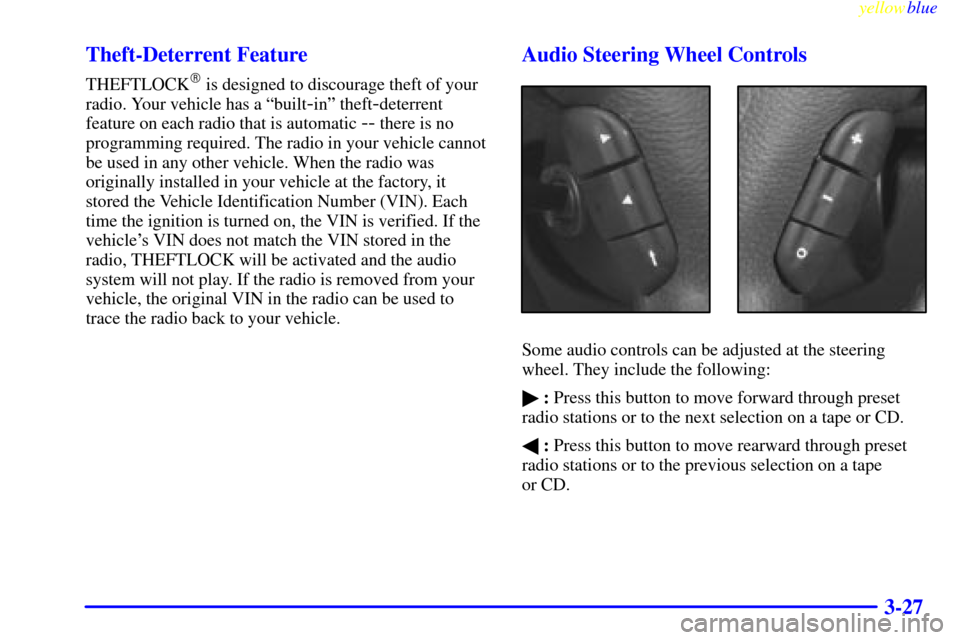
Audio Steering Wheel Controls
Some audio controls can be adjusted at the steering
wheel. They include the following:
�: Press this button to move forward through preset
radio stations or to the next selection on a tape or CD.
�: Press this button to move rearward through preset
radio stations or to the previous selection on a tape
or CD.
Page 178 of 328
yellowblue
4-8
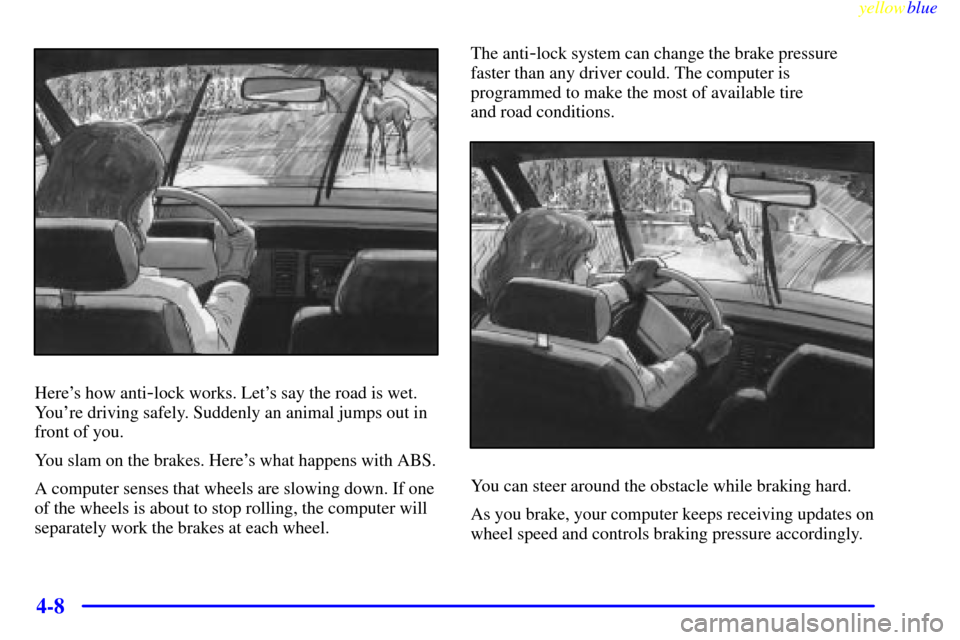
Here's how anti-lock works. Let's say the road is wet.
You're driving safely. Suddenly an animal jumps out in
front of you.
You slam on the brakes. Here's what happens with ABS.
A computer senses that wheels are slowing down. If one
of the wheels is about to stop rolling, the computer will
separately work the brakes at each wheel.The anti
-lock system can change the brake pressure
faster than any driver could. The computer is
programmed to make the most of available tire
and road conditions.
You can steer around the obstacle while braking hard.
As you brake, your computer keeps receiving updates on
wheel speed and controls braking pressure accordingly.
Page 179 of 328

yellowblue
4-9
Remember: Anti-lock doesn't change the time you need
to get your foot up to the brake pedal or always decrease
stopping distance. If you get too close to the vehicle in
front of you, you won't have time to apply your brakes
if that vehicle suddenly slows or stops. Always leave
enough room up ahead to stop, even though you have
anti
-lock brakes.
Using Anti
-Lock
Don't pump the brakes. Just hold the brake pedal down
firmly and let anti
-lock work for you. You may hear the
anti
-lock pump or motor operate, and feel the brake
pedal pulsate, but this is normal.
Traction Control System
Your vehicle has a traction control system that limits
wheel spin. This is especially useful in slippery road
conditions. The system operates only if it senses that one
or both of the rear wheels are spinning or beginning to
lose traction. When this happens, the system brakes the
spinning wheel and/or reduces engine power to limit
wheel spin.
You may feel or hear the system working, but this
is normal.
This warning light will
come on to let you know if
there's a problem with your
traction control system.
See ªTraction Control System Warning Lightº in the
Index. When this warning light is on, the system will not
limit wheel spin. Adjust your driving accordingly.
The traction control system automatically comes on
whenever you start your vehicle. To limit wheel spin,
especially in slippery road conditions, you should
always leave the system on. But you can turn the
traction control system off if you ever need to. (You
should turn the system off if your vehicle ever gets stuck
in sand, mud, ice or snow. See ªRocking Your Vehicleº
in the Index.)
Page 180 of 328
yellowblue
4-10
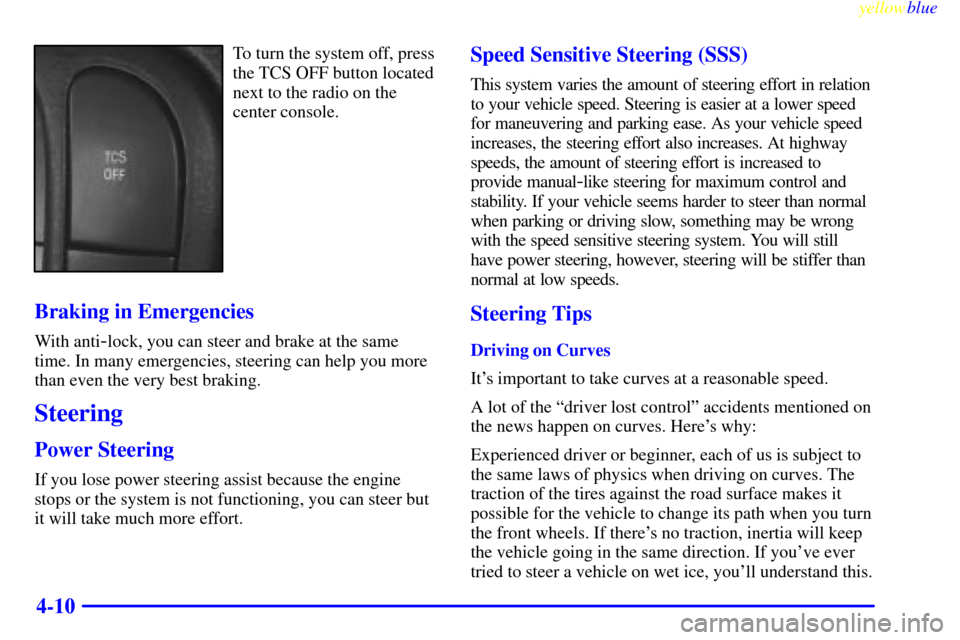
To turn the system off, press
the TCS OFF button located
next to the radio on the
center console.
Braking in Emergencies
With anti-lock, you can steer and brake at the same
time. In many emergencies, steering can help you more
than even the very best braking.
Steering
Power Steering
If you lose power steering assist because the engine
stops or the system is not functioning, you can steer but
it will take much more effort.
Speed Sensitive Steering (SSS)
This system varies the amount of steering effort in relation
to your vehicle speed. Steering is easier at a lower speed
for maneuvering and parking ease. As your vehicle speed
increases, the steering effort also increases. At highway
speeds, the amount of steering effort is increased to
provide manual
-like steering for maximum control and
stability. If your vehicle seems harder to steer than normal
when parking or driving slow, something may be wrong
with the speed sensitive steering system. You will still
have power steering, however, steering will be stiffer than
normal at low speeds.
Steering Tips
Driving on Curves
It's important to take curves at a reasonable speed.
A lot of the ªdriver lost controlº accidents mentioned on
the news happen on curves. Here's why:
Experienced driver or beginner, each of us is subject to
the same laws of physics when driving on curves. The
traction of the tires against the road surface makes it
possible for the vehicle to change its path when you turn
the front wheels. If there's no traction, inertia will keep
the vehicle going in the same direction. If you've ever
tried to steer a vehicle on wet ice, you'll understand this.