Page 133 of 368
yellowblue
2-73 Cruise Light
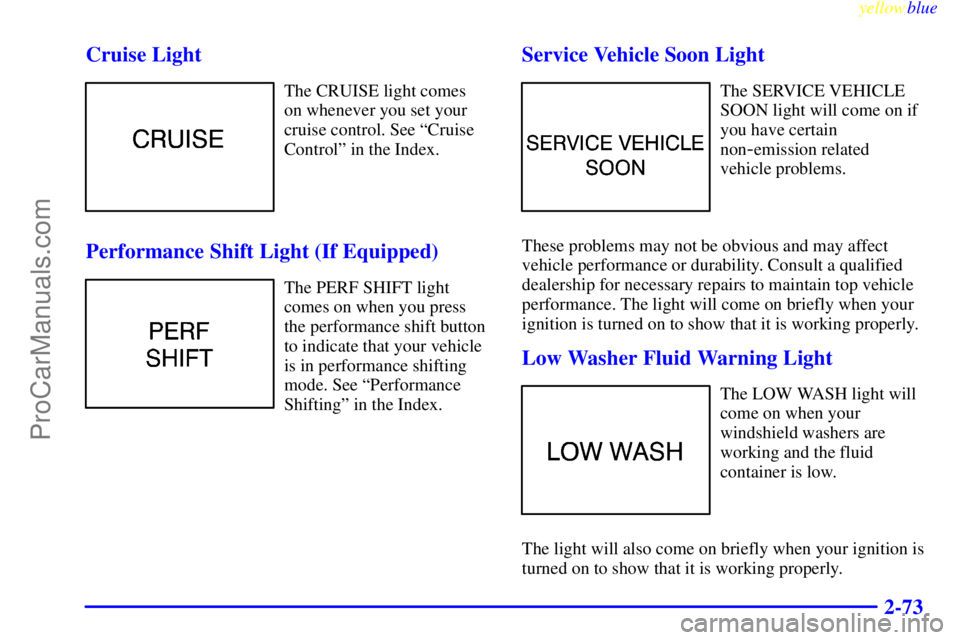
The CRUISE light comes
on whenever you set your
cruise control. See ªCruise
Controlº in the Index.
Performance Shift Light (If Equipped)
The PERF SHIFT light
comes on when you press
the performance shift button
to indicate that your vehicle
is in performance shifting
mode. See ªPerformance
Shiftingº in the Index.
Service Vehicle Soon Light
The SERVICE VEHICLE
SOON light will come on if
you have certain
non
-emission related
vehicle problems.
These problems may not be obvious and may affect
vehicle performance or durability. Consult a qualified
dealership for necessary repairs to maintain top vehicle
performance. The light will come on briefly when your
ignition is turned on to show that it is working properly.
Low Washer Fluid Warning Light
The LOW WASH light will
come on when your
windshield washers are
working and the fluid
container is low.
The light will also come on briefly when your ignition is
turned on to show that it is working properly.
ProCarManuals.com
Page 134 of 368
yellowblue
2-74 Door/Trunk Ajar Warning Light
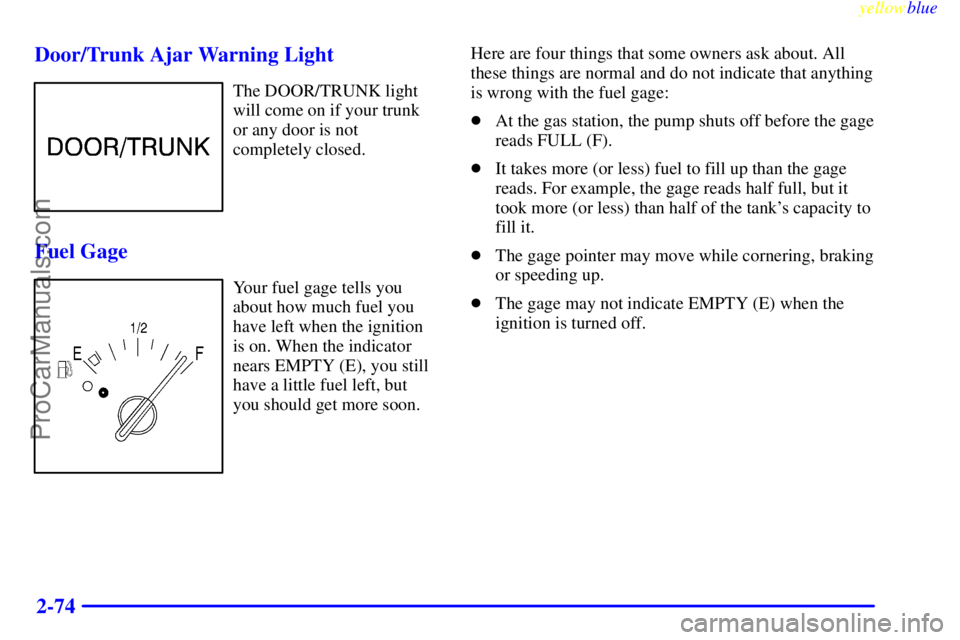
The DOOR/TRUNK light
will come on if your trunk
or any door is not
completely closed.
Fuel Gage
Your fuel gage tells you
about how much fuel you
have left when the ignition
is on. When the indicator
nears EMPTY (E), you still
have a little fuel left, but
you should get more soon.Here are four things that some owners ask about. All
these things are normal and do not indicate that anything
is wrong with the fuel gage:
�At the gas station, the pump shuts off before the gage
reads FULL (F).
�It takes more (or less) fuel to fill up than the gage
reads. For example, the gage reads half full, but it
took more (or less) than half of the tank's capacity to
fill it.
�The gage pointer may move while cornering, braking
or speeding up.
�The gage may not indicate EMPTY (E) when the
ignition is turned off.
ProCarManuals.com
Page 135 of 368
yellowblue
2-75 Low Fuel Light
If your fuel is low, a circular
light on your instrument
panel will come on and stay
on and a chime will sound
periodically until you
add fuel.
It will also come on for a few seconds when you first
turn on the ignition as a check to show you it's working.
If it doesn't come on then, have it fixed.
Driver Information Center (Option)
3800 V6 Supercharged Engine
ProCarManuals.com
Page 136 of 368
yellowblue
2-76
3800 V6 Engine
Your Driver Information Center, (DIC) located below
the tachometer on the instrument panel cluster, gives
you important safety and maintenance facts. When you
turn the ignition on, the entire center lights up for just a
few seconds.
Control Buttons
The Driver Information Center has three buttons that
control its functions.
E/M, RESET AND MODE: The English/Metric
(E/M), RESET and MODE buttons for the Driver
Information Center are located to the left of the steering
wheel, just below the instrument panel cluster.
E/M: Press this button to change the display from
English to metric units or metric to English.
ProCarManuals.com
Page 147 of 368

yellowblue
3-9
Audio Systems
Your Delco Electronics audio system has been designed
to operate easily and give years of listening pleasure.
You will get the most enjoyment out of it if you acquaint
yourself with it first. Find out what your Delco
Electronics system can do and how to operate all its
controls, to be sure you're getting the most out of the
advanced engineering that went into it.
Setting the Clock
Press and hold HRS until the correct hour appears. Press
and hold MIN until the correct minute appears.
You may set the clock with the ignition off if you
press RECALL first and follow the same procedure
described above.
AM-FM Stereo with Cassette Tape Player
and Automatic Tone Control
If your vehicle is equipped with the Monsoon� AM-FM
Stereo with Cassette Tape Player and Automatic Tone
Control (not shown), included are 8 speakers and a
powerful 8 channel, 200 watt amplifier.
Playing the Radio
VOLUME: Press this knob to turn the system on and
off. To increase volume, turn the knob clockwise. Turn
it counterclockwise to decrease the volume.
ProCarManuals.com
Page 148 of 368

yellowblue
3-10
RECALL: Press this button briefly to recall the station
being played or to display the clock. To change what is
normally shown on the display (station or time), press
this button until you see the display you want, then hold
the button until the display flashes. If you press the
button when the ignition is off, the clock will show for a
few seconds.
Finding a Station
AM
-FM: Press this button to switch between AM, FM1
and FM2. The display shows your selection.
TUNE: Press the up or down arrow to choose
radio stations.
SEEK: Press the up or down arrow to go to the next
higher or lower station and stay there. The sound will
mute while seeking.
SCAN: Press one of the SEEK arrows for two seconds
and SCAN will appear on the display. Use SCAN to
listen to stations for a few seconds. The radio will go to
a station, stop for a few seconds, then go on to the next
station. Press one of the SEEK buttons again to stop
scanning. The sound will mute while scanning.PUSHBUTTONS: The six numbered pushbuttons let
you return to your favorite stations. You can set up to
18 stations (six AM, six FM1 and six FM2). Just:
1. Turn the radio on.
2. Press AM
-FM to select the band.
3. Tune in the desired station.
4. Press TONE to select the setting you prefer.
5. Press and hold one of the six numbered buttons. The
sound will mute. When it returns, release the button.
Whenever you press that numbered button, the
station you set will return and the tone you selected
will be automatically selected for that button.
6. Repeat the steps for each pushbutton.
P SCAN: Press this button to listen to each of your
preset stations for a few seconds. The radio will go to
the first preset station, stop for a few seconds, then go
on to the next preset station. Press P SCAN again to stop
scanning. If a preset station has weak reception, the
radio will not stop at the preset station.
ProCarManuals.com
Page 149 of 368

yellowblue
3-11
AUTO SET: Press this button and the system will seek
and set the 12 strongest FM or the 6 strongest AM
stations on your preset buttons (depending on which
band (AM or FM) you are listening to). AUTO SET will
flash while seeking and will remain on until this
function is complete. To return to the stations you
manually set, press AUTO SET again.
Setting the Tone
BASS: Press this knob lightly so it extends. Turn the
knob to increase or decrease bass.
TREB: Press this knob lightly so it extends. Turn the
knob to increase or decrease treble. If a station is weak
or noisy, you may want to decrease the treble.
Push these knobs back into their stored positions when
you're not using them.
TONE: This feature allows you to choose preset bass
and treble equalization settings designed for classical,
pop, rock, jazz, talk and country/western stations.
CLASS will appear on the display when you first press
TONE. Each time you press it, another setting will
appear on the display. Press it again after C & W
appears and MANUAL will appear. Tone control will
return to the BASS and TREB knobs. Also, if you use
the BASS and TREB knobs, control will return to them
and MANUAL will appear.Adjusting the Speakers
BAL: Press this knob lightly so it extends. Turn the
knob to move the sound to the left or right speakers.
The middle position balances the sound between
the speakers.
FADE: Press this knob lightly so it extends. Turn
the knob to move the sound to the front or rear
speakers. The middle position balances the sound
between the speakers.
Push these knobs back into their stored positions when
you're not using them.
Playing a Cassette Tape
The longer side with the tape visible should face to the
right. If the ignition and the radio are on, the tape can be
inserted and will begin playing. If you hear nothing or
hear a garbled sound, the tape may not be in squarely.
Press EJECT to remove the tape and start over.
While the tape is playing, use the VOLUME, FADE,
BAL, BASS and TREB controls just as you do for the
radio. Other controls may have different functions when
a tape is inserted. The display will show an arrow to
show which side of the tape is playing.
ProCarManuals.com
Page 150 of 368

yellowblue
3-12
If you want to insert a tape when the ignition or radio is
off, first press EJECT or RECALL. Note that the
cassette tape adapter kits for portable compact disc
players will work in your cassette tape player.
Your tape bias is set automatically.
If E and a number appear on the radio display, the tape
won't play because of an error.
�E10: The tape is tight and the player can't turn the
tape hubs. Remove the tape. Hold the tape with the
open end down and try to turn the right hub
counterclockwise with a pencil. Turn the tape over
and repeat. If the hubs do not turn easily, your tape
may be damaged and should not be used in the
player. Try a new tape to make sure your player is
working properly.
�E11: The tape is broken. Try a new tape.
If any error occurs repeatedly or if an error can't be
corrected, please contact your dealer. If your radio
displays an error number, write it down and provide it to
your dealer when reporting the problem.PREV (1): Press this button to search for the previous
selection on the tape. Your tape must have at least three
seconds of silence between each selection for PREV to
work. The sound will mute while seeking.
NEXT (2): Press this button to search for the next
selection on the tape. Your tape must have at least three
seconds of silence between each selection for NEXT to
work. The sound will mute while seeking.
The SEEK up and down arrows will also find the
previous and next selections on the tape.
�� (3): Press this button to reverse the tape rapidly.
Press it again to return to playing speed. The radio will
play while the tape reverses.
�� (4): Press this button to advance quickly to
another part of the tape. Press the button again to
return to playing speed. The radio will play while the
tape advances.
SIDE (5): Press this button to change the side of the
tape that is playing.
ProCarManuals.com