Page 77 of 368

yellowblue
2-21
RUN (D): The switch returns to this position after you
start your engine and release the key. This is the position
for normal driving. Even when the engine is not
running, you can use RUN to operate your electrical
power accessories and to display some instrument panel
warning lights.
START (E): This position starts your engine. When the
engine starts, release the key and the switch will move
to RUN.
NOTICE:
If your key seems stuck in LOCK and you can't
turn it, be sure you are using the correct key; if
so, is it all the way in? If it is, then turn the
steering wheel left and right while you turn the
key hard. But turn the key only with your hand.
Using a tool to force it could break the key or the
ignition switch. If none of this works, then your
vehicle needs service.
Key Reminder Warning
If you leave your key in the ignition, in OFF, you will
hear a warning chime when you open the driver's door.
Always leave your key in LOCK. If you leave it in any
other position, you will drain your battery power.
Starting Your Engine
Move your shift lever to PARK (P) or NEUTRAL (N).
Your engine won't start in any other position
-- that's
a safety feature. To restart when you're already moving,
use NEUTRAL (N) only.
NOTICE:
Don't try to shift to PARK (P) if your vehicle is
moving. If you do, you could damage the
transaxle. Shift to PARK (P) only when your
vehicle is stopped.
Page 80 of 368

yellowblue
2-24
How long should you keep the coolant heater plugged
in? The answer depends on the outside temperature, the
kind of oil you have, and some other things. Instead of
trying to list everything here, we ask that you contact
your dealer in the area where you'll be parking your
vehicle. The dealer can give you the best advice for that
particular area.
Automatic Transaxle Operation
Your automatic transaxle has a shift lever located on the
steering column.
PARK (P): This position locks your front wheels.
It's the best position to use when you start your engine
because your vehicle can't move easily.
CAUTION:
It is dangerous to get out of your vehicle if the
shift lever is not fully in PARK (P) with the
parking brake firmly set. Your vehicle can roll.
Don't leave your vehicle when the engine is
running unless you have to. If you have left the
engine running, the vehicle can move suddenly.
You or others could be injured. To be sure your
vehicle won't move, even when you're on fairly
level ground, always set your parking brake and
move the shift lever to PARK (P).
See ªShifting Into PARK (P)º in the Index. If
you're pulling a trailer, see ªTowing a Trailerº in
the Index.
Page 89 of 368
yellowblue
2-33
Windows
Power Windows
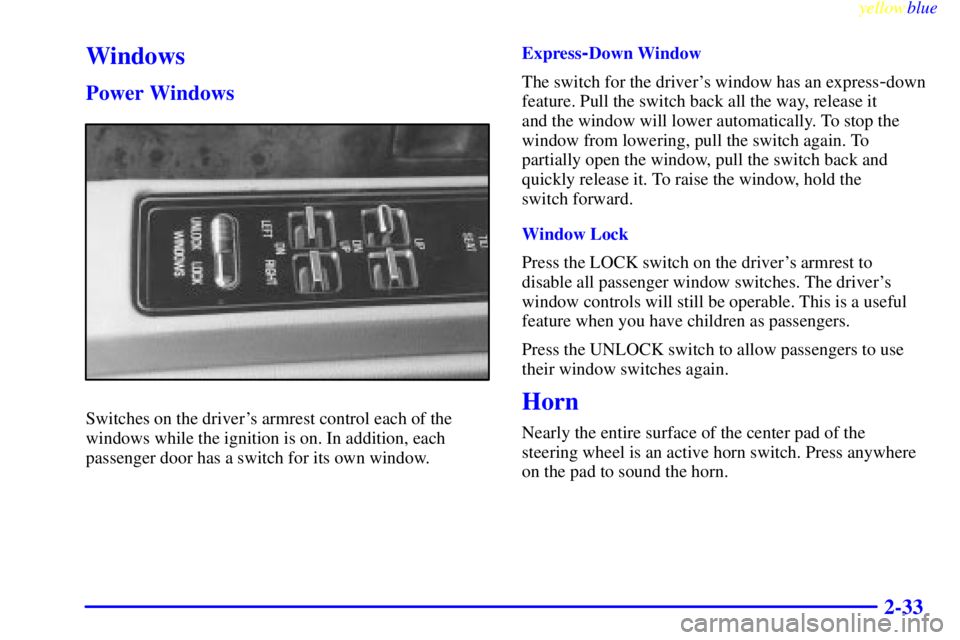
Switches on the driver's armrest control each of the
windows while the ignition is on. In addition, each
passenger door has a switch for its own window.Express
-Down Window
The switch for the driver's window has an express
-down
feature. Pull the switch back all the way, release it
and the window will lower automatically. To stop the
window from lowering, pull the switch again. To
partially open the window, pull the switch back and
quickly release it. To raise the window, hold the
switch forward.
Window Lock
Press the LOCK switch on the driver's armrest to
disable all passenger window switches. The driver's
window controls will still be operable. This is a useful
feature when you have children as passengers.
Press the UNLOCK switch to allow passengers to use
their window switches again.
Horn
Nearly the entire surface of the center pad of the
steering wheel is an active horn switch. Press anywhere
on the pad to sound the horn.
Page 90 of 368
yellowblue
2-34
Tilt Wheel
A tilt steering wheel allows you to adjust the steering
wheel before you drive.
You can also raise it to the highest level to give your
legs more room when you exit and enter the vehicle.
To tilt the wheel, hold the steering wheel and pull the
lever toward you. Move the steering wheel to a
comfortable level, then release the lever to lock the
wheel in place.
Turn Signal/Multifunction Lever
The lever on the left side of the steering column
includes your:
�Turn Signal and Lane Change Indicator
�Headlamp High/Low Beam Changer and
Passing Signal
�Windshield Wipers and Washer
�Cruise Control
Page 96 of 368
yellowblue
2-40
Exterior Lamps
Headlamps
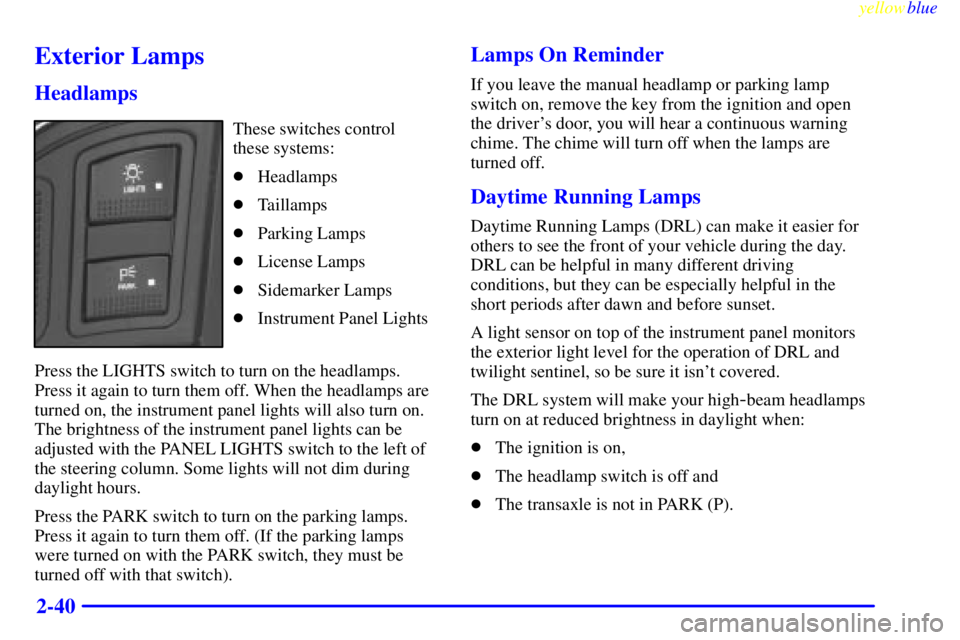
These switches control
these systems:
�Headlamps
�Taillamps
�Parking Lamps
�License Lamps
�Sidemarker Lamps
�Instrument Panel Lights
Press the LIGHTS switch to turn on the headlamps.
Press it again to turn them off. When the headlamps are
turned on, the instrument panel lights will also turn on.
The brightness of the instrument panel lights can be
adjusted with the PANEL LIGHTS switch to the left of
the steering column. Some lights will not dim during
daylight hours.
Press the PARK switch to turn on the parking lamps.
Press it again to turn them off. (If the parking lamps
were turned on with the PARK switch, they must be
turned off with that switch).
Lamps On Reminder
If you leave the manual headlamp or parking lamp
switch on, remove the key from the ignition and open
the driver's door, you will hear a continuous warning
chime. The chime will turn off when the lamps are
turned off.
Daytime Running Lamps
Daytime Running Lamps (DRL) can make it easier for
others to see the front of your vehicle during the day.
DRL can be helpful in many different driving
conditions, but they can be especially helpful in the
short periods after dawn and before sunset.
A light sensor on top of the instrument panel monitors
the exterior light level for the operation of DRL and
twilight sentinel, so be sure it isn't covered.
The DRL system will make your high
-beam headlamps
turn on at reduced brightness in daylight when:
�The ignition is on,
�The headlamp switch is off and
�The transaxle is not in PARK (P).
Page 111 of 368
yellowblue
2-55
1. Air Outlet
2. Instrument Panel Intensity Control
3. Twilight Sentinel
4. Turn Signal/Multifunction Lever
5. Tilt Steering Wheel Lever
6. Instrument Cluster/Gages
7. Hazard Warning Flasher Switch
8. Audio System9. Glove Box
10. Climate Control System
11. Ashtray and Cigarette Lighter
12. Ignition Switch
13. Traction Control Button
14. Trunk Release Button
15. Hood Release
Page 119 of 368

yellowblue
2-63 Traction Control System Warning
Light (Option)
This warning light should
come on briefly as you start
the engine. If the warning
light doesn't come on then,
have it fixed so it will be
ready to warn you if there's
a problem.
If it stays on, or comes on when you're driving, there
may be a problem with your traction control system and
your vehicle may need service. When this warning light
is on, the system will not limit wheel spin. Adjust your
driving accordingly.The traction control system warning light may come on
for the following reasons:
�If you turn the system off by pressing the button
located to the left of the steering column, the
warning light will come on and stay on. To turn the
system back on, press the button again. The warning
light should go off. (See ªTraction Control Systemº
in the Index for more information.)
�If there's a brake system problem that is specifically
related to traction control, the traction control system
will turn off and the warning light will come on. If
your brakes begin to overheat, the traction control
system will turn off and the warning light will come
on until your brakes cool down.
�If the traction control system is affected by an
engine
-related problem, the system will turn off and
the warning light will come on.
If the traction control system warning light comes on
and stays on for an extended period of time when the
system is turned on, your vehicle needs service.
Page 127 of 368

3-
First Edition for Buick LeSabre Owner's Manual ± 1999
yellowblue
3-1
Section 3 Comfort Controls and Audio Systems
In this section, you'll find out how to operate the comfort control and audio systems offered with your vehicle. Be
sure to read about the particular systems supplied with your vehicle.
3
-2 Comfort Controls
3
-6 Air Conditioning
3
-7 Heating
3
-8 Defogging and Defrosting
3
-8 Rear Window Defogger
3
-9 Passenger Control (If Equipped)
3
-10 Ventilation System
3
-11 Steering Wheel Controls for Climate Control
(If Equipped)
3
-12 Audio Systems
3
-12 Setting the Clock
3
-12 AM-FM Stereo
3
-14 AM-FM Stereo with Cassette Tape Player
(If Equipped)3
-17 AM-FM Stereo with Cassette Tape Player and
Automatic Tone Control (If Equipped)
3
-21 AM-FM Stereo with Compact Disc Player and
Automatic Tone Control (If Equipped)
3
-25 AM-FM Stereo with Cassette Tape and
Compact Disc Player with Automatic Tone
Control (If Equipped)
3
-30 Theft-Deterrent Feature
3
-32 Audio Steering Wheel Controls (If Equipped)
3
-33 Understanding Radio Reception
3
-34 Care of Your Cassette Tape Player
3
-35 Care of Your Compact Discs
3
-35 Care of Your Compact Disc Player
3
-36 Heated Backlite Antenna