1998 PONTIAC BONNEVILLE change time
[x] Cancel search: change timePage 106 of 395
Electrochromic Daymight Rearview Mirror
(If Equipped)
-1 cc- I
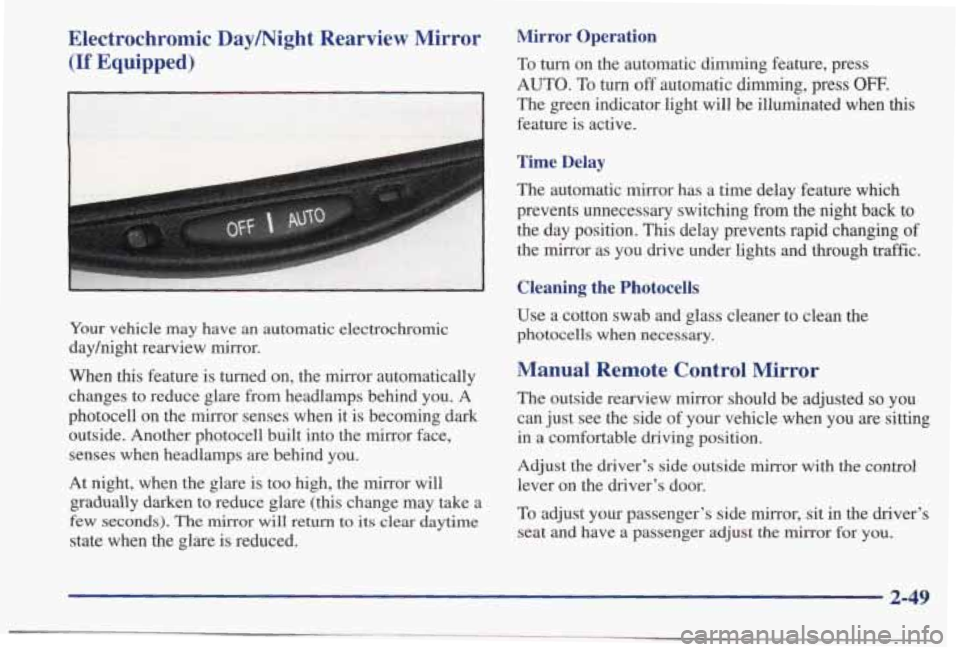
Your vehicle may have an automatic electrochromic
dayhight rearview mirror.
When
this feature is turned on, the mirror automatically
changes to reduce glare from headlamps behind you. A
photocell on the mirror senses when it
is becoming dark
outside. Another photocell built into the mirror face,
senses when headlamps are behind you.
At night, when the glare is too high, the mirror will
gradually darken to reduce glare
(this change may take a
few seconds). The
mirror will return to its clear daytime
state when the glare is reduced.
Mirror Operation
To turn on the automatic dimming feature, press
AUTO. To turn off automatic dimming, press OFF.
The green indicator light will be illuminated when this
feature is active.
Time Delay
The automatic mirror has a time delay feature which
prevents unnecessary switching
from the night back to
the day position. This delay prevents rapid changing of
the mirror as you drive under lights and through traffic.
Cleaning the Photocells
Use a cotton swab and glass cleaner to clean the
photocells when necessary.
Manual Remote Control Mirror
The outside rearview mirror should be adjusted so you
can just see the side of your vehicle when you are sitting
in a comfortable driving position.
Adjust the driver’s side outside mirror with the
control
lever on the driver’s door.
To adjust your passenger’s side mirror, sit in the driver’s
seat and have a passenger adjust the
mirror for you.
2-49
Page 131 of 395
Boost Gage (Option) Head-Up Display (Option)
fXjST
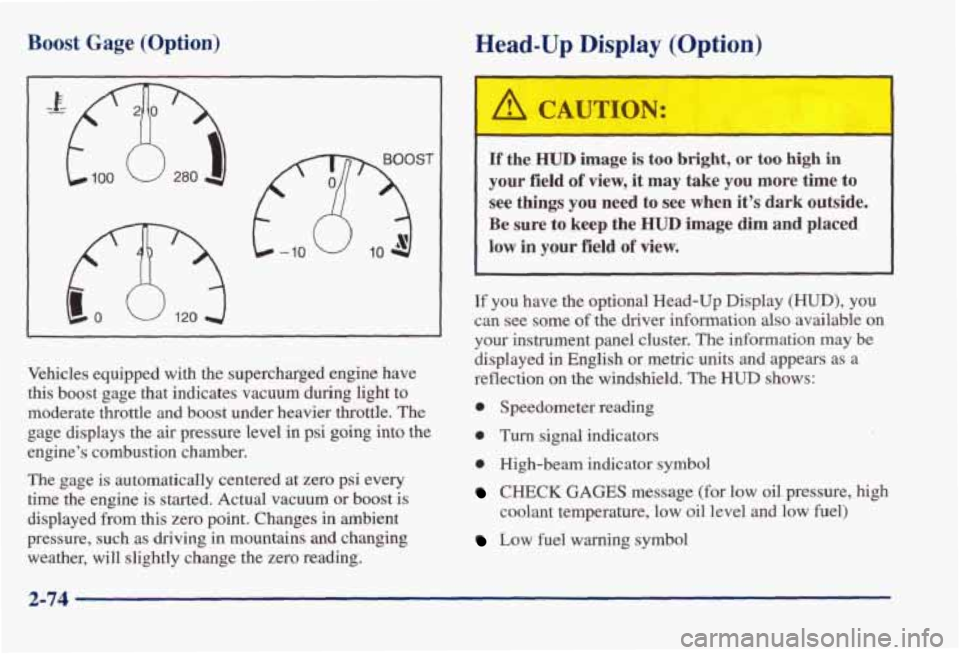
Vehicles equipped with the supercharged engine have
this boost gage that indicates vacuum during light
to
moderate throttle and boost under heavier throttle. The
gage displays the air pressure level in psi going into the
engine’s combustion chamber.
The gage is automatically centered at zero psi every
time the engine is started. Actual vacuum or boost
is
displayed from this zero point. Changes in ambient
pressure, such as driving in mountains
and changing
weather, will slightly change the zero reading.
If the HUD image is too bright, or too high in
your field of view, it may take you more time to
see things you need to see when it’s dark outside.
Be sure to keep the HUD image dim and placed
low in your field of view.
If you have the optional Head-Up Display (HUD), you
can see some
of the driver information also available on
your instrument panel cluster. The information
may be
displayed in English or metric units and appears as a
reflection on the windshield. The
HUD shows:
0 Speedometer reading
0 Turn signal indicators
0 High-beam indicator symbol
CHECK GAGES message (for low oil pressure, high
coolant temperature, low oil level and low fuel)
Low fuel warning symbol
2-74
Page 137 of 395
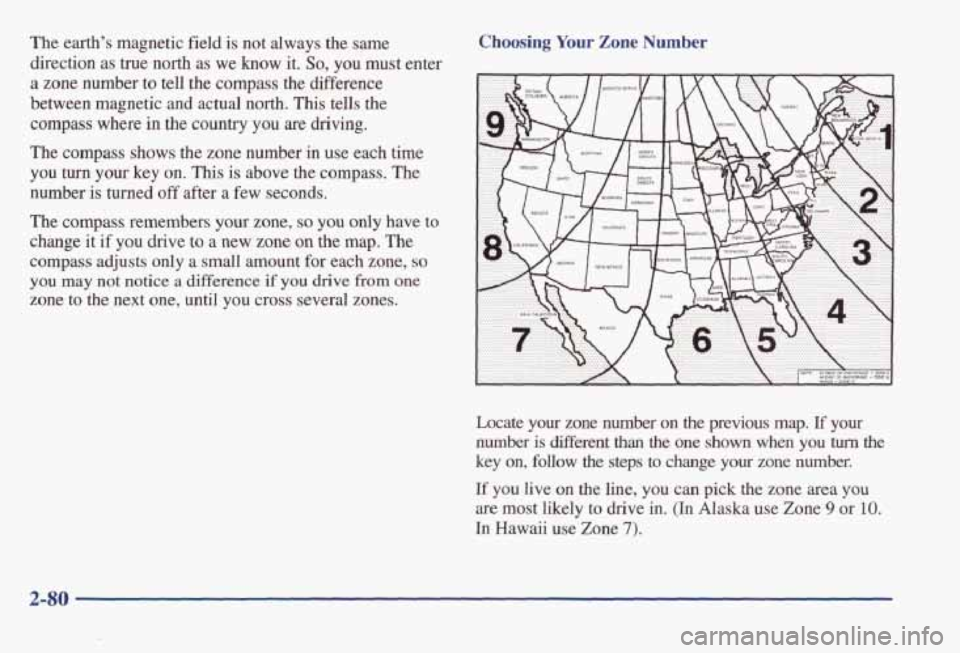
The earth’s magnetic field is not always the same
direction as true north
as we know it. So, you must enter
a zone number to tell the compass the difference
between magnetic and actual north.
This tells the
compass where in the country you are driving.
The compass shows the zone number
in use each time
you
turn your key on. This is above the compass. The
number is turned
off after a few seconds.
Choosing Your Zone Number
The compass remembers your zone, so you only have to
change
it if you drive to a new zone on the map. The
compass adjusts only a small amount for each zone, so
you may not notice a difference if you drive from one
zone to the next one, until you cross several zones.
Locate your zone number on the previous map. If your
number is Merent than the one shown when you turn the
key on, follow the steps to change your zone number.
If you live on the line, you can pick the zone area you
are most likely to drive in. (In Alaska use Zone 9 or 10.
In Hawaii use Zone 7).
2-80
Page 145 of 395
To find your comfort zone, start with 75" F (24" C)
temperature setting and allow about 20 minutes for the
system to regulate. Press the
TEMP button up or down
to adjust the temperature setting if necessary, If you
choose the temperature setting of
60°F (15 "C), the
system will remain
at that maximum cooling setting and
will not regulate the
fan speed. If you choose the
temperature setting
of 90°F (33"c), the system will
remain at that maximum heating setting and will not
regulate the fan speed. Choosing either maximum
setting will not cause the system to heat
or cool
any faster.
Pressing
the AUTO button will display the requested
temperature, fan speed and air delivery mode for five
seconds, then change
to display the outside air
temperature. Be careful not to put
anythmg over the
sensor located
in the middle of the instrument panel near
the windshield,
or over the sensor in the grille above the
radio. These sensors are used by the automatic system to
regulate temperature.
The exterior temperature display sensor is in front of the
vehicle, near the radiator. The displayed temperature is
most accurate when the vehicle is moving. During stops,
or while idling, the display shows the previous driving
temperature for best system control.
To avoid blowing cold air in cold weather, the system
will delay
turning on the fan until warm air is available.
The length of delay depends on outside
air temperature,
engine coolant temperature, and time since
the engine
was last started. Pushing the fan button will override this
delay and change the fan to a selected single speed.
If you leave your vehicle, the system will remember the
control setting
the next time you start your engine.
Manual Operation
You may also manually adjust the air delivery mode or
fan speed.
'/J HEAR Manually selecting HEAT by cycling
through
the MODE settings will deliver air to the
floor outlets.
3 DEFOG: Manually selecting DEFOG by cycling
through the
MODE settings will deliver air to the floor
and windshield outlets.
a
Lo
BIDLEVEL: Manually selecting BI-LEVEL by
cycling through the MODE setting will deliver warm air
to the floor and cooler air to the middle instrument
panel outlets.
3-4
Page 146 of 395
OFF: Press this button to turn the system off. Fresh air
will continue to flow through the vehicle, and the
system will
try to maintain the previously chosen
comfort setting. The outside temperature will show in
the display when the system is
off.
AIC: Press this button to turn the air conditioning on and
off. The system will cool and dehumiw the air inside the
vehicle.
In the AUTO mode, the display will show that
A/C
is active, but the air conditioning compressor only
operates when the system determines it is needed.
RECIRC: Press this button to limit the amount of fresh
air entering your vehicle. You may use this setting to
limit odors entering your vehicle. Press RECIRC to
change to a manual
MODE and air will recirculate until
the RECIRC button is pressed again. RECIRC will show
on
the display and then return to EXT TEMP display.
Operating the RECIRC mode
in cold temperatures or
under high humidity conditions may cause moisture
to
form on the inside of the windshield. If this condition
occurs, press the RECIRC button again.
DEFROST: Press this button to clear the windshield.
The system will automatically control the fan speed if
you select defrost from AUTO.
OF "C: Press this button to display the temperature in
degrees Fahrenheit or Celsius.
Air Conditioning
On hot days, open the windows long enough to let hot
inside air escape. This reduces the time it takes for your
vehicle to cool down. Then keep your windows closed
for the air conditioner to work its best.
If you have the standard system, for quick cool-down on
very hot days, use
MAX with the temperature knob in
the blue area.
If this setting is used for long periods of
time, the air in your vehicle may become too cold and
dry. For normal cooling on hot days, use A/C with the
temperature knob in the blue area. This setting cools the
air entering your vehicle and directs
it through the
instrument panel outlets.
If you have the electronic system, press the A/C button
to turn the system on. The system will cool and
dehumidify the air inside the vehicle. Also while in
AUTO mode, the system will use RECIRC as necessary
to cool
the air.
On cool, but sunny days, with the standard system or
through manual operation of the electronic system, use
BI-LEVEL to deliver warm air to the floor and cooler
air to the middle instrument panel outlets.
To warm or
cool the air delivered, push the
TEMP button up
or down.
3-5
Page 162 of 395
FWD (6): Press and hold this button to quickly advance
within a track.
You will hear sound at a reduced volume.
The display
will show elapsed time.
RECALL: Press this button to see what track is
currently playing. Press
RECALL again within five
seconds to see how long the track has been playing.
When a new track starts to play, the track number will
also appear. Press RECALL a third time and the time of
day will be displayed.
AM-FM: Press this button to play the radio when a disc
is playing. The disc will stop but remain
in the player.
CD/PLAY: Press this button to change to the disc
function when the radio is
on.
EJECT: Press this button to remove the disc or stop the
disc and switch to the radio. EJECT will work with the
radio
off.
AM-FM Stereo with Compact Disc Player
and Equalizer
(If Equipped)
Playing the Radio
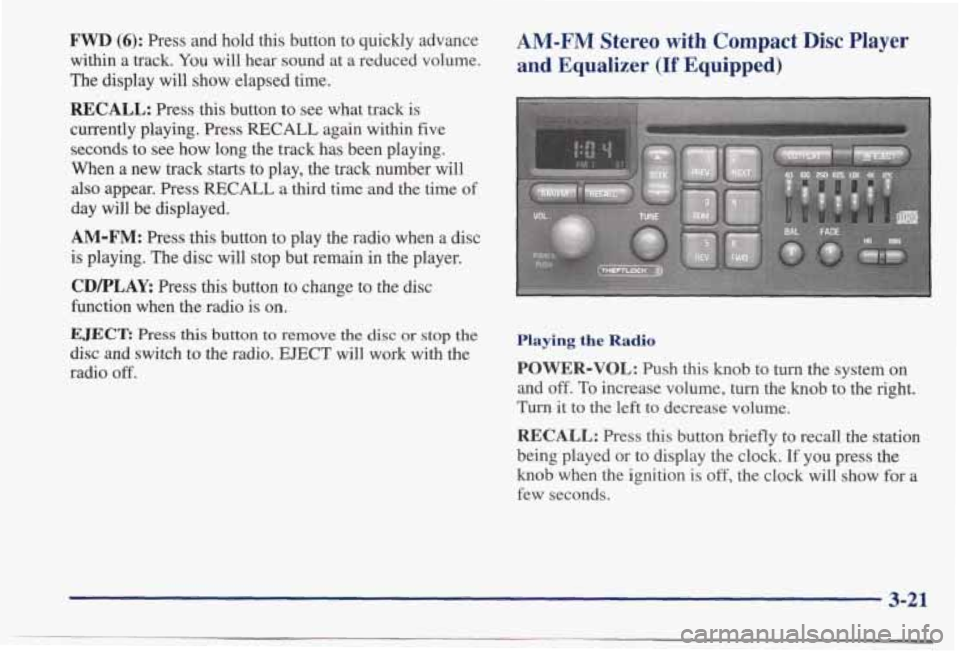
POWER-VOL: Push this knob to turn the system on
and
off. To increase volume, turn the knob to the right.
Turn it to the left to decrease volume.
RECALL: Press this button briefly to recall the station
being played or to display the clock. If you press the
knob when the ignition is off, the clock will show for a
few seconds.
3-21
Page 164 of 395
If you’re driving on a very rough road or if it’s very hot,
the disc may not play
and E (error) and a number may
appear on the radio display. If the disc comes out, it
could be that:
0 The disc is upside down.
It is dirty, scratched or wet.
0 The air is very humid. (If so, wait about an hour and
If any error occurs repeatedly or if an error can’t be
corrected, please contact your dealer.
If your radio
displays
an error number, write it down and provide it to
your dealer when reporting the problem.
PREV (1): Press this button or the SEEK down arrow to
go to the start
of the current track if more than eight
seconds have played.
If you hold the button or press it
more than once, the player will continue moving back
through the disc.
try again.)
NEXT (2): Press this button or the SEEK up arrow to
go to the start of the next track. If you hold the button or
press it more than once, the player will continue moving
forward through the disc.
RDM (3): Press this button to hear the tracks in random,
rather than sequential, order. The display will show
RDM. Press
RDM again to turn off random play.
REV (5): Press and hold this button to quickly reverse
within
a track. Release it to play the passage. You will
hear sound at
a reduced volume. The display will show
elapsed time.
FWD (6): Press and hold this button to quickly advance
within a track.
You will hear sound at a reduced volume.
The display will show elapsed time.
RECALL: Press this button to see what track is
currently playing. Press
RECALL again within five
seconds to see how long the track has been playing.
When a new track starts to play, the track number will
also appear. Press RECALL a third time and the time of
day will be displayed.
AM-FM: Press this button to play the radio when a disc
is playing. The disc will stop but remain
in the player.
CD/PLAY: Press this button to change to the disc
function when the radio is on.
EJECT: Press this button to remove the disc or stop the
disc and switch to the radio.
EJECT will work with the
radio
off.
3-23
Page 182 of 395
Remember: Anti-lock doesn’t change the time you need to get your foot up to the brake pedal or always decrease
stopping distance.
If you get too close to the vehicle in
fiont of you, you won’t have time to apply your brakes
if that vehicle suddenly slows or stops. Always leave
enough room up ahead to stop, even though you have anti-lock brakes.
Using Anti-Lock
Don’t pump the brakes. Just hold the brake pedal down
fiiy and let anti-lock work for you. You may feel a
slight brake pedal pulsation or notice some noise, but
this is normal.
Traction Control System (If Equipped)
Your vehicle may have a traction control system that
limits wheel spin. This is especially useful in slippery
road conditions. The system operates only if it senses
that one or both of the front wheels
are spinning or
beginning to lose traction. When this happens, the system works the front brakes and reduces engine power
to
limit wheel spin.
You may feel
or hear the system working, but this
is normal.
If your vehicle is in cruise control when the traction
control system begins to limit wheel spin, the cruise
control will automatically disengage. When road
conditions allow you to safely use it again, you may
reengage the cruise control. (See “Cruise Control”
in the Index.)
TRACTION
OFF
This light should come on
briefly when you start the
engine.
If it stays on or
comes on while you are
driving, there’s a problem
with your traction
control system.
See “Traction Control System Warning Light” in the
Index. When this warning light is on, the system will not
limit wheel spin. Adjust
your driving accordingly.
The traction control system automatically comes on
whenever you start your vehicle. To limit wheel spin,
especially in slippery road conditions, you should
always leave the system on. But you can turn the
traction control system
off if you ever need to. (You
should turn the system
off if your vehicle ever gets stuck
in
sand, mud, ice or snow. See ‘‘Rockiniz Your Vehicle”
in the Index.)
4-9