1998 OLDSMOBILE SILHOUETTE remote control
[x] Cancel search: remote controlPage 148 of 444
Programmable Modes
Your vehicle can be programmed to one of the
following modes.
Mode 1: Both Features Off (Remote lock and unlock
confirmation
are disabled.)
Mode 2: Exterior Lamps Flash Only
0 When you use the remote lock control transmitter to
lock your vehicle, your parking lamps will flash briefly
to let you know the command has been received.
Wen you use the remote lock control transmitter to
unlock your vehicle or operate your power sliding door
(if equipped), your parking lamps will flash briefly to
let you know the command has been received.
Mode 3: Exterior Lamps Flash and Horn Sound
0
0
When you use the remote lock control transmitter to
lock your vehicle, the
horn will sound briefly and
your parking lamps will flash briefly to let you know
the command has been received.
When
you use the remote lock control transmitter to
unlock your vehicle or operate your power sliding door
(if equipped), your parking lamps will flash briefly to
let you
know the command has been received.
Mode 4: Exterior Lamps Flash and Horn Sound (on
Second LOCK Press)
When you use the remote lock control transmitter to
lock your vehicle, your parking lamps will flash
briefly to let you know the command has been
received. The horn will sound briefly and your
parking lamps
will flash briefly if you press the
LOCK button again within five seconds.
When you use the remote lock control transmitter to
unlock your vehicle or operate your power sliding door
(if equipped), your parking lamps will flash briefly to
let you know the command has been received.
Vehicles are delivered programmed in Mode
4.
To change the mode:
1. Follow the instructions for “Entering Programming
Mode” listed previously.
2. Press the LOCK button on the remote lock
control transmitter.
3. Count the number of chimes you hear. The number
of chimes tells you which mode your vehicle is in.
You can change the mode by pressing the LOCK
button again.
4. Repeat Step 2 until you hear the number of chimes
that matches the mode you want.
ProCarManuals.com
Page 150 of 444
Arming and Disarming the Content Theft-Deterrent System
To arm and disarm the Content Theft-Deterrent system,
the system must be turned on by using Modes 1,2 or
4
listed previously in this section under “Content
Theft-Deterrent System.”
With the Arming and Disarming feature, you can
program the vehicle to do the following:
Arm the system when you lock the doors using either
power door lock switch while any door or the liftgate
is open and the key
is removed from the ignition.
0 Arm the system when you lock the doors with your
key or remote lock control transmitter and the key is
removed from the ignition.
your key or remote lock control transmitter.
0 Disarm the system when you unlock the doors with
To customize this feature to your preference, see
“Programmable Modes” following.
Programmable Modes
Your vehicle can be programmed to one of the
following modes.
Mode 1: Power Door Lock Switch Arming Off
0 The system will arm when you lock the doors with
your key or remote lock control transmitter. The key
must be removed from the ignition when
you lock
the doors or
the Content Theft-Deterrent system will
not arm.
The system will disarm when you unlock the doors
with your key or remote lock control transmitter.
Mode 2: Remote Lock Control Transmitter
ArdDisarm Only
The system will arm when you lock the doors with
your remote lock control transmitter. The key must
be removed from the ignition when you lock the
doors or the Content Theft-Deterrent system
will not
arm.
The system will disarm when you unlock the doors
with your remote lock control transmitter.
2-48
ProCarManuals.com
Page 151 of 444
NOTE: While this mode provides increased security, it
can be a problem if your remote lock control transmitter
is damaged, lost or if it fails to operate for any reason
while the Content Theft-Deterrent system is armed. The
Content Theft-Deterrent system must be disarmed for
the engine to run while in Mode
2; your key can no
longer disarm the system.
If your vehicle is equipped with the optional dealer
installed Onstar@ system, OnStar will not be able to
remotely unlock your vehicle if it has been programmed
to Mode
2.
Mode 3: Standard Arming and Disarming
The system will arm when you lock the doors using
either power door lock switch while any door or the
liftgate is open and the key is removed from
the ignition.
The system will arm when you lock the doors with
your key
or remote lock control transmitter and the
key is removed from the ignition.
The system will disarm when you unlock the doors
with your key or remote lock control transmitter.
Vehicles are delivered programmed in Mode
1.
To change the mode:
1.
2.
3.
4.
5.
6.
Follow the instructions for “Entering Programming
Mode” listed previously.
Insert your second key fully into any door key
cylinder and turn it to the unlock position.
This step is inconvenient, but necessary to prevent
accidental programming of this feature to Mode
2.
Do not program this feature to Mode 2 without first
reading the special note contained in the description
for that mode. The door key cylinder must remain in
the unlock position during Steps
2 through 4.
Press the horn symbol on the remote lock
control transmitter.
Count the number of chimes you hear. The number
of chimes tells you which mode your vehicle
is in.
You can change the mode by pressing the horn
symbol on the remote lock control transmitter again.
Repeat Step
3 until you hear the number of chimes
that matches the mode you want.
Remove your key from the door key cylinder.
The mode you selected is now set. You can either exit
the programming mode by following the instructions
later in this section or program the next feature available
on your vehicle.
ProCarManuals.com
Page 163 of 444

Interior Lamps
Instrument Panel Intensity Control
Turn the control, located below the headlamps switch, to
the right to increase the brightness of the instrument
panel lights, and to the left to decrease the brightness.
Turn the control all the way to the left to turn them off.
Interior Lamps Control
Turn the dial all the way to the right to turn on the
interior lamps,
if the interior lamps override switch is
off. Turn the dial to the left to turn the lamps off.
Interior Lamps Override Switch
--
I This switch is located in the
c- overhead console
switchbank. Press the
symbol on the bottom
of the
rocker switch to override control of the interior lamps
and turn off power to the
courtesy lamps, reading
lamps and glove box lamp. Press the top
of the interior
lamps override rocker switch
to turn power back on to the interior lamps. This will
allow the lamps to
stay on when any door is open.
Illuminated Entry
With illuminated entry, the interior of your vehicle is
illuminated
so you can see inside before you enter your
vehicle. The lamps will come on for
40 seconds if you
unlock your door using your key or the remote lock
control transmitter (if equipped) and the ignition is in
LOCK
or OFF. After 40 seconds have passed, the
interior lamps will slowly fade out. The lamps will turn
off before the 40 seconds if you:
lock all the doors using the key,
press LOCK on the power door lock switch or
0 press LOCK on the remote lock control transmmer
(if equipped).
When any door is opened, illuminated entry is cancelled.
The interior lamps will stay on while any door or the
liftgate
is open, and slowly fade out when all doors and
the liftgate are closed.
The interior lamps may stay on for up to
25 seconds
after all doors have been closed if they have not been
locked. See “Delayed Illumination’’ later
in this section.
ProCarManuals.com
Page 164 of 444
Delayed Illumination
The delayed illumination feature will continue to
illuminate the interior for
25 seconds after all doors have
been closed
so that you can find your ignition and
buckle your safety belt at night. Delayed illumination
will not occur while the ignition
is in RUN or
ACCESSORY. After 25 seconds have passed, the
interior lamps will slowly fade out. The lights will fade
out before the
25 seconds have passed if you:
0 turn the ignition to RUN or ACCESSORY,
lock all doors using the remote lock control
0 lock all the doors using the power door lock switch
transmitter
(if equipped) or
or the key.
Exit Lighting
With exit lighting, the interior lamps will come on for
about
25 seconds whenever you remove the key from
the ignition switch. If you turn the ignition switch
to
RUN or ACCESSORY, the lamps will fade out. The
lamps will also fade out if you lock the doors with the
power door lock switch or the remote lock control
transmitter (if equipped).
To turn the Delayed Illumination feature off or on, see
“Locks and Lighting Choices’’ in the Index. When
any door is opened, exit lighting is cancelled. The
interior lamps will stay on while any door
or liftgate is
open, and slowly fade out when all doors and the liftgate
are closed.
The interior lamps may stay on for up
to 25 seconds
after all doors have been closed if they have not been
locked, see “Delayed Illumination” earlier in
this section.
To turn the Exit Lighting feature off or on, see “Locks
and Lighting Choices” in the Index.
2-62
ProCarManuals.com
Page 166 of 444
Battery Saver Power Remote Control Mirrors
Your
vehicle has a feature to help prevent you from
draining the battery,
in case you accidentally leave the
interior
or underhood lamps on. If you leave any of
these lamps on while the ignition is in
LOCK or OFF,
they will automatically turn off after 10 minutes. The
lamps won’t come back on again until you:
turn the ignition to RUN or ACCESSORY,
turn the interior lamps dial all the way to the right,
open (or close and reopen) a door that is closed.
then slightly back
to the left; or
Note that if your vehicle has less than
15 miles (25 km)
on the odometer, the battery saver will turn off the lamps
after only three minutes.
Mirrors
Inside Daymight Rearview Mirror
To reduce glare from lights behind you, pull the lever
toward you (to the night position).
To return the mirror
to the day position, push the lever away from you. The
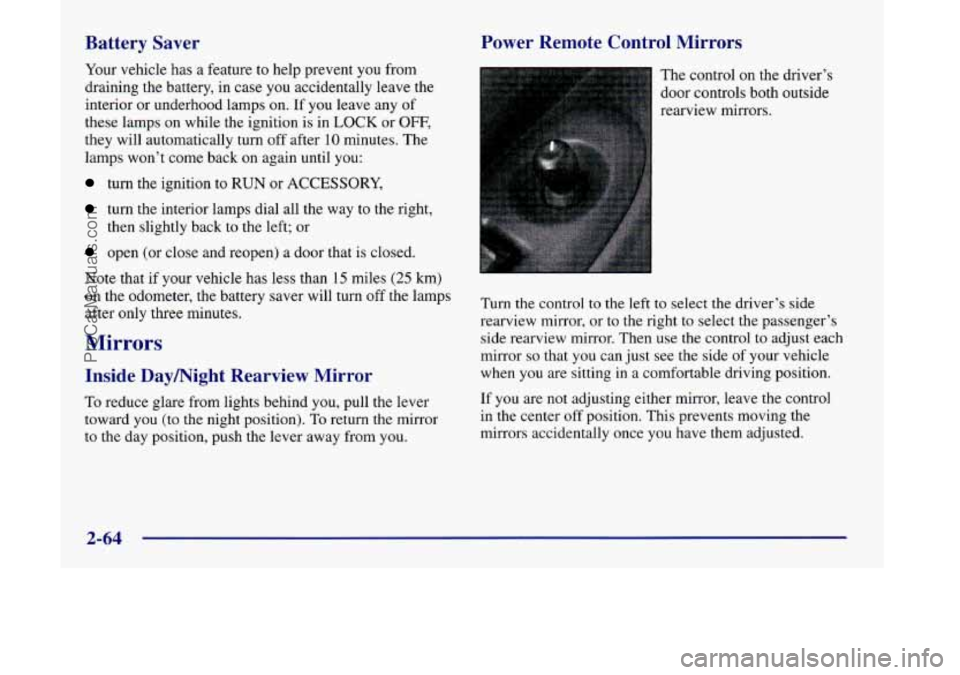
control on the driver’s
door controls both outside
rearview mirrors.
Turn the control
to the left to select the driver’s side
rearview mirror, or to the right to select the passenger’s
side rearview mirror. Then use the control to adjust each
mirror so that you can just see the side of your vehicle
when
you are sitting in a comfortable driving position.
If you are not adjusting either mirror, leave the control
in the center off position. This prevents moving the
mirrors accidentally once you have them adjusted.
2-64
ProCarManuals.com
Page 185 of 444

Your instrument panel is designed to let you know at a glance how your vehicle is running. You’ll know how fast
you’re going, how much fuel you’re using, and many other things you’ll need to drive safely
and economically.
Refer to the accompanying diagram of your instrument panel to locate the components listed below.
A. Side Vents
B. Front Vent
C. Turn SignalMultifunction Lever
D. Hazard Warning Flashers Switch
E. Instrument Cluster
F. Center Vents
G. Audio System
H. Side Vents
I. Lamps Switch
J. Hood Release
K. Steering Wheel Touch Controls (Option)
L. Horn
M. Ignition Switch
N. Steering Wheel Touch Controls (Option)
0. Climate Controls
P. Rear Fan Controls (Option)
Q. Accessory Power Outlet
R. Storage Bin
S. Remote CD Player (Option)
T. Instrument Panel Switchbank
U. LightedAshtray
V. Glove Box
W. Front Vents
X, Fuse Panel
2-83
ProCarManuals.com
Page 205 of 444
Section 3 Comfort Controls and Audio Systc-;
In this section, you’ll find out how to operate the comfort control and audio systems offered with your vehicle. Be
sure to read about the particular systems supplied with your vehicle.
3-2
3-3
3-4
3-4
3-5
3-6
3-8
3-9 3-10
3- 14 Comfort Controls
Air Conditioning
Heating
Defogging and Defrosting
Rear Window Defogger
Rear Climate Control (If Equipped)
Ventilation System
Setting the Clock for All Systems
AM-FM Stereo with Cassette Tape Player and
Automatic Tone Control
AM-FM Stereo with Compact Disc Player and
Automatic Tone Control
(If Equipped) 3-18
3 -20
3-21
3 -24
3 -25
3 -25
3-26
3-27
3 -27
3-27 Rear Seat
Audio
(If Equipped)
Remote Compact Disc Player (If Equipped)
Theft-Deterrent Feature Audio Steering Wheel Controls
(If Equipped)
Understanding Radio Reception
Tips About Your Audio System
Care of Your Cassette Tape Player
Care of Your Compact Discs
Care of Your Compact Disc Player
Integrated Windshield Antenna
3-1
ProCarManuals.com