1998 NISSAN QUEST phone
[x] Cancel search: phonePage 3 of 260

NISSAN CUSTOMER CARE PROGRAM
NISSAN CARES ...
Both NISSAN and your NISSAN dealer are dedicated to serving all your automotive needs. Your satisfaction with
your vehicle and your NISSAN dealer are our primary concerns. Your NISSAN dealer is always available to assist
you with all your automobile sales and service needs.
However, if there is something that your NISSAN
dealer cannot assist you with or you would like to
provide NISSAN directly with comments or questions,
please contact our (NISSAN's) Consumer Affairs De-
partment using our toll-free number:
For U.S. mainland and Alaska customers
1-800-NISSAN-1 (1-800-647-7261)
For Hawaii customers
(808) 836-0888 (Oahu Number)
For Canada customers
1-800-387-0122
The Consumer Affairs Department will ask for the following infor-
mation:
Ð Your name, address, and telephone number
Ð Vehicle identification number (on dashboard)
Ð Date of purchase
Ð Current odometer reading
Ð Your NISSAN dealer's name
Ð Your comments or questionsOR
you may write to NISSAN with the information on the
left at:
For U.S. mainland and Alaska customers
Nissan Motor Corporation U.S.A.
Consumer Affairs Department
P.O. Box 191
Gardena, California 90248-0191
For Hawaii customers
Nissan Motor Corporation in Hawaii
2880 Kilihau St.
Honolulu, Hawaii 96819
For Canada customers
Nissan Canada Inc.
5290 Orbitor Drive
Mississauga, Ontario L4W 4Z5
We appreciate your interest in NISSAN and thank you for buying a quality NISSAN vehicle.
ZX
Page 98 of 260
Push the lighter in all the way. When the
lighter is heated, it springs out.
Return the lighter to its original position after
use.
CAUTION
The cigarette lighter socket is a power
source for the cigarette lighter element
only. The use of the cigarette lighter
socket as a power source for any other
accessory is not recommended.
WARNING
The cigarette lighter should not be
used while driving in order that full
attention may be given to the driving
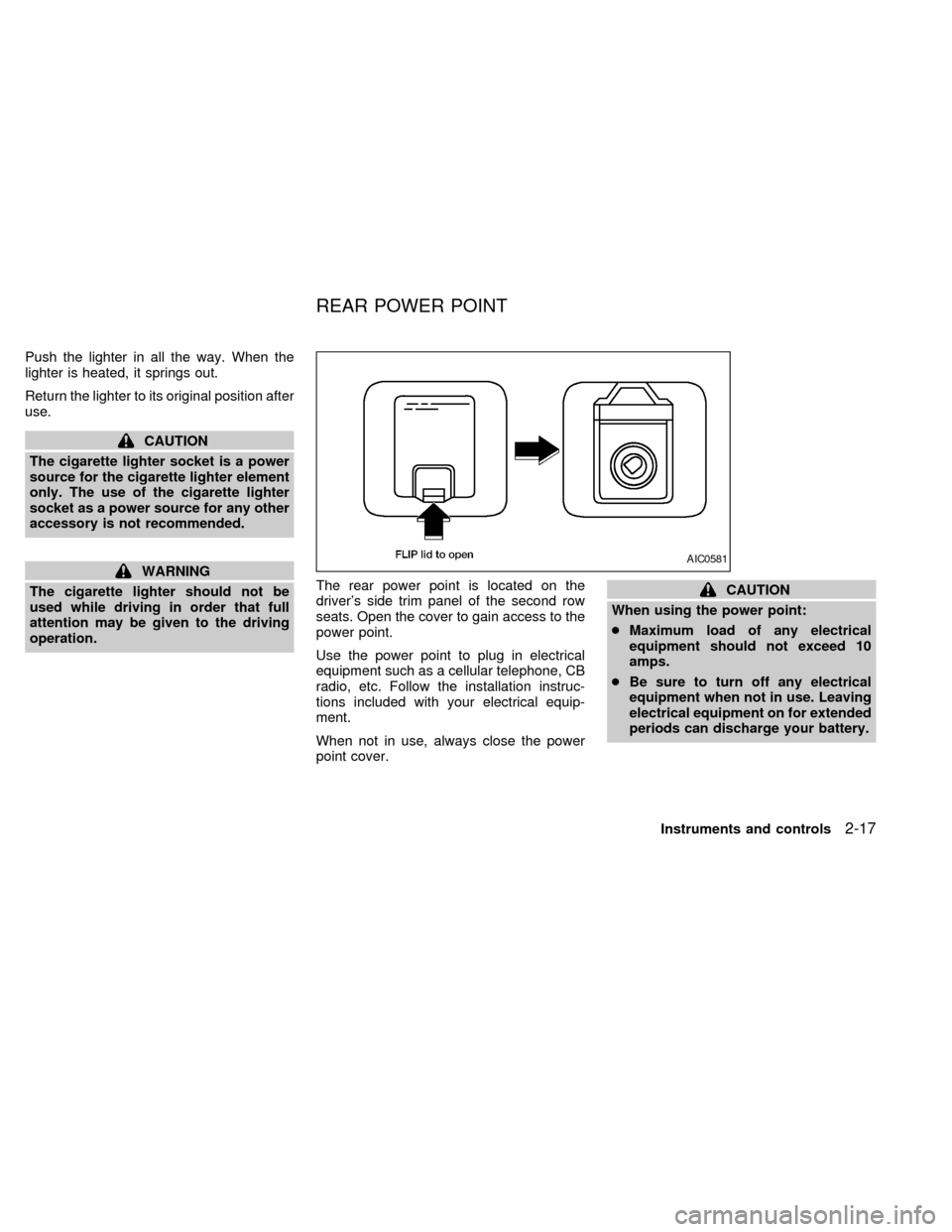
operation.The rear power point is located on the
driver's side trim panel of the second row
seats. Open the cover to gain access to the
power point.
Use the power point to plug in electrical
equipment such as a cellular telephone, CB
radio, etc. Follow the installation instruc-
tions included with your electrical equip-
ment.
When not in use, always close the power
point cover.
CAUTION
When using the power point:
cMaximum load of any electrical
equipment should not exceed 10
amps.
cBe sure to turn off any electrical
equipment when not in use. Leaving
electrical equipment on for extended
periods can discharge your battery.
AIC0581
REAR POWER POINT
Instruments and controls2-17
ZX
Page 128 of 260

4Heater, air conditioner and audio systems
Ventilators ..............................................................4-2
Heater and air conditioner (manual) ......................4-3
Controls ..................................................................4-3
Heater operation ....................................................4-4
Air conditioner operation ........................................4-5
Air flow charts.........................................................4-7
Heater and air conditioner (automatic) (if so
equipped) .............................................................4-10
Automatic operation .............................................4-11
Air control buttons ................................................4-11
Air conditioner and air recirculation .....................4-12
English/metric mode .............................................4-12
Rear seat heater and air conditioner (if so
equipped) .............................................................4-13Controls ................................................................4-13
Audio system ........................................................4-14
AM-FM radio with cassette player .......................4-14
Tuning ..................................................................4-16
Adjusting tone quality ...........................................4-17
Cassette tape operations .....................................4-18
Antenna ................................................................4-20
Compact disc (CD) player (if so equipped) .........4-21
Steering wheel controls ........................................4-23
Rear audio controls ..............................................4-24
CB radio or car phone..........................................4-25
ZX
Page 144 of 260

SEEK tuning
This feature on your radio allows you to
automatically select strong frequency sta-
tions up or down the frequency band. Press
SEEK
to select the next strong sta-
tion up the frequency band. Press SEEK
to select the next strong station down
the frequency band. To change frequencies
quickly, press and hold either side of the
SEEK button.
SCAN tuning
Push SCAN to enter the scan tuning mode.
The radio searches up the frequency band,
stopping and playing each strong frequency
station for five seconds. This continues until
the SCAN button is pushed a second time
or a different tuning function is selected.
The AM or FM1 or FM2 symbol in the
display window flashes while each station is
being played.
AM/FM
Press the AM/FM button to select the de-
sired band: AM, FM1, or FM2. The stereo
indicator shows in the display window dur-
ing FM stereo reception. When the stereo
broadcast signal is weak, the radio auto-matically changes from stereo to monaural
reception.
Station memory operations
Your radio comes equipped with six
memory buttons, which are used to preset
up to six AM stations and 12 FM stations.
NOTE: If the vehicle's battery is discon-
nected, the memory buttons need to be
reset.
To set the memory buttons:
1. Select the desired band (AM, FM1, or
FM2) by pressing the AM/FM button.
2. Tune to the desired frequency.
3. Press one of the memory buttons and
hold the button in. The sound mutes out
for about two seconds, then returns. That
station is now held in memory on that
button.
Repeat the three steps above for each
memory button you want to set.
The memory buttons also control the rear
audio controls. Push memory buttons three
and five simultaneously to turn the rear
audio controls on. Push them again to turn
the rear audio controls off. A headphonesymbol appears in the display window when
the rear controls are activated.
ADJUSTING TONE QUALITY
BASS
Bass control allows you to adjust the lower,
bass frequencies to your preference.
Push the BASS button either
or; BASS and the setting indicator bar
appear in the display window. Pressing the
BASS button either
orin-
creases or decreases the level of bass, as
indicated by the number of bar segments
showing in the display window.
Following bass adjustment, the display win-
dow shows the current setting for three
seconds, then returns to the display prior to
adjustment.
TREB
Treble control allows you to adjust the
higher, treble frequencies to your prefer-
ence.
Push the TREB button either
or; TREB and the setting indicator bar
appear in the display window. Pressing the
TREB button either
orin-
Heater, air conditioner and audio systems
4-17
ZX
Page 151 of 260

REAR AUDIO CONTROLS
Radio features controlled by the rear seat
remote control (if so equipped) are listed
below:
cVolume: þ/+
cProgram advance: proceed to the next
preset station (AM/FM), the other side of
the tape, or the next CD.
cSource select: AM/FM, tape, or CD
cSpeakers ON/OFF
cSeek:bc
Push the Memory three and Memory five
buttons on the front radio controls simulta-
neously to turn the rear controls on. Push
them again to turn the rear audio controls off.
The(headphones symbol) illuminates
in the front display when the rear audio
controls are on. Two headphone jacks are
provided so two rear seat passengers may
listen to the audio system privately.
The rear volume controls can only increase
the volume to the level at which the front
radio volume control is set.
Headphones are not included with the ve-hicle. Most portable radio headphones work
with the rear audio controls.
When the rear seat controls are on, push
the SPKRS ON-OFF button to turn all
speakers off. Push again to turn all speak-
ers on.
If the rear audio system was on when the
ignition was turned OFF, the audio system
``remembers'' and the rear system is still on
when the engine is started again. The sys-
tem also ``remembers'' if the speakers were
ON or OFF. Therefore, the speakers may
have to be turned on again by pressing the
SPKRS ON-OFF button or turning the rear
audio controls off.
AHA0595
4-24Heater, air conditioner and audio systems
ZX
Page 152 of 260
Microphone installed model
If equipped with a genuine NISSAN cellular
phone, your NISSAN features a non-
directional microphone in the steering col-
umn cover, so it is not necessary to look at
or speak directly into the microphone when
calling.
To do so could detract from the driving
operation and cause an accident.
See the manual for car phone operation.
Pre-wired and antenna for phone
installed model
Some models are pre-wired to accept the
genuine NISSAN cellular phone.
In addition, the same model has the phone
antenna built into the rear glass window.
When installing a CB ham radio, a car
phone or other transmitters in your NISSAN,
be sure to observe the following cautions,
otherwise the new equipment may ad-
versely affect the MFI system and other
electronic parts.CAUTION
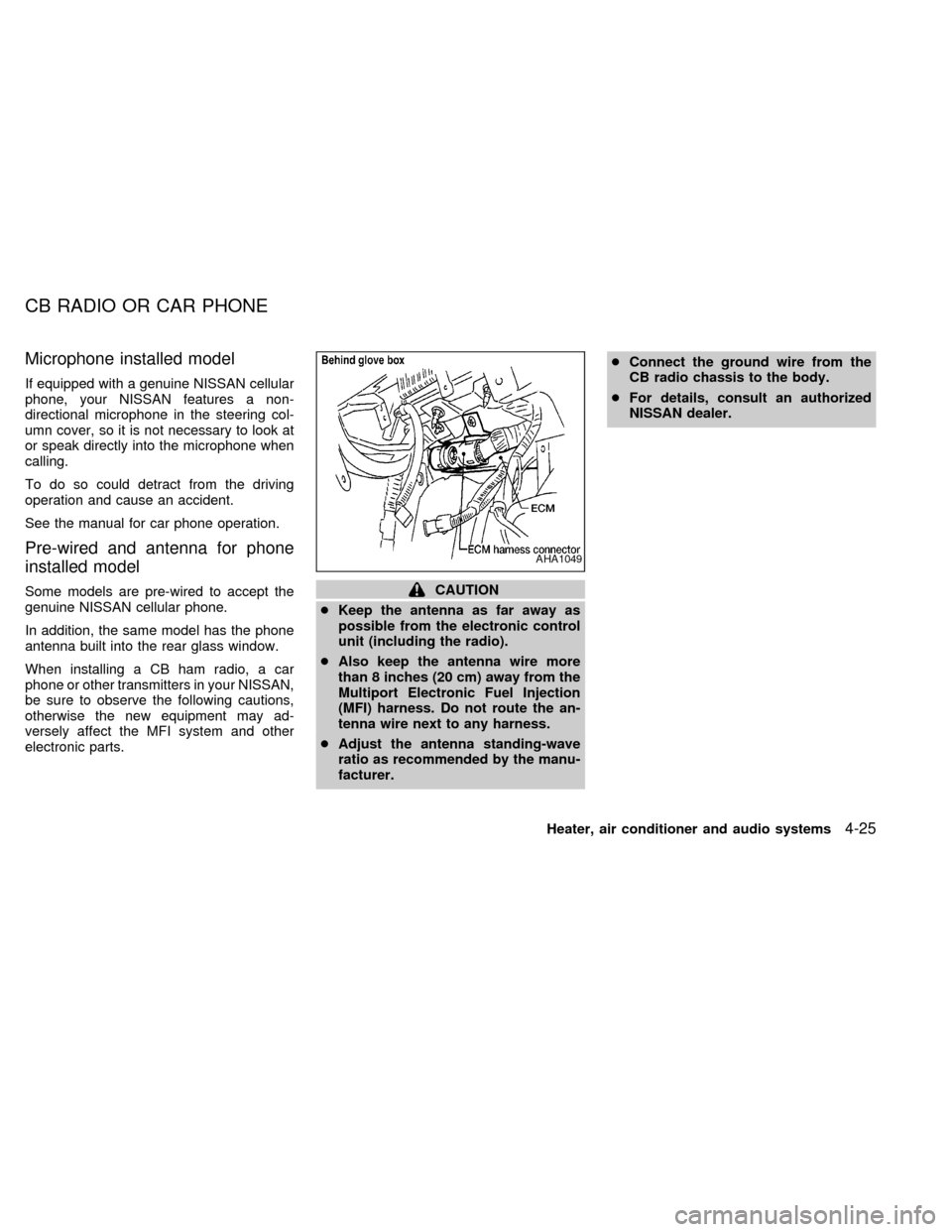
cKeep the antenna as far away as
possible from the electronic control
unit (including the radio).
cAlso keep the antenna wire more
than 8 inches (20 cm) away from the
Multiport Electronic Fuel Injection
(MFI) harness. Do not route the an-
tenna wire next to any harness.
cAdjust the antenna standing-wave
ratio as recommended by the manu-
facturer.cConnect the ground wire from the
CB radio chassis to the body.
cFor details, consult an authorized
NISSAN dealer.
AHA1049
CB RADIO OR CAR PHONE
Heater, air conditioner and audio systems4-25
ZX
Page 252 of 260

A Genuine NISSAN Service Manual is the best
source of service and repair information for
your vehicle. Filled with wiring diagrams, illus-
trations and step-by-step diagnostic and ad-
justment procedures, this manual is the same
one used by the factory trained technicians
working at an authorized NISSAN dealership.
Also available are Genuine NISSAN Owner's
Manuals.
For current pricing and availability of a Genu-
ine NISSAN Service Manual or Genuine NIS-
SAN Owner's Manual, contact:
In the USA:
See an authorized NISSAN dealer or contact:
Dyment Distribution Services
20770 Westwood Dr.
Strongsville OH 44136
In a hurry? Call 1-800-247-5321 and charge
your purchase to Visa/Master Card.
In Canada:
To purchase a copy of a Genuine NISSAN
Service Manual or Owner's Manual please
contact your nearest NISSAN Dealer. For the
phone number and location of a NISSAN
Dealer in your area call the NISSAN Satisfac-
tion Center at 1-800-387-0122 and a bilingual
NISSAN representative will assist you.
Also available are Genuine NISSAN Service
and Owner's Manuals for older NISSAN mod-
els.
Technical and consumer information10-21
ZX
Page 254 of 260
11 Index
A
After an accident........................................ 6-11
Air bag (See supplemental restraint
system) ...................................................... 1-18
Air bag warning light .................................. 1-23
Air cleaner housing filter ............................ 8-13
Air conditioner
Air conditioner operation ............... 4-20, 4-5
Air conditioner service .......................... 4-14
Air conditioner specification label ....... 10-11
Air conditioner system refrigerant and
lubrication recommendations ................ 10-6
Heater and air conditioner (automatic)
(if so equipped)..................................... 4-10
Heater and air conditioner (manual)....... 4-3
Rear seat heater and air conditioner ... 4-13
Air flow charts .............................................. 4-7
Alarm system (See theft warning) ............. 2-10
Anchor point locations ............................... 1-53
Antenna
Manual .................................................. 4-20
Power.................................................... 4-20
Anti-lock brake system (ABS).................... 5-15
Anti-lock brake warning light ....................... 2-8
Armrests....................................................... 1-6
Ashtray (See cigarette lighter and
ashtray) ...................................................... 2-16Audio system
AM-FM radio with cassette player ........ 4-14
Compact disc (CD) player .................... 4-21
Autolamp switch......................................... 2-14
Automatic
Automatic power window switch .......... 2-21
Automatic transmission fluid (ATF) ........ 8-8
Driving with automatic transmission ....... 5-5
B
Battery........................................................ 8-11
Before starting the engine ........................... 5-5
Brake
Anti-lock brake system (ABS) .............. 5-15
Brake booster ....................................... 8-18
Brake fluid ................................... 10-2, 8-10
Brake light (See stop light) ................... 8-22
Brake pedal .......................................... 8-17
Brake system ........................................ 5-14
Brake warning light ................................. 2-7
Brake wear indicators ............................. 2-9
Parking brake check ............................. 8-16
Parking brake operation ......................... 5-9
Self-adjusting brakes ............................ 8-17
Break-in schedule ...................................... 5-11
Bulb check/instrument panel ....................... 2-6
Bulb replacement ....................................... 8-22C
Capacities and recommended fuel/
lubricants.................................................... 10-2
Cargo net ................................................... 3-14
Cargo (See vehicle loading
information) .............................................. 10-12
Cassette player (See audio system) ......... 4-14
CB radio or car phone ............................... 4-25
Check engine indicator light
(See malfunction indicator light) .................. 2-9
Child restraint with top tether strap ........... 1-49
Child restraints ........................................... 1-39
Child safety sliding door lock....................... 3-5
Cigarette lighter (accessory)
and ashtray ................................................ 2-16
Cleaning exterior and interior ...................... 7-2
Clock .......................................................... 2-23
Coin tray .................................................... 2-18
Cold weather driving .................................. 5-16
Compact disc (CD) player ......................... 4-21
Controls
Audio controls ....................................... 4-14
Audio controls (rear) ............................. 4-24
Audio controls (steering wheel) ............ 4-23
Heater and air conditioner controls
(automatic) ............................................ 4-10
Heater and air conditioner controls
(manual).................................................. 4-3
ZX