Page 117 of 388
Mirrors
Inside Daymight Rearview Mirror
Pull the tab under the mirror toward you to reduce glare
from headlamps behind you after dark. Push the tab
away from you to restore mirror to original position.
Outside Mirrors
Adjust your outside mirrors so you can just see the
side of your vehicle, and have a clear view
of objects
behind you. Some mirrors can be folded in to enter
narrow doorways.
Electric Outside Rearview Mirrors (Option)
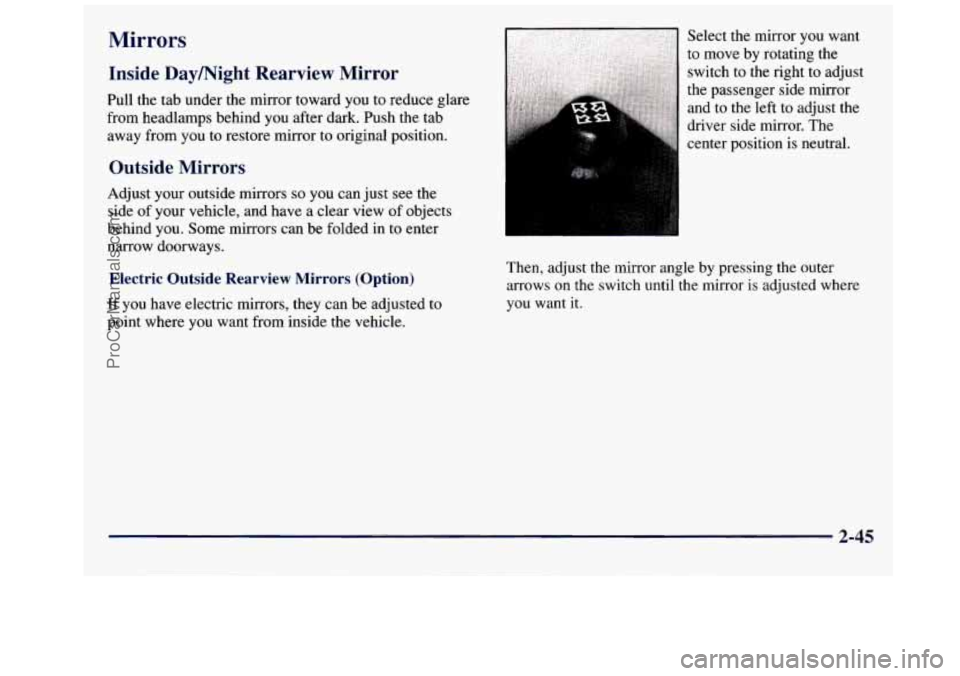
If you have electric mirrors, they can be adjusted to
point where you want from inside the vehicle. Then,
adjust the mirror angle by pressing the outer
arrows
on the switch until the mirror is adjusted where
you want it.
2-45
ProCarManuals.com
Page 119 of 388
Camper-vpe Mirrors (If Equipped)
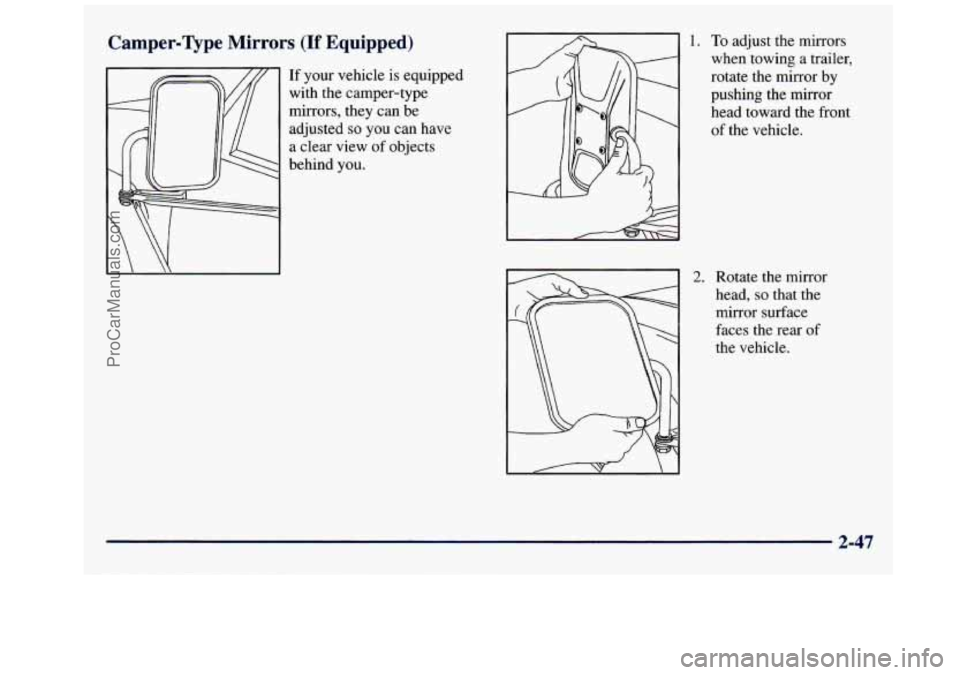
If your vehicle is equipped
with the camper-type
mirrors, they can be
adjusted
so you can have
a clear view of objects
behind you.
1. To adjust the mirrors
when towing a trailer,
rotate the mirror by
pushing the mirror
head toward the front
of the vehicle.
2. Rotate the mirror
head,
so that the
mirror surface
faces the rear
of
the vehicle.
2-47
ProCarManuals.com
Page 128 of 388
Brake System Warning Light
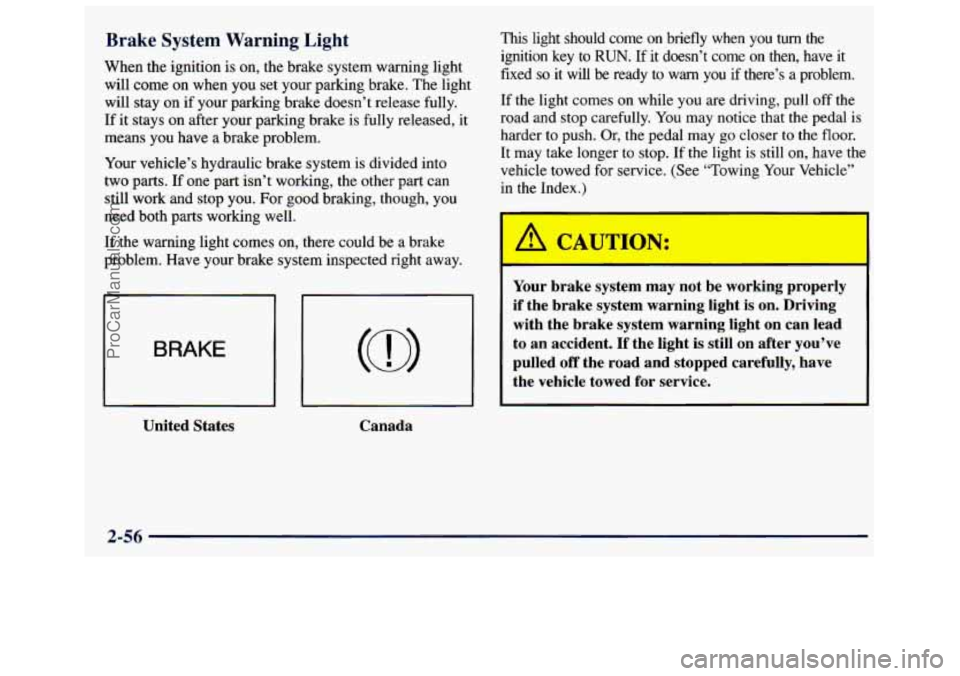
When the ignition is on, the brake system warning light
will
come on when you set your parking brake. The light
will stay on if your parking brake doesn’t release fully.
If it stays on after your parking brake is fully released, it
means you have a brake problem.
Your vehicle’s hydraulic brake system
is divided into
two
parts. If one part isn’t working, the other part can
still work and stop you. For good braking, though,
you
need both parts working well.
If the warning light comes on, there could be
a brake
problem. Have your brake system inspected right away.
BRAKE
United States
Canada
This light should come on briefly when you turn the
ignition key to RUN. If it doesn’t come on then, have it
fixed
so it will be ready to warn you if there’s a problem.
If the light comes on while you are driving, pull off the
road and stop carefully.
You may notice that the pedal is
harder to push. Or, the pedal may
go closer to the floor.
It may take longer to stop. If the light is still on, have the
vehicle towed for service. (See “Towing Your Vehicle’’
in the Index.)
A CAUTION:
Your brake system may not be working properly
if the brake system warning light is on. Driving
with the brake system warning light on can lead
to an accident.
If the light is still on after you’ve
pulled
off the road and stopped carefully, have
the vehicle towed for service.
2-56
ProCarManuals.com
Page 131 of 388
If the Light Is Flashing If the Light Is On Steady
The following may prevent more serious damage to
your vehicle:
Reducing vehicle speed.
Avoiding hard accelerations.
Avoiding steep uphill grades.
If you are towing a trailer, reduce the amount of
cargo being hauled as soon as it is possible.
If the light stops flashing and remains on steady, see “If
the Light Is On Steady” following.
If the light continues
to flash, when it is safe to do so,
stop the vehicle. Find a safe place to park your vehicle.
Turn the key
off, wait at least 10 seconds and restart the
engine. If
the light remains on steady, see “If the Light
Is On Steady” following. If the light is still flashing,
follow the previous steps, and drive the vehicle to your
dealer or qualified service center for service. You
may be able to correct the emission system
malfunction by considering the following:
Did you recently put fuel into your vehicle?
If
so, reinstall the fuel cap, making sure to fully install
the cap. The diagnostic system can determine if
the fuel
cap has been left off or improperly installed.
A loose or
missing fuel cap will allow fuel to evaporate into the
atmosphere.
A few driving trips with the cap properly
installed should turn the light off.
Did you just drive through a deep puddle of water?
If
so, your electrical system may be wet. The condition
will usually be corrected when the electrical system
dries
out. A few driving trips should turn the light off.
Are you low
on fuel?
As your engine starts to run out of fuel, your engine may
not run as efficiently as designed since small amounts
of
air are sucked into the fuel line causing a misfire. The
system can detect this. Adding fuel should correct
this
condition. Make sure to install the fuel cap properly. It
will take a few driving trips
to turn the light off.
2-59
ProCarManuals.com
Page 138 of 388
Comfort Controls Fan Knob
This section tells you how to make your air system
work for you. Your comfort control system uses
ozone-friendly
R- 134a refrigerant.
With these systems, you can control the heating, cooling and ventilation
in your van. Your vehicle also
has a flow-through ventilation system described later
in this section.
Heater Controls
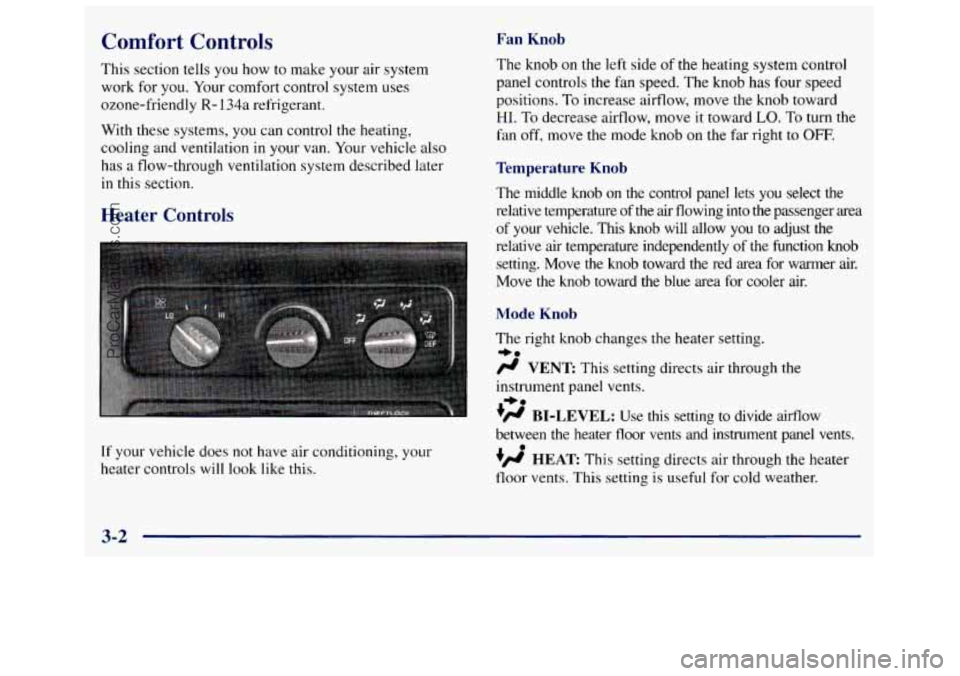
If your vehicle does not have air conditioning, your
heater controls will look like
this.
The knob on the left side of the heating system control
panel controls the fan speed. The knob has four speed
positions.
To increase airflow, move the knob toward
HI. To decrease airflow, move it toward LO. To turn the
fan off, move the mode knob on the far right
to OFF.
Temperature Knob
The middle knob on the control panel lets you select the
relative temperature of the air flowing into
the passenger area
of your vehicle. This knob will allow
you to adjust the
relative air temperature independently
of the function knob
setting. Move the knob toward the red area for warmer air.
Move the knob toward the blue area for cooler air.
Mode Knob
The right knob changes the heater setting.
/.I VENT This setting directs air through the
instrument panel vents.
+H BI-LEVEL: Use this setting to divide airflow
between the heater floor vents and instrument panel vents.
+fl HEAT This setting directs air through the heater
floor vents. This setting is useful for cold weather.
=+a
+e
0
3-2
ProCarManuals.com
Page 139 of 388
w.
?# HEAT/DEFROST Use this setting to divide
airflow between the heater floor vents and windshield.
DEFROST This setting directs air through the
windshield defroster vents. This setting is useful when
you have fog or ice on the windshield.
Heater/Air Conditioning Controls
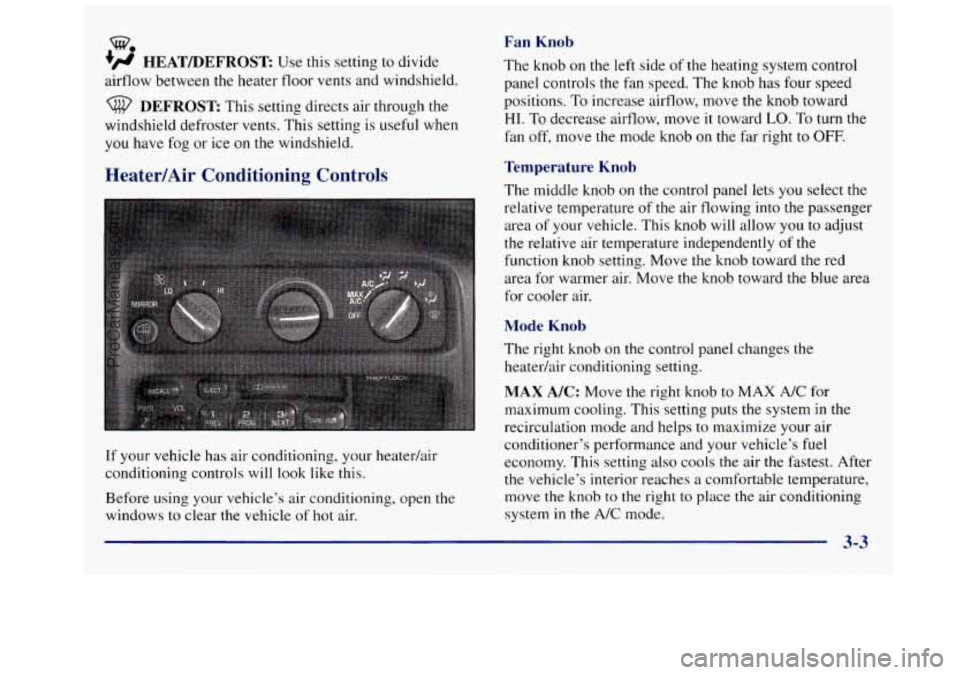
If your vehicle has air conditioning, your heatedair
conditioning controls will look like this.
Before using your vehicle’s air conditioning, open
the
windows to clear the vehicle of hot air.
Fan Knob
The knob on the left side of the heating system control
panel controls the fan speed. The knob has four speed
positions. To increase airflow, move the knob toward
HI. To decrease airflow, move it toward LO. To turn the
fan off, move the mode knob on
the far right to OFF.
Temperature Knob
The middle knob on the control panel lets you select the
relative temperature
of the air flowing into the passenger
area of your vehicle. This knob will allow
you to adjust
the relative air temperature independently of the
function knob setting. Move the knob toward the red
area for warmer air. Move the
knob toward the blue area
for cooler air.
Mode Knob
The right knob on the control panel changes the
heatedair conditioning setting.
MAX A/C: Move the right knob to MAX A/C for
maximum cooling. This setting puts the system in the
recirculation mode and helps to maximize your air
conditioner’s performance and your vehicle’s
fuel
economy. This setting also cools the air the fastest. After
the vehicle’s interior reaches a comfortable temperature,
move the knob to the right to place the air conditioning
system in the
A/C mode.
ProCarManuals.com
Page 140 of 388
A/C: Use for normal cooling on hot days. This setting
cools
outside air and directs it through the instrument
panel outlets.
’’ BI-LEVEL A/C: Use this setting to divide aifflow
between the heater floor vents and instrument panel
vents. The air conditioning compressor may operate in
this setting to cool the air.
*a
/.I VENT: This setting directs air through the
instrument panel vents.
+’ HEAT This setting directs air through the heater
floor vents. This setting is useful for cold weather.
+# HEATDEFROST: Use this setting to divide
airflow between the heater floor vents and windshield.
+a
0
w.
DEFROST: This setting directs air through the
windshield defroster vents. This setting is useful when
you have fog or ice on the windshield.
Rear Heater (Without Air Conditioning)
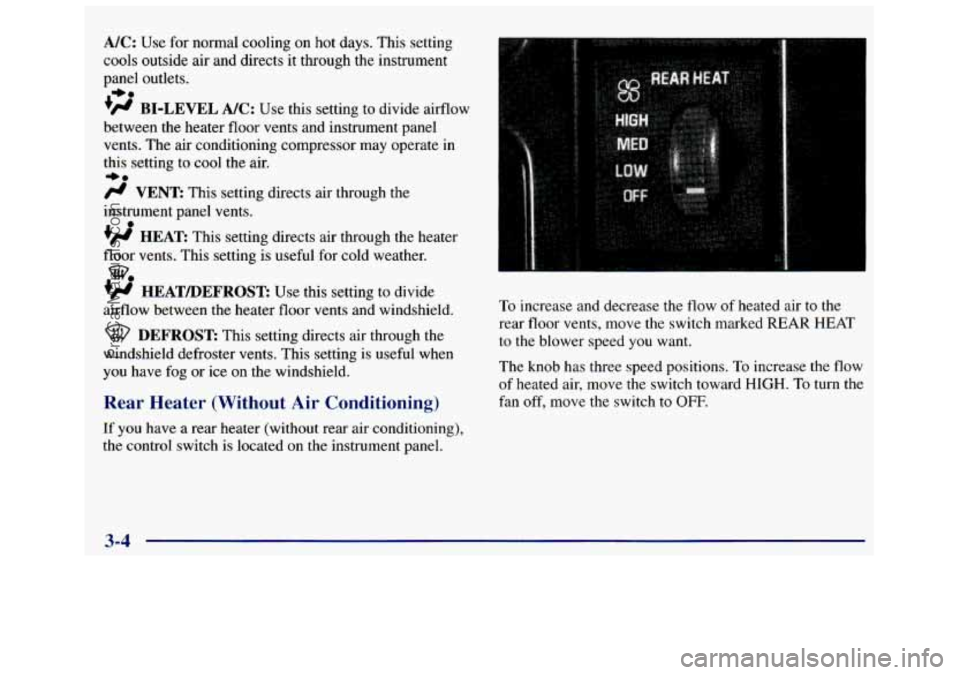
If you have a rear heater (without rear air conditioning),
the control switch
is located on the instrument panel.
To increase and decrease the flow of heated air to the
rear floor vents, move the switch marked
REAR HEAT
to the blower speed you want.
The knob has three speed positions. To increase the flow
of heated air, move the switch toward
HIGH. To turn the
fan off, move the switch
to OFF.
3-4
ProCarManuals.com
Page 141 of 388
Rear Air Conditioning and Rear Heater
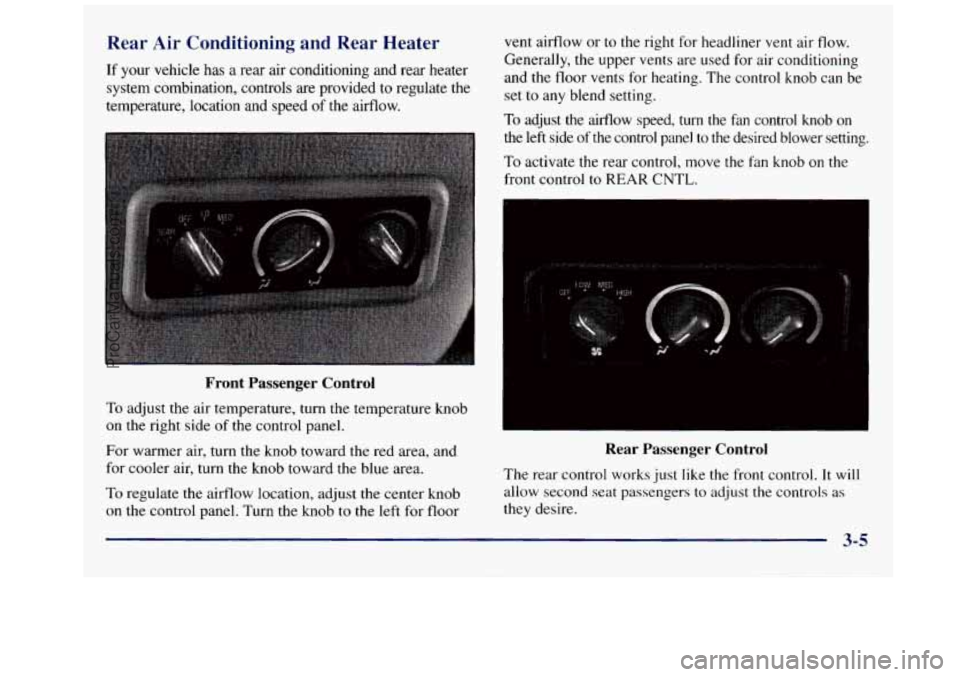
If your vehicle has a rear air conditioning and rear heater
system combination, controls are provided
to regulate the
temperature, location and speed
of the airflow.
Front Passenger Control
To adjust the air temperature, turn the temperature knob
on the right side
of the control panel.
For warmer air, turn the knob toward the red area, and
for cooler air, turn the knob toward the blue area.
To regulate the airflow location, adjust the center knob
on the control panel. Turn the knob to the left for floor vent airflow
or to
the right for headliner vent air flow.
Generally, the upper vents are used
for air conditioning
and the floor vents for heating. The control knob can be
set to any blend setting.
To adjust the airflow speed, turn the fan control knob on
the left side of the control panel to the desired blower setting.
To activate the rear control, move the fan knob on the
front control
to REAR CNTL.
Rear Passenger Control
The rear control works just like the front control. It will
allow second seat passengers to adjust the controls as
they desire.
3-5
ProCarManuals.com