Page 22 of 192
Electronic Automatic Temperature Control
(EATC) system (if equipped)
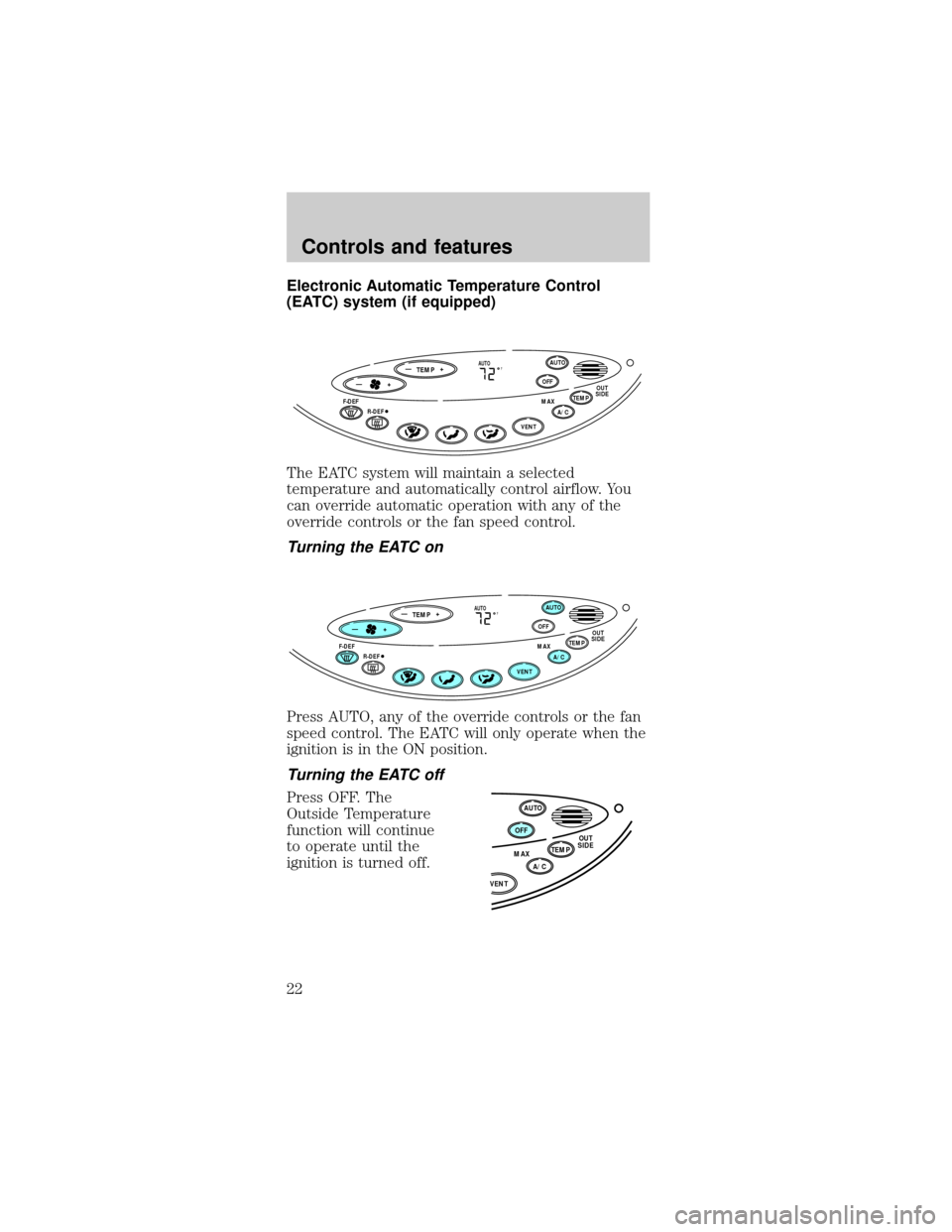
The EATC system will maintain a selected
temperature and automatically control airflow. You
can override automatic operation with any of the
override controls or the fan speed control.
Turning the EATC on
Press AUTO, any of the override controls or the fan
speed control. The EATC will only operate when the
ignition is in the ON position.
Turning the EATC off
Press OFF. The
Outside Temperature
function will continue
to operate until the
ignition is turned off.
TEMP
—+OFFAUTO
TEMPOUT
SIDEA/C MAXF-DEF
R-DEF
AUTO
VENT
F—+
TEMP
—+OFFAUTO
TEMPOUT
SIDEA/C MAXF-DEF
R-DEF
AUTO
VENT
F—+
OFFAUTO
TEMPOUT
SIDE
A/C MAX
VENT
Controls and features
22
Page 28 of 192
²Remove any snow,
ice or leaves from
the air intake area
(at the bottom of
the windshield).
²If your vehicle has been parked with the windows
closed during hot weather, the air conditioner will
do a much faster job of cooling if you drive for
two or three minutes with the windows open. This
will force most of the hot, stale air out of the
vehicle. Then operate the air conditioner as you
would normally.
²If the air conditioner works well in MAX A/C but
not in normal A/C, this may indicate that the
cabin air filter (if equipped) needs to be replaced.
²When placing objects on top of your instrument
panel, be careful to not place them over the
defroster outlets. These objects can block airflow
and reduce your ability to see through your
windshield. Also, avoid placing small objects on
top of your instrument panel. These objects can
fall down into the defroster outlets and block
airflow and possibly damage your climate control
system.
AUDIO SYSTEM
Refer to theAudio Guidefor instructions on how to
operate the audio system.
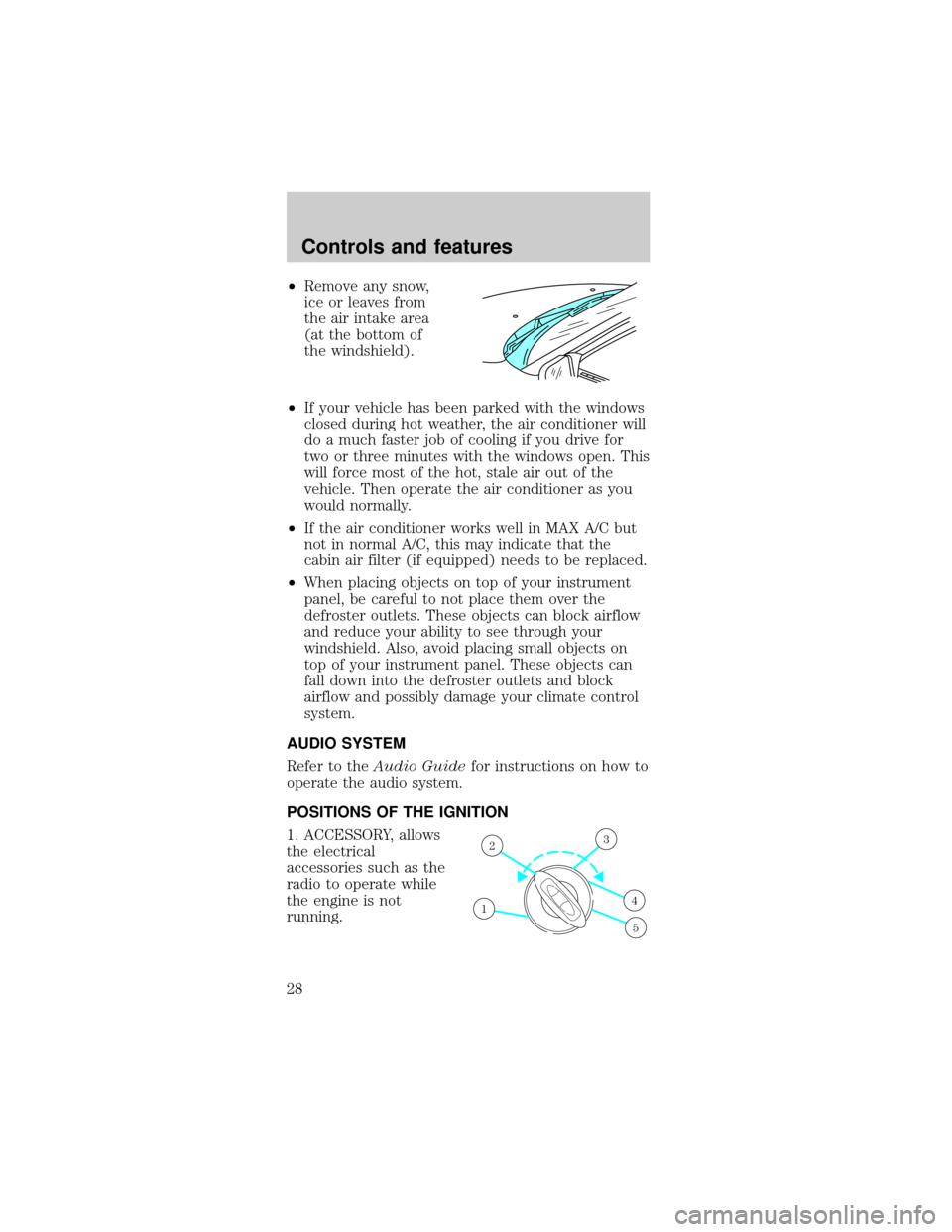
POSITIONS OF THE IGNITION
1. ACCESSORY, allows
the electrical
accessories such as the
radio to operate while
the engine is not
running.
1
23
4
5
Controls and features
28
Page 30 of 192
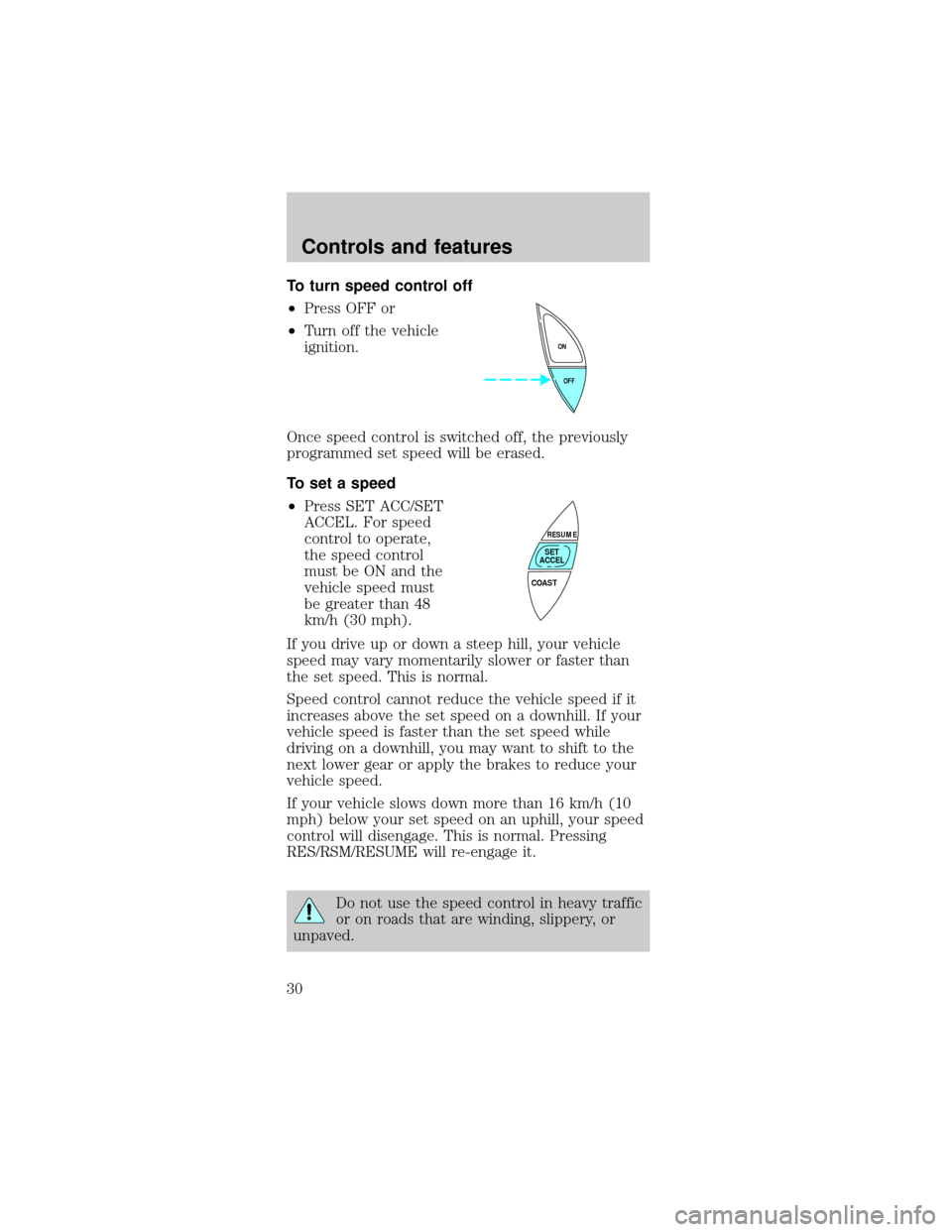
To turn speed control off
²Press OFF or
²Turn off the vehicle
ignition.
Once speed control is switched off, the previously
programmed set speed will be erased.
To set a speed
²Press SET ACC/SET
ACCEL. For speed
control to operate,
the speed control
must be ON and the
vehicle speed must
be greater than 48
km/h (30 mph).
If you drive up or down a steep hill, your vehicle
speed may vary momentarily slower or faster than
the set speed. This is normal.
Speed control cannot reduce the vehicle speed if it
increases above the set speed on a downhill. If your
vehicle speed is faster than the set speed while
driving on a downhill, you may want to shift to the
next lower gear or apply the brakes to reduce your
vehicle speed.
If your vehicle slows down more than 16 km/h (10
mph) below your set speed on an uphill, your speed
control will disengage. This is normal. Pressing
RES/RSM/RESUME will re-engage it.
Do not use the speed control in heavy traffic
or on roads that are winding, slippery, or
unpaved.
OFF ON
COAST
RESUME
SET
ACCEL
Controls and features
30
Page 32 of 192
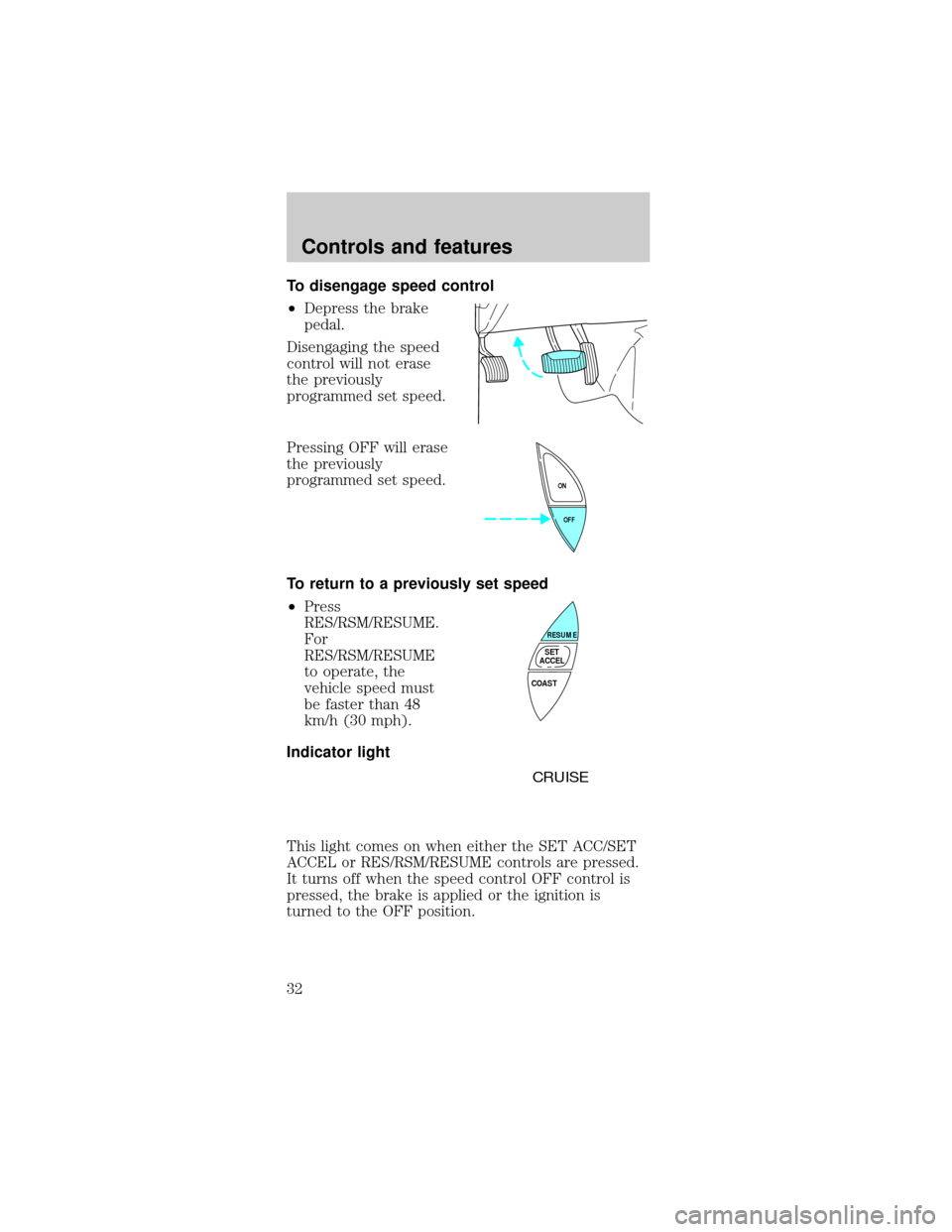
To disengage speed control
²Depress the brake
pedal.
Disengaging the speed
control will not erase
the previously
programmed set speed.
Pressing OFF will erase
the previously
programmed set speed.
To return to a previously set speed
²Press
RES/RSM/RESUME.
For
RES/RSM/RESUME
to operate, the
vehicle speed must
be faster than 48
km/h (30 mph).
Indicator light
This light comes on when either the SET ACC/SET
ACCEL or RES/RSM/RESUME controls are pressed.
It turns off when the speed control OFF control is
pressed, the brake is applied or the ignition is
turned to the OFF position.
OFF ON
COAST
RESUME
SET
ACCEL
CRUISE
Controls and features
32
Page 44 of 192
REMOTE ENTRY SYSTEM (IF EQUIPPED)
The remote entry system allows you to lock or
unlock all vehicle doors and liftgate without a key.
The remote entry features only operate with the
ignition in the OFF position.
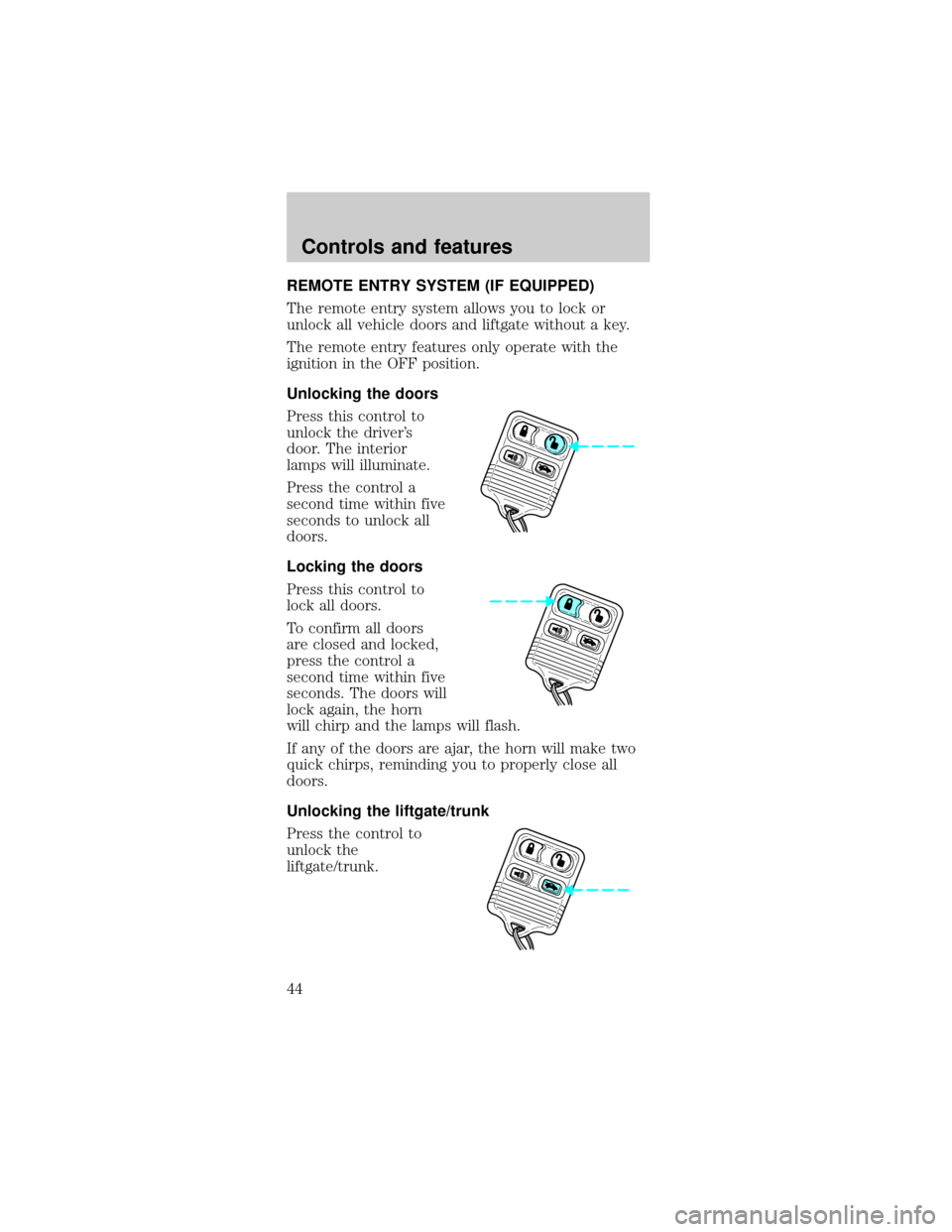
Unlocking the doors
Press this control to
unlock the driver's
door. The interior
lamps will illuminate.
Press the control a
second time within five
seconds to unlock all
doors.
Locking the doors
Press this control to
lock all doors.
To confirm all doors
are closed and locked,
press the control a
second time within five
seconds. The doors will
lock again, the horn
will chirp and the lamps will flash.
If any of the doors are ajar, the horn will make two
quick chirps, reminding you to properly close all
doors.
Unlocking the liftgate/trunk
Press the control to
unlock the
liftgate/trunk.
Controls and features
44
Page 45 of 192

Sounding a panic alarm
Press this control to
activate the alarm.
To deactivate the
alarm, press the
control again or turn
the ignition to ACC or
ON.
This device complies
with part 15 of the FCC rules and with RS-210 of
Industry Canada. Operation is subject to the
following two conditions: (1) This device may not
cause harmful interference, and (2) This device
must accept any interference received, including
interference that may cause undesired operation.
Changes or modifications not expressly
approved by the party responsible for
compliance could void the user's authority to
operate the equipment.
Illuminated entry
The interior lamps illuminate when the remote entry
system is used to unlock the door(s) or sound the
personal alarm.
The system automatically turns off after 25 seconds
or when the ignition is turned to the RUN or ACC
position. The dome lamp control (if equipped) must
notbe set to the OFF position for the illuminated
entry system to operate.
The inside lights will not turn off if:
²they have been turned on with the dimmer
control or
²any door is open.
The battery saver will shut off the interior lamps 40
minutes after the ignition has been turned to the
OFF position.
Controls and features
45
Page 46 of 192

Replacing lost transmitters
Take all your vehicle's
transmitters to your
dealer for
reprogramming if:
²a transmitter is lost
or
²you want to
purchase additional
transmitters (up to four may be programmed).
To reprogram the transmitters, place the key in the
ignition and turn from OFF to ON five times in rapid
succession (within 10 seconds). After doors
lock/unlock, press any control on all transmitters (up
to four). When completed, turn the ignition to OFF.
The doors will lock/unlock one last time to confirm
completion of program mode.
All transmitters must be programmed at the same
time.
Replacing the battery
The transmitter is powered by one coin type
three-volt lithium battery CR2032 or equivalent.
Typical operating range will allow you to be up to 10
meters (33 feet) away from your vehicle. A decrease
in operating range can be caused by:
²battery weakness due to time and use
²weather conditions
²nearby radio towers
²structures around the vehicle
²other vehicles parked next to the vehicle
To replace the battery:
Controls and features
46
Page 47 of 192
1. Twist a thin coin
between the two halves
of the transmitter near
the key ring. DO NOT
TAKE THE FRONT
PART OF THE
TRANSMITTER
APART.
2. Place the positive (+)
side of new battery in
the same orientation.
Refer to the diagram inside the transmitter unit.
3. Snap the two halves back together.
Replacement of the battery willnotcause the
remote transmitter to become deprogrammed from
your vehicle. The remote transmitter should operate
normally after battery replacement.
PERIMETER ALARM SYSTEM (IF EQUIPPED)
Arming the system
When armed, this system will help protect your
vehicle from unauthorized entry. When unauthorized
entry occurs, the system will flash the headlamps
and/or parking lamps, and the theft indicator lamp
and will chirp the horn.
The system is ready to arm whenever the ignition is
turned OFF. Any of the following actions will prearm
the alarm system:
²Press the remote
entry lock control
(doors opened or
closed).
Controls and features
47