Page 3 of 210
SPECIAL NOTICES
Notice to owners of utility type vehicles
Before you drive your vehicle, please read this Owner's Guide carefully.
Your vehicle is not a passenger car. As with other vehicles of this type,
failure to operate this vehicle correctly may result in loss of control or an
accident.
Be sure to readDriving off roadin theDrivingchapter as well as the
``Four Wheeling'' supplement included with 4WD and utility type vehicles.
Using your vehicle as a snowplow
Do not use this vehicle for snowplowing.
Using your vehicle as an ambulance
Do not use this vehicle as an ambulance.
Your vehicle is not equipped with the Ford Ambulance Preparation
package.
Introduction
3
Page 4 of 210
012345
6
H
C
F
E
OFF
20
1030405060
70
80
90
110
200000000
oooo
10020406080100
120
140
160
180
UNLEADED
FUEL ONLY
RSM
SET
ACC
COAST OFF ON
SRS
H
H
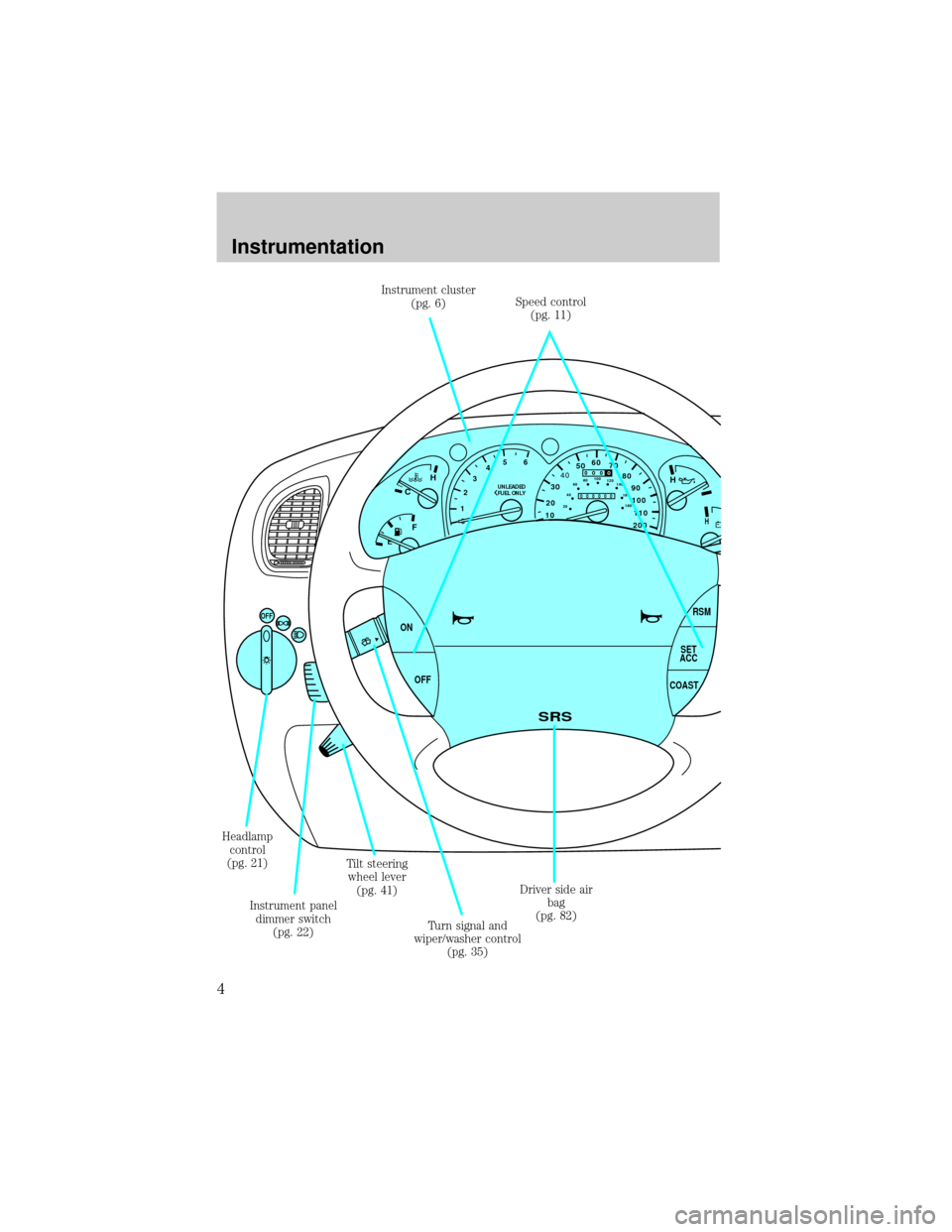
Instrument cluster
(pg. 6)Speed control
(pg. 11)
Driver side air
bag
(pg. 82) Headlamp
control
(pg. 21)
Instrument panel
dimmer switch
(pg. 22)Tilt steering
wheel lever
(pg. 41)
Turn signal and
wiper/washer control
(pg. 35)
Instrumentation
4
Page 10 of 210
Check gage
Illuminates when the key is in the
ON position and the engine coolant
temperature is high, the engine oil
pressure is low or the fuel level is
near empty. Refer toEngine
coolant temperature gauge,
Engine oil pressure gaugeorFuel gaugein this chapter for more
information.
Four wheel drive low (if equipped)
Illuminates when four-wheel drive
low is engaged.
Four wheel drive high (if equipped)
Illuminates when four-wheel drive
high is engaged.
Door ajar
Illuminates when the ignition switch
is in the ON or START position and
any door is open.
CHECK
GAGE
4WD
LOW
4WD
HIGH
DOOR
AJAR
Instrumentation
10
Page 26 of 210
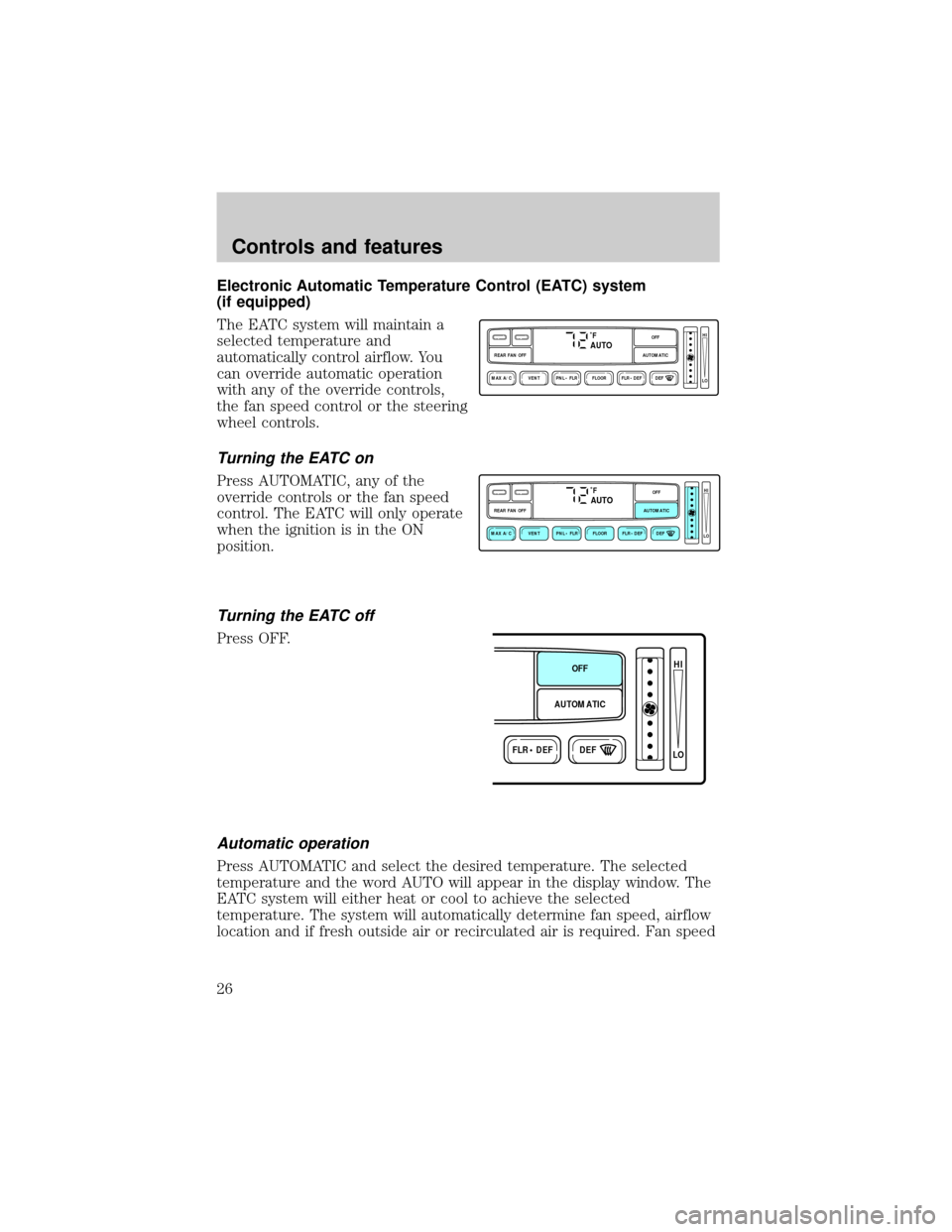
Electronic Automatic Temperature Control (EATC) system
(if equipped)
The EATC system will maintain a
selected temperature and
automatically control airflow. You
can override automatic operation
with any of the override controls,
the fan speed control or the steering
wheel controls.
Turning the EATC on
Press AUTOMATIC, any of the
override controls or the fan speed
control. The EATC will only operate
when the ignition is in the ON
position.
Turning the EATC off
Press OFF.
Automatic operation
Press AUTOMATIC and select the desired temperature. The selected
temperature and the word AUTO will appear in the display window. The
EATC system will either heat or cool to achieve the selected
temperature. The system will automatically determine fan speed, airflow
location and if fresh outside air or recirculated air is required. Fan speed
˚FAUTO
VENT PNL • FLR FLOOR FLR • DEF DEF
HI
LO
MAX A/C
REAR FAN OFF AUTOMATICOFF
˚FAUTO
VENT PNL • FLR FLOOR FLR • DEF DEF
HI
LO
MAX A/C
REAR FAN OFF AUTOMATICOFF
FLR • DEFDEF
HI
LO
AUTOMATICOFF
Controls and features
26
Page 27 of 210
remains automatic unless the fan speed thumbwheel is turned or the
steering wheel fan speed control is pressed.
When in AUTOMATIC and weather conditions require heat, air will be
sent to the floor. However, if the engine is not warm enough to provide
heat, the fan will be at a low speed and the air will be directed to the
windshield. In 3ó minutes or less, the fan speed will start to increase
and the airflow location will change to the floor area.
If unusual conditions exist (i.e.-window fogging, etc.), the manual
override controls allow you to select airflow locations and the fan control
allows you to adjust fan speed as necessary.
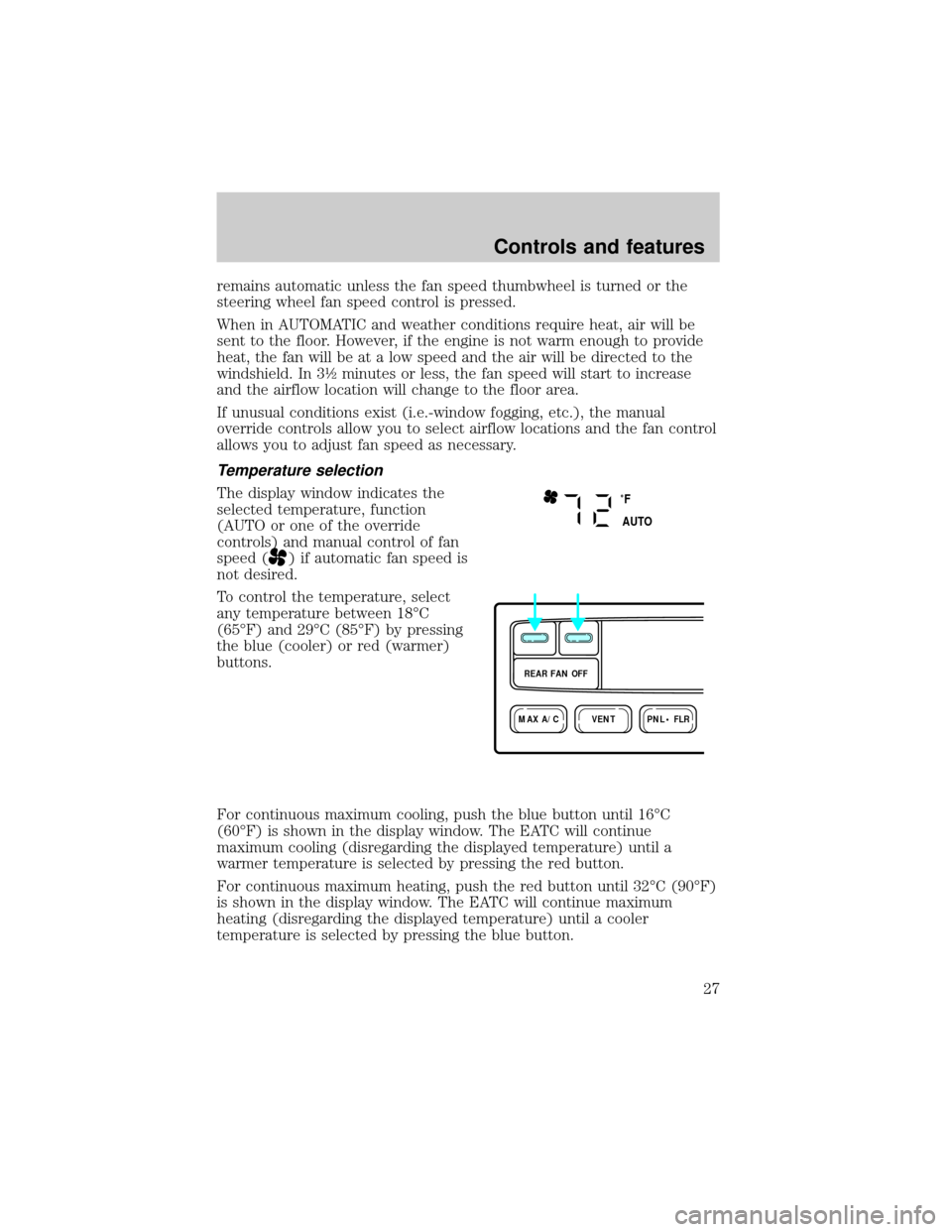
Temperature selection
The display window indicates the
selected temperature, function
(AUTO or one of the override
controls) and manual control of fan
speed (
) if automatic fan speed is
not desired.
To control the temperature, select
any temperature between 18ÉC
(65ÉF) and 29ÉC (85ÉF) by pressing
the blue (cooler) or red (warmer)
buttons.
For continuous maximum cooling, push the blue button until 16ÉC
(60ÉF) is shown in the display window. The EATC will continue
maximum cooling (disregarding the displayed temperature) until a
warmer temperature is selected by pressing the red button.
For continuous maximum heating, push the red button until 32ÉC (90ÉF)
is shown in the display window. The EATC will continue maximum
heating (disregarding the displayed temperature) until a cooler
temperature is selected by pressing the blue button.
˚F
AUTO
VENTPNL • FLRMAX A/C
REAR FAN OFF
Controls and features
27
Page 28 of 210
Temperature conversion
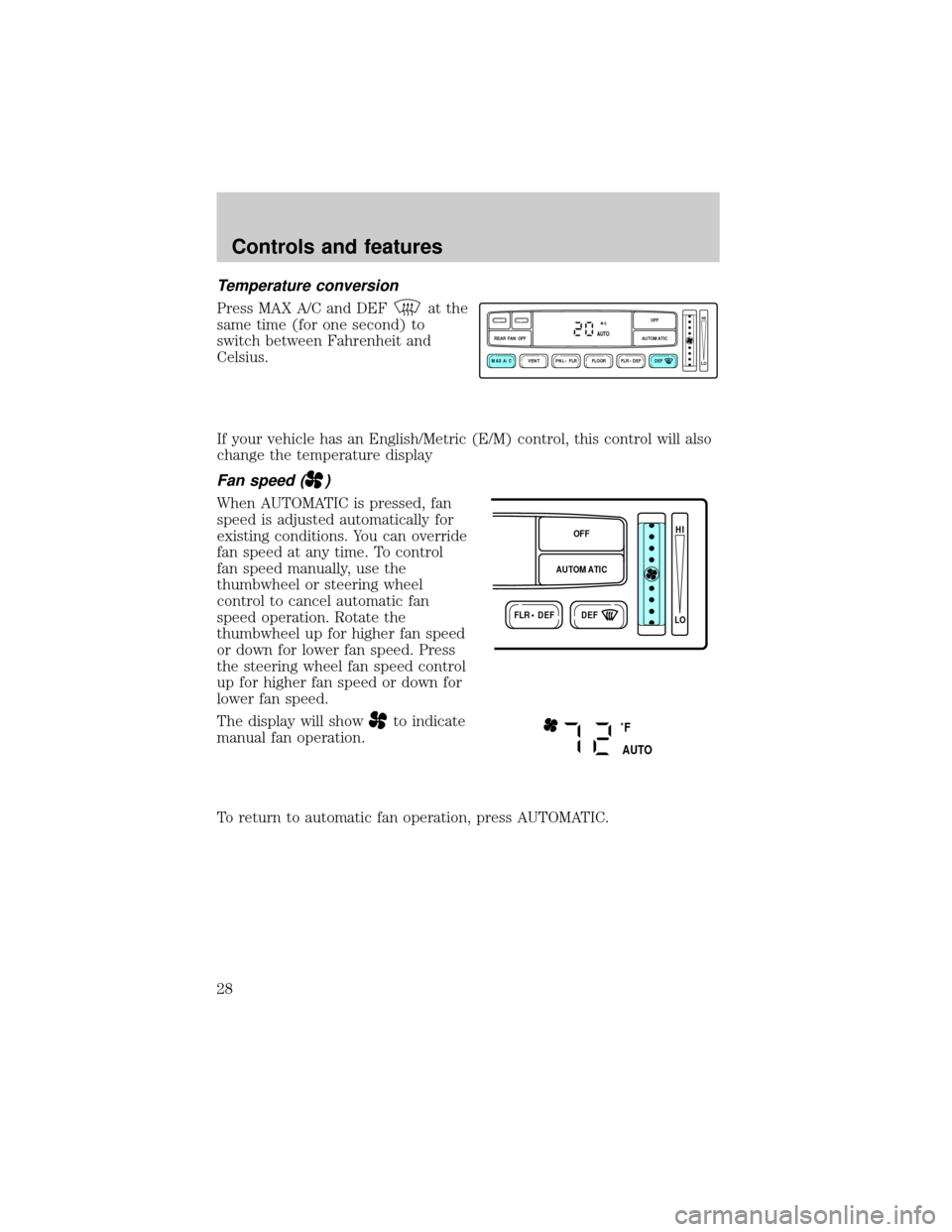
Press MAX A/C and DEFat the
same time (for one second) to
switch between Fahrenheit and
Celsius.
If your vehicle has an English/Metric (E/M) control, this control will also
change the temperature display
Fan speed ()
When AUTOMATIC is pressed, fan
speed is adjusted automatically for
existing conditions. You can override
fan speed at any time. To control
fan speed manually, use the
thumbwheel or steering wheel
control to cancel automatic fan
speed operation. Rotate the
thumbwheel up for higher fan speed
or down for lower fan speed. Press
the steering wheel fan speed control
up for higher fan speed or down for
lower fan speed.
The display will show
to indicate
manual fan operation.
To return to automatic fan operation, press AUTOMATIC.
VENT PNL • FLR FLOOR FLR • DEF DEF
HI
LO
MAX A/C
REAR FAN OFF AUTOMATICOFFAUTO
FLR • DEFDEF
HI
LO
AUTOMATICOFF
˚F
AUTO
Controls and features
28
Page 34 of 210
REAR WINDOW DEFROSTER
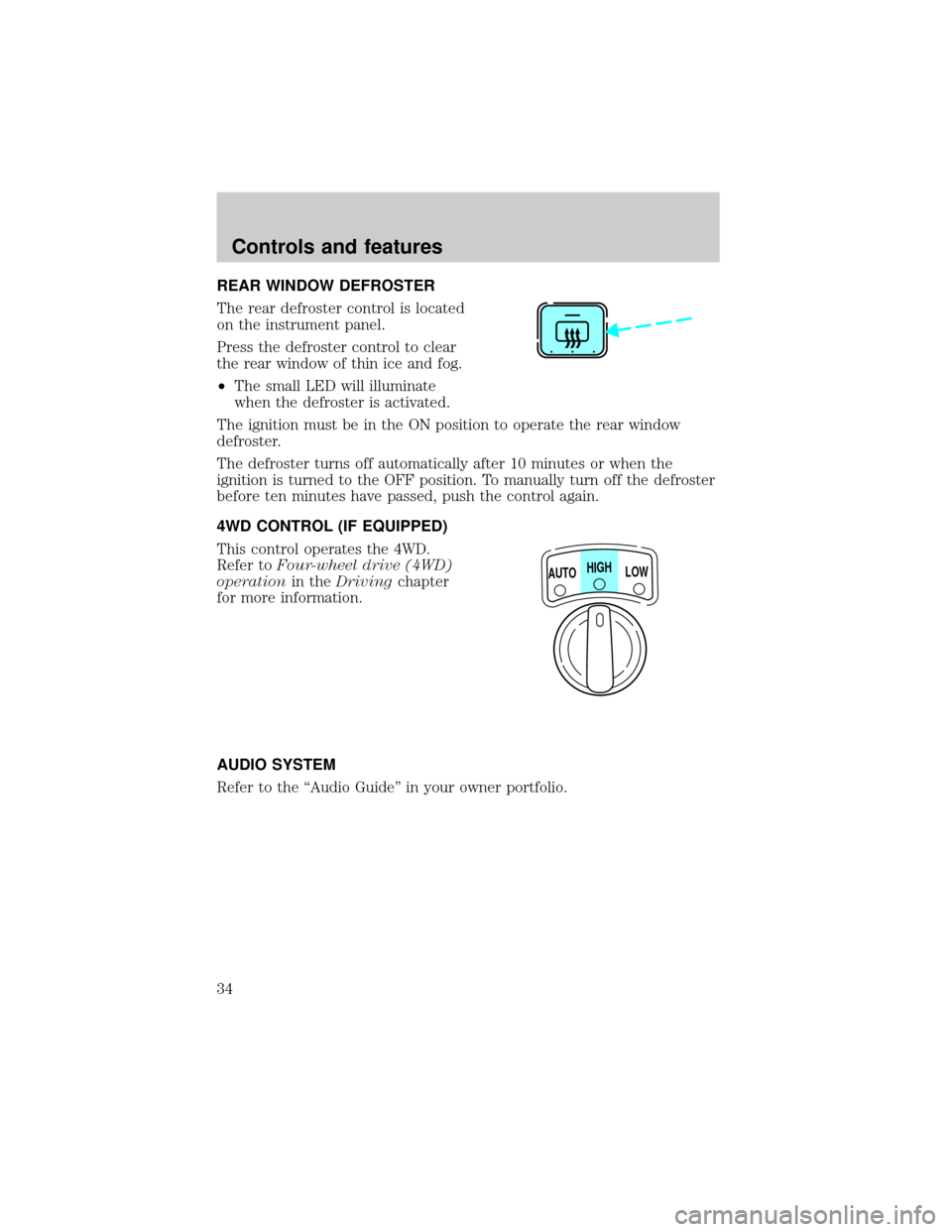
The rear defroster control is located
on the instrument panel.
Press the defroster control to clear
the rear window of thin ice and fog.
²The small LED will illuminate
when the defroster is activated.
The ignition must be in the ON position to operate the rear window
defroster.
The defroster turns off automatically after 10 minutes or when the
ignition is turned to the OFF position. To manually turn off the defroster
before ten minutes have passed, push the control again.
4WD CONTROL (IF EQUIPPED)
This control operates the 4WD.
Refer toFour-wheel drive (4WD)
operationin theDrivingchapter
for more information.
AUDIO SYSTEM
Refer to the ``Audio Guide'' in your owner portfolio.
HIGH
LOW AUTO
Controls and features
34
Page 35 of 210
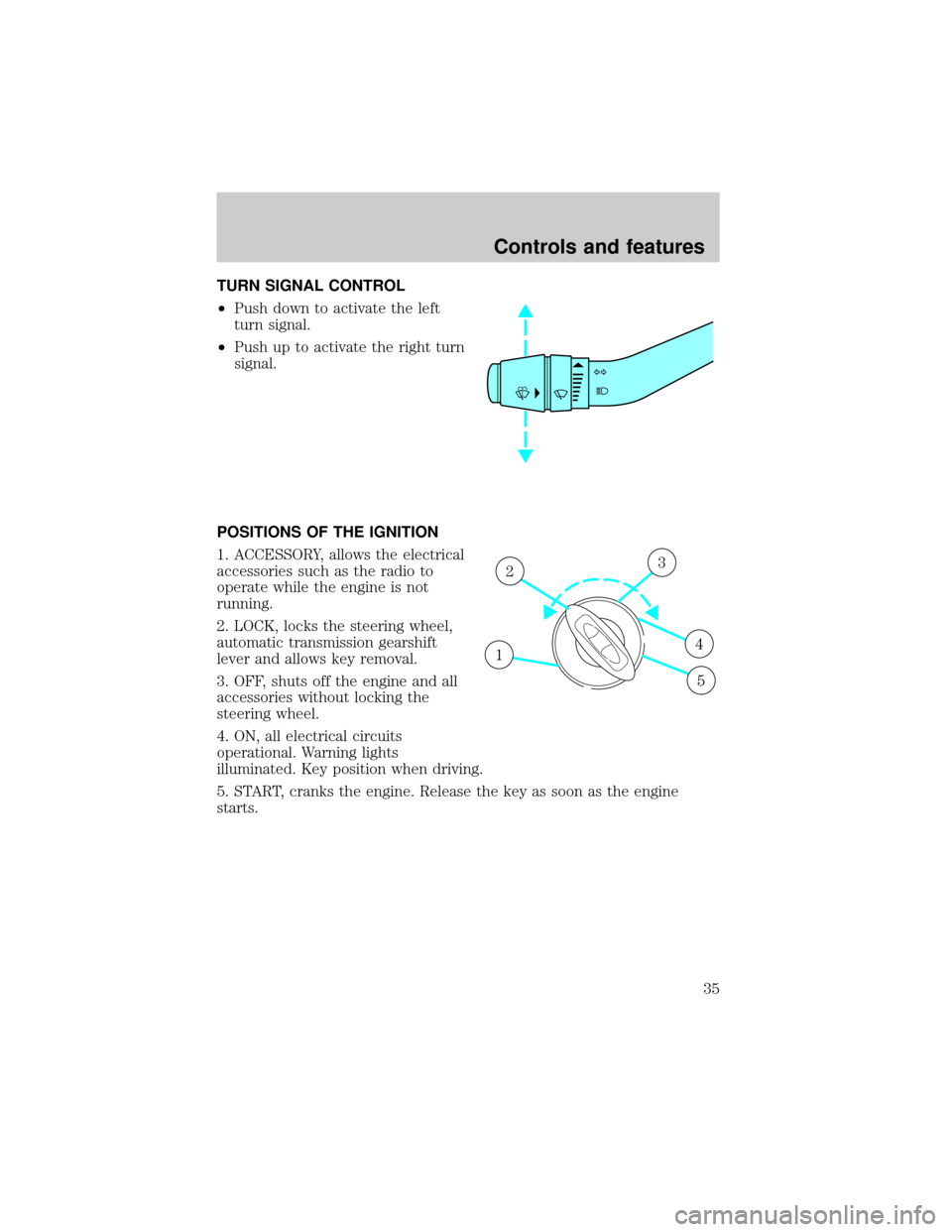
TURN SIGNAL CONTROL
²Push down to activate the left
turn signal.
²Push up to activate the right turn
signal.
POSITIONS OF THE IGNITION
1. ACCESSORY, allows the electrical
accessories such as the radio to
operate while the engine is not
running.
2. LOCK, locks the steering wheel,
automatic transmission gearshift
lever and allows key removal.
3. OFF, shuts off the engine and all
accessories without locking the
steering wheel.
4. ON, all electrical circuits
operational. Warning lights
illuminated. Key position when driving.
5. START, cranks the engine. Release the key as soon as the engine
starts.
1
23
4
5
Controls and features
35