1998 CHEVROLET VENTURE ignition
[x] Cancel search: ignitionPage 176 of 474
Reducing Speed While Using Cruise Control
There are two ways to reduce speed while using
cruise control:
Push in the SET button at the end of the lever until
you reach the lower speed you want, then release it.
To slow down in very small amounts, push the
SET button for less than half a second. Each time
you do this, you’ll go
1 mph (1.6 km/h) slower.
Passing Another Vehicle While Using Cruise Control
Use the accelerator pedal to increase your speed. When
you take your foot
off the pedal, your vehicle will slow
down to the cruise control speed you set earlier.
Using Cruise Control on Hills
How well your cruise control will work on hills depends
upon your speed, load and the steepness
of the hills.
When going up steep hills,
you may have to step on the
accelerator pedal to maintain your speed. When going
downhill, you may have
to brake or shift to a lower gear
to keep your speed down. Of course, applying the brake
takes you out of cruise control. Many drivers find this to
be too much trouble and don’t use cruise control
on
steep hills.
Ending Cruise Control
There are two ways to turn off the cruise control:
0 Step lightly on the brake pedal; or
0 Move the cruise switch to OFF.
Erasing Cruise Speed Memory
When you turn off the cruise control or the ignition,
your cruise control set speed memory is erased.
2-59
ProCarManuals.com
Page 177 of 474
Exterior Lamps
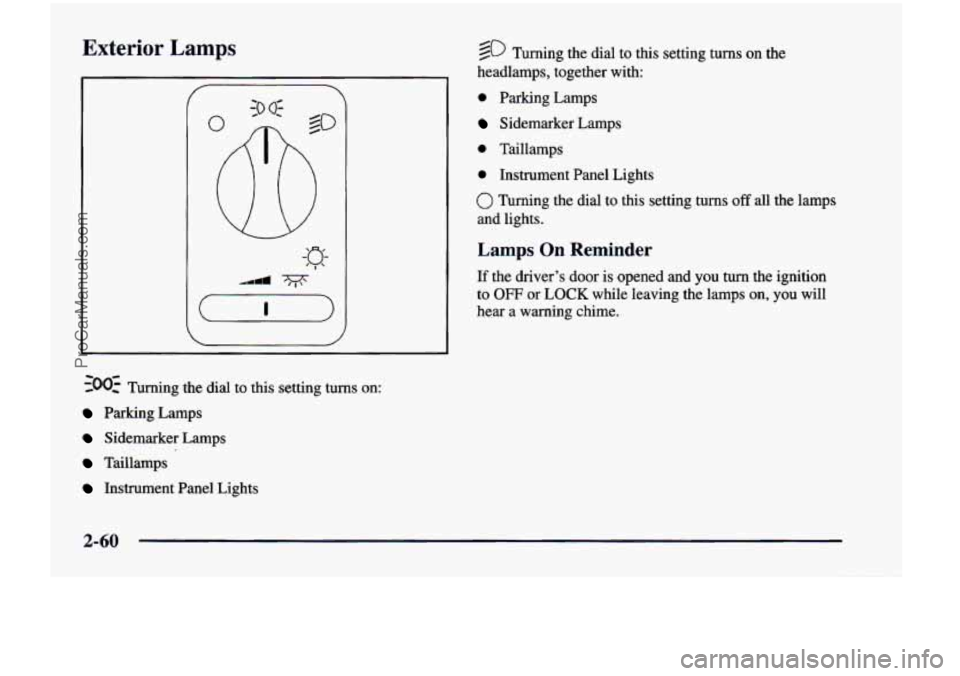
~00~ Turning the dial to this setting turns on:
Parking Lamps
Sidemarker Lamps
Taillamps
Instrument Panel Lights
@ Turning the dial to this setting turns on the
headlamps, together with:
0 Parking Lamps
Sidemarker Lamps
0 Taillamps
0 Instrument Panel Lights
0 Turning the dial to this setting turns off all the lamps
and lights.
Lamps On Reminder
If the driver’s door is opened and you turn the ignition
to
OFF or LOCK while leaving the lamps on, you will
hear a warning chime.
2-60
ProCarManuals.com
Page 178 of 474

Daytime Running Lamps
Daytime Running Lamps (DRL) can make it easier
for others to see the front of your vehicle during the
day. DRL can be helpful in many different driving
conditions, but they can be especially helpful in the
short periods after dawn and before sunset.
A light sensor on top of the instrument panel makes the
DRL work,
so be sure it isn’t covered. The DRL system
will make front parking and turn signal lamps come on
in daylight when:
The ignition is on,
0 the headlamp switch is off and
0 the parking brake is released.
When the DRL are on, only your front parking and turn
signal lamps will be on. Your instrument panel won’t be
lit up.
When it’s dark enough outside, the exterior lamps will
come on automatically. When
it’s bright enough outside,
the exterior lamps will go out and the DRL will turn
on.
Of course, you may still turn on the headlamps any time
you need to.
To idle your vehicle with the DRL or exterior lamps
off, set the parking brake while the ignition is in
OFF
or LOCK. Then start the vehicle. The DRL will stay off
until you release the parking brake.
As with any vehicle, you should turn on the regular
headlamp system when
you need it.
Interior Lamps
Instrument Panel Intensity Control
Turn the control, located below the headlamps switch,
to the right to increase the brightness of the instrument
panel lights, and
to the left to decrease the brightness.
Turn the control all the way to the left to turn them
off.
Interior Lamps Control
Turn the dial all the way to the right to turn on the
interior lamps, if the interior lamps override switch is
off. Turn the dial to
the left to turn the lamps off.
2-61
ProCarManuals.com
Page 179 of 474
Interior Lamps Override Switch
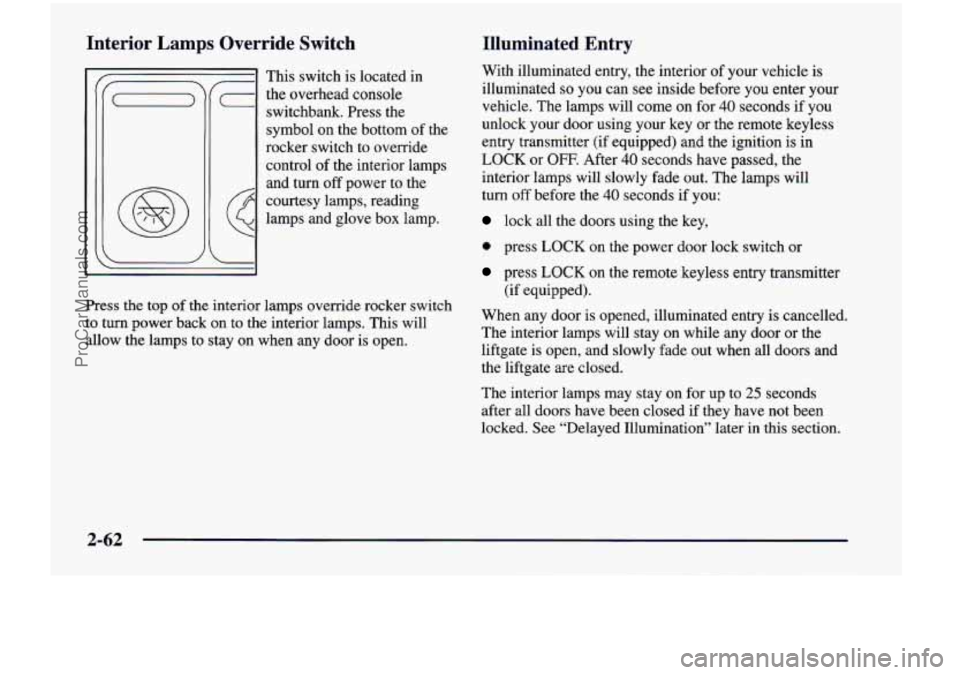
This switch is located in
(- the overhead console
switchbank. Press
the
symbol on the bottom of the
rocker switch to override
control of the interior lamps
and turn off power to the
courtesy lamps, reading
lamps and glove box lamp.
G
Press the top of the interior lamps override rocker switch
to
turn power back on to the interior lamps. This will
allow the lamps to stay on when any door is open.
Illuminated Entry
With illuminated entry, the interior of your vehicle is
illuminated
so you can see inside before you enter your
vehicle. The lamps will come on for
40 seconds if you
unlock your door using your key or the remote keyless
entry transmitter (if equipped) and the ignition is in
LOCK or OFF. After 40 seconds have passed, the
interior lamps will slowly fade out. The lamps will
turn off before the 40 seconds if you:
lock all the doors using the key,
0 press LOCK on the power door lock switch or
press LOCK on the remote keyless entry transmitter
(if equipped).
When any door is opened, illuminated entry is cancelled.
The interior lamps will stay on while any door or the
liftgate is open, and slowly fade out when all doors and
the liftgate are closed.
The interior lamps may stay on for up to
25 seconds
after all doors have been closed if they have not been
locked. See “Delayed Illumination” later in this section.
2-62
ProCarManuals.com
Page 180 of 474
Delayed Illumination Exit Lighting
The delayed
illumination feature will continue to
illuminate the interior for
25 seconds after all doors
have been closed
so that you can find your ignition
and buckle your safety belt at night. Delayed
illumination will not occur while the ignition is in
RUN or ACCESSORY. After
25 seconds have passed,
the interior lamps will slowly fade out. The lamps will
fade out before the
25 seconds have passed if you:
0 turn the ignition to RUN or ACCESSORY,
0 lock all doors using the remote keyless entry
transmitter (if equipped) or
0 lock all the doors using the power door lock switch
or the key.
To turn the delayed illumination feature off or on, see
“Locks and Lighting Choices” in the Index. With exit lighting, the interior
lamps will come on for
about
25 seconds whenever you remove the key from
the ignition switch. If you turn the ignition switch to
RUN or ACCESSORY, the lamps will fade out. The
lamps will
also fade out if you lock the doors with the
power door lock switch or the remote keyless entry
transmitter (if equipped).
When any door is opened, exit lighting is cancelled.
The interior lamps will stay on while any door or
liftgate is open, and slowly fade out when all doors
and the liftgate are closed.
The interior lamps may stay on for up to
25 seconds
after all doors have been closed if they have not
been locked, see “Delayed Illumination” earlier in
this section.
To turn the exit lighting feature
off or on, see “Locks
and Lighting Choices” in the Index.
2-63
ProCarManuals.com
Page 182 of 474
Battery Saver
Your vehicle has a feature to help prevent you from
draining the battery, in case you accidentally leave the
interior or underhood lamps
on. If you leave any of
these lamps on while the ignition is
in LOCK or OFF,
they will automatically turn off after 10 minutes. The
lamps won’t come back on again until you:
turn the ignition to RUN or ACCESSORY,
turn the interior lamps dial all the way to the right,
open (or close and reopen) a door that is closed.
Note that if your vehicle has less than 15 miles
(25 km)
on the odometer, the battery saver will turn off the lamps
after only three minutes. then
slightly back to the left; or
Mirrors
Inside Daymight Rearview Mirror
To reduce glare from lights behind you, pull the lever
toward you (to the night position). To return the mirror
to the day position, push the lever away from you.
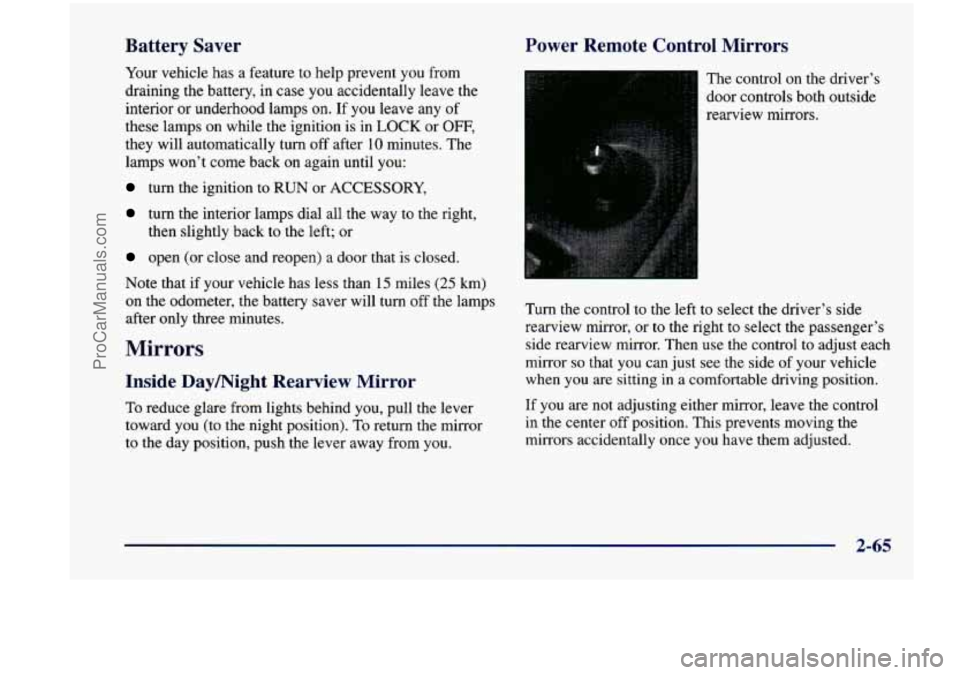
Power Remote Control Mirrors
The control on the driver’s
door controls both outside
rearview mirrors.
Turn the control to the left to select the driver’s side
rearview mirror,
or to the right to select the passenger’s
side rearview mirror. Then
use the control to adjust each
mirror
so that you can just see the side of your vehicle
when you
are sitting in a comfortable driving position.
If you are not adjusting either mirror, leave the control
in the center off position. This prevents moving the
mirrors accidentally once you have them adjusted.
2-65
ProCarManuals.com
Page 197 of 474

has the pressure gage, Then attach that end of the hose
to the object you wish to inflate. Remove the protective
cap covering the outlet. Attach the other end of the hose
to the outlet. Press the ON switch. The ON switch will
work even with the ignition off.
If the air inflator system does not turn on, the fuse may
be blown
or installed incorrectly. See “Fuses and Circuit
Breakers” in the Index or see your dealer for service.
Your air inflator will automatically shut off after about
10 minutes.
To reset, press the ON switch again.
Don’t run your air inflator for longer than
30 minutes at
one time. If you do, you may damage the system. After
30 minutes, wait at least 10 minutes before restarting the
air inflator.
To turn off the inflator, press OFF and detach the hose,
first from the inflated object, then from the outlet.
Replace the protective cap. Place the inflator kit tools
in the pouch, and store in the glove box.
To replace the cover, line up the tabs at the back of the
cover and put it in place. Push down the tab to secure
the cover.
Accessory Power Outlet
The rear power outlet is located in the rear compartment
on the driver’s side. To remove the cover, pull the tab
on
the cover and pull it off.
The front power outlet
is located next to the ashtray and
lighter. Pull the cover down to
use the power outlet.
2-80
ProCarManuals.com
Page 200 of 474

Your instrument panel is designed to let you know at a glance how your vehicle is running. You’ll know how fast
you’re going, how much fuel you’re using, and many other things you’ll need
to drive safely and economically.
Refer to the accompanying diagram
of your instrument panel to locate the components listed below.
A. Side Vents L. Ignition Switch
B. Front Vent
M. Climate Controls
C. Turn Signalhlultifunction Lever N. Rear Fan Controls (Option)
D. Hazard Warning Flashers Switch 0. Accessory Power Outlet
E. Instrument Cluster P. Storage Bin
E Center Vents Q. Remote CD Player (Option)
G. Audio System R. Instrument Panel Switchbank
H. Side Vents
S. LightedAshtray
I. Lamps Switch T. Glove Box
J. Hood Release U. Front Vents
K. Horn V. Fuse Panel
2-83
ProCarManuals.com