Page 11 of 362
Downloaded from www.Manualslib.com manuals search engine How to Use this Manual
Many people read their owner’s manual from beginning
to end when they fist receive their new vehicle. If you-
do
this, it will help you learn about the features and
controls for your vehicle.
In this manual, you’ll find
that pictures and words work together to explain
things quickly.
Index
A good place to look for what you need is the Index in
back of the manual. It’s an alphabetical list of what’s in
the manual, and the page number where you’ll find it.
Safety Warnings and Symbols
You will find a number of safety cautions in this book.
We use a box and the word
CAUTION to tell you
about things that could hurt you
if you were to ignore
the warning.
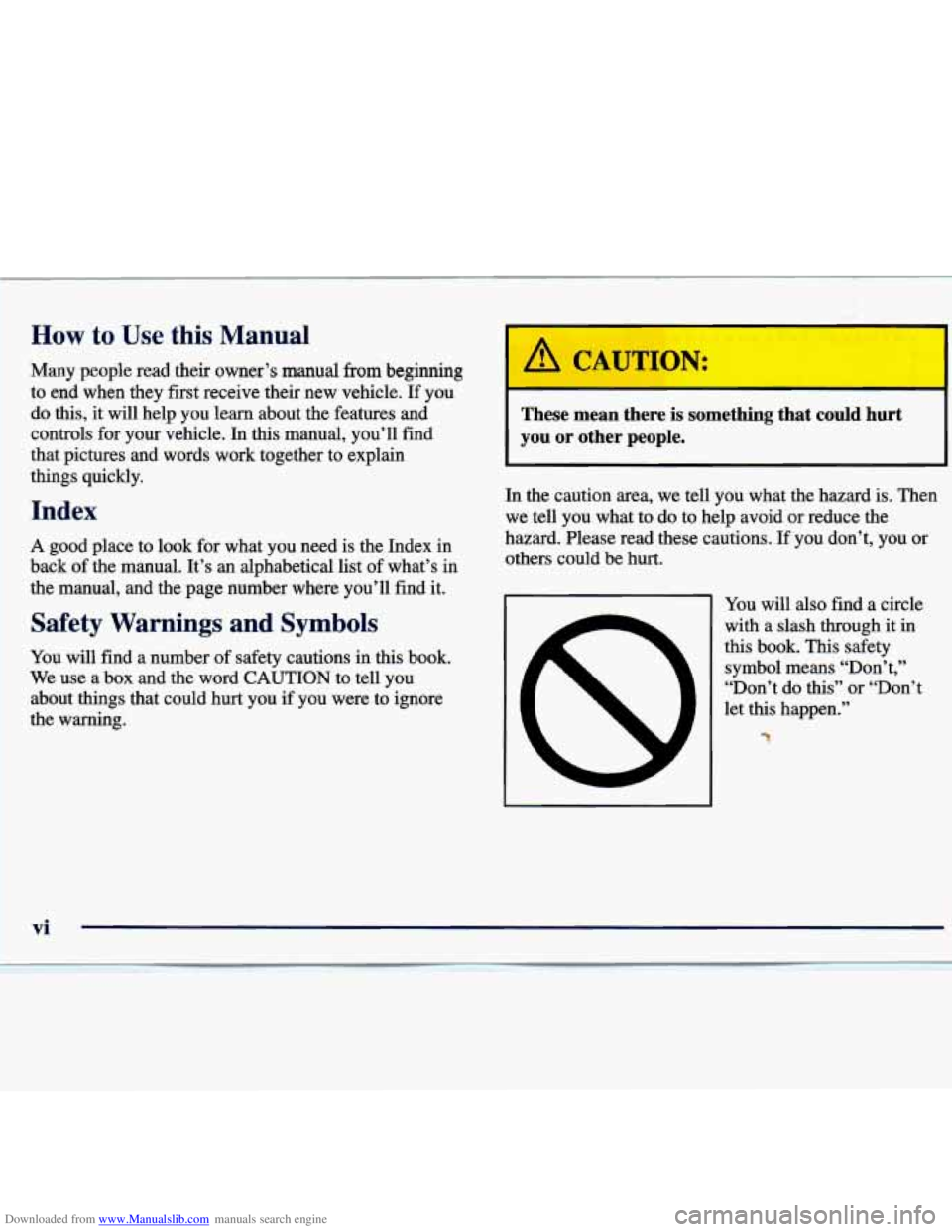
These mean there is something that could hurt
you or other people.
I It
In the caution area, we tell you what the hazard is. Then
we tell you what to do to help avoid or reduce the
hazard. Please read these cautions.
If you don’t, you or
others could be hurt.
-1 You will also find a circle
with a slash through it
in
this book. This safety
symbol means “Don’t,’’
“Don’t do this” or “Don’t
let this happen.”
%
vi
Page 12 of 362
Downloaded from www.Manualslib.com manuals search engine Vehicle Damage Warnings
Also, in this book you will find these notices:
NOTICE:
These mean there is something that could
damage your vehicle.
In the notice area, we tell you about something that
can damage your vehicle. Many times, this damage
would not be covered by your
warranty, and it could
be costly. But the notice will tell
you what to do to help
avoid the damage.
When you read other manuals, you might see
CAUTION and
NOTICE warnings in different colors
or in different words.
You’ll also see
warning labels on your vehicle. They use
the same words, CAUTION or
NOTICE.
Page 13 of 362
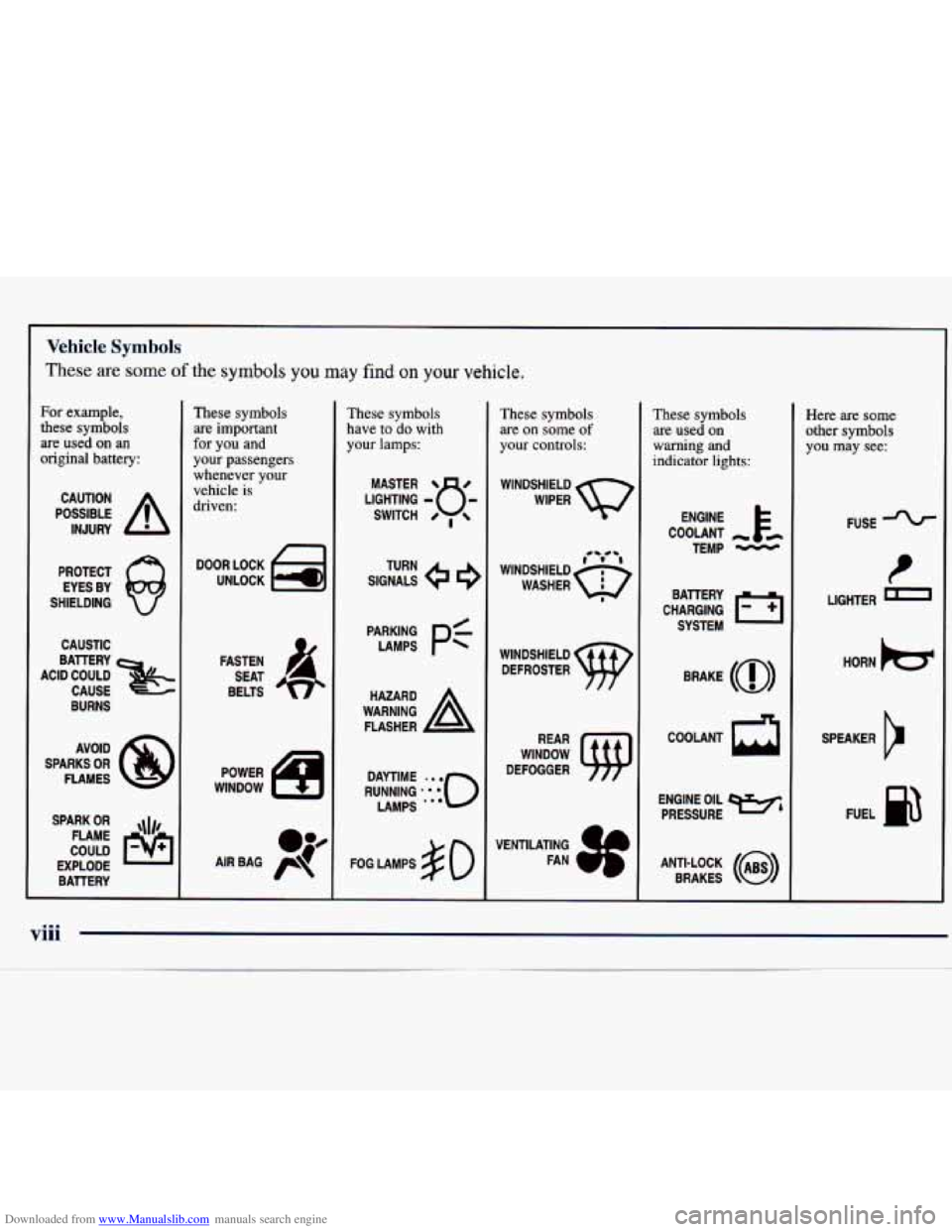
Downloaded from www.Manualslib.com manuals search engine For example,
these symbols
are used
on an
original battery:
POSSIBLE A
CAUTION
INJURY
PROTECT EYES BY
SHIELDING
CAUSTIC
BURNS AVOID
SPARKS
OR
FLAMES
SPARK
OR ,111,
COULD FLAME
EXPLODE BATTERY
These symbols are important
for you and
your passengers
whenever your vehicle is
driven:
n
FASTEN
SEAT
BELTS
These symbols have
to do with
your lamps:
SIGNALS e e
TURN
FOG LAMPS
$0
Vehicle Symbols
These are some of the symbols you may find on your vehicle.
-
These symbols
are
on some of
your controls:
WINDSHIELD
WIPER
WINDOW
DEFOGGER
These symbols are used on
warning and
indicator lights:
CHARGING 1-1
BATTERY
SYSTEM
BRAKE
(0)
R
ENGINE OIL e,
PRESSURE
ANTI-LOCK
(@)
BRAKES
Here are some
other symbols
you may see:
FUSE
LIGHTER
D
HORN )cr
SPEAKER
cr
FUEL p3
viii
Page 66 of 362

Downloaded from www.Manualslib.com manuals search engine 0 Section 2 Features and Controls
Here you can learn about the many standard and optional features on your vehicle, and inform\
ation on starting,
shifting and braking. Also explained are the instrument panel and the warning systems that tell you if everything is
working properly
-- and what to do if you have a problem.
2-2
2-4
2-6
2- 10
2-11
2- 12
2- 13
2- 13
2-
14
2- 17
2-18
2-22
2-23
2-25
2-25
2-26 Keys
Door Locks
Keyless Entry System
TrUnk
Theft
Passlock’
New Vehicle “Break-In”
Ignition Positions
Starting Your Engine
Engine Coolant Heater
(If Equipped)
Automatic Transaxle Operation Parking Brake
Shifting Into PARK (P)
Shifting Out
of PARK (P)
Parking Over Things That Burn
Engine Exhaust 2-26
2-27
2-28
2-29
2-36
2-38
2-39
2-4 1
2-43
2-44
2-44
2-45
2-45
2-46 2-50 Running
Your Engine While You’re Parked
Windows
Tilt Wheel
Turn SignaVMultifunction Lever
Exterior Lamps
Interior Lamps
Mirrors Storage Compartments
Ashtray and Lighter Sunvisors
Accessory Power Outlet
Garment
Hook
Sunroof
Instrument Panel
Warning Lights, Gages and Indicators
Page 78 of 362
Downloaded from www.Manualslib.com manuals search engine New Vehicle “Break-In”
NOTICE:
Your vehicle doesn’t need an elaborate
“break-in.” But
it will perform better in the long
run if you follow these guidelines:
0
0
0
Don’t drive at any one speed -- fast or
slow
-- for the first 500 miles (805 km).
Don’t make full-throttle starts.
Avoid making hard stops for the first
200 miles (322 km) or so. During this time
your new brake linings aren’t yet broken
in. Hard stops with new linings can mean
premature wear and earlier replacement.
Follow this breaking-in guideline every
time you get new brake linings.
Don’t tow
a trailer during break-in.
See “Towing a Trailer’’ in the Index for
more information.
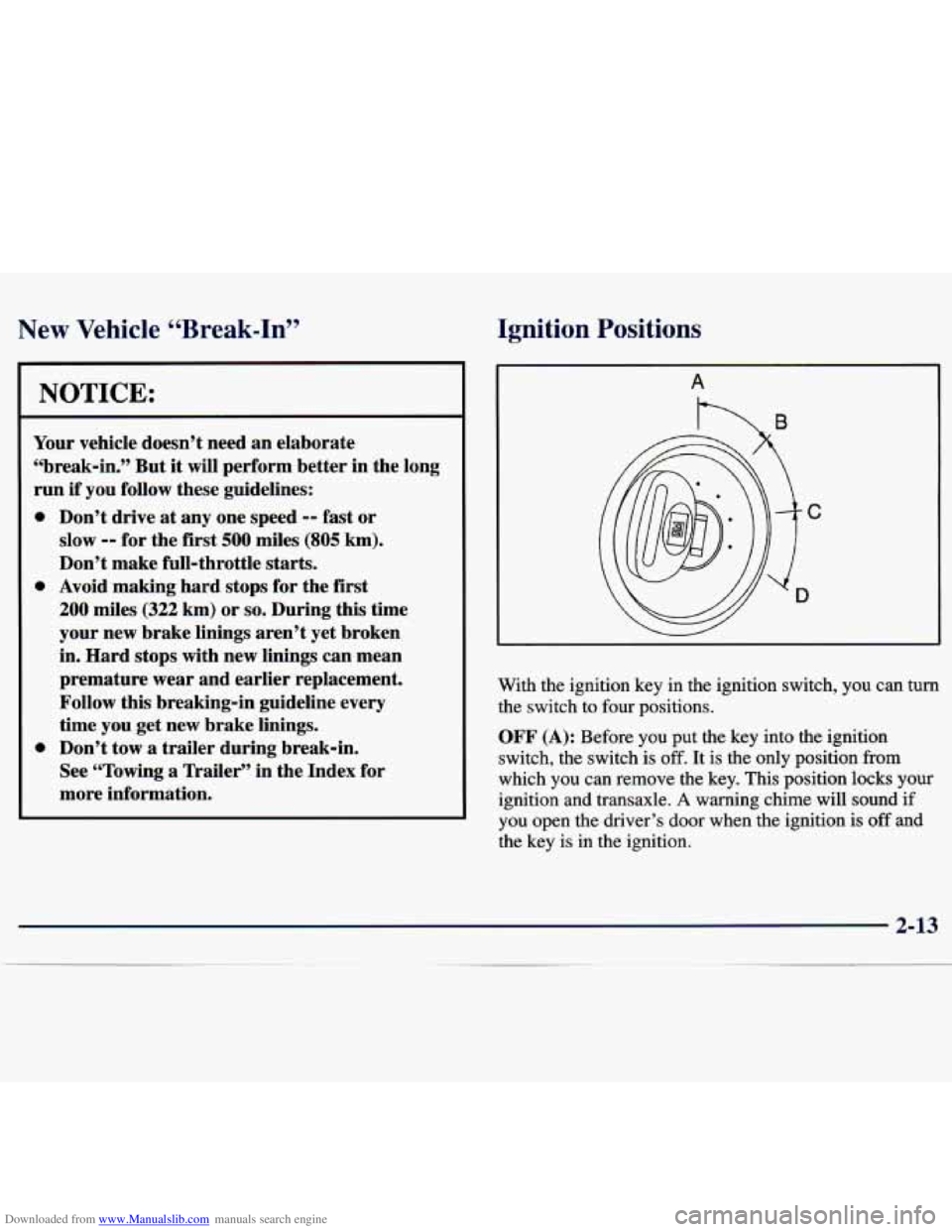
Ignition Positions
With the ignition key in the ignition switch, you can turn
the switch to four positions.
OFF (A): Before you put the key into the ignition
switch, the switch is
off. It is the only position from
which you can remove the key. This position locks your
ignition and transaxle.
A warning chime will sound if
you open the driver’s door when the ignition
is off and
the key is in the ignition.
2-13
Page 79 of 362
Downloaded from www.Manualslib.com manuals search engine ACC (Accessory) (B): This position unlocks the
transaxle. It also
lets you use things like the radio and
windshield wipers when the engine is not running.
To
use ACC, push in the key and turn it to the right. Use
this position if your vehicle must be pushed or towed,
but never try to push-start your vehicle.
ON (C): This position unlocks the ignition and
transaxle. This position is also where the key returns
after you start your engine and release the switch. The
switch stays in
ON when the engine is running. But even
when the engine is not running, you can use
ON to
operate your electrical power accessories, and to display
some instrument panel warning lights.
START (D): This position starts the engine. When the
engine starts, release the
key. The ignition switch will
return to
ON for normal driving.
Starting Your Engine
Move your shift lever to PARK (P) or NEUTRAL (N).
Your engine won’t start in any other position -- that’s a
safety feature. To restart when you’re already moving,
use
NEUTRAL (N) only.
I 1
I NOTICE:
Don’t try to shift to PARK (P) if your vehicle
is moving. If you do, you could damage the
transaxle. Shift to PARK
(P) only when your
vehicle is stopped.
2-14
Page 87 of 362
Downloaded from www.Manualslib.com manuals search engine Second-Gear Start
Your vehicle is equipped with a second-gear start
feature. Place the shift lever
in SECOND (2) gear to
provide more traction when you are starting on ice
or
other slippery surfaces. The transaxle will be in
SECOND (2) gear when the vehicle begins to move.
After starting in
SECOND (2) gear, place the shift lever
in
THIRD (3) or AUTOMATIC OVERDRIVE (D).
This feature is only for improved traction only when the
road surface is slippery and is not intended for
continuous use or when the vehicle is stuck in sand,
mud, ice, snow or gravel.
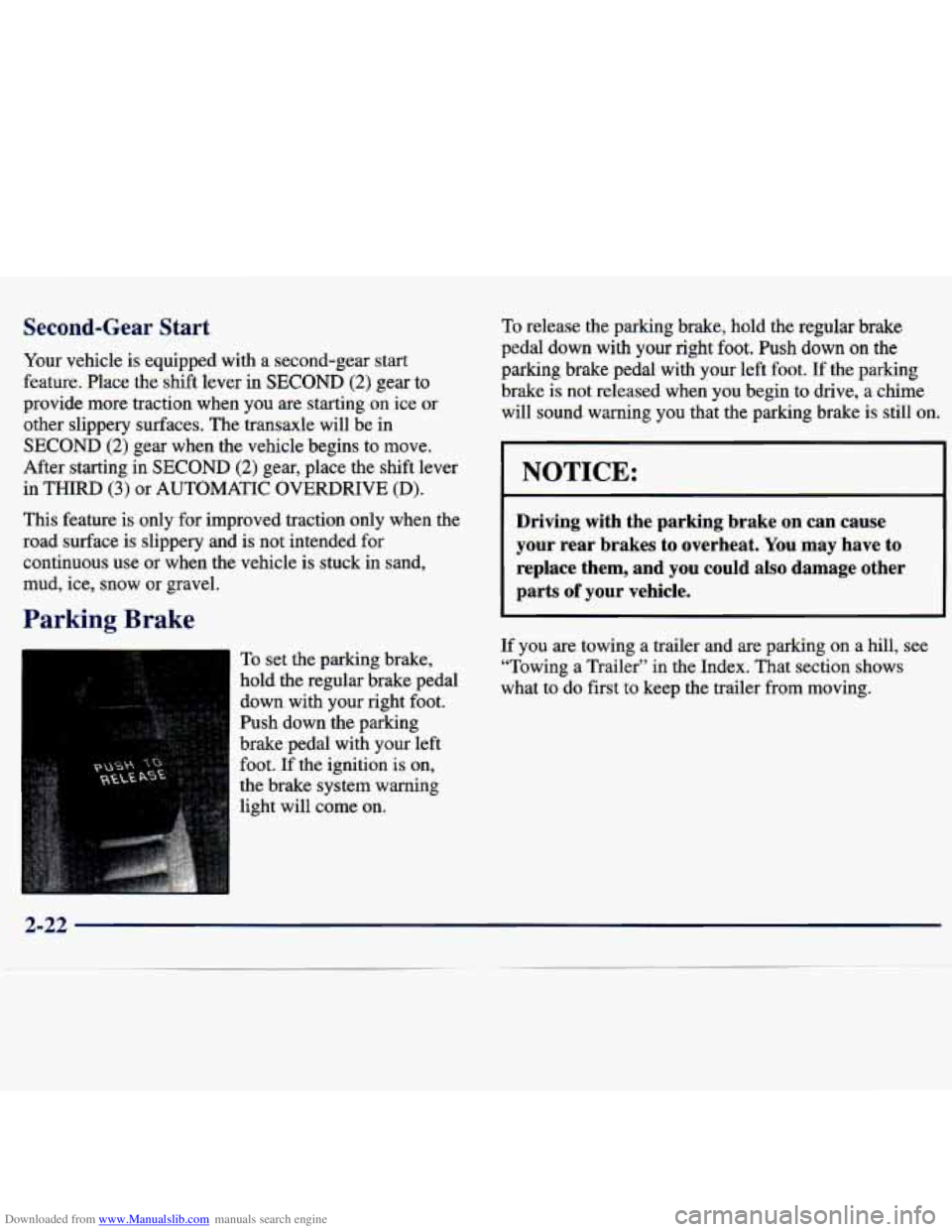
Parking Brake
To set the parking brake,
hold the regular brake pedal
down with your right foot.
Push down the parking
brake pedal with your left
foot.
If the ignition is on,
the brake system warning
light will come on.
To release the parking brake, hold the regular brake
pedal down with your right foot. Push down
on the
parking brake pedal with your left foot. If the parking
brake is not released when you begin to
drive, a chime
will sound warning you that the parking brake is still on,
NOTICE:
Driving with the parking brake on can cause
your rear brakes to overheat. You may have
to
replace them, and you could also damage other
parts
of your vehicle.
If you are towing a trailer and are parking on a hill, see
“Towing a Trailer” in the Index. That section shows
what to do first
to keep the trailer from moving.
2-22
Page 94 of 362
Downloaded from www.Manualslib.com manuals search engine Turn SignaVMultifunction Lever
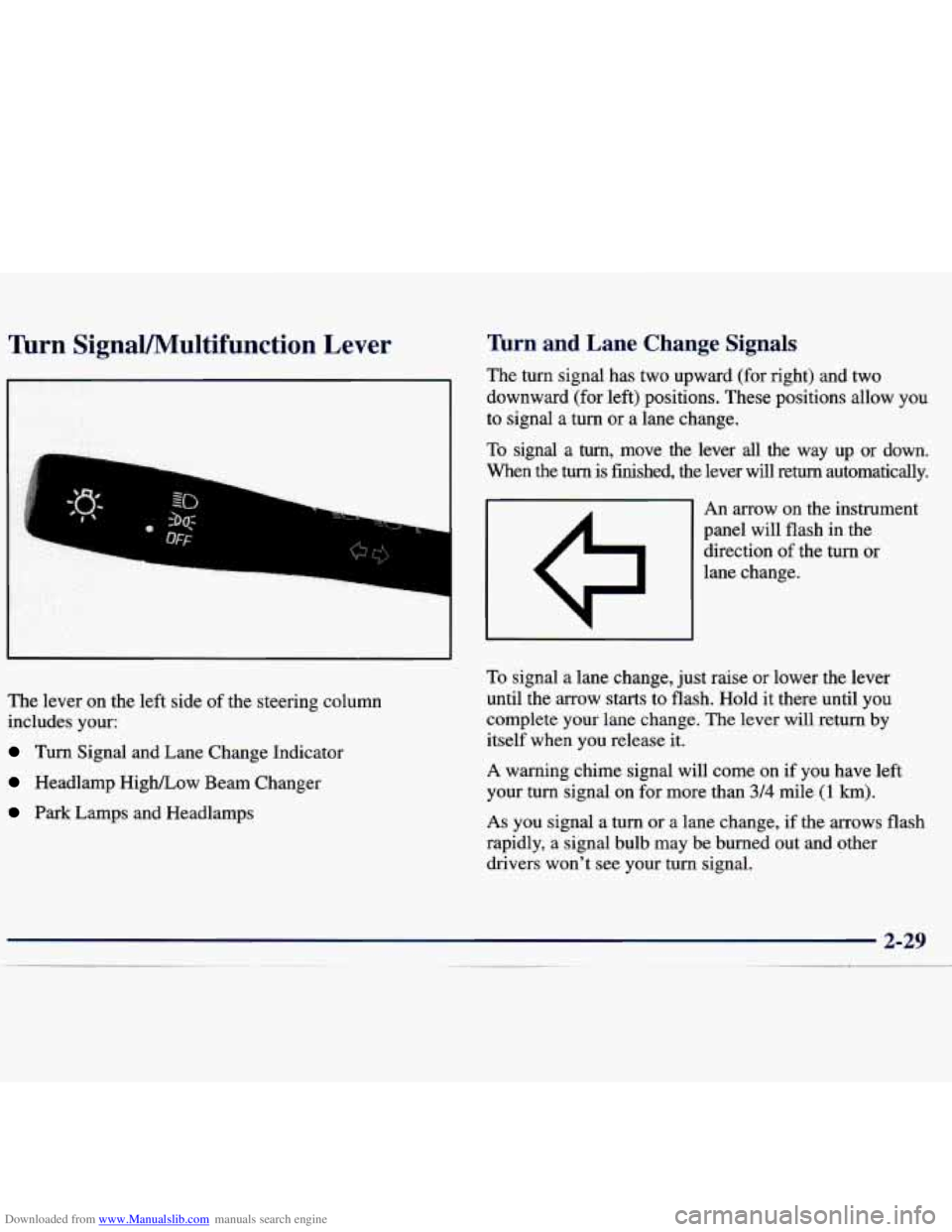
The lever on the left side of the steering column
includes your:
Turn Signal and Lane Change Indicator
Headlamp HigWLow Beam Changer
Park Lamps and Headlamps
firn and Lane Change Signals
The turn signal has two upward (for right) and two
downward (for left) positions. These positions allow you
to signal a turn or a lane change.
To signal a turn, move the lever all the way up or down.
When the
turn is finished, the lever will return automatically.
An arrow on the instrument
panel will flash in the
direction of the turn or
lane change.
To signal a lane change, just raise or lower the lever
until the arrow starts to flash.
Hold it there until you
complete your lane change.
The lever will return by
itself when you release it.
A warning chime signal will come on if you have left
your turn signal on for more than
3/4 mile (1 km).
As you signal a turn or a lane change, if the arrows flash
rapidly, a signal bulb may be burned out and other
drivers won't see your turn signal.