1998 CHEVROLET MALIBU cruise control
[x] Cancel search: cruise controlPage 98 of 362
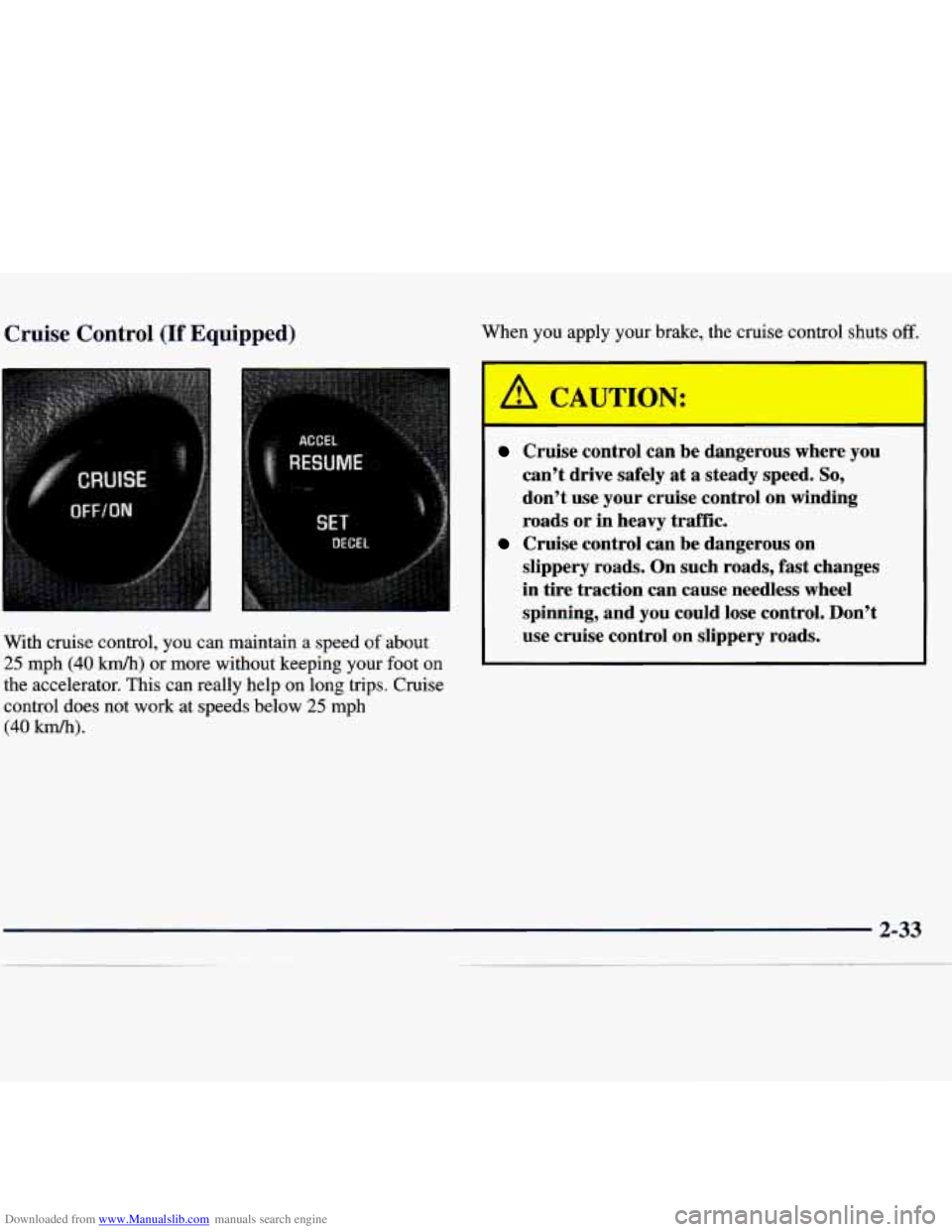
Downloaded from www.Manualslib.com manuals search engine Cruise Control (If Equipped)
With cruise control, you can maintain a speed of about
25 mph (40 km/h) or more without keeping your foot on
the accelerator. This can really help on long trips. Cruise
control does not work at speeds below
25 mph
(40 km/h).
When you apply your brake, the cruise control shuts off.
A CAUTION:
I -
Cruise control can be dangerous where you
can’t drive safely at a steady speed.
So,
don’t use your cruise control on winding
roads or in heavy traffic.
slippery roads. On such roads, fast changes
in tire traction can cause needless wheel
spinning, and you could lose control. Don’t
use cruise control on slippery roads.
Cruise control can be dangerous on
Page 99 of 362
Downloaded from www.Manualslib.com manuals search engine Setting Cruise Control press the cruise control ACCEL RESUME button for
about half
a second.
If you leave your cruise control switch on when
you’re not using cruise, you might hit a button
and go into cruise when you don’t want to. You
could be startled and even lose control. Keep the
cruise control switch
off until you want to use it.
The cruise control buttons are located on the center of
the steering wheel.
1. Press the cruise control ON/OFF button.
2. Get up to the speed you want.
3. Press the SET DECEL button and release it.
4. Take your foot off the accelerator pedal.
Resuming a Set Speed
Suppose you set your cruise control at a desired speed
and then you apply the brake. This, of course, shuts
off
the cruise control. But you don’t need to reset it. Once
you’re going about
25 mph (40 km/h) or more, you can You’ll
go right back up to your chosen speed and
stay there.
If you press the ACCEL RESUME button longer than
half a second, the vehicle will keep going faster until
you release the switch or apply the brake.
So unless
you want to
go faster, don’t hold down the ACCEL
RESUME button.
Increasing Speed While Using Cruise Control
There are two ways to go to a higher speed.
0 Use the accelerator pedal to get to the higher speed.
Push the SET DECEL button, then release the button
and the accelerator pedal. You’ll now cruise at the
higher speed.
0 Press the ACCEL RESUME button. Hold it there
until you get up to the speed you want, and then
release the button. To increase your speed in very
small amounts, press the
ACCEL RESUME button
for less
than half a second and then release it. Each
time you do this, your vehicle will go about
1 mph
(1 -6 km/h) faster.
The accelerate feature will only work after you turn on
the cruise control by pushing the SET DECEL button.
2-34
Page 100 of 362
Downloaded from www.Manualslib.com manuals search engine Reducing Speed While Using Cruise Control
There are two ways to reduce your speed while using
cruise control:
0 Push the SET DECEL button until you reach the
lower speed you want, then release it.
0 To slow down in very small amounts, push the
button for less than half a second. Each time you do
this, you’ll go
1 mph (1.6 kmk) slower.
Passing Another Vehicle While Using Cruise Control
Use the accelerator pedal to increase your speed. When
you take your foot
off the pedal, your vehicle will slow
down to the cruise control speed you set earlier.
Using Cruise Control on Hills
How well your cruise control will work on hills depends
upon your speed, load and the steepness of
the hills.
When going up steep hills, you may have to step on the
accelerator pedal to maintain your speed. When going
downhill, you may have to brake or shift to a lower
gear
to keep your speed down. Of course, applying the brake
takes you out
of cruise control. Many drivers find this to
be too much trouble and don’t use cruise control on
steep hills.
Ending Out of Cruise Control
There are two ways to turn off the cruise control:
Step lightly on the brake pedal;
Press the cruise control ON/OFF button.
Erasing the Cruise Speed Memory
When you turn off the cruise control or the ignition,
your cruise control set speed memory is erased.
Page 112 of 362
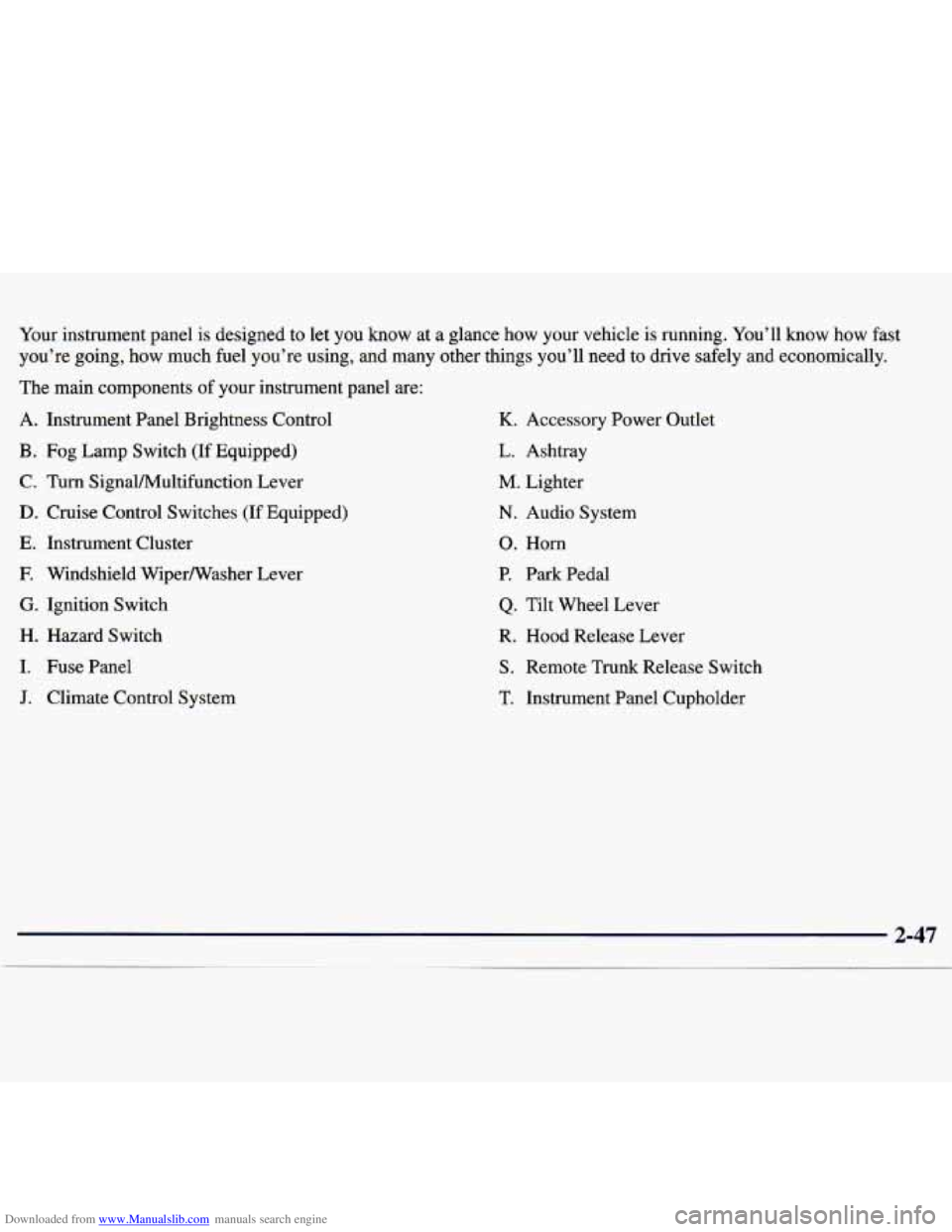
Downloaded from www.Manualslib.com manuals search engine Your instrument panel is designed to let you know at a glance how your vehicle is running. You’ll know how fast
you’re going, how much fuel you’re using, and many other things you’ll need to drive \
safely and economically.
The main components
of your instrument panel are:
A. Instrument Panel Brightness Control
B. Fog Lamp Switch (If Equipped)
C. Turn SignaVMultifunction Lever
D. Cruise Control Switches (If Equipped)
E. Instrument Cluster
F. Windshield Wipermasher Lever
G. Ignition Switch
H. Hazard Switch
I. Fuse Panel
J. Climate Control System
K. Accessory Power Outlet
L. Ashtray
M. Lighter
N. Audio System
0. Horn
P. Park Pedal
Q. Tilt Wheel Lever
R. Hood Release Lever
S. Remote Trunk Release Switch
T. Instrument Panel Cupholder
Page 124 of 362
Downloaded from www.Manualslib.com manuals search engine The oil level monitoring system only checks oil level
during the brief period between key on and engine
crank. It does not monitor engine oil level when the
engine is running. Additionally, an oil level check is
only performed if the engine has been turned off for a
considerable period of time allowing the oil normally in
circulation to drain back into the oil pan.
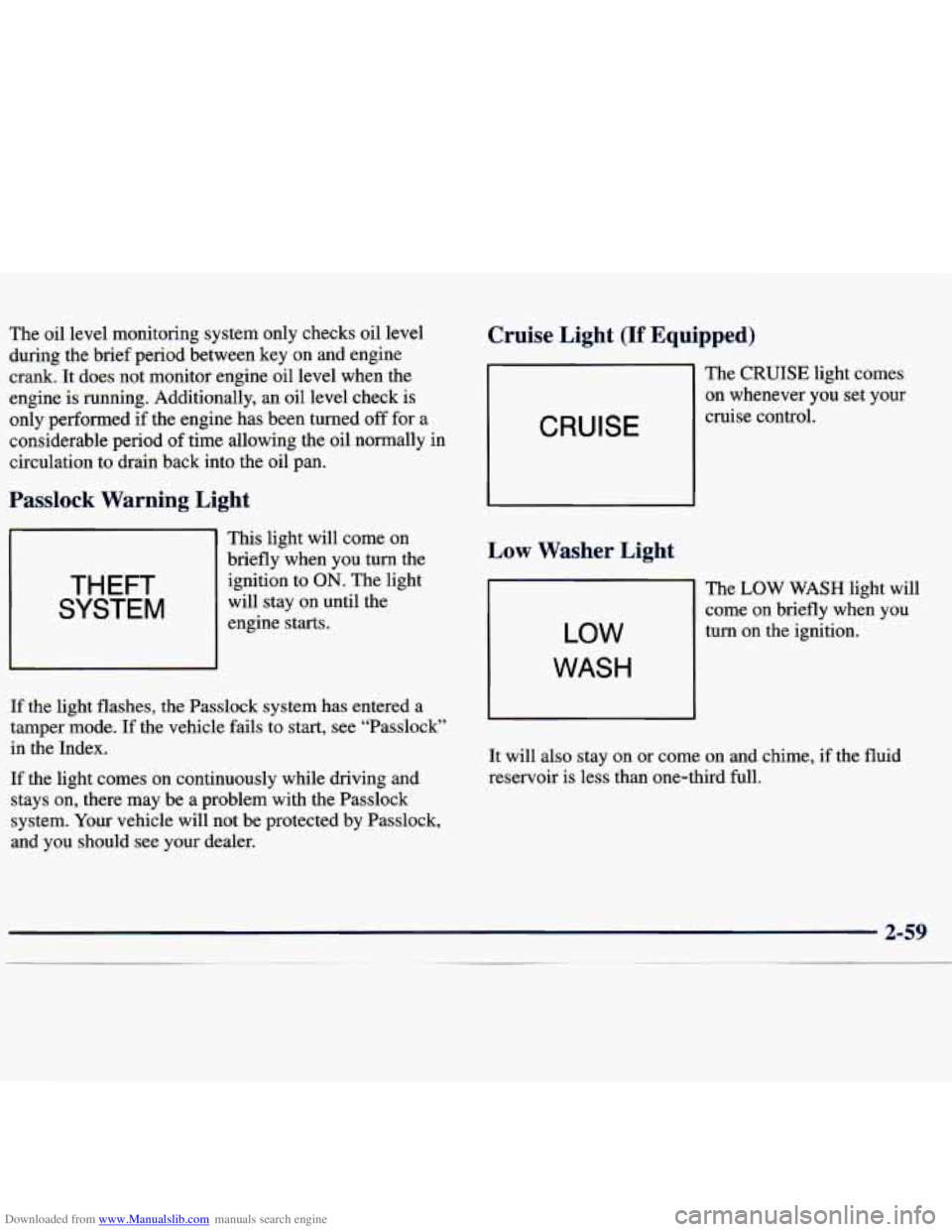
Passlock Warning Light
THEFT
SYSTEM
This light will come on
briefly when you
turn the
ignition to
ON. The light
will stay on until the
engine starts.
If the light flashes, the Passlock system has entered a
tamper mode. If the vehicle fails to start, see “Passlock”
in the Index.
If the light comes on continuously while driving and
stays on, there may be a problem with the Passlock
system. Your vehicle will not be protected by Passlock,
and you should see your dealer.
Cruise Light (If Equipped)
CRUISE
Low Washer Light
LOW
WASH
The CRUISE light comes
on whenever you set your
cruise control.
The
LOW WASH light will
come on briefly when you
turn on the ignition.
It will also stay on or come on and chime, if the fluid
reservoir is less than one-third full.
Page 283 of 362
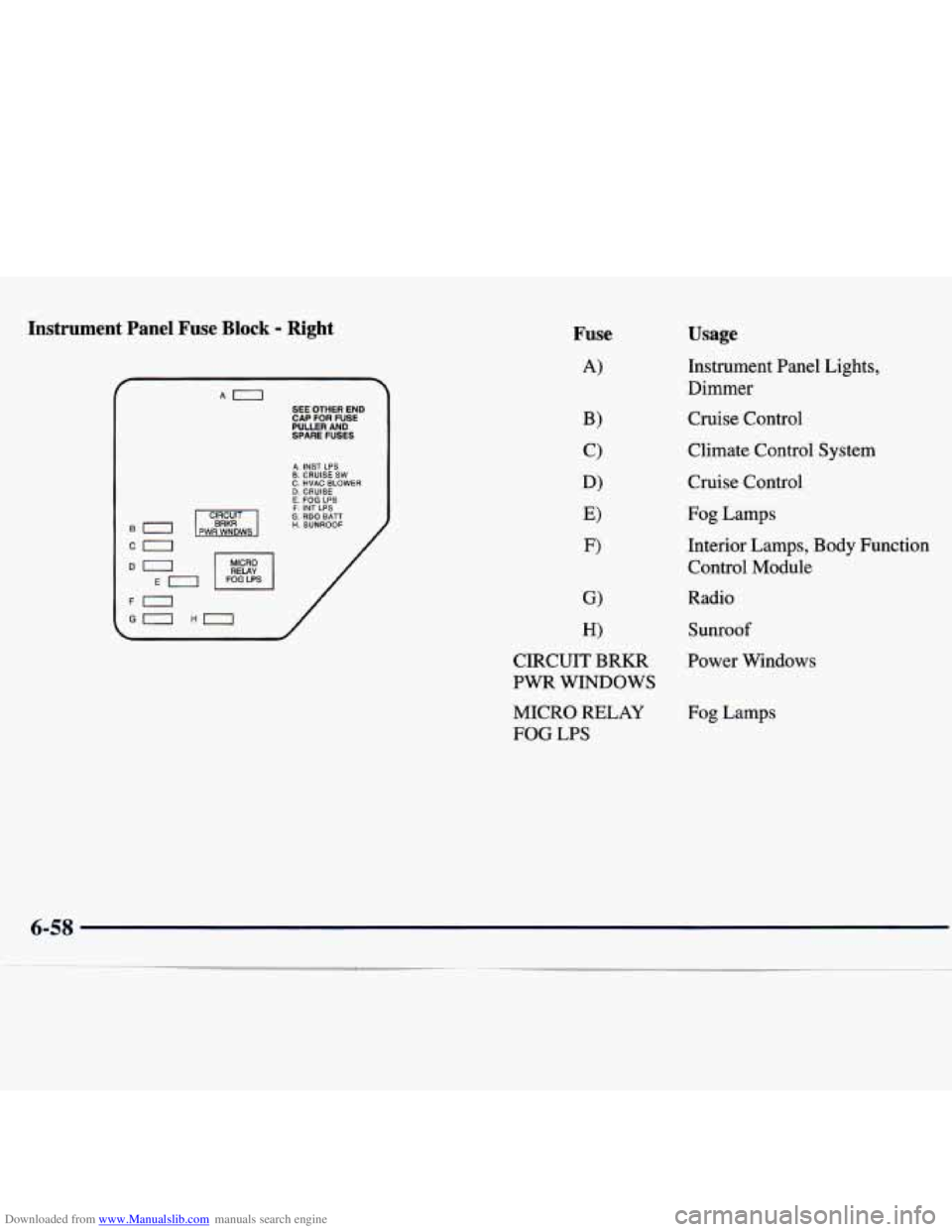
Downloaded from www.Manualslib.com manuals search engine Instrument Panel Fuse Block - Right
SEE OTHER END
CAP FOR FUSE PUUER AND
SPARE FUSES
A. INST LPS B. CRUISE SW C. HVAC BLOWER D. CRUISE E. FOG LPS F. INT LPS G. RDO BATT H. SUNROOF
/
/
Fuse
A)
Usage
Instrument Panel Lights,
Dimmer
Cruise Control
Climate Control
System
Cruise Control
Fog Lamps
Interior Lamps, Body Function Control Module
Radio
Sunroof
CIRCUIT BRKR Power Windows
PWR WINDOWS
MICRO RELAY
FOG
LPS
Fog Lamps
6-58
Page 325 of 362
Downloaded from www.Manualslib.com manuals search engine Throttle System Inspection
Inspect the throttle system for interference or binding,
and for damaged or missing parts. Replace parts as
needed. Replace any components that have high effort
or excessive wear.
Do not lubricate accelerator and
cruise control cables.
Brake System Inspection
Inspect the complete system. Inspect brake lines and
hoses for proper hook-up, binding, leaks, cracks,
chafing, etc. Inspect disc brake pads for wear and rotors
for surface condition. Also inspect drum brake linings
for wear and cracks. Inspect other brake parts, including
drums, wheel cylinders, calipers, parking brake, etc. The
parking brake is self-adjusting and no manual
adjustment is required. You may need
to have your
brakes inspected more often if your driving habits
or
conditions result in frequent braking.
Page 348 of 362
Downloaded from www.Manualslib.com manuals search engine Cleaning ...................................... 6-44
Aluminum Wheels
............................ 6-50
Exterior LampsLenses
........................ 6-49
Fabric
...................................... 6-45
Glass
....................................... 6-48
Inside of Your Vehicle
......................... 6-46
Instrumentpanel
............................. 6-48
Outside of Your Vehicle
........................ 6-49
Special Problems
............................. 6-47
Stains
...................................... 6- 46
Tires
....................................... 6-51
Vinyl
....................................... 6-47
Wheels
..................................... 6-50
Windshield and Wiper Blades
................... 6-48
Climate Control System
........................... 3-2
Clock. Setting the
................................ 3-6
Comfort Controls
................................ 3-2
Compact Disc Care
............................. 3-24
Compact Disc Player
............................ 3-14
Compact Disc Player Care
........................ 3-24
Compact Spare Tire
............................. 5-32
Control of a Vehicle
.............................. 4-6
ConvenienceNet
............................... 2-43
Convex Outside Mirror
.......................... 2-41
Coolant
....................................... 6-20
Adding
..................................... 6-23
Checking
................................... 6-22
Heater. Engine
............................... 2- 17 Surge
Tank
.................................. 5-15
Surge Tank Pressure Cap
....................... 6-23
Cooling System
................................ 5-15
Courtesy Transportation
........................... 8-8
Cruise Control ................................. 2-33
Cruise Light
................................... 2-59
Cupholder. Center Console
....................... 2-42
Cupholder. Rear Seat
............................ 2-43
Customer Assistance for Text Telephone Users
......... 8-4
Customer Assistance Information
................... 8-1
Customer Satisfaction Procedure
.................... 8-2
Cupholder. Instrument Panel
...................... 2-42
Damage. Finish
............................... 6-51
Damage. Sheet Metal
............................ 6-51
Daytime Running Lamps
......................... 2-37
Dead Battery
................................... 5-3
Defects. Reporting Safety
........................ 8-10
Defensive Driving
............................... 4-2
Defogger. Rear Window
.......................... 3-5
Defogging
..................................... 3-4
Defrosting
..................................... 3-4
Dimensions. Vehicle
............................ 6-63
Dolby Noise Reduction
.......................... 3-12
Dome Lamp
................................... 2-39
Dome Lamp Bulb Replacement
.................... 6-36
DoorLocks
..................................... 2-4
Drive. Automatic Overdrive
...................... 2-20
DriverPosition
................................. 1-11
9-3
.