1998 CHEVROLET CORVETTE check engine
[x] Cancel search: check enginePage 16 of 378
Downloaded from www.Manualslib.com manuals search engine Section 1 Seats and Restraint Systems
Here you’ll find information about the seats in your Corvette and how to use your safety belts properly. You can also
learn about some things you should not do with air bags and safety belts.
1-2 Seats and Seat Controls
1- 18 Air Bag System
1-5 Safety Belts: They’re for Everyone
1-25 Children
1
- 10 Here Are Questions Many People Ask About
Safety Belts
-- and the Answers 1-27 Child Restraints
After a Crash
1
- 18 Passenger Position 1-38
Replacing Restraint System Parts
1-17 Safety Belt Use During Pregnancy 1-37
Safety Belt Extender
1 - 11 How to Wear Safety Belts Properly 1-34 Larger
Children
1-11 Driver Position 1-37 Checking
Your Restraint Systems
1-1
Page 21 of 378
Downloaded from www.Manualslib.com manuals search engine Don’t let anyone ride where he or she can’t wear
a safety belt properly.
If you are in a crash and
you’re not wearing
a safety belt, your injuries
can be much worse. You can hit things inside the
vehicle or be ejected from it. You can be seriously
injured or killed. In the same crash, you might
not be if you are buckled up. Always fasten your
safety belt, and check that your passenger’s belt
is fastened properly too.
Your vehicle has a light that
comes on as a reminder to
buckle up. (See “Safety
Belt Reminder Light” in
the Index.)
In most states and Canadian provinces, the law says to
wear safety belts. Here’s why:
They work.
You never know if you’ll be in a crash. If you do have a
crash, you don’t know if it will be a bad one.
A few crashes are mild, and some crashes can be so
serious that even buckled up a person wouldn’t survive.
But most crashes are in between.
In many of them, people
who buckle up can survive and sometimes walk away.
Without belts
they could have been badly hurt or killed.
After more than 30 years of safety belts in vehicles,
the facts are clear. In most crashes buckling up does
matter
... a lot!
It is extremely dangerous to ride in a cargo area,
inside or outside of a vehicle. In
a collision,
people riding in these areas are more likely to be
seriously injured or killed.
Do not allow people to
ride in any area of your vehicle that is not
equipped with seats and safety belts. Be sure
everyone in your vehicle
is in a seat and using a
safety belt properly.
1-6
Page 35 of 378
Downloaded from www.Manualslib.com manuals search engine There is an air bag readiness
light on the instrument
panel, which shows the air
bag symbol.
The system checks the air bag electrical system for
malfunctions. The light tells you if there is an electrical
problem. See
“Air Bag Readiness Light” in the Index
for more information.
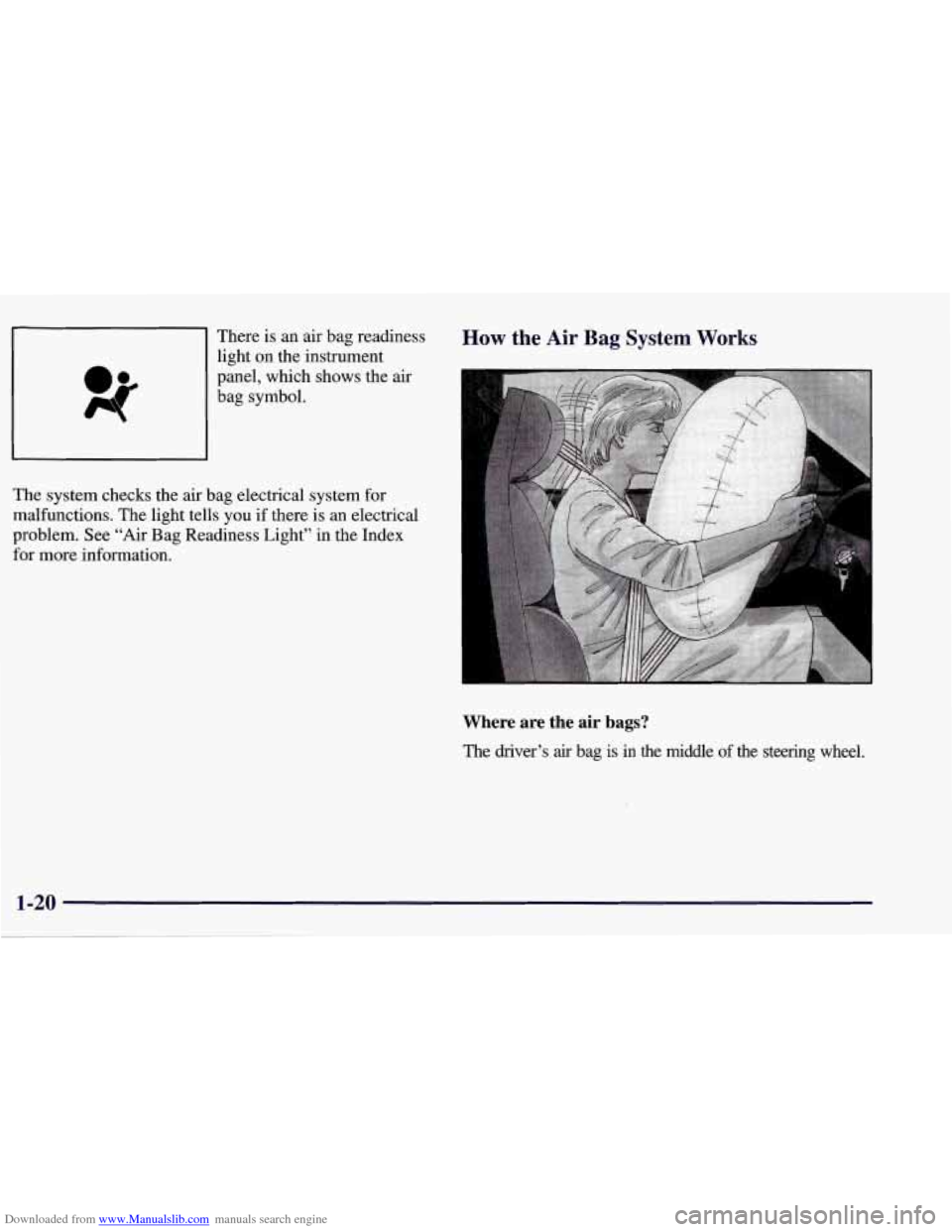
How the Air Bag System Works
Where are the air bags?
The driver’s air bag is in the middle of the steering wheel.
1-20
Page 52 of 378
Downloaded from www.Manualslib.com manuals search engine Safety Belt Extender
If the vehicle’s safety belt will fasten around you, you
should use it.
But if a safety belt isn’t long enough to fasten, your
dealer will order you
an extender. It’s free. When you go
in to order it, take the heaviest coat you will wear,
so the
extender will be long enough for you. The extender will
be just for you, and just for the seat in your vehicle that
you choose. Don’t let someone else use it, and use it
only for the seat it
is made to fit. To wear it, just attach it
to the regular safety belt.
Checking Your Restraint Systems
Now and then, make sure the safety belt reminder light
and all your belts, buckles, latch plates, retractors and
anchorages are working properly. Look for any other
loose or damaged safety belt system parts.
If you see
anything that might keep a safety belt system from
doing its job, have it repaired.
Torn or frayed safety belts may not protect you in a
crash. They can rip apart under impact forces.
If a belt is
torn or frayed, get a new one right away.
Also look for any opened or broken air bag covers, and
have them repaired or replaced. (The air bag system
does not need regular maintenance.)
8 C!,
1-37
Page 60 of 378
Downloaded from www.Manualslib.com manuals search engine Your RFA system operates on a radio frequency subject
to Federal Communications Commission (FCC) Rules
and with Industry Canada.
This device complies with Part
15 of the FCC Rules.
Operation is subject to the following two conditions:
(1) this device may not cause harmful interference,
and
(2) this device must accept any interference
received, including interference that may cause
undesired operation.
This device complies with RSS-210 of Industry Canada.
Operation is subject to the following two conditions:
(1) this device may not cause interference, and (2) this
device must accept
any interference received, including
interference that may cause undesired operation of
the device.
Changes or modifications to this system by other than an
authorized service facility could void authorization to
use this equipment. If
you ever notice a decrease in the key fob transmitter
range, try doing one of the following:
0
0
0
0
0
0
Check to determine if battery replacement is
necessary. See the instructions that follow.
Check the distance. You may be too far from your
vehicle. You may need to stand closer during rainy
or snowy weather.
Check the location. Other vehicles or objects may be
blocking the signal. Take a few steps to the left or
right, hold the transmitter higher, and
try again.
Check to make sure that an electronic device
such as a cellular phone or lap top computer is not
causing interference.
Try to resynchronize the transmitter by pressing
and holding the LOCK and UNLOCK buttons for
seven seconds when standing next to the vehicle.
If you’re still having trouble, see your dealer or a
qualified technician for service.
2-7
Page 63 of 378
Downloaded from www.Manualslib.com manuals search engine I’urning the Passive System Off
You can disable the passive feature by moving the
transmitter’s slider switch to
OFF. The vehicle will no
longer automatically disarm your theft-deterrent system or unlock the doors, however, you will be able to
actively control use of the door locks, the hatch/trunk lid
release and the panic alarm using the four transmitter
buttons. (These buttons also work when the passive feature is on.)
Make sure to fully slide the switch to either side when
turning the key fob transmitter on and
off. You should
feel a double click when sliding the switch back
and forth.
You can also check whether the passive system is on or
off by closing the door and moving away from the
vehicle with the keys and transmitter. If the doors lock,
the passive system is on.
If you are working around your vehicle and keeping
your keys with you, you might want to
turn the RFA
passive system off. If you don’t, the transmitter will
keep locking and unlocking your doors.
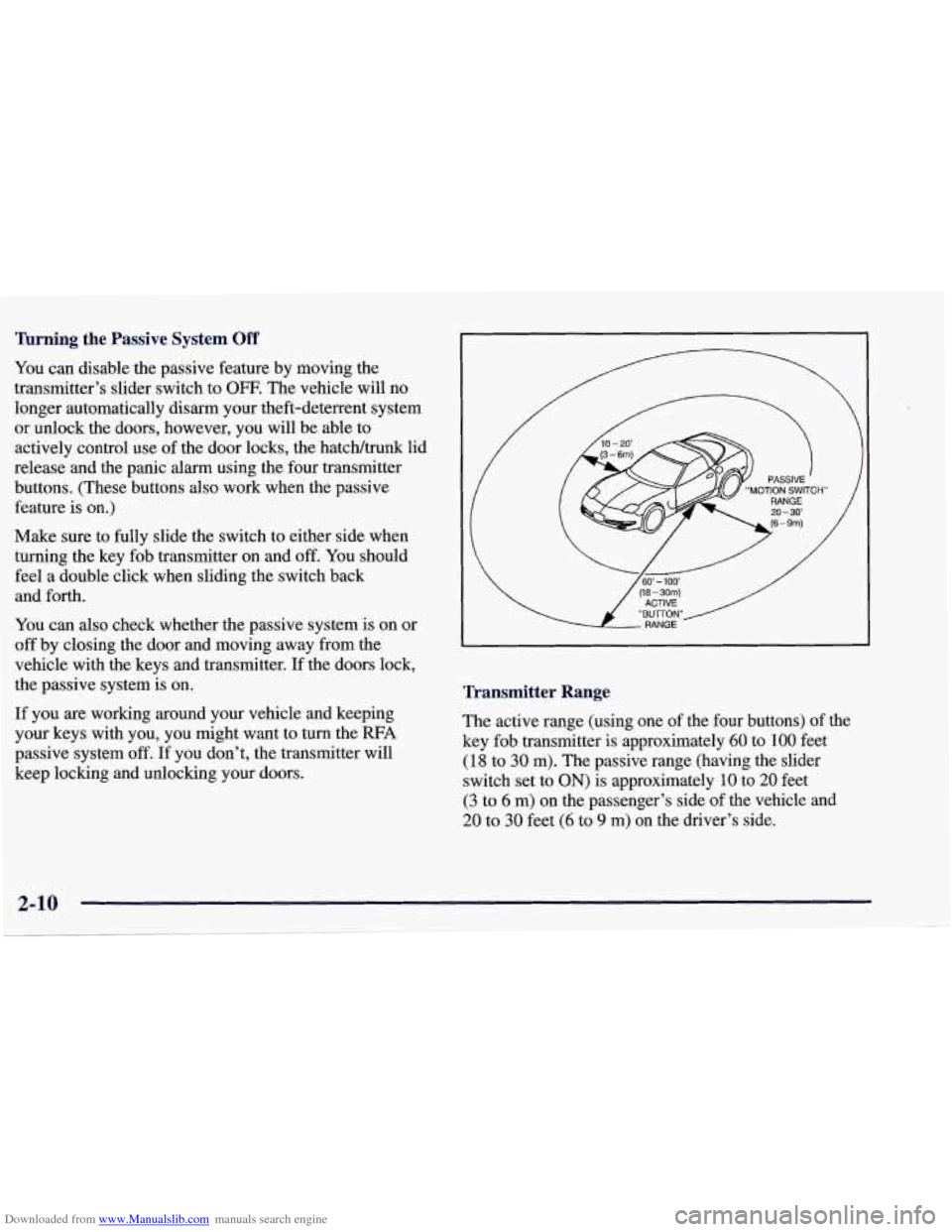
Transmitter Range
The active range (using one of the four buttons) of the
key fob transmitter
is approximately 60 to 100 feet
(18 to 30 m). The passive range (having the slider
switch set to
ON) is approximately 10 to 20 feet
(3 to 6 m) on the passenger’s side of the vehicle and
20 to 30 feet (6 to 9 m) on the driver’s side.
Page 71 of 378
Downloaded from www.Manualslib.com manuals search engine Always use your key or the key fob transmitter to
unlock a door. Unlocking a door any other way will set
off the alarm. If you do set off the alarm, there are four
ways to stop it:
Unlock any door with your key.
Put the key in the ignition.
Press the UNLOCK button on the key fob transmitter.
0 Walk into range with the passive switch on.
Testing the Alarm
1. Make sure the rear hatch/trunk lid is latched.
2. Lower a window on the door.
3. Manually arm the system with the power door
lock switch.
4. Close the doors and wait 15 seconds.
PASS-Key@
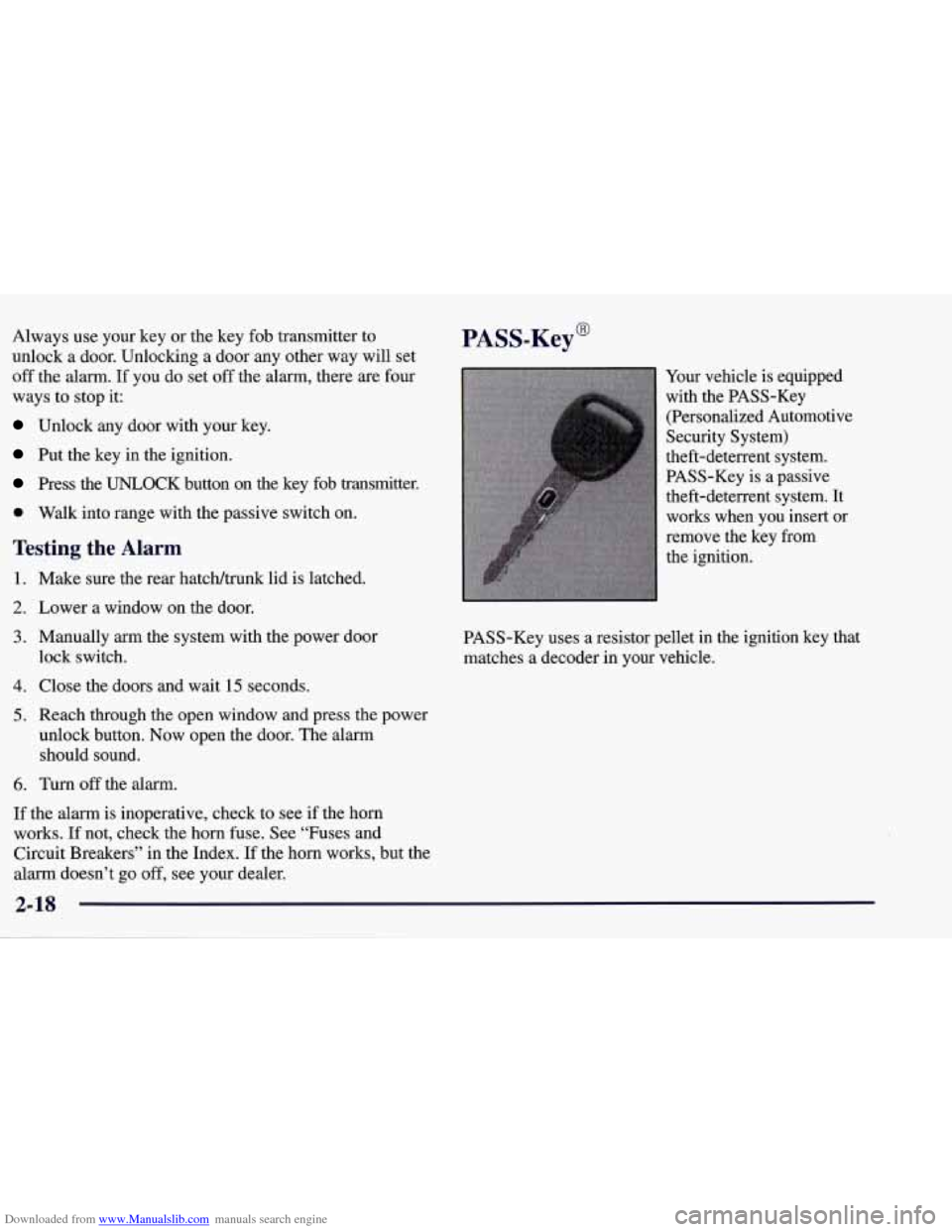
Your vehicle is equipped
with the PASS-Key
(Personalized Automotive
Security System)
theft-deterrent system.
PASS-Key is
a passive
theft-deterrent system. It
works when you insert
or
remove the key from
the ignition.
PASS-Key uses a resistor pellet in the ignition key that
matches
a decoder in your vehicle.
5. Reach through the open window and press the power
unlock button. Now open the door. The alarm
should sound.
6. Turn off the alarm.
If the alarm is inoperative, check to see if the horn
works. If not, check the horn fuse. See “Fuses and
Circuit Breakers” in the Index.
If the horn works, but the
alarm doesn’t go
off, see your dealer.
2-18
Page 72 of 378
Downloaded from www.Manualslib.com manuals search engine When the PASS-Key system senses that someone is
using the wrong key, it shuts down the vehicle’s starter
and fuel systems. For about three minutes, the starter
won’t work and fuel won’t go to the engine.
If someone
tries to start your vehicle again or uses another key
during this time, the shutdown period will start over
again. This discourages someone from randomly trying
different keys with different resistor pellets in an attempt
to make a match.
The key must be clean and dry before it’s inserted in the
ignition or the engine may not start. If the SECURITY
light comes on, the key may be dirty or wet.
If this happens and the starter won’t work, turn the
ignition
off. Clean and dry the key, wait three minutes
and try again. If the starter still won’t work, wait
three minutes and try the other ignition key. At this time,
you may
also want to check the fuses (see “Fuses and
Circuit Breakers” in the Index). If the starter won’t work
with the other key, your vehicle needs service. If your
vehicle does start, the first ignition key may be faulty.
See your dealer or a locksmith who can service the
PASS-Key. If
you accidentally use a key that has a damaged or
missing resistor pellet, you will see no SECURITY
light. You don’t have to wait three minutes before trying
the proper key.
If the resistor pellet is damaged or missing, the starter
won’t work. Use the other ignition key, and see your
dealer or a locksmith who can service the PASS-Key to
have a new key made.
If the SECURITY light comes on while driving, have
your vehicle serviced as soon as possible.
If you lose or damage a PASS-Key ignition key, see
your dealer or a locksmith who can service PASS-Key.
In an emergency, call the Chevrolet Roadside Assistance
Center at 1-800-CHEV-USA
(1-800-243-8872). In
Canada, call 1-800-268-6800.
2-19