1998 CHEVROLET CORVETTE check engine
[x] Cancel search: check enginePage 154 of 378
Downloaded from www.Manualslib.com manuals search engine SERVICE RIDE CONTROL: This message is used to
indicate to the driver that the Selective Real Time
Damping (SRTD) system has detected a malfunction
and that the system must be serviced. The SERVICE
RIDE CONTROL message will always come on when a
failure is detected by the Selective Real Time Damping
system. If
a fault is present in the SRTD which causes
the shocks to be in their full soft condition, the
SERVICE RIDE CONTROL, SHOCKS
INOPERATIVE and MAXIMUM
80 MPH (129 km/h)
will display together. You will never get a SHOCKS
INOPERATIVE and MAXIMUM SPEED
80 MPH
(129
km/h) message without a SERVICE RIDE
CONTROLmessage.
SHOCKS INOPERATIVE: You will hear four chimes
when this message is displayed. To acknowledge that
you have read the message and to remove it from the
display, press RESET. The message will reappear every
10 minutes until this condition changes.
This message indicates that a malfunction is present in
the Selective Real Time Damping system which is
causing the shocks to be in their full soft mode. This is a
warning to the driver that the vehicle handling may be
affected. Have your vehicle serviced as soon as possible.
MAXIMUM SPEED 80 MPH (129 km/h): You will
hear four chimes when this message is displayed.
To
acknowledge the warning, press RESET. After you press
RESET, a message will reappear every
10 minutes until
this condition changes.
This message indicates that the vehicle speed will be limited to
80 mph (129 km/h) when the shock absorber
system has failed and the shocks are in their full
soft
mode. Have your vehicle serviced as soon as possible.
LOW COOLANT You will hear two chimes when this
message is displayed. To acknowledge the warning,
press RESET. After you press RESET, a message will
reappear and you will hear a chime every
10 minutes
until this condition changes.
This message indicates that the coolant in the system is
low. You may need to add coolant. See “Engine
Overheating” in the Index.
COOLANT OVER TEMP: You will hear four chimes
and the CHECK GAGES telltale
will come on when this
message is displayed. To acknowledge the warning,
press the RESET button. After you press the RESET
button, a message will be displayed and you will hear a chime every minute until this condition changes. If you
do not press RESET, the message will remain on the
digital display until the condition changes.
2-101
Page 155 of 378
Downloaded from www.Manualslib.com manuals search engine If the engine coolant exceeds 255 “F (124”C), this
message is displayed. If you have been operating your
vehicle under normal driving conditions, you should
pull off from
the road, stop your vehicle and turn off the
engine as soon as possible. You can monitor the coolant
temperature with the GAGES button on the DIC or the
engine coolant gage on the instrument panel cluster. See
“Engine Overheating” in the Index.
HIGH OIL TEMPERATURE REDUCE ENGINE
RPM: You will hear four chimes when this message is
displayed. To acknowledge the warning, press the
RESET button. After you press the RESET button, a
message will be displayed and you will hear a chime
every minute until this condition changes. If you do not
press RESET, the message will remain on the digital
display until the condition changes.
If the engine oil temperature exceeds
320°F (1 60” C),
this message is displayed. You should check the engine
coolant temperature and engine oil level. If your engine
is too hot, see “Engine Overheating’’ in the Index. Your
vehicle may need service,
so see your dealer. You can
monitor the oil temperature with the GAGES button on
the DIC.
HIGH TRANS TEMP: You will hear four chimes
when this message is displayed. To acknowledge this
warning, press the RESET button. After you press the
RESET button, the message will be displayed every
10 minutes until the condition changes. If you do not
press RESET, the message remains on the display until
the condition changes.
If the transmission fluid temperature rises above 263°F
(128°C) or rises rapidly, this message is displayed. The
transmission may shift gears or apply the torque
converter clutch to reduce the fluid temperature. Driving
aggressively or driving on long hills can cause the
transmission fluid temperature to be higher than normal.
If this message appears, you may continue to drive at a
slower speed. You should also monitor the transmission
fluid temperature and allow it to cool to at least 230°F
(1 10°C). The transmission fluid temperature can be
monitored with the GAGES button on the DIC. See
“Automatic Transmission Fluid” in the Index. You
should also check the engine coolant temperature.
If it is
also hot, see “Engine Overheating” in the Index.
If the HIGH TRANS TEMP message is displayed
during normal vehicle operation on flat roads, your
vehicle may need service. See your dealer for an
inspection.
2-102
Page 156 of 378
Downloaded from www.Manualslib.com manuals search engine LOW TIRE PRESSURE - (LF, LR, RF, RR): YOU
will hear two chimes when this message is displayed. To
acknowledge the warning, press RESET. After you press
RESET, a message will reappear and you will hear a
chime every
10 minutes until this condition changes.
This message indicates that the pressure in one of your
tires is less than
25 psi (172 Ea). Next to the LOW
TIRE PRESSURE message, you can see either
LF (left
front), LR (left rear),
RF (right front) or RR (right rear)
to indicate to you which tire is low on pressure.
You can
receive more than one tire pressure message at a time.
To read other messages that may have been sent at the
same time, press RESET. If a tire pressure message
appears on the
DIC, stop as soon as you can. Have the
tire pressures checked and set to those shown on your
Tire Loading Information Label. See “Extended
Mobility Tires” in the Index.
When the LOW TIRE PRESSURE or FLAT
TIRE message is displayed on the Driver
Information Center, your vehicle’s handling
capabilities will be reduced during severe
maneuvers.
If you drive too fast, you could lose
control of your vehicle.
You or others could be
injured. Don’t drive over
55 mph (90 km/h) when
the LOW TIRE PRESSURE or FLAT TIRE
message is displayed. Drive cautiously, and check
your tire pressures as
soon as you can.
2-103
Page 157 of 378
Downloaded from www.Manualslib.com manuals search engine FLAT TIRE - (LF, LR, RF, RR): You will hear two
chimes when this message is displayed followed by the
message MAX SPEED
55 MPH (90 km/h). If this
message appears, do not drive your vehicle above these
limits. The next message to appear is REDUCED
HANDLING. Adjust your driving accordingly. To acknowledge these warnings, press RESET. After you
press RESET, a message will reappear and you will hear
a chime every
10 minutes until this condition changes.
This message indicates that the pressure in one
of your
tires is lower than
5 psi (34 Wa). Next to the FLAT
TIRE message, you can see either LF (left front),
LR
(left rear), RF (right front) or RR (right rear) to indicate
to you which tire is flat. You can receive more than one
tire pressure message at a time. To read other messages
that may have been sent at the same time, press RESET.
If a tire pressure message appears on the
DIC, stop as
soon as you can. Have the tire pressures checked and set
to those shown on your Tire Loading Information Label.
See “Extended Mobility Tires” and “Tire Inflation” in
the Index.
When the LOW TIRE PRESSURE or FLAT
TIRE message
is displayed on the Driver
Information Center, your vehicle’s handling
capabilities will be reduced during severe
maneuvers.
If you drive too fast, you could lose
control of your vehicle. You or others could be
injured. Don’t drive over
55 mph (90 kmh) when
the
LOW TIRE PRESSURE or FLAT TIRE
message
is displayed. Drive cautiously, and check
your tire pressures as soon as you can.
Page 158 of 378
Downloaded from www.Manualslib.com manuals search engine HIGH TIRE PRESSURE - (LF, LR, RF, RR): YOU
will hear two chimes when this message is displayed. To
acknowledge the warning, press RESET. After you press
RESET, a message
will reappear and you will hear a
chime every
10 minutes until this condition changes. This
message indicates that the pressure in one of your tires is higher than
42 psi (290 Pa). Next to the HIGH TIRE
PRESSURE message,
you can see either LF (left front),
LR (left rear), RF (right front) or RR (right rear) to
indicate to you which tire is higher than
42 psi (290 Wa).
You can receive more than one tire pressure message at a
time. To read other messages that may have been sent at
the same time, press RESET.
If a tire pressure message
appears
on the DX, stop as soon as you can. Have the tire
pressures checked and set to those shown on your Tire
Loading Information Label. See “Extended
Mobility
Tires” and “Tire Inflation” in the Index.
SERVICE TIRE MON SYS: If this message comes on,
a part on the Tire Pressure Monitor (TPM) is not
working properly. If you drive your vehicle while any of
the four sensors are missing or hoperable, the warning
will come on in approximately
10 minutes. If all four
sensors are missing, the warning will come on in
approximately
15 to 20 minutes. (All the sensors would
be missing, for example, if you put different wheels on
your vehicle without transferring the sensors.) If the
warning comes
on and stays on, there may be a problem
with the TPM. See your dealer.
2-105
Page 181 of 378
Downloaded from www.Manualslib.com manuals search engine NOTICE:
Heavy objects in the center storage area which
may shift
or slide while driving could damage
your
CD changer. Protect your CD changer by
not placing heavy, moveable objects in the center
storage area.
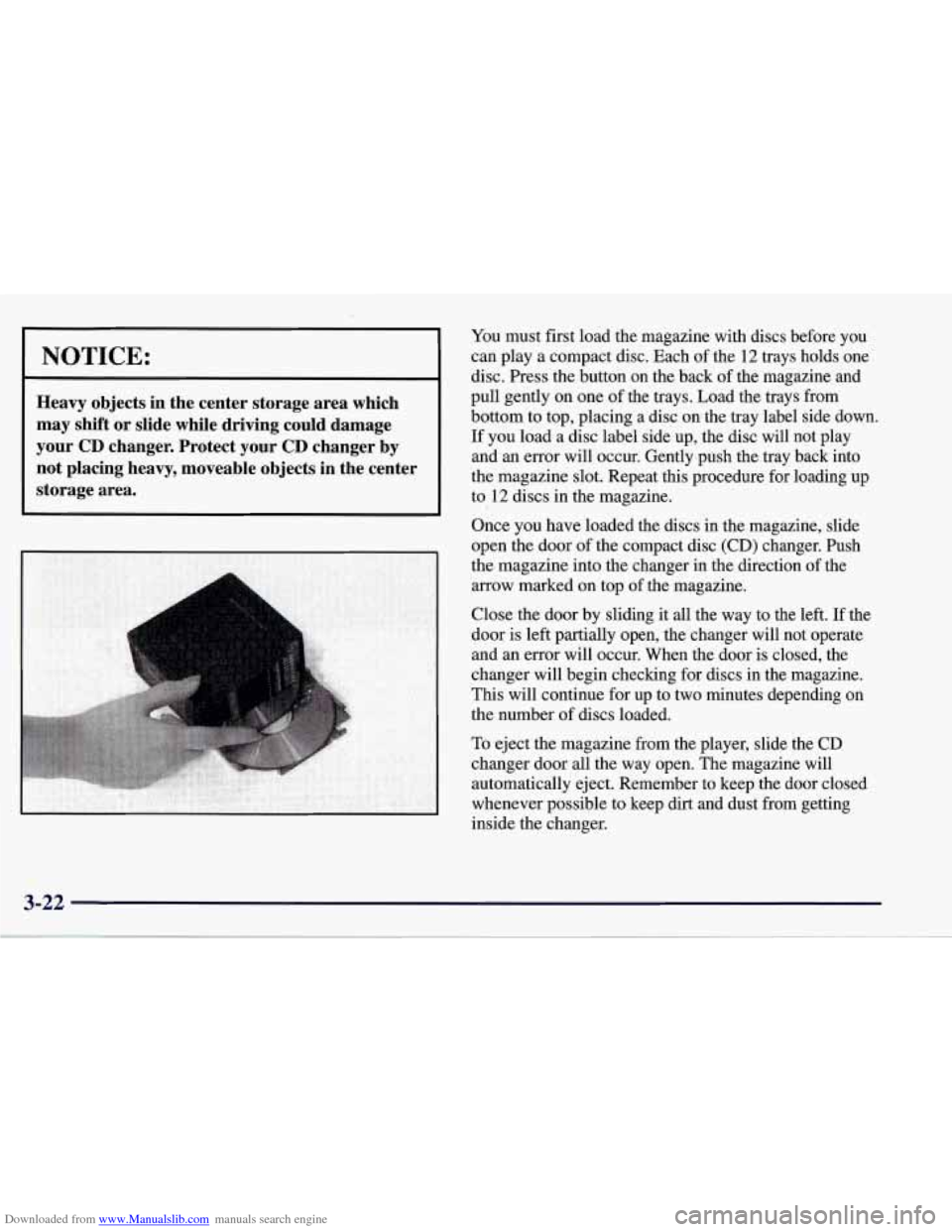
You must first load the magazine with discs before you
can play a compact disc. Each
of the 12 trays holds one
disc. Press the button on the back of the magazine and
pull gently on one of the trays. Load the trays from
bottom to top, placing a disc on the tray label side down.
If you load a disc label side up, the disc will not play
and an error will occur. Gently push the tray back into
the magazine slot. Repeat this procedure for loading up
to 12 discs in the magazine.
Once you have loaded the discs in the magazine, slide
open
the door of the compact disc (CD) changer. Push
the magazine into the changer in the direction of the
arrow marked on top of the magazine.
Close the door by sliding it all the way to the left.
If the
door is left partially open, the changer will not operate
and an error will occur. When the door is closed, the
changer will begin checking for discs in the magazine.
This will continue for up to two minutes depending on
the number of discs loaded.
To eject the magazine from the player, slide the CD
changer door all the way open. The magazine will
automatically eject. Remember to keep the door closed
whenever possible to keep dirt and dust from getting
inside the changer.
Page 182 of 378
Downloaded from www.Manualslib.com manuals search engine Whenever a CD magazine with discs is loaded in the
changer, the CD symbol will appear on the radio display.
If the CD changer is checking the magazine for CDs, the
CD symbol will flash on the display until the changer is
ready to play. When
a CD begins playing, a disc and
track number will be displayed. The disc numbers are
listed on the front of the magazine.
If your vehicle is equipped with the AM-FM Stereo
with Cassette Tape Player and Automatic Tone Control, the following buttons are used for the trunk mounted
CD changer except the EJECT button for ejecting the
CD magazine.
PREV (1): Press this button or the SEEK left arrow to
go to the previous track if the current selection has been
playing for less than eight seconds. If the PREV button
is pressed and the current selection has been playing for
more than eight seconds, it will go to the beginning of
the current selection. If you hold or press this button
more than once, the player will continue moving back
through the disc. The sound will mute while seeking.
PROG (2): Press this button to select a disc. The disc
number and track number will be displayed.
NEXT (3): Press this button or the SEEK right arrow to
go to the next track.
If you hold the button or press it more
than once, the player will continue moving forward
through the disc. The sound will mute while seeking.
REV (4): Press and hold this button to reverse quickly
through a track selection. Release it to resume playing.
FWD (6): Press and hold this button to advance quickly
through a track selection. Release it to resume playing.
SEEK: Press the right arrow to seek to the next
selection
on the CD. Press the left arrow to search for
the previous selection on the CD. The sound will mute
while seeking.
P.SCAN: Press this button to hear the tracks in random,
rather than sequential, order.
RANDOM will appear on
the display. Press P.SCAN again to turn
off random play.
TAPE AUX: Press this button if you have a disc loaded
in the changer and the radio is turned on, to play a
compact disc. Press AM-FM to return to the radio when
a compact disc is playing. Press TAPE AUX to switch
between the tape and compact disc if both are loaded.
To eject the disc holder in the trunk mounted CD
changer, slide the CD changer door all the way open and
the disc holder will automatically eject.
If your vehicle is equipped with the AM-FM Stereo with
CD Player and Automatic Tone Control, the following
buttons are used for the trunk mounted CD changer
except the EJECT button for ejecting the CD magazine.
3-23
Page 186 of 378
Downloaded from www.Manualslib.com manuals search engine Understanding Radio Reception
AM
The range for most AM stations is greater than for FM,
especially at night. The longer range, however, can
cause stations to interfere with each other.
AM can pick
up noise from things like storms and power lines. Try
reducing the treble to reduce this noise if you ever get it.
FM Stereo
FM stereo will give you the best sound, but FM signals
will reach only about 10
to 40 miles (16 to 65 km). Tall
buildings or hills can interfere with
FM signals, causing
the sound to come and go.
Tips About Your Audio System
Hearing damage from loud noise is almost undetectable
until it is too late. Your hearing can adapt to higher
volumes of sound. Sound that seems normal can be loud
and harmful to your hearing. Take precautions by
adjusting the volume control on your radio to a safe
sound level before your hearing adapts to it. To
help avoid hearing loss or damage:
Adjust the volume control to the lowest setting.
Increase volume slowly until you hear comfortably
and clearly.
NOTICE:
Before you add any sound equipment to your
vehicle
-- like a tape player, CB radio, mobile
telephone or two-way radio
-- be sure you can
add what you want.
If you can, it’s very
important to do
it properly. Added sound
equipment may interfere with the operation of
your vehicle’s engine, Delco Electronics radio or
other systems, and even damage them. Your
vehicle’s systems may interfere with the
operation of sound equipment that has been
added improperly.
So, before adding sound equipment, check with
your dealer and be sure to check Federal rules
covering mobile radio and telephone units.
3-27