1998 CHEVROLET CORVETTE ECO mode
[x] Cancel search: ECO modePage 65 of 378
Downloaded from www.Manualslib.com manuals search engine 4. When the message FOB TRAINING is displayed,
push the RESET button once. The message
HOLD
LK + UNLK 1ST FOB will be displayed.
5. Press and hold the LOCK and UNLOCK buttons on
the transmitter simultaneously for
15 seconds.
6. When a transmitter is learned, the DIC will display
FOB LEARNED and then prompt you to learn the
next transmitter.
7. Repeat Steps 5 and 6 for each additional transmitter.
8. Remove the key from the ignition.
The programming mode will shut
off if
0 You don’t program any transmitters for two minutes.
0 You take the key out of the ignition.
0 You have programmed three transmitters.
Battery Replacement
Under normal use, the battery in your key fob
transmitter should last about
18 months.
You can tell the battery is weak if the transmitter won’t
work at the normal range
in any location. If you have to
get close to your vehicle before the transmitter works,
it’s probably time to change the battery.
NOTICE:
When replacing the battery, use care not to touch
any of the circuitry. Static from your body
transferred to these surfaces may damage
the transmitter.
2-12
Page 105 of 378
Downloaded from www.Manualslib.com manuals search engine Interior Lamps
Instrument Panel Brightness Control
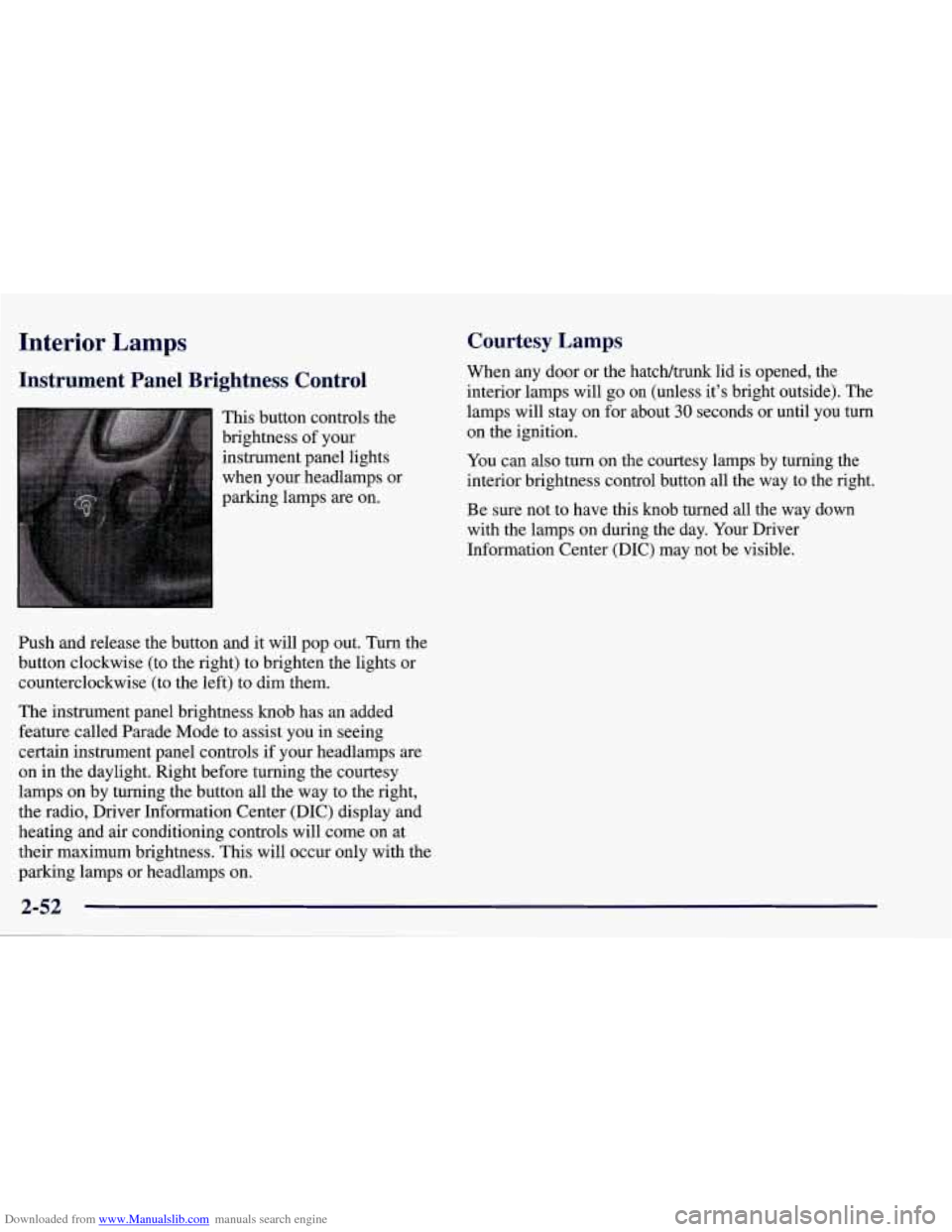
This button controls the
brightness of your
instrument panel lights
when your headlamps or
parking lamps
are on.
Ish and release the button and it will pop out. Turn the
button clockwise (to the right) to brighten the lights or
counterclockwise (to the left) to dim them.
The instrument panel brightness knob has an added
feature called Parade Mode to assist you in seeing
certain instrument panel controls if your headlamps
are
on in the daylight. Right before turning the courtesy
lamps on by turning the button all the way to the right,
the radio, Driver Information Center (DIC) display and
heating and air conditioning controls will come on at
their maximum brightness. This will occur only with the
parking lamps or headlamps on.
Courtesy Lamps
When any door or the hatch/trunk lid is opened, the
interior lamps will go
on (unless it’s bright outside). The
lamps will stay on for about
30 seconds or until you turn
on the ignition.
You can
also turn on the courtesy lamps by turning the
interior brightness control button all the way to the right.
Be sure not to have this knob turned all the way down
with the lamps on during the day. Your Driver
Information Center
(DIC) may not be visible.
2-52
Page 141 of 378

Downloaded from www.Manualslib.com manuals search engine DIC Controls and Displays
Turn on the system by turning the ignition to ON. When
you turn on the ignition, the DIC will be in the mode last
displayed when the engine was turned
off. Each DIC
button allows you to scroll through a menu. A blank
page ends each menu.
If a problem is detected, a diagnostic message will
appear on the display. Press RESET to acknowledge any
current warning or service messages. The following
pages will show the messages you can see on the DIC
display by pressing the DIC buttons.
1 FUEL
The FUEL button displays average fuel economy and
instantaneous fuel economy calculated for your specific
driving conditions and range.
I AVERAGE 27.0 MPG
INST. 20.4 MPG
RANGE
220 MI
=
Press the FUEL button to display average fuel economy,
such as:
AVERAGE 20.1 MPG or
0 AVERAGE 5.3 WlOO km
The average fuel economy is viewed as a long-term
approximation of your overall driving conditions. If you
press RESET in this mode while you’re driving, the
system will begin figuring fuel economy from that point
in time.
Page 146 of 378
Downloaded from www.Manualslib.com manuals search engine Average Speed
Press the
TRIP button until the average speed is
displayed, such as:
AVERAGE SPEED 62 MPH or
AVERAGE SPEED 100 km/h
Press reset in this mode to start calculating the average
speed. Press and hold RESET to clear.
Engine Oil Life
Press the TRIP button until the engine oil life is
displayed, such as
OIL LIFE REMAIN 89%.
This is an estimate of the engine oil’s remaining useful
life. It will show 99% when the system is reset after an oil change.
It will alert you to change your oil on a
schedule consistent with your driving conditions.
When the remaining oil life is low, the system will alert
you with the message CHANGE
OIL SOON.
When the oil life is down to zero, ‘you will receive the
message
CHANGE OIL NOW.
To reset the OIL LEE reminder after an oil change:
1. With the ignition on, press the TRIP button so the
OIL LIFE percentage is displayed.
2. Press RESET and hold for two seconds. The word
RESET
will appear, then OIL LIFE 99%.
Remember, you must reset the
OIL LIFE yourself after
each oil change. It will not reset itself. Also, be careful
not to reset the
OIL LIFE accidentally at any time other
than when the oil has just been changed. It can’t be reset
accurately until the next oil change.
The DIC does not replace the need to maintain your
vehicle as recommended in the Maintenance Schedule in
this manual. Also, the oil change reminder will not
detect dusty conditions or engine malfunctions that may
affect the oil.
If you drive in dusty areas, change your oil
after every
3,000 miles (5 000 km) or three months,
whichever occurs first, unless the DIC instructs you to
do
so sooner. Also, the oil change reminder does not
measure how much oil you have in your engine,
so be
sure to check your oil level often. See “Engine Oil” in
the Index.
2-93
Page 163 of 378
Downloaded from www.Manualslib.com manuals search engine Automatic Electronic Dual Climate Control System
(If Equipped)
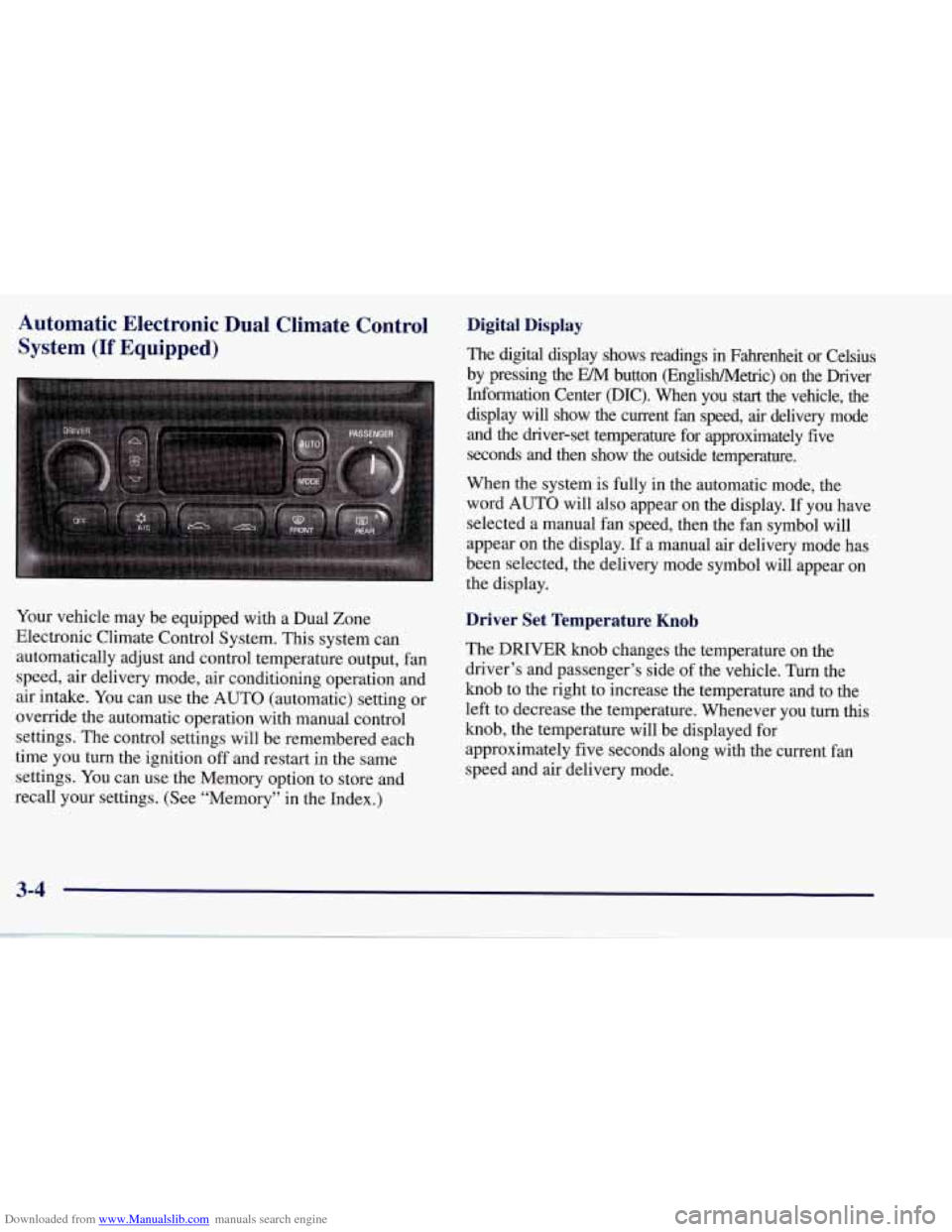
Your vehicle may be equipped with a Dual Zone
Electronic Climate Control System. This system can
automatically adjust and control temperature output, fan
speed, air delivery mode, air conditioning operation and
air intake. You can use the AUTO (automatic) setting or
override the automatic operation with manual control
settings. The control settings will be remembered each
time you turn the ignition
off and restart in the same
settings. You can use the Memory option to store and
recall your settings. (See “Memory” in the Index.)
Digital Display
The digital display shows readings in Fahrenheit or Celsius
by pressing the EM button (EnglisWMetric) on the Driver
Information Center @IC). When you
start the vehicle, the
display will show the current fan speed, air delivery mode
and the driver-set temperature for approximately five
seconds and then show the outside temperature.
When the system is fully in the automatic mode, the
word AUTO will also appear on the display. If you have
selected a manual fan speed, then the fan symbol will
appear on the display.
If a manual air delivery mode has
been selected, the delivery mode symbol will appear on
the display.
Driver Set Temperature Knob
The DRIVER knob changes the temperature on the
driver’s and passenger’s side of the vehicle. Turn the
knob to the right to increase the temperature and to the
left to decrease the temperature. Whenever you turn this
knob, the temperature will be displayed for
approximately five seconds along with the current fan
speed and air delivery mode.
3-4
Page 164 of 378
Downloaded from www.Manualslib.com manuals search engine When adjusting the temperature, start with a driver-set
temperature of
73°F (23 "C) until you determine your
comfort zone. If you choose
60°F (16"C), the system
will remain at maximum cooling and will not
automatically adjust fan speed or air delivery. If you
choose
90°F (32"C), the system will remain at
maximum heating and will not automatically adjust fan
speed or air delivery. Choosing either maximum setting
will not cause the system to heat or cool any faster.
Turning the knob past either maximum setting has no
effect on the operation of the system.
Passenger Temperature Offset
The PASSENGER knob changes the temperature on the
passenger's side of the vehicle. When the knob is in the
12 o'clock position, the passenger's temperature is the
same as the driver's. Turn the knob to the right for
warmer air
on the passenger's side, to the left for cooler
air. If the driver-set temperature is set at
60°F (1 6 " C) or
90 OF (32 " C), turning the passenger knob has no effect
because the system is locked at a maximum setting.
Automatic Operation
Press the AUTO button to place the entire system in the
automatic mode. After a five second display of the current settings, only the word
AUTO and the outside
temperature will be shown on the digital display. The
system will operate to achieve your comfort set
temperature as quickly as possible. If you have set the
driver temperature at
60°F (16°C) or 90°F (32"C), the
system will not operate automatically until a different
temperature is selected. The AUTO control system
works best with the windows up and the removable roof
installed or the convertible top up.
A Typical Cold Weather Example:
Your vehicle has been parked outside overnight in cold
weather (below
32 OF/ 0 " C) and you have set the driver
temperature at
73°F (23°C) and have selected the AUTO
mode. The system will automatically adjust the
temperature output to maximum heating. The fan will start
at a low speed. This is to avoid blowing cold
air into the
vehicle. The length of the delay depends on the amount of
time since the engine was last started, the outside
temperature and the engine coolant temperature. As the
coolant warms up, the fan speed will gradually increase.
Air will flow to the floor with some air to the windshield
to prevent fogging under most normal conditions.
3-5
Page 165 of 378
Downloaded from www.Manualslib.com manuals search engine As the interior of the vehicle warms up to your comfort
set temperature, the fan speed will decrease and the
temperature output may become cooler.
If the interior
temperature continues to warm up due to heating from
the sun or outside temperature increases, the system
may switch to other air delivery modes (typically
DEFOG or BI-LEVEL).
A ljpical Hot Weather Example:
Your vehicle has been parked outside all day in hot
weather (above
7OoF/ 21 O C) and you have set the driver
temperature at
73 OF (23 "C) and have selected the
AUTO mode. The system will automatically adjust the
temperature output to maximum cooling. The blower
will start at a low speed momentarily to push the hot air
to the floor of the vehicle and then go to a higher blower
speed with cold airflow out of the instrument panel
outlets.
A small amount of airflow will continue through
the lower ducts to cool the
floor area.
The air intake may start in the recirculated mode for
maximum cooling performance.
As the interior of the
vehicle cools down to your comfort set temperature, the
fan speed will decrease and the temperature output may
become warmer. The air intake may shift from
recirculation to fresh air mode.
If the interior continues to
cool due to a decrease,,,in the amount of heat the
vehicle is absorbing from the sun or a decrease
in the
outside temperature, the system could switch to other air
delivery modes (typically BI-LEVEL or DEFOG).
Manual Settings
With the Dual Zone Electronic Climate Control, there
are several manual settings you can use to control the
system and override the
AUTO operation. You can
program the fan speed,
air delivery mode, air intake
mode and control the air conditioning operation using
these settings. The system will still determine the
temperature output level based on the driver-set
temperature and the passenger temperature offset.
% FAN SPEED: Press the button with the fan switch
on it to manually lock
in the current fan speed and to
stop the automatic fan speed control. Pressing the
arrows will delete
AUTO from the digital display. The
fan graphics with the fan speed bars will be shown.
To
increase the fan speed so that more air flows into the
vehicle, press the
UP arrow on the fan switch. To
decrease the fan speed and airflow, press the DOWN
arrow. The
AUTO button must be pressed to return to
the automatic fan control.
Page 169 of 378

Downloaded from www.Manualslib.com manuals search engine Air Conditioning Heating
On
very hot days, your vehicle will cool down more
quickly and economically if you open the windows long
enough to let hot inside
air escape. Then keep your
windows closed in order to allow the air conditioning to
work best. Maximum cooling will occur when the
RECIRCULATE setting is operating, airflow direction is
in the upper mode, and the temperature control knob (on
a manual climate control system) is turned all the way to
the blue area. These settings will be selected by the
Automatic Electronic Dual Climate Control System if
operating in AUTO when maximum cooling is required.
When the air conditioning is on, you may sometimes
notice slight changes in your vehicle’s engine
performance and power. This is normal. The system is
designed to .help fuel economy while maintaining the
desired cooling level.
The
air conditioning removes moisture from the air, so you
may notice water dripping fi-om under your vehicle when
it is idling or after it has been turned
off. This is normal. The
heater works best
if you keep your windows closed.
Maximum heating will occur when airflow direction is
in the lower mode and the temperature control knob (on
a manual climate control system) is all the way
in the
red area. These settings will be selected by the
Automatic Electronic Dual Climate Control System if
operating in AUTO when maximum heating is required.
The BI-LEVEL setting is designed for use on sunny days
when the
air is only moderately warm or cool. On days
like these, the sun may adequately warm your upper body,
but your lower body may not
be warm enough. The
BI-LEVEL setting will direct cooler airflow to
your upper
body and warmer
air to the floor area.
If you have the optional engine coolant heater and use it
during cold weather
0°F (- 18 “C) or lower, your heating
system will provide heat more quickly because the
coolant is already warmed. See “Engine Coolant Heater”
in the Index.
3-10