1998 CADILLAC SEVILLE CD player
[x] Cancel search: CD playerPage 185 of 378
Downloaded from www.Manualslib.com manuals search engine HR or MN: Press the RDS SELECT button, followed
by one
of these buttons to display the time for the
current station. STATION TIME
IS will be displayed.
If a time has
not been sent to the radio, NO STATION
TIME will be displayed. If you have recently tuned to
the station, you may need to wait a minute before the
time is available to the radio. To set the clock to the
current displayed station time, press and hold HR or
MN until TIME UPDATED is displayed. There is a
two second delay before the time is updated.
RDS mode
does not have to be on to
use this function, but you must
be tuned to an
FM RDS station.
ALERT This type of announcement warns of national
or local emergencies. You will not be able to
turn off
alert announcements. Alert announcements will come on
even if
RDS mode is turned off. ALERT appears on the
display when an alert announcement plays. The radio
uses TA volume during these announcements. To
increase volume, turn the PWRNOL knob to the right.
Turn it to the left to decrease volume. TA VOLUME
will appear
on the display while the volume is being
adjusted. When an alert announcement comes on the
tuned radio station
or a related network station, you will
hear it, even if the volume
is muted or a cassette tape or
MiniDisc is playing.
If the radio tunes to a related
network station for an alert announcement, it will return
to the original station when the announcement is finished.
If the cassette tape or MiniDisc player is
playing, play will stop
for the announcement and resume
when the announcement is finished.
Setting the Tone
TONE: Press and release this button until the desired tone
control (BASS, TREBLE or
MIDRANGE) is found. The
radio keeps separate tone settings for each band, each
preset (except weather band presets) and
each source.
LEVEL: After selecting the desired tone control, press
the plus
(+) or minus (-) symbol on this button to select
the desired level.
Using DSP Mode
DSP: The Digital Signal Processing (DSP) feature is
used to provide a choice of four different listening
experiences: TALK, FRONT SEAT, AMBIENCE and
SPACIOUS.
DSP can be used while listening to the
radio, the cassette tape player or the MiniDisc player.
Press this button to turn DSP on. Press and release this
button until you reach the desired selection. To turn DSP
off, press and hold this button until DSP OFF appears on
the display. When DSP
OFF is displayed, the system
will provide the best overall Bose performance.
Page 187 of 378
Downloaded from www.Manualslib.com manuals search engine 1 If an error occurs while trying to play a cassette tape, it
1 ~ could be that:
0 The cassette tape is tight and the cassette player
cannot turn the hubs of the tape. Hold the cassette
tape with the open end down and
try turning the right
hub to the
left with a pencil. Flip the tape over and
repeat. If the hubs do not turn easily, your cassette
tape may be damaged and should not be used in the
player. Try a new tape to be sure your player is
working properly.
0 The cassette tape is broken. (Check to see if your
tape is broken.
Try a new tape.)
RW Press the left arrow to rewind the tape rapidly. The
your station pushbuttons to tune
to another radio station
while in
RW mode. Press the left arrow again to return
to playing speed.
FF: Press the right arrow to fast forward to another part
of the tape. The radio will play while the tape advances.
You may use your station pushbuttons to tune to another
radio station while in
FF mode. Press the right arrow
again to return to playing speed.
1 radio will play while the tape rewinds. You may use
TUNE-SEEK: When this button is pressed, it has two
positions.
This button works the same, whether it is
pressed to the first or second position. Press this button to seek to the next
or previous selection on the tape.
Your tape must have at least
three seconds of silence
between each selection for TUNE-SEEK to work. The
sound will mute while seeking.
SCAN: Press this button to listen to selections for a few
seconds. The tape will
go to a selection, stop for a few
seconds, then go on to the next selection. Press this
button again to stop scanning.
SIDE: Press this button to change the side of the tape
that is playing.
A EJECT: Press the upward triangle button to
remove a tape. The radio will play. Eject may be activated with the radio
off and/or the ignition off.
CLEAN TAPE: If this message appears on the display,
the cassette tape player needs to be cleaned. It will still
play tapes, but you should clean it as soon as possible to
prevent damage to the tapes and player. See “Care of
Your Cassette Tape Player” in the Index. After you clean
the player, press and hold the eject button for three
seconds to reset the CLEAN TAPE indicator.
3-36
Page 188 of 378
Downloaded from www.Manualslib.com manuals search engine Your cassette tape player automatically reduces
background noise from tapes encoded with Dolby NR.
Dolby Noise Reduction is manufactured under a license
from Dolby Laboratories Licensing Corporation. Dolby
and the double-D symbol are trademarks of Dolby
Laboratories Licensing Corporation.
Auto Cr02 allows the cassette tape player to adjust to
the type of cassette tape for clearer sound for Cr02
cassette tapes.
Playing a MiniDisc
Insert a disc partway into the slot, label side up. The
player will pull it in. If the ignition and the radio are on
and the underlined MiniDisc symbol appears on the
display, the disc will begin playing. MiniDiscs may be
loaded with the radio off but they will not start playing
until the radio is
on. If you want to insert a disc when
the ignition is off, first press the eject button.
While a MiniDisc is playing, MD TRACK number will
appear
on the display followed by ALBUM title, then
TRACK title. The display then reverts back to showing
MD TRACK number.
If you’re driving on a very rough road or if it’s very
hot, the disc may not play. If the disc comes out, it
could be that:
It is dirty, scratched or wet.
The air is very humid. (If so, wait about an hour
If any error occurs repeatedly or if
an error can’t be
corrected, please contact your dealer.
RW Press and hold the left arrow to reverse the
MiniDisc. Release it to return to playing speed.
FF: Press and hold the right arrow to fast forward to
another part of the MiniDisc. Release it to return to
playing speed.
TUNE-SEEK: When this button is pressed, it has two
positions. This button works the same, whether it is
pressed to the first or second position. Press this button to \
seek to the next or previous selection on the MiniDisc.
SCAN: Press this button to listen to selections for a few
seconds. The MiniDisc will go to a selection, stop for a
few seconds, then go on to the next selection. Press this
button again to stop scanning.
RDM: Press this button to hear the tracks in random,
rather than sequential, order. Press RDM again to turn
off random play.
4h EJECT Press the upward triangle button to the
right of the MiniDisc player to remove a MiniDisc. The
radio will play. Eject may be activated with the radio off
and/or the ignition off. and
try again.)
3-37
Page 190 of 378
Downloaded from www.Manualslib.com manuals search engine Console-Mounted CD Changer (Option)
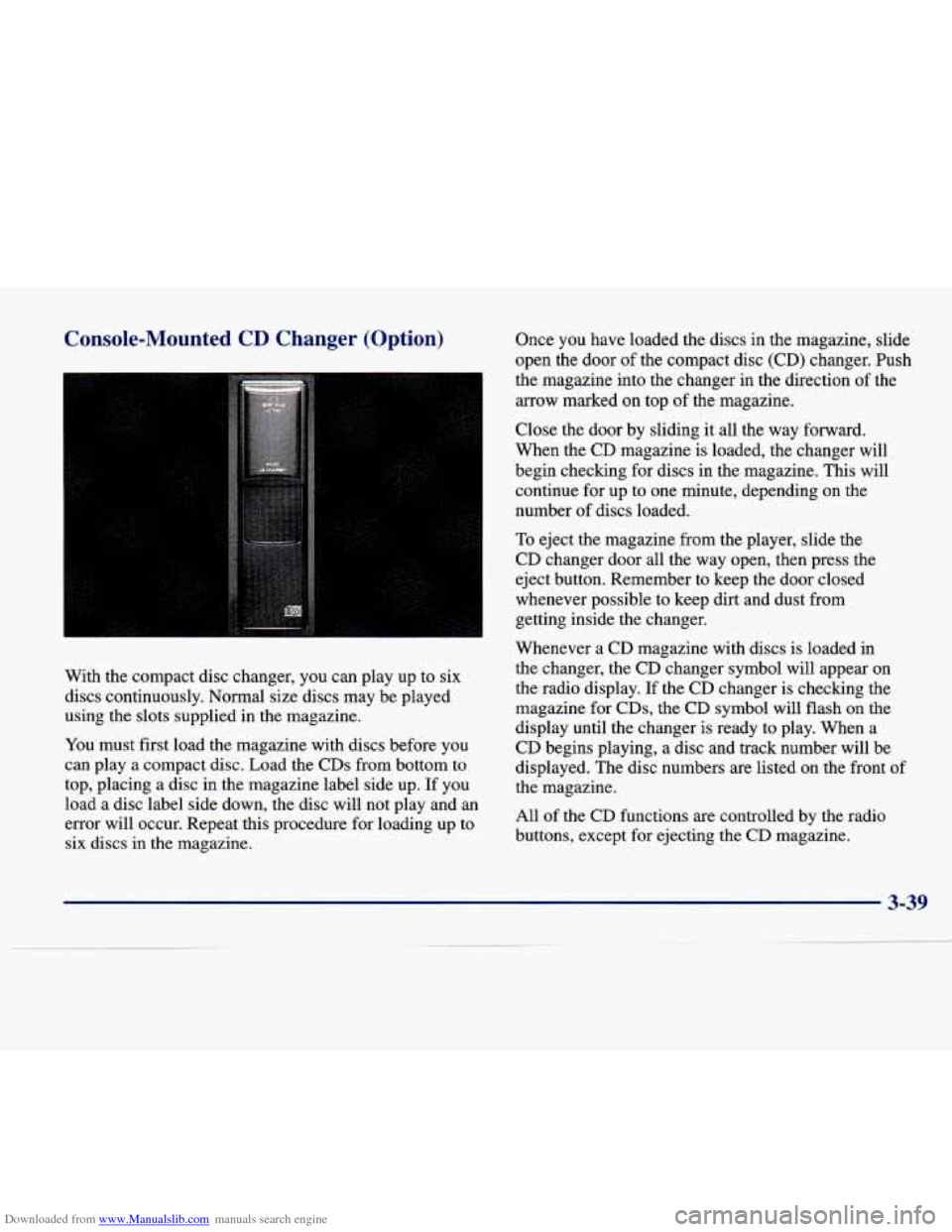
With the compact disc changer, you can play up to six
discs continuously.
Normal size discs may be played
using the slots supplied in the magazine.
You must first load the magazine with discs before you
can play a compact disc. Load the CDs from bottom to
top, placing a disc in the magazine label side up. If you
load a disc label side down, the disc will not play and an
error will occur. Repeat this procedure for loading up to
six discs in the magazine. Once
you have loaded the discs in
the magazine, slide
open the door
of the compact disc (CD) changer. Push
the magazine into the changer in the direction of the
arrow marked on top of the magazine.
Close the door
by sliding it all the way forward.
When the
CD magazine is loaded, the changer will
begin checking for discs in the magazine. This will
continue
for up to one minute, depending on the
number of discs loaded.
To eject the magazine from the player, slide the
CD changer door all the way open, then press the
eject button. Remember to keep the door closed
whenever possible to keep dirt and dust from
getting inside the changer.
Whenever a CD magazine with discs is loaded in
the changer, the
CD changer symbol will appear on
the radio display. If the CD changer is checking the
magazine for CDs, the CD symbol will flash on the
display until the changer is ready to play. When a
CD begins playing, a disc and track number will be
displayed. The disc numbers are listed on the front of
the magazine.
All of the CD functions are controlled by the radio
buttons, except for ejecting the
CD magazine.
3-39
Page 192 of 378
Downloaded from www.Manualslib.com manuals search engine Compact Disc Changer Errors
CD CHANGER ERROR could be displayed for
the following:
The road is too rough. The disc should play when
the road is smoother.
The disc is dirty, scratched, wet or loaded label
side down.
The air is very humid. If so, wait about an hour
and try again.
If any error occurs repeatedly or
if an error cannot be
corrected, please contact your dealer.
CD Adapter Kits
It is possible to use a CD adapter kit with your cassette
tape player after activating the bypass feature on your
tape player.
To activate
the bypass feature, use the following steps:
1. Turn the ignition to RUN or ACCESSORY.
2. Turn the radio off.
3. Press and hold the SOURCE button for two seconds.
The tape symbol on the display will flash three
times, indicating the feature is active.
4. Insert the adapter.
This override routine will remain active until the eject
button is pressed.
Radio Personalization (If Equipped)
If DRIVER 1 (HOME or AWAY) PRESETS or
DRIVER
2 (HOME or AWAY) PRESETS appears in the
display when the radio is first turned on, your vehicle is
equipped with this feature.
With this feature, your vehicle will recall the latest radio
settings as adjusted the last time your vehicle was
operated. This feature allows two different drivers to
store and recall their own radio settings. The settings
recalled by the radio are determined by which RKE
transmitter
(“1” or “2”) was used to enter the vehicle.
The number on the back of the RKE transmitter
corresponds to driver
1 or to driver 2. The radio settings
will automatically adjust to where they were last set
by
the identified driver. The settings can also be recalled by
briefly pressing the MEMORY seat buttons
1 or 2
located on the driver’s door.
Your radio can store home and away presets. Home and away presets allow you to use one set of preset
radio settings in the area where you live, and another set when you go
out of town. That way, you will not
need to reprogram your presets every time you travel.
3-41
Page 193 of 378
Downloaded from www.Manualslib.com manuals search engine With the radio off and the clock displayed, use FF and
RW to select home or away presets.
To select the away
presets, press and hold FF for five counts until you hear
a beep. The next time the radio comes on, the away
presets will be active. To select the home presets, press
and hold RW for five counts until you hear a beep.
The next time the radio comes on, the home presets
will be active.
When battery power is removed and later applied, you
will not have to reset your home radio presets because
the radio remembers them. However, you will have to
reset
your away radio presets.
Theft-Deterrent Feature
THEFTLOCK@ is designed to discourage theft of your
radio. Your vehicle has
a “built-in” theft-deterrent
feature on each radio that is automatic
-- there is no
programming required. The radio in your vehicle
cannot be used in any other vehicle. When the radio was originally installed in your vehicle at the factory, it
stored the Vehicle Identification Number (VIN). Each
time the ignition
is turned on, the VIN is verified. If the
vehicle’s VIN does not match the VIN stored in the
radio, THEFTLOCK will be activated and the audio system will not play. If the radio is removed from your
vehicle, the original VIN in the radio can be used to
trace the radio back to your vehicle.
Audio Steering Wheel Controls
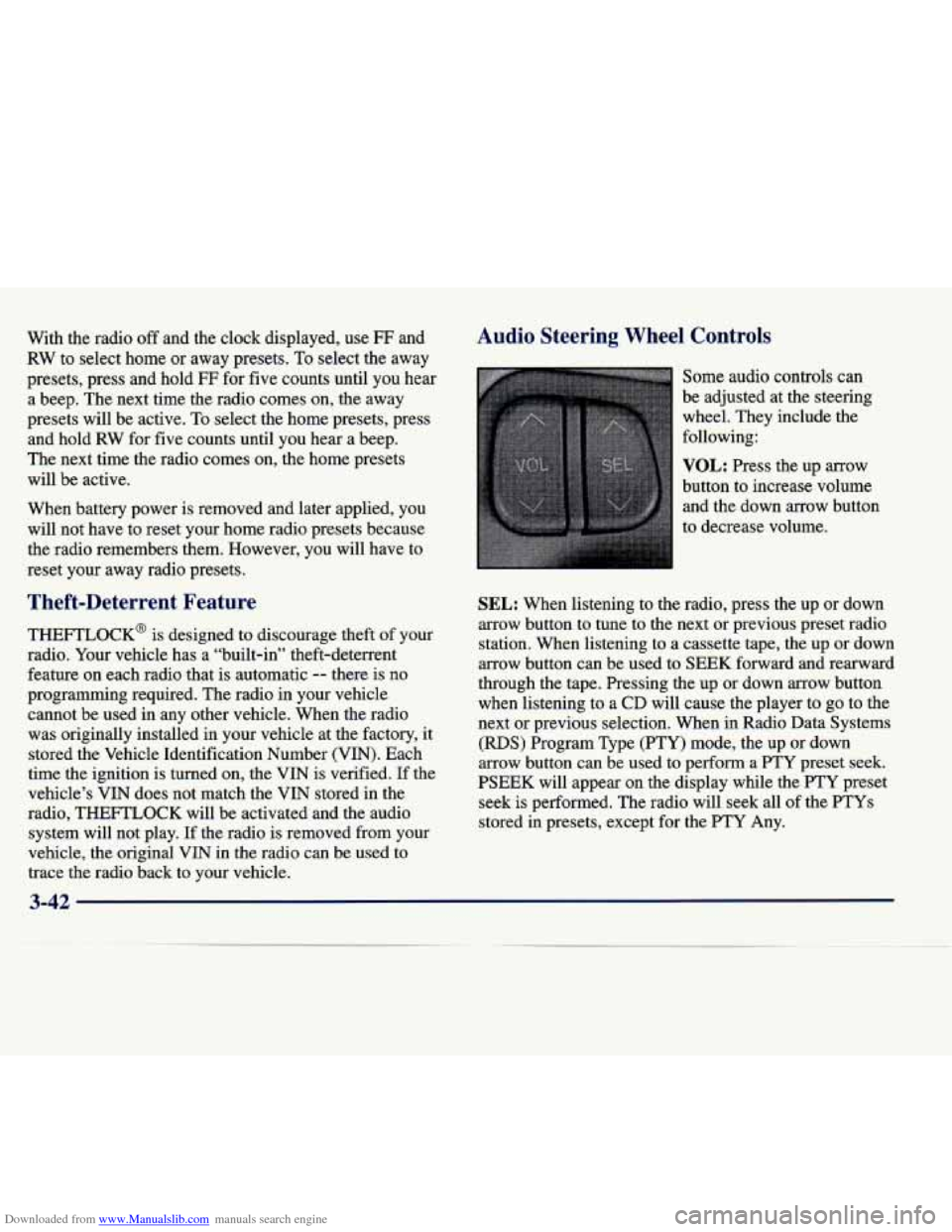
Some audio controls can
be adjusted at the steering
wheel. They include the
following:
VOL: Press the up arrow
button to increase volume and the down arrow button
to decrease volume.
SEL: When listening to the radio, press the up or down
arrow button to tune to the next or previous preset radio
station. When listening to a cassette tape, the up or down
arrow button can be used to
SEEK forward and rearward
through the tape. Pressing the up or down arrow button
when listening to
a CD will cause the player to go to the
next or previous selection. When in Radio Data Systems
(RDS) Program Type
(PTY) mode, the up or down
arrow button can be used to perform a
PTY preset seek.
PSEEK will appear on the display while the FTY preset seek is performed. The radio will seek all
of the PTYs
stored in presets, except for the PTY Any.
Page 194 of 378
Downloaded from www.Manualslib.com manuals search engine Understanding Radio Reception
AM
The range for most AM stations is greater than for FM,
especially at night. The longer range, however, can
cause stations to interfere with each other. AM can pick
up noise from things like storms and power lines. Try
reducing the treble to reduce this noise if you ever get it.
FM Stereo
FM stereo will give you the best sound, but FM signals
will reach only about
10 to 40 miles ( 16 to 65 km). Tall
buildings or hills can interfere with
FM signals, causing
the sound to come and go.
Tips About Your Audio System
Hearing damage from loud noise is almost undetectable
until it is too late. Your hearing can adapt to higher
volumes
of sound. Sound that seems normal can be loud
and harmful to your hearing. Take precautions by
adjusting the volume control on your radio to a safe
sound level before your hearing adapts to it.
To help avoid hearing loss or damage:
Adjust the volume control to the lowest setting.
Increase volume slowly until you hear comfortably
and clearly.
NOTICE:
Before you add any sound equipment to your
vehicle
0- like a tape player, CB radio, mobile
telephone or two-way radio
-0 be sure you can
add what you want.
If you can, it’s very
important
to do it properly. Added sound
equipment may interfere with the operation
of
your vehicle’s engine, radio or other systems, and
even damage them. Your vehicle’s systems may
also interfere with the operation
of sound
equipment that has been added improperly.
So, before adding sound equipment, check with
your dealer and be sure to check Federal rules
covering mobile radio and telephone units.
3-43
Page 195 of 378
Downloaded from www.Manualslib.com manuals search engine Care of Your Cassette Tape Player
A tape player that is not cleaned regularly can cause
reduced sound quality, ruined cassettes or a damaged
mechanism. Cassette tapes should be stored in their
cases away from contaminants, direct sunlight and
extreme heat. If they aren’t, they may not operate
properly or may cause failure
of the tape player.
Your tape player should be cleaned regularly after
every 50 hours of use. Your radio may display CLEAN
TAPE to indicate that you have used your tape player
for
50 hours without resetting the tape clean timer. If
this message appears on the display, your cassette tape
player needs to be cleaned. It will still play tapes, but
you should clean it as soon as possible to prevent
damage to your tapes and player.
If you notice a
reduction in sound quality,
try a known good cassette
to see if it is the tape or the tape player at fault. If this
other cassette has no improvement in sound quality,
clean the tape player.
The recommended cleaning method for your cassette
tape player is the use
of a scrubbing action,
non-abrasive cleaning cassette with pads which scrub
the tape head as the hubs
of the cleaner cassette turn.
The recommended cleaning cassette
is available through
your dealership
(GM Part No. 12344789). When using
a scrubbing action, non-abrasive cleaning
cassette, it is normal for the cassette to eject because
your unit
is equipped with a cut tape detection feature
and a cleaning cassette may appear as a broken tape.
To
prevent the cleaning cassette from being ejected, use the
following steps.
1. Turn the ignition to ON or ACCESSORY.
2. Turn the radio
off.
3. Press and hold the SOURCE button for two
seconds. The tape symbol on the display will
flash three times.
4. Turn the radio on and insert the scrubbing action
cleaning cassette.
5. Eject the cleaning cassette after the manufacturer’s
recommended cleaning time.
When the cleaning cassette has been ejected, the cut tape
detection feature is active again.
You may also choose a non-scrubbing action, wet-type
cleaner which uses a cassette with a fabric belt to clean
the tape head. This type of cleaning cassette will not
eject on its own. A non-scrubbing action cleaner may
not clean as thoroughly as the scrubbing type cleaner.
The use of a non-scrubbing action, dry-type cleaning
cassette is not recommended.
3-44