1998 CADILLAC SEVILLE reset
[x] Cancel search: resetPage 141 of 378
Downloaded from www.Manualslib.com manuals search engine Comfort Controls and Radio System Personalization
These features allow both drivers to personalize their
own climate control settings
as well as their radio
settings. For more information, see “Climate Control
Personalization” and “Radio Personalization” in
the Index.
The outside temperature is always available for display
when your vehicle is running unless an overriding
Driver Information Center message appears. You can
change the temperature from Fahrenheit to Celsius by
pressing the ENGMET (EnglisWmetric) button on the
instrument panel. For more information on the Driver
Information Center, see “Driver Information Center
Messages” in the Index.
The electronic sensor can be affected by road or engine
heat during idling, slow driving or when the engine
is
first stared after a short trip. In order to ensure proper
automatic climate control operation, the outside air
temperature display may not update as quickly as
expected.
This is to allow the air surrounding the outside
temperature sensor to be as close to the actual outside
conditions as possible. This is determined by how much
time has elapsed since the vehicle has been turned off and by vehicle speed.
Control Buttons
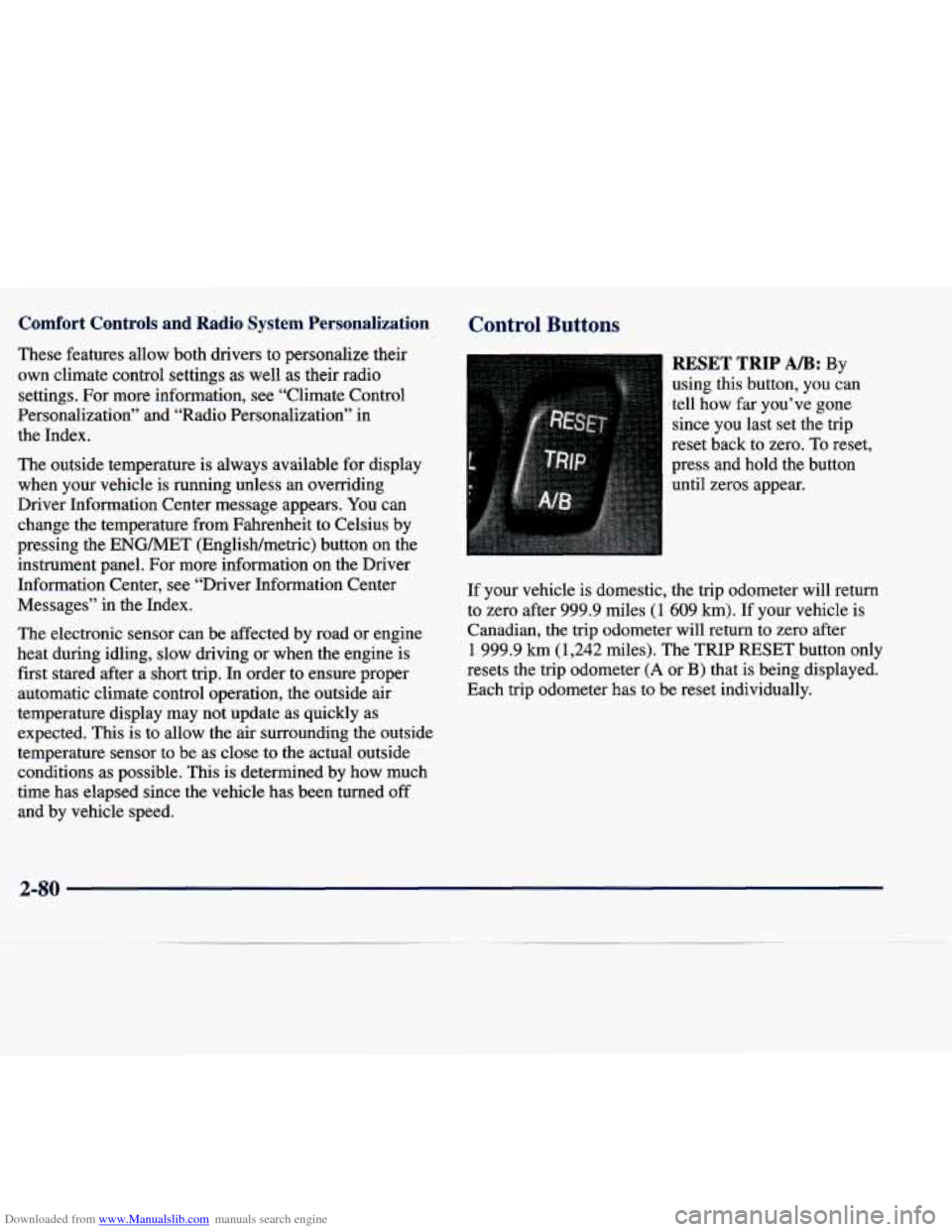
RESET TRIP AB: By
using this button, you can
tell how far.you’ve gone
since you last set the trip
reset back to zero. To reset,
press and hold the button
until zeros appear.
If your vehicle is domestic, the trip odometer will return
to zero after 999.9 miles
(1 609 km). If your vehicle is
Canadian, the trip odometer will
return to zero after
1 999.9 km (1,242 miles). The TRIP RESET button only
resets the trip odometer
(A or B) that is being displayed.
Each trip odometer has
to be reset individually.
2-80
Page 142 of 378
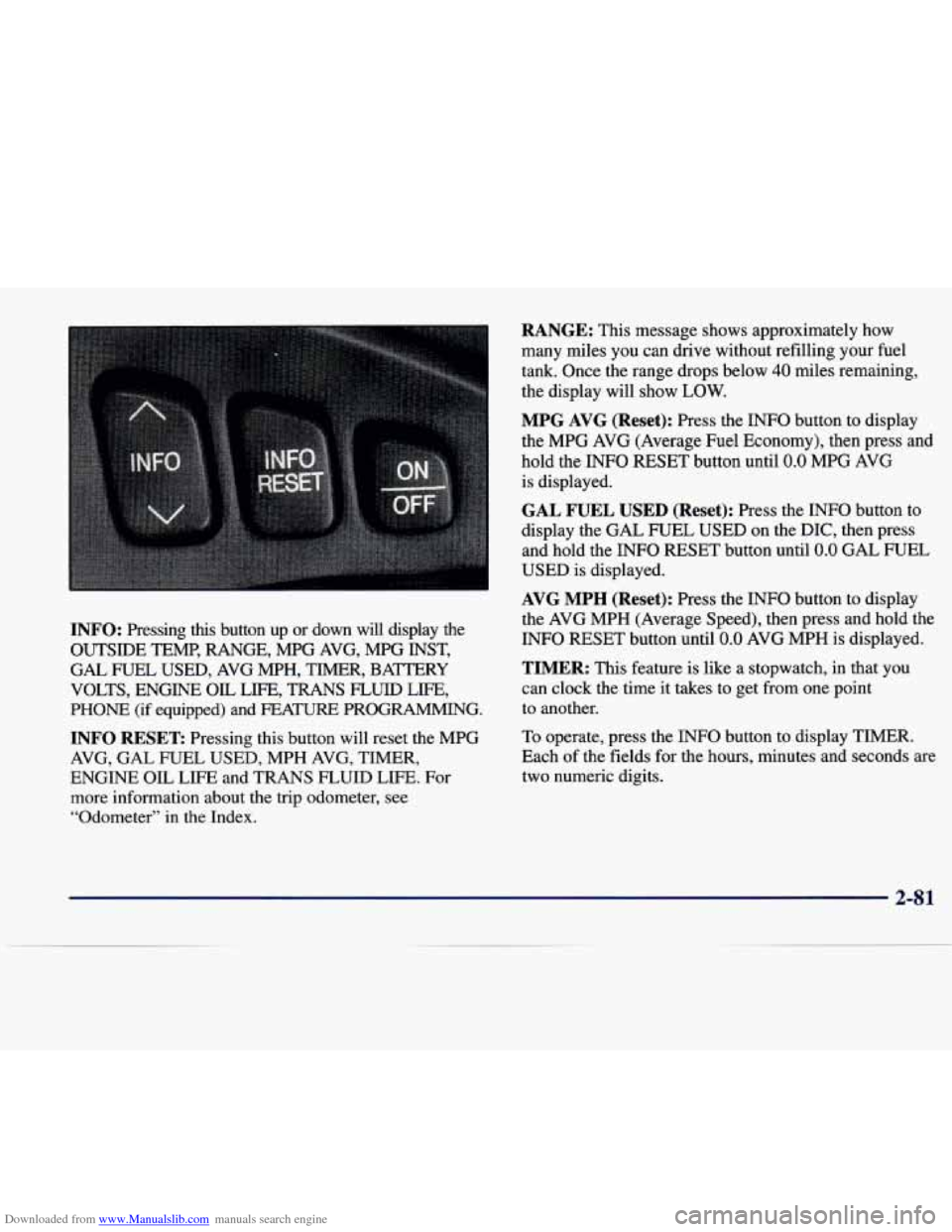
Downloaded from www.Manualslib.com manuals search engine INFO: Pressing this button up or down will display the
OUTSIDE TEMP, RANGE, MPG AVG, MPG INST,
GAL FUEL USED, AVG MPH, TIMER, BAmRY
VOLTS, ENGINE
OIL LIFE, TRANS FLUID LIFE,
PHONE (if equipped) and FEA- PROGRAMMING.
INFO RESET Pressing this button will reset the MPG
AVG, GAL FUEL USED, MPH AVG, TIMER,
ENGINE OIL LIFE and TRANS FLUID LIFE. For
more information about the trip odometer, see
“Odometer”
in the Index.
RANGE: This message shows approximately how
many miles you can drive without refilling your fuel
tank. Once the range drops below
40 miles remaining,
the display will show
LOW.
MPG AVG (Reset): Press the INFO button to display
the MPG AVG (Average Fuel Economy), then press and
hold the INFO RESET button until
0.0 MPG AVG
is displayed.
GAL FUEL USED (Reset): Press the INFO button to
display the GAL FUEL USED on the DIC, then press
and hold the INFO RESET button until
0.0 GAL FUEL
USED is displayed.
AVG MPH (Reset): Press the INFO button to display
the AVG MPH (Average Speed), then press and hold the
INFO RESET button until
0.0 AVG MPH is displayed.
TIMER: This feature is like a stopwatch, in that you
can clock the time it takes to get from one point
to another.
To operate, press the
INFO button to display TIMER.
Each
of the fields for the hours, minutes and seconds are
two numeric digits.
2-8 1
Page 143 of 378
Downloaded from www.Manualslib.com manuals search engine Once TIMER 0O:OO:OO is displayed, press the ON/OFF
button to start the timing feature. Press the ON/OFF
button again to stop it. If you will be starting and
stopping your vehicle, during a trip for instance, the
TIMER feature will automatically start timing where it
left off when you last stopped.
To reset it, press and hold
the INFO RESET button until the display reads TIMER
0O:OO:OO. Press the INFO button to exit from the
TIMER function.
ENGINE OIL LIFE (Reset): Press the INFO button to
display the ENGINE OIL LIFE, then press and hold
the
INFO RESET button until 100% ENGINE OIL LIFE is
displayed. (This only needs to be reset after you have
had the oil changed.)
Transmission Fluid Life Monitor: Under normal
conditions, the rate of deterioration
of the transmission
fluid is slow. See the Maintenance Schedule booklet for
proper fluid and change intervals. Press the INFO button
to display the TRANS FLUID LEFT, then press and
hold the INFO RESET button until
100% TRANS
FLUID LEFT is displayed. (This only needs to be reset after you have had the fluid changed.)
Driver Information Center Messages
These messages will appear if there is a problem sensed
in one of your vehicle’s systems. Vehicles that
are first
sold in Canada will have a number after each message.
This number helps to identify the message which is only
displayed in English.
BATTERY NOT CHARGING - 7: This message will
appear if the battery is not being charged. Have the
electrical system checked by your dealership at your
earliest convenience.
BATTERY SAVER ACTIVE - 27: This message is
displayed when the vehicle has detected that the battery
voltage is dropping beyond a reasonable point. The
battery saver system will start reducing certain features
of the vehicle that you may not be able to notice. At the
point that features are disabled, this message is displayed. It is used to convey that the vehicle is trying
to save the charge in the battery. Turn
off unnecessary
accessories to allow the battery to recharge.
ENGMET: Press this button to display information in
the English (miles) or metric (kilometers) system.
2-82
Page 144 of 378
Downloaded from www.Manualslib.com manuals search engine BATTERY VOLTAGE HIGH - 8: This message shows
that the electrical charging system is overcharging (more
than 16 volts). To avoid being stranded, have the electrical
system checked by your dealership.
You can reduce the
charging overload by using the accessories.
Turn on the
lamps and radio, set the climate control on
AUTO and the
fan speed on
HI, and turn the rear window defogger on.
You can monitor battery voltage on the DIC by pressing
the
INFiO button. The normal range is 11.5 to 15.5 volts
when the engine is running.
BATTERY VOLTAGE LOW - 6: This message will
appear when the electrical system is charging less than
9 volts or if the battery has been drained. If this message
appears immediately after starting, it
is possible that the
generator can still recharge the battery. The battery should recharge while driving but may take a few hours
to do
so. Consider using an auxiliary charger (be sure to
follow the manufacturer’s instructions) to boost the
battery after returning home or to a final destination. If
this message appears while driving or after starting your
vehicle and stays on, have
it checked immediately to
determine the cause of this problem.
To help the
generator recharge the battery quickly, you can reduce
the load on the electrical system by turning
off the
accessories.
You can monitor battery voltage on the DIC
by pressing the INFO button. The normal range is 11.5
to 15.5 volts.
CHANGE BRAKE PADS - 125: This message is used
to notify you that the brake pads may have worn down.
A sensor is connected to the brake pads and is triggered
when they wear to a certain point. Have the front and
rear brakes serviced by your dealer as soon as possible.
CHANGE TRANS FLUID - 47: This message will
appear when
it is time to replace the transaxle fluid. See
the Maintenance Schedule booklet for the proper fluid and change intervals.
CHECK BRAKE FLUID - 37: This message will
display if the ignition is in
ON to inform the driver that
the brake fluid level is low. Have the brake system
serviced by a technician as soon as possible. See “Brake
System Warning Light” in the Index.
CHECK COOLANT LEVEL - 2: This message will
appear when there is a low level of engine coolant. Have
the cooling system serviced by a technician as soon
as possible.
CHANGE ENGINE OIL - 82: This means that the life
of the engine oil has expired and it should be changed
within
200 miles. See “Engine Oil” and “Filter
Recommendations” in the Maintenance Schedule
booklet. After
an oil change, the Oil Life Indicator must
be reset. See “Oil Life Indicator” in the Index
on how to
reset
it.
2-83
Page 147 of 378
Downloaded from www.Manualslib.com manuals search engine RIGHT REAR DOOR A JAR - 143: The right rear
door is open or ajar when this message appears. The key
must be in the
ON position for this message to display.
A chime will also sound when the vehicle’s speed is
greater than
3 mph (4.8 km/h).
SERVICE “AC” SYSTEM - 14: This message appears
when the electronic sensors that control the air
conditioning and heating systems are no longer working.
Have the climate control system serviced if you notice a
drop in heating and air conditioning efficiency.
SERVICE AIR BAG - 83: There is a problem with the
Supplemental Inflatable Restraint (air bag) system when
this message appears. Let only a qualified technician
work on your vehicle. See your dealership for service
at once.
SERVICE CHARGING SYS - 102: This message will
display when a problem with the charging system has been
detected. Have your vehicle serviced at your dealership.
SERVICE ELECTRICAL SYS - 106: This message
will display
if an electrical problem has occurred within
the PCM or the ignition switch. Have your vehicle serviced by your dealership.
SERVICE FUEL SYSTEM - 101: The PCM has
detected a problem within the fuel system when this
message appears. See your dealership for service.
SERVICE IDLE CONTROL - 107: A problem with
the idle control has occurred when
this message displays.
Take your vehicle to your dealership for service.
SERVICE STABILITY SYS - 54 : If you ever see the
SERVICE STABILITY
SYS message, it means there
may be a problem with your stability enhancement
system. If you see this message, try to reset the system
(stop;
turn off the engine; then start the engine again). If
the SERVICE STABILITY
SYS message still comes on,
it means there is a problem. You should see your dealer
for service. Reduce your speed and drive accordingly.
A single chime will also sound when this message
is displayed.
SERVICE STEERING SYS - 127: This message is
displayed when a problem has been detected in the
Magnasteer
TM variable effort steering system. Service
is required.
SERVICE SUSPENSION SYS - 84: This message is
displayed to indicate that the suspension system is not
operating properly.
To correct this problem, have your
vehicle serviced
at your dealership.
2-86
Page 150 of 378
Downloaded from www.Manualslib.com manuals search engine Oil Life Indicator
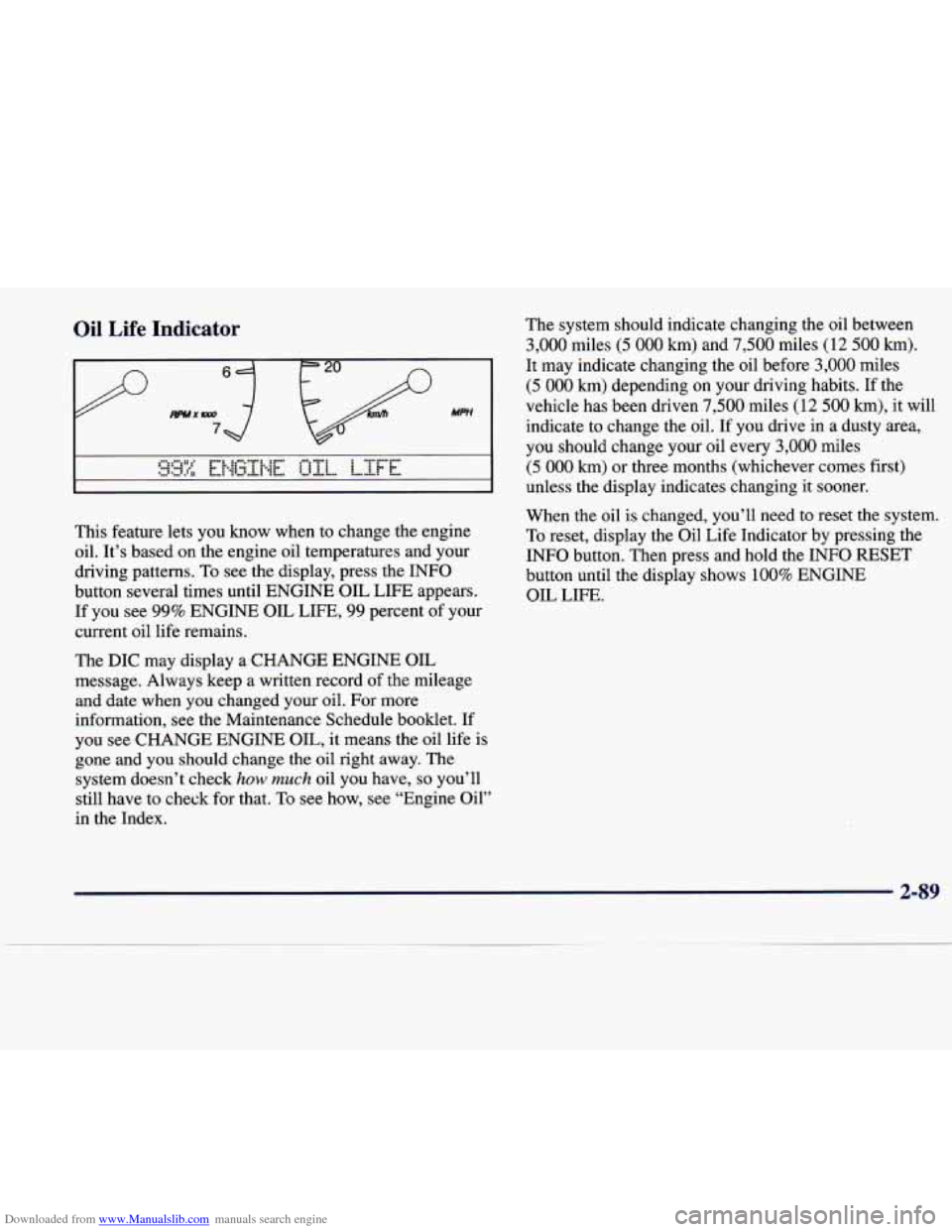
This feature lets you know when to change the engine
oil. It's based on the engine oil temperatures and your
driving patterns. To see the display, press the INFO
button several times until ENGINE OIL LIFE appears.
If you see 99% ENGINE OIL LIFE, 99 percent of your
current oil life remains.
The DIC may display a CHANGE ENGINE OIL
message. Always keep a written record of the mileage
and date when
you changed your oil. For more
information, see the Maintenance Schedule booklet. If
you see CHANGE ENGINE OIL, it means the oil life
is
gone and you should change the oil right away. The
system doesn't check
how much oil you have, so you'll
still have to check for that.
To see how, see "Engine Oil"
in the Index. The
system should indicate changing the oil between
3,000 miles (5 000 km) and 7,500 miles (12 500 km).
It may indicate changing the oil before 3,000 miles
(5 000 km) depending on your driving habits. If the
vehicle has been driven
7,500 miles (12 500 km), it will
indicate to change the oil. If you drive
in a dusty area,
you should change your oil every
3,000 miles
(5 000 km) or three months (whichever comes first)
unless the display indicates changing it sooner.
When the oil is changed, you'll need to reset the system.
To reset, display the Oil Life Indicator by pressing the
INFO button. Then press and hold the INFO RESET
button until the display shows
100% ENGINE
OIL LIFE.
2-89
Page 163 of 378
Downloaded from www.Manualslib.com manuals search engine SOURCE: Press this button to select a source. Sources
include cassette and compact disc. The audio source
must be loaded to play. Available loaded sources
are
shown on the display. If a source is being used, it will
be underlined on the display. If none of the audio
sources
are loaded, NO SOURCE LOADED will
appear on the display. Press this button again or
BAND to switch back to the radio.
MUTE: Press this button to silence the system. Press
it again to turn on the sound.
Finding a Station
BAND: Press this button to select AM, FM1 or FM2.
TUNE-SEEK: When this button is pressed it has two
positions. Press this button to the first position to
manually tune to higher or lower stations. If this button
is held at the first position for a few seconds, the radio
will continue tuning until this button is released. Press
this button to the second position and release to seek to
the next higher or lower radio station.
SCAN: Press this button for less than two seconds to
scan radio stations. The radio will
go to a station, stop
for five seconds, then go on to the next station. Press
this button again to stop scanning.
PUSHBUTTONS: The six numbered pushbuttons let
you return to your favorite stations. You
can set up to
18 stations (six AM, six FM1 and six FM2). Just:
1. Turn the radio on.
2. Press BAND to select AM, FM1 or FM2.
3. Tune in the desired station.
4. Press and hold one of the six numbered buttons
for more than two seconds until
you hear a beep.
Whenever you press that numbered button for less
than two seconds, the station you set will return.
5. Repeat the steps for each pushbutton.
When battery power is removed and later applied, you
will not have to reset your radio presets because the
radio remembers them.
PRESET SCAN: Press and hold SCAN for more than
two seconds until you hear a beep to listen to each of
your preset stations for
five seconds. The radio will go
to the first preset station stored on your pushbuttons,
stop for five seconds, then go on to the next preset
station. Press SCAN again to stop scanning. If a preset
station has weak reception,
the radio will not stop at
the preset station.
3-12
Page 164 of 378
Downloaded from www.Manualslib.com manuals search engine Setting the Tone
TONE: Press and release this button until the desired
tone control (BASS, TREBLE or MIDRANGE) is
found. The radio keeps separate tone settings for each
band, each preset and each source.
LEVEL: After selecting the desired tone control, press
the plus
(+) or minus (-) symbol on this button to select
the desired level.
Adjusting the Speakers
4 SPEAKER: Press and release this button until the
desired BALANCE or FADE control is found.
LEVEL: After selecting the desired BALANCE or
FADE control, press the plus
(+) or minus (-) symbol on
this button to select the desired level.
Playing a Cassette Tape
With the radio on, insert a cassette tape. The tape will
begin playing as soon as it is inserted. When one side of
your cassette tape is done playing, auto reverse plays the
other side
of your cassette tape. Cassette tapes may be
loaded with the radio
off but they will not start playing
until the radio is on. If you want to insert a cassette tape
when the ignition is
off, first press the eject button. While
the tape is playing, use the VOL,
TONE, LEVEL,
and SPEAKER controls just as you do for the radio.
Other controls may have different functions when a tape
is inserted. The display will show an underlined tape
symbol. TAPE PLAY will appear on the display when a
tape is playing, with an arrow to indicate which side
of
the tape is playing.
If an error occurs while trying to play a cassette tape,
it could be that:
The cassette tape is tight and the cassette player
cannot turn the hubs
of the tape. Hold the cassette
tape with the open end down and
try turning the right
hub to the left with a pencil. Flip the tape over and
repeat. If the hubs do not turn easily, your cassette
tape may be damaged and should not be used in the
player. Try a new tape to be sure your player is
working properly.
The cassette tape is broken. (Check to see if your
tape is broken. Try a new tape.)
RW Press the left arrow to rewind the tape rapidly. The
radio will play while the tape rewinds. You may use
your station pushbuttons to tune to another radio station
while in
RW mode. Press the left arrow again to return
to playing speed.
3-13
. ..