1998 CADILLAC ELDORADO change time
[x] Cancel search: change timePage 8 of 380
Downloaded from www.Manualslib.com manuals search engine GENERAL MOTORS. GM and the GM Emblem.
CADILLAC, the CADILLAC Emblem and the name
ELDORADO are registered trademarks
of General
Motors Corporation.
This manual includes the latest information at the time
it
was printed. We reserve the right to make changes in the
product after that time without further notice. For
vehicles first
sold in Canada, substitute the name
“General Motors
of Canada Limited” for Cadillac Motor
Car Division whenever it appears
in this manual.
Please keep this manual in your vehicle, so it will be
there
if you ever need it when you‘re on the road. If you
sell the vehicle. please leave this manual in it so the new
owner can
use it.
Litho in U.S.A.
Part No. 25665433 A First Edition
CERTIFIED
WE SUPPORT VOLUNTARY TECHNICIAN CERTIFICATION THROUGH
AUTOMOTIVE
Nmona! 1ns:l:uta fr,r
SERVICE
EXCELLENCE
We support voluntary
technician certification.
Aux proprietaires canadiens: Vous pouvez vous
procurer
un exemplaire de ce guide en franpis chez
votre concessionaire
ou au:
DGN Marketing Services Ltd.
1500 Bonhill Rd.
Mississauga. Ontario
L5T 1C7
‘~“Copyripht General Motors Corporation
1997
All Rights Reserved
ii
Page 76 of 380

Downloaded from www.Manualslib.com manuals search engine Leaving Your Vehicle
If you are leaving the vehicle, open the door, set the
locks from the inside, get out and close the door.
Remote Keyless Entry (RKE) System
With this feature, you can
lock and unlock the doors,
unlock the
trunk, open the
fuel door and turn on your
vehicle’s interior lamps
from about
10 feet (3 m)
away using the remote
keyless entry transmitter
supplied with your vehicle.
Your remote keyless entry system operates on
a radio
frequency subject to Federal Communications
Commission (FCC) Rules and with Industry Canada.
This device complies with Part 15 of the FCC Rules.
Operation is subject to the following
two conditions:
(1) this device may not cause harmful interference, and
(2) this device must accept any interference received,
including interference that may cause undesired operation. This
device complies with
RSS-210 of Industry Canada.
Operation is subject to the following two conditions:
(1) this device may not cause interference, and (2)
this device must accept any interference received,
including interference that may cause undesired
operation of the device.
Changes or modifications to
this system by other than
an authorized service facility could void authorization
to use this equipment.
The range of this system is about
10 feet (3 m). At times
you may notice a decrease in range.
This is normal for
any remote keyless entry transmitter.
If the transmitter
does not work or if you have to stand closer to your
vehicle for the transmitter
to work, try this:
0
0
0
0
Check to determine if battery replacement is
necessary. See the instructions that follow.
Check the distance. You may be too far from your
vehicle.
You may need to stand closer during rainy
or snowy weather.
Check the location. Other vehicles
or objects may be
blocking the signal. Take a few steps to the left or
right, hold the transmitter higher, and
try again.
If you’re still having trouble, see your dealer or a
qualified technician for service.
2-6
Page 78 of 380
Downloaded from www.Manualslib.com manuals search engine Battery Replacement
Under normal use, the battery in your remote keyless
entry transmitter should last about four years.
You
can tell the battery is weak if the transmitter won’t
work
at the normal range in any location. If you have to
get close
to your vehicle before the transmitter works,
it‘s probably time
to change the battery.
NOTICE:
When replacing the battery, use care not to
touch any of the circuitry. Static from your
i
body transferred to these surfaces may damage
the transmitter.
I
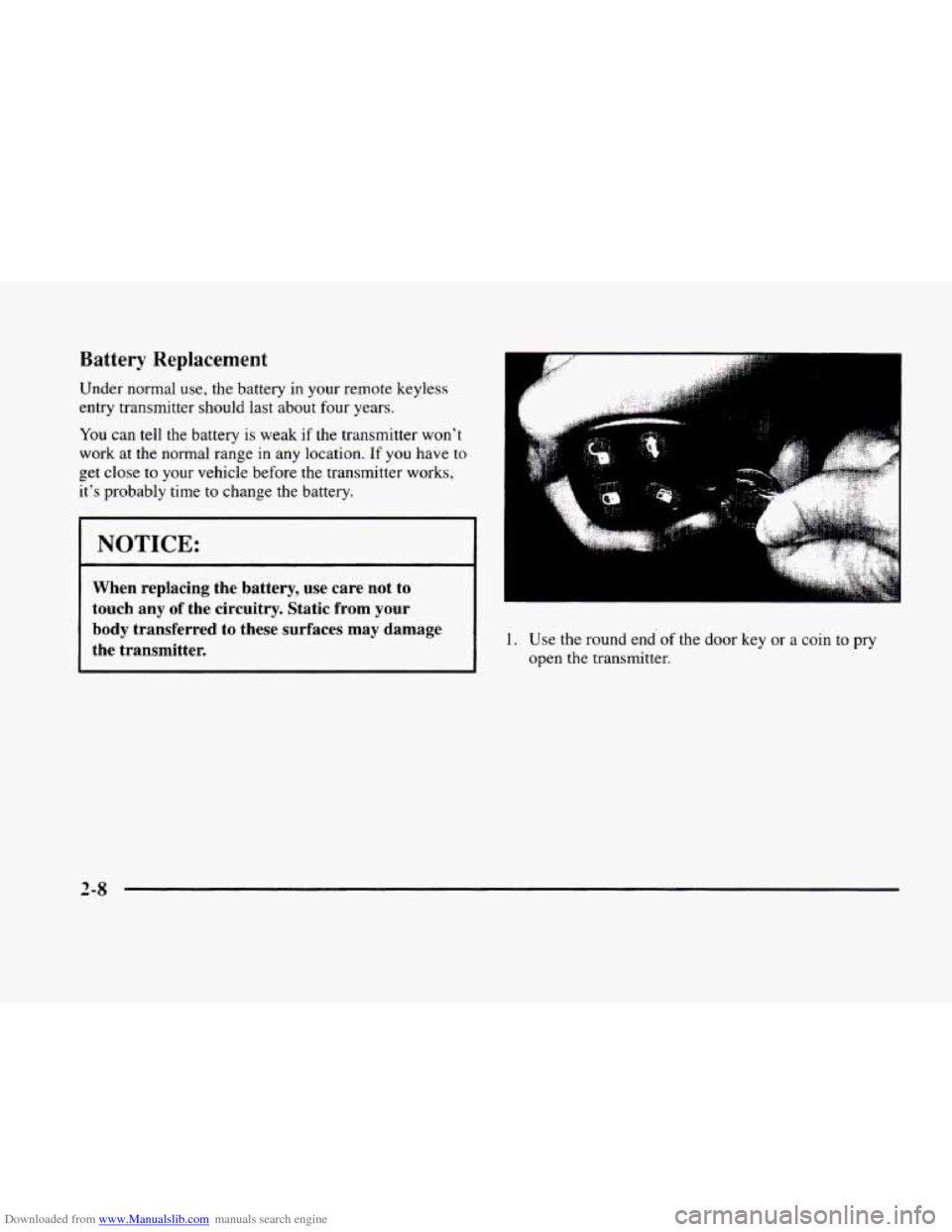
1. Use the round end of the door key or a coin to pry
open the transmitter.
2-8
Page 103 of 380

Downloaded from www.Manualslib.com manuals search engine Arrows that flash rapidly when signaling for a turn or
lane change may be caused by a burned-out signal bulb.
Other drivers won’t see
the turn signal.
Replace burned-out bulbs
to help avoid possible
accidents. Check the fuse
(see “Fuses and Circuit
Breakers”
in the Index) and for burned-out bulbs if
the arrow fails to work when signaling a turn.
Headlamp High/Low Beam Changer
Pull the turn signal lever
all the way toward
you and
then release it
to change the
headlamps from low beam
to high or from high beam
to low.
This light
on the instrument panel will be on, indicating
high beam usage.
Flash-To-Pass
This lets you use the high-beam headlamps to signal
the driver in front
of you that you want to pass.
Pull the
turn signal lever toward you to use. When
you do:
0
0
0
If the headlamps are either off or in the Daytime
Running Lamps
(DRL) mode, the high-beam
headlamps will turn
on. They’ll stay on as long
as you hold the lever there. Release the lever to
turn them off.
If the headlamps are
on low beam, they will shift to
high beam and stay there. Pull the lever toward you
to return to low beam.
If the headlamps are
on high beam, they will switch
to low beam.
To return to high beam. pull the lever
toward you.
2-33
Page 114 of 380
Downloaded from www.Manualslib.com manuals search engine Mirrors Mirror Operation
Electrochrornic Daymight Rearview Mirror
When this feature is turned on, the mirror automatically
changes to reduce glare from headlamps behind
you. A
photocell on the mirror senses when it is becoming dark
outside. Another photocell, built into the mirror face,
senses when headlamps are behind you.
At night, when the glare is too high, the mirror will
gradually darken to reduce glare (this change may take
a few seconds). The mirror will return to its clear
daytime state when the glare is reduced.
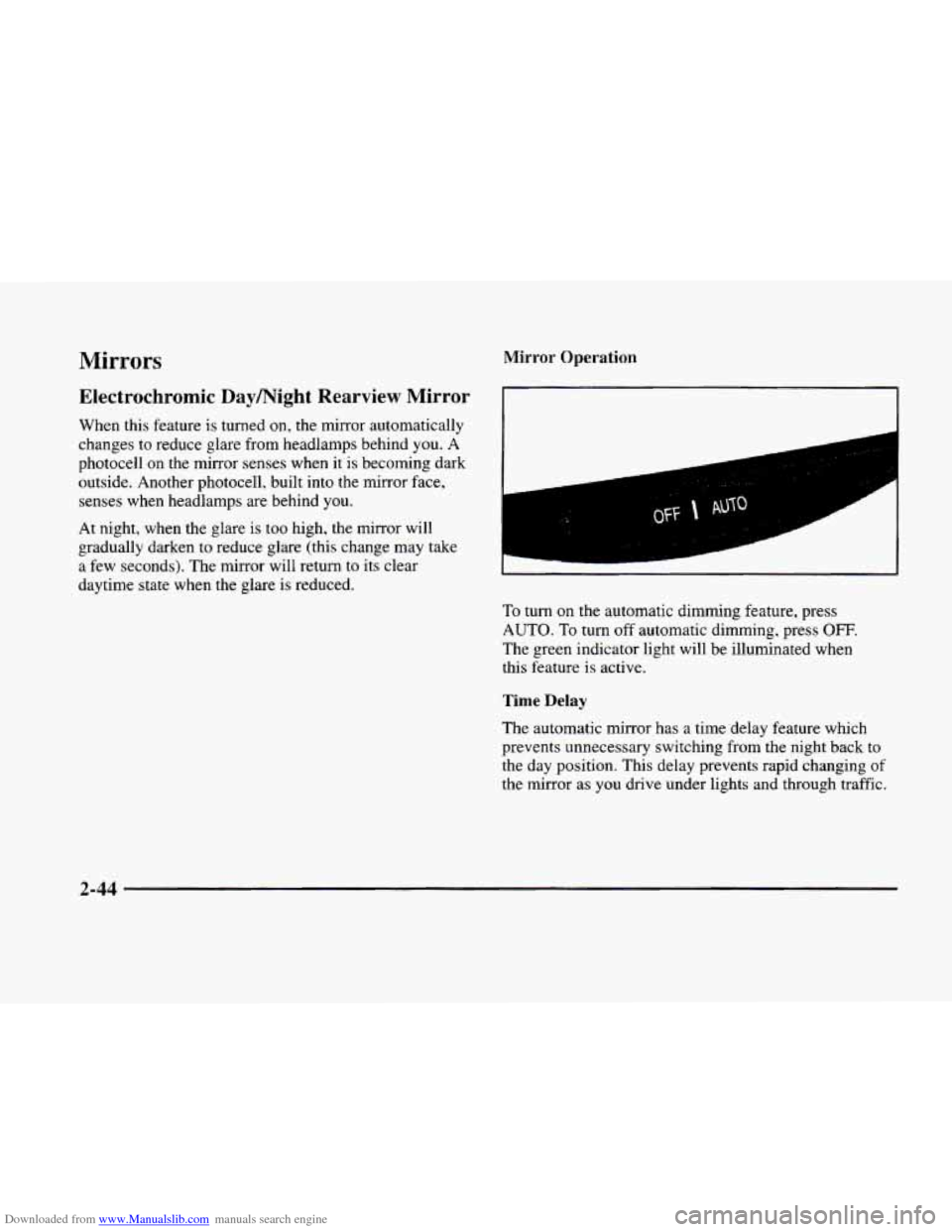
To turn on the automatic dimming feature, press
AUTO. To turn off automatic dimming, press OFF.
The green indicator light will be illuminated when
this feature is active.
Time Delay
The automatic mirror has a time delay feature which
prevents unnecessary switching from the night back to
the day position. This delay prevents rapid changing
of
the mirror as you drive under lights and through traffic.
2-44
Page 124 of 380
Downloaded from www.Manualslib.com manuals search engine If you have trouble programming the universal
transmitter, make sure that you have followed the
directions exactly as described and that the battery
in
the hand-held transmitter is not dead. If you still
cannot program it, rotate the hand-held transmitter
end over end and try again. The universal transmitter
may not work with older garage door openers that
do
not meet current Federal Consumer Safety Standards.
If you cannot program the transmitter after repeated
attempts, consult your dealer.
Be sure to keep the original hand-held transmitter
in case you need to erase and reprogram the
universal transmitter.
Note to Canadian Owners: During programming, the
hand-held transmitter may stop transmitting after one or
two seconds. If you are programming from one of these
transmitters, you should press and re-press the button
on
the hand-held transmitter every two seconds without
ever releasing the button
on the universal transmitter.
Release both buttons when the amber light on the
universal transmitter begins to flash rapidly.
Operating the Transmitter
Press and hold the appropriate button on the universal
transmitter. The amber light comes on while the signal
is being transmitted.
Note that the universal transmitter is disabled when
the valet button inside the glove box is activated. For
more information, see “Valet Lockout Button” earlier
in this section.
Also note that
if the hand-held transmitter appears to
program the universal transmitter but does not open
your garage door, and
if the garage door opener was
manufactured after
1995, the garage door opener may
have a “rolling code” system.
A rolling code system
changes the code of the garage door opener every time
you open or close the garage door.
To determine if you have this system, press the button
on the universal transmitter that you have programmed
already.
If the amber light on the universal transmitter
flashes rapidly for one or two seconds and then stops
flashing, the garage door opener has
a rolling code
system. In a rolling code system, the garage door
receiver must
be trained to the universal transmitter.
Page 141 of 380
Downloaded from www.Manualslib.com manuals search engine To operate, press the INFO button to display TIMER.
Each
of the fields for the hours, minutes and seconds are
two numeric digits.
Once TIMER OFF
0O:OO:OO is displayed, press the
INFO RESET button to start the timing feature. Press
the INFO RESET button again to stop it. If
you will be
starting and stopping your vehicle
-- during a trip for
instance
-- the TIMER feature will automatically start
timing where it left off when
you last stopped. To reset
it, press and hold the INFO RESET button until the
display reads TIMER
0O:OO:OO. Press the INFO button
to exit from the TIMER function.
OIL LIFE LEFT (Reset): Press the INFO button to
display the OIL LIFE LEFT, then press and hold the
INFO RESET button until 100% OIL LIFE LEFT is
displayed. (This only needs
to be reset after you have
had the oil changed.)
ENGLISHAWETRIC (Reset): Press the INFO button to
display ENGLISWMETRIC RESET, then press the
INFO RESET button to select. The display will change
from English (miles) to metric (kilometers).
INFO: Pressing this button repeatedly will display the
RANGE, MPG AVG,
MPG INST, GAL FUEL USED,
MPH, AVG MPH, TIMER, BATTERY VOLTS,
COOLANT TEMP, OIL LIFE LEFT and
ENGLISWMETRIC RESET.
FUEL DOOR: Press this button to open the fuel
door. (This feature will work
only when the shift lever
is in PARK
(P) regardless of whether or not the vehicle
is running.)
TRUNK: Press this button to open the trunk. (This
feature will work only when the shift lever
is in
PARK (P) regardless of whether or not the vehicle
is running.)
DIC Messages
These messages will appear if there is a problem sensed
in one
of your vehicle’s systems. Vehicles that are first
sold
in Canada will have a number after each message.
This number helps
to identify the message which is only
displayed in English.
APPLY BRAKE TO SHIFT - 46: This message will
appear if your vehicle is in PARK
(P) for about 15
seconds and the brake is not pressed. To remove this
message from the Driver Information Center (DIC)
display, hold the
OFF and the blue (cooler) buttons on
the digital cluster control panel for about five seconds.
On the analog climate control panel, press the
OFF
button (next to the MODE button) and the down arrow
on
the PASS TEMP button for about five seconds. Hold
the same two buttons
to display the message again.
2-7 1
Page 142 of 380

Downloaded from www.Manualslib.com manuals search engine BATTERY NOT CHARGING - 7: This message will
appear
if the battery is not being charged. Have the
electrical system checked by your dealership at your
earliest convenience.
BATTERY VOLTAGE HIGH - 8: This message
shows that the electrical charging system is
overcharging (more than 16 volts). To avoid being
stranded, have the electrical system checked by your
dealership. You
can reduce the charging overload by
using the accessories. Turn on the lamps and radio, set
the climate control on AUTO and the fan speed on
HI,
and turn the rear window defogger on. You can monitor
battery voltage on the Driver Information Center
(DIC)
by pressing the INFO button. The normal range is
11.5 to 15.5 volts when the engine
is running.
BATTERY VOLTAGE LOW - 6: This message will
appear when the electrical system is charging less than
10 volts or if the battery has been drained. If this
message appears immediately after starting,
it is possible
that the generator can still recharge the battery. The
battery should recharge and may take a few hours to do
so. Consider using an auxiliary charger to boost the
battery after returning home or to a final destination.
(Be sure to follow the manufacturer’s instructions
when using a battery charger.)
If this message appears and stays on while driving or
after starting your vehicle, have it checked immediately
to determine the cause of this problem. To help the
generator recharge the battery quickly, you can reduce
the load
on the electrical system by turning off the
accessories. You can monitor battery voltage
on the
Driver Information Center (DIC) by pressing the
INFO
button. The normal range is 11.5 to 15.5 volts.
BRAKE VACUUM PROBLEM -108: The circuit in
the brake booster vacuum has shorted or is loose when
this message appears. Your vehicle may lose power
brakes but you will still have the use
of manual brakes.
The power brakes will not be affected if the problem is
caused by a failed sensor. Have your vehicle serviced
immediately at your dealership.
CHANGE ENGINE OIL - 82: This means that the
life of the engine oil has expired and it should be
changed within
200 miles (322 km). See “Engine Oil”
and “Filter Recommendations” in the Maintenance
Schedule booklet. After an oil change, the Oil Life
Indicator must be reset. See “Oil Life Indicator”
in the
Index
on how to reset it.
CHANGE TRANS FLUID - 47: This message will
appear when it is time to replace the transaxle fluid. See
the Maintenance Schedule booklet for
the proper fluid
and change intervals.
2-72