1998 CADILLAC ELDORADO tow
[x] Cancel search: towPage 115 of 380
Downloaded from www.Manualslib.com manuals search engine r
I I
i
r
r
r
I
Cleaning the Photocells
Use a cotton swab and glass cleaner to clean the
photocells when necessary.
Electrochromic Daymight Rearview Mirror
with Compass
(If Equipped)
1
1
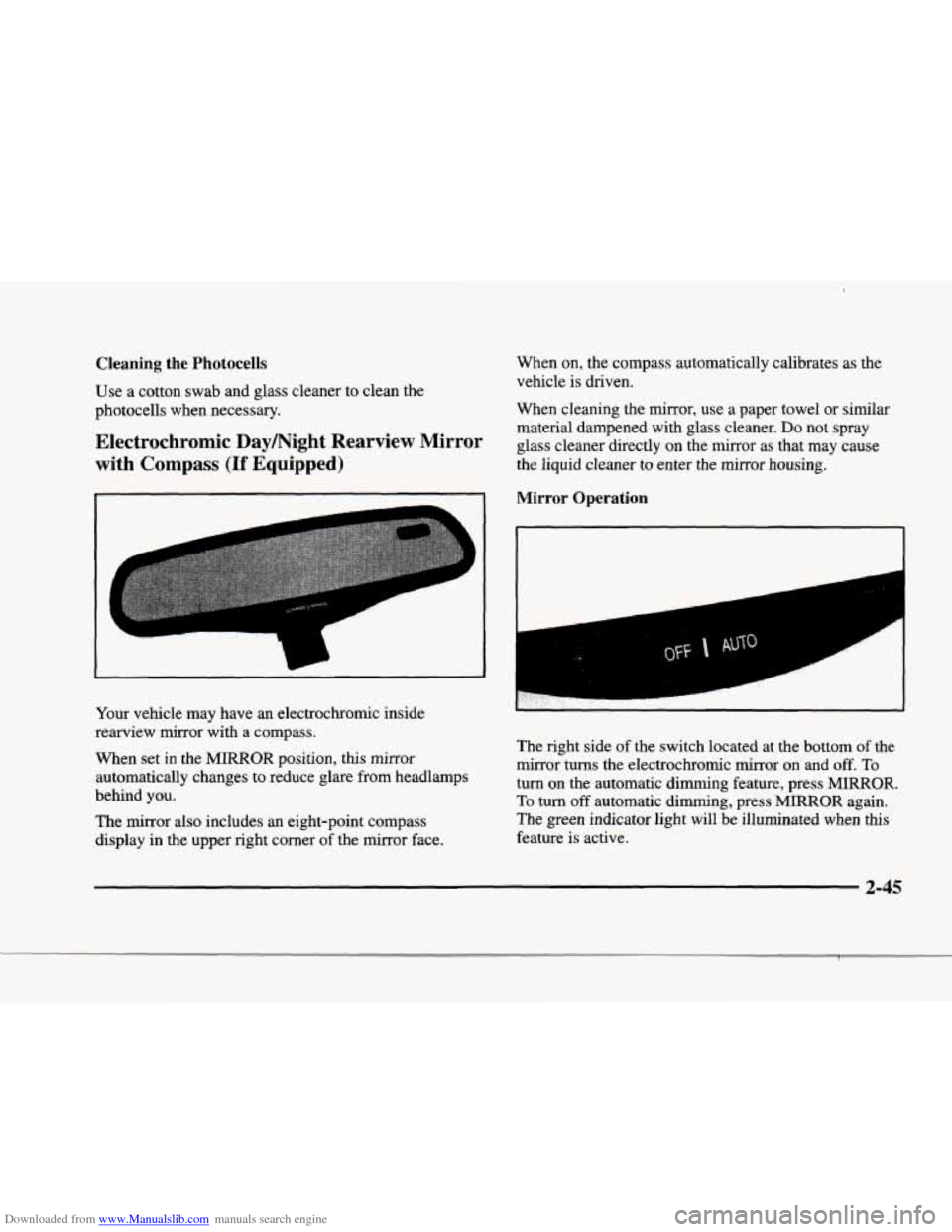
Your vehicle may have an electrochromic inside
rearview mirror with a compass.
When set in the MIRROR position, this mirror
automatically changes to reduce glare from headlamps
behind you.
The mirror also includes an eight-point compass
display in the upper right corner of the mirror face. When
on, the compass automatically calibrates as
the
vehicle is driven.
When cleaning the mirror, use a paper towel
or similar
material dampened with glass cleaner.
Do not spray
glass cleaner directly on the mirror as that may cause
the liquid cleaner to enter the mirror housing.
Mirror Operation
The right side of the switch located at the bottom of the
mirror turns the electrochromic mirror on and
off. To
turn on the automatic dimming feature, press MIRROR.
To turn off automatic dimming, press MmOR again.
The green indicator light will be illuminated when this
feature is active.
2-45
Page 133 of 380
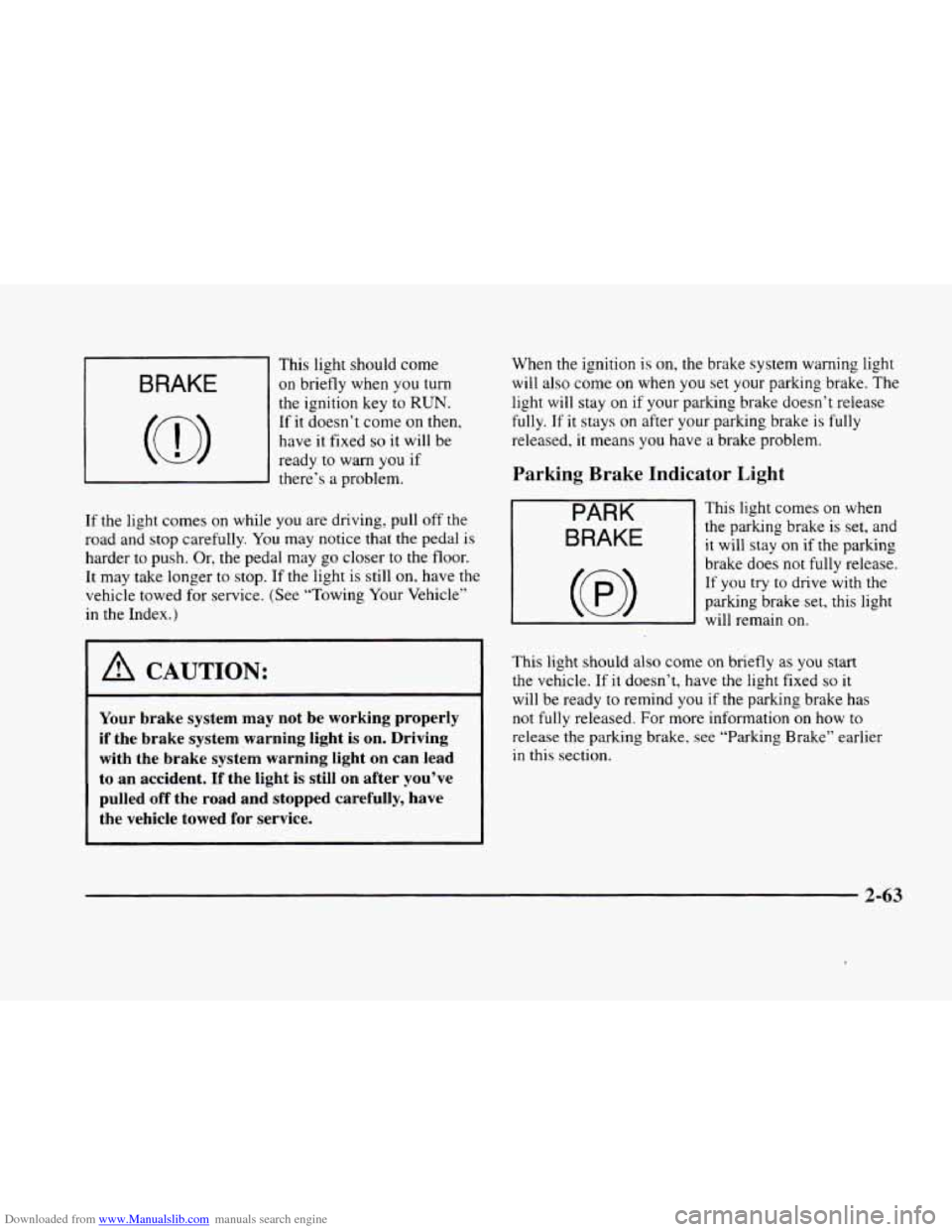
Downloaded from www.Manualslib.com manuals search engine This light should come
BRAKE I on briefly when you turn
c
~
the ignition key to RUN.
If it doesn’t come on then,
have
it fixed so it will be
ready
to warn you if
there’s a problem.
If the light comes on while you are driving, pull off the
road and stop carefully.
You may notice that the pedal is
harder to push. Or, the pedal may go closer to the floor.
It may take longer
to stop. If the light is sti1.l on, have the
vehicle towed for service. (See “Towing Your Vehicle”
in the Index.)
1 A CAUTION:
Your brake system may not be working properly
if the brake system warning light is on. Driving
with the brake system warning light
on can lead
to an accident.
If the light is still on after you’ve
pulled off the road and stopped carefully, have
the vehicle towed for service.
When the ignition is on, the brake system warning light
will also come on when you set your parking brake. The
light will stay on if your parking brake doesn’t release
fully. If it stays on after your parking brake is fully
released, it means you have a brake problem.
Parking Brake Indicator Light
PARK
BRAKE
This light comes on when
the parking brake is set, and
it will stay on if the parking
brake does not
fully release.
If you try to drive with the
parking brake set, this light
will remain
on.
This light should also come on briefly as you start
the vehicle. If it doesn’t, have the light fixed so it
will be ready to remind you if the parking brake has
not fully released. For more information
on how to
release the parking brake, see “Parking Brake” earlier
in this section.
2-63
Page 137 of 380
Downloaded from www.Manualslib.com manuals search engine If the Light Is Flashing
The following may prevent more serious damage to
your vehicle:
0 Reducing vehicle speed.
0 Avoiding hard accelerations.
0 Avoiding steep uphill grades.
If you are towing a trailer, reduce the amount of
cargo being hauled as soon as it is possible.
If the light stops flashing and remains
on steady, see “If
the Light Is On Steady” following.
If the light continues to flash, when
it is safe to do so,
stop the vehicle. Find a safe place to park your vehicle.
Turn the key
off, wait at least 10 seconds and restart the
engine. If the light remains
on steady, see “If the Light
Is On Steady” following. If the light is still flashing,
follow the previous steps, and drive the vehicle to your
dealer or qualified service center for service.
If the Light Is On Steady
You may be able to correct the emission system
malfunction by considering the following:
Did
you recently put fuel into your vehicle?
If
so, reinstall the fuel cap, making sure to fully install
the cap. The diagnostic system can determine if the fuel cap
has been left
off or improperly installed. A loose or
missing fuel cap will allow fuel to evaporate into the
atmosphere. A few driving trips with the cap properly
installed should turn the light
off.
Did you just drive through a deep puddle of water?
If
so, your electrical system may be wet. The condition
will usually be corrected when the electrical system
dries
out. A few driving trips should turn the light off.
Are you low on fuel?
As your engine starts to run out of fuel, your engine may
not run as efficiently as designed since small amounts of
air are sucked into the fuel line causing a misfire. The
system can detect this. Adding fuel should correct this
condition. Make sure to install the fuel cap properly. It
will take a few driving trips to
turn the light off.
Have you recently changed brands of fuel?
If so, be sure to fuel your vehicle with quality fuel (see
“Fuel” in the Index). Poor fuel quality will cause your
engine not to run as efficiently as designed. You may
notice this as stalling after start-up, stalling when you
put the vehicle into gear, misfiring, hesitation on
acceleration or stumbling on acceleration. (These
conditions may go away once
the engine is warmed up.)
This will be detected by the system and cause the light
to turn on.
2-67
Page 160 of 380

Downloaded from www.Manualslib.com manuals search engine If your vehicle is sitting out on a hot day and you have it
set on AUTO, the air will first flow out the floor air
outlets for a few seconds. That is normal. This
is to
expel hot air from the air outlets. As the air
is cooled,
the airflow will move through
the air conditioning
outlets. If you start your vehicle with the fan setting
on
HI, it will skip the air conditioning purge.
To avoid blowing cold air in cold weather, the system
will delay turning on the fan until warm air is available.
The length
of delay depends on the outside air
temperature, engine coolant temperature
or the time
since the engine was last started.
As the coolant warms
up,
the blower fan speed will gradually increase and air
will flow from the heater outlets, with some aifflow
to the windshield to prevent fogging under most
normal conditions.
If you leave your vehicle, the system will remember the
control setting the next time
you start your engine,
except for recirculation and defrost. Each ignition cycle
cancels recirculation, whereas,
DEFROST will change
to automatic operation when the ignition is
shut off and
then turned back on.
Manual Operation
You may manually adjust the air delivery mode or
fan speed.
/J AC: This setting directs airflow through the
A0
middle instrument panel outlets.
l# BI-LEVEL: This setting directs air into your
vehicle in two ways.
Cool air is directed to the upper
portion
of your body through the four instrument panel
outlets while warmed air is directed to the floor.
'fl HEATER/DEFROST: This setting directs air to
the floor outlets and toward the windshield.
I# HEATER: This'setting directs warmed air
through the
floor outlets. Some warm air is diverted to
the windshield to minimize fogging.
A0
w.
0
DEFROST Press this button to quickly remove
fog or frost from the windshield. This setting sends most
of the airflow to the windshield with only a small
amount
to the floor outlets.
3-4
Page 188 of 380
Downloaded from www.Manualslib.com manuals search engine CD Adapter Kits
It is possible to use a CD adapter kit with your cassette
tape player after activating the bypass feature on your
tape player.
To activate the bypass feature, use the following steps:
0 Turn the ignition to RUN or ACCESSORY.
Turn the radio off.
Press and hold the SOURCE button for two seconds.
The tape symbol on the display will flash three
times, indicating the feature is active.
0 Insert the adapter.
This override routine will remain active until EJECT
is pressed.
Radio Personalization (If Equipped)
If your vehicle is equipped with the AM-FM Stereo with
Cassette Tape Player and
1 (H or A) or 2 (H or A)
appears in the display when the radio
is first turned on,
your vehicle is equipped with this feature. If your
vehicle is equipped with any other audio system and
DRIVER
1 (HOME or AWAY) PRESETS or DRIVER 2
(HOME or AWAY) PRESETS appears in the display
when the radio is first turned on, your vehicle is
equipped with
this feature. With
this feature, your vehcle will recall the latest radio
settings as adjusted the last time your vehicle was
operated. This feature allows two different drivers
to
store and recall their own radio settings. The settings
recalled by the radio are determined by which
RKE
transmitter (“1” or “2”) was used to enter the vehicle.
The number
on the back of the RKE transmitter
corresponds to driver
1 or to driver 2. The radio settings
will automatically adjust
to where they were last set by
the identified driver. The settings can also be recalled by
briefly pressing the memory seat buttons
1 or 2 located
on the driver’s door.
Your radio can store home and away presets. Home and
away presets allow you
to use one set of preset radio
settings
in the area where you live, and another set when
you go out of town. That way, you will not need to
reprogram your presets every time you travel. With the
radio off and the clock displayed, use
FF and RW to
select home or away presets. To select the away presets,
press and hold
FF for five counts until you hear a beep.
The next time the radio comes on, the away presets will
be active.
To select the home presets, press and hold RW
for five counts until you hear a beep. The next time the
radio comes
on, the home presets will be active.
3-32
Page 199 of 380
Downloaded from www.Manualslib.com manuals search engine I_
Section 4 Your Driving and the Road
Here you’ll find information about driving on different kinds of roads and in varying weather conditions. We’ve also
included many other useful tips
on driving.
4- 2
4- 3
4- 6
4- 6
4- 10
4- 13
4- 13
4- 15
4- 16
Defensive Driving
Drunken Driving
Control of a Vehicle
Braking Steering
Off-Road Recovery
Passing
Loss of Control
Driving at Night
4- 18
4- 20
4- 21
4- 22
3- 23
4- 24
4- 25
4- 30
4- 32 Driving
in Rain
and on Wet Roads
City Driving
Freeway Driving
Before Leaving on a Long Trip
Highway Hypnosis
Hill and Mountain Roads
Winter Driving
Loading Your Vehicle
Towing
a Trailer
4-1
Page 230 of 380

Downloaded from www.Manualslib.com manuals search engine Towing a Trailer
A CAUTION:
If you don’t use the correct equipment and drive
properly, you can lose control when you pull a
trailer. For example, if the trailer
is too heavy, the
brakes may not work well
-- or even at all. You
and your passengers could be seriously injured.
You may also damage your vehicle; the resulting
repairs would not
be covered by your warranty.
Pull
a trailer only if you have followed all the
steps in this section.
Ask your dealer for advice
and information about towing
a trailer with
your vehicle.
Your vehicle can tow a trailer
if it is equipped with the
proper trailer towing equipment.
To identify what the
vehicle trailering capacity is for your vehicle, you
should read the information in “Weight of
the Trailer’’
that appears later in this section. But trailering is
different than just driving your vehicle by itself.
Trailering means changes in handling, durability and fuel
economy. Successful, safe trailering takes correct
equipment, and it has to be used properly.
That’s the reason for
this part. In it are many
time-tested, important trailering tips and safety rules.
Many
of these are important for your safety and that of
your passengers. So please read this section carefully
before
you pull a trailer.
Load-pulling components such as
the engine, transaxle,
wheel assemblies and tires are forced to work harder
against the drag
of the added weight. The engine is
required
to operate at relatively higher speeds and under
greater loads, generating extra heat. What’s more, the
trailer adds considerably to wind resistance, increasing
the pulling requirements.
If You Do Decide To Pull A Trailer
If you do, here are some important points:
There are many different laws, including speed limit
restrictions, having
to do with trailering. Make sure
your rig will be legal, not
only where you live but
also where you’ll be driving.
A good source for this
information can be state
or provincial police.
Consider using a sway control. You can ask a hitch
dealer about sway controls.
4-32
Page 231 of 380
Downloaded from www.Manualslib.com manuals search engine 0 Don’t tow a trailer at all during the first 1,000 miles
(1 600 kmj your new vehicle is driven. Your engine,
axle or other parts could be damaged.
0 Then, during the first 500 miles (800 km) that you
tow a trailer, don’t drive over
50 mph (80 km/h) and
don’t make starts at full throttle. This helps your
engine and other parts
of your vehicle wear in at the
heavier loads.
0 Obey speed limit restrictions when towing a trailer.
Don’t drive faster than the maximum posted speed
for trailers
(or no more than 55 mph (90 km/hj) to
save wear on
your vehicle’s parts.
Three important considerations have
to do with weight:
0 the weight of the trailer,
0 the weight of the trailer tongue
0 and the total weight on your vehicle’s tires.
Weight of the Trailer
How heavy can a trailer safely be?
It should never weigh more than 1,000 lbs. (450 kg) if
you have an Eldorado or
3,760 lbs. (1 709 kg) if you
have an Eldorado ETC. These
are total maximum weights
including
the load. But even that can be too heavy.
If you tow more than 1000 lbs. (450 kg), use trailer
brakes.
Be sure to follow the instructions that come with
the trailer or from brake manufacturer.
It depends on how you plan
to use your rig. For
example, speed. altitude, road grades, outside
temperature and how much your vehicle is used to
pull a trailer are all important. And, it can also depend
on any special equipment that you have on your vehicle.
The maximum trailer weight
for your vehicle can be
determined from the
Gross Combined Vehicle Weight
(GCVW). The GCVW
= curb weight + passenger’s
weight
+ cargo weight + trailer weight. The GCVW
should never weigh more than 7,900 lbs. (3 591 kg) total
loaded vehicle and trailer.
4-33