1998 CADILLAC ELDORADO fuel
[x] Cancel search: fuelPage 140 of 380
Downloaded from www.Manualslib.com manuals search engine Driver Information Center (DIC)
This display gives you the status of many of your
vehicle’s systems. The DIC is also used to display driver
personalization features and warningktatus messages.
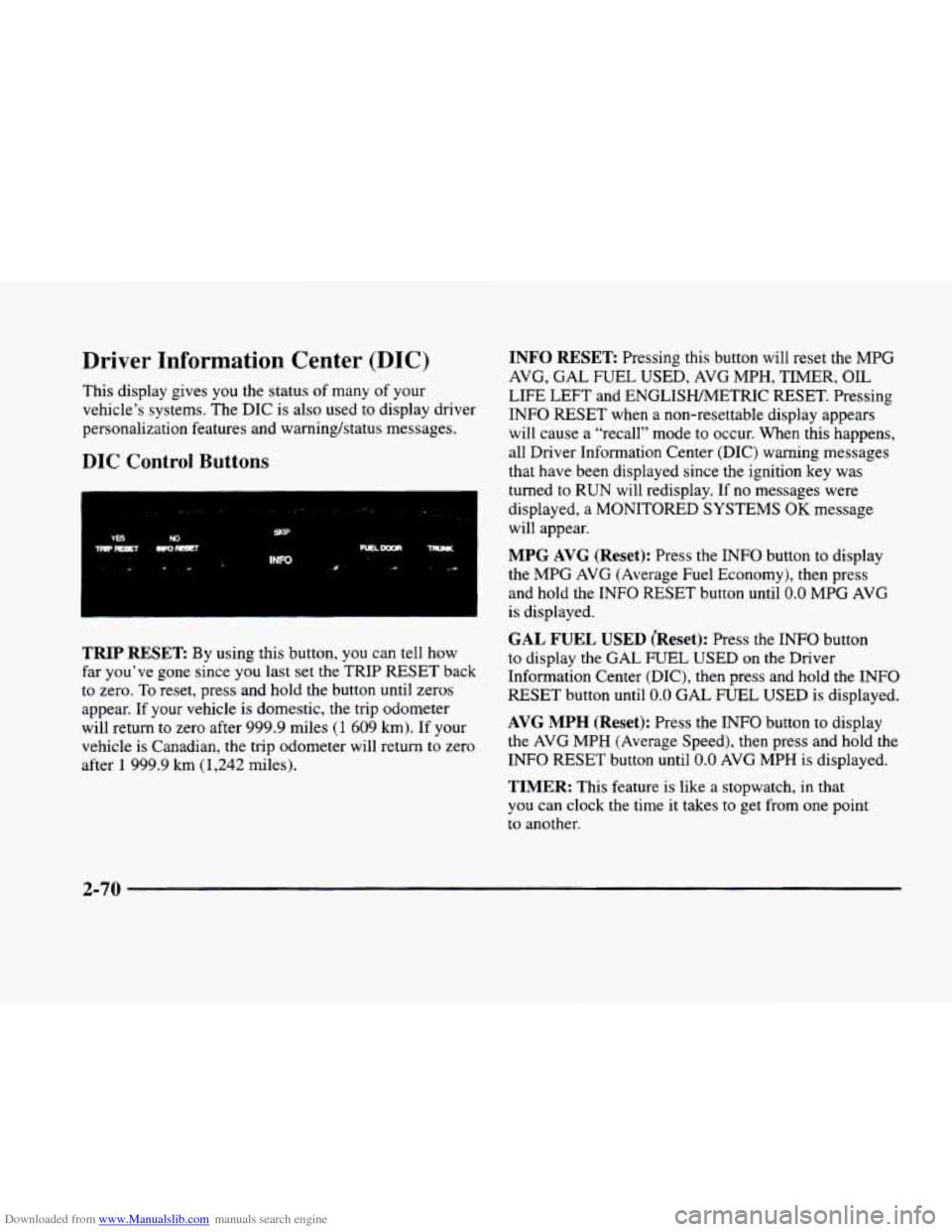
DIC Control Buttons
TRIP RESET By using this button, you can tell how
far you’ve gone since you last set the TRIP
RESET back
to zero.
To reset, press and hold the button until zeros
appear. If your vehicle is domestic, the trip odometer
will return to zero after 999.9 miles
(1 609 km). If your
vehicle is Canadian, the trip odometer will return to zero
after
1 999.9 km (1,242 miles).
INFO RESET Pressing this button will reset the MPG
AVG,
GAL FUEL USED, AVG MPH, TIMER, OIL
LIFE LEFT and ENGLISHMETRIC RESET. Pressing
INFO RESET when a non-resettable display appears
will cause a “recall” mode to occur. When this happens,
all Driver Information Center (DIC) warning messages
that have been displayed since the ignition key was
turned to RUN will redisplay. If no messages were
displayed, a MONITORED SYSTEMS
OK message
will appear.
MPG AVG (Reset): Press the INFO button to display
the MPG
AVG (Average Fuel Economy), then press
and hold the INFO RESET button until
0.0 MPG AVG
is displayed.
GAL FUEL USED (Reset): Press the INFO button
to display the
GAL FUEL USED on the Driver
Information Center (DIC), then press and hold the
INFO
RESET button until 0.0 GAL FUEL USED is displayed.
AVG MPH (Reset): Press the INFO button to display
the
AVG MPH (Average Speed), then press and hold the
INFO RESET button until
0.0 AVG MPH is displayed.
TIMER: This feature is like a stopwatch, in that
you can clock the time
it takes to get from one point
to another.
2-70
Page 141 of 380
Downloaded from www.Manualslib.com manuals search engine To operate, press the INFO button to display TIMER.
Each
of the fields for the hours, minutes and seconds are
two numeric digits.
Once TIMER OFF
0O:OO:OO is displayed, press the
INFO RESET button to start the timing feature. Press
the INFO RESET button again to stop it. If
you will be
starting and stopping your vehicle
-- during a trip for
instance
-- the TIMER feature will automatically start
timing where it left off when
you last stopped. To reset
it, press and hold the INFO RESET button until the
display reads TIMER
0O:OO:OO. Press the INFO button
to exit from the TIMER function.
OIL LIFE LEFT (Reset): Press the INFO button to
display the OIL LIFE LEFT, then press and hold the
INFO RESET button until 100% OIL LIFE LEFT is
displayed. (This only needs
to be reset after you have
had the oil changed.)
ENGLISHAWETRIC (Reset): Press the INFO button to
display ENGLISWMETRIC RESET, then press the
INFO RESET button to select. The display will change
from English (miles) to metric (kilometers).
INFO: Pressing this button repeatedly will display the
RANGE, MPG AVG,
MPG INST, GAL FUEL USED,
MPH, AVG MPH, TIMER, BATTERY VOLTS,
COOLANT TEMP, OIL LIFE LEFT and
ENGLISWMETRIC RESET.
FUEL DOOR: Press this button to open the fuel
door. (This feature will work
only when the shift lever
is in PARK
(P) regardless of whether or not the vehicle
is running.)
TRUNK: Press this button to open the trunk. (This
feature will work only when the shift lever
is in
PARK (P) regardless of whether or not the vehicle
is running.)
DIC Messages
These messages will appear if there is a problem sensed
in one
of your vehicle’s systems. Vehicles that are first
sold
in Canada will have a number after each message.
This number helps
to identify the message which is only
displayed in English.
APPLY BRAKE TO SHIFT - 46: This message will
appear if your vehicle is in PARK
(P) for about 15
seconds and the brake is not pressed. To remove this
message from the Driver Information Center (DIC)
display, hold the
OFF and the blue (cooler) buttons on
the digital cluster control panel for about five seconds.
On the analog climate control panel, press the
OFF
button (next to the MODE button) and the down arrow
on
the PASS TEMP button for about five seconds. Hold
the same two buttons
to display the message again.
2-7 1
Page 143 of 380

Downloaded from www.Manualslib.com manuals search engine CHECK BRAKE FLUID LEVEL - 37: This message
will display if the ignition is in
RUN to inform the
driver that the brake fluid level is low. Check the brake
reservoir level and add fluid as needed. Have the brake
system serviced by a technician as soon as possible. If
the brake warning light is on, follow the directions in
that part.
CHECK COOLANT LEVEL - 2: This message will
appear when there is a low level
of engine coolant.
Have
the cooling system serviced by a technician as
soon as possible.
CHECK FUEL GAUGE - 39: This message will
appear when the fuel supply is less than
4 gallons
( 15.2 L) and the display is turned off (digital clusters
only).
A single chime will also sound when this
message is displayed.
CHECK GAS CAP - 61: This message will appear if
the gas cap has not been fully tightened. You should
recheck your gas cap to ensure that it’s fully tightened.
CHECK OIL LEVEL - 36: For correct operation of
the low oil sensing system, your vehicle should be on a
level surface. A false CHECK OIL LEVEL message
may appear if the vehicle is parked on grades. The oil
level sensing system does not check for actual oil level
if
the engine has been off for a short period of time, and
the oil level is never sensed while the engine is running. If
the CHECK
OIL LEVEL message appears and your
vehicle has been parked on level ground with the engine
off for at least 30 minutes, the oil level should be
checked by observing
the oil dipstick. Prior to checking
the oil level,
be sure the engine has been off for five
minutes and your vehicle is on
a level surface. Then
check the dipstick and add oil
if necessary. See “Engine
Oil” in the Index.
CHECK WASHER FLUID - 25: This message will
appear for several seconds indicating that you need
washer solvent.
CRUISE ENGAGED - 43: This message will
appear for a few seconds when
you select a speed at
which to cruise.
DOOR A JAR - 141: A door other than the driver’s
is open or ajar when this message appears. The
vehicle’s engine must be running and the transaxle not
in PARK (P) for this message to display. A chime will
also sound when the vehicle’s speed is greater than
5 mph (8 km/h).
DRIVER DOOR AJAR - 140: This message will
display when the vehicle
is being shifted out of
PARK (P) with the engine running to signal that the
driver’s
door is open or ajar. A chime will also sound
when the vehicle’s speed is greater
than 5 mph (8 km/h).
Page 144 of 380

Downloaded from www.Manualslib.com manuals search engine ENGINE COOLANT HOT-IDLE ENGINE - 44:
This message will appear when the engine coolant
temperature is over
248 “F ( 126” C). To avoid added
strain on a hot engine, turn off the climate control
system. Stop and allow your vehicle to idle until it cools
down or the message
is removed. If it does not cool
down, turn off the engine and have
it serviced before
driving it again. Severe engine damage can result from
an overheated engine.
See “Engine Overheating” in
the Index.
ENGINE HOT - AC OFF - 16: This message displays
when the engine coolant becomes hotter than the normal
operating temperature.
To avoid added strain on a hot
engine, the air conditioning compressor is automatically
turned
off so that air conditioned air is not delivered.
If
the coolant temperature returns to normal, you
must select AC to return to a normal A/C compressor
operation.
If this message continues to appear, have
the system repaired as soon as possible to avoid
compressor damage.
ENGINE MISFIRE -- EASE OFF GAS
PEDAL
- 114: An engine misfire has occurred.
You’
11 need to ease off the gas pedal.
ENGINE OVERHEATED - STOP ENGINE - 42:
This message will appear when the engine has
overheated. Stop and
turn the engine off immediately to
avoid severe engine damage. See “Engine Overheating”
in the Index. A multiple chime will also sound when this
message
is displayed.
ENGINE POWER REDUCED - 41: This message
informs you that your vehicle is reducing engine power
because the transaxle is being placed
in gear under
conditions that may cause damage to the vehicle
powertrain or vehicle acceleration.
FUEL LEVEL LOW - 11: This message serves as a
warning that the fuel level in the tank is critically low.
Stop for fuel soon.
HEADLAMPS SUGGESTED - 23: If it’s dark
enough outside and the twilight sentinel control is
off,
a HEADLAMPS SUGGESTED message will display
on the Driver Information Center (DIC). This message
informs the driver that turning
on the exterior lamps
is recommended even though the Daytime Running
Lamps (DRL) are still illuminated (it’s become dark
enough outside to require the headlamps and/or other
exterior lamps).
2-74
Page 146 of 380

Downloaded from www.Manualslib.com manuals search engine SERVICE A/C SYSTEM - 14: This message appears
when the electronic sensors that control the air
conditioning and heating systems are no longer working.
Have the climate control system serviced if you notice
a drop in heating and air conditioning efficiency.
SERVICE AIR BAG - 83: There is a problem with the
Supplemental Inflatable Restraint (air bag) system when
this message appears. Let only a qualified technician
work
on your vehicle. See your dealership for service
at once.
SERVICE BRAKE FLUID SWITCH - 37: A defect
in the brake fluid detection circuit causes
this message
to display if the ignition
is in RUN. Have the brake
system serviced by
a technician as soon as possible.
If the brake warning light is on, refer to the directions
listed in that part.
SERVICE CHARGING SYSTEM - 102: This
message will display when a problem with the charging
system has
been detected. Have your vehicle serviced at
your dealership.
SERVICE ELECTRIC SYS - 106: This message will
display if an electrical problem has occurred within the
Powertrain Control Module
(PCM). Have your vehicle
serviced by your dealership.
SERVICE FUEL SYSTEM - 101: The PCM has
detected a problem within the fuel system when this
message appears. See your dealership
for service.
SERVICE IDLE CONTROL - 107: A problem
with the idle control has occurred when this
message displays. Drive your vehicle to the dealership
for service.
SERVICE RIDE SYS - 84: This message is displayed
to indicate that the suspension system is not operating
properly.
To correct this problem, have your vehicle
serviced at your dealership.
SERVICE STEERING SYS - 127: This message is
displayed when a problem has been detected
in the
Magnasteer
TM variable effort steering system. Service
is required.
A single chime will also sound when this
message
is displayed.
SERVICE TRANSMISSION - 100: If a problem is
detected with the transaxle,
this message will appear.
Have your vehicle checked by your dealership.
SERVICE VEHICLE SOON - 3: If a problem is
detected with the transaxle, this message will appear.
Have your vehicle checked by your dealership.
2-76
Page 148 of 380
Downloaded from www.Manualslib.com manuals search engine TOP SPEED - FUEL OFF - 111: This message will
appear when the
PCM senses that the maximum speed
for your vehicle has been reached. The speed
of your
vehicle will decrease several mph as the fuel supply is
cut off. This allows your vehicle
to stay in a stable
operating range.
TRACTION ENGAGED - 91: When your traction
control system is limiting wheel spin, the TRACTION
ENGAGED message will be displayed. Slippery road
conditions may exist if this message is displayed,
so
adjust your driving accordingly. This message will stay
on for a few seconds after the traction control system
stops limiting wheel spin.
TRACTION OFF - 89: This message will be displayed
after the traction control has been turned
off.
TRACTION READY - 90: This message informs the
driver that the traction control system
is available. This
occurs when the traction odoff button in the glove box
has been returned to an on position (pressing the button
once turns the traction control system off pressing the
button again turns the system back on). This message
also self cancels after five seconds.
TRACTION SUSPENDED - 56: This message
displays when the traction control system has been
temporarily shut off because your vehicle’s brakes
have overheated. This message does not indicate
a
problem with your vehicle’s traction control system.
After a few minutes,
the traction control system will
be available again and the TRACTION READY
message will appear.
TRANS FLUID RESET - 48: With the engine not
running and the ignition on, press and hold the OFF
and rear defog buttons until the TRANS FLUID
RESET message appears on the Driver Information
Center
(DIC) (between five and 20 seconds).
TRANS HOT IDLE ENG - 112: This message
indicates that the trans’axle fluid in your vehicle is too
hot. Stop and allow your vehicle
to idle until it cools
down or until this message is removed.
TRUNK OPEN - 24: This message indicates that the
trunk
is open when your vehicle’s ignition is in RUN.
TURN SIGNAL ON - 20: This message is a reminder,
after driving about
1 mile (1.6 km/h), that you have the
turn signal
on. A multiple chime will also sound when
this message is displayed.
Page 221 of 380
Downloaded from www.Manualslib.com manuals search engine Is your vehicle ready for a long trip? If you keep it
serviced and maintained. it's ready to go. If it needs
service, have
it done before starting out. Of course.
you'll find experienced and able service experts in
Cadillac dealerships ail across North America. They'll
be ready and willing to help if you need it.
Here are some things you can check before a trip:
0
0
0
0
a
0
a
Windshield Washer Fluid: Is the reservoir full? Are
all windows clean inside and outside'?
Wiper Blcrdes: Are they in good shape?
Fuel, Engine Oil, Other Fluids: Have you checked
all levels?
Lamps: Are they all working? Are the lenses clean'?
Tires: They are vitally important to a safe,
trouble-free trip. Is the tread good enough for
long-distance driving? Are the tires all inflated to the
recommended pressure'?
Wenfher- Forecusts: What's the weather outlook
along
your route? Should you delay your trip a short
time to avoid a major storm system?
Mups: Do you have up-to-date maps?
Highway Hypnosis
Is there actually such a condition as "highway hypnosis"?
Or
is it just plain t'alling asleep at the wheel? Cali it
highway hypnosis, lack of awareness, or whatever.
There
is something about an easy stretch of road with the
same scenery, along with the hum of the tires on the road,
the drone of the engine. and the rush of the wind against
the vehicle thdt can make you sleepy. Don't let it happen
to
you! If it does. your vehicle can leave the road in less
th~~ a second, and you could crash and be injured.
What can you
do about highway hypnosis? First, be
aware that
it can happen.
Then here are some tips:
0 Make sure your vehicle is well ventilated, with a
comfortabiy cool interior.
Keep your eyes moving. Scan the road ahead and to
the sides.
Check your rearview mirrors and your
instruments frequently.
a If you get sleepy, pull off the road into a rest, service
or parking
area and take a nap, get some exercise. or
both. For safety, treat drowsiness on the highway as
an emergency.
4-23
Page 227 of 380
Downloaded from www.Manualslib.com manuals search engine I A CAUTION:
Snow can trap exhaust gases under your vehicle.
This can cause deadly
CO (carbon monoxide) gas
to get inside.
CO could overcome you and kill
you. You can’t see
it or smell it, so you might not
know it is in your vehicle. Clear
away snow from
around the base
of your vehicle, especially any
that is blocking your exhaust pipe.
And check
around again from time to time to be sure snow
doesn’t collect there.
Open a window just a
little on the side of the
vehicle that’s away from the wind.
This will help
keep
CO out.
Run your engine only as long as you must. This saves
fuel. When you run the engine. make it go a little faster
than just idle. That is, push the accelerator slightly. This
uses less
fuel for the heat that you get and it keeps the
battery charged.
You will need a well-charged battery to
restart the vehicle, and possibly for signaling later on
with your headlamps. Let the heater run for
a while.
Then, shut
the engine off and close the window almost
all the way
to preserve the heat. Start the engine again
and repeat this
only when you feel really uncomfortable
from the cold. But do it as little
as possible. Preserve the
fuel as long
as you can. To help keep warm, you can get
out of the vehicle and
do some fairly vigorous exercises
every half hour or
so until help comes.
4-29