1998 CADILLAC ELDORADO ECU
[x] Cancel search: ECUPage 84 of 380
Downloaded from www.Manualslib.com manuals search engine Theft-Deterrent System (If Equipped)
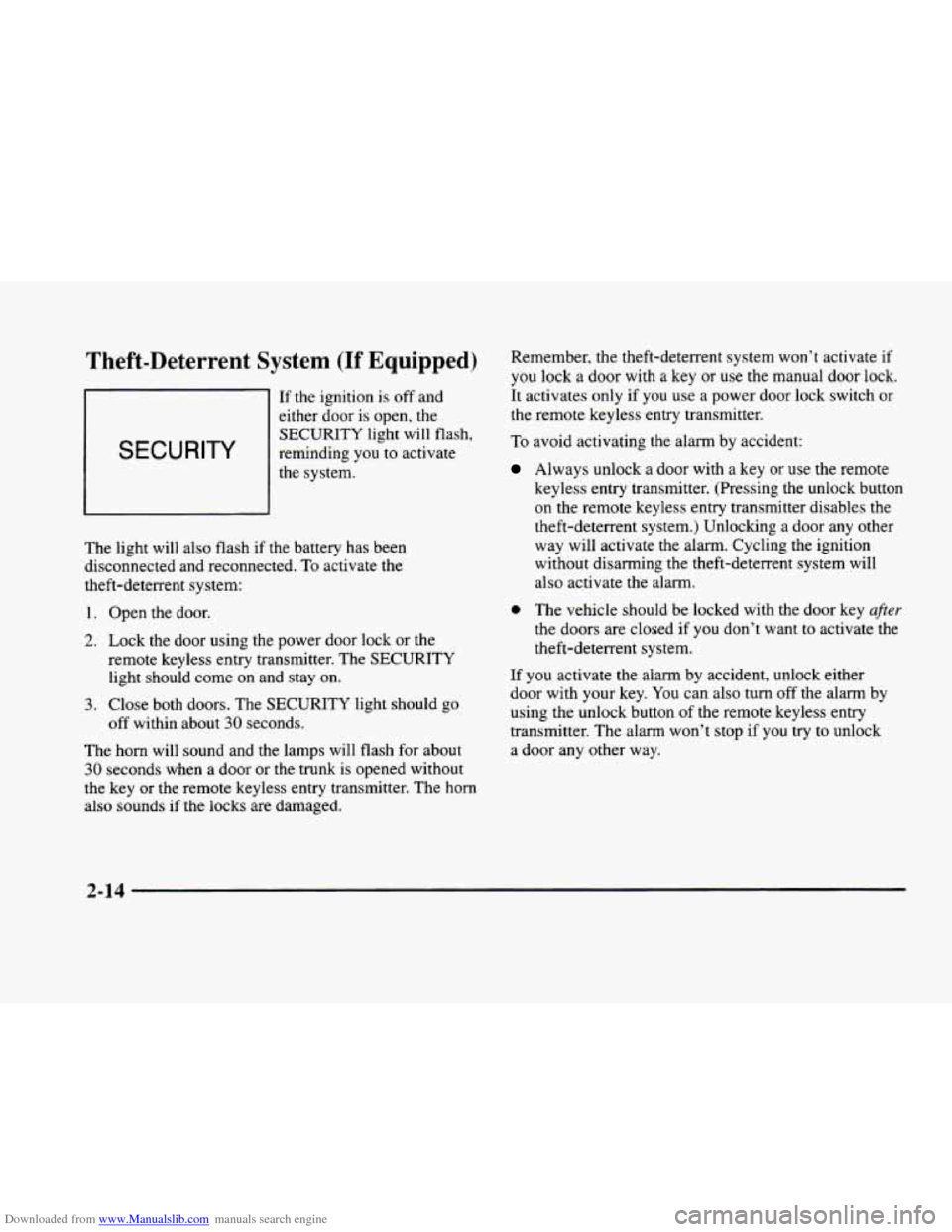
SECURITY
If the ignition is off and
either door is open, the
SECURITY light will flash,
reminding
you to activate
the system.
The light will also flash if the battery has been
disconnected and reconnected. To activate the
theft-deterrent system:
1.
2.
3.
Open the door.
Lock the door using the power door lock
or the
remote keyless entry transmitter. The SECURITY
light should come on and stay
on.
Close both doors. The SECURITY light should go
off within about
30 seconds.
The horn will sound and the lamps will flash for about
30 seconds when a door or the trunk is opened without
the key or the remote keyless entry transmitter. The
horn
also sounds if the locks are damaged. Remember,
the theft-deterrent system won’t activate if
you lock
a door with a key or use the manual door lock.
It activates only
if you use a power door lock switch or
the remote keyless entry transmitter.
To avoid activating the alarm by accident:
Always unlock a door with a key or use the remote
keyless entry transmitter. (Pressing the unlock button
on the remote keyless entry transmitter disables the
theft-deterrent system.) Unlocking a door any other
way will activate the alarm. Cycling the ignition
without disarming the theft-deterrent system will
also activate
the alarm.
0 The vehicle should be locked with the door key after
the doors are closed if you don’t want to activate the
theft-deterrent system.
If you activate the alarm by accident, unlock either
door with your key. You can also turn
off the alarrn by
using the unlock button of the remote keyless entry
transmitter. The alarm won’t stop
if you try to unlock
a door any other way.
2-14
Page 85 of 380
Downloaded from www.Manualslib.com manuals search engine Testing the Alarm
1. From inside the vehicle. roll down the window, then
get
out of the vehicle, keeping the door open.
2. From outside of the vehicle, with the door open, lock
the vehicle using the power door lock
or the remote
keyless entry transmitter and close the door. Wait
30 seconds until the SECURITY light goes off.
3. Reach in and unlock the door using the manual lock
and open the door. The
horn will sound and the
headlamps will flash.
If the alarm does not sound when it should, check to
see if the horn works. The horn fuse may be blown. To
replace the fuse, see "Fuses and Circuit Breakers" in the
Index.
If the fuse does not need to be replaced, you may
need to have
your vehicle serviced.
To reduce the possibility of theft, always activate the
theft-deterrent system when leaving your vehicle.
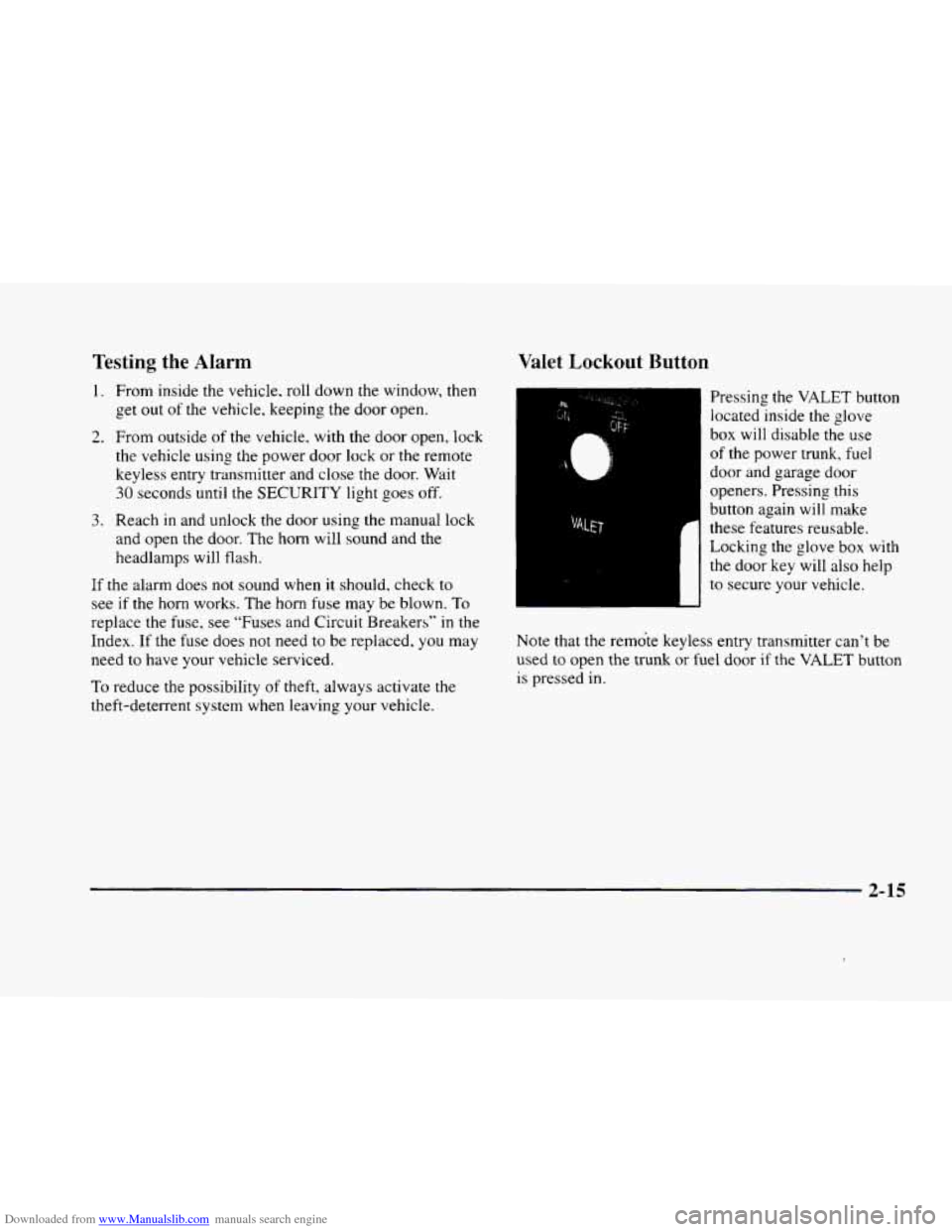
Valet Lockout Button
Pressing the VALET button
located inside the glove
box will disable the use
of the power trunk, fuel
door and garage door
openers. Pressing this
button again will make
these features reusable.
Locking the glove box with
the door key will also help
to secure your vehicle.
Note that the remote keyless entry transmitter can't be
used
to open the trunk or fuel door if the VALET button
is pressed in.
2-15
Page 119 of 380
Downloaded from www.Manualslib.com manuals search engine Storage Compartments
Glove Box
The glove box is located in front of the passenger’s seat.
To lock the glove box door, insert the oval key into the
lock cylinder and
turn it to the right. Turn the key to the
left to unlock the door.
Overhead Console
Sunglasses Storage Compartment
This feature is on vehicles without the optional
astroroof.
To gain access to this compartment, which
is located directly above the inside rearview mirror in
the headliner, push
up and the storage area will open.
Map Pocket
The map/storage pockets are located on each front
door
as well as on the passenger’s and driver’s
front seatbacks.
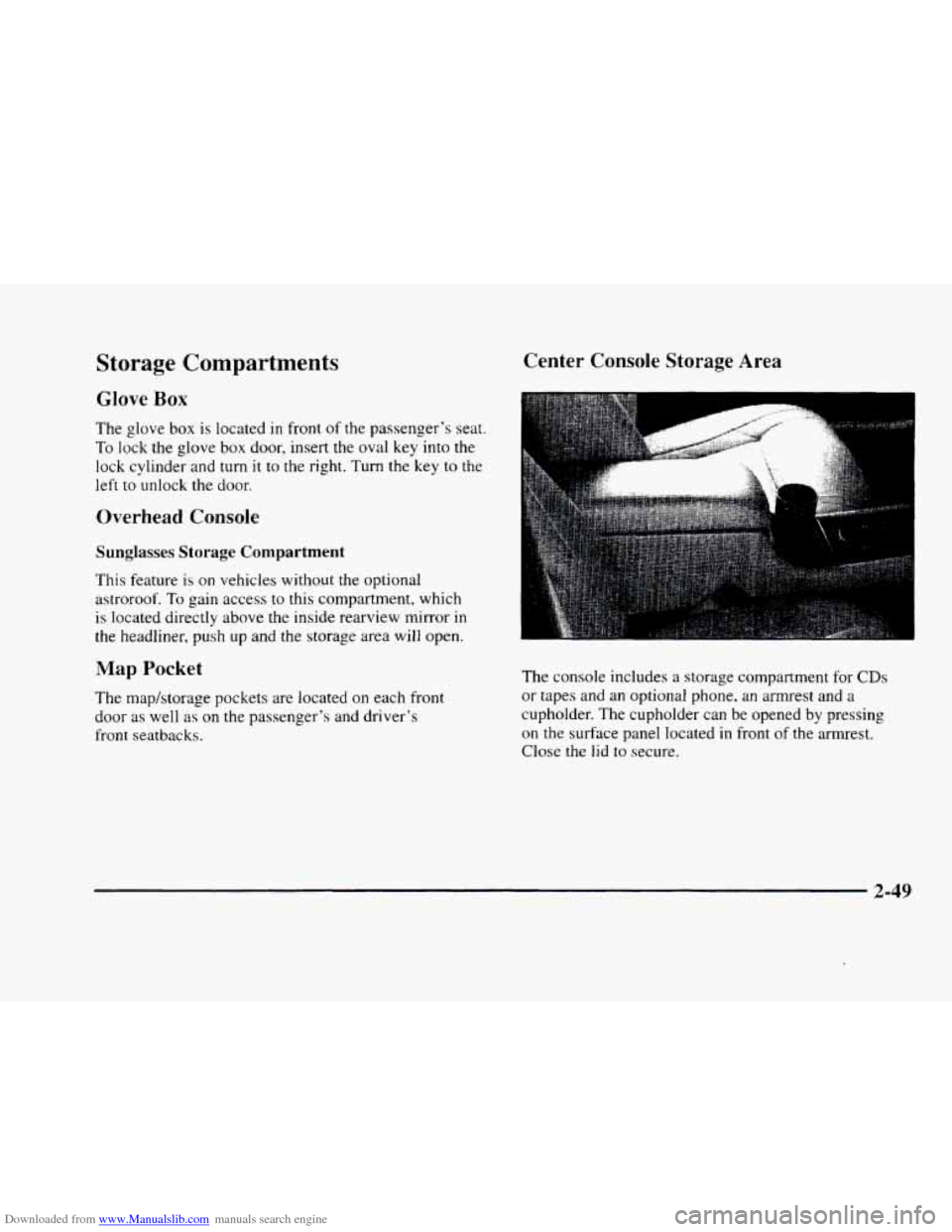
Center Console Storage Area
The console includes a storage compartment for CDs
or tapes and an optional phone, an armrest and a
cupholder. The cupholder can be opened by pressing
on the surface panel located in front of the armrest.
Close
the lid to secure.
2-49
Page 120 of 380
Downloaded from www.Manualslib.com manuals search engine Rear Storage Armrest (If Equipped)
Your vehicle may be equipped with a rear seat armrest
which includes an open storage compartment and
a dual
cupholder that unfolds for
use. To open, lift the front
edge. (This feature is available
on vehicles with leather
interiors
only.)
Convenience Net
The convenience net is located inside the back wall of
the trunk. Put small loads, like grocery bags, behind the
net. It can help keep them from falling over during
sharp turns or quick starts and stops.
The net is not for larger, heavier loads. Store them
in the
trunk as far forward as you can. When not using the net,
hook the net to the tabs securing it to the sill plate.
Ashtrays and Cigarette Lighter
Press on the cover, which is located below the climate
control system,
to reveal the front ashtray. To clean this
ashtray, pull
it out by gripping the sides.
To use the rear ashtray, lift the lid.
NOTICE: -
Don’t put papers or other flammable items
into your ashtrays. Hot cigarettes
or other
smoking materials could ignite them, causing
a damaging fire.
The cigarette lighter is located near the ashtray. Press
it all the way
in and release. It will pop back by itself
when it‘s ready to
light. You may also have a lighter
located at the rear seat air outlet.
Note that power to the cigarette lighter will shut
off
10 minutes after the ignition is turned off. This helps
to prevent battery drainage. For more information. see
“Inadvertent Battery Saver” earlier
in this section.
NOTICE:
~~
Don’t hold a cigarette lighter in with your hand
while it
is heating. If you do, it won’t be able to
back away from the heating element when it’s
ready. That can make
it overheat, damaging the
lighter and the heating element.
2-50
Page 145 of 380
Downloaded from www.Manualslib.com manuals search engine ICE POSSIBLE - 13: This message appears when
the outside air temperature is cold enough
to create icy
road conditions.
LOW REFRIG A/C OFF - 12: This message means
that the air conditioning system detects a refrigerant
level that is low enough
to cause damage to the air
conditioning compressor.
To avoid damage, the air
conditioning compressor automatically turns
off and the
electronic climate control system will automatically
switch from AUTO to
ECON and remain there.
Have the air conditioning system serviced if this
message appears.
MONITORED SYSTEMS OK - 1: This message only
appears in the “recall” mode by pressing the RESET
button. It lets you know that no other messages are
stored or currently active.
OIL PRESSURE LOW STOP ENGINE - 35: If this
message appears while the engine is running, stop the
engine and do not operate it until the cause of low oil
pressure
is corrected. Severe damage to the engine can
result.
A multiple chime will also sound when this
message is displayed.
OPTIONS NOT SET - 99: This message will display
if a fault has occurred in your vehicle’s memory. Have
your vehicle serviced
by your dealership.
PROGRAM PASS KEY - 31: This warning message
displays when the PASS-Key I1 pellet information has
not been programmed into your vehicle. See your
dealership for service.
PHONE NOT PRESENT - 126: This message will
appear when the steering wheel controls for the optional
phone system are activated but the phone is not plugged
into
the vehicle. Make sure your phone is plugged in. If
your phone appears
to be connected, see your dealership
for service.
REMOVE KEY - 70: This message will appear
when the Personalized Automotive Security System
(PASS-Key
11) is unable to read the pellet on the
ignition key
or an improper key pellet has been
inserted. This message usually appears following the
display of STARTING DISABLED
REMOVE KEY.
The instrument panel cluster will then run a timer and
change the messages
to WAIT 3 MINUTES, WAIT 2
MINUTES, WAIT 1 MINUTE and then START CAR.
When the REMOVE
KEY message is displayed, remove
the ignition key. Check the ignition key for damage. If it
is damaged, it may need to be replaced. If
you see no
damage, clean the pellet contacts with a soft cloth or
napkin before inserting the key back into the ignition.
Have your vehicle serviced
if the message still appears.
2-75
Page 147 of 380
Downloaded from www.Manualslib.com manuals search engine STABILITY SYS ENGAGED - 55: You may see
the STABILITY
SYS ENGAGED message on the
Driver Information Center. It means that an advanced,
computer-controlled system has come
on to help your
vehicle continue
to go in the direction in which you’re
steering. This stability enhancement system activates
when the computer senses that your vehicle is just
starting to spin, as it might if
you hit a patch of ice or
other slippery spot on the road. When the system is on,
you may hear a noise or feel a vibration in the brake
pedal. This is normal.
When the STABILITY
SYS ENGAGED message is on,
you should continue to steer in the direction you want to
go. The system is designed to help you in bad weather or
other difficult driving situations by making the most of
whatever road conditions will permit. If the STABILITY
SYS ENGAGED message comes on, you’ll know that
something has caused your vehicle to start to spin,
so
you should consider slowing down.
SERVICE STABILITY SYS - 54: If you ever see the
SERVICE STABILITY SYS message, it means there
may
be a problem with your stability enhancement
system. If you see this message, try
to reset the system
(stop; turn off the engine; then start the engine again).
If
the SERVICE STABILITY SYS message still comes on, it
means there
is a problem. You should see your dealer
for service. Reduce your speed and drive accordingly.
A single chime will also sound when this message
is displayed.
STARTING DISABLED REMOVE KEY - 33: This
message will appear when the Personalized Automotive
Security System (PASS-Key
11) senses that an improper
ignition key
is being used to try to start the vehicle.
Check the ignition key for damage.
If it is damaged, it
may need to be replaced. If
you see no damage, clean
the pellet contacts with a soft cloth
or napkin. Remove
the ignition key and wait for the Driver Information
Center (DIC) to display WAIT
3 MINUTES. The
instrument panel cluster will then run a timer and
change the messages to WAIT
2 MINUTES, WAIT
1 MINUTE and then START CAR. When the START
CAR message
is displayed, try again to start the engine.
THEFT SYSTEM PROBLEWCAR MAY NOT
RESTART
- 34: This message means there is a problem
in the Personalized Automotive Security System
(PASS-Key
11). A fault has been detected in the system
which means that the PASS-Key
I1 system is disabled
and is not protecting the vehicle. The vehicle usually
restarts, however, you may want to take your vehicle to
a proper service center before turning
off the engine.
2-77
Page 221 of 380
Downloaded from www.Manualslib.com manuals search engine Is your vehicle ready for a long trip? If you keep it
serviced and maintained. it's ready to go. If it needs
service, have
it done before starting out. Of course.
you'll find experienced and able service experts in
Cadillac dealerships ail across North America. They'll
be ready and willing to help if you need it.
Here are some things you can check before a trip:
0
0
0
0
a
0
a
Windshield Washer Fluid: Is the reservoir full? Are
all windows clean inside and outside'?
Wiper Blcrdes: Are they in good shape?
Fuel, Engine Oil, Other Fluids: Have you checked
all levels?
Lamps: Are they all working? Are the lenses clean'?
Tires: They are vitally important to a safe,
trouble-free trip. Is the tread good enough for
long-distance driving? Are the tires all inflated to the
recommended pressure'?
Wenfher- Forecusts: What's the weather outlook
along
your route? Should you delay your trip a short
time to avoid a major storm system?
Mups: Do you have up-to-date maps?
Highway Hypnosis
Is there actually such a condition as "highway hypnosis"?
Or
is it just plain t'alling asleep at the wheel? Cali it
highway hypnosis, lack of awareness, or whatever.
There
is something about an easy stretch of road with the
same scenery, along with the hum of the tires on the road,
the drone of the engine. and the rush of the wind against
the vehicle thdt can make you sleepy. Don't let it happen
to
you! If it does. your vehicle can leave the road in less
th~~ a second, and you could crash and be injured.
What can you
do about highway hypnosis? First, be
aware that
it can happen.
Then here are some tips:
0 Make sure your vehicle is well ventilated, with a
comfortabiy cool interior.
Keep your eyes moving. Scan the road ahead and to
the sides.
Check your rearview mirrors and your
instruments frequently.
a If you get sleepy, pull off the road into a rest, service
or parking
area and take a nap, get some exercise. or
both. For safety, treat drowsiness on the highway as
an emergency.
4-23
Page 224 of 380
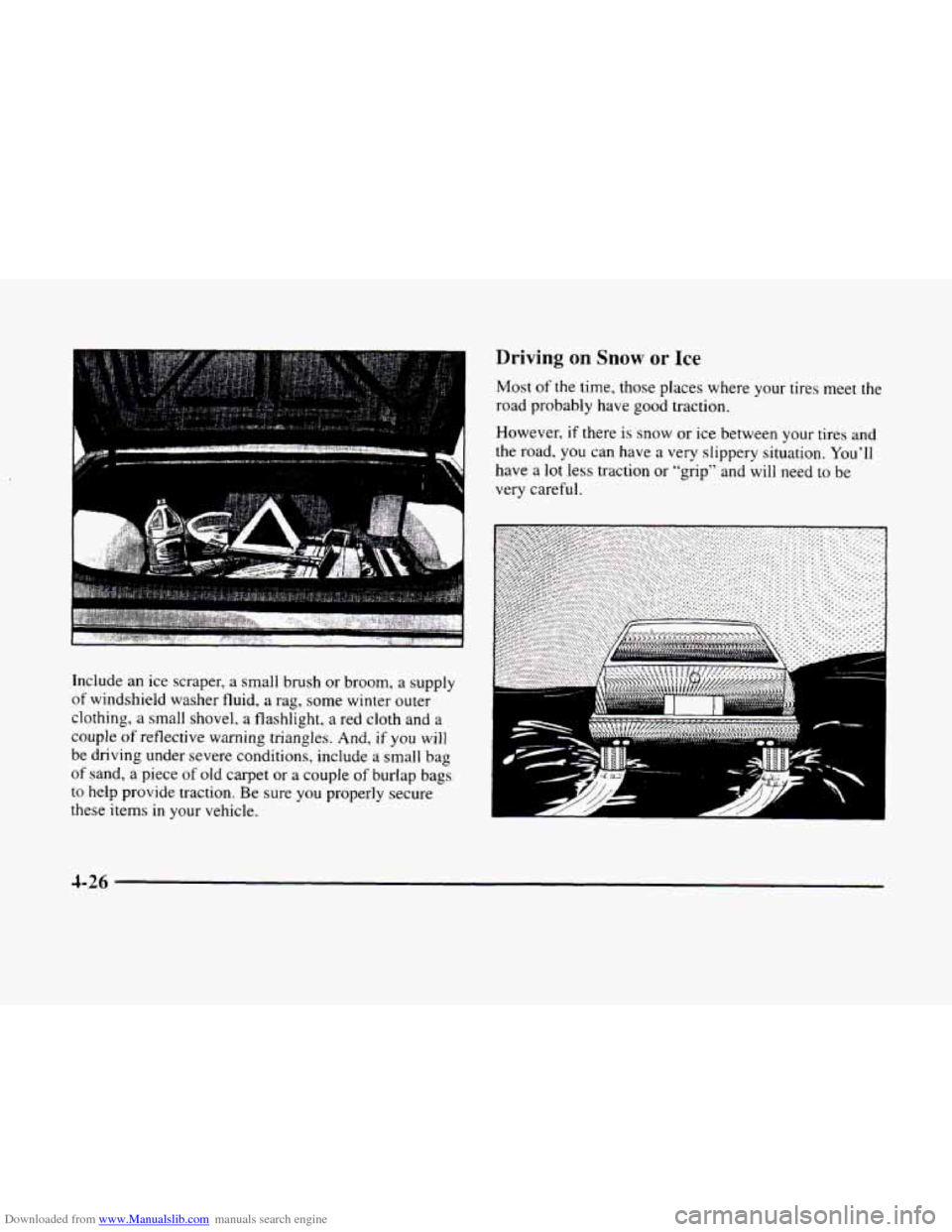
Downloaded from www.Manualslib.com manuals search engine Include an ice scraper, a small brush or broom, a supply
of windshield washer fluid, a rag, some winter outer
clothing,
a small shovel, a flashlight, a red cloth and a
couple
of reflective warning triangles. And, if you will
be driving under severe conditions, include a small bag
of sand, a piece of old carpet or a couple of burlap bags
to help provide traction. Be sure you properly secure
these items in your vehicle.
Driving on Snow or Ice
Most of the time, those places where your tires meet the
road probably have good traction.
However, if there is
snow or ice between your tires and
the road.
you can have a very slippery situation. You’ll
have a lot less traction or “grip” and will need to be
very careful.
Y L
d
4-26