1998 CADILLAC ELDORADO mirror
[x] Cancel search: mirrorPage 118 of 380
Downloaded from www.Manualslib.com manuals search engine Driver’s Outside Auto-Dimming
Rearview Mirror
Only the driver’s side outside mirror will adjust for
the glare of headlamps behind you. This feature
is controlled by the
on and off settings on the
electrochromic mirror. See “Electrochromic
Daymight Rearview Mirror” earlier in this section.
Curb View Assist Mirror (If Equipped)
If your mirror is equipped with memory mirrors, it
will also be equipped with the curb view assist mirror
feature. This feature will cause the passenger mirror to
tilt when the vehicle is moving in REVERSE (R). This
feature may be useful
in allowing you to view the curb
when you
are parallel parking.
When the vehicle
is shifted out of REVERSE (R) and a
five second delay has occurred, the passenger mirror
will return to its original position. If further adjustment
is needed after the mirror is tilted, the mirror switch may
be used. The mirror then returns to its original position.
Convex Outside Mirror
Your passenger‘s side mirror is convex. A convex
mirror’s surface is curved
so you can see more from
the driver’s seat. This mirror does not have
a
dimming feature.
A CAUTION:
A convex mirror can make things (like other
vehicles)
look farther away than they really are.
If you cut
too sharply into the right lane, you
could hit a vehicle on your right. Check your
inside mirror or glance over your shoulder
before changing lanes.
2-48
Page 119 of 380
Downloaded from www.Manualslib.com manuals search engine Storage Compartments
Glove Box
The glove box is located in front of the passenger’s seat.
To lock the glove box door, insert the oval key into the
lock cylinder and
turn it to the right. Turn the key to the
left to unlock the door.
Overhead Console
Sunglasses Storage Compartment
This feature is on vehicles without the optional
astroroof.
To gain access to this compartment, which
is located directly above the inside rearview mirror in
the headliner, push
up and the storage area will open.
Map Pocket
The map/storage pockets are located on each front
door
as well as on the passenger’s and driver’s
front seatbacks.
Center Console Storage Area
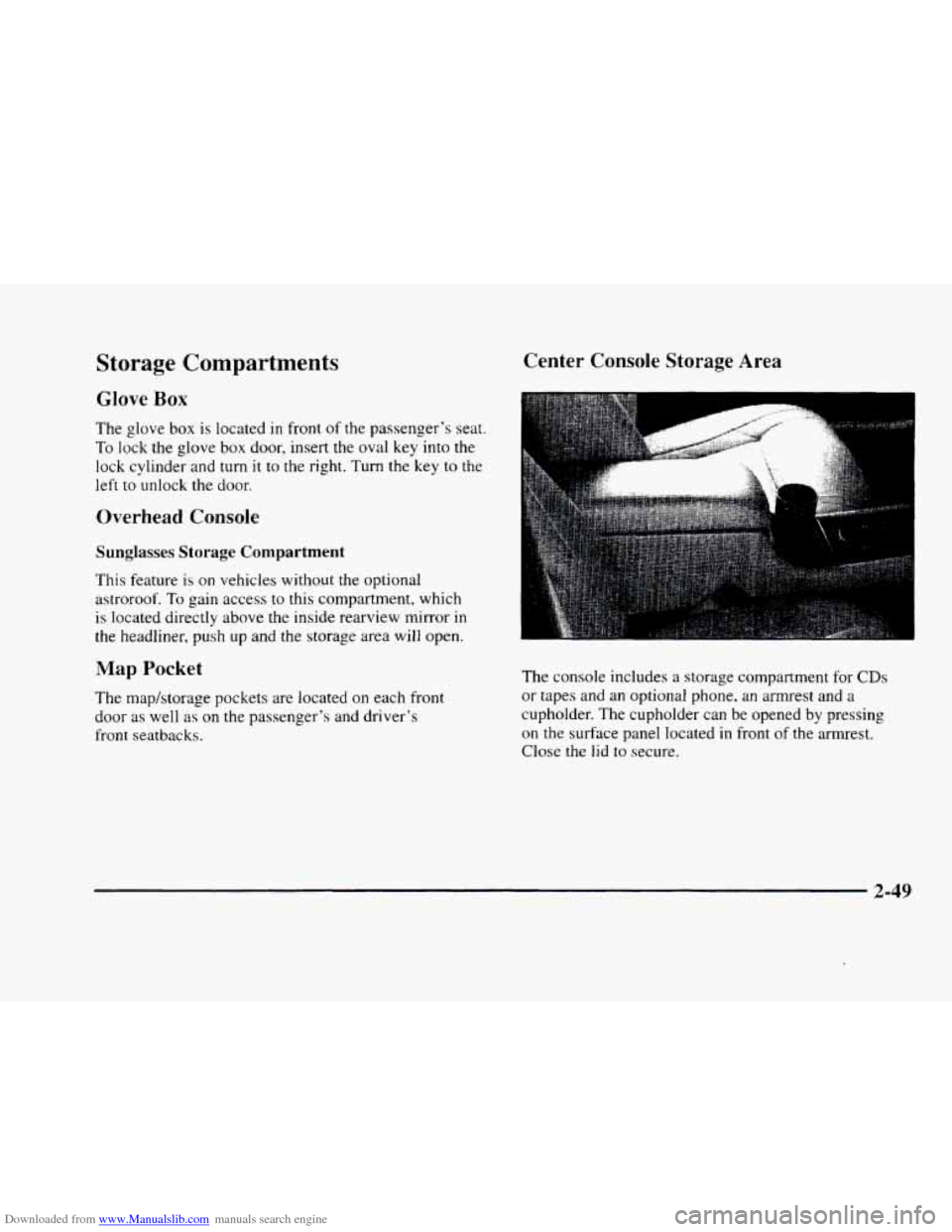
The console includes a storage compartment for CDs
or tapes and an optional phone, an armrest and a
cupholder. The cupholder can be opened by pressing
on the surface panel located in front of the armrest.
Close
the lid to secure.
2-49
Page 121 of 380
Downloaded from www.Manualslib.com manuals search engine Sun Visors OnStar System (Option)
Swing down the visor to block out glare. It can also be
detached from the center mount and moved to the side.
The driver’s sunshade is also equipped with a storage
flap that can be used for maps
or toll tickets.
Illuminated Visor Vanity Mirror
Turn the sunshade down and lift the cover to see the
mirror. Move the slide switch up
or down to brighten
or dim the lamp.
Cellular Telephone (Option)
Your vehicle has been prewired for dealer installation of
a Cadillac dual-mode (analog/digital) cellular telephone.
A fixed mobile or a portable hand-held system are
available. Either system has steering wheel telephone
controls and information output through the Driver
Information Center (DIC). Voice activation and
hands-free operation are standard features. For more
information, contact your dealer.
A user’s guide is
provided with the telephone. This
system may be ordered through your dealer and
will include
the optional fixed cellular telephone. The
following services are available
24 hours a day:
0 Roadside Service with Location
Emergency Services Button
0 Remote Door Unlock
Theft Detectioflotification and
Stolen-Vehicle Tracking
0 Automatic Notification of Front Air
Bag Deployment
0 Concierge/Customer Convenience Services
For more information, contact your dealer.
Assist Handles
A handle, located on each side pillar, can be used when
getting out
of your vehicle.
Garment Hooks
For your convenience, a garment hook is attached to
the assist handle.
2-51
Page 149 of 380
Downloaded from www.Manualslib.com manuals search engine VEHICLE OVERSPEED - 52: A failure in the
suspension control system has occurred when this
message appears. The
PCM determines the speed your
vehicle is limited
to. Have your vehicle serviced if this
message appears.
VEHICLE SPEED LIMITED TO XXX MPH
(KM/H) - 113: A failure in the suspension control
system has occurred when this message appears. The
PCM determines the speed your vehicle is limited to.
Have your vehicle serviced
if this message appears.
Programmable, Memory and
Personalization Features
(If Equipped)
Your vehicle may be equipped with the following
features that can be individually programmed,
memorized or personalized for up to two drivers. For
a brief description of each feature (except for climate
control and radio personalization), see each feature
in the Index.
Memory Seat and Mirrors
6
-
: 4’
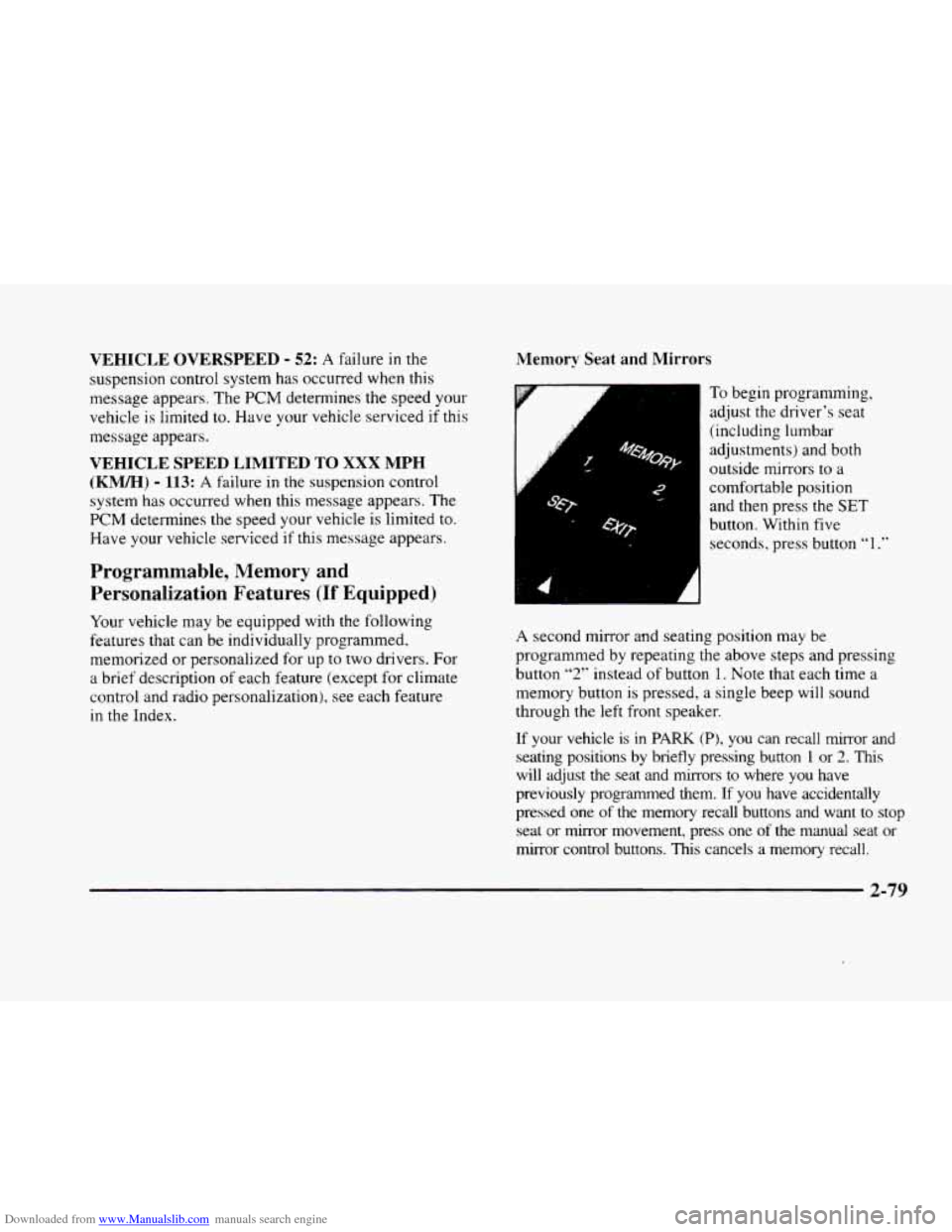
To begin progranming,
adjust the driver’s seat
(including lumbar
adjustments) and both
outside mirrors to
a
comfortable position
and then press the
SET
button. Within five
seconds, press button
“1 .”
A second mirror and seating position may be
programmed by repeating
the above steps and pressing
button
“2” instead of button 1. Note that each time a
memory button
is pressed, a single beep will sound
through the left front speaker.
If your vehicle is in PARK (PI, you can recall mirror and
seating positions by briefly pressing button 1 or 2. This
will adjust the seat and mirrors to where you have
previously programmed them.
If you have accidentally
pressed one
of the memory recall buttons and want to stop
seat or mirror movement, press one of the manual seat or
mirror control buttons.
This cancels a memory recall.
2-79
Page 150 of 380
Downloaded from www.Manualslib.com manuals search engine You can also recall a seat and mirror position if your
vehicle is not
in PARK (P). Press and hold either the
1 or 2 button until seat and mirror movement is
complete. Releasing the buttons will stop adjustment.
The
EXIT button can be programmed to allow easy exit
for up
to two drivers. Adjust the seat to a comfortable
“exit” position and then press the SET button followed
by the EXIT button. While your vehicle is in PARK (P),
briefly press the EXIT button to recall your programmed
exit position.
Programmable Automatic Door Locks
Your vehicle’s ignition must be in RUN. To begin
programming, press and hold the INFO and
INFO
RESET buttons at the same time to display the
following prompts.
DOORS LOCK IN GEAR: All doors automatically
lock when shifted out of PARK (P).
No automatic
door unlock.
DOORS UNLOCK IN PARK: All doors automatically
lock when shifted out
of PARK (P) and unlock when
shifting into PARK (P).
DRIVR UNLOCK IN PARK: All doors automatically
lock when shifted out
of PARK (P). Only the driver’s
door automatically unlocks when shifted into PARK
(P).
DRIVR UNLOCK IN KEY OFF: All doors
automatically lock when shifted out
of PARK (P).
Only
the driver’s door automatically unlocks when the
ignition key is turned to
OFF.
DOORS UNLOCK KEY OFF: All doors
automatically lock when shifted
out of PARK (P). All
doors automatically unlock when the ignition key is
turned to OFF.
A “yes” or “no” response must be made after each
prompt
is displayed in order to continue on to the next
prompt or personalization feature. The yes and
no
buttons are displayed in amber on the vehicle’s digital
control panel. Press
the TRIP RESET button to choose
yes, press the
INFO RESET button to choose no or
press the INFO button to “skip” to the next
personalization feature.
FEATURE
ON appears when a yes response is made
and FEATURE OFF appears with a
no response.
2-80
Page 153 of 380
Downloaded from www.Manualslib.com manuals search engine Curb View Assist Mirror (If Equipped
with Memory)
If your vehicle has this personalization feature,
MIRROR TILT IN REV will be the fourth
personalization prompt to display on the Driver
Information Center
(DIC).
To program your vehicle, press the INFO and INFO
RESET buttons at the same time for about two seconds.
When
MIRROR TILT IN REV appears? a yes or no
response is needed. Press the TRIP RESET button to
answer yes or the INFO RESET button to answer no.
FEATURE ON displays when a yes response is made
and FEATURE OFF shows after a no response. Tf
you do not want this feature, press the INFO button
to skip to the next personalization feature which is
STORAGE MODE.
Storage Mode Personalization
Before you begin programming, make sure that your
vehicle's ignition is in RUN. To begin programming,
press
the INFO and INFO RESET buttons at the same
time for about two seconds. The first message to appear
is DOORS LOCK IN GEAR. Press the INFO button
after this prompt
is displayed until STORAGE MODE
prompt appears on the Driver Information Center (DIC).
Press the TRiP RESET button to answer yes or press
the
INFO RESET button to indicate a no response.
FEATURE ON appears when a yes response is made
and
FEATURE OFF shows when a no response is made.
Since this is the last personalization feature available. a
yes or no response will end out of the Driver
Information
Center (DIC) display.
Once the battery
guard has been programmed, your
vehicle
will enter the storage mode about 20 minutes
after the ignition
key has been turned off.
Your vehicle will stay in the storage mode until the
ignition key is turned out of LOCK. The system will
"wake-up" when the door key is inserted into the door,
however,
your vehicle will remain in the storage mode.
The ignition must be out of LOCK before the battery
guard
is disabled.
Home and Away Feature
To program. hold two radio preset buttons at the same
time until HOME PWSETS DRVR 1 ( DRVR 2)
appears on the Driver Information Center (DIC) display.
At this time,
you are able to input your desired radio
stations. Holding the
same two radio preset buttons
again will display
AWAY PRESETS DRVR 1 (or
DRVR 2). Radio stations that are out of your normal
operating
range can be input at this time.
Page 164 of 380
Downloaded from www.Manualslib.com manuals search engine Ventilation Tips
0 Keep the hood and front air inlet free of ice, snow or
any other obstruction (such as leaves).
The heater
and defroster will work far better, reducing the
chance of fogging the inside
of the windows.
0 When you enter a vehicle in cold weather, adjust the
fan to the highest speed for a few moments before
driving off. This helps clear the intake outlets of
snow and moisture, and reduces the chance of
fogging the inside
of the windows.
0 Keep the air path under the front seats clear of objects.
This helps circulate air throughout your vehicle.
Defrosting
Use DEFROST to remove fog or ice from the windshield
quickly
in extremely humid or cold conditions.
Press the DEFROST button. If you select DEFROST,
adjust the fan speed by pressing the fan button up or
down.
If you select DEFROST from AUTO, the system
will control the fan speed. The temperature also needs to
be adjusted by turning the TEMP/AUTO knob.
Note that recirculation
is not available in the defrost or
defog modes.
Rear Window Defogger
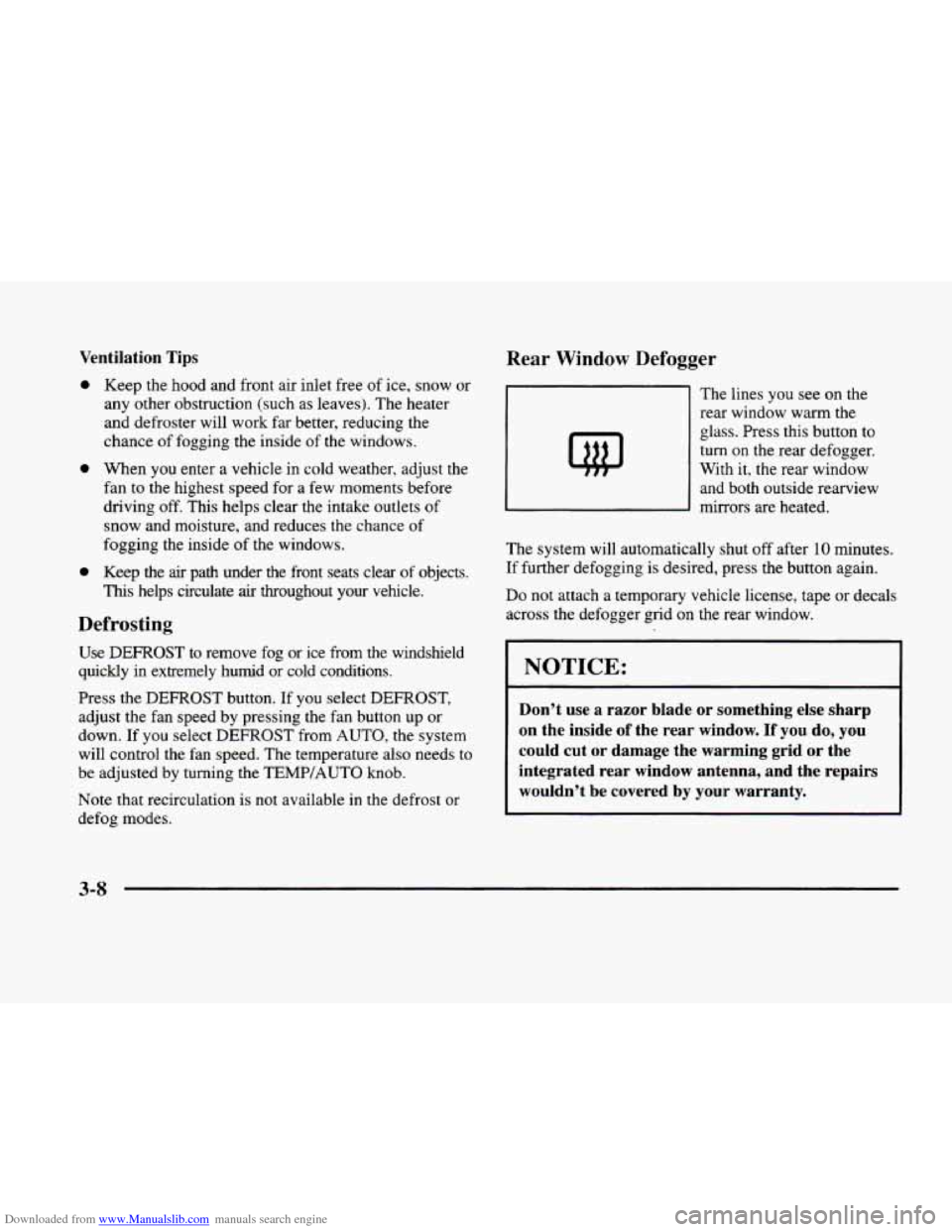
The lines you see on the
rear window warm the
glass. Press this button
to
turn on the rear defogger.
With it, the rear window
and both outside rearview
mirrors are heated.
The system will automatically shut off after 10 minutes.
If further defogging is desired, press the button again.
Do not attach a temporary vehicle license, tape or decals
across the defogger grid on the rear window.
NOTICE:
~~~
~
Don’t use a razor blade or something else sharp
on the inside of the rear window. If you do, you
could cut
or damage the warming grid or the
integrated rear window antenna, and the repairs
wouldn’t be covered by your warranty.
3-8
Page 212 of 380
Downloaded from www.Manualslib.com manuals search engine Do not get too close to the vehicle you want to
pass while you’re awaiting an opportunity. For one
thing, following too closely reduces your area of
vision, especially if you’re following a larger
vehicle.
Also, you won’t have adequate space if the
vehicle ahead suddenly slows or stops. Keep back a
reasonable distance.
When it looks like a chance to pass is coming up,
start to accelerate but stay
in the right lane and don’t
get too close. Time your move
so you will be
increasing speed as the time comes to move into the
other lane. If the way is clear
to pass, you will have a
“running start” that more than makes up for the
distance you would lose by dropping back. And if
something happens to cause you to cancel your pass,
you need only slow down and drop back again and
wait for another opportunity.
If other cars are lined up to pass a slow vehicle, wait
your turn. But take care that someone isn’t trying to
pass
you as you pull out to pass the slow vehicle.
Remember to glance over your shoulder and check
the blind spot.
Check your mirrors, glance over your shoulder, and
start your left lane change signal before moving out
of the right lane to pass. When you are far enough
ahead of the passed vehicle to see its front in your
inside mirror, activate your right lane change signal
and move back into the right lane. (Remember that
your right outside mirror is convex. The vehicle
you
just passed may seem to be farther away from you
than it really
is.)
Try not to pass more than one vehicle at a time
on two-lane roads. Reconsider before passing the
next vehicle.
Don’t overtake a slowly moving vehicle too rapidly.
Even though the brake lamps
are not flashing, it may
be slowing down or starting to turn.
If you’re being passed, make it easy for the
following driver
to get ahead of you. Perhaps you
can ease a little to the right.
4-14