1998 CADILLAC CATERA ignition
[x] Cancel search: ignitionPage 167 of 346

Downloaded from www.Manualslib.com manuals search engine Playing a Compact Disc
Insert a disc partway into the slot, label side up. The
player will pull it in. If the ignition and the radio are on
and the underlined compact disc symbol appears on the
display, the disc will begin playing. Compact discs may
be loaded with the radio off but they will not start
playing until the radio is on.
If you want to insert a disc
when the ignition is
off, first press the eject button.
The integral
CD player can play the smaller 8 cm
compact discs. Full-size compact discs and the smaller
compact discs are loaded in the same manner.
If you’re driving on a very rough road or if it’s very hot,
the disc may not play.
If the disc comes out, it could
be that:
The disc is upside down.
It is dirty, scratched or wet.
The air is very humid. (If so, wait about an hour and
try again.)
If any error occurs repeatedly or if an error can’t be
corrected, please contact your dealer.
RW Press and hold the left arrow to reverse the
compact disc. Release it to return to playing speed.
FF: Press and hold the right arrow to fast forward to
another part of the compact disc. Release it to return to
playing speed.
TUNE-SEEK: When this button is pressed, it has
two positions. This button works the same, whether it
is pressed to the first or second position. Press this
button to seek to the next or previous selection on the
compact disc.
SCAN: Press this button to listen to selections for a few
seconds. The compact disc will go to a selection, stop
for a few seconds, then
go on to the next selection. Press
this button again to stop scanning.
RDM: Press this button to hear the tracks in random,
rather than sequential, order. Press
RDM again to turn
off random play.
A EJECT Press the upward triangle button to
remove
a compact disc. The radio will play. Eject may
be activated
with the radio off and/or the ignition off.
3-20
Page 172 of 346
Downloaded from www.Manualslib.com manuals search engine Compact Disc Changer Errors
CD CHANGER ERROR could be displayed for
the following:
The road is too rough. The disc should play when the
The disc is dxty, scratched, wet or loaded label side up.
road is
smoother.
The air is very humid. If so, wait about an hour and
CD CHANGER DOOR OPEN is displayed when the
CD changer door is left open. (CHEK DOOR will be
displayed instead on the
AM-FM Stereo with Cassette
Tape Player.) Completely close the changer door to
restore normal operation.
try again.
If any error
occurs repeatedly or if an error cannot be
corrected, please contact your dealer.
CD Adapter Kits
It is possible to use a CD adapter kit with your cassette
tape player after activating the bypass feature on your
tape player.
To activate the bypass feature,
use the following steps:
1. Turn the ignition to ON (11).
2. Turn the radio off.
3. Press and hold the SOURCE button for two seconds.
The tape symbol on the display will flash three
times, indicating the feature
is active.
4. Insert the adapter.
This override routine will remain active until the eject
button is pressed.
Page 173 of 346
Downloaded from www.Manualslib.com manuals search engine Theft-Deterrent Feature
THEFTLOCK@ is designed to discourage theft of your
radio. Your vehicle has a “built-in” theft-deterrent
feature
on each radio that is automatic -- there is no
programming required. The radio in your vehicle cannot
be used in any other vehicle. When the radio was
originally installed in your vehicle at the factory, it
stored the Vehicle Identification Number (VIN). Each
time the ignition is turned on, the VIN is verified. If the
vehicle’s VIN does
not match the VIN stored in the
radio, the radio/audio system will not play. If the radio is
removed from your vehicle, the original
VIN in the
radio can be used to trace the radio back to your vehicle.
Audio Steering Wheel Controls
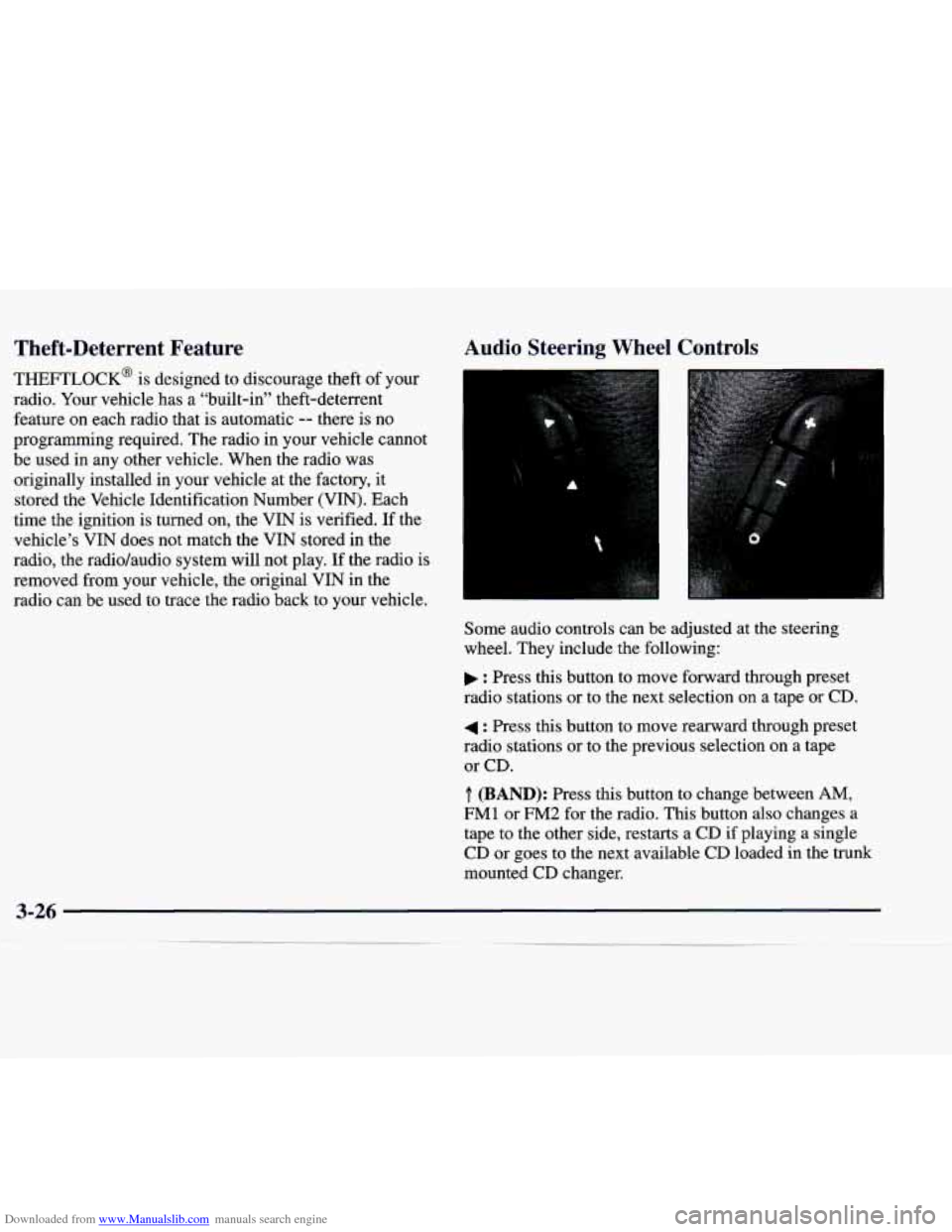
Some audio controls can be adjusted at the steering
wheel. They include the following:
: Press this button to move forward through preset
radio stations or to the next selection on a tape
or CD.
4 : Press this button to move rearward through preset
radio stations or to the previous selection
on a tape
or CD.
.T. (BAND): Press this button to change between AM,
FM1 or FM2 for the radio. This button also changes a
tape to the other side, restarts a
CD if playing a single
CD or goes to the next available
CD loaded in the trunk
mounted CD changer.
Page 176 of 346

Downloaded from www.Manualslib.com manuals search engine When using a scrubbing action, non-abrasive cleaning
cassette, it
is normal for the cassette to eject because
your unit is equipped with a cut tape detection feature
and a cleaning cassette may appear as
a broken tape. To
prevent the cleaning cassette from being ejected, use the
following steps.
1. Turn the ignition to ON (11).
2. Turn the radio off.
3. Press and hold the SOURCE button for two seconds.
The tape symbol on the display will flash three times.
4. Turn the radio on and insert the scrubbing action
cleaning cassette.
5. Eject the cleaning cassette after the manufacturer's
recommended cleaning time.
When the cleaning cassette has been ejected, the
cut tape
detection feature is active again.
You may also choose a non-scrubbing action, wet-type
cleaner which uses a cassette with a fabric belt to clean
the tape head. This type of cleaning cassette will not
eject on its own. A non-scrubbing action cleaner may
not clean as thoroughly as the scrubbing type cleaner.
The use of a non-scrubbing action, dry-type cleaning
cassette is not recommended. If your vehicle is
equipped with the
AM-FM Stereo with
Cassette Tape Player, press and hold the eject button for
five seconds to reset the CLN indicator after you clean
the player. The radio will display
--- to show the
indicator was reset.
If your vehicle is equipped with the AM-FM Stereo with
Cassette Tape and Compact Disc Player with Radio Data
Systems
(RDS), press and hold the eject button for three
seconds to reset the CLEAN TAPE indicator after you
clean the player. The radio will display CLEAN TAPE
MSG CLEARED to show the indicator was reset.
Cassettes are subject to wear and the sound quality
may degrade over time. Always make sure the cassette
tape is in good condition before you have your tape
player serviced.
Page 202 of 346

Downloaded from www.Manualslib.com manuals search engine If you drive regularly in steep country, or if you’re
planning to visit there, here are some tips that can make
your trips safer and more enjoyable.
Keep your vehicle in good shape. Check all fluid
levels and also the brakes, tires, cooling system and
transmission. These parts can work hard on
mountain roads.
Know how to go down hills. The most important
thing to know is this: let your engine do some of the
slowing down. Shift to a lower gear when you go
down
a steep or long hill.
~ A CAUTION:
’ If y!! don’t shift down, your brakes could get
so hot that they wouldn’t work well. You would
then have poor braking or even none going
down
a hill. You could crash. Shift down to let
your engine assist your brakes on
a steep
downhill slope. Coasting downhill in
NEUTRAL (N) or
with
the ignition
off is dangerous. Your brakes will
have
to do all the work of slowing down. They
could get
so hot that they wouldn’t work well.
You would then have poor braking or even none
going down
a hill. You could crash. Always have
your engine running and your vehicle in gear
when you
go downhill.
e
0
0
Know how to go uphill. You may want to shift down
to a lower gear. The lower gears help cool your engine
and transmission, and you can climb the hill better.
Stay in your own lane when driving on two-lane
roads in hills or mountains. Don’t swing wide
or cut
across the center
of the road. Drive at speeds that let
you stay
in your own lane.
As you go over the top of a hill, be alert. There could be
something in your lane, like a stalled car or
an accident.
You may see highway signs on mountains that
warn of
special problems. Examples are long grades, passing or
no-passing zones,
a falling rocks area or winding
roads. Be alert to these and take appropriate action.
Page 219 of 346

Downloaded from www.Manualslib.com manuals search engine 1 unnecessary accessories plugged into the cigarette
lighter.
Turn off all lamps that aren’t needed as well
as the radios. This will avoid sparks and help save
both batteries.
In addition, it could save the radio!
3. Turn off the ignition on both vehicles. Unplug
I 4. Open the hoods and locate the batteries. You’ll also
need
to open the power distribution fuse block cover
to access the positive (+) terminal on the battery
(see arrow).
CAUTION:
An electric fan can start up even when the engine
is not running and can injure you. Keep hands,
clothing and tools away from any underhood
electric fan.
I I
4 CAUTION:
Using a match near a battery can cause battery
gas to explode. People have been hurt doing this,
and some have been blinded. Use a flashlight
if
you need more light.
Be sure the battery has enough water.
You don’t
need to add water to the ACDelco Freedom@
battery installed in every new
GM vehicle. But
if a battery has filler caps, be sure the right
amount of fluid is there.
If it is low, add water to
take care
of that first. If you don’t, explosive gas
could be present.
CAUTION: (Continued)
I
=-4
Page 224 of 346
Downloaded from www.Manualslib.com manuals search engine When your vehicle is being towed, have the ignition key
turned to
OFF. The steering wheel should be clamped in
a straight-ahead position, with a clamping device
designed for towing service. Do not use the vehicle’s
steering column lock for this. The transmission should
be in
NEUTRAL (N) and the parking brake released,
Don’t have your vehicle towed on the drive wheels.
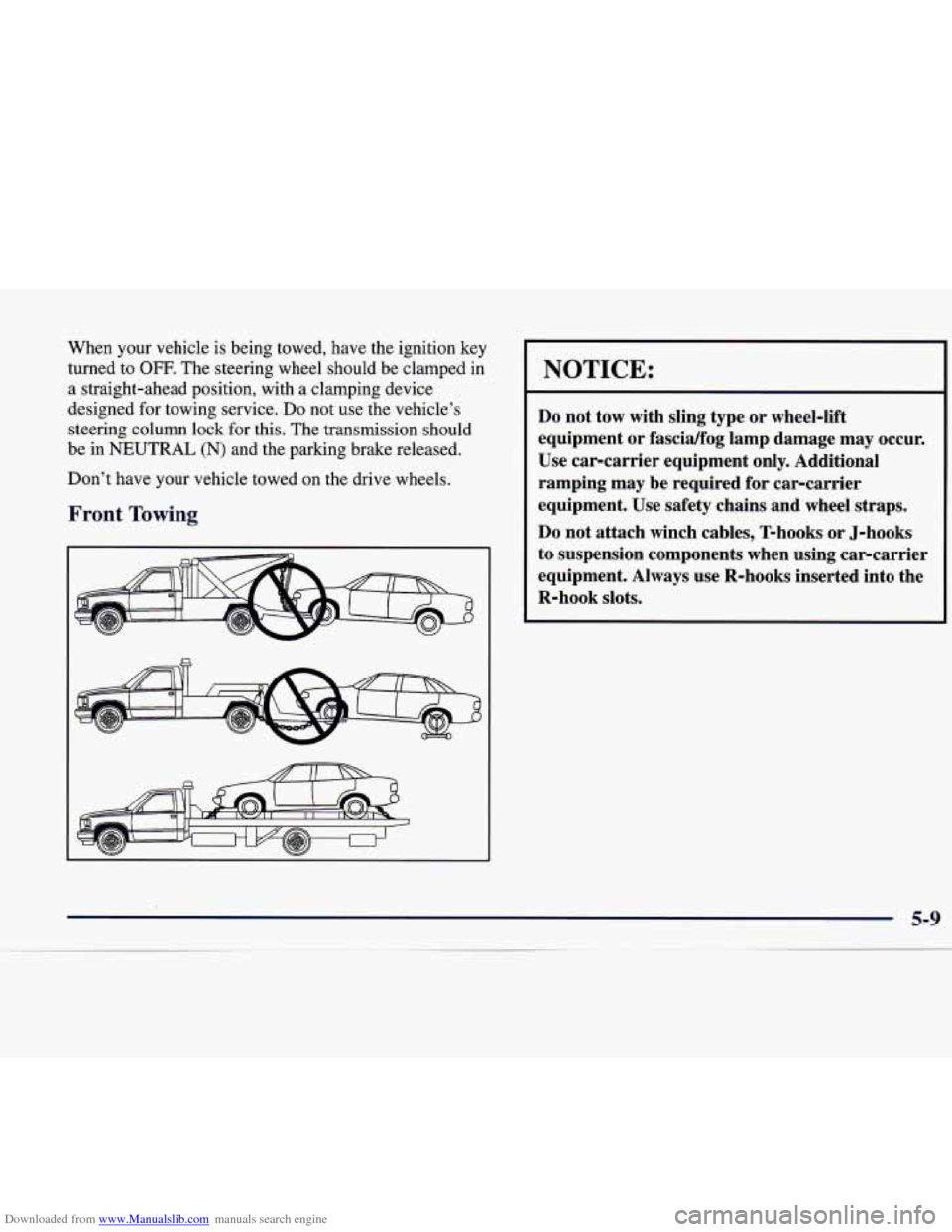
Front Towing
I
NOTICE:
Do not tow with sling type or wheel-lift
equipment or fascidfog lamp damage may occur.
Use car-carrier equipment only. Additional
ramping may be required for car-carrier
equipment. Use safety chains and wheel straps.
Do not attach winch cables, T-hooks or J-hooks
to suspension components when using car-carrier
equipment. Always use R-hooks inserted into the
R-hook slots.
Page 335 of 346

Downloaded from www.Manualslib.com manuals search engine Hood Checking Things Under
......................... 6-8
Release
...................................... 6-9
Horn ......................................... 2-32
How to Use this Manual ............................. v
Hydroplaning
.................................. 4-18
Hydraulic Brake Warning Lights
................... 2-65
If You’re Stuck: In Sand. Mud. Ice or Snow ......... 5-31
Ignition Positions
............................... 2- 16
Illuminated Entry
............................... 2-45
Illuminated Visor
Vanity Mirror .................... 2-50
Inflation, Tire
.................................. 6-38
Brightness Control
............................ 2-45
Interior Lamps
................................. 2-45
Interior Plastic Components, Cleaning
.............. 6-48
Immobilizer
................................... 2-15
Instrumentpanel
............................... 2-60
Cluster
..................................... 2-62
FuseBlock
.................................. 6-57
Cleaning
.................................... 6-48
J ack. Tire .................................... 5-23
Jump Starting ................................... 5-3
Keys
......................................... 2-2
Labels Certification
................................. 4-29 Service
Parts Identification ..................... 6-54
Tire-Loading Information
...................... 4-28
Vehicle Identification Number
(VIN) ............. 6-54
Lamps
................................... 2-39. 2-45
Panel
....................................... 2-45
Lamps On Reminder
............................ 2-41
Lap-Shoulder Belt
......................... 1-19, 1-36
Leaving Your Vehicle
............................. 2-7
Leaving Your Vehicle with the Engine Running
....... 2-26
Leveling Indicator Light
......................... 2-76
Light Sensor, Twilight Sentinel
.................... 2-44
Lighting, Perimeter
............................. 2-41
Air Bag Readiness
....................... 1-30, 2-65
Anti-Lock Brake System Warning
............ 2-68, 4-7
Automatic Transmission Warning
................ 2-76
Brake Pad Wear Indicator
...................... 2-76
Brake System Warning
......................... 2-65
Charging System Indicator
...................... 2-65
Cruise Control
............................... 2-74
Engine Coolant Temperature Warning
............. 2-69
Leveling Indicator
............................ 2-76
Low Coolant Warning
......................... 2-70
Low Washer Fluid Warning
..................... 2-75
Interior
..................................... 2-45
....................................... Lighter 2-49
Lights
BrakeToShift
............................... 2-74
CheckEngine
................................ 2-70
CheckOil
................................... 2-74
LowFuel
................................... 2-76
Oil Pressure 2-73
.................................
II ...... ~ ~ .......... ? .. J ... !.. .- ..... -7. .. : ..... :>.u