1998 CADILLAC CATERA tow
[x] Cancel search: towPage 116 of 346
Downloaded from www.Manualslib.com manuals search engine Interior Lamps
Instrument Panel Brightness Control
This control dial is located to the right of the fog lamp
button. As you rotate the control dial up, the instrument
panel lights will brighten.
Illuminated Entry
This system turns on the courtesy lamps (dome lamps
and door entry lamps) for about
20 seconds when any of
the following occur:
0 If you manually unlock your vehicle with the key,
0 If any door is opened,
0 If you press the unlock button on the remote keyless
entry transmitter, or
0 After the last door on your vehicle is closed.
Illuminated entry immediately ends when your vehicle’s
ignition
is turned to ON or START.
Rear Reading Lamps
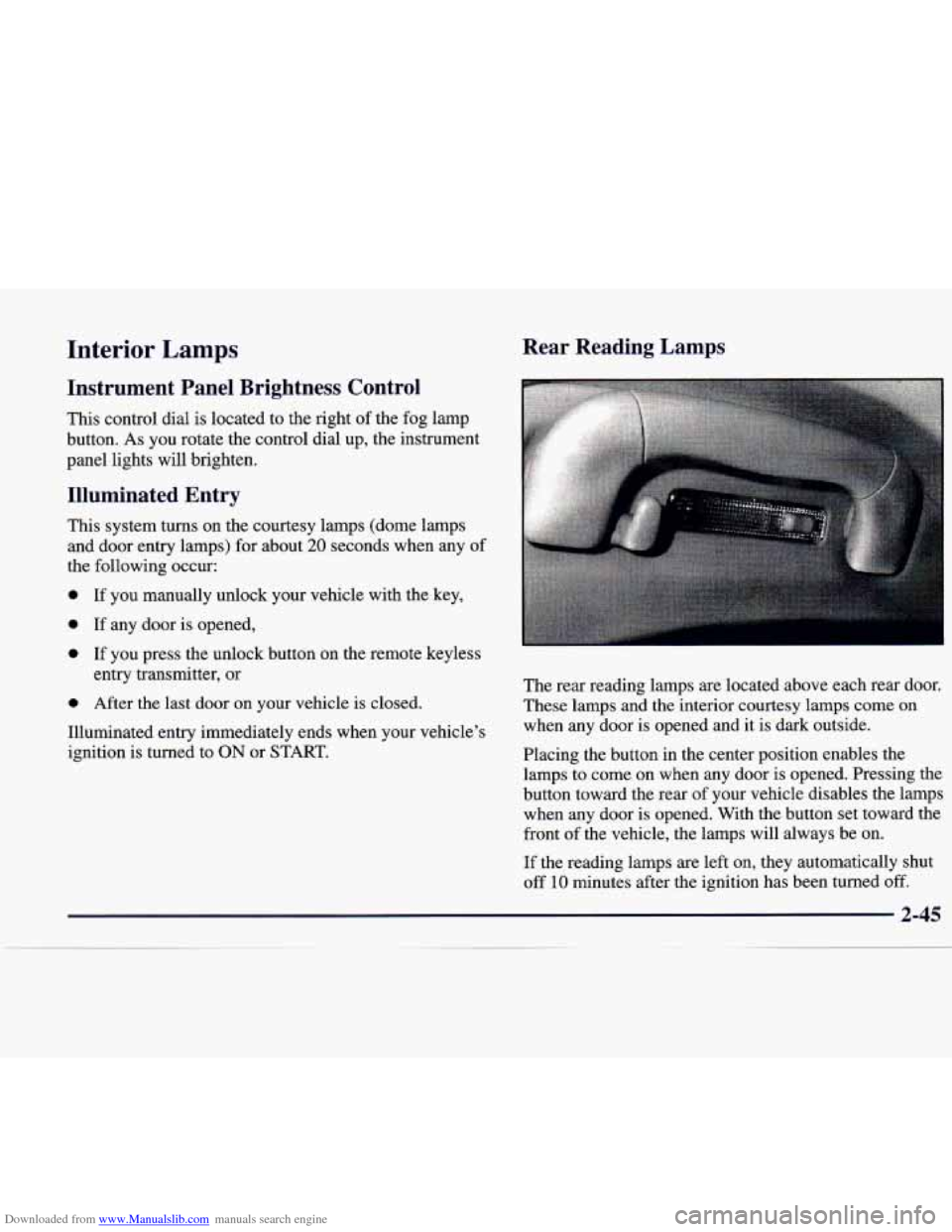
The rear reading lamps are located above each rear door.
These lamps
and the interior courtesy lamps come on
when any door is opened and it is dark outside.
Placing the button in the center position enables the
lamps to come on when any door is opened. Pressing the
button toward the rear of your vehicle disables the lamps
when any door is opened. With the button set toward the
front
of the vehicle, the lamps will always be on.
If the reading lamps are left on, they automatically shut
off
10 minutes after the ignition has been turned off.
2-45
Page 137 of 346
Downloaded from www.Manualslib.com manuals search engine BRAKE
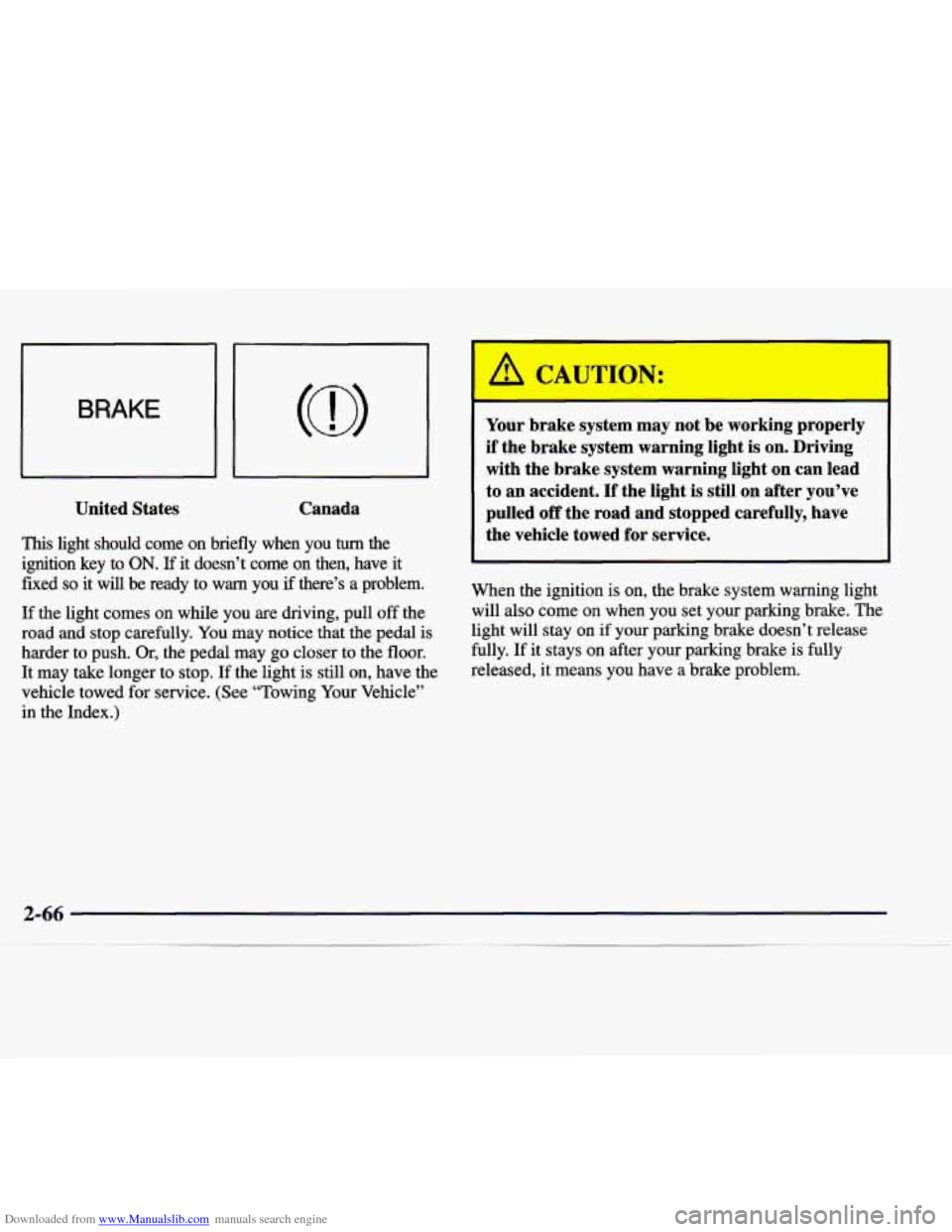
United States
Canada
This light should come on briefly when you turn the
ignition key to
ON. If it doesn’t come on then, have it
fixed so it will be ready to warn you if there’s a problem.
If the light comes on while you are driving, pull off the
road and stop carefully.
You may notice that the pedal is
harder to push. Or, the pedal may go closer to the floor.
It may take longer to stop.
If the light is still on, have the
vehicle towed for service. (See “Towing Your Vehicle”
in the Index.)
A CAUTIC-J:
Your brake system may not be working properly
if the brake system warning light is on. Driving
with the brake system warning light on can lead
to an accident. If the light is still on after you’ve
pulled
off the road and stopped carefully, have
the vehicle towed for service.
When the ignition
is on, the brake system warning light
will also come on when you set your parking brake. The
light will stay on if your parking brake doesn’t release
fully. If it stays on after your parking brake is fully
released, it means you have a brake problem.
Page 142 of 346

Downloaded from www.Manualslib.com manuals search engine NOTICE:
If you keep driving your vehicle with this light
on, after a while, your emission controls may not work as well, your fuel economy may not be as
good and your engine may not run as smoothly.
This could lead to costly repairs that may not be covered by your warranty.
If the Light Is Flashing
The following may prevent more serious damage to
your vehicle:
0 Reducing vehicle speed.
Avoiding hard accelerations.
Avoiding steep uphill grades.
0 If you are towing a trailer, reduce the amount of
cargo being hauled as
soon as it is possible.
This light should come on, as a check to show you it is
working, when the ignition is on and the engine
is not
running.
If the light doesn’t come on, have it repaired.
This light will also come
on during a malfunction in one
of two ways:
Light Flashing -- A misfire condition has been
detected.
A misfire increases vehicle emissions and
may damage the emission control system on your
vehicle. Dealer or qualified service center diagnosis and service may be required.
Light On Steady -- An emission control system
malfunction has been detected on your vehicle.
Dealer or qualified service center diagnosis and
service may be required. If the light stops flashing and remains on steady,
see “If
the Light
Is On Steady” following.
If the light continues to flash, when it is safe to do
so,
stop the vehicle. Find a safe place to park your vehicle.
Turn the key off, wait at least
10 seconds and restart the
engine. If the light remains on steady, see
“If the Light
Is On Steady” following. If the light is still flashing,
follow the previous steps, and drive the vehicle to your
dealer or qualified service center for service.
Page 151 of 346

Downloaded from www.Manualslib.com manuals search engine In cold weather, when the system senses the need for
heat, airflow will be directed out of the floor outlets.
As
the interior temperature approaches a desired setting, the
blower speed will decrease. To maintain interior
comfort, the airflow may move to the instrument panel
air outlets and floor outlets (bi-level mode). On bright
sunny days in cold weather, the airflow may come out of
the air conditioning outlets
(AC mode) to maintain
comfort and prevent stuffiness.
If your vehicle is sitting out on a hot day and you have
the climate control system set for automatic operation,
the air will first flow out of the floor air outlets during
cool down. That
is normal. This is to expel hot air from
the air outlets.
As the air is cooled, the airflow will
move through the air conditioning outlets.
To avoid blowing cold air in cold weather, the system will
delay turning on the
fan until warm air is available. The
length of delay depends on the outside
air temperature,
engine coolant temperature or the time since the engine
'was last started.
As the coolant warms up, the blower fan
speed will gradually increase and
air will flow from the
heater outlets, with some airflow to the windshield to
prevent fogging under most normal conditions.
If you leave your vehicle, the system will remember the
control setting the next time you start your engine,
except for recirculation and rear defrost (heated
backlite). Each ignition cycle cancels recirculation.
Manual Operation
You may manually adjust the air delivery mode or
fan speed.
+d HEATElUDEFROST: This setting directs air to
the floor outlets and toward the windshield.
d AC: This setting directs airflow through the middle
instrument panel outlets.
!d BI-LEVEL: This setting directs air into your
vehicle in two ways. Cool air is directed to the upper
portion of your body through the middle instrument
panel outlets while warm air is directed to the floor.
+@ HEATER: This setting directs warm air through
the floor outlets. Some warm air is diverted to the
we
-bo
+e
windshield to minimize fogging.
DEFROST Press this button to quickly
remove fog or frost from the windshield (the blower
works in high-speed). This setting sends most
of the
airflow to the windshield with only
a small amount to
the floor outlets.
Page 154 of 346
Downloaded from www.Manualslib.com manuals search engine Ventilation System
The ventilation system supplies outside air into the
vehicle when it is moving. Outside air will also enter the
vehicle when the heater or the air conditioning fan
is running.
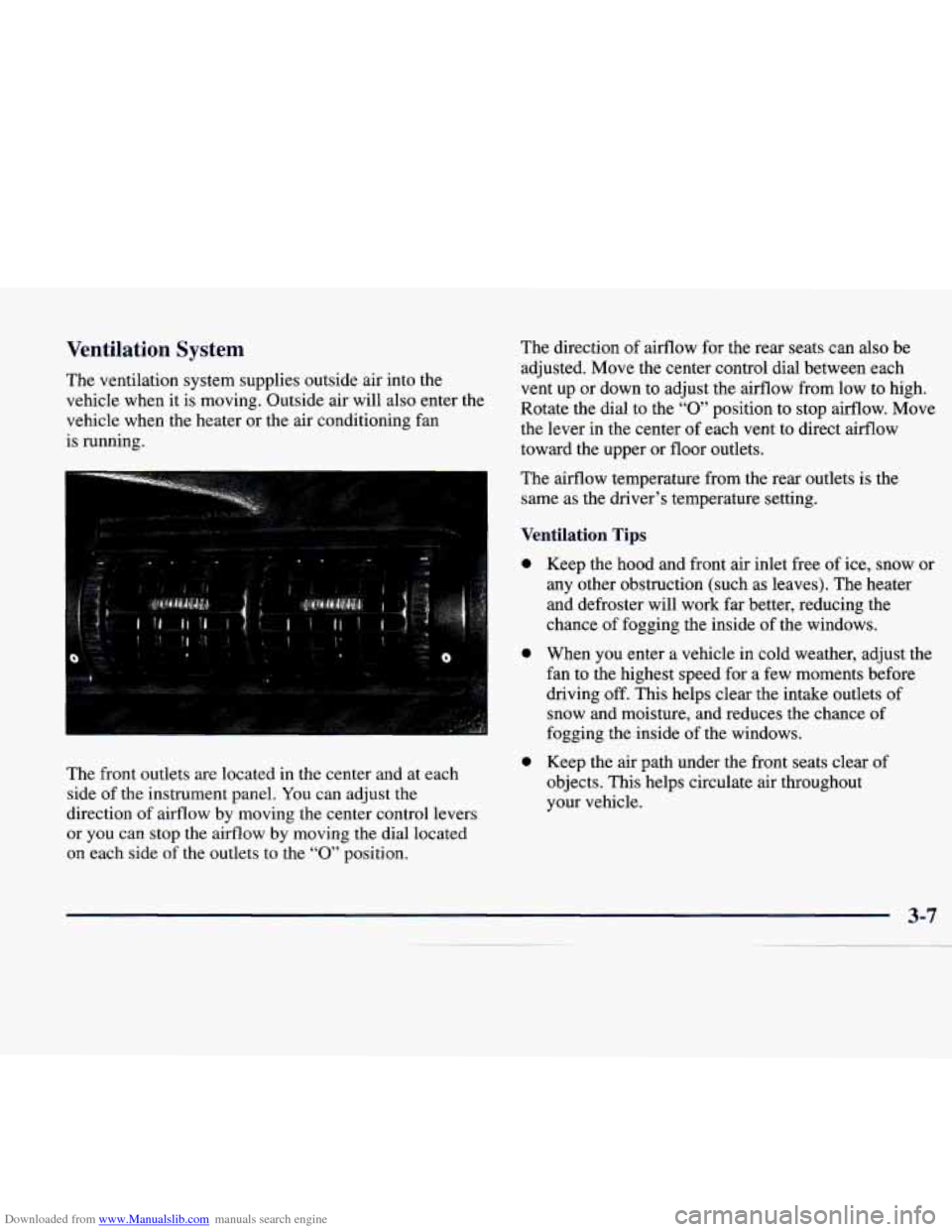
The front outlets are located in the center and at each
side of the instrument panel. You can adjust the
direction of airflow
by moving the center control levers
or you can stop the airflow by moving the dial located
on each side
of the outlets to the “0” position. The
direction of airflow for the rear seats can also be
adjusted. Move the center control dial between each
vent up or down to adjust the airflow from low to high.
Rotate the dial
to the “0” position to stop airflow. Move
the lever in the center of each vent to direct airflow
toward the upper or floor outlets.
The airflow temperature from the rear outlets is the
same as the driver’s temperature setting.
Ventilation Tips
0
0
0
Keep the hood and front air inlet free of ice, snow or
any other obstruction (such as leaves). The heater
and defroster will work far better, reducing the
chance
of fogging the inside of the windows.
When you enter a vehicle in cold weather, adjust the
fan to the highest speed for a few moments before
driving off.
This helps clear the intake outlets of
snow and moisture, and reduces the chance of
fogging the inside of the windows.
Keep the air path under the front seats clear of
objects. This helps circulate air throughout
your vehicle.
Page 180 of 346
Downloaded from www.Manualslib.com manuals search engine lc"' -+a
Section 4 Your Driving and the Road
Here you'll find information about driving on different kinds of roads and in varying weather conditions. We've also
included many other useful tips on driving.
4-2
4-3
4-6
4-6
4-7 4- 10
4- 12
4- 12
4-13
4-
15
Defensive Driving
Drunken Driving
Control of a Vehicle
Braking
Anti-Lock Brakes (ABS)
Steering
Off-Road Recovery
Passing
Loss of Control
Driving at Night 4- 16
4-19
4-20
4-2
1
4-22 4-22
4-24
4-28
4-30 Driving in Rain and
on Wet
Roads
City Driving
Freeway Driving
Before Leaving on a Long Trip
Highway Hypnosis
Hill and Mountain Roads
Winter Driving
Loading Your Vehicle
Towing a Trailer
Page 209 of 346
Downloaded from www.Manualslib.com manuals search engine CAUTION:
Things you put inside your vehicle can strike
and injure people in
a sudden stop or turn, or
in
a crash.
0 Put things in the trunk of your vehicle. In a
trunk, put them as far forward as you can.
Try to spread the weight evenly.
0 Never stack heavier things, like suitcases,
inside the vehicle
so that some of them are
above the tops of the seats.
Don’t leave an unsecured child restraint in
your vehicle.
When you carry something inside the
vehicle, secure
it whenever you can.
Don’t leave a seat folded down unless you
need to.
Electronic Level Control
This feature keeps the sf your vehicle level as
the load changes. It’s automatic
-- you don’t need to
adjust anything.
Towing a Trailer
: CAUTION:
If you don’t use the correct”equipment and drive
properly, you can lose control when you pull a
trailer. For example, if the trailer is too heavy, the
brakes may not work well
-- or even at all. You
and your passengers could be seriously injured.
You may also damage your vehicle; the resulting
repairs would not be covered by your warranty.
Pull a trailer only if you have followed all the
steps in this section.
Ask your dealer for advice
and information about towing a trailer with
your vehicle.
4-30
Page 210 of 346

Downloaded from www.Manualslib.com manuals search engine Your Catera can tow a trailer if it is equipped with the
proper trailer towing equipment. To identify what the
vehicle trailering capacity is for your vehicle, you
should read the information in “Weight of the Trailer”
that appears later in this section. But trailering is
different than just driving your vehicle by itself.
Trailering means changes in handling, durability and
fuel economy. Successful, safe trailering takes correct
equipment, and it has to be used properly.
That’s the reason for this part. In it are many
time-tested, important trailering tips and safety rules.
Many of these are important for your safety and that
of
your passengers. So please read this section carefully
before you pull a trailer.
Load-pulling components such as the engine,
transmission, wheel assemblies and tires are forced to
work harder against the drag of the added weight. The
engine is required to operate at relatively higher speeds
and under greater loads, generating extra heat. What’s
more, the trailer adds considerably to wind resistance,
increasing the pulling requirements.
If You Do Decide To Pull A Trailer
If you do, here are some important points:
There are many different laws, including speed limit
restrictions, having to do with trailering. Make sure
0
0
a
0
your rig will be legal, not only where you live but
also where you’ll be driving.
A good source for this
information can be state or provincial police.
Consider using
a sway control. You can ask a hitch
dealer about sway controls.
Don’t tow a trailer at all during the first
1,000 miles
(1 600 km) your new vehicle is driven. Your engine,
axle or other parts could be damaged.
Then, during the first
500 miles (800 km) that you
tow a trailer, don’t drive over
50 mph (80 km/h) and
don’t make starts at full throttle. This helps your
engine and other parts of your vehicle wear in at
the
heavier loads.
Obey speed limit restrictions when towing a trailer.
Don’t drive faster than the maximum posted speed
for trailers (or no more than
55 mph (90 km/h)) to
save wear on your vehicle’s
parts.
Three important considerations have to do with weight:
0 the weight of the trailer,
0 the weight of the trailer tongue
and the total weight on your vehicle’s tires.