Page 28 of 315

23
4. Press the VEHICLE SETTINGS control to
complete the procedure. A press of any control
besides RESET or VEHICLE SETTINGS will
abort the procedure and will not establish a
new Personalized Oil Reset Percentage.
When your Personalized Oil Reset Percentage has
been established, it will be used beginning with the
completion of your next OIL CHANGE RESET
procedure.Driver Settings MenuThe DRIVER MENU control allows you to cycle
through seven (if equipped with phone) features
which you can turn on or off by using the RESET
control. These options are saved for each driver
personality profile.q
EXPRESS WINDOWSÐ a short tap of the
control will cause the driver's window to go
fully down automatically.
q
AUTO LOCKSÐ automatically locks all doors
when all doors are closed and the vehicle speed
is at least 3 mph.
q
HORN CHIRPÐ sounds an audible ªchirpº
when the LOCK button on the Remote Entry
Key Fob is pressed.
q
EASY ENTRYÐ moves the driver's seat back
two inches and the steering column to the up
and forward most position when the key is
removed from the ignition. Moves the driver's
seat and steering column to the set position
when the driver returns.
q
REVERSE MIRRORSÐ when the vehicle is
shifted to R (Reverse), the outside mirrors are
tilted down for an improved view close to the
vehicle for backing up.
q
AUTO GLIDEÐ automatically moves the seat
forward when the seatback is tilted forward.
File:03fnis8.ex
Update:Thu Jun 27 10:00:37 1996
Page 87 of 315
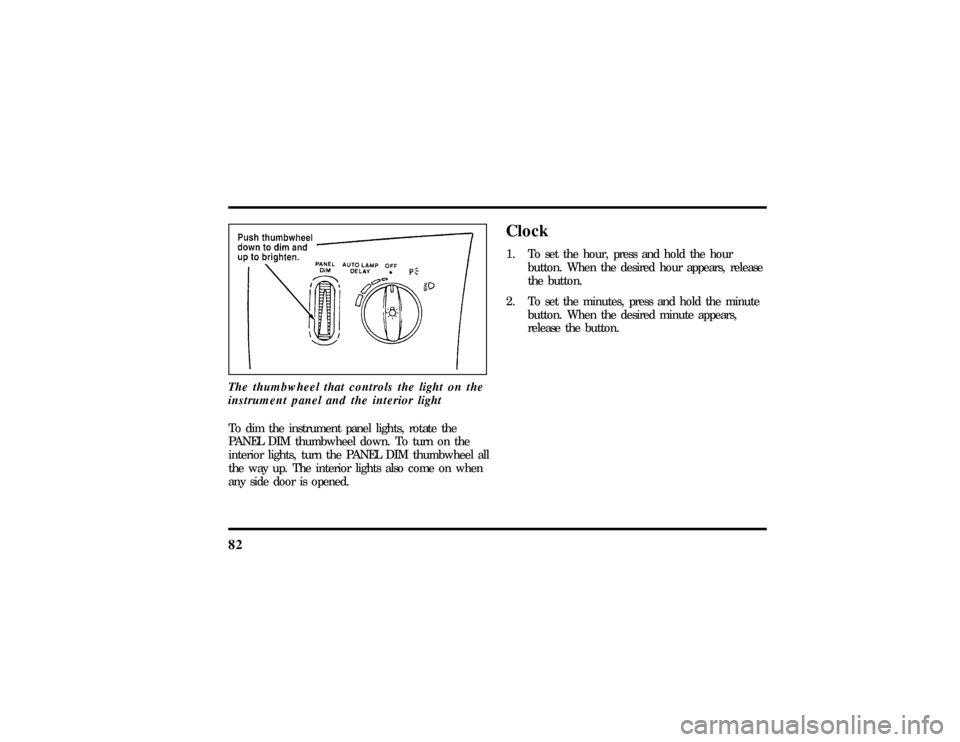
82The thumbwheel that controls the light on the
instrument panel and the interior lightTo dim the instrument panel lights, rotate the
PANEL DIM thumbwheel down. To turn on the
interior lights, turn the PANEL DIM thumbwheel all
the way up. The interior lights also come on when
any side door is opened.
Clock1. To set the hour, press and hold the hour
button. When the desired hour appears, release
the button.
2. To set the minutes, press and hold the minute
button. When the desired minute appears,
release the button.
File:05fncf8.ex
Update:Thu Jun 27 10:02:20 1996
Page 88 of 315
83
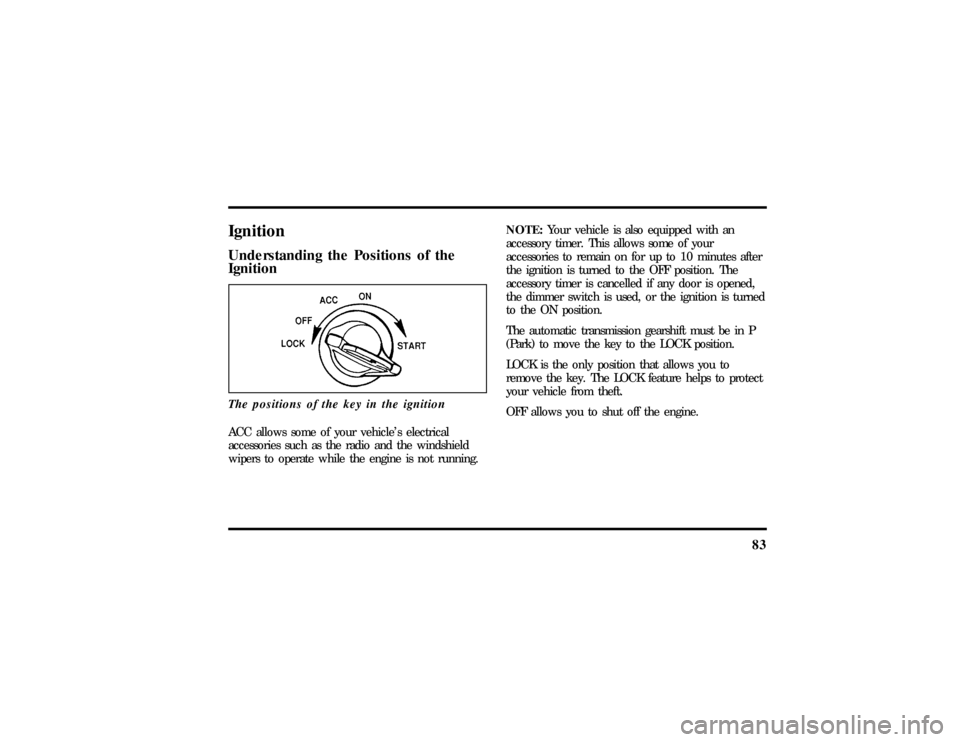
IgnitionUnderstanding the Positions of the
IgnitionThe positions of the key in the ignitionACC allows some of your vehicle's electrical
accessories such as the radio and the windshield
wipers to operate while the engine is not running.NOTE:Your vehicle is also equipped with an
accessory timer. This allows some of your
accessories to remain on for up to 10 minutes after
the ignition is turned to the OFF position. The
accessory timer is cancelled if any door is opened,
the dimmer switch is used, or the ignition is turned
to the ON position.
The automatic transmission gearshift must be in P
(Park) to move the key to the LOCK position.
LOCK is the only position that allows you to
remove the key. The LOCK feature helps to protect
your vehicle from theft.
OFF allows you to shut off the engine.
File:05fncf8.ex
Update:Thu Jun 27 10:02:20 1996
Page 111 of 315

106NOTE:When selling your vehicle, be sure to erase
all channels on the HomeLink Transmitter that you
programmed.AccessoriesAccessories for your HomeLink Universal
Transmitter are available from the manufacturer of
the device. If you would like additional information
or would like to purchase other accessories such as
home lighting or security products that can be
operated by the HomeLink Universal Transmitter,
please call toll-free:1-800-355-3515.
DoorsAnti-theft front door lock knobsAnti-theft lock knobs are designed to prevent
unlocking the door by pulling up on the lock knob.
To unlock and open the front door from inside the
vehicle, pull on the inside door handle.%Using the Power Door LocksYour vehicle has power door locks. The controls to
lock the doors are on the trim panel of the front
door. When you close the doors after you set the
door locks, the doors remain locked. If the power
mechanism ever fails, the manual door lock will
override the power controls.
File:05fncf8.ex
Update:Thu Jun 27 10:02:20 1996
Page 112 of 315
107
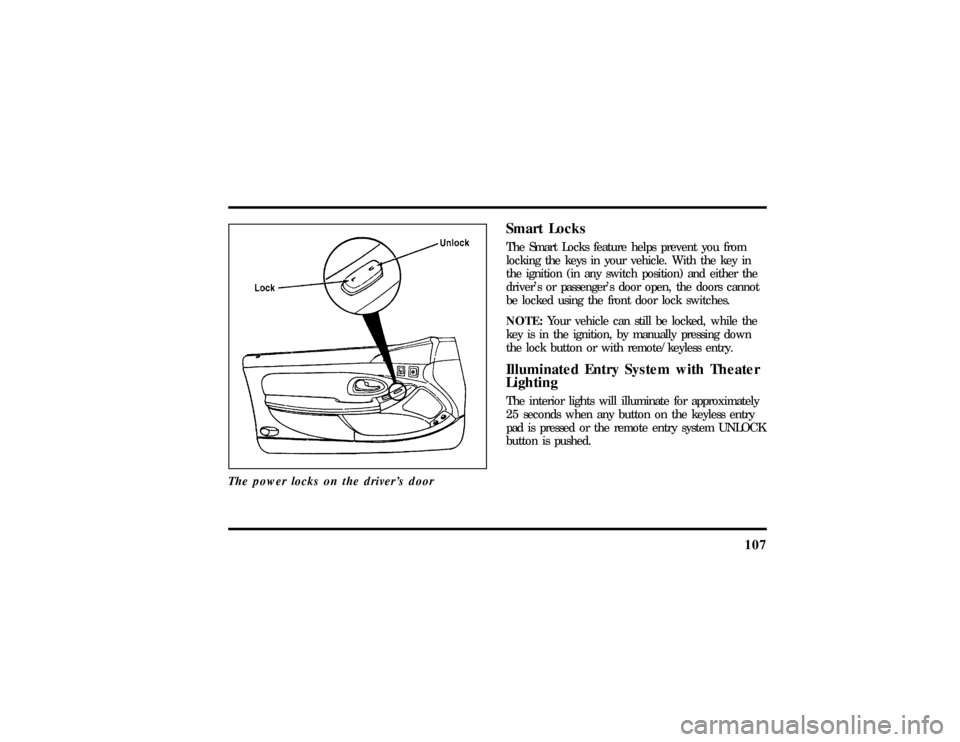
The power locks on the driver's door
Smart LocksThe Smart Locks feature helps prevent you from
locking the keys in your vehicle. With the key in
the ignition (in any switch position) and either the
driver's or passenger's door open, the doors cannot
be locked using the front door lock switches.
NOTE:Your vehicle can still be locked, while the
key is in the ignition, by manually pressing down
the lock button or with remote/keyless entry.Illuminated Entry System with Theater
LightingThe interior lights will illuminate for approximately
25 seconds when any button on the keyless entry
pad is pressed or the remote entry system UNLOCK
button is pushed.
File:05fncf8.ex
Update:Thu Jun 27 10:02:20 1996
Page 115 of 315

110Memory Profile System
(If equipeed)The Personality Memory Feature customizes your
Mark VIII for up to two (2) drivers. The following
features are automatically recalled when unlocking
the doors using the remote entry transmitter,
keyless entry keypad, or by pressing the Memory 1
or Memory 2 switches on the driver's door:q
All driver's seat positions except power lumbar
and head restraint.
q
Both left and right outside mirror settings.
q
Steering column position.
q
Seven Driver Menu settings
Personality Memory also allows you to customize
settings from the Driver menu located in the
Message Center. Refer to the Message Center for
more information.
Recalling Personality MemoryAll of these settings are automatically recalled when
the driver unlocks the door using the remote entry
transmitter, keyless entry keypad or presses either
Memory 1 or Memory 2 switch inside the driver's
door. The vehicle must be in PARK or NEUTRAL to
recall Personality Memory settings.Remote EntryPressing the UNLOCK button on the remote entry
transmitter unlocks the driver's door and recalls all
of the Personality Memory settings. Two
transmitters are delivered with the vehicle. One is
programmed to always recall Memory 1 and the
other will always recall Memory 2. Personality
Memory 1 or 2 is indicated on the back of the
transmitter.
File:05fncf8.ex
Update:Thu Jun 27 10:02:20 1996
Page 116 of 315

111
Personality Memory recall from the remote
transmitter can be disabled. This is done by sliding
the switch on the back of the transmitter to OFF.
Personality Memory can still be recalled using
keyless entry code or the Memory 1 or Memory 2
switches.Keyless EntryUp to three unique keyless entry codes can be
programmed by the customer. Two of the codes
can be assigned to recall Personality Memory 1 or
Memory 2. Each time the 5-digit code is entered on
the keypad, the driver's door will unlock and
Personality Memory 1 or Memory 2 will be
recalled.
NOTE:Please note that even though the driver's
Personality Memory may be recalled using remote
or keyless entry, the seats and mirrors will not
move to the driver's set positions until the driver's
door is opened. The steering column will move
when the key is inserted.
Memory SwitchesPressing either the Memory 1 or Memory 2 switch
on the driver's door will also recall the Personality
Memory settings as selected, providing your vehicle
is in P (Park) or N (Neutral).Auto SaveAny change made by the driver to one of the above
Personality Memory settings will be updated and
saved automatically. The display, DRIVER 1 (or 2)
SETTING SAVED, will appear on the Message
Center for five (5) seconds as a confirmation of the
update to Personality Memory.
If the driver does not use the remote entry
transmitter, or keyless entry keypad to unlock the
doors upon entering or does not press the Memory
1 or Memory 2 switch, then any change to one of
the Personality Memory settings will not be
automatically saved. Instead the driver will be
prompted by the Message Center. ªIDENTIFY
DRIVER TO SAVEº. Press select button (located on
File:05fncf8.ex
Update:Thu Jun 27 10:02:20 1996
Page 123 of 315
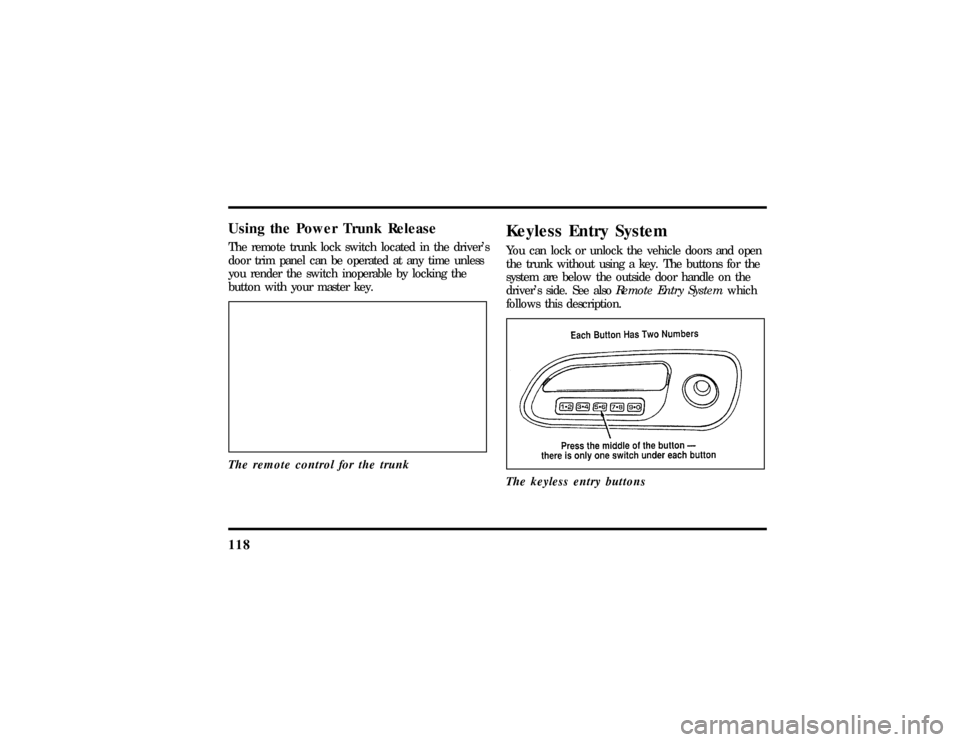
118Using the Power Trunk ReleaseThe remote trunk lock switch located in the driver's
door trim panel can be operated at any time unless
you render the switch inoperable by locking the
button with your master key.
The remote control for the trunk
Keyless Entry SystemYou can lock or unlock the vehicle doors and open
the trunk without using a key. The buttons for the
system are below the outside door handle on the
driver's side. See alsoRemote Entry Systemwhich
follows this description.
The keyless entry buttons
File:05fncf8.ex
Update:Thu Jun 27 10:02:20 1996