1997 GMC SIERRA stop start
[x] Cancel search: stop startPage 95 of 436
NEUTRAL (N): Use this position when you start or
idle your engine.
Shift Speeds
REVERSE (R): To back up, first press down the clutch
pedal. Wait about five seconds for the internal parts
to
stop spinning and then, shift into REVERSE (R).
Let up on the clutch pedal slowly while pressing the
accelerator pedal.
)NOTICE:
Shift to REVERSE (R) only after your vehicle is
stopped. Shifting to REVERSE
(R) while your
vehicle is moving could damage your transmission.
Also, use REVERSE (R), along with the parking brake,
when turning off your engine and parking your vehicle.
A CAUTION:
If you skip more than one gear when you
downshift, you could
lose control of your vehicle.
And you could injure yourself or others. Don’t shift down more than one gear when you downshift.
~~ ~
If your speed drops below 20 mph (32 kmh), or if the
engine is not running smoothly, you should downshift to
the next lower gear.
You may have to downshift two or
more gears to keep the engine running smoothly or for
good performance.
2-21
ProCarManuals.com
Page 112 of 436
Windshield Wipers
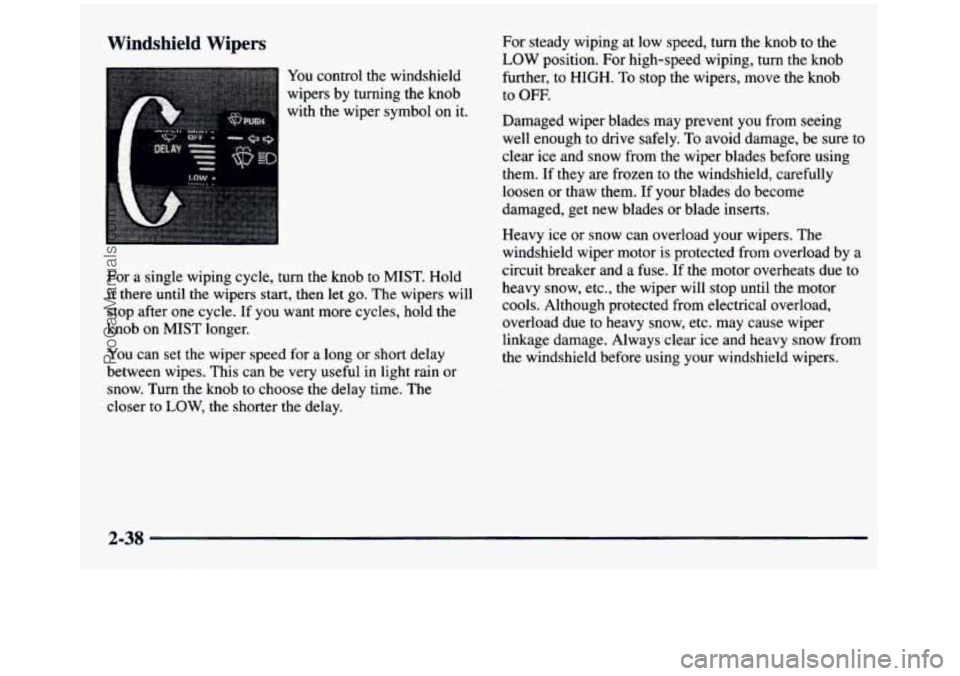
You control the windshield
wipers by turning the knob
with the wiper symbol on it.
For a single wiping cycle, turn the knob to MIST. Hold
it there until the wipers start, then let
go. The wipers will
stop after one cycle. If you want more cycles, hold the
knob
on MIST longer.
You can set the wiper eea ror
a long or short delay
between wipes. This can be very useful in light rain or
snow. Turn the knob to choose the delay time. The
closer to
LOW, the shorter the delay. For
steady wiping at low speed,
turn the knob to the
LOW position. For high-speed wiping, turn the knob
further, to
HIGH. To stop the wipers, move the knob
to OFF.
Damaged wiper blades may prevent you from seeing
well enough to drive safely,
To avoid damage, be sure to
clear ice and snow from the wiper blades before using
them. If they are frozen to the windshield, carefully
loosen or thaw them.
If your blades do become
damaged, get new blades
or blade inserts.
Heavy ice or snow can overload your wipers. The
windshield wiper motor
is protected from overload by a
circuit breaker and a fuse. If the motor overheats due to
heavy
snow, etc., the wiper will stop until the motor
cools. Although protected from electrical overload,
overload due to heavy snow, etc. may cause wiper
linkage damage. Always clear ice and heavy snow from
the windshield before using your windshield wipers.
2-38
ProCarManuals.com
Page 148 of 436
If the Light Is Flashing If the Light Is On Steady
The following may prevent more serious damage to
your vehicle:
0 Reducing vehicle speed.
0 Avoiding hard accelerations.
0 Avoiding steep uphill grades.
0 If you are towing a trailer, reduce the amount of
cargo being hauled as soon as it is possible.
If the light stops flashing and remains on steady, see “If
the Light Is On Steady” following.
If the light continues to flash, when
it is safe to do so,
stup the vehicle. Find a safe place to park your vehicle.
Turn the key off, wait at least
10 seconds and restart the
engine. If the light remains on steady, see “If the Light
Is On Steady” following. If the light is still flashing,
follow the previous steps, and drive the vehicle to your
dealer or qualified service center for service. You
may be able to correct the emission system
malfunction by considering the following:
Did you recently put fuel into your vehicle?
If
so, reinstall the fuel cap, making sure to fully install
the cap. The diagnostic system can determine if the fuel
cap has been
left off or improperly installed. A loose or
missing fuel cap
will allow fuel to evaporate into the
atmosphere.
A few driving trips with the cap properly
installed should turn the light off.
Did you just drive through a deep puddle of water?
If
so, your electrical system may be wet. The condition
will usually be corrected when the electrical system
dries out.
A few driving trips should turn the light off.
Are you low on
fuel?
As your engine starts to run out of fuel, your engine may
not run as efficiently as designed since small amounts of
air are sucked into the fuel line causing a misfire. The
system can detect this. Adding fuel should correct this
condition. Make sure to install
the fuel cap properly. It
will take a
few driving trips to turn the light off.
2-74
ProCarManuals.com
Page 171 of 436
REV (4): Press and hold REV to return rapidly to a
favorite passage. You will hear the disc selection play at
high speed while you press the
REV button. This allows
you
to listen and find out when the disc is at the desired
selection. Release
REV to resume playing.
FWD (6): Press and hold this button to advance rapidly
within a track. You will hear the disc selection play at
high speed while you press the FWD button. This allows
you to listen and find out when the disc is at the desired
selection. Release FWD to resume playing.
RECALL: Press this button to see what track is
playing. Press it again within five seconds to see how
long the CD has been playing that track. Elapsed time is
displayed in minutes and tenths
of a second. The track
number will also appear when a new track begins
to
play. Press RECALL again to return to the time display.
AM-FM: While in the CD mode, press this button to
stop playing
the CD and play the radio. The CD symbol
will still display but the word CD will be replaced with
either AM,
FM1 or FM2. (If the radio is turned off, the
disc stays in the player and will resume playing at the
point where it stopped.)
CD AUX: To switch between the player and the radio
when a disc is playing, press the
AM-FM button. To
return to the player, press CD AUX. When a disc is
playing, the letters CD and the CD symbol will appear
on the display.
(If the radio is turned off, the disc stays
in the player and will resume playing
at the point where
it stopped.)
EJECT: Press this button to eject the disc from the
player and play the radio. When the same or
a new disc
is inserted, the disc will start playing on track one.
If a
compact disc is left sitting in the opening for more than
a few seconds,
the player will pull the CD back in. The
radio will continue playing. When the ignition
is off,
press this button to load a CD.
If you leave a compact
disc
in the player while listening to the radio, it mav
become warm.
3-19
ProCarManuals.com
Page 185 of 436
Avoid needless heavy braking. Some people drive
in spurts -- heavy acceleration followed by heavy
braking
-- rather than keeping pace with traffic. This
is a mistake. Your brakes may not have time to cool
between hard stops. Your brakes will wear out much
faster if
you do a lot of heavy braking. If you keep pace
with the traffic and allow realistic following distances,
you will eliminate a lot of unnecessary braking. That
means better braking and longer brake life.
If your engine ever stops while you’re driving, brake
normally but don’t pump your brakes. If you
do, the
pedal may get harder to push down.
If your engine
stops, you will still have some power brake assist.
But
you will use it when you brake. Once the power assist is
used up, it may take longer to stop and the brake pedal
will be harder to push.
Anti-Lock Brakes (ABS)
Your vehicle has anti-lock brakes (ABS). ABS is an
advanced electronic braking
system that will help
prevent a braking skid.
When you start your engine and begin to drive away,
your anti-lock brake system will check itself. You may
hear a momentary motor or clicking noise while this test
is going on. This is normal.
ANTI -
LOCK
If there’s a problem with the
anti-lock brake system, this
warning light will stay on.
See “Anti-Lock Brake
System Warning Light”
in the Index.
4-7
ProCarManuals.com
Page 190 of 436
Passing
The driver of a vehicle about to pass another on a
two-lane highway waits for just the right moment,
accelerates, moves around the vehicle ahead, then goes
back into the right lane again. A simple maneuver?
Not necessarily! Passing another vehicle on
a two-lane
highway is a potentially dangerous move, since the
passing vehicle occupies the same lane as oncoming
traffic for several seconds.
A miscalculation, an error in
judgment,
or a brief surrender to frustration or anger can
suddenly put the passing driver face to face with the
worst of all traffic accidents
-- the head-on collision.
So here are some tips for passing:
0 “Drive ahead.” Look down the road, to the sides and
to crossroads for situations that might affect your
passing patterns. If you have any doubt whatsoever
about making a successful pass, wait for a better time.
Watch for traffic signs, pavement markings and lines.
If you
can see a sign up ahead that might indicate a
turn or an intersection, delay your pass. A broken
0
0
center line usually indicates it’s all right to pass
(providing the road ahead is clear). Never cross
a solid
line on your side
of the lane or a double solid line,
even if the road seems empty of approaching traffic.
Do not get too close to the vehicle you want
to pass
while you’re awaiting an opportunity. For one thing,
following too closely reduces your area of vision,
especially
if you’re following a larger vehicle.
Also,
you won’t have adequate space if the vehicle
ahead suddenly slows or stops. Keep back
a
reasonable distance.
When
it looks like a chance to pass is coming up,
start to accelerate but
stay in the right lane and
don’t get too close. Time your move
so you will be
increasing speed as the time comes to move into the
other lane. If the way is clear
to pass, you will have a
“running start” that more than makes up for the
distance you would lose by dropping back. And if
something happens to cause you to cancel your pass,
you need only slow down and drop back again.and
wait for another opportunity.
4-12
ProCarManuals.com
Page 192 of 436
If your vehicle starts to slide, ease your foot off the
accelerator pedal and quickly steer the way
you want the
vehicle to go. If you start steering quickly enough, your
vehicle may straighten out. Always be ready for
a
second skid if it occurs.
Of course, traction is reduced when water, snow, ice,
gravel or other material is on the road. For safety, you’ll
want to slow down and adjust your driving to these
conditions.
It is important to slow down on slippery
surfaces because stopping distance will be longer and
vehicle control more limited.
While driving on a surface with reduced traction, try
your best to avoid sudden steering, acceleration or
braking (including engine braking by shifting to a lower
gear). Any sudden changes could cause the tires to slide.
You may not realize the surface is slippery until your
vehicle is skidding.
Learn to recognize warning
clues
-- such as enough water, ice or packed snow on
the road to make a “mirrored surface”
-- and slow
down when you have any doubt.
Remember: Any anti-lock brake system (ABS) helps
avoid only the braking skid.
Driving Guidelines
Off-Road Driving with Your
Four-Wheel-Drive Vehicle
This off-road guide is for vehicles that have
four-wheel drive.
Also, see “Anti-Lock Brakes” in the Index.
If your vehicle doesn’t have four-wheel drive, you
shouldn’t drive off-road unless you’re
on a level,
solid surface.
Off-road dnving can be great fun. But
it does have
some definite hazards. The greatest of these is the
terrain itself.
“Off-roading” means you’ve left the great North
American road system behind. Traffic lanes aren’t
marked. Curves aren’t banked. There are no road signs.
Surfaces can be slippery, rough, uphill
or downhill. In
short, you’ve gone right back to nature.
Off-road driving involves some new skills. And that’s
why it’s very important that you read this guide. You’ll \
find many driving tips and suggestions. These will help
make your off-road driving safer and more enjoyable.
4-14
1
ProCarManuals.com
Page 195 of 436
Controlling your vehicle is the key to successful
off-road driving. One of the best ways to control your
vehicle is to control
your speed. Here are some things to
keep in mind.
At higher speeds:
0 you approach things faster and you have less time to
scan the terrain for obstacles.
0 you have less time to react.
0 you have more vehicle bounce when you drive
you’ll need more distance for braking, especially
over
obstacles.
since you’re on an unpaved surface.
When you’re driving off-road, bouncing and
quick changes in direction can
-1 easily throw you
Scanning the Terrain
Off-road driving can take you over many different kinds
of terrain. You need to be familiar with the terrain and
its many different features. Here are some things
to consider.
Su@ace Conditions. Off-roading can take you over
hard-packed dirt, gravel, rocks, grass, sand, mud, snow
or ice. Each of these surfaces affects the steering,
acceleration
and braking of your vehicle in different
ways. Depending upon the kind of surface
you are on,
you may experience slipping, sliding, wheel spinning,
delayed acceleration, poor traction and longer
braking distances.
Surjiuce Obstucles. Unseen or hidden obstacles can be
hazardous.
A rock, log, hole, rut or bump can startle you
if you’re not prepared for them. Often these obstacles are
hidden by grass, bushes, snow or even the rise and fall of
the terrain itself. Here are some things to consider:
out of position. This could cause you to lose
control and crash.
So, whether you’re driving on
or off the road, you and your passengers should
wear safety belts.
0 Does the travel take you uphill or downhill? (There’s
0 Is the path ahead clear?
0 Will the surface texture change abruptly up ahead?
L more discussion of these subjects later.)
0 Will you have to stop suddenly or change
direction quickly?
ProCarManuals.com