Page 99 of 236
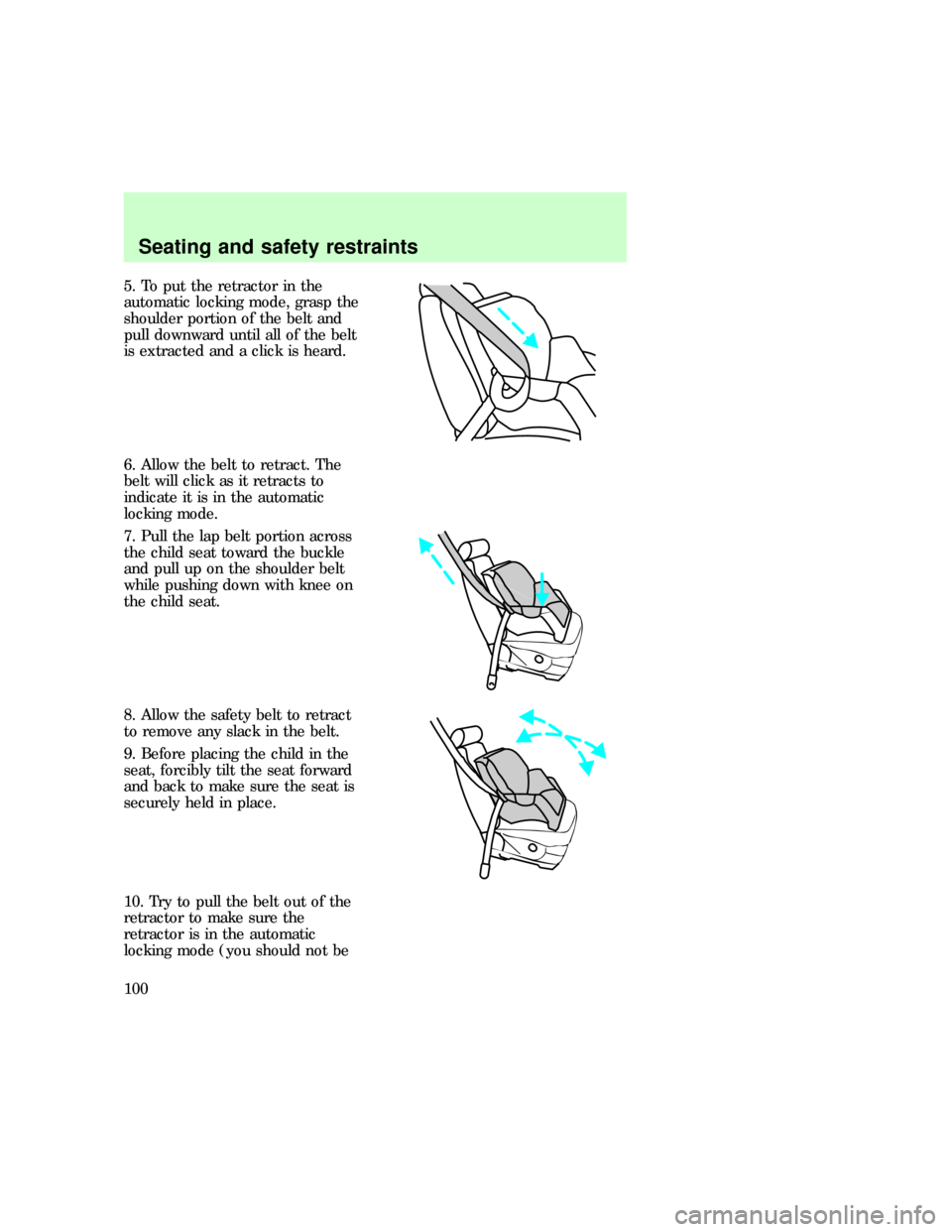
5. To put the retractor in the
automatic locking mode, grasp the
shoulder portion of the belt and
pull downward until all of the belt
is extracted and a click is heard.
6. Allow the belt to retract. The
belt will click as it retracts to
indicate it is in the automatic
locking mode.
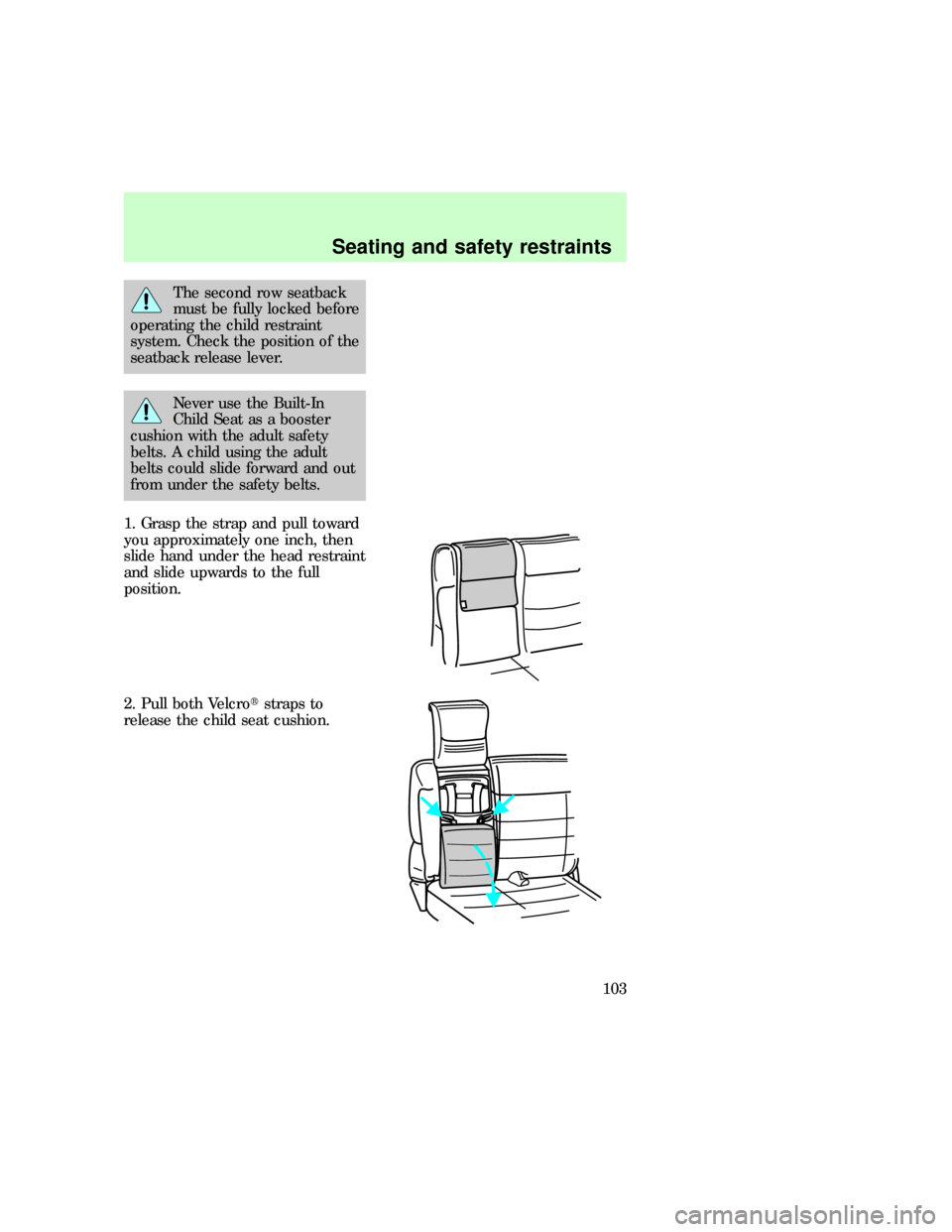
7. Pull the lap belt portion across
the child seat toward the buckle
and pull up on the shoulder belt
while pushing down with knee on
the child seat.
8. Allow the safety belt to retract
to remove any slack in the belt.
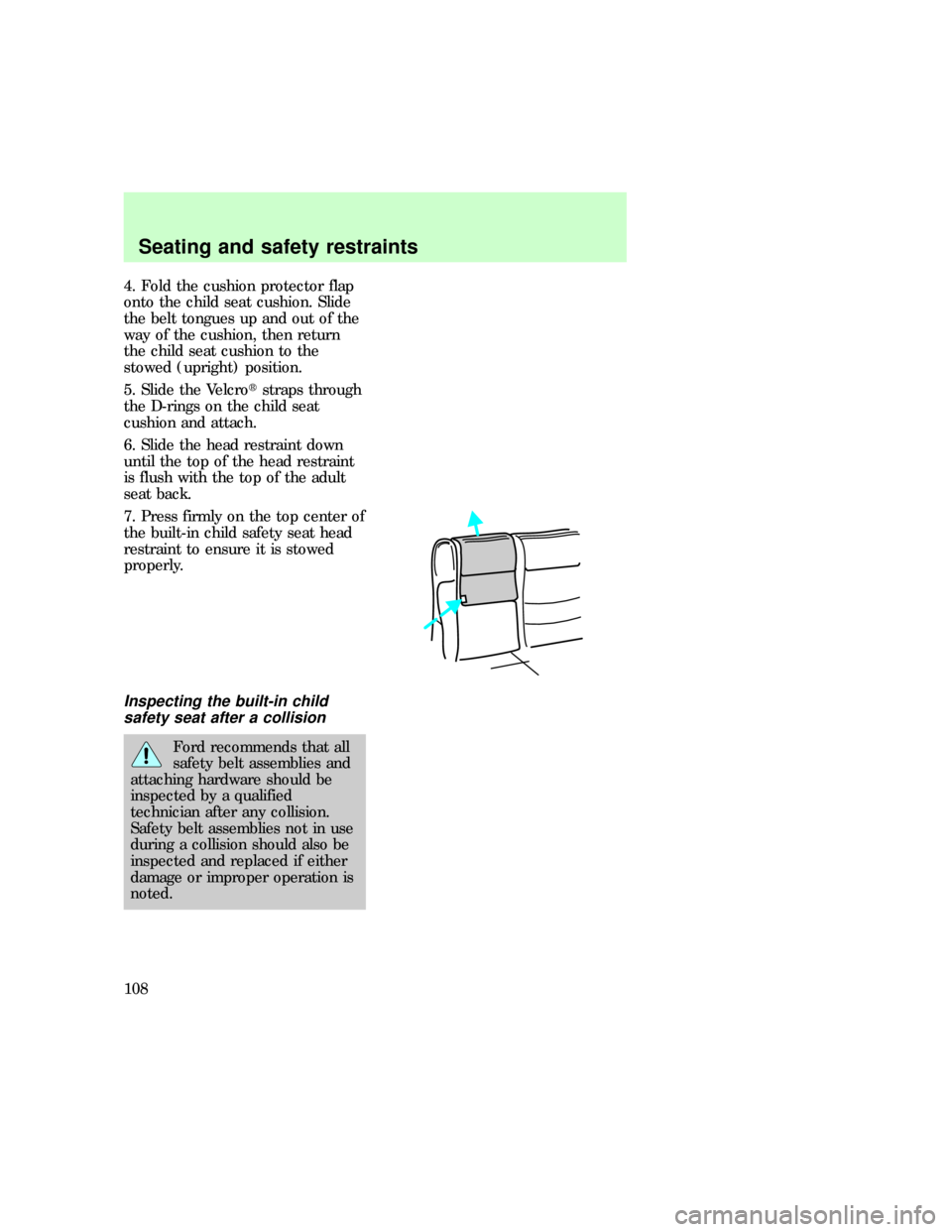
9. Before placing the child in the
seat, forcibly tilt the seat forward
and back to make sure the seat is
securely held in place.
10. Try to pull the belt out of the
retractor to make sure the
retractor is in the automatic
locking mode (you should not be
Seating and safety restraints
100
Page 102 of 236
The second row seatback
must be fully locked before
operating the child restraint
system. Check the position of the
seatback release lever.
Never use the Built-In
Child Seat as a booster
cushion with the adult safety
belts. A child using the adult
belts could slide forward and out
from under the safety belts.
1. Grasp the strap and pull toward
you approximately one inch, then
slide hand under the head restraint
and slide upwards to the full
position.
2. Pull both Velcrotstraps to
release the child seat cushion.
Seating and safety restraints
103
Page 107 of 236
4. Fold the cushion protector flap
onto the child seat cushion. Slide
the belt tongues up and out of the
way of the cushion, then return
the child seat cushion to the
stowed (upright) position.
5. Slide the Velcrotstraps through
the D-rings on the child seat
cushion and attach.
6. Slide the head restraint down
until the top of the head restraint
is flush with the top of the adult
seat back.
7. Press firmly on the top center of
the built-in child safety seat head
restraint to ensure it is stowed
properly.
Inspecting the built-in child
safety seat after a collision
Ford recommends that all
safety belt assemblies and
attaching hardware should be
inspected by a qualified
technician after any collision.
Safety belt assemblies not in use
during a collision should also be
inspected and replaced if either
damage or improper operation is
noted.
uno_inspecting_seat
Seating and safety restraints
108
Page 120 of 236
Ride control switch (All wheel
drive vehicles with Automatic
Ride Control only)
The Ride Control switch provides
direct control of the Automatic
Ride Control system. The switch
doesnotcontrol or change the
performance of the All Wheel
Drive system.
The switch should be placed in the
Normal position for all on road and
most dirt, gravel or snow covered
roads. For severe off-road
conditions where additional body
ground clearance is desired and
vehicle speeds are below 30 mph,
the Off-road position should be
selected.
Service switch
The Automatic Ride Control
service switch is mounted in the
jack storage area. The switch
should be turned off to deactivate
the system during jacking, hoisting,
towing or transport of the vehicle
to avoid unexpected vehicle
movement.
TRANSMISSION OPERATION
Driving an automatic
transmission (if equipped)
Brake-shift interlock
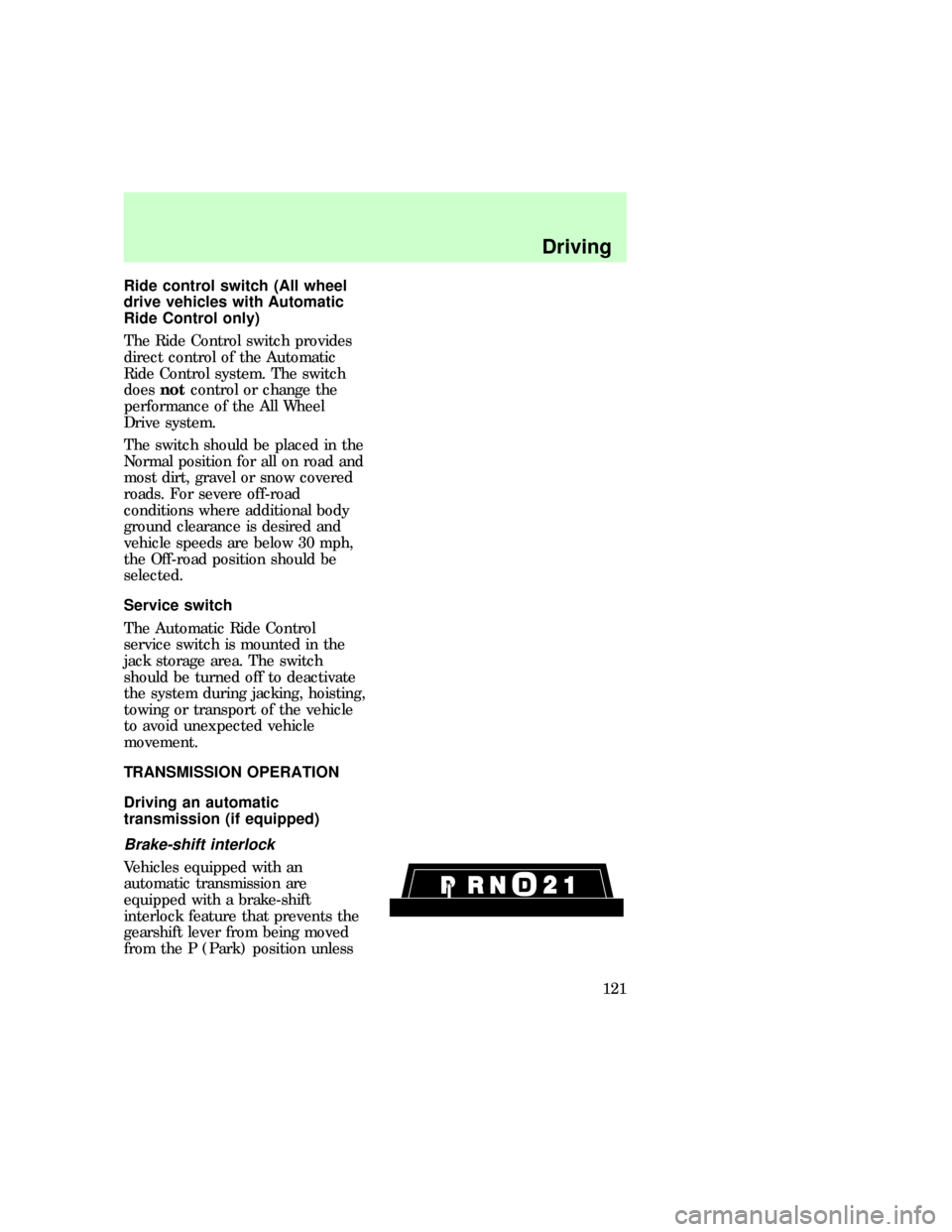
Vehicles equipped with an
automatic transmission are
equipped with a brake-shift
interlock feature that prevents the
gearshift lever from being moved
from the P (Park) position unless
uno_service_switch
uno_transmission_title
uno_driving_an_automatic
uno_brake_shift_interlock
Driving
121
Page 122 of 236

towing a trailer or heavy loads
through heavy terrain.
To return to
D(Overdrive)
mode, press the transmission
control switch.
O/D
OFFwill remain off.
When starting your vehicle, the
transmission will automatically
return to normal
D(Overdrive)
mode.
2 SecondUse the 2 (Second)
position to start-up on slippery
roads or to provide additional
braking on downgrades.
Transmission operates in gears one
and two.
1 LowUse the 1 (Low) position to
provide maximum engine braking
on steep downgrades. Upshifts may
be made by shifting to the 2
(Second) position or to
D(Overdrive). Selecting the 1
(Low) position at higher speeds
causes the transmission to
downshift through the gears and
will shift to 1 (Low) after the
vehicle decelerates to the proper
speed.
Driving (5R55E
transmission-4.0L engines only)
DOverdriveThe normal driving
position for the best fuel economy.
Transmission operates in gears one
through five.
Dcan be deactivated by pressing
the transmission control switch on
the selector lever. The
O/D
OFFwill
illuminate.
uno_5r55e
Driving
123
Page 123 of 236

D DriveNot shown on the display.
Activate by pressing the
transmission control switch.
O/D
OFFwill illuminate in the
instrument cluster. Transmission
operates in gears one through four.
D (Drive) provides more engine
braking than
D(Overdrive) and
is useful when towing a trailer or
heavy loads through heavy terrain.
To return to
D(Overdrive)
mode, press the transmission
control switch.
O/D
OFFwill turn off.
When starting your vehicle, the
transmission will automatically
return to normal
D(Overdrive)
mode.
2 SecondUse the 2 (Second)
position to start-up on slippery
roads or to provide additional
braking on downgrades.
Transmission operates in third
gear.
1 LowUse the 1 (Low) position to
provide maximum engine braking
on steep downgrades. Upshifts may
be made by shifting to the 2
(Second) position or to
D(Overdrive). Selecting the 1
(Low) position at high speeds
causes the transmission to
downshift through the gears and
will shift to 1 (Low) after the
vehicle decelerates to the proper
speed.
uno_driving_manual_trans
Driving
124
Page 135 of 236

²GAWR (Gross Axle Weight
Rating) ÐCarrying capacity
for each axle system (front and
rear). The GAWR is specific to
each vehicle and is listed on the
Safety Compliance Certification
Label on the driver door pillar.
²GCW (Gross Combined
Weight) ÐThe GCW is the
maximum combined weight of
the towing vehicle (including
passengers and cargo) and the
loaded trailer. The GCW is
specified by the manufacturer to
indicate the combined maximum
loaded weight that the vehicle is
designed to tow.
Payload = GVWR minus Base
curb weight
To obtain the correct weights for
your vehicle, try taking your
vehicle to a shipping company or
an inspection station for trucks.
Do not use replacement tires with
lower weight capacities than the
originals because they might lower
the vehicle's GVWR and GAWR.
(Replacement tires with a higher
weight limit than the originals do
not increase the GVWR or the
GAWR limitations.)
In high altitudes, engines will lose
power at a rate of 3% power per
300 m (1000 ft) increase in
elevation. A reduction in GVW and
GCW is recommended for
maximum vehicle performance.
Driving
136
Page 137 of 236

TRAILER TOWING
Trailer towing with your vehicle
may require the use of a trailer
tow option package.
Trailer towing puts additional loads
on your vehicle's engine,
transmission, axle, brakes, tires,
and suspension. For your safety
and to maximize vehicle
performance, be sure to use the
proper equipment while towing.
Follow these guidelines to ensure
safe towing procedure:
²Stay within your vehicle's load
limits.
²Thoroughly prepare your vehicle
for towing. Refer toPreparing
to towin this chapter.
²Use extra caution when driving
while trailer towing. Refer to
Driving while towingin this
chapter.
²Service your vehicle more
frequently if you tow a trailer.
Refer to the severe duty
schedule in the ªService Guideº.
²Do not tow a trailer until your
vehicle has been driven at least
800 km (500 miles).
²Refer to the instructions
included with towing accessories
for the proper installation and
adjustment specifications.
²Speed control may shut off if
you are towing on long, steep
grades.
Driving
138