Page 74 of 236
The system has shut down if the
keypad light is out. If the keyless
entry system does not work, use
the key or remote entry
transmitter(s).
1. To unlock the driver door, enter
one of the two codes. After
pressing the fifth number, the
driver door unlocks.
2. To unlock the passenger door(s)
and liftgate, press the 3/4 button
within five seconds of unlocking
the driver door.
Programming your own entry
code
This code does not replace the
permanent code from the
dealership.
To program your own code:
1. Select five digits for your
personal code.
2. Enter the permanent code that
the dealership gave you.
3. Within five seconds, press 1/2.
4. Within five seconds of pressing
1/2, enter your personal code,
pressing each digit within five
seconds of the previous digit.
You can now use either code. The
system remembers only one
personal code at a time.
To erase your personal code:
123
45678
90
123
45678
90
com_keyless_programming.01
Controls and features
75
Page 75 of 236
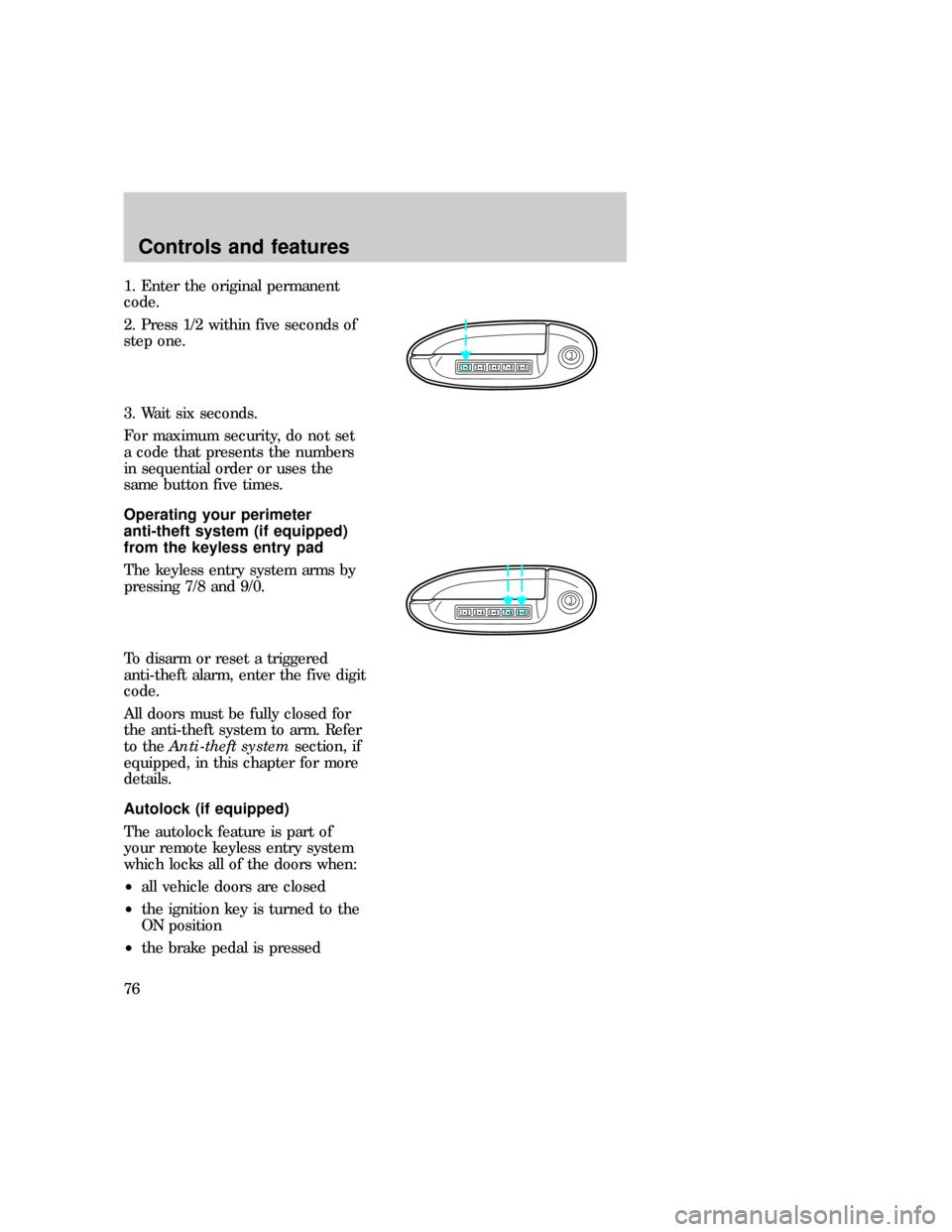
1. Enter the original permanent
code.
2. Press 1/2 within five seconds of
step one.
3. Wait six seconds.
For maximum security, do not set
a code that presents the numbers
in sequential order or uses the
same button five times.
Operating your perimeter
anti-theft system (if equipped)
from the keyless entry pad
The keyless entry system arms by
pressing 7/8 and 9/0.
To disarm or reset a triggered
anti-theft alarm, enter the five digit
code.
All doors must be fully closed for
the anti-theft system to arm. Refer
to theAnti-theft systemsection, if
equipped, in this chapter for more
details.
Autolock (if equipped)
The autolock feature is part of
your remote keyless entry system
which locks all of the doors when:
²all vehicle doors are closed
²the ignition key is turned to the
ON position
²the brake pedal is pressed
123
45678
90
123
45678
90
com_keyless_perimeter.01
uno_keyless_autolock
Controls and features
76
Page 81 of 236
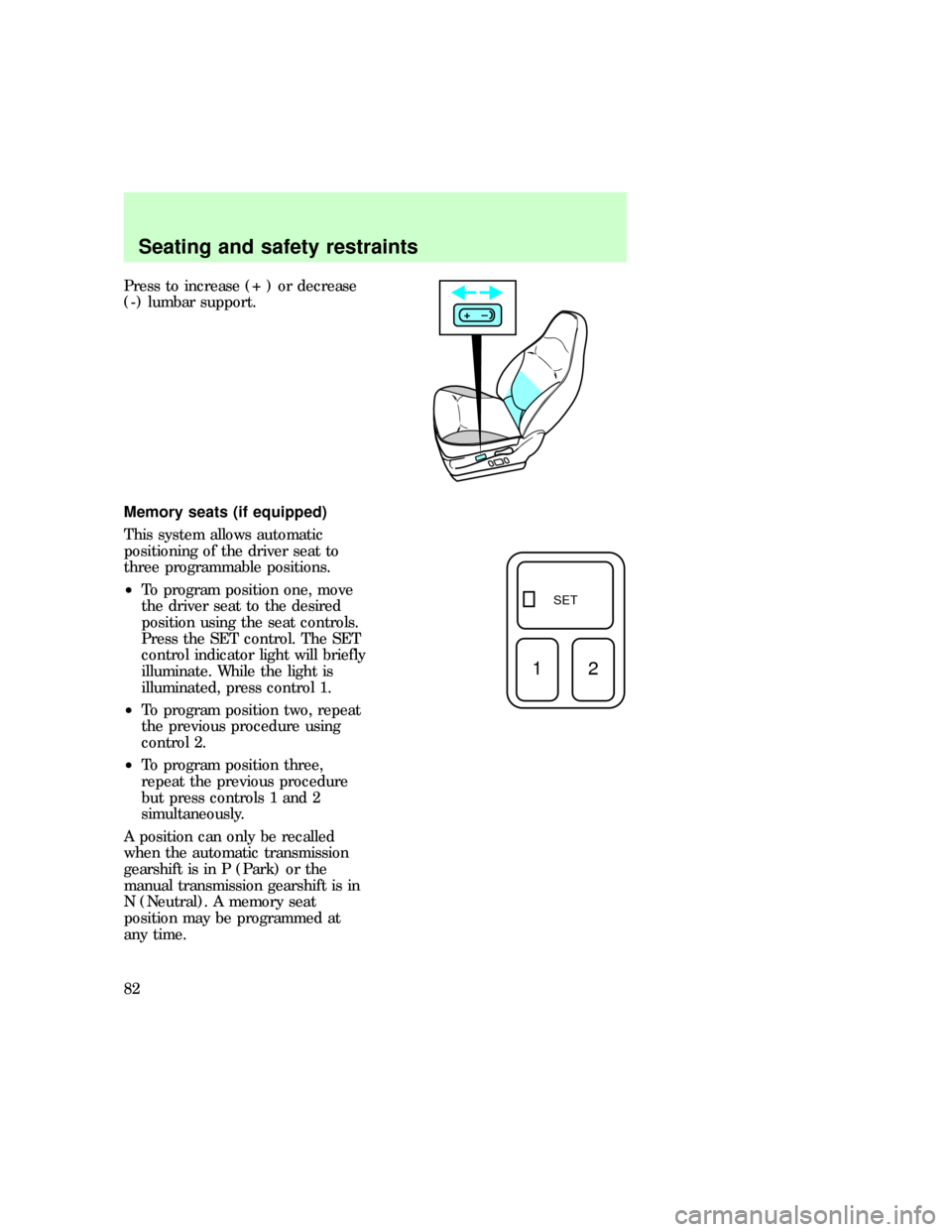
Press to increase (+ ) or decrease
(-) lumbar support.
Memory seats (if equipped)
This system allows automatic
positioning of the driver seat to
three programmable positions.
²To program position one, move
the driver seat to the desired
position using the seat controls.
Press the SET control. The SET
control indicator light will briefly
illuminate. While the light is
illuminated, press control 1.
²To program position two, repeat
the previous procedure using
control 2.
²To program position three,
repeat the previous procedure
but press controls 1 and 2
simultaneously.
A position can only be recalled
when the automatic transmission
gearshift is in P (Park) or the
manual transmission gearshift is in
N (Neutral). A memory seat
position may be programmed at
any time.
+–
SET
12
uno_remote_seat_controls
uno_seat_belts
Seating and safety restraints
82
Page 234 of 236

Power door locks ........................54
Power steering
fluid, checking and adding ....184
Rear window
wiper .....................................37,38
Refill capacities for fluids ........223
Relays ..........................149,150,153
Remote entry system .................69
locking/unlocking doors ......69,70
panic alarm ...............................70
replacement/additional
transmitters ...............................73
replacing the batteries .............72
Reporting safety defects ..........232
Restraints, safety (see Safety
restraints)
head ...........................................78
Safety restraints
adjusting the safety belts ....86,87
energy absorbing sew
pattern ..................................88,89
for children ...............................95
proper use ..................83,84,85,86
Safety seats for children
attaching with tether straps ..101
automatic locking mode
(retractor) ............................97,98
Seats ............................................79
adjusting the seat, power ........80
bench (60-40 split) ..................79
Servicing your vehicle ..............165
precautions when servicing ...165
servicing when you tow .........145
Snowplowing .................................4
Special notice ................................3
ambulance conversions ..............3
utility-type vehicles ....................3
Specification chart, lubricants .225
Speed control ..............................40
indicator light ........................8,43
Speedometer ...............................14
Starting your vehicle ................110preparing to start your
vehicle .....................................112
starting a warm engine ..........115
Steering wheel
tilting .........................................44
Storage compartments
overhead storage
compartment .............................52
Tachometer
mechanical cluster ...................15
Tires
changing ..................................156
checking the pressure ............197
inspection and maintenance ..195
replacing ..................................199
rotating ....................................198
snow tires and chains ............201
spare tire .................................156
tire grades ...............................195
treadwear ................................196
Traction-lok rear axle ...............119
Trailer towing ............................138
safety chains ...........................143
tips ....................................139,144
trailer brakes ...........................143
trailer lamps ............................143
Transfer case (see Differential
fluid) ..........................................188
Transmission
fluid, checking and adding
(automatic) .............................186
Trip odometer .............................14
Turn signal
indicator lights ............................9
Two step lock ..............................54
Vehicle dimensions ...................228
Vehicle headlamp aiming
device (VHAD) .........................214
Vehicle Identification Number
(VIN) ..........................................230
Ventilating your vehicle ...........111
Index
235