Page 37 of 354
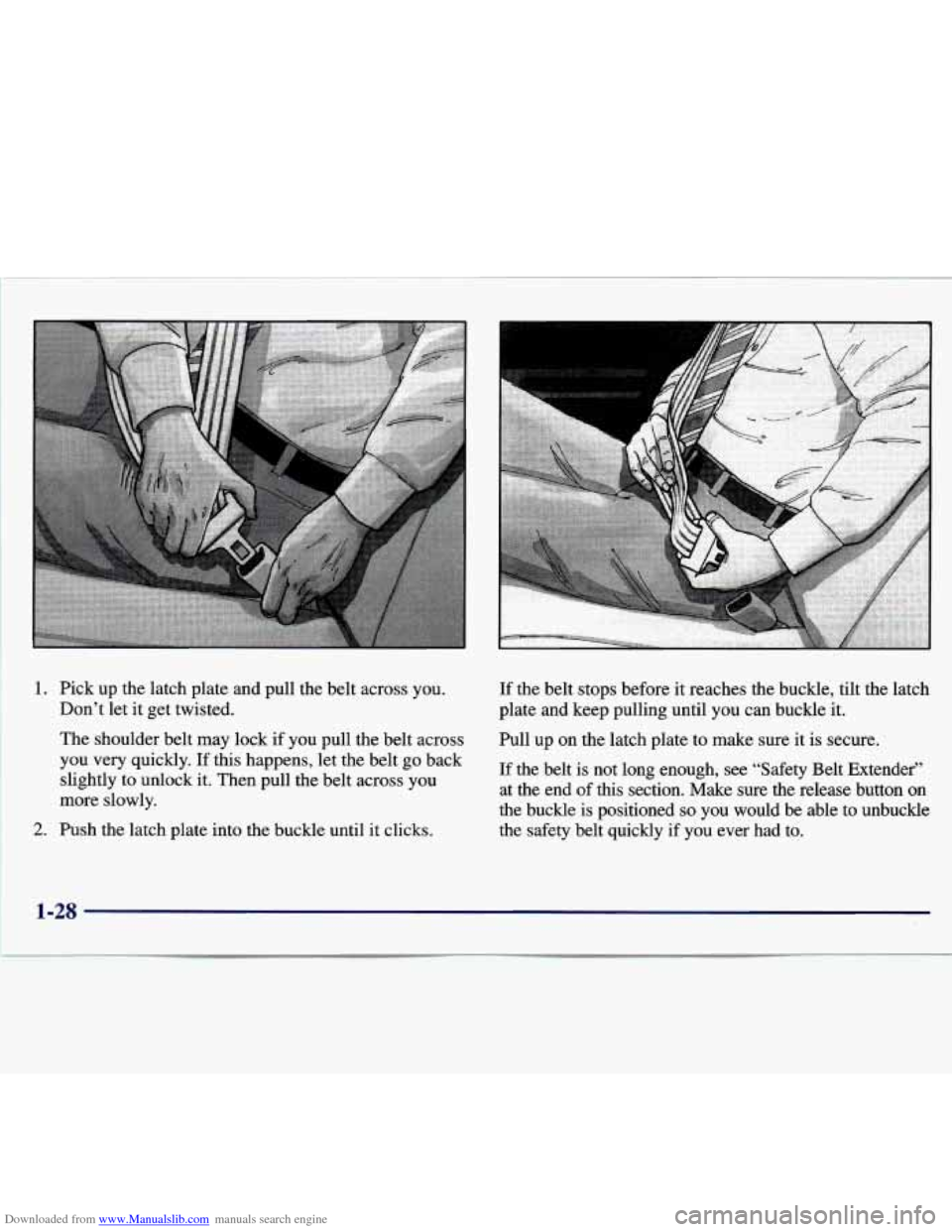
Downloaded from www.Manualslib.com manuals search engine 1. Pick up the latch plate and pull the belt across you.
Don’t let it get twisted.
The shoulder belt may lock if you pull the belt across
you very quickly.
If this happens, let the belt go back
slightly to unlock
it. Then pull the belt across you
more slowly.
2. Push the latch plate into the buckle until it clicks. If
the belt stops before
it reaches the buckle, tilt the latch
plate and keep pulling until you can buckle it.
Pull up on the latch plate to make sure it is secure.
If the belt is not long enough, see “Safety Belt Extender”
at the end of
this section. Make sure the release button on
the buckle is positioned
so you would be able to unbuckle
the safety belt quickly if you ever had to.
1-28
Page 39 of 354
Downloaded from www.Manualslib.com manuals search engine The safety belt locks if there's a sudden stop or a crash,
or if you pull the belt very quickly out of the retractor.
I
A CAUTION:
I
You can be seriously hurt if your shoulder belt is
too loose. In a crash, you would move forward
too much, which could increase injury. The
shoulder belt should fit against your body.
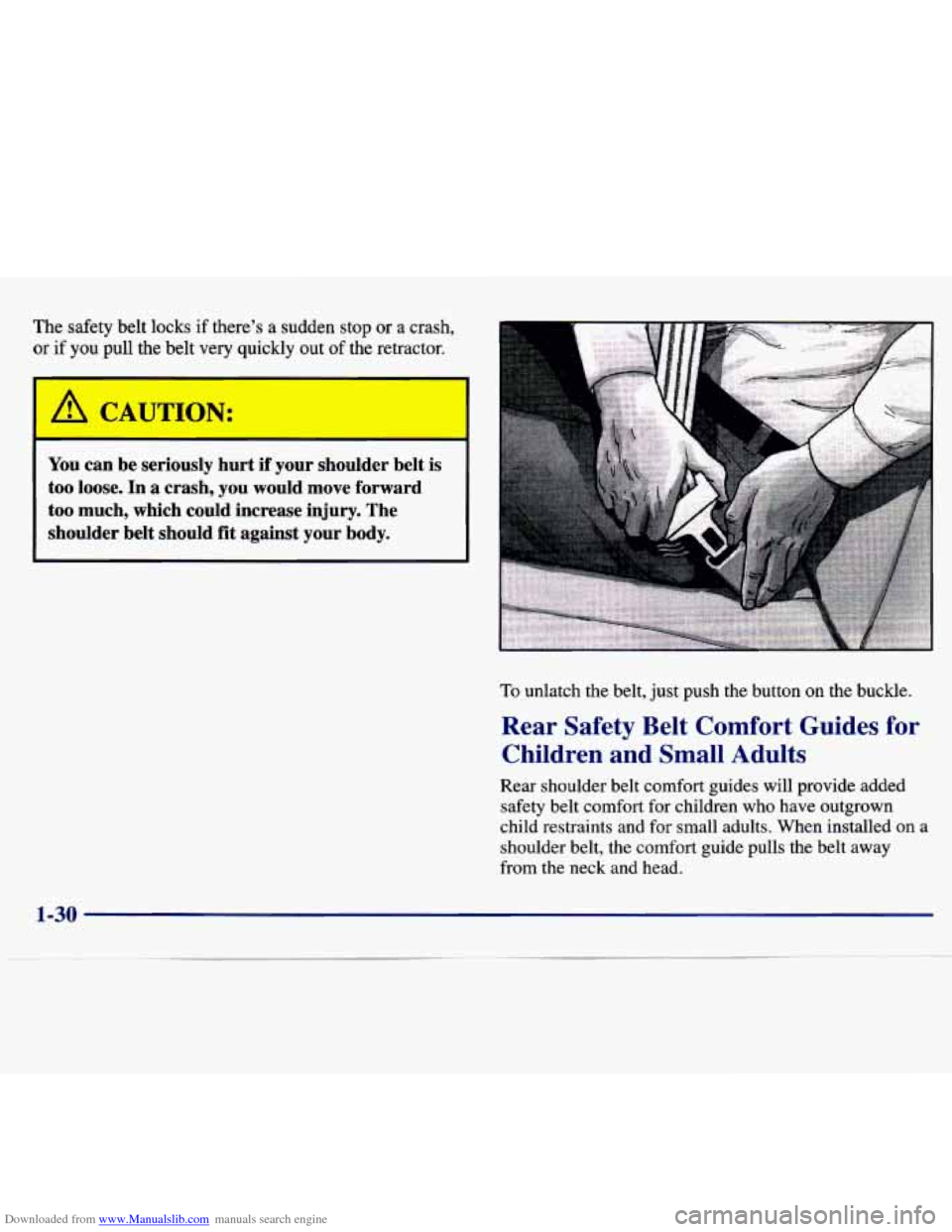
To unlatch the belt, just push the button on the buckle.
Rear Safety Belt Comfort Guides for
Children and Small Adults
Rear shoulder belt comfort guides will provide added
safety belt comfort for children who have outgrown
child restraints and for small adults. When installed
on a
shoulder belt, the comfort guide pulls the belt
away
from the neck and head,
1-30
Page 58 of 354
Downloaded from www.Manualslib.com manuals search engine Section 2 Features and Controls
2-2
2-4
2-5
2-6 2- 8
2-1
1
2-13 2-13
2- 14
2-
17
2-18
2-22
2-22
2-26
Here you can learn about the many standard and optional featur\
es on your Chevrolet, and information
on starting,
shifting and braking. Also explained are the instrument panel and the warning systems that tell you if everything is
working properly
-- and what to do if you have a problem.
Important Information About Keys
Door Locks Operation of Child Security Locks
Keyless Entry System
Battery Replacement for Keyless
Entry System
Preventing Theft
of Your Vehicle
New Vehicle “Break-In”
Ignition Positions
Tips on Starting Your Engine
Using the Engine Coolant Heater
Automatic Transaxle Operation
Second-Gear Start
Parking Brake Guidelines
Important Information on Engine Exhaust 2-27
2-28
2-29
2-30
2-30
2-33
2-36 2-37
2-3 8
2-40
2-42
2-47
2-48
2-52 Operation
of Your Windows
Adjusting the Tilt Steering Wheel
Functions of the Multifunction Lever
How to Use the High/Low Beam
Headlamp Changer
Windshield Wipers and Fluid
Using Cruise Control
Exterior Lamps Daytime Running Lamps (DRL)
Interior Lamps Rearview Mirrors
Storage Compartments
Sunroof
Instrument Panel Overview
All About Your Warning Lights and Gages
Page 60 of 354
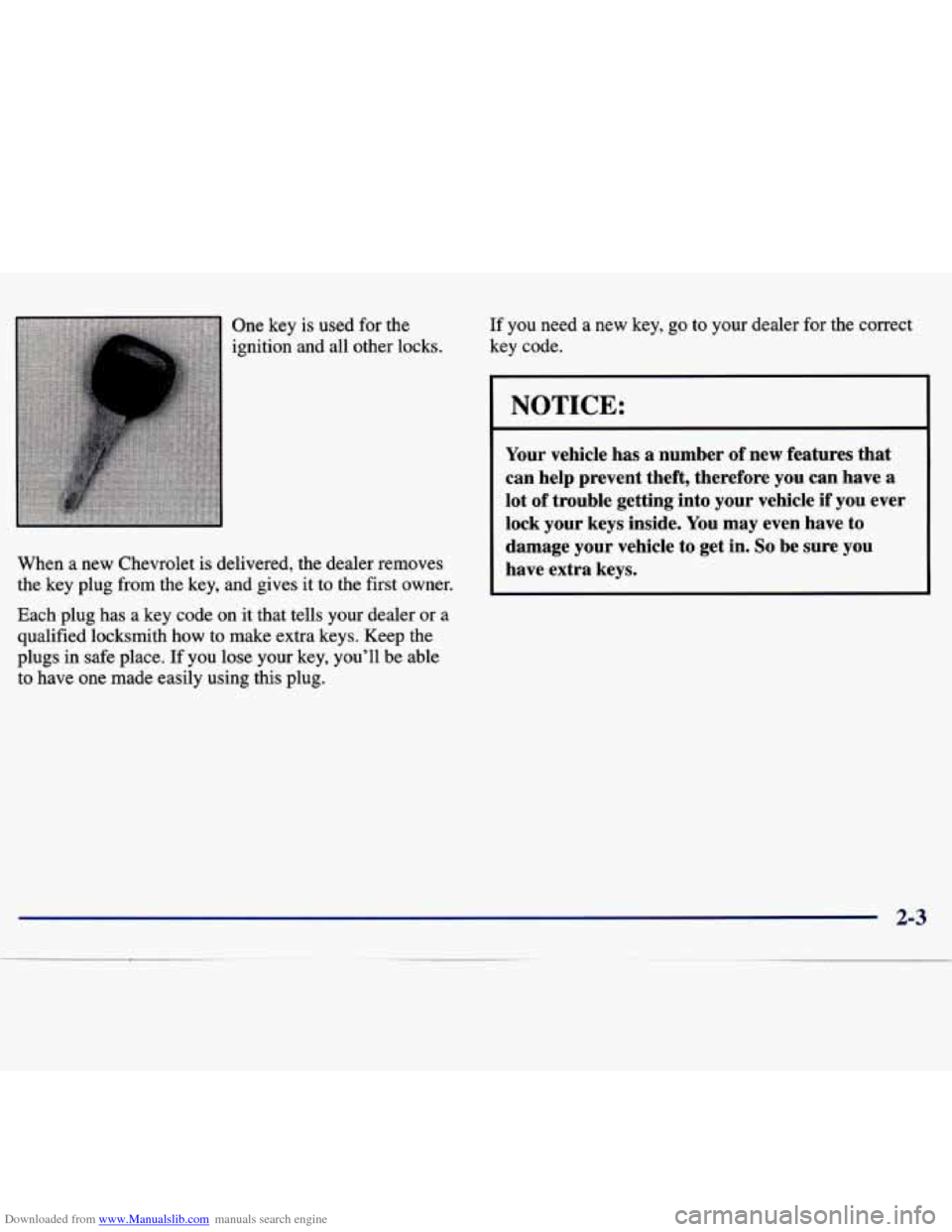
Downloaded from www.Manualslib.com manuals search engine One key is used for the
ignition and
all other locks. If you need
a new key, go to your dealer for the correct
key code.
When a new Chevrolet is delivered, the dealer removes
the key plug from the key, and gives it to the first owner.
Each plug has a key code on it that tells your dealer or a
qualified locksmith how to
make extra keys. Keep the
plugs in safe place.
If you lose your key, you’ll be able
to have one made easily using this plug.
I NOTICE:
Your vehicle has a number of new features that
can help prevent theft, therefore you can have a
lot of trouble getting into your vehicle if you ever
lock your keys inside. You may even have to
damage your vehicle to get
in. So be sure you
have extra keys.
2-3
~
Page 61 of 354
Downloaded from www.Manualslib.com manuals search engine Door Locks
A CAWTION:
Unlocked doors can be dangerous.
Passengers
-- especially children -- can easily
open the doors and fall out. When a door is
locked, the inside handle won’t open
it.
Outsiders can easily enter through an unlocked
door when you slow down or
stop your vehicle.
This may not be
so obvious: You increase the
chance of being thrown out of the vehicle in a
crash if the doors aren’t locked. Wear safety belts
properly, lock your doors, and you will be far
better
off whenever you drive your vehicle.
There are several ways to lock and unlock your vehicle.
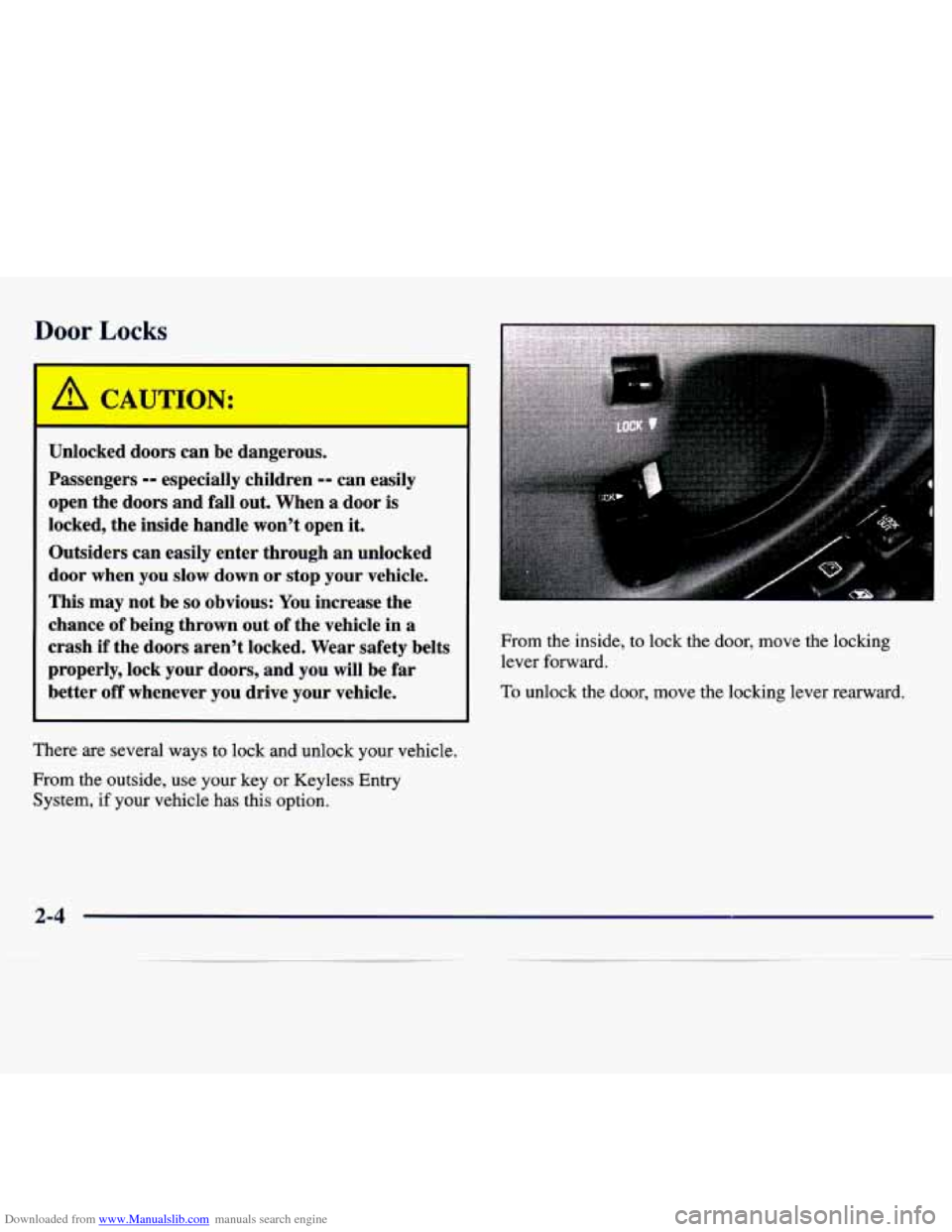
From the outside, use your key or Keyless Entry System, if your vehicle has this option. From the inside,
to lock the door, move the locking
lever forward.
To unlock the door, move the locking lever rearward.
2-4
Page 62 of 354
Downloaded from www.Manualslib.com manuals search engine Power Door Locks (If Equipped)
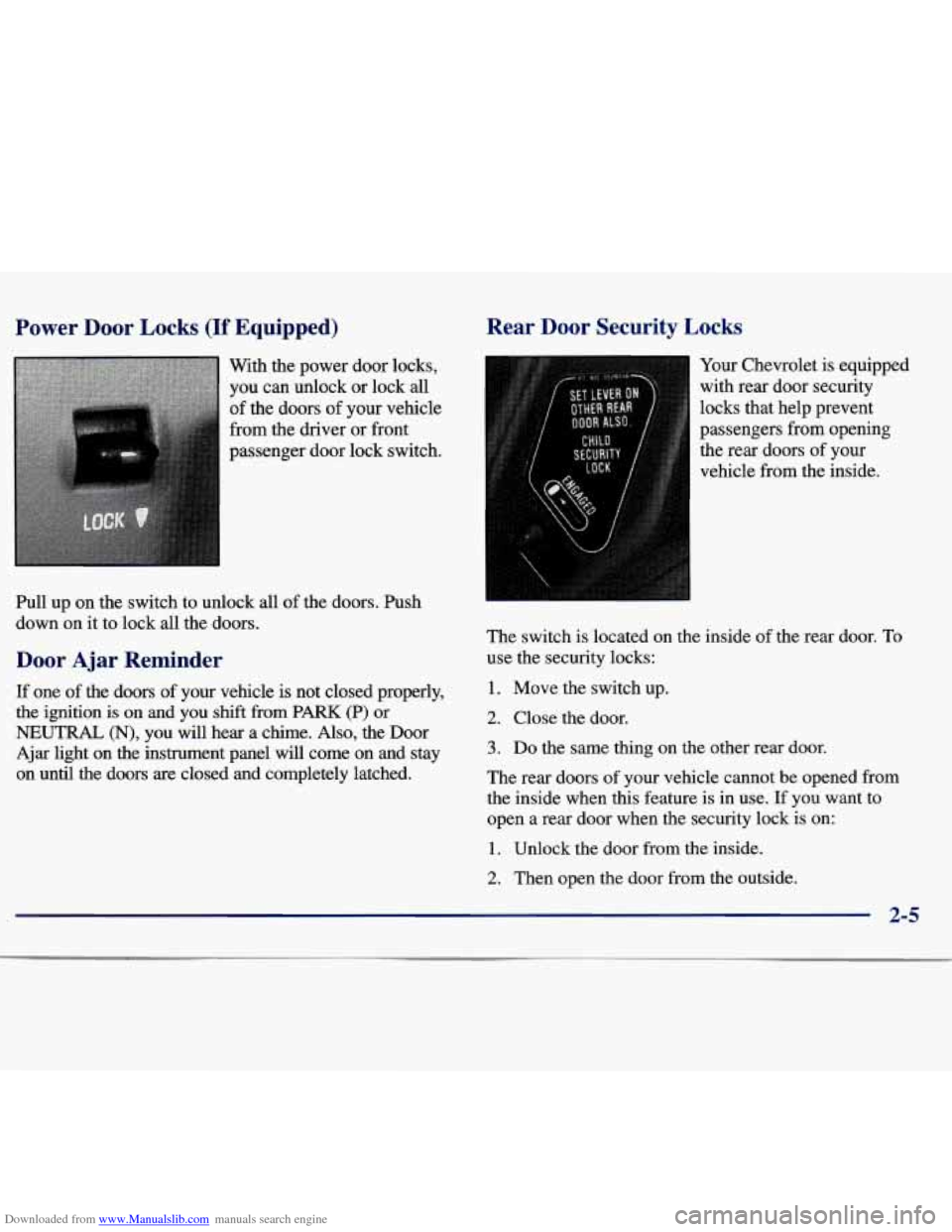
With the power door locks,
you can unlock or lock
all
of the doors of your vehicle
from the driver or front
passenger door lock switch.
Pull up on the switch to unlock all of the doors. Push
down on it to lock
all the doors.
Door Ajar Reminder
If one of the doors of your vehicle is not closed properly,
the ignition is on and you shift from PARK (P) or
NEUTRAL (N), you will hear a chime. Also, the Door
Ajar light on the instrument panel will come on and stay
on until the doors are closed and completely latched.
Rear Door Security Locks
-
Your Chevrolet is equipped
with rear door security
locks that help prevent
passengers from opening
the rear doors
of your
vehicle from the inside.
The switch is located on the inside of the rear door.
To
use the security locks:
1. Move the switch up.
2. Close the door.
3. Do the same thing on the other rear door.
The rear doors of your vehicle cannot be opened from
the inside when this feature is in use.
If you want to
open
a rear door when the security lock is on:
1. Unlock the door from the inside.
2. Then open the door from the outside.
2-5
Page 63 of 354
Downloaded from www.Manualslib.com manuals search engine If you don’t cancel the security lock feature, adults or
older children who ride in the rear won’t be able to open
the rear door from the inside. You should let adults and
older children know how these security locks work, and how to cancel the locks.
To cancel the rear door lock:
1. Unlock the door from the inside and open it from
the outside.
2. Move the switch down.
3. Do the same for the other rear door.
The rear doors will now work normally.
Leaving Your Vehicle
Keyless Entry System (If Equipped)
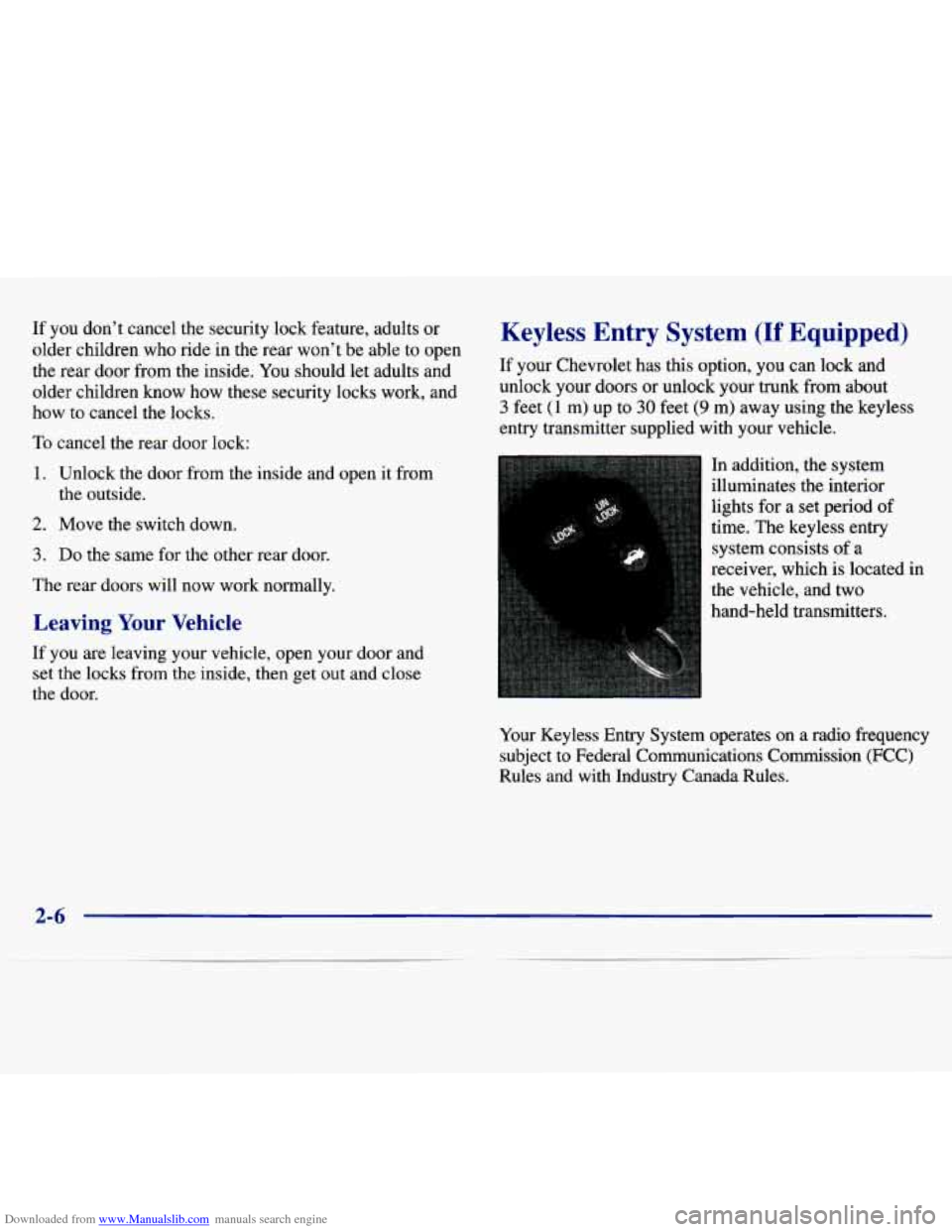
If your Chevrolet has this option, you can lock and unlock your doors or unlock your trunk from about
3 feet (1 m) up to 30 feet (9 m) away using the keyless
entry transmitter supplied with your vehicle.
In addition, the system
illuminates the interior
lights for a set period of
time. The keyless entry
system consists of a
receiver, which is located in
the vehicle, and two
hand-held transmitters.
If you are leaving your vehicle, open your door and
set the locks
from the inside, then get out and close
the door.
Your Keyless Entry System operates on a radio frequency
subject to Federal Communications Commission (FCC)
Rules and
with Industry Canada Rules.
2-6
Page 64 of 354
Downloaded from www.Manualslib.com manuals search engine This device complies with Part 15 of the FCC Rules.
Operation is subject to the following
two conditions:
(1) this device may not cause harmful interference,
and
(2) this device must accept any interference received,
including interference that may cause undesired operation.
This device complies with
RSS-210 of Industry Canada.
Operation is subject to the following two conditions:
(1) this device may not cause interference, and (2) this
device must accept any interference received, including
interference that may cause undesired operation of
the device.
This system has a range of about
3 feet (1 m) up to
30 feet (9 m). At times you may notice a decrease in
range. This is normal for any keyless entry system.
If the transmitter does not work or if you have to
stand closer to your vehicle for the transmitter to
work, try this:
Check to determine if battery replacement or
resynchronization is necessary. See the instructions
that follow.
Check the distance. You may be too far from your
vehicle. You may need to stand closer during rainy
or snowy weather.
Check the location. Other vehicles or objects may be
blocking the signal. Take a few steps to the left or
right, hold the transmitter higher and
try again.
If you’re still having trouble, see your Chevrolet
Changes
or modifications to this system by other than an
authorized service facility could void authorization to
use this equipment. dealer or
a qualified technician for service.
Operation
The following functions are available with the keyless
entry system:
LOCK: All doors will automatically lock when the
LOCK button on the transmitter is pressed. Press the
button
a second time and you will hear a “chirp“ to
indicate that the doors have been locked.
UNLOCK: The driver’s door will unlock automatically
when the UNLOCK button on the transmitter is pressed.
If the UNLOCK button is pressed again within five
seconds, all remaining doors
will unlock.
Trunk Release: The trunk will unlock anytime the vehicle symbol on the transmitter is pressed, the trunk
lockout is not engaged and the gear selector is in
PARK (P) or
NEUTRAL (N) .
2-7