1997 CHEVROLET CAMARO clock
[x] Cancel search: clockPage 6 of 404

Downloaded from www.Manualslib.com manuals search engine The Chevrolet blend of
value and performance has
become an American
tradition
-- whether bred for
the racetrack like the legendary
Corvette and Camaro, or created for the pleasure of the
open road.
Every decade, Chevrolet
has reinforced its heritage
of affordable performance
with quality and value crafted into each vehicle.
It's not
surprising that
for 80 years
"Genuine Chevrolet" has been
America's automobile.
We're proud to continue that
heritage
in your Chevrolet,
I I The legucy of America S favorite sportscar
I began in 1953, when 319 hand-assembled In 1932 Chevrolet
introduced the white Corvettes
Synchro-Mesh launched the
transmission and
first use of a
offered a host
of fiberglass body in
accessories -- including a production cax
such niceties as a clock!
8
iv
Page 64 of 404

Downloaded from www.Manualslib.com manuals search engine Vehicle and Content
Theft-DeterrenVAlarm
Sysl
(If Equipped)
If your vehicle has this option, it has a theft-deterrent
alarm system. Once armed, the system will sound the horn
and flash the parking lamps if the vehicle is broken into.
Shock Sensor
To adjust, remove the label covering the adjustment
knob on the sensor and adjust
as desired. Turn clockwise
to increase sensitivity and turn counterclockwise to
decrease sensitivity. The shock sensor is ignored
by the
alarm system when the ignition is on, when the hatch is
open, when the alarm is disarmed, when customized
to
be ignored and for five seconds after the horn sounds an
alarm or chirp. The shock sensor is ignored after
triggering three full alarms until the system is rearmed.
Coupe Convertible
The shock sensor is what triggers the alarm when it
detects
a blow to your vehicle. It is located over the
right rear wheelhouse near the spare tire in the hatch
area. There are two levels
of alarms via the shock
sensor: Two horn blasts and parking lamp flashes for
non-threatening blows to the vehicle and
a full two
minute alarm for harder blows to the vehicle. Its
sensitivity can be adjusted if more
or less sensitivity is
desired. (Note: If sensitivity is increased too much, it
may give false alarms caused by gusts
of wind or other
natural events that may shake the vehicle).
2-14
Page 123 of 404
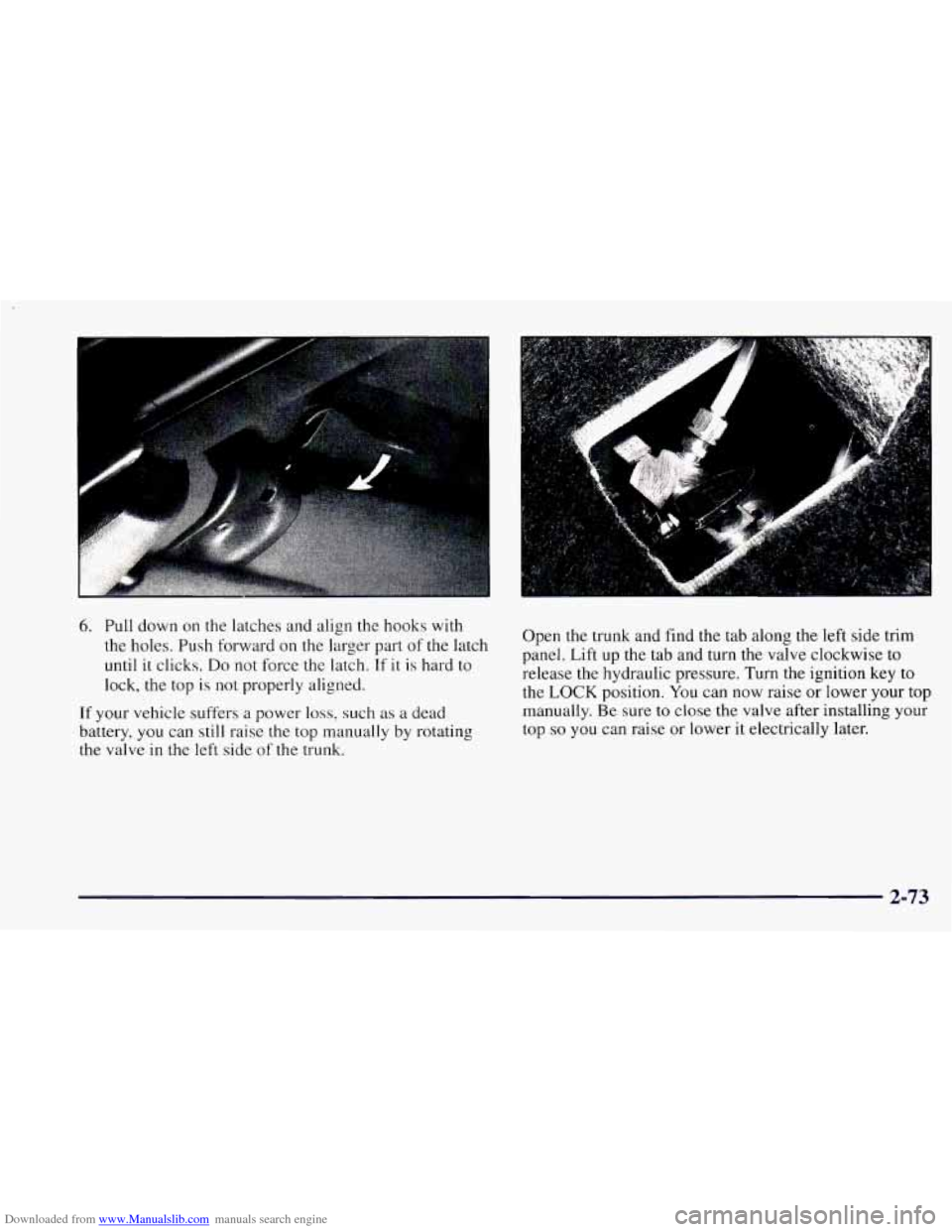
Downloaded from www.Manualslib.com manuals search engine 6. Pull down on the latches and align the hooks with
the holes. Push forward on the larger part of the latch
until it clicks.
Do not force the latch. If it is hard to
lock, the top is not properly aligned.
If your vehicle suffers a power loss, such as a dead
battery, you can still raise
the top manually by rotating
the valve in the left side of the trunk. Open the trunk and
find
the tab along the left side trim
panel. Lift up the tab and turn the valve clockwise to
release the hydraulic pressure. Turn the ignition key to
the LOCK position. You can now raise or lower your
top
manually. Be sure to close the valve after installing your
top
so you can raise or lower it electrically later.
2-73
Page 141 of 404
Downloaded from www.Manualslib.com manuals search engine Section 3 Comfort Controls and Audio Systems
In this section, you’ll find out how to operate the comfort control and audio systems offered with your Chevrolet.
Be sure
to read about the particular systems supplied with your vehicle.
3-2 3-3
3-3
3-4
3-4
3 -5
3-5
3-6 3-6
3
-6
Comfort Controls Air Conditioning
Cooling
Heating
Ventilation System
Defogging and Defrosting
Rear Window Defogger
Audio Systems
Setting the Clock for Systems without
Automatic Tone Control
Setting the Clock for Systems with Automatic
Tone Control 3-9
3-16
3-20
3-22
3-22
3-23
3-24 3-24
3-6
AM-FM
Stereo with Cassette Tape Player
AM-FM Stereo with Cassette Tape Player and
Automatic
Tone Control
AM-FM Stereo with Compact Disc Player and
Automatic Tone Control
Theft-Deterrent Feature Understanding Radio Reception
Tips About Your Audio System
Care of Your Cassette Tape Player
Care
of Your Compact Discs
Fixed Mast Antenna
3-1
Page 142 of 404
Downloaded from www.Manualslib.com manuals search engine Comfort Controls Temperature Control Knob
\@
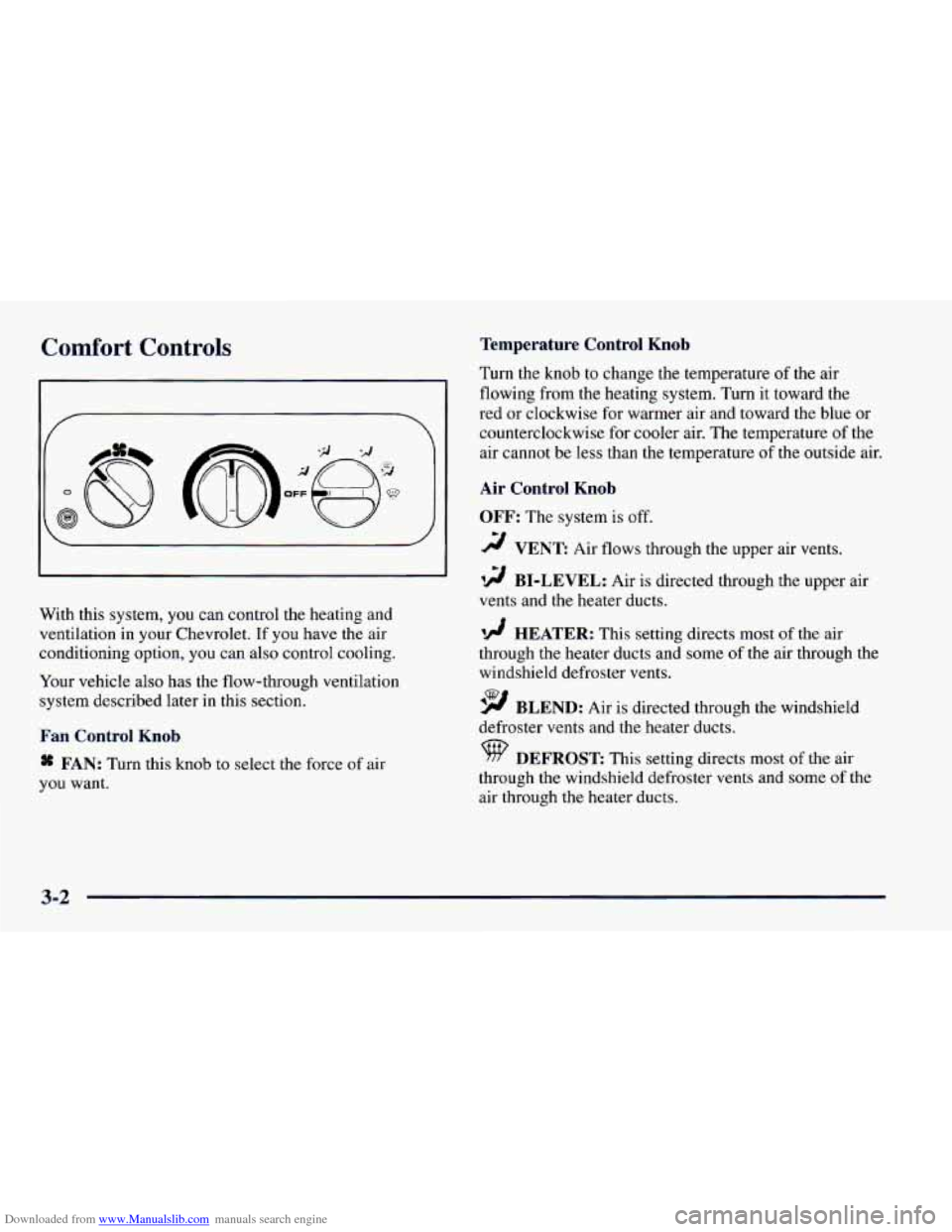
With this system, you can control the heating and
ventilation in your Chevrolet. If you have the air
conditioning option, you can also control cooling.
Your vehicle also has the flow-through ventilation
system described later in this section.
Fan Control Knob
* FAN: Turn this knob to select the force of air
you want. Turn the knob
to change the temperature
of the air
flowing from the heating system. Turn it toward the
red or clockwise for warmer air and toward the blue or
counterclockwise for cooler air. The temperature
of the
air cannot be less than the temperature
of the outside air.
Air Control Knob
OFF:
The system is off.
2 VENT: Air flows through the upper air vents.
12 BI-LEVEL: Air is directed through the upper air
vents and the heater ducts.
'!! HEATER: This setting directs most of the air
through the heater ducts and some of the air through the
windshield defroster vents.
9 BLEND: Air is directed through the windshield
defroster vents and the heater ducts.
DEFROST: This setting directs most of the air
through the windshield defroster vents and some
of the
air through the heater ducts.
3-2
Page 146 of 404
Downloaded from www.Manualslib.com manuals search engine Audio Systems
Your Delco@ audio system has been designed to operate
easily and give years
of listening pleasure. You will get
the most enjoyment out of it if you acquaint yourself
with it first. Find out what your Delco system can do
and how to operate all its controls, to be sure you’re
getting the most out of the advanced engineering that
went into it.
If you have power door locks, your vehicle has a feature
called Retained Accessory Power (RAP). With RAP,
you can play your audio system even after the ignition is
off.
See “Retained Accessory Power’’ in the Index.
Setting the Clock for Systems without
Automatic
Tone Control
Press SET. SET will appear on the display for five
seconds. Within five seconds, press and hold
the right
arrow on the SEEK button until the correct minute
appears. Press and hold the left arrow
on the SEEK
button until the correct hour appears.
Setting the Clock for Systl- with
Automatic Tone Contro,
Press and hold HR until the correct hour appears. Press
and hold
MN until the correct minute appears.
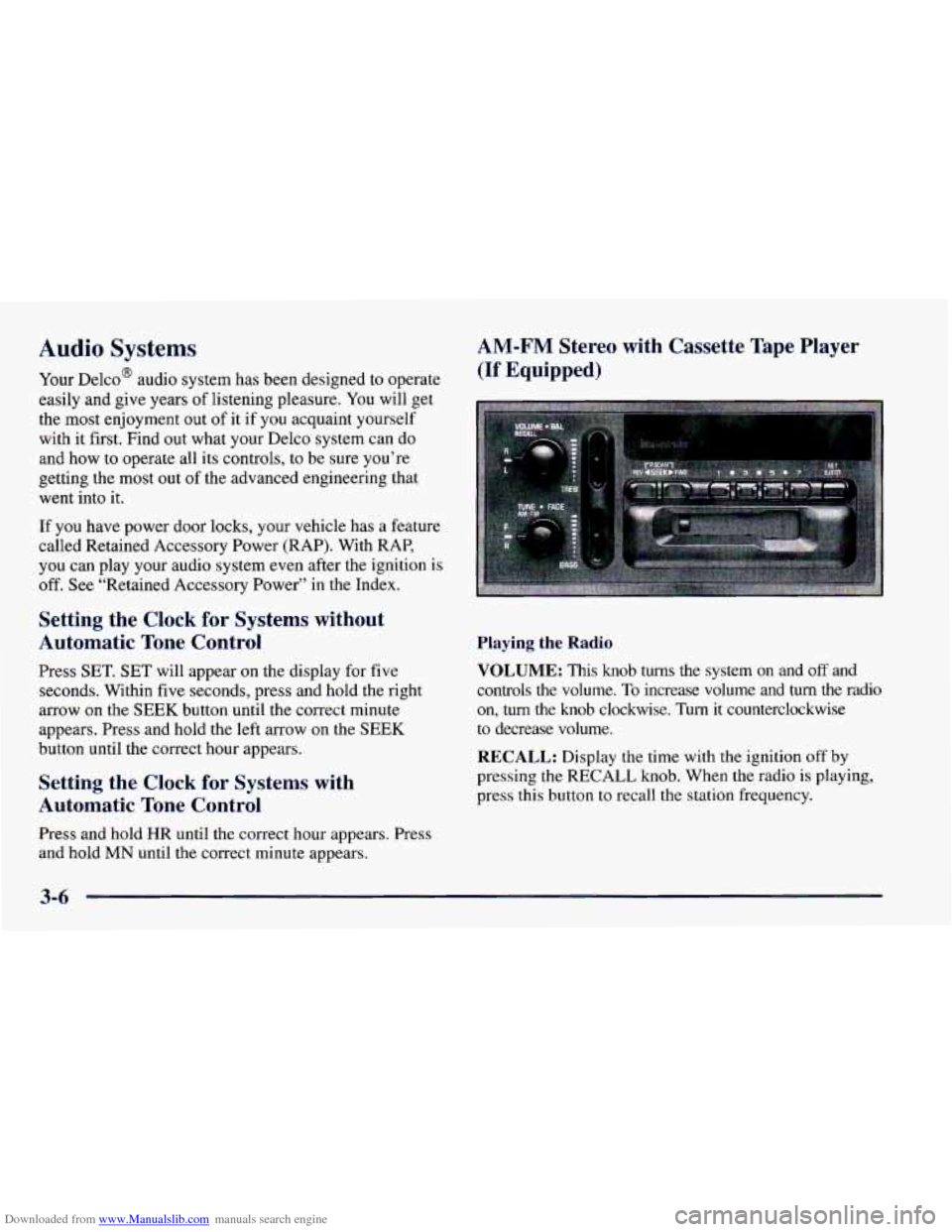
AM-FM Stereo with Cassette Tape Player
(If Equipped)
Playing the Radio
VOLUME:
This knob turns the system on and off and
controls the volume.
To increase volume and turn the radio
on, turn the knob clockwise. Turn it counterclockwise
to decrease volume.
RECALL: Display the time with the ignition off by
pressing
the RECALL knob. When the radio is playing,
press this button
to recall the station frequency.
3-6
Page 149 of 404
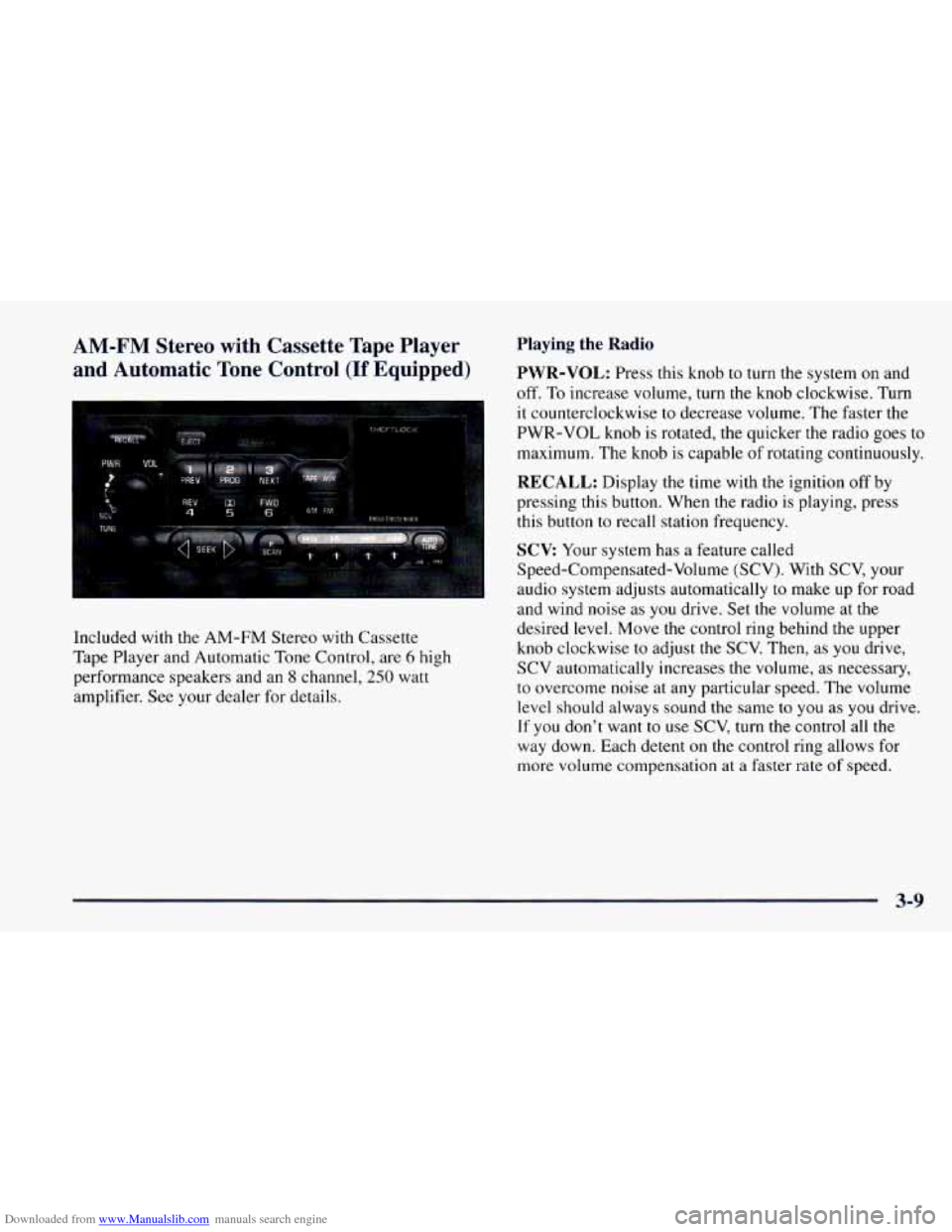
Downloaded from www.Manualslib.com manuals search engine AM-FM Stereo with Cassette Tape Player
and Automatic Tone Control
(If Equipped)
Included with the AM-FM Stereo with Cassette
Tape Player and Automatic
Tone Control, are 6 high
performance speakers and an
8 channel, 250 watt
amplifier. See your dealer for details.
Playing the Radio
PWR-VOL: Press this knob to turn the system on and
off. To increase volume, turn the knob clockwise. Turn
it counterclockwise to decrease volume. The faster the
PWR-VOL knob is rotated, the quicker the radio goes
to
maximum. The knob is capable of rotating continuously.
RECALL: Display the time with the ignition off by
pressing this button. When the radio is playing, press
this button to recall station frequency.
SCV Your system has a feature called
Speed-Compensated-Volume (SCV). With SCV, your
audio system adjusts automatically to make up for road
and wind noise
as you drive. Set the volume at the
desired level. Move the control ring behind the upper
knob clockwise to adjust the SCV. Then, as
you drive,
SCV automatically increases the volume,
as necessary,
to overcome noise at any particular speed. The volume
level should always sound the same
to you as you drive.
If you don’t want
to use SCV, turn the control all the
way down. Each detent on the control ring allows for
more volume compensation at a faster rate of speed.
3-9
Page 151 of 404

Downloaded from www.Manualslib.com manuals search engine Setting the Tone Adjusting the Speakers
BASS: Press this knob lightly so it extends. Turn the
knob clockwise to increase bass and counterclockwise to
decrease bass. When you use this control, the radio’s
AUTO TONE setting will switch to manual.
TREB: Press this knob lightly so it extends. Turn the
knob clockwise to increase treble and counterclockwise
to decrease treble. When you use this control, the radio’s
AUTO TONE setting will switch to manual.
If a station
is weak or noisy, you may want to decrease the treble.
Push these knobs back into their stored positions when
you’re not using them.
AUTO TONE: This feature allows you to choose
preset bass and treble equalization settings designed for
classical, news, rock, pop, country/western and jazz
stations.
C/W will appear on the display when you first
press AUTO TONE. Each time you press it, another
setting will appear on the display. Press it again after
JAZZ appears and the AUTO TONE display will go
blank. Tone control will return to the BASS and
TREB
knobs. Also, if you use the BASS and TREB knobs,
control will return to them and the AUTO TONE
display will go blank.
BAL: Press this knob lightly so it extends.
Turn the knob clockwise for the right speakers and
counterclockwise for the left speakers. The middle
position balances the sound between the speakers.
FADE: Press this knob lightly so it extends. Turn the
knob clockwise to adjust the sound to the front speakers
and counterclockwise for the rear speakers. The middle
position balances the sound between the speakers.
Push these knobs back into their stored positions when
you’re not using them.
Playing a Cassette Tape
Your tape player is built to work best with tapes that are
30
to 45 minutes long on each side. Tapes longer than
that are
so thin they may not work well in this player. If
a tape is inserted when the ignition is on but the radio is
off, the tape will begin playing. A tape symbol is shown
in the center of the graphic display whenever a tape is
inserted. When a tape is active, the tape symbol will be
accompanied by a direction arrow.
3-11