1997 CADILLAC SEVILLE climate control
[x] Cancel search: climate controlPage 152 of 370
Downloaded from www.Manualslib.com manuals search engine k
soon as possible. If the brake warning light is on, follow
the directions in that part.
CHECK COOLANT LEVEL - 02: This message will
appear when there is a low level of engine coolant. Have
the cooling system serviced by a Cadillac technician as
soon
as possible.
CHECK FUEL GAGE - 39: This message will
appear when the fuel supply
is less than four gallons
(15.2 L) and the display is turned off (digital clusters
only). A single chime will also sound when this
message is displayed.
CHECK OIL LEVEL - 36: For correct operation of
the low oil sensing system, your vehicle should be on
a level surface.
A false CHECK OIL LEVEL message
may appear
if the vehicle is parked on grades. The oil
level sensing system does not check for actual oil level
if the engine has been
off for a short period of time, and
the oil level is never sensed while the engine is running.
If the CHECK OIL LEVEL message appears, and your
vehicle has been parked
on level ground with the engine
off for at least 30 minutes, the oil level should be
checked by observing the oil dipstick. Prior to checking
the oil level, be sure
the engine has been off for five
minutes and your vehicle is on a level surface. Then
check the dipstick and add oil if necessary. See “Engine
Oil” in the Index.
CHECK WASHER FLUID - 25: This message will
appear
for several seconds indicating that you need
washer solvent.
CRUISE ENGAGED - 43: This message will appear
for
a few seconds when you select a speed at which
to cruise.
DOOR OPEN - 141: The passenger’s door or rear
doors are open or ajar when this message appears. The
vehicle’s engine must be running and the transaxle not
in PARK
(P) for this message to display, A chime will
also sound when the vehicle’s speed is greater than
5 mph (8.1 km/h).
DRIVER DOOR OPEN - 140: This message will
display when the vehicle
is being shifted out of
PARK (P) with the engine running to signal that
the driver’s door
is open or ajar. A chime will also
sound when the vehicle’s speed is greater than
5 mph (8.1 kdh).
This message will appear when the engine coolant
temperature
is over 248°F ( 126°C). To avoid added
strain
on a hot engine turn off the climate control
system. Stop and allow your vehicle to idle
until it cools
down or the message is removed.
If it does not cool
down, turn off the engine and have it serviced before
driving it again. Severe engine damage can result
ENGINE COOLANT HOT-IDLE ENGINE - 44:
-9
Page 154 of 370
Downloaded from www.Manualslib.com manuals search engine P
c
c
c
SERVICE A/C SYSTEM A/C COMPRESSOR
OFF - 14: This message appears when the electronic
sensors that control the air conditioning and heating
systems are no longer working. Have the climate
control system serviced if you notice a drop
in
heating and air conditioning efficiency.
SERVICE AIR BAG - 83: There is a problem with the
Supplemental Inflatable Restraint (air bag) system when
this message appears. Let only
a qualified technician
work on your vehicle. See your Cadillac dealership for
service at once.
SERVICE BRAKE FLUID SVC’ITCH - 37: A defect
in the brake fluid detection circuit causes
this message
to display if the ignition is in the RUN position. Have
the brake system serviced
by a Cadillac technician as
soon as possible. If the brake warning light is on. refer
to the directions listed in that part.
SERVICE CHARGING SYSTEM - 102: This
message will display when a problem with the charging
system has been detected. Have your vehicle serviced at
your Cadillac dealership.
SERVICE ELECTRICAL SYSTEM - 104: This
message will display if an electrical problem has
occurred within the PCM. Have your vehicle serviced
by your Cadillac dealership.
SERVICE EMISSIONS SYSTEM - 104: A problem in
the emissions system has occun-ed when this message
appears. Have your Cadillac dealership service your vehicle.
SERVICE ENGINE COOLING SYSTEM - 103: A
problem within the engine cooling system has been
detected when this message displays. See your Cadillac
dealership for service.
detected
a problem within the fuel system when this
message appears. See your Cadillac dealership for service.
SERVICE IDLE CONTROL SYSTEM - 107: A
problem with the idle control has occun-ed when this
message displays. Bring your vehicle
to your Cadillac
dealership for service.
SERVICE IGNITION SYSTEM - 105: This
message displays when
a failure in the ignition system has
been detected. Have your vehicle serviced by your
Cadillac dealership.
SERVICE RIDE CONTROL - 84: This message is
displayed to indicate that the suspension system
is not
operating properly. To correct this problem. have your vehicle serviced at your Cadillac dealership.
SERVICE STEERING SYSTEM - 127: This message
is displayed when a problem
has been detected in the
MAGNASTEER T!n variable effort steering system. Service
is required. A single chime will also sound when this
message is displayed.
SERVICE FUEL SYSTEM - 101: The PCM has
Page 157 of 370
Downloaded from www.Manualslib.com manuals search engine TRUNK OPEN - 24: This message indicates that the
trunk is open when the ignition is
in RUN.
TURN SIGNAL ON - 20: This message is a reminder,
after driving about a mile, that you have the turn signal
on.
A multiple chime will also sound when this message
is displayed.
VEHICLE SPEED LIh'IITED TO XXX MPH
(KM/H) - 113: A failure in the suspension control
system
has occurred when this message appears. The
PCM determines the speed your vehicle is limited to.
Have your Cadillac serviced if this message appears. The
CV-RTD automatically adjusts the ride
of your
vehicle. Automatic ride control
is achieved through a
computer used to control and monitor the suspension
system.
The controller receives inputs from various
sensors
to determine the proper system response. If the
controller detects a problem within the system, the DIC
will display a SERVICE RIDE CONTROL message. If
this message appears, have your vehicle serviced at your
Cadillac dealership.
VERY LOW REFRIGERANT A/C COMPRESSOR
OFF - 12: This message means that the air conditioning
system detects a refrigerant level that is
low enough to
cause damage to the air conditioning compressor.
To
avoid damage. the air conditioning compressor
automatically turns
off and the Electronic Climate
Control will automatically switch from AUTO to
ECON and remain there. Have the air conditioning
system serviced if this message appears.
Page 160 of 370
Downloaded from www.Manualslib.com manuals search engine c
c In this section, you'll find out how to operate the comfort control and audio systems offctd with our Cdiilac. Be
sure
to read about the particular systems supplied with your vehicle.
c
c
c
3-2
3-2
3 -6
3-7
3-7
3-7
3-9
3-9
3-10
3-10
3-10
3-
10
3-a
Comfort Controls
Climate Control Panel
Electronic
Solar Sensor
Air Conditioning
Heating
Ventilation System
Defrosting
Rear Window Defogger
HVAC Steering Wheel Controls
Climate Control Personalization
Audio Systems
Setting the
Clock
AM-FM Stereo with Cassette Tape Player and
Optional Compact Disc
Player
3- 17
3-2 1
3-25
3-25
3-25
3-26
3-26
3-27
3-28
3-28
3-14 Bose'" AM-Fh;? Stcrco v:ith C''l3hctte Tape
and Compact
Disc Play-
Boss T"' AM-FM Stereo with C'wctte
TT'ape and Compact Disc Pl;~yc.~- with Digital
Signal Processing
Trunk Mounted
CD Changer
Radio Personalization
Theft-Deterrent Feature
Audio Steering Wheel Controls
Understanding Radio Reception
Tips About Your Audio System
Care
of Your Cassette Tape Player
Care
of Your Compact Discs
Power Antenna Mast Care
c 3-:1
Page 161 of 370
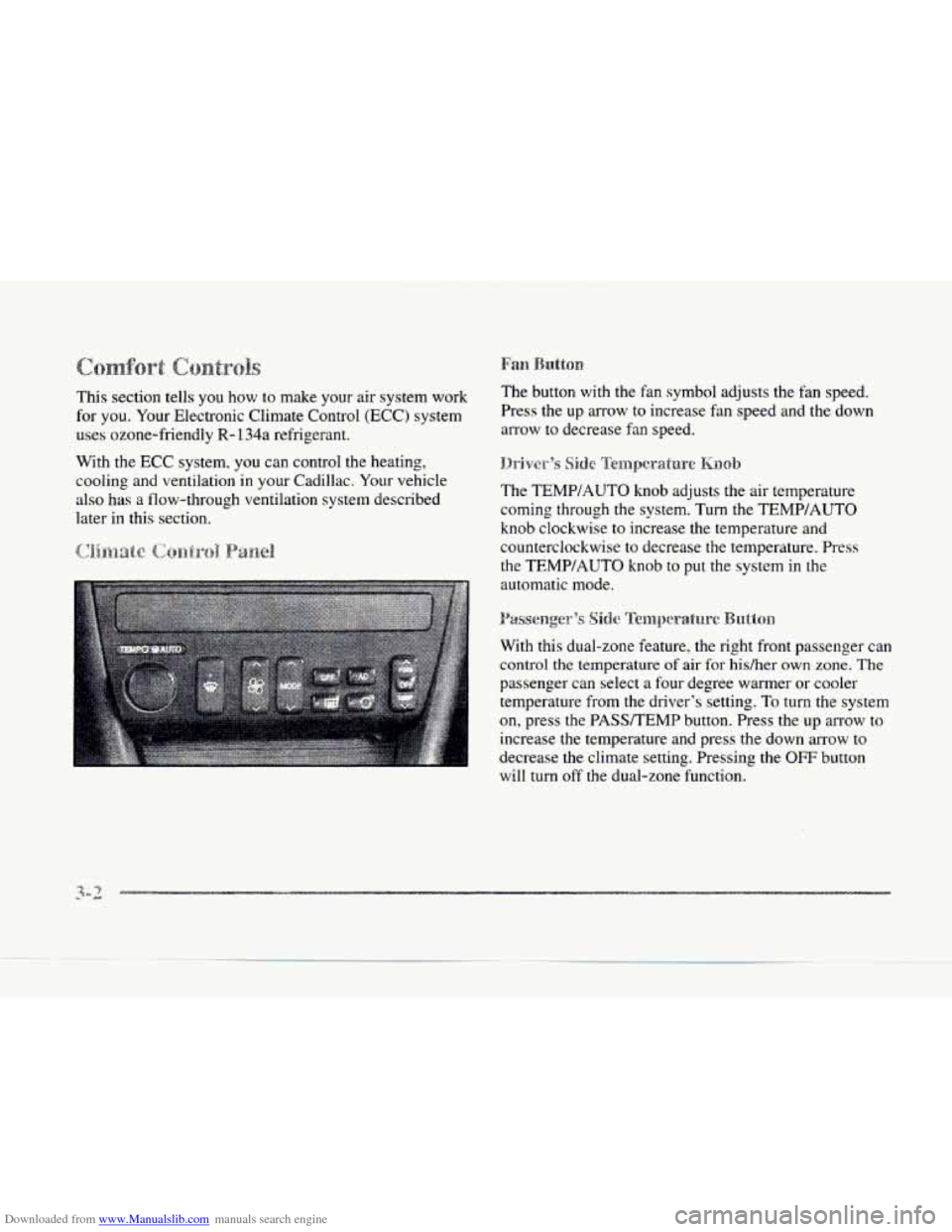
Downloaded from www.Manualslib.com manuals search engine This section tells you how to make your air system work
for
you. Your Electronic Climate Control (ECC) system
uses ozone-friendly
R- 134a refrigerant.
With the
ECC system. you can control the heating,
cooling and ventilation in your Cadillac. Your vehicle
also has a flow-through ventilation system described
later
in this section. The
button with the fan symbol adjusts the fan speed.
Press the up arrow to increase fan speed and the down
arrow to decrease fan speed.
The TEMPIAUTO knob adjusts the air temperature
coming through the system. Turn the TEMP/AUTO
knob clockwise to increase the temperature and
counterclockwise to decrease the temperature. Press
the
TEMWAUTO knob to put the system in the
automatic mode.
With this dual-zone feature, the right front passenger can
control the temperature
of air for hidher own zone. The
passenger can select a four degree warmer or cooler
temperature from the driver's setting.
To turn the system
on, press the PASSTEMP button. Press the up arrow to
increase the temperature and press the down arrow to
decrease
the climate setting. Pressing the OFF button
will
turn off the dual-zone function.
Page 162 of 370
Downloaded from www.Manualslib.com manuals search engine c
c
c
c
c
The outside temperature is always displayed when your
vehicle
is running. You can change it from Fahrenheit to
Celsius by pressing the INFO button (above the radio)
until ENGLISHMETRIC RESET displays. Once
displayed, press the
INFO RESET button to select.
The outside temperature sensor is located near the front
grille. The sensor
can be affected by road or engine heat
during idling.
slow driving or when the engine 1s first
started after a short trip. In order to ensure proper
automatic climate control operation, the outside air
temperature display may
not update as quickly as
expected. This is to allow the air surrounding the outside
temperature sensor to be as close
to the actual outside
conditions as possible. This is determined by how much
time has elapsed since the vehicle has been turned
off
and by vehicle speed. Press this
button to deliver air through the floor, middle
or windshield outlets. The system will stay
in the
selected mode
until the MODE button is pushed again.
Press the up or clown arrow to cycle through the
available modes.
Aud:a,xmtt:ic~ d)pc1-ai:iornjr
When the system is set for automatic operation, sensors
will control the air delivery mode.
Air will come from
the floor, middle or windshield outlets. The fan speed
will vary as the system maintains the selected
temperature setting.
Be careful not
to put anything over the solar sensor
located in the middle
of the instrument panel near the
windshield. This sensor is used
by the automatic system
to regulate temperature.
Page 169 of 370
Downloaded from www.Manualslib.com manuals search engine With this feature, your vehicle will recall the latest
climate control settings
as adjusted the last time your
vehicle was operated. Thjs feature. allows two different
drivers to store and recall their own climate control
settings. The settings recalled by the climate control
system are determined
by which RKE transmitter (“1”
or “2“) was used to enter the vehicle. The number on the
back of the
RKE transmitter corresponds to driver 1 or
to driver
2. After the unlock button is pressed on the
RKE transmitter or the ignition key is placed in the
ignition, the climate control settings will automatically
adjust
to where they were last set. The settings can also
be changed by briefly pressing the memory seat buttons
1 or 2 located on the driver’s door.
i,C) ~~~~~~~~~.~ 5’
Your Cadillac audio system has been designed to operate
easily and give years of listening pleasure.
You will get
the most enjoyment
out of it if you acquaint yourself with
it first. Find out what
your audio system can do and how
to operate all its controls, to be sure you’re getting the
most out of the advanced engineering that went into
it.
Press and hold HR or MN until the time display begins
to change. Release
the button as you get close to the
correct time. The time may be
set anytime the clock is
displayed. There is a two-second delay before the clock
goes into time-set mode.
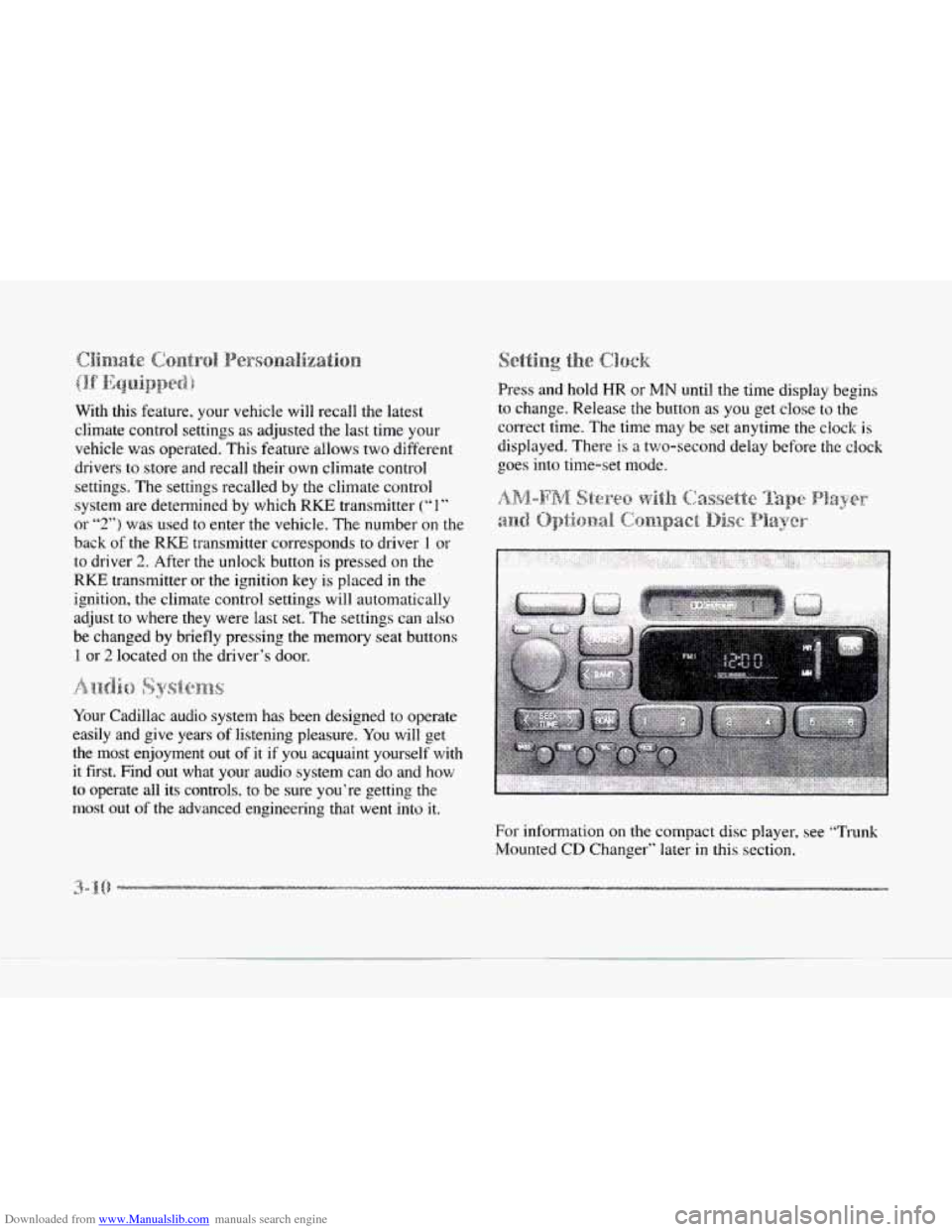
For information on the compact disc player, see “Trunk
Mounted
GD Changer” later in this section.
-.
.d
Page 291 of 370
Downloaded from www.Manualslib.com manuals search engine Refer to the Maintenance Schedule to determine what
kind of transaxle fluid to use. See “Recommended Fluids
and Lubricants” in the Maintenance Schedule booklet.
If the fluid level is low, add only enough of the proper
fluid
to bring the level into the cross-hatched area on
the dipstick.
1. Pull out the dipstick.
2. Using a long-neck funnel, add enough fluid at the
dipstick hole to bring
it to the proper level.
it doesn’t take much fluid, generally less than one
pint
(0.5 L). DOH ’r ow@/!.
I NOTICE:
We recommend you use only fluid labeled
DEXRON‘%I, because fluid with that label
is made especially for your automatic
transmission. Damage caused by fluid other
than DEXRON-111 i.s not covered
by your
new vehicle warranty.
3. After adding fluid, recheck the fluid level as
described under ‘(HOW to Check.“
4. When the correct fluid level is obtained. push the
dipstick back in all the way.
Your vehicle is equipped with a transaxle fluid change
indicator-
A CHANGE TRANS FLUID message will
display
on the Driver Information Center (DIC) when
the powertrain computer determines that the transaxle
fluid needs
to be changed or at each 100,000 miles
(160 000 km) interval, whichever occurs first. See your
Maintenance Schedule booklet for more information.
When this message appears, change the transaxle fluid
and reset the
transaxle fluid life indicator as follows:
1. Turn the ignition on but do not start the engine.
2. Press and hold the OFF and rear defog buttons on the
climate control at the
same time until the TRANS
FLUID RESET message appears on the DIC.
--
-2