1997 CADILLAC SEVILLE change time
[x] Cancel search: change timePage 148 of 370
Downloaded from www.Manualslib.com manuals search engine c
c
c
c
Once TIMER OFF 0O:OO:OO is displayed, press the
TIMER button to start the timing feature.
Press the
TIMER button again
to stop it. If you will be starting
and stopping your Cadillac, during
a trip for instance,
the TIMER feature will automatically start timing where
it left
off when you last stopped. To reset it, press and
hold the RESET button until the display reads TIMER
0O:OO:OO. Press the INFORMATION button to exit from
the TIMER function.
RESET Pressing this button will reset the MPG AVG,
MPG INST, GAL FUEL USED, AVG MPH and OIL
LIFE
LEFT. Pressing RESET when a non-resettable
display appears will cause a “recall” mode
to occur.
When this happens, all DIC warning messages that have
been displayed since
the ignition key was turned to
RUN will redisplay. If no messages were displayed, a
MONITORED SYSTEMS OK message will appear.
MPG AVG (Reset): Press the INFORMATION button
to display the MPG AVG (Average Fuel Economy),
then press and
hold the RESET button until 0.0 MPG
AVG is displayed.
FUEL USED (Reset): Press the INFORMATION
button to display the GAL FUEL USED on the DIC,
then press and hold the RESET button until
0.0 GAL
FUEL USED is displayed.
AVG MPH (Reset): Press the INFORMATION button
to display the AVG
MPH A~t‘r;gc Spced). then press
and hold
the RESET button ~~ntil 0.0 AVG MPH is
displayed.
OIL LIFE LEFT (Reset 1: Press the I %FORMATION
button to display
thc OIL LIFE LEFT. then press and
hold the RESET button
until 1005 OIL LIFE LEFT is
displayed. (This only needs to be reset after you have
had the
oil changed. )
Page 150 of 370
Downloaded from www.Manualslib.com manuals search engine LI
e
OIL LIFE LEFT (Reset): Press the INFO button to
display the OIL LIFE LEFT, then press and hold the
INFO RESET button until
100% OIL LIFE LEFT is
displayed. (This only needs to be reset after you have
had the oil changed.)
ENGLISHMETRIC (Reset): Press the INFO button
to display ENGLISHMETRIC
RESET, then press the
INFO RESET button to select. The display will change
from English (miles)
to metric (kilometers).
INFO: Pressing this button repeatedly will display the
RANGE, MPG AVG, MPG INST, GAL FUEL USED,
MPH, AVG MPH, TIMER. BATTERY VOLTS.
COOLANT TEMP, OIL LIFE LEFT and
ENGLISHMETRIC RESET.
FUEL DOOR: Press this button to open the fuel
door. (This feature will work only when the shift lever
is in PARK (Pj regardless of whether or not the vehicle
is running.)
TRUNK: Press this button to open the trunk. (This
feature will work only when the shift lever
is in
PARK
(P) regardless of whether or not the vehicle
is running.) These
messages will appear if there is
a probien.; sensd
in one of your vehicle's systems. V'hicles that are first
sold in Canada will have a number after each message.
This number helps to identify the message which
is only
displayed in English.
A/C OFF FOR ENGINE PROTECTION - 16: This
message displays when the engine coolant becomes
hotter than the normal operating temperature. To avoid
added strain on a hot engine, the air conditioning
compressor
is automatically turned off so that air
conditioned air
is not deljvered. If the coolant
temperature returns to normal,
you must select AC to
return to a normal A/C compressor operation. If this
message continues to appear, have
the system repaired
as soon as possible to avoid compressor damage.
APPLY BRAKE TO SHIFT - 46: This message will
appear if your vehicle is in PARK (P) for about
15
seconds and the brake is not pressed in. To remove this
message from the
DIC display, hold the OFF and the
blue (cooler) buttons on the digital cluster climate
control panel for about five seconds. On the analog
cluster climate control panel, press the OFF button
(next to the MODE button) and the down arrow on the
PASS
TEMP button for about five seconds. Hold the
same two buttons to display the message again.
Page 151 of 370
Downloaded from www.Manualslib.com manuals search engine BATTERY NO CHARGE - 07: This message will
appear if the battery is not being charged. Have the
electrical system checked by your Cadillac dealership
at
your earliest convenience.
BATTERY VOLTS HIGH - 08: This message shov:~
that the electrical charging system is overcharsing :'more
than 16 volts). To avoid being stranded, have the
electrical system checked by your Cadillac dealership.
YOU can reduce the charging overload by
using the
accessories.
TU^ on the lamps and radio. set the climate
control on AUTO and the fan speed
011 HI. and turn the
rear window defogger
on. You can monitor battery
voltage on the
DIC by pressing the INFORMATION
(INFO) button. The normal range
is 11.5 to 15.5 volts
when the engine
is running.
BATTERY VOLTS LOW - 06: This message will
appear when the electrical system
is charging less than
10 volts or if the battery has been drained. If this
message appears immediately after starting, it
is possible
that the generator can still recharge the battery. The
battery should recharge after driving a few miles and
the
message should go out. If this message appears while
driving or after starting your vehicle and stays
on, have
it checked immediately
to determine the cause of this
problem.
To help the generator recharge the battery
quickly, you can reduce the load
on the electrical system
b>. turning off the accessories. You can monitor battery
voltage on the
DIC by pressing the INFORMATION
(INFO) button. The normal range is 11.5
to 15.5 volts.
BRAKE VACUUM PROBLEM -108: The circuit in
the brake booster vacuum has shorted or
is loose when
this message appears. Your vehicle may lose power
brakes but you will
still have the use of manual brakes.
The power brakes will not be affected if the problem is
caused by
a failed sensor. Have your vehicle serviced
immediately at your Cadillac dealership.
CHANGE ENGINE OIL - 82: This means that the life
of the engine oil has expired and it should be changed
within
200 miles. See "Engine Oil" and "Filter
Recommendations" in the Maintenance Schedule booklet.
After an
oil change. the'Oi1 Life Indicator must be reset.
See *'Oil Life Indicator''
in the Index on how to reset it.
CHANGE TRANS FLUID - 47: This message will
appear when it is time
to replace the transaxle fluid. See
the Maintenance Schedule booklet for the proper fluid
and change intervals.
CHECK BRAKE FLUID LEVEL - 37: This message
will display if the ignition
is in the RUN position to
inform the driver that the brake fluid level is low. Check
the brake reservoir level and add fluid as needed. Have
the brake system serviced by a Cadillac technician as
Page 153 of 370
Downloaded from www.Manualslib.com manuals search engine from an overheated engine. See ”Engine Overheating”
in the Index.
ENGINE MISFIRE -- EASE OFF GAS
PEDAL - 114: An engine misfire has occurred. You’ll
need to
ease off the gas pedal.
FUEL LEVEL LOW - 11: This message serves as a
waming that the fuel level in the tank is critically low.
Stop for fuel soon.
HEADLAMPS SUGGESTED - 23: If it’s dark enough
outside and the twilight sentinel control is
off, a
€EADLAMPS SUGGESTED message will display on the
DIC.
This message info~lns the driver that turning on the
exterior lamps
is recommended even though the DRL are
still illuminated (it’s become dark enough outside
to
require the headlamps andor other exterior lamps).
ICE POSSIBLE - 13: This message appears when the
outside air temperature is cold enough to create icy road
conditions.
&iONITORED SYSTEhIS OK - 1: This message only
appears in the “recall” mode by pressing the RESET
button.
It lets you know that no other messages are
stored
or cumently active.
PASS KEY NOT PROGRAMMED - 31: This
warning message displays when the PASS-Key pellet information
has not
been programmed into your vehicle.
See your Cadillac dealership for service.
PCM FAULT - 110: The circuit in the Powertrain
Control Module
(PCM) has shorted or is loose when this
message appears. Have your Cadillac serviced by your
dealership at once.
REDUCED ENGINE POWER - 41: This message
informs the driver, that due to wheel slippage, your vehicle
is reducing engine power to compensate for the loss of
traction. Accelerating too fast, causing the tires to spin, is
an example of when this message would display.
REMOVE KEY - 70: This message will appear when
the Personalized Automotive Security System
(PASS-Key
11) is unable to read the pellet on the
ignition key or an improper key pellet
has bee.n inserted.
Wait for
the DIC to display STARTING DISABLED
DUE TO THEFT SYSTEM REMOVE IGNITION
KEY. The instrument panel cluster will then run a timer
and change the messages to WAIT
3 MINUTES, WAIT
2 MINUTES, WAIT 1 MINUTE and then START CAR.
When the REMOVE
KEY message is displayed, remove
the ignition key. Check the ignition key
for damage. If it
is damaged, it may need to be replaced. If you see no
damage, clean the pellet contacts with a soft cloth or
napkin before inserting the key back into the ignition.
Have your vehicle serviced if
the message still appears.
c
Page 155 of 370
Downloaded from www.Manualslib.com manuals search engine SERVICE TRANSMISSION - 100: If a problem is
detected with the transaxle, this message will appear.
Have your vehicle checked by your Cadillac dealership.
SPEED SENSOR FAULT - 109: A circuit problem
with the vehicle speed sensor will trigger this
message
to appear. Have your Cadillac dealership
service your vehicle.
STABILITY ENGAGED - 55: If you have the Seville
STS, you may see the STABILITY ENGAGED
rnessage on the Driver Information Center. It means
that an advanced, computer-controlled system has come
on to help your Cadillac continue to go in the direction
in which you’re steering. This stability enhancement
system activates when
the computer senses that your
Cadillac is just starting
to spin, as it might if you hit a
patch of ice or other slippery
spot on the road. When the
system is
on, you may hear a noise or feel a vibration in
the brake pedal. This is normal.
When the STABILITY ENGAGED message is on,
you
should continue to steer in the direction you want to go.
The system is designed to help you in bad weather or
other difficult driving situations by making the most
of whatever road conditions will permit. If the
STABILITY ENGAGED message comes on, you’ll
know that something has caused your Cadillac
to start
to spin, so you should consider slowing down.
STABILITY REDUCED - 54: If you ever see the
STABILITY REDUCED message, it means there may
be a problem with your stability enhancement system.
If you see this message, try to reset the system (stop;
turn off the engine; then start the engine again). If the
STABILITY REDUCED message still comes
on,
however, it means there is a problem, so you should
see your Cadillac dealer for service.
STARTING DISABLED DUE TO THEFT SYSTEM
REMOVE IGNITION KEY - 33: This message will
appear when the Personalized Automotive Security
System (PASS-Key 11) senses that an improper ignition
key
is being used to try to start the vehicle. Check the
ignition key for damage. If it is damaged,
it may need
to be replaced. If
you see no damage, clean the pellet
contacts with a soft cloth or napkin. Remove the ignition
key and wait for the
DTC to display WAIT 3 MINUTES.
The instrument panel cluster will then run a timer and
change the messages to WAIT
2 MINUTES, WAIT
1 MINUTE and then START CAR. When the START
CAR message is displayed, try again to start the engine.
STOP ENGINE ENGINE OVERHEATED - 42: This
message will appear when the engine has overheated.
Stop and
turn the engine off immediately to avoid
severe engine damage. See “Engine Overheating” in
the Index. A multiple chime will also sound when this
message
is displayed.
. -.
w-
Page 158 of 370
Downloaded from www.Manualslib.com manuals search engine The DIC may display a CHECK OIL LEVEL message.
Always keep a written record of the mileage and date
when
you changed your oil. For more information. see
the Cadillac Maintenance Schedule booklet. If you see
CHECK OIL LEVEL,
it means that you have less than
10 percent of the oil life left and you should consider
changing
your engine oil. If you see CHANGE
ENGINE OIL.
it means the oil life is gone and you
should change the oil right away.
The system should indicate changing the
oil between
3,000 miles (5 000 km) and 7,500 miles (12 SO0 km).
It may indicate changing the oil before 3.000 miles
(5 000 lunj depending on your driving habits. If the
vehicle has been driven
7,500 miles (1 2 500 krn), it
, .. . will indicate to change the oil. If you drive in a dusty
area.
you should change your oil every 3,000 miles
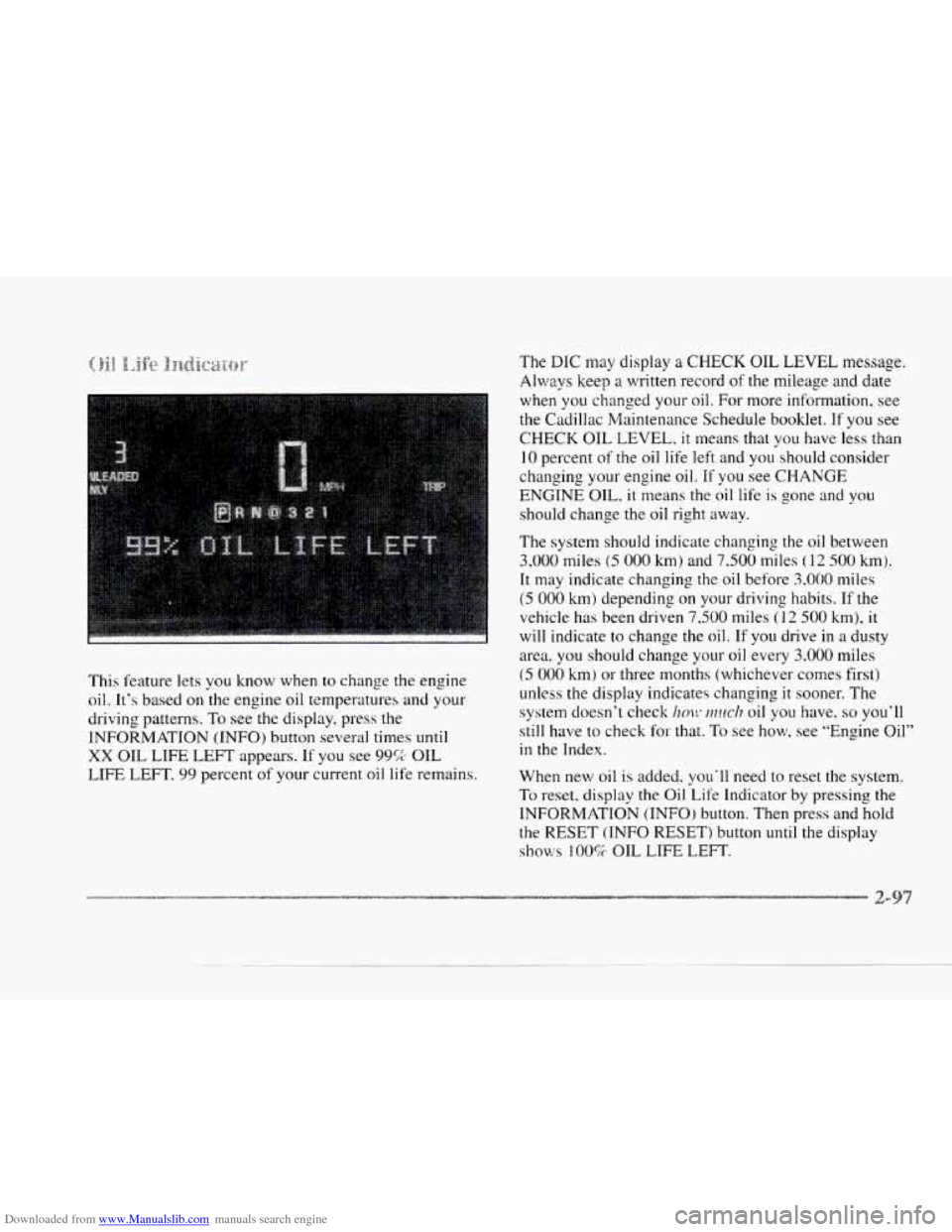
This feature lets
you know when to change the engine
oil. It's based on the engine oil temperatures and your
driving patterns.
To see the display, press the
INFORMATION (INFO) button
several times until
XX OIL LIFE LEFT appears. If you see 99% OIL
LIFE LEFT,
99 percent of your current oil life remains.
(5 000 km) or three months (whichever comes first)
unless
the display indicates changing it sooner. The
system doesn't check
im!~ ~?zuc/? oil you have. so you'll
still have to check
for that. To see how, see "Engine Oil"
in the Index.
When new
oil is added, you'll need to reset the system.
To reset. display the Oil. Life Indicator by pressing the
INFORMATION (INFO) button. Then press and hold
the RESET (INFO RESET) button until the display
shows 100% OIL LIFE LEFT.
Page 162 of 370
Downloaded from www.Manualslib.com manuals search engine c
c
c
c
c
The outside temperature is always displayed when your
vehicle
is running. You can change it from Fahrenheit to
Celsius by pressing the INFO button (above the radio)
until ENGLISHMETRIC RESET displays. Once
displayed, press the
INFO RESET button to select.
The outside temperature sensor is located near the front
grille. The sensor
can be affected by road or engine heat
during idling.
slow driving or when the engine 1s first
started after a short trip. In order to ensure proper
automatic climate control operation, the outside air
temperature display may
not update as quickly as
expected. This is to allow the air surrounding the outside
temperature sensor to be as close
to the actual outside
conditions as possible. This is determined by how much
time has elapsed since the vehicle has been turned
off
and by vehicle speed. Press this
button to deliver air through the floor, middle
or windshield outlets. The system will stay
in the
selected mode
until the MODE button is pushed again.
Press the up or clown arrow to cycle through the
available modes.
Aud:a,xmtt:ic~ d)pc1-ai:iornjr
When the system is set for automatic operation, sensors
will control the air delivery mode.
Air will come from
the floor, middle or windshield outlets. The fan speed
will vary as the system maintains the selected
temperature setting.
Be careful not
to put anything over the solar sensor
located in the middle
of the instrument panel near the
windshield. This sensor is used
by the automatic system
to regulate temperature.
Page 163 of 370
Downloaded from www.Manualslib.com manuals search engine To-find your comfort zone, start with the 75°F (24°C)
setting and allow about 20 minutes for the system to
regulate. Turn the
TEMP/AUTO knob to adjust the
temperature if necessary.
If you choose 60°F ( 1 6"C),
the system will remain at that maximum cooling setting
and will
not regulate fan speed. If you choose the
temperature of
90°F (32'C), the system will remain at
that maximum heating setting and will not regulate fan
speed. Choosing either maximum setting will not cause
the system
to heat or cool any faster.
With
the: automatic setting, the air conditioning
compressor automatically cycles
when needed to cool
the air. In cold weather, when the system senses the need
for heat, the airflow will be directed out the floor
outlets.
As the interior temperature approaches a desired
setting, the blower speed will decrease.
To maintain
interior comfort, the airflow may move
to the instrument
panel air outlets and floor outlets (bi-level mode). On
bright
sunny days in cold weather. the airflow may come
out
of the air conditioning outlets (AC mode) to
maintain comfort and prevent stuffiness.
If your vehicle is sitting out on a hot day and you have it
set on AUTO, the air will first flow out the floor air
outlets for
a few seconds. That is normal. This is to
expel hot air from the air outlets. As the air
is cooled,
the airflow will move through the air conditioning
outlets. If you start your vehicle with the fan setting on
HI, it will skip the air conditioning purge.
To avoid blowing cold air in cold weather, the system
will delay turning on the fan
until warm air is available.
The length
of delay depends on the outside air
temperature, engine coolant temperature or the time
since the engine was last started.
As the coolant warms
up, the blower fan speed will gradually increase and
air will flow from the heater outlets, with some airflow
to the windshield to prevent fogging under most
normal conditions.
If you leave your vehicle, the system will remember the
control setting the next time
you start your engine,
except for recirculation and defrost. Each ignition cycle
cancels recirculation, whereas,
DEFROST will change
to automatic operation when the ignition is shut off and
then turned back
on.