1997 CADILLAC ELDORADO display
[x] Cancel search: displayPage 116 of 361
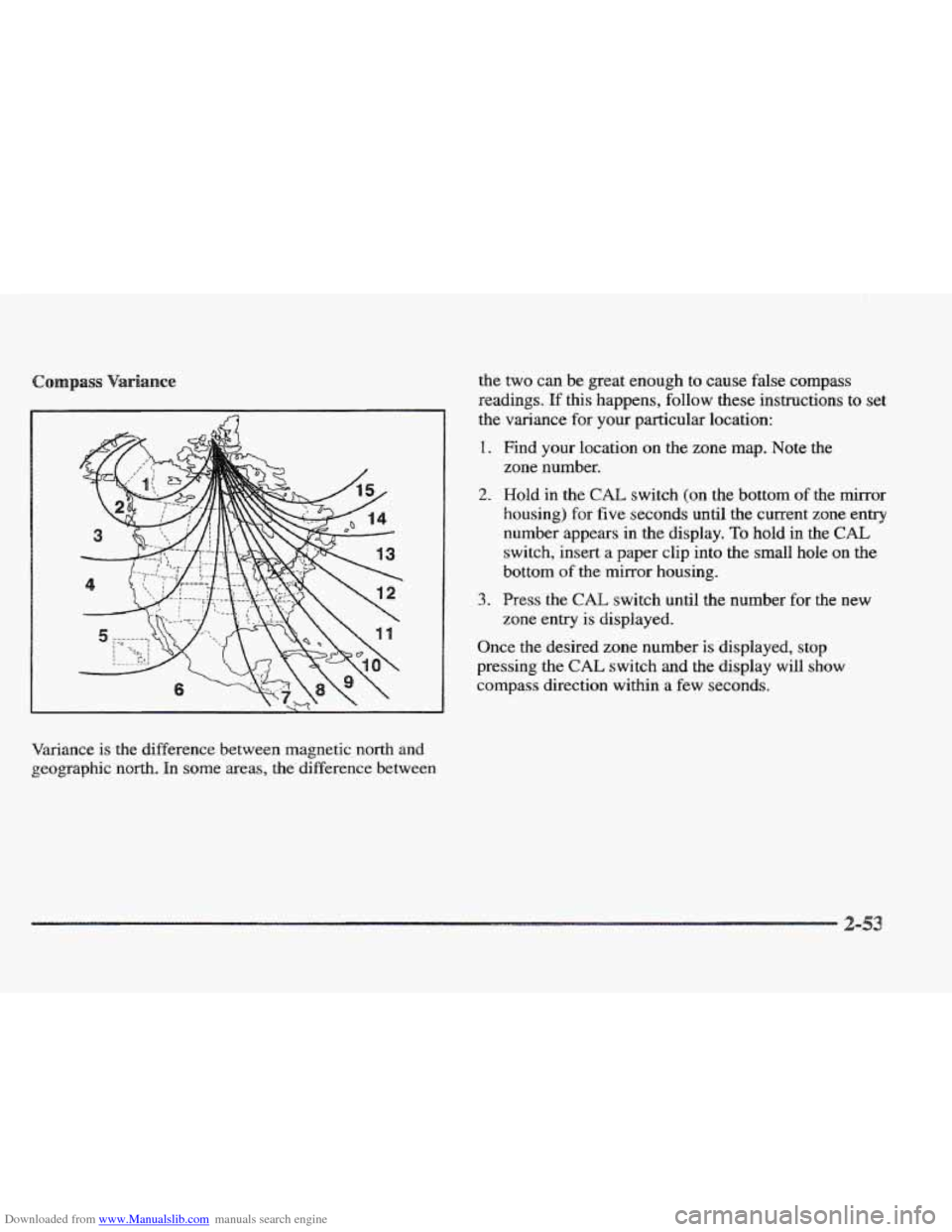
Downloaded from www.Manualslib.com manuals search engine Variance is the difference between magnetic north and
geographic north. In
some areas, the difference between the
two can be great enough
to cause false compass
readings.
If this happens, follow these instructions to set
the variance for your particular location:
1. Find your location on the zone map. Note the
2. Hold in the CAE switch (on the bottom of the mirror
housing) for
five seconds until the current zone entry
number appears in the display.
To hold in the CAL
switch, insert a paper clip into the small hole on the
bottom of the mirror housing.
zone
number.
3. Press the CAL switch until the number for the new
zone entry is displayed.
Once the desired zone number
is displayed, stop
pressing the
CAL switch and the display will show
compass direction within a few seconds.
Page 129 of 361
Downloaded from www.Manualslib.com manuals search engine 629~1 MPG
DISPLAY ONIOFF
INFORMATION 1
I
4 UM
United States version shown, Canadian similar
Ic-71
Page 132 of 361
Downloaded from www.Manualslib.com manuals search engine I -I
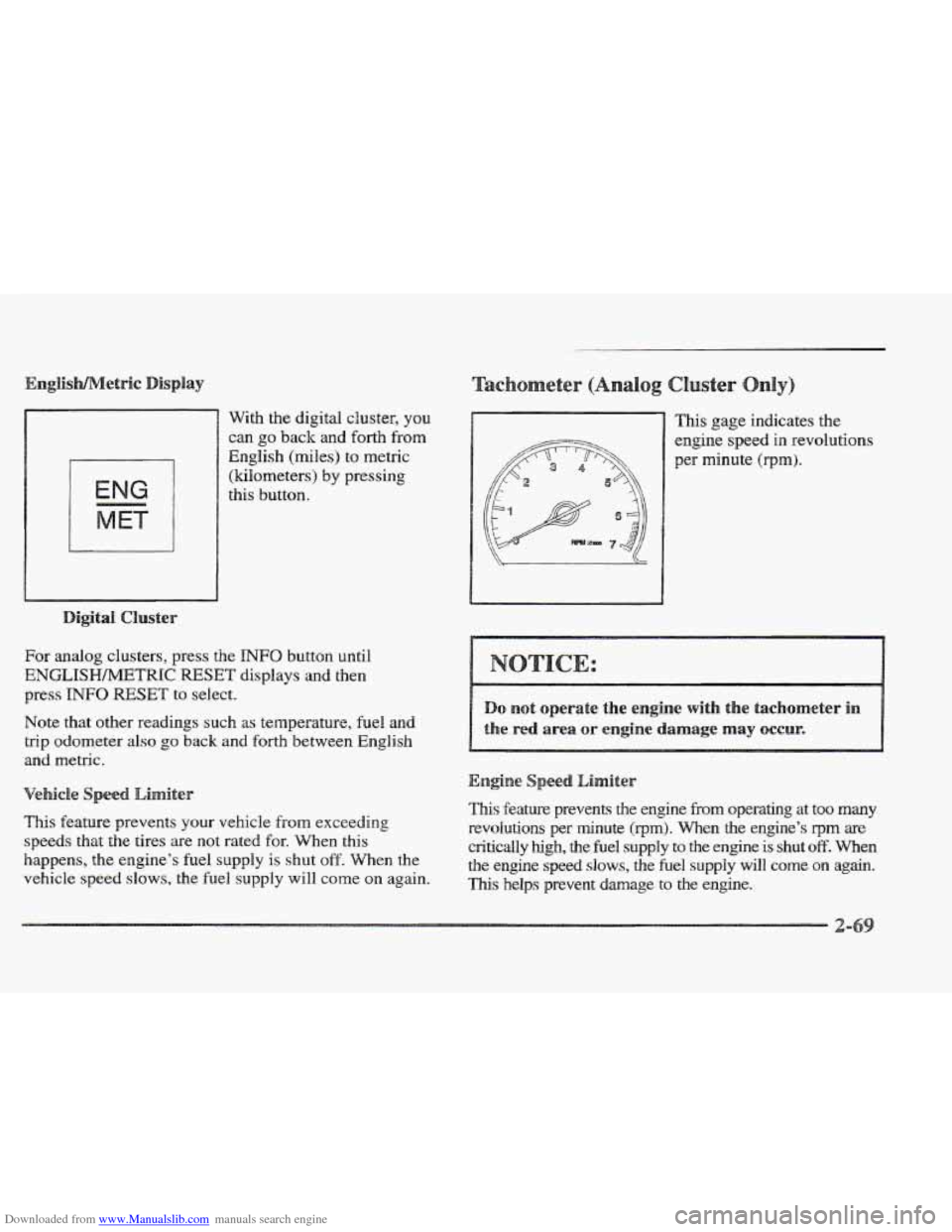
With the digital cluster, you
can go back and forth from
English (miles) to metric
(kilometers)
by pressing
this button.
For analog clusters, press the INFO button until
ENGLISHh4ETRIC RESET displays and then
press
INFO RESET to select.
Note that other readings
such as temperature, fuel and
trip odometer
also go back and forth between English
and metric.
This feature prevents your vehicle from exceeding
speeds that the tires are not rated for. When this
happens, the engine’s
fuel supply is shut off. When the
vehicle speed
slows, the fuel supply will come on again. This gage
indicates the
engine speed
in revolutions
per minute (rprn).
eed Limiter
This feature prevents the engine from operating at too many
revolutions per minute (rprn). When the engine’s qrn are
critically high, the fuel supply to the engine is shut off. When
the engine speed slows, the fuel supply will come on again.
This helps prevent damage to the engine.
Page 142 of 361
Downloaded from www.Manualslib.com manuals search engine 13
GAL 11-
PREMIUM UNLEADED
FUEL ONLY
Digital Cluster
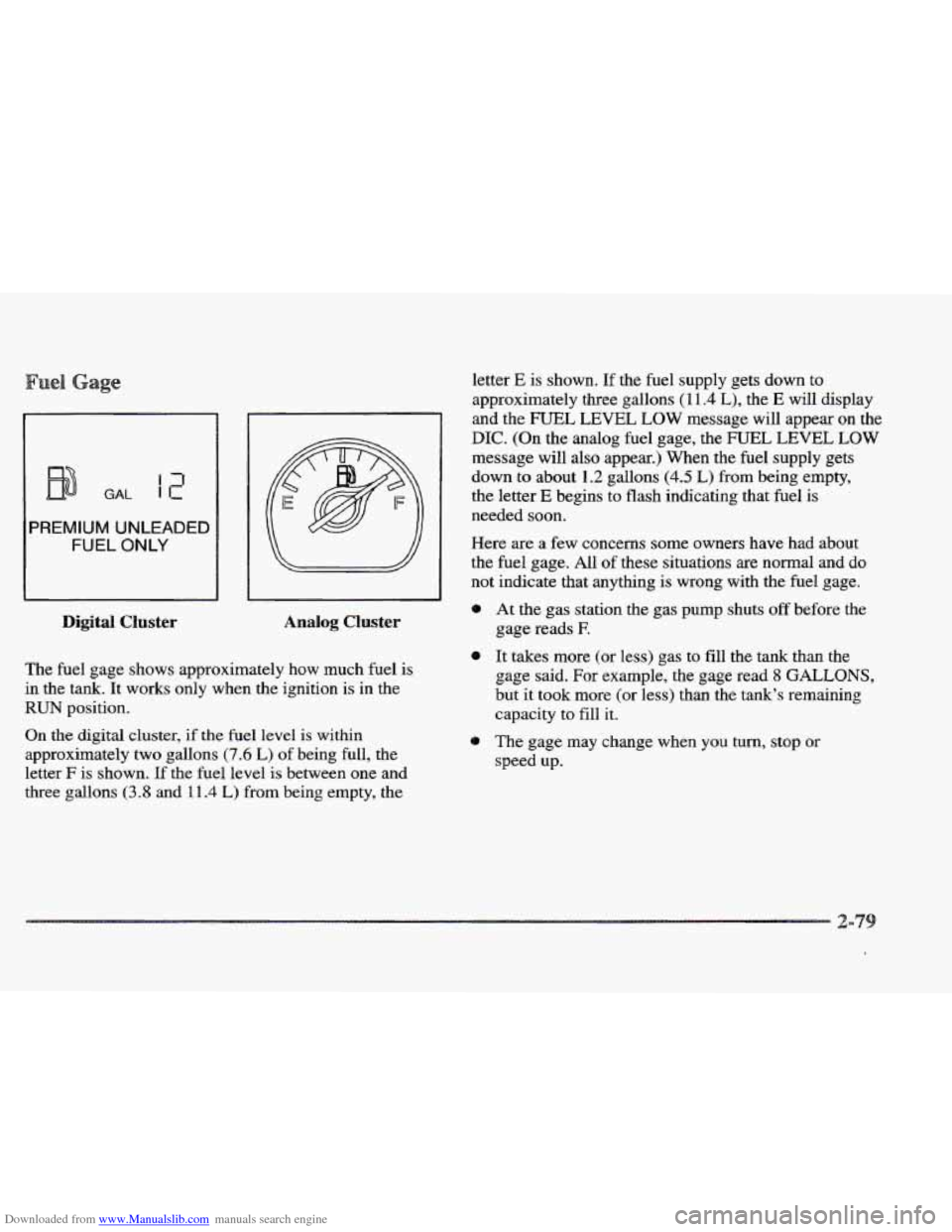
letter E is shown. If the fuel supply gets down to
approximately three gallons
( 1 1.4 L), the E will display
and the FUEL LEVEL LOW message will appear on the
DIC. (On the analog fuel gage, the FUEL LEVEL LOW
message will also appear.) When the fuel supply gets
down to about
1.2 gallons (4.5 L) from being empty,
the letter
E begins to flash indicating that fuel is
needed soon.
Here are a few concerns
some owners have had about
the fuel gage. All of these situations are normal
and do
not indicate that anythmg is wrong with the fuel gage.
I
0 At the gas station the gas pump shuts off before the
Analog Cluster gage reads E
The fuel gage shows approximately how much fuel is
in the tank. It works only when the ignition is in the
RUN position.
On the digital cluster, if the fuel level is within
approximately two gallons
(7.6 L) of being full, the
letter
F is shown. If the fuel level is between one and
three gallons
(3.8 and 111.4 L) from being empty, the
0 It takes more (or less) gas to fill the tank than the
gage said. For example, the gage read
8 GALLONS,
but it took more (or less) than the tank’s remaining
capacity to fill it.
0 The gage may change when you turn, stop or
speed up.
Page 143 of 361
Downloaded from www.Manualslib.com manuals search engine Digital Cluster
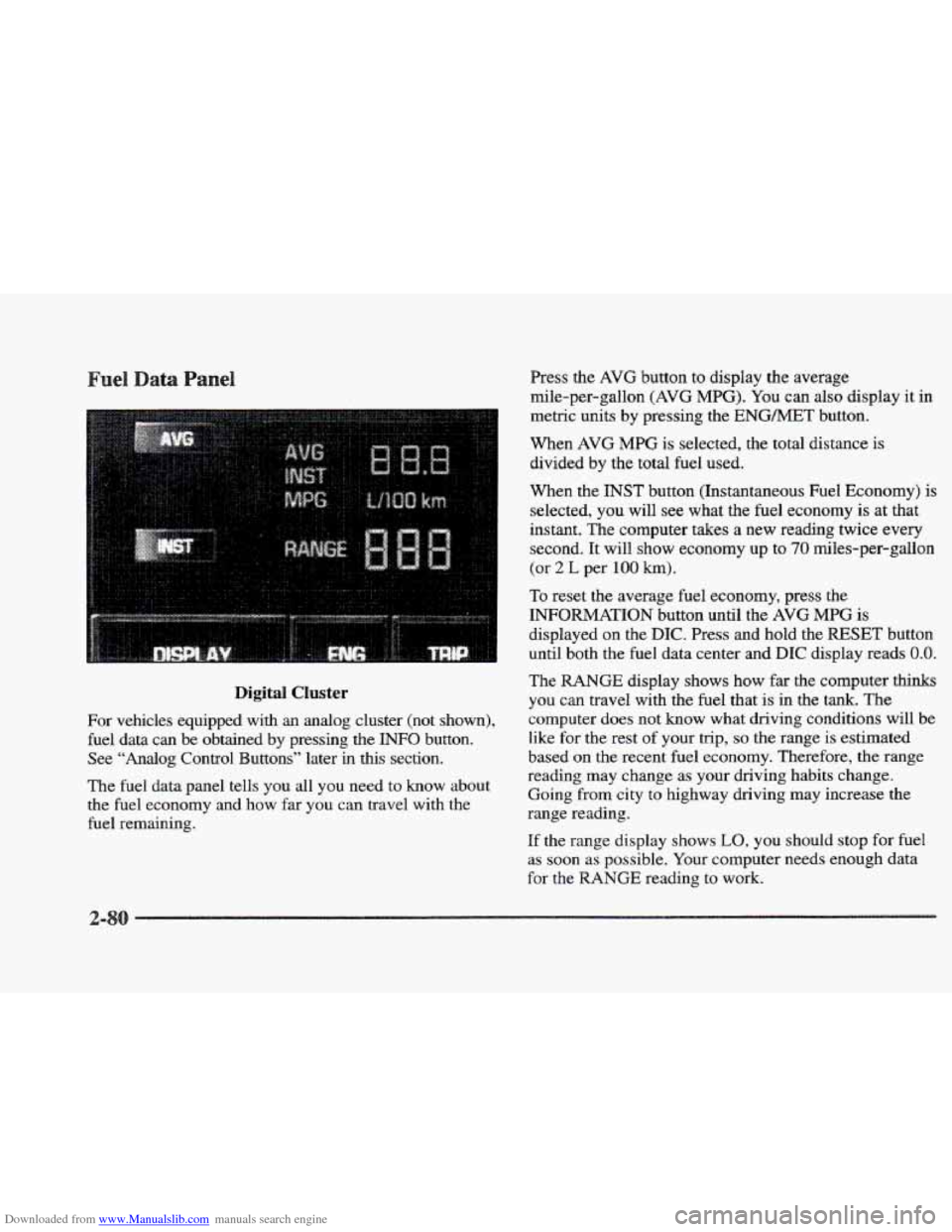
For vehicles equipped with an analog cluster (not shown),
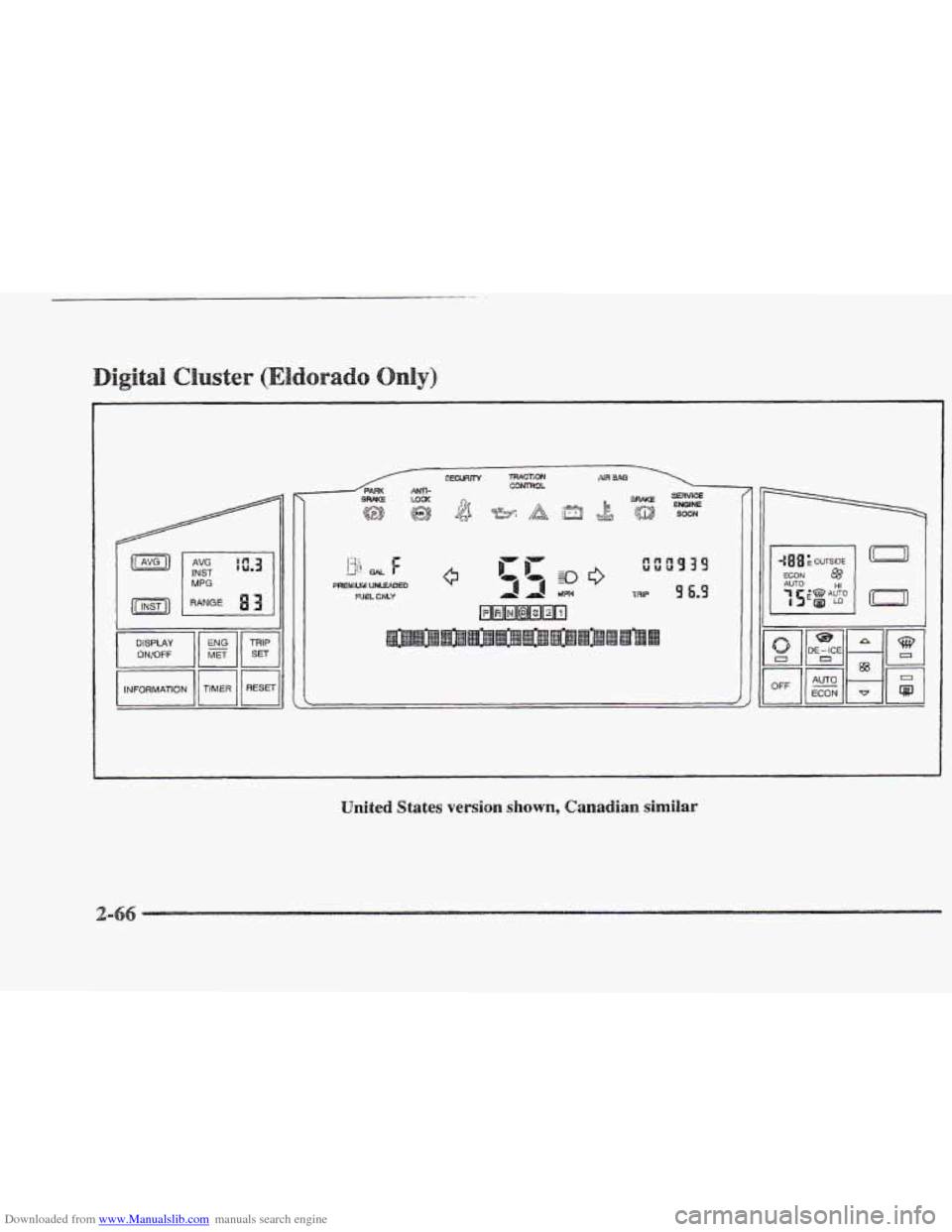
fuel data can be obtained by pressing the INFO button.
See
“Analog Control Buttons” later in this section.
The
fuel data panel tells you all you need to know about
the fuel economy and how far you can travel with the
fuel remaining. Press
the
AVG button to display the average
mile-per-gallon
(AVG MPG). You can also display it in
metric units by pressing the
ENGMET button.
When AVG
MPG is selected, the total distance is
divided by the total fuel used.
When the
INST button (Instantaneous Fuel Economy) is
selected, you will see what the
fuel economy is at that
instant. The computer takes a new reading twice every
second.
It will show economy up to 70 miles-per-gallon
(or
2 L per 100 km).
To reset the average fuel economy, press the
INFORMATION button until the AVG MPG is
displayed on the DIC. Press and hold the RESET button
until both the fuel data center and
DIC display reads 0.0.
The RANGE display shows how far the computer thinks
you can travel with the fuel that is in the
tank. The
computer does not
know what driving conditions will be
like for
the rest of your trip, so the range is estimated
based
on the recent fuel economy. Therefore, the range
reading may change as your driving habits change.
Going from city to highway driving may increase the
range reading.
If the range display shows
LO, you should stop for fuel
as soon as possible. Your computer needs enough data
for the MNGE reading to work.
2-
Page 144 of 361
Downloaded from www.Manualslib.com manuals search engine river
The DIC display gives you the status of many of your
vehicle’s systems. The DIC is
also used to display driver
personalization features and warning/status messages.
Your vehicle may be equipped with the following
features that can be individually customized for up to
two drivers.
e Programmable Automatic Door Locks
e Remote Confirmation (for RKE)
e Exterior Lighting (at Unlock)
e Remote Recall Memory (for RKE or Key in
the Ignition)
e Battery Guard Storage
8 Climate Control Personalization
Memory Seat and Mirrors
Radio Personalization
For detailed information, see each feature in the Index.
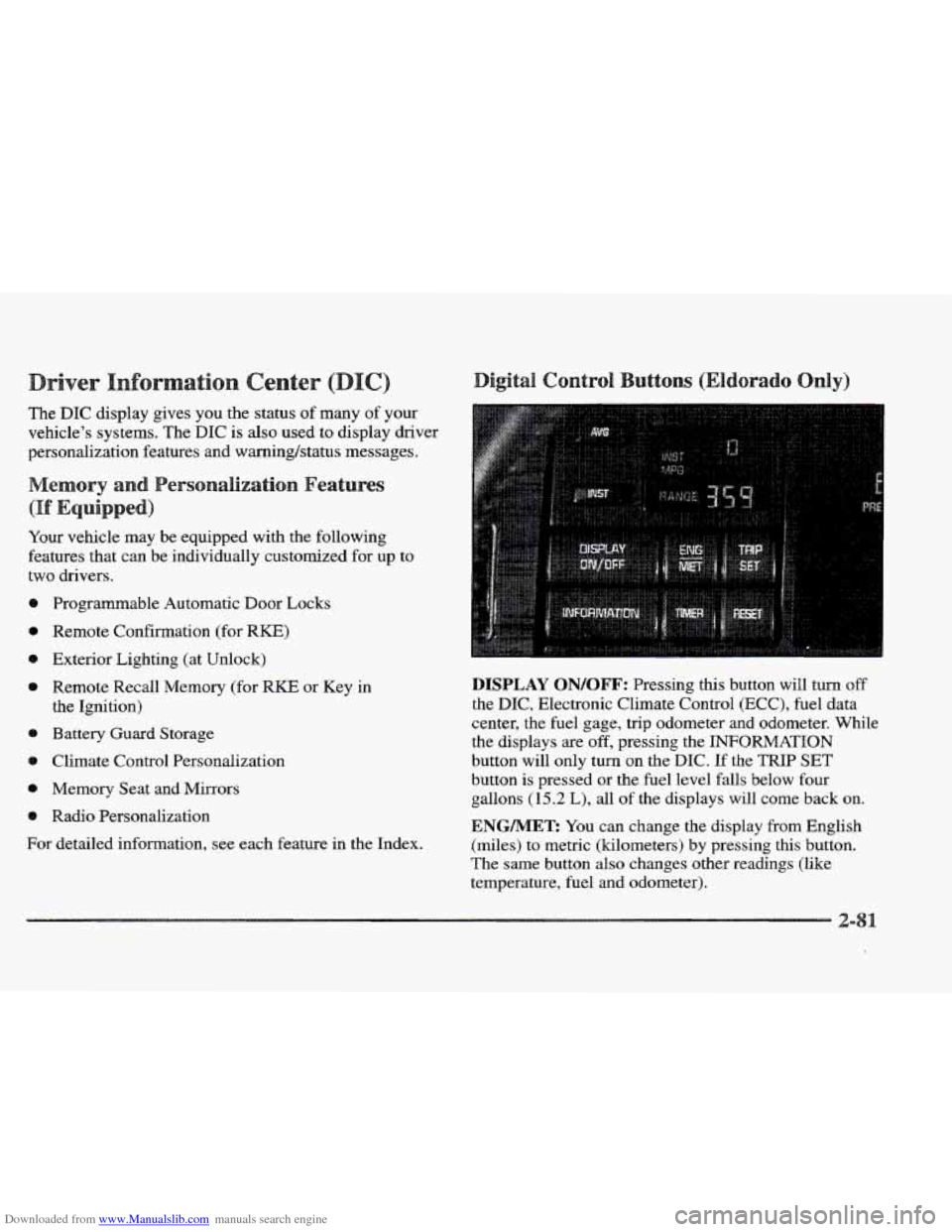
DISPLAY QN/QFF: Pressing this button will turn off
the DIC, Electronic Climate Control (ECC), fuel data
center, the fuel gage, trip odometer and odometer. While
the displays
are off, pressing the INFORMATION
button will only turn
on the DIC. If the TRIP SET
button is pressed or the fuel level falls below four
gallons
(15.2 L), all of the displays will come back on.
ENGMET: You can change the display from English
(miles) to metric (kilometers) by pressing this button.
The same button also changes other readings (like
temperature, fuel and odometer).
Page 145 of 361

Downloaded from www.Manualslib.com manuals search engine TRIP SET By using this button, you can tell how far
you’ve gone since you last set the
TRIP SET back to
zero. To reset, press and hold the button
until zeros
appear. If your vehicle is domestic, the trip odometer
will return to zero after 999.9 miles
( 1 609 km). If your
vehicle is Canadian, the
trip odometer will return to zero
after
1 999.9 km (1,242 miles).
INFORMATION: Pressing this button repeatedly will
display the MPG
AVG, MPG INST, GAL FUEL USED,
AVG MPH, ENGINE
RPM, BATTERY VOLTS,
COOLANT TEMP and
OIL LIFE LEFT.
TIMER: This feature is like a stopwatch, in that
you can clock the time it takes to get from one point
to another.
To operate, press the TIMER button until
TIMER OFF
0O:OO:OO is displayed on the DIC. Each of the fields for
the hours, minutes and seconds are two numeric digits.
Once TIMER
OFF 0O:OO:OO is displayed, press the
TIMER button to start the timing feature. Press the
TIMER button again to stop
it. If you will be starting
and stopping your Cadillac, during
a trip for instance,
the
TIMER feature will automatically start timing where
it left
off when you last stopped. To reset it, press and
hold the
RESET button until the display reads TIMER
0O:OO:OO. Press the INFORMATION button to exit from
the TIMER function.
RESET Pressing this button will reset the MPG AVG,
MPG INST, GAL FUEL USED, AVG MPH and OIL
LIFE LEFT. Pressing RESET when a non-resettable
display appears
will cause a “recall” mode to occur.
When this happens, all DIC warning messages that have
been displayed since the ignition key was turned to
RUN will redisplay. If no messages were displayed, a
MONITORED SYSTEMS
OK message will appear.
MPG AVG (Reset): Press the INFORMATION button
to display the MPG
AVG (Average Fuel Economy), then
press and hold the
IRESET button until 0.0 MPG AVG
is displayed.
FUEL USED (Reset): Press the INFORMATION
button to display the
GAL FUEL USED on the DIC,
then press and hold the
RESET button until 0.0 GAL
FUEL USED is displayed.
AVG MPH (Reset): Press the INFORMATION button
to display the AVG
MPH (Average Speed), then press
and hold the RESET button until
0.0 AVG MPH
is displayed.
OIL LIFE LEFT (Reset): Press the INFORMATION
button to display the OIL LIFE LEFT, then press and
hold the
RESET button until 100% OIL LIFE LEFT is
displayed. (This only needs to be reset after you have
had the oil changed.)
Page 146 of 361

Downloaded from www.Manualslib.com manuals search engine TRIP RESET By using this button, you can tell how
far you’ve gone since you last set the TRIP RESET back
to zero.
To reset, press and hold the button until zeros
appear.
If your vehicle is domestic, the trip odometer
will return to zero after 999.9 miles
(1 609 km). If your
vehicle is Canadian, the
trip odometer will return to zero
after
1 999.9 km (1,242 miles).
INFO RESET: Pressing this button will reset the MPG
AVG, GAL FUEL USED, AVG MPH, TIMER, OIL
LIFE LEFT and ENGLISHMETRIC RESET. Pressing
INFO RESET when a non-resettable display appears
will cause a “recall” mode to occur. When this happens,
all
DIC warning messages that have been displayed
since the ignition key was turned to
RUN will redisplay.
If no messages were displayed, a MONITORED
SYSTEMS QK message will appear.
MPG AVG (Reset): Press the INFO button to display
the
MPG AVG (Average Fuel Economy), then press and
hold the
INFO RESET button until 0.0 MPG AVG
is displayed.
GAL FUEL USED (Reset): Press the INFO button to
display the
GAL FUEL USED on the DIC, then press
and hold the
INFO RESET button until 0.0 GAL FUEL
USED is displayed.
AVG MPH (Reset): Press the INFO button to display
the AVG MPH (Average Speed), then press and hold the
INFO RESET button until 0.0 AVG MPH is displayed.
TIMER: lhs feature is like a stopwatch, in that you can
clock the time it takes to get from one point to another.
To operate, press the INFO button to display TIMER.
Each of the fields for the hours, minutes and seconds are
two numeric digits.
Once TIMER OFF O0:OO:OO is displayed, press the
INFO RESET button to start the timing feature. Press
the
INFO RESET button again to stop it. If you will be
starting and stopping your Cadillac, during a trip
for
instance, the TIMER feature will automatically start
timing where it left off when you last stopped. To reset
it, press and hold the INFO FESET button until the
display reads
TIMER 0O:OO:OO. Press the INFO button
to exit from the
TIMER function.