1997 BUICK PARK AVENUE clock
[x] Cancel search: clockPage 168 of 420
Adjusting the Speakers
BAL: Press this knob lightly so it extends. Turn the knob
to move the sound to the left or right speakers. The middle
position balances the sound between the speakers.
FADE: Press this knob lightly so it extends. Turn the
knob to move the sound to the front or rear speakers.
The middle position balances the sound between
the speakers.
Push these knobs back into their stored positions when
you’re not using them.
Playing a Cassette Tape
The longer side with the tape visible should face to the
right. If the ignition and the radio are on, the tape can be
inserted and will begin playing. If you hear nothing or
hear a garbled sound, the tape may not be in squarely.
Press EJECT to remove the tape and start over.
While the tape is playing, use the VOLUME, FADE,
BAL,, BASS and TREB controls just as you do for the
radio. Other controls may have different functions when
a tape is inserted. The display will show an arrow to
show which side of the tape is playing. If you want
to insert a tape when the ignition or radio is
off, first press EJECT or RECALL. Note that the
cassette tape adapter kits for portable compact disc
players will work in your cassette tape player.
Your tape bias is set automatically.
If E and a number appear on the radio display, the tape
won’t play because of an error.
E10: The tape is tight and the player can’t turn
the tape hubs. Remove the tape. Hold the tape with
the open end down and try to turn the right hub
counterclockwise with a pencil. Turn the tape over
and repeat. If the hubs do not turn easily, your tape
may be damaged and should not be used in the
player. Try a new tape to make sure your player is
working properly.
Ell: The tape is broken. Try a new tape.
If any error occurs repeatedly or if an error can’t be
corrected, please contact your dealer. If your radio
displays an error number, write it down and provide it to
your dealer when reporting the problem.
3-16
ProCarManuals.com
Page 170 of 420
AM-FM Stereo with Compact Disc Player and Automatic Tone Control
(If Equipped)
Playing the Radio
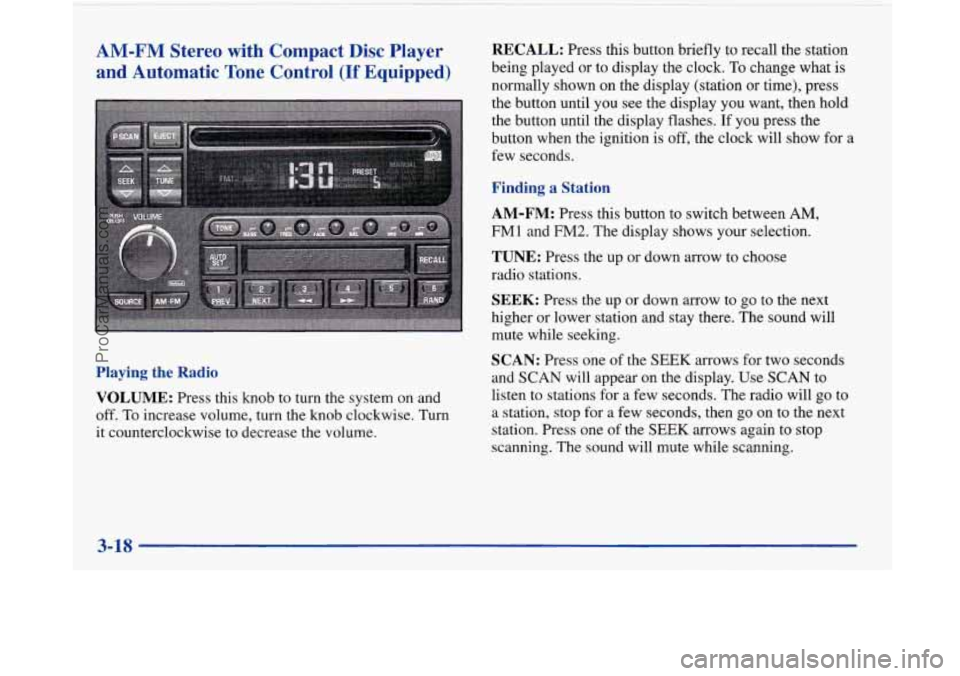
VOLUME:
Press this knob to turn the system on and
off. To increase volume, turn the knob clockwise. Turn
it counterclockwise to decrease the volume.
RECALL: Press this button briefly to recall the station
being played or to display the clock. To change what is
normally shown on the display (station or time), press
the button until you see the display you want, then hold
the button until the display flashes.
If you press the
button when the ignition is
off, the clock will show for a
few seconds.
Finding a Station
AM-FM:
Press this button to switch between AM,
FMl and FM2. The display shows your selection.
TUNE: Press the up or down arrow to choose
radio stations.
SEEK: Press the up or down arrow to go to the next
higher or lower station and stay there. The sound will
mute while seeking.
SCAN: Press one of the SEEK arrows for two seconds
and
SCAN will appear on the display. Use SCAN to
listen to stations for a few seconds. The radio will go to
a station, stop for
a few seconds, then go on to the next
station. Press one of the
SEEK arrows again to stop
scanning. The sound will mute while scanning.
3-18
ProCarManuals.com
Page 173 of 420
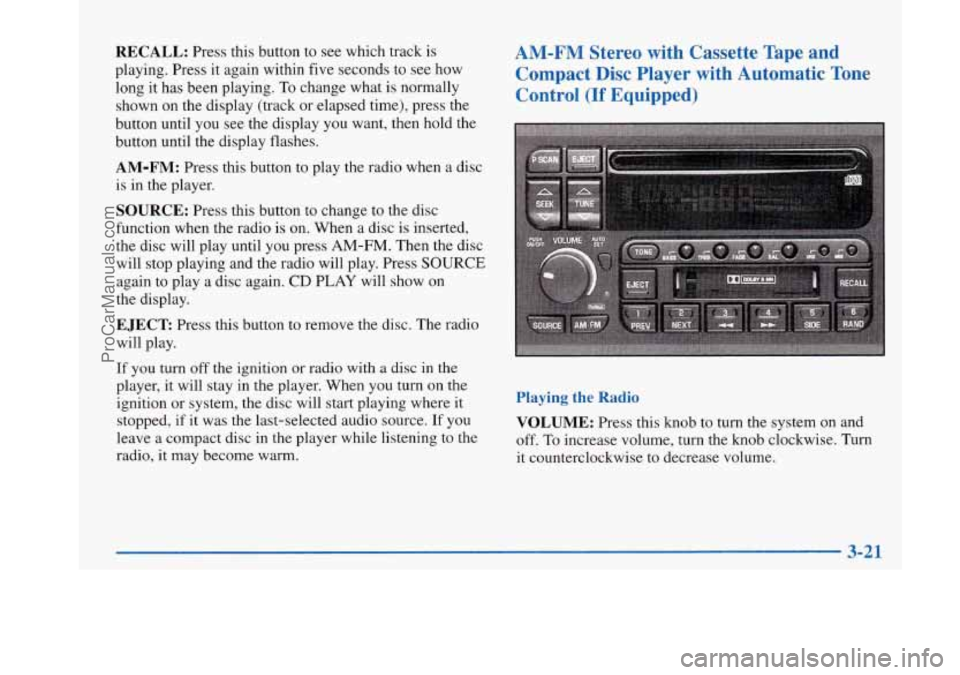
RECALL: Press this button to see which track is
playing. Press it again within five seconds to see how
long it has been playing.
To change what is normally
shown on the display (track or elapsed time), press the
button until you see the display you want, then hold the
button until the display flashes.
AM-FM: Press this button to play the radio when a disc
is in the player.
SOURCE: Press this button to change to the disc
function when the radio is on. When a disc is inserted,
the disc will play until you press
AM-FM. Then the disc
will stop playing and the radio will play. Press
SOURCE
again to play a disc again. CD PLAY will show on
the display.
EJECT Press this button to remove the disc. The radio
will play.
AM-FM Stereo with Cassette Tape and
Compact Disc Player with Automatic Tone Control
(If Equipped)
If you turn off the ignition or radio with a disc in the
player, it will stay in the player. When you turn on the
ignition or system, the disc will start playing where it
stopped, if it was the last-selected audio source.
If you
leave a compact disc in the player while listening to the
radio, it may become warm.
Playing the Radio
VOLUME:
Press this knob to turn the system on and
off.
To increase volume, turn the knob clockwise. Turn
it counterclockwise to decrease volume.
3-21
ProCarManuals.com
Page 174 of 420
!
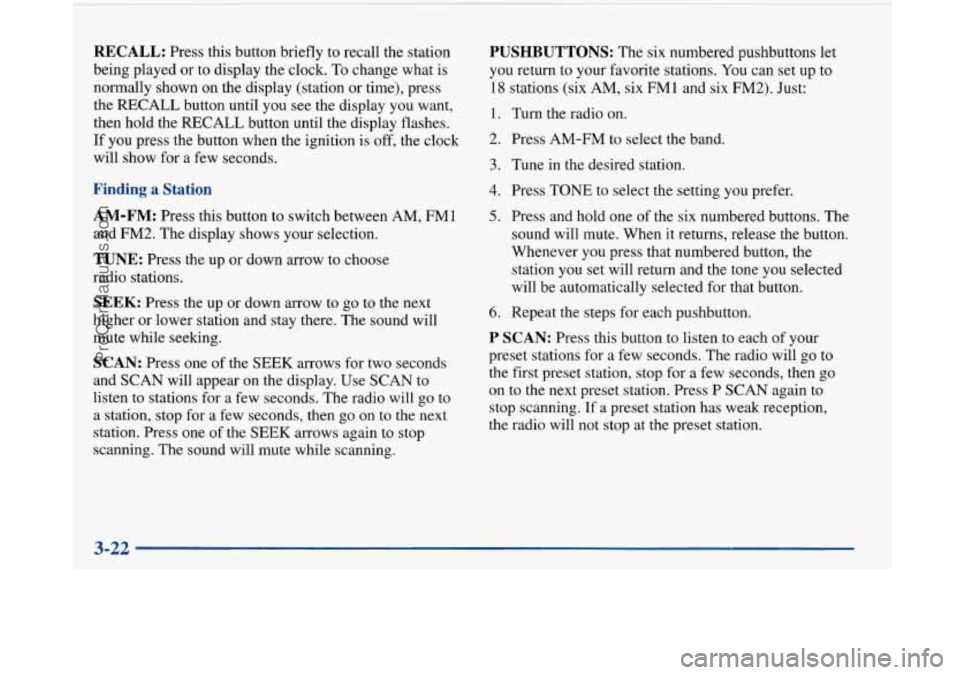
RECALL: Press this button briefly to recall the station
being played or to display the clock. To change what
is
normally shown on the display (station or time), press
the RECALL button until you
see the display you want,
then hold the RECALL button until the display flashes.
If you press the button when the ignition is off, the clock
will show for
a few seconds.
Finding a Station
AM-FM:
Press this button to switch between AM, FM1
and FM2. The display shows your selection.
TUNE: Press the up or down arrow to choose
radio stations.
SEEK: Press the up or down arrow to go to the next
higher or lower station and stay there. The sound will
mute while seeking.
SCAN: Press one of the SEEK arrows for two seconds
and SCAN will appear
on the display. Use SCAN to
listen to stations for a few seconds. The radio will go to
a station, stop for a few seconds, then go on to the next
station. Press one of the
SEEK arrows again to stop
scanning. The sound will mute while scanning.
PUSHBUTTONS: The six numbered pushbuttons let
you return to your favorite stations. You can set up to
18 stations (six AM, six FMl and six FM2). Just:
1. Turn the radio on.
2. Press AM-FM to select the band.
3. Tune in the desired station.
4. Press TONE to select the setting you prefer.
5. Press and hold one of the six numbered buttons. The
sound will mute. When it returns, release the button.
Whenever you press that numbered button, the
station you set will return and the tone you selected
will be automatically selected for that button.
6. Repeat the steps for each pushbutton.
P SCAN: Press this button to listen to each of your
preset stations for a few seconds. The radio will
go to
the first preset station, stop for a few seconds, then go
on to the next preset station. Press
P SCAN again to
stop scanning.
If a preset station has weak reception,
the radio will not stop at the preset station.
3-22
ProCarManuals.com
Page 176 of 420
Your tape bias is set automatically.
If E and a number appear on the radio display, the tape
won’t play because of an error.
ElO: The tape is tight and the player can’t turn the
tape hubs. Remove the tape. Hold the tape with the
open end down and try to turn the right hub
counterclockwise with a pencil. Turn the tape over
and repeat. If the hubs do not turn easily, your tape
may be damaged and should not be used
in the
player. Try a new tape to make sure your player is
working properly.
Ell: The tape is broken. Try a new tape.
If any error occurs repeatedly or if an error can’t be
corrected, please contact your dealer. If your radio
displays an error number, write it down and provide it to
your dealer when reporting the problem.
PREV (1): Press this button to search for the previous
selection on the tape. Your tape must have at least
three seconds of silence between each selection for
PREV to work. The sound will mute while seeking.
NEXT (2): Press this button to search for the next
selection on the tape. Your tape must have at least three
seconds of silence between each selection for NEXT to
work. The sound will mute while seeking. The
SEEK down
and up arrows will also find the
previous and next selections on the tape.
44 (3): Press this button to reverse the tape rapidly.
Press it again to return to playing speed. The radio will
play while the tape reverses.
,, (4): Press this button to advance quickly to another
part
of the tape. Press the button again to return to playing
speed. The radio
will play while the tape advances.
SIDE (5): Press this button to change the side of the
tape that is playing.
RAND (6): Press this button to reduce background
noise when playing a cassette tape. The double-D
symbol will appear in the display.
SOURCE: Press this button to change to the tape or
disc function when the radio is on. If both a tape and a
disc are installed, the system will first go to tape play;
TAPE SIDE and an arrow will appear on the display. If
SOURCE is pressed again, the system will go to disc
play; CD PLAY will appear on the display.
EJECT The system has two EJECT buttons. Press the
button near the CD slot to remove a disc. Press the
button near the tape slot to remove a tape and the radio
will play. If you leave a cassette tape in the player while
listening to the radio, it may become warm.
3-24
ProCarManuals.com
Page 200 of 420
Steering in Emergencies
There are times when steering can be more effective
than braking. For example, you come over
a hill and
find a truck stopped in your lane, or a car suddenly pulls
out from nowhere, or a child darts out from between
parked cars and stops right in front
of you. You can
avoid these problems by braking
-- if you can stop
in time. But sometimes you can’t; there isn’t room.
That’s the time for evasive action
-- steering around
the problem.
Your Buick can perform very well in emergencies like
these. First apply your brakes. (See “Braking in
Emergencies” earlier in this section.) It is better to
remove as much speed as you can from a possible
collision. Then steer around the problem, to the left or
right depending on the space available. An
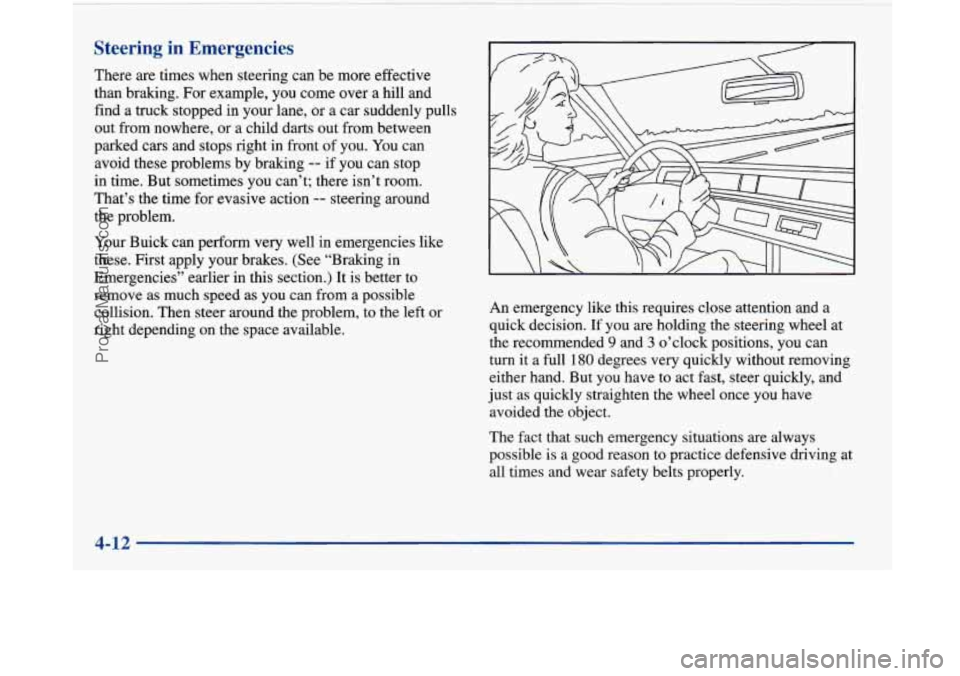
emergency like this requires close attention and a
quick decision.
If you are holding the steering wheel at
the recommended
9 and 3 o’clock positions, you can
turn it a full 180 degrees very quickly without removing
either hand. But you have to act fast, steer quickly, and
just as quickly straighten the wheel once you have
avoided the object.
The fact that such emergency situations are always
possible is a good reason to practice defensive driving at
all times and wear safety belts properly.
4-12
ProCarManuals.com
Page 247 of 420
How to Add Coolant to the Radiator
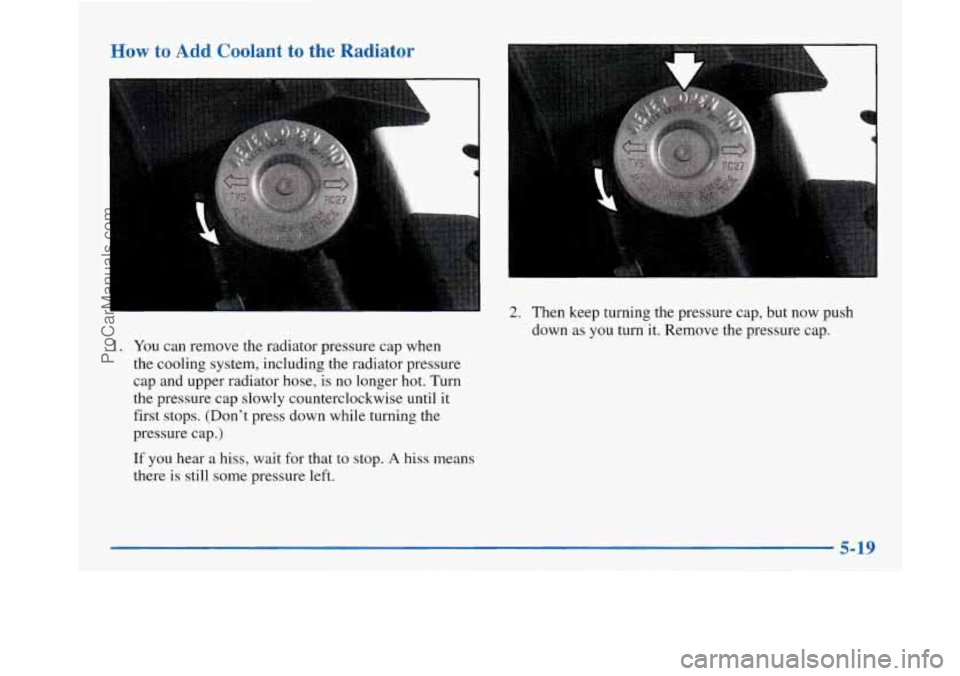
1. You can remove the radiator pressure cap when
the cooling system, including the radiator pressure
cap and upper radiator
hose, is no longer hot. Turn
the pressure cap slowly counterclockwise until
it
first stops. (Don’t press down while turning the
pressure cap.)
If you hear a hiss, wait for that to stop. A hiss means
there is still some pressure left.
2. Then keep turning the pressure cap, but now push
down as you turn it. Remove the pressure cap.
5-19
ProCarManuals.com
Page 251 of 420
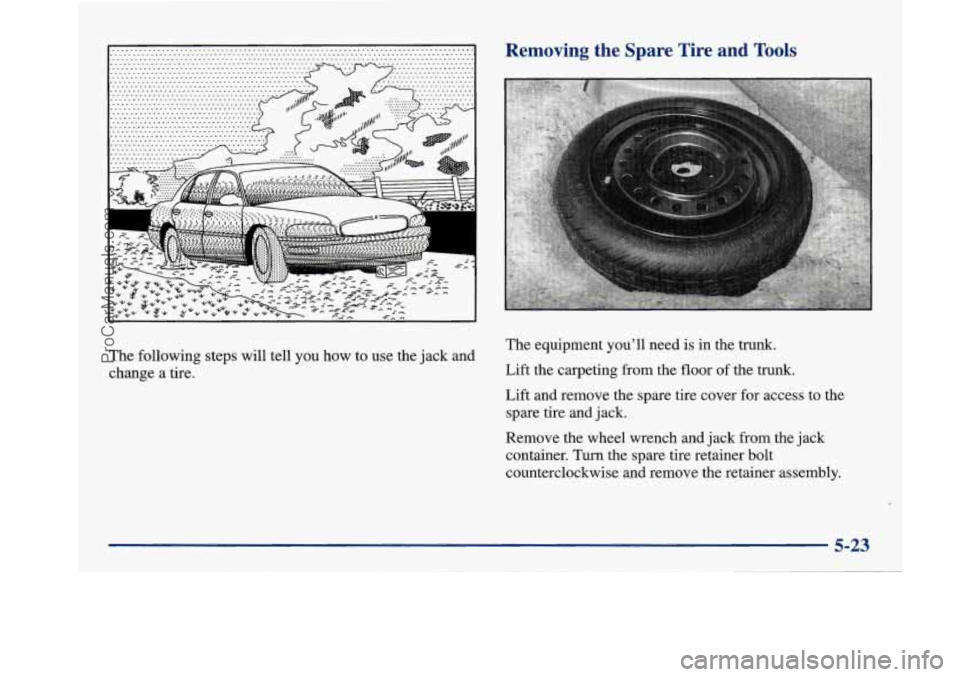
The following steps will tell you how to use the jack and
change a tire.
Removing the Spare Tire and Tools
The equipment you’ll need is in the trunk.
Lift the carpeting from the floor of the trunk.
Lift and remove the spare tire cover for access to the
spare tire and jack.
Remove the wheel wrench and jack from the jack
container. Turn the spare tire retainer bolt
counterclockwise and remove the retainer assembly.
5-23
ProCarManuals.com