1996 PONTIAC BONNEVILLE buttons
[x] Cancel search: buttonsPage 59 of 387
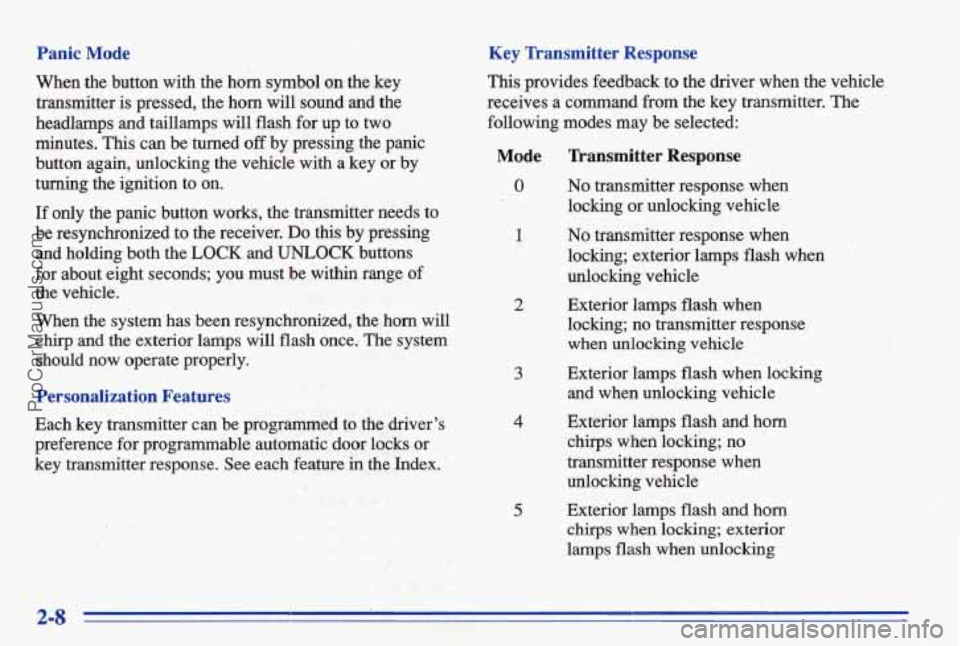
Panic Mode
When the button with the horn symbol on the key
transmitter is pressed, the horn will sound and the
headlamps and taillamps will flash for
up to two
minutes. This can be turned
off by pressing the panic
button again, unlocking the vehicle with a key or by
turning the ignition to on.
Key Transmitter Response
This provides feedback to the driver when the vehicle
receives a command
from the key transmitter. The
following modes may be selected:
If only the panic button works, the transmitter needs to
'be resynchronized to the receiver,
Do this by pressing
and holding both the
LOCK and UNLOCK buttons
for about eight seconds; you must be within range of
the vehicle.
When the system has been resynchronized, the horn will
chirp and the exterior lamps will flash once. The system
should now operate properly.
Personalization Features
Each key transmitter can be programmed to the driver's
preference for programmable automatic door locks
OF
key transmitter response. See each feature in the Index.
Mode Transmitter Response
0 No transmitter response when
1 No transmitter response when
locking or unlocking vehicle
locking; exterior lamps flash when
'
unlocking vehicle
2 Exterior lamps
flash. when
locking; no transmitter response
when unlocking vehicle
and when unlo8cking vehicle
3 Exterior lamps flash when locking
4 Exterior lamps flash and horn
chirps when locking; no
transmitter responsq
wb,
unlocking vehicle '';{ '8' .. '- . .
chirps when locking; exterior
lamps flash when
unlocking
5 Exterior lamps flash and horn
2-8
ProCarManuals.com
Page 62 of 387
To replace the battery:
1. Insert a coin into the notch near the keyring. Turn the
coin counterclockwise to separate the two halves
of
the transmitter.
2. Once the transmitter is separated, use a pencil to
remove the old battery.
Do not use a metal object.
3. Remove and replace the battery. Replace it as the
instructions inside the cover indicate.
Trunk
Be. sure not to touch any of the black boxes or the
green surfaces. Any static transferred from your
body to these areas may cause the transmitter to
be inoperative.
no moisture can enter.
4. Snap the transmitter back together tightly to be sure
5. Resynchronize the transmitter by pressing and holding
the LOCK and UNLOCK buttons for about eight
seconds.
You must be within range of the vehicle.
When the transmitter has been resynchronized, the
horn will clwp
and the exterior lamps will flash once.
Trunk Lock Release
To unlock the trunk from the outside, insert the door key
and turn it.
Remote Trunk Release (Option)
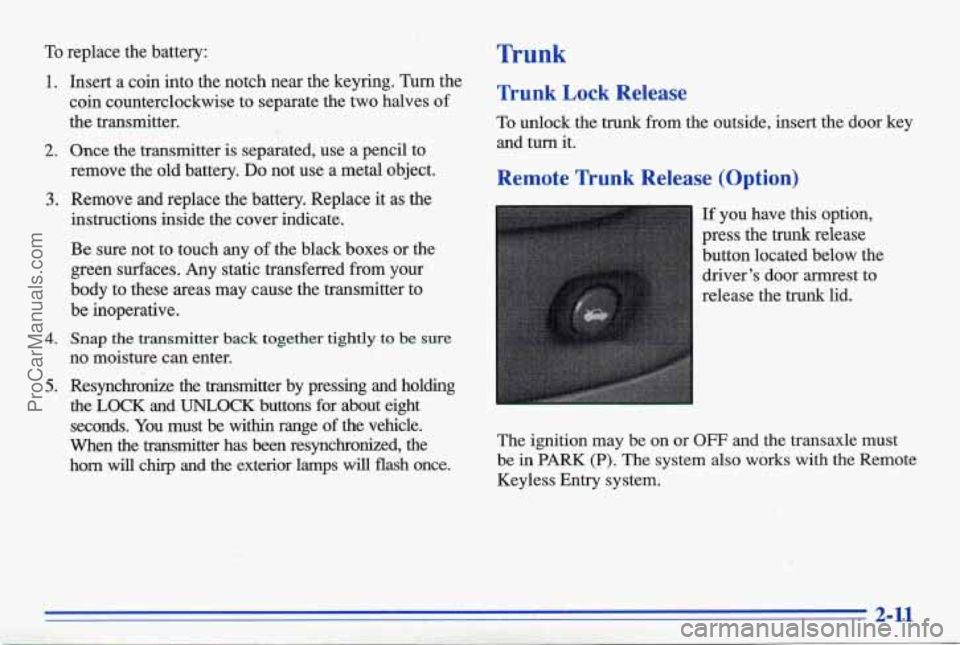
If you have this option,
press the trunk release
button located below the
driver’s door armrest to
release the
trunk lid. I -. ’ .’-
The ignition may be on or OFF and the transaxle must
be in
PARK (P). The system also works with the Remote
Keyless Entry system.
ProCarManuals.com
Page 76 of 387
Performance Shifting (Option) Computer Command Ride (Option)
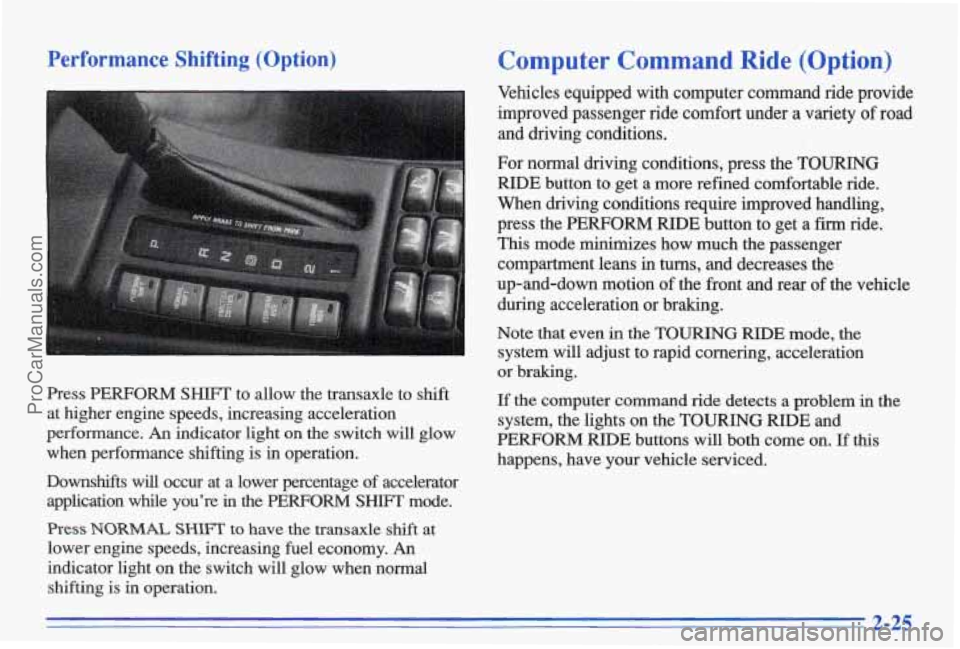
Press PERFORM SHIFT to allow the transaxle to shift
at higher engine speeds, increasing acceleration
performance.
An indicator light on the switch will glow
when performance shifting is in operation.
Vehicles equipped with computer command ride provide
improved passenger ride
comfort under a variety of road
and driving conditions.
Downshifts will occur at a lower percentage of accelerator
application while you're
in the PERFORM SHIFI' mode.
Press NORMAL SHIFT to have the transaxle shift at
lower engine speeds, increasing fuel economy.
An I
indicator light on the switch will glow when normal
shifting is in operation. For normal driving conditions, press the
TOURING
RIDE button to get a more refined comfortable ride.
When driving conditions require improved handling,
press the PERFORM
RIDE button to get a firm ride.
This mode minimizes how much the passenger compartment leans in
turns, and decreases the
up-and-down motion
of the front and rear of the vehicle
during acceleration or braking.
Note that even
in the TOURING RIDE mode, the
system
will adjust to rapid cornering, acceleration
or braking.
If the computer command ride detects a problem in the
system, the lights on the TOURING
RIDE and
PERFORM RIDE buttons will both come on. If this
happens, have your vehicle serviced.
2-25
ProCarManuals.com
Page 147 of 387
reo
1.
I ' Playing the I
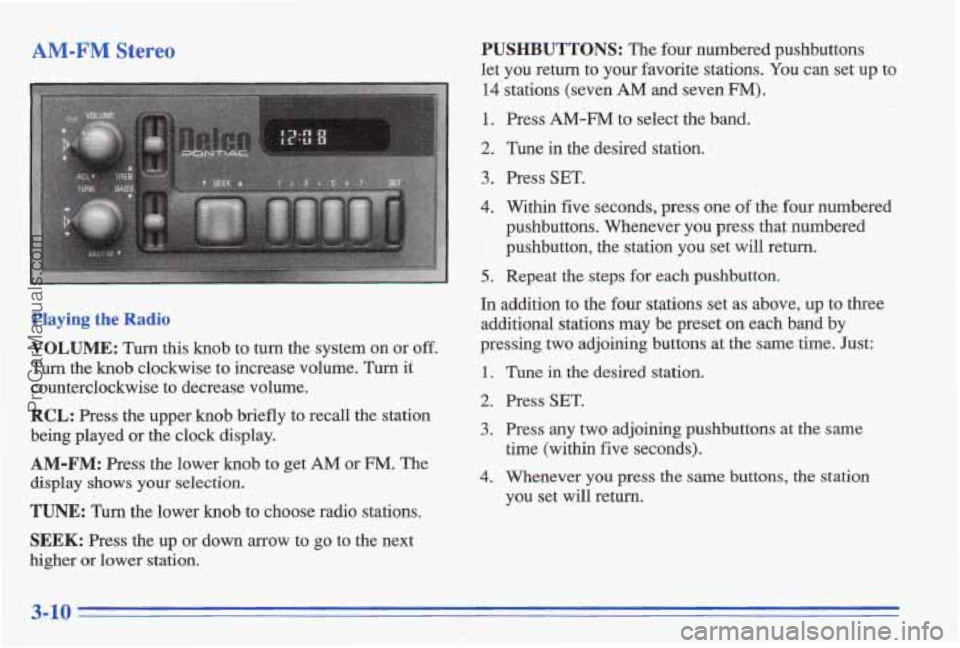
VOLUME: Turn this knob to turn the system on or off.
Turn the knob clockwise to increase volume. Turn it
counterclockwise to decrease volume.
RCL: Press the upper knob briefly to recall the station
being played or the clock display.
AM-FM: Press the lower knob to get AM or FM. The
display shows your selection.
TUNE: Turn the lower knob to choose radio stations.
SEEK: Press the up or down arrow to go to the next
higher or lower station.
PUSHBUTTONS: The four numbered pushbuttons
let you return to your favorite stations.
You can set up to
14 stations (seven AM and seven FM).
1. Press AM-FM to select the band.
2. Tune in the desired station. 1
3. Press SET.
4. Within five seconds, press one of the four numbered
pushbuttons. Whenever you press that numbered
', pushbutton, the station you set will return.
5.. Repeat the steps for each pushbutton.
In addition to the four stations set as above, up to three
additional stations may be preset on each band by
pressing
two adjoining buttons at the same time. Just:
1.
2.
3.
4.
Tune iil the desired station.
Press
SET.
Press any two adjoining pushbuttons at the same
time (within five seconds).
Whenever
you press the same buttons, the station
you set
will return.
ProCarManuals.com
Page 149 of 387
Finding a Station’
AM-FM:
Press this button to get AM, FM1 or FM2.
Tbe display shows your selection. If a cassette tape is
playing, press
this button to play the radio.
TUNE: Press this knob lightly so it extends. Turn it to
choose radio stations. Push
the hub back in when
you’re
not using it.
SEEK: Press the up or down arrow to go to the next
higher or lower station.
PUSHBUTTONS: The six numbered pushbuttons let
you return to your favorite stations. You can set up to
18 stations (six AM, six FM1 and six FM2).
1. Press AM-FM to select the band.
2. Find the station you want by using TUNE or SEEK.
3. Press and hold one of the six numbered buttons until
SET appears on the display. Whenever you press that
numbered button, the station you set will return.
t
4. Repeat the steps for each pushbutton. c I : 1. I ,:. , . ,-, . I.
Setting the Tone
BASS: Slidcthe lever to the right or left to b-crease or
decrease bass.
TREBLE: Slide the lever to the right or left to increase
or decrease treble.
If a station is weak or noisy, slide the
lever down
to reduce the noise.
Adjustin’g the Speakers
BAL: Press this knob lightly so it extehds. Turn this
knob to move the sound to the left or right speakers. Use
the middle position
to balance these speakers. Push the
knob
back in when you’re not using it.
FADE: Press this knob lightly so it extends. TLI~~ this
knob to move the sound to the front or rear speakers.
Use the middle position to balance these speakers. Push
the
knob back in when you’re not using it.
3-12
ProCarManuals.com
Page 152 of 387
AM-FM Stereo with Cassette Tape Player
and? Equalizer
Playing the Radio
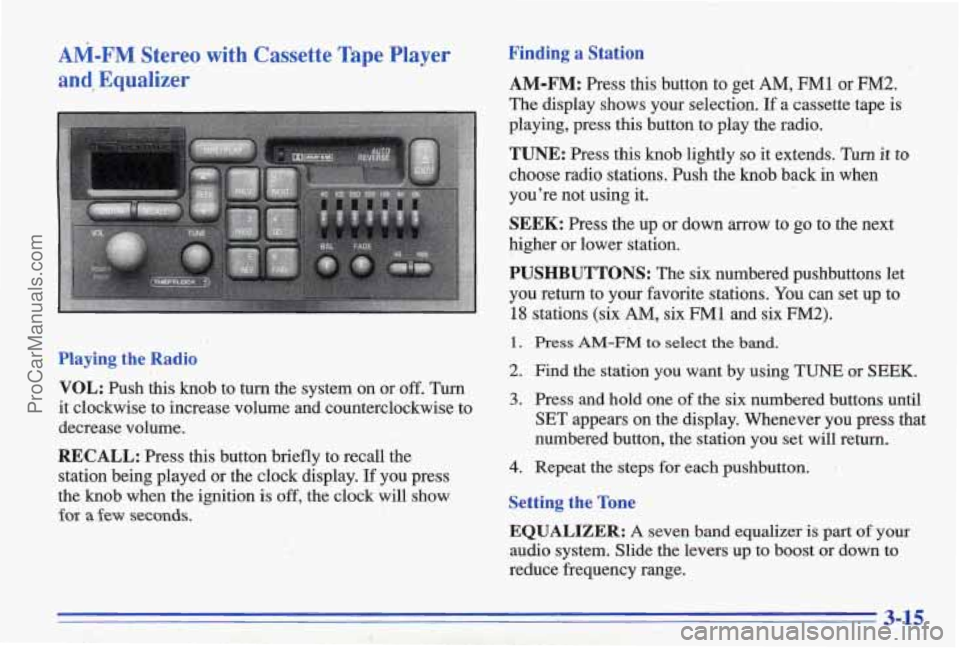
VOL:
Push this knob to turn the system on or off. Turn
it clockwise to increase volume and counterclockwise to
decrease volume.
RECALL: Press this button briefly to recall the
station being played or
the clock display. If you press
the knob when the
ignition is off, the clock will show
for a few seconds.
Finding a Station
AM-FM: Press this button to get AM, FM1 or FM2.
The display shows your selection. If a cassette.tape is
playing, press this button to play the radio.
TUNE: Press this knob lightly so it extends. Turn it to
choose radio stations. Push the knob back in when
you’re not using it.
SEEK: Press the up or down arrow to go to the next
higher or lower station.
PUSHBUTTONS: The six numbered pushbuttons let
you return to
your favorite stations. You can set up to
18 stations (six AM, six FM1 and six FM2).
1. Press AM-FM to select the band.
2. Find the station you want by using TUNE or SEEK.
3. Press and hold one of the six numbered buttons until
SET appears on the display. Whenever you press
that
numbered button, the station you set will return.
4. Repeat the steps for each pushbutton.
Setting the Tone
EQUALIZER: A seven band equalizer is part of your
audio system. Slide the levers up to boost or down to
reduce frequency range.
3-15
ProCarManuals.com
Page 155 of 387
AM-FM Stereo with Compact Disc Player Finding a Station
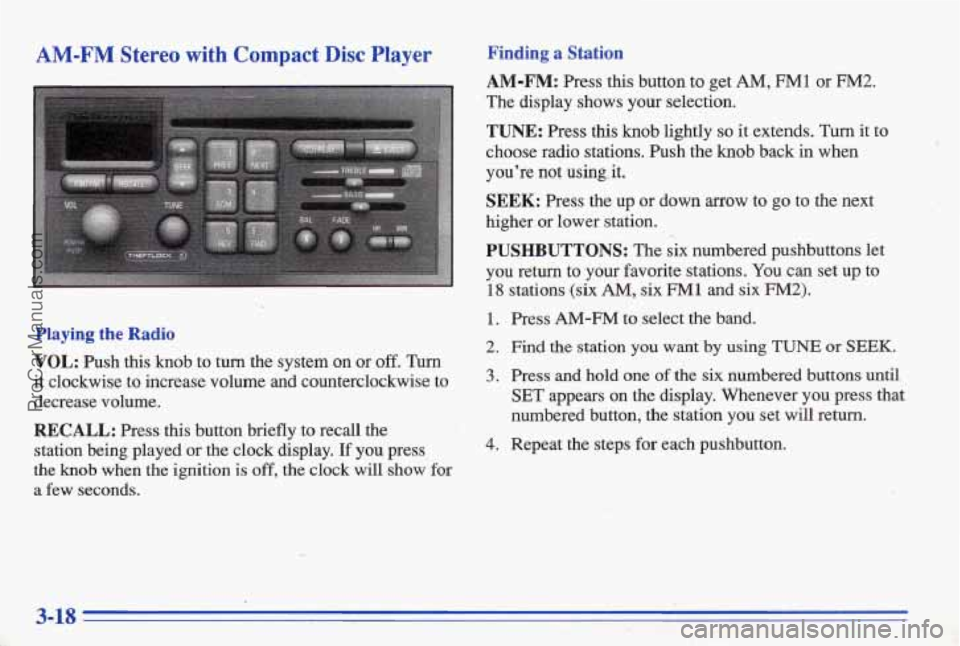
AM-FM: Press this button to get AM, FMl or FM2.
The display shows your selection.
TUNE: Press this knob lightly so it extends. Turn it to
choose radio stations. Push the knob back
in when
you're not using, it.
SEEK: Press the up or down arrow to go to the next
higher or lower station.
PUSHBUTTONS: The six numbered pushbuttons let
you return to your favorite stations. You can set up
to
18 stations (six AM, six FM 1 and six FM2). <-
1. Press AM-FM to select the band.
Playing the Radio 2. Find the station you want by using TUNE or 'SEEK.
VOL: Push this knob to turn the system on or off. Turn
it clockwise to increase volume and counterclockwise to 3. Press and hold one of the six numbered buttons until
decrease volume.
.~ SET appears on the display. Whenever you press that
RECALL: Press this button briefly to recall the
station being played
or the clock display. If you press 4. Repeat the steps for each pushbutton. -
the knob when the ignition is off, the clock will show for
a few seconds.
:.) " numbered button, the station you set will return.
3-18
ProCarManuals.com
Page 158 of 387
Finding a Station
AM-FM: Press this button to get AM, FM1 or FM2.
The display shows your selection.
TUNE: Press this knob lightly so it extends. Turn it to
choose radio stations. Push the knob back in when
you’re not
using it.
SEEK: Press the up or down arrow to go to the next
higher or lower station.
PUSHBUTTONS: The six numbered pushbuttons let
you return to your favorite stations. You can set up to
! 18
1.
2.
3.
4.
stations (s& AM, six FM1 and six FM2).
Press AM-FM to select the band.
Find the station you want by using
TUNE or SEEK.
Press and hold one of the six numbered buttons until
SET appears on the display. Whenever you press that
numbered button, the station
you set will return.
Repeat the steps for each pushbutton.
-
Setting the Tone
EQUALIZER:
A seven band equalizer is part of your
audio system. Slide the levers up to boost or down to
reduce frequency range.
Adjusting the Speakers
BAE:
Press this knob lightly so it extends. Turn it to
move the sound to the left or right speakers. Use the
middle position
to balance these speakers. Push the knob
back
in when you’re not using it.
FADE: Press this knob lightly so it extends. Turn it to
move the sound to the front
or rear speakers, Use the
middle position to balance these speakers. Push the knob
*
back in when you’re not using it.
Playing a Compact Disc
The integral CD player can play 8 cm “single”
mini-discs. Full-size compact discs and mini-discs
are
loaded in the same manner.
Insert a disc partway into the slot, label side up. The
player will pull it in.
If the ignition is on, but the radio is
off, the disc will begin playing. If you want to in%ert a
disc when the ignition is off, first press EJECT.
ProCarManuals.com