Page 77 of 340
As you signal a turn or a lane change, if the arrows don’t
flash but just stay on,
a signal bulb may be burned out
and other drivers won’t see your turn signal.
If a bulb is burned out, replace it to help avoid an
accident. If the arrows don’t go on at all when you
signal
a turn, check the fuse (see “Fuses and Circuit
Breakers” in the Index) and for burned-out bulbs.
If you have a trailer towing option with added wiring for
the trailer lamps,
a different turn signal flasher is used.
With this flasher installed, the signal indicator will flash
even if
a turn signal bulb is burned out. Check the front
and rear turn signal lamps regularly to make sure they
are working.
Headlamp HighLow Beam Changer
To change the headlamps from low beam to high or high
to low, pull the multifunction lever all the way toward
you. Then release
it.
When the high beams are
on, this indicator light on
the instrument panel will
also be on.
2-25
ProCarManuals.com
Page 78 of 340

Windshield Wipers
You control the windshield wipers by turning the band
with the wiper symbol
on it.
For a single wiping cycle, turn the band t.o
MIST. Hold
it there until the wipers start, then let go. The wipers will
stop after one wipe. If
you want more wipes, hold the
band on MIST longer.
You can set the wiper speed for a long or short delay
between wipes. This can be very useful
in light rain or
snow. Turn the band
to choose the delay time. The
closer to
LOW, the shorter the delay. For steady wiping at low speed,
turn the band away
from you to the LOW position. For high-speed wiping,
turn the band further, to
HIGH. To stop the wipers,
move the band
to the OFF position.
Be sure to clear ice and snow from the wiper blades
before using them. If they’re frozen to the windshield,
carefully loosen or thaw them. If your blades do becomc
worn or damaged, get new blades or blade inserts.
Windshield Washer
At the top of the multifunction lever, there’s a paddle
marked with the windshield washer symbol and
PUSH.
To spray washer fluid on the windshield, press the
paddle. The wipers will clear
the window and then
either stop
or return to your preset speed.
In freezing weather, don’t use your washer until
the windshield is warmed. Otherwise the washer
fluid can form ice on the windshield, blocking
your vision.
2-26
ProCarManuals.com
Page 82 of 340

Using Cruise Control on Hills
How well your cruise control will work on hills depends
upon
your speed, load and the steepness of the hills.
When going up steep hills, you may want to step
on the
accelerator pedal to maintain your speed. When going
downhill, you may have to brake or shift to a lower gear
to keep your speed down.
Of course, applying the brake
takes
you out of cruise control. Many drivers find this to
be too much trouble and don't use cruise control on
steep hills.
Ending Cruise Control
There are two ways to turn off the cruise control:
0 Step lightly on the brake pedal.
0 Move the cruise switch to OFF.
Erasing Speed Memory
When you turn off the cruise control or the ignition,
your cruise control set speed memory is erased.
Lamps
The switches are on the left side of your instrument panel.
Press the top switch
with the parking lamps symbol on it
to turn on:
0 Parking Lamps
Sidemarker Lamps
0 Taillamps
0 License Plate Lamps
0 Instrument Panel Lights
2-30
ProCarManuals.com
Page 83 of 340
Press the bottom switch with the master lamps symbol on
it to turn on all the lamps listed as well as the headlamps.
Press the side of the switch marked
OFF to turn off
your lamps.
Lamps On Reminder
A reminder tone will sound when your headlamps or
parking lamps are turned on and your ignition is in OFF,
LOCK or ACCESSORY. To turn the tone off, press the
OFF switch.
Daytime Running Lamps (If Equipped)
Daytime Running Lamps (DRL) can make it easier for
others to see the front of your vehicle during the day.
DRL can be helpful
in many different driving
conditions, but they can be especially helpful
in the
short periods after dawn and before sunset.
The DRL system will make your headlamps come on at
reduced brightness when:
the ignition is on,
the headlamp switch is off, and
the parking brake is released. When the
DRL are
on, only your headlamps will be on.
The taillamps, sidemarker and other lamps won’t be on.
The instrument panel won’t be lit up either.
When
it begins to get dark, your DRL indicator light is
a reminder to turn your headlamp switch on. The other
lamps that come on with your headlamps will also
come on.
When you turn the headlamp switch off, the regular
lamps will go off, and your headlamps will change to
the reduced brightness of
DRL.
To idle your vehicle with the DRL off, set the parking
brake. The DRL will stay off
until you release the
parking brake.
As with any vehicle, you should turn on the regular
headlamp system when
you need it.
ProCarManuals.com
Page 84 of 340

Fog Lamps
Use your fog lamps for better vision in foggy or misty
conditions. Your parking lamps or low-beam headlamps
must be on for your fog lamps to work.
The fog lamp switch is on the instrument panel under
the lamps switches. Press
the side of the switch with the
fog lamp symbol to turn the fog lamps on. Press
OFF to
turn them off. A light will glow in the switch when the
fog lamps are on. Remember, fog lamps alone will
not give off
as much
light as your headlamps. Never use your fog lamps in
the dark without turning on your headlamps.
Fog lamps will
go off whenever your high-beam
headlamps come on. When the high beams go off, the
fog lamps will come on again.
Interior Lamps
Brightness Control
Turn the switch next to the headlamp switch up to make
your instrument panel lights brighter. Turn the switch all
the way up to turn on the interior lamps.
Front Reading Lamps (Option)
Press the button near each lamp on the overhead console
to turn the reading lamps on and off. The lamps can be
swiveled to point in the desired direction.
2-32
ProCarManuals.com
Page 90 of 340

Door Storage
You will find a storage compartment on each of the
doors. Cupholders are
on the rear doors.
Convenience Net
Front Storage Area
Lift the armrest cover of the console compartment to
reveal a coinholder and additional storage. Ribs have
been provided for convenient storage of cassette tapes
and compact discs.
A storage compartment under your radio may be used to
hold small items. Front cupholders are also provided
on
the console. Both have liners that are easily removed
for cleaning.
A convenience net in the rear of your vehicle helps keep
small items, like gloves and light clothing
in place
during sharp turns or quick stops and starts.
The net
is not designed to retain these items during
off-road use. The net is not for larger, heavier items.
The convenience net
is anchored to the endgate door.
Attach the upper loops to the retainers
on either side of
the endgate opening (the label should be
in the upper
passenger’s side corner, visible from the rear of vehicle).
Attach the lower hooks to the rear cargo tie-downs on
the floor.
ProCarManuals.com
Page 93 of 340

,
To slide the crossrails to where you want them, push up
on the lever under each side of the crossrail. This will
release the crossrail and allow you
to slide it. When the
crossrail
is where you want it, push down on the lever to
lock.it into place.
NOTICE:
Loading cargo that weighs more than 200 lbs.
(91 kg) on the luggage qrrier may damage
your, vehicle.
When you carry cargo on the luggage carrier of
a
proper size and weight, put it on the slats, as far
against the rear of the load, to help keep it from
moving.
You can then tie it down.
I forward as you can. Then slide the crossrail up
Don’t exceed the maximum vehicle capacity when
loading your vehicle. For more information on vehicle
capacity.and loading, see “Loading Your Vehicle” in
the Index.
To prevent damage or loss of cargo as you’re driving,.
check now and then to make sure the luggage carrier
is
locked and cargo is ‘still securely fastened.
Ashtrays and Cigarette Lighter
To use the lighter, press it in all the way, &d let go.
When it’s ready, it will pop back by itself.
NOTICE:
Don’t hold a cigarette lighter in with your hand
while’ it is heating..p you do, it won’t be able to
back away from the heating element when it’s
ready. That can make it overload, damaging the
lighter and the heating element.
The front-ashtray must be completely gulled out to the
open position before the ashtray cover opens and smoking material can be deposited.
NOTICE:
,.
Don’t put papers and other things that burn
into your ashtray.
If you’ do, cigarettes or other
causing damage.
’ smoking materials could set them on fire,
2-41
ProCarManuals.com
Page 95 of 340
Accessory Power Outlets
The accessory power outlets are located below the
cigarette lighter. Just pull down from the top
of the door
and follow the proper installation instructions that are
included with any electrical equipment
you install.
These circuits are protected by a fuse and have
maximum current levels.
I NOTICE: 1
When using the accessory power outlets,
maximum electrical load must not exceed
25 amps. Always turn off any electrical
equipment when not in use. Leaving electrical
equipment on for extended periods
will drain
your battery.
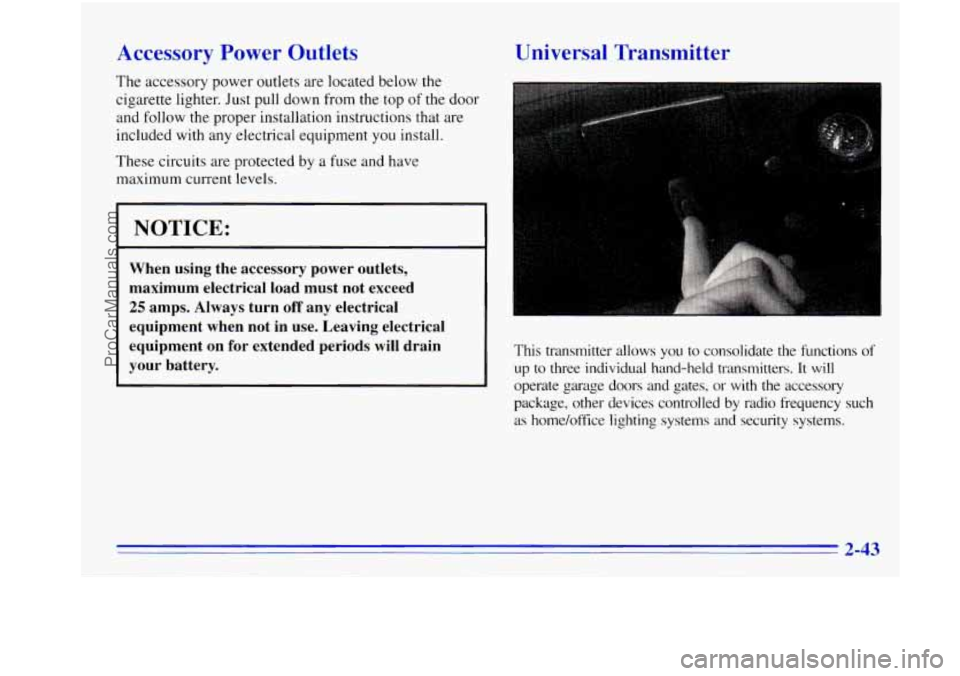
Universal Transmitter
This transmitter allows you to consolidate the functions of
up to three individual hand-held transmitters. It will
operate garage doors and gates, or with the accessory
package, other devices controlled by radio frequency such
as home/office lighting systems and security systems.
ProCarManuals.com