1996 NISSAN QUEST lock
[x] Cancel search: lockPage 6 of 235

1 Instruments and controls
Meters and gauges .............................................. 1-3
Warning/indicator lights and chimes .................... 1-6
Theft warning........................................................ 1-9
Windshield wiper lever and washer switch ........ 1-10
Rear window wiper and washer switches .......... 1-11
Rear window defogger switch ............................ 1-12
Headlight control switch ..................................... 1-12
Autolamp switch ................................................. 1-13
Spotlights ............................................................ 1-15
Turn signal switch .............................................. 1-15
Cornering light .................................................... 1-16
Instrument brightness control ............................. 1-16
Hazard warning flasher switch ........................... 1-16Cigarette lighter (accessory) and ashtray .......... 1-17
Rear power point ................................................ 1-18
Coin tray ............................................................. 1-18
Compact disc and audio cassette
storage compartment ......................................... 1-19
Power window .................................................... 1-19
Sunroof (If so equipped) .................................... 1-20
Manual rear windows ......................................... 1-21
Power rear windows ........................................... 1-21
Clock................................................................... 1-22
Interior lights ....................................................... 1-23
ZX
Page 13 of 235
WARNING
cIf you judge it to be safe, drive care-
fully to the nearest service station
for repairs. Otherwise, have your ve-
hicle towed because driving it could
be dangerous.
cPressing the brake pedal with the
engine stopped and/or low brake
fluid level may increase your stop-
ping distance and braking will re-
quire greater pedal effort as well as
pedal travel.
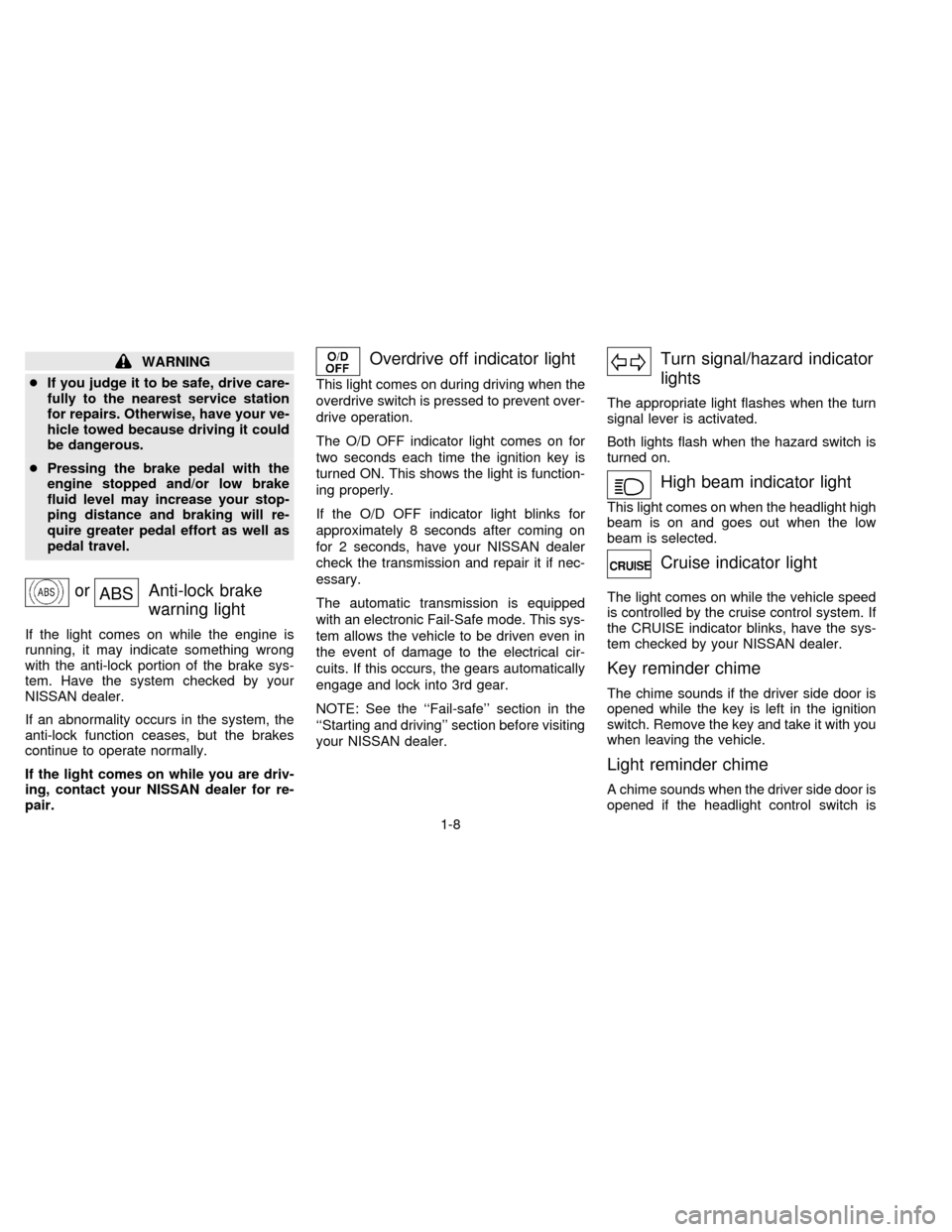
orABSAnti-lock brake
warning light
If the light comes on while the engine is
running, it may indicate something wrong
with the anti-lock portion of the brake sys-
tem. Have the system checked by your
NISSAN dealer.
If an abnormality occurs in the system, the
anti-lock function ceases, but the brakes
continue to operate normally.
If the light comes on while you are driv-
ing, contact your NISSAN dealer for re-
pair.
Overdrive off indicator light
This light comes on during driving when the
overdrive switch is pressed to prevent over-
drive operation.
The O/D OFF indicator light comes on for
two seconds each time the ignition key is
turned ON. This shows the light is function-
ing properly.
If the O/D OFF indicator light blinks for
approximately 8 seconds after coming on
for 2 seconds, have your NISSAN dealer
check the transmission and repair it if nec-
essary.
The automatic transmission is equipped
with an electronic Fail-Safe mode. This sys-
tem allows the vehicle to be driven even in
the event of damage to the electrical cir-
cuits. If this occurs, the gears automatically
engage and lock into 3rd gear.
NOTE: See the ``Fail-safe'' section in the
``Starting and driving'' section before visiting
your NISSAN dealer.
Turn signal/hazard indicator
lights
The appropriate light flashes when the turn
signal lever is activated.
Both lights flash when the hazard switch is
turned on.
High beam indicator light
This light comes on when the headlight high
beam is on and goes out when the low
beam is selected.
Cruise indicator light
The light comes on while the vehicle speed
is controlled by the cruise control system. If
the CRUISE indicator blinks, have the sys-
tem checked by your NISSAN dealer.
Key reminder chime
The chime sounds if the driver side door is
opened while the key is left in the ignition
switch. Remove the key and take it with you
when leaving the vehicle.
Light reminder chime
A chime sounds when the driver side door is
opened if the headlight control switch is
1-8
ZX
Page 14 of 235

turned on (ignition switch is turned OFF).
Turn the headlight control switch to OFF
when you leave the vehicle.
Brake pad wear warning
The disc brake pads have audible wear
warnings. When a brake pad requires re-
placement, it makes a high pitched scraping
sound when the vehicle is in motion whether
or not the brake pedal is depressed. Have
the brakes checked as soon as possible if
the warning sound is heard.
Malfunction indicator lamp
(emission system)
If this light comes on or blinks while the
engine is running, it may indicate a po-
tential emission control problem. Al-
though the vehicle is still driveable, see
your NISSAN dealer for service as soon
as possible. Continued operation with-
out having the emission control system
checked and repaired as necessary
could lead to poor driveability, reduced
fuel economy, and possible damage to
the emission control system which may
affect your warranty coverage.The theft warning system provides audio
and visual alarm signals if parts of the
vehicle are disturbed.
How to activate the theft warning
system
1. Close all windows.
2. Remove the key from the ignition switch.
3. Close all doors and the hood. Lock all
doors by pressing the
button on the
multi-remote controller. At this time, the
parking lights blink and the horn chirps to
indicate all doors are locked.The system can be activated even if the
windows are open.
4. Confirm that the SECURITY indicator
light, located under the hazard warning
switch, illuminates.
cThe SECURITY light stays on for about
30 seconds and then begins to flash
once every three seconds. The system is
now activated.
The theft warning system is NOT activated if
one of the following occurs:
cA door is unlocked or opened, the hood is
opened, or the ignition key is turned to
the ACC or ON position during the 30
seconds in which the SECURITY light
stays on.
cThe SECURITY light blinks at a steady
1/2 second on - 1/2 second off rate
because a door or the hood is open and
the key is not in the ACC or ON position.
When the ignition key is turned to the
ACC or ON position, the SECURITY light
turns off.Theft warning system operation
The theft warning system emits the follow-
ing alarm:
IC0005
THEFT WARNING
(If so equipped)
1-9
ZX
Page 15 of 235

cThe headlights and tail lights flash and
the horn sounds intermittently. In addi-
tion, the starter motor does not operate.
cThe alarm automatically turns off after
two to three minutes. However, the alarm
reactivates if the vehicle is tampered with
again. The alarm can be shut off by
unlocking a door with the key or by
pressing the
button on the multi-
remote controller.
The alarm is activated when:
ca door is unlocked or opened without
using the key or the multi-remote control-
ler. This includes unlocking the doors
with the inside door lock switch.
cthe hood is opened.
cthe ignition is placed into the ACC, ON,
or START position without the key in the
ignition.
How to stop the alarm
The alarm stops only by unlocking a door
with the key or by pressing the
button on
the multi-remote controller. The alarm does
not stop if the ignition key is turned to the
ACC or ON position.If the system does not operate as de-
scribed above, have it checked by your
NISSAN dealer.
To operate the wipers intermittently, adjust
the knob between the S and F positions. For
continuous operation, select LO or HI.
AIC0561
WINDSHIELD WIPER LEVER
AND WASHER SWITCH
1-10
ZX
Page 25 of 235
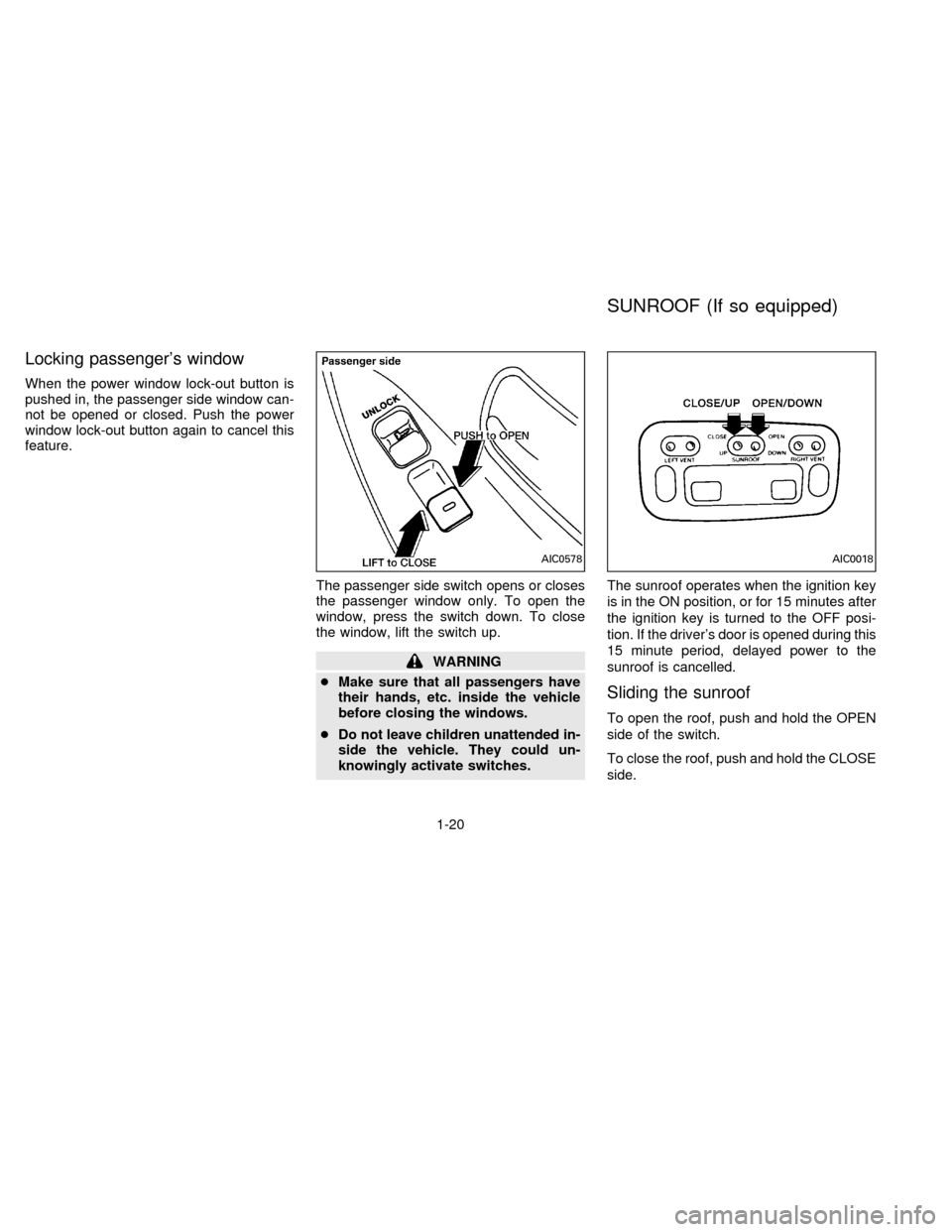
Locking passenger's window
When the power window lock-out button is
pushed in, the passenger side window can-
not be opened or closed. Push the power
window lock-out button again to cancel this
feature.
The passenger side switch opens or closes
the passenger window only. To open the
window, press the switch down. To close
the window, lift the switch up.
WARNING
cMake sure that all passengers have
their hands, etc. inside the vehicle
before closing the windows.
cDo not leave children unattended in-
side the vehicle. They could un-
knowingly activate switches.The sunroof operates when the ignition key
is in the ON position, or for 15 minutes after
the ignition key is turned to the OFF posi-
tion. If the driver's door is opened during this
15 minute period, delayed power to the
sunroof is cancelled.
Sliding the sunroof
To open the roof, push and hold the OPEN
side of the switch.
To close the roof, push and hold the CLOSE
side.
AIC0578AIC0018
SUNROOF (If so equipped)
1-20
ZX
Page 26 of 235
Tilting the sunroof
To tilt up, first close the sunroof, then push
the UP side of the tilt switch. To close the
sunroof, push the DOWN side of the tilt
switch.
Sun shade
Open and close the sun shade by sliding it
forward or backward. The shade opens
when the sunroof opens, but it must be
closed manually.
WARNING
cBe extremely careful not to have any
part of your body in the sunroof
opening while it is closing.
cDo not stand up or extend any por-
tion of your body out of the opening
while driving.
cRemove water drops, snow, ice or
sand from the sunroof before
opening.
cDo not place any heavy object on the
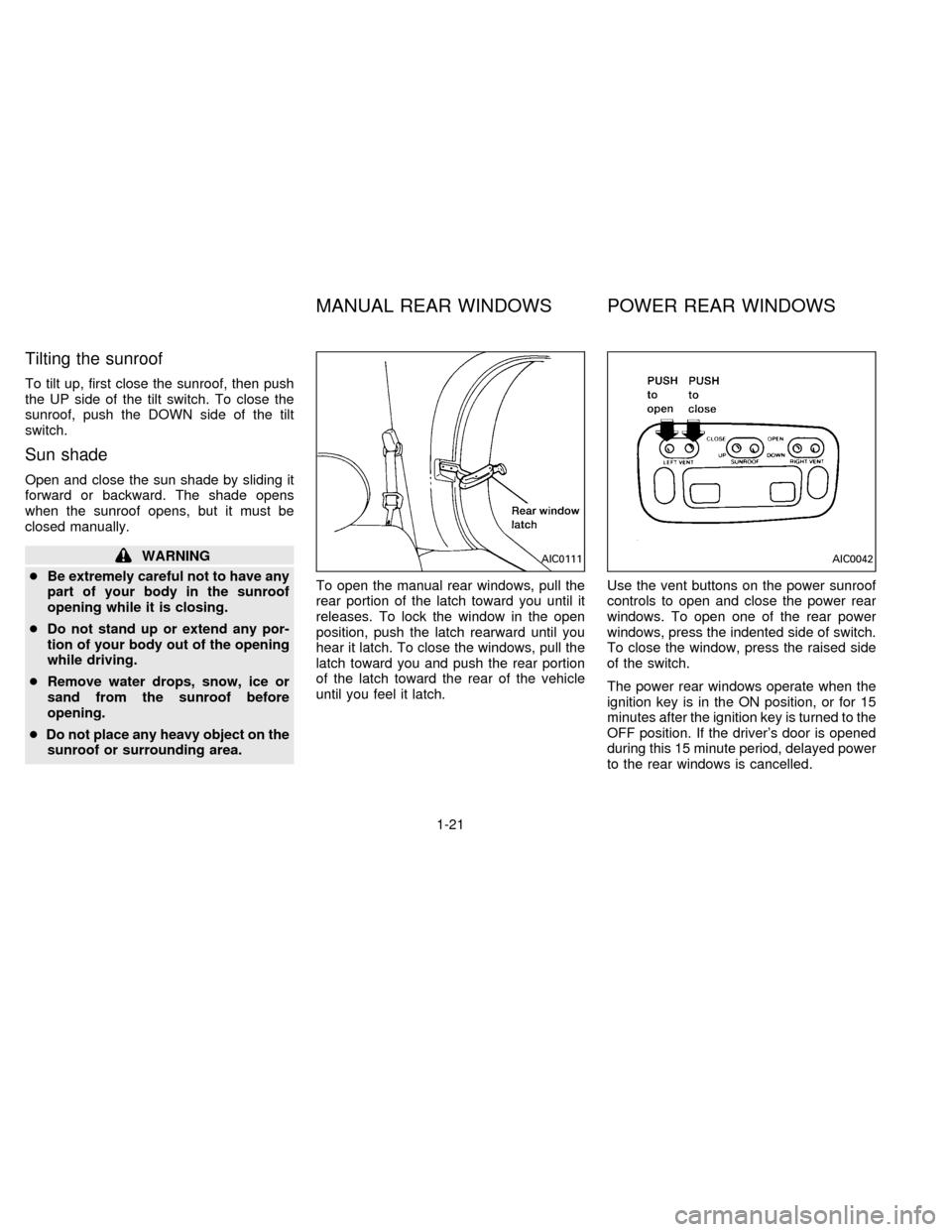
sunroof or surrounding area.To open the manual rear windows, pull the
rear portion of the latch toward you until it
releases. To lock the window in the open
position, push the latch rearward until you
hear it latch. To close the windows, pull the
latch toward you and push the rear portion
of the latch toward the rear of the vehicle
until you feel it latch.Use the vent buttons on the power sunroof
controls to open and close the power rear
windows. To open one of the rear power
windows, press the indented side of switch.
To close the window, press the raised side
of the switch.
The power rear windows operate when the
ignition key is in the ON position, or for 15
minutes after the ignition key is turned to the
OFF position. If the driver's door is opened
during this 15 minute period, delayed power
to the rear windows is cancelled.AIC0111AIC0042
MANUAL REAR WINDOWS POWER REAR WINDOWS
1-21
ZX
Page 27 of 235

The digital clock displays time when the
ignition key is in ACC or ON.
If the power supply is disconnected, the
clock does not indicate the correct time.
Readjust the time.How to view the clock mode
Push the CLK button to alternate the radio
frequency and the time in the display. In the
clock mode, press any radio function to
automatically display the radio frequency forapproximately ten seconds before changing
back to the clock mode.
How to set the clock
1. Turn the radio on. (Time is displayed
while the radio is off).
2. Push and hold the CLK button; then,
press the SEEK button either
orto adjust the hours, and press the
TUNE button eitherorto
adjust the minutes.
NOTE: The clock displays 12-hour time with
no A.M./P.M. indications.
AIC0580
CLOCK
1-22
ZX
Page 30 of 235

2 Pre-driving checks and adjustments
Key ....................................................................... 2-2
Door locks ............................................................ 2-2
Multi-remote control system (If so equipped) ...... 2-7
Battery replacement ............................................. 2-8
Hood release ...................................................... 2-10
Rear door lock .................................................... 2-11
Cargo net............................................................ 2-13
Luggage rack...................................................... 2-14
Fuel filler lid and cap .......................................... 2-15
Seats/floor mats ................................................. 2-15
Floor mat positioning .......................................... 2-17
Seat positions ..................................................... 2-21
Cup holder .......................................................... 2-31
Flexible seating .................................................. 2-33
Removing and installing the second row
bench seat .......................................................... 2-33Removing second row bucket seats .................. 2-35
Sliding three-passenger seat ............................. 2-39
Supplemental restraint system
(air bag system) ................................................. 2-42
Warning labels.................................................... 2-45
Supplemental air bag warning light.................... 2-45
Seat belts ........................................................... 2-47
Child restraints for infants and small children .. 2-58
Child restraint with top tether strap .................... 2-62
Tilting steering wheel ......................................... 2-74
Outside mirror control......................................... 2-75
Outside mirrors ................................................... 2-76
Inside mirror ....................................................... 2-76
Vanity mirror ....................................................... 2-76
ZX