1996 CHEVROLET CORVETTE light
[x] Cancel search: lightPage 146 of 386
Downloaded from www.Manualslib.com manuals search engine wJ HEATER: This setting directs all of the air
through the floor ducts.
DEFROST This setting directs most of the
air through the windshield defroster and side window
defogger vents and some
of the'air through the
floor ducts.
~,4 DEFOG: If you have the automatic system, this
setting directs air to the floor and defroster vents. 8.
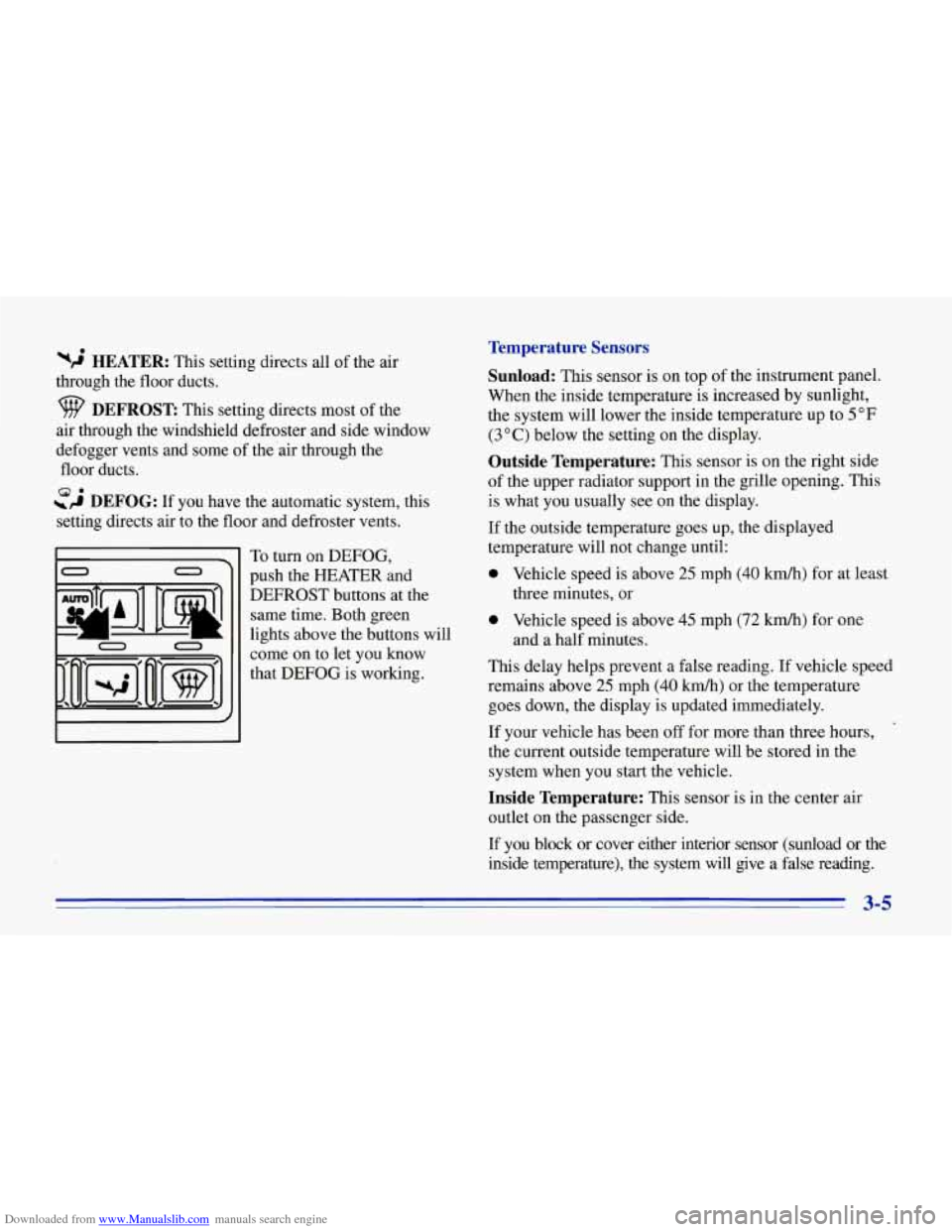
To turn on DEFOG,
push the HEATER and
DEFROST buttons at the same time. Both green
lights above the buttons will
come on to let you know
that DEFOG is working.
Temperature Sensors
Sunload:
This sensor is on top of the instrument panel.
When the inside temperature is increased by sunlight,
the system will lower the inside temperature up to 5
OF
(3 O C) below the setting on the display.
Outside Temperature: This sensor is on the right side
of the upper radiator support in the grille opening. This
is what you usually see on the display.
If the outside temperature goes up, the displayed
temperature will not change until:
0 Vehicle speed is above 25 mph (40 km/h) for at least
0 Vehicle speed is above 45 mph (72 km/h) for one
This delay helps prevent a false reading. If vehicle speed
remains above 25 mph
(40 kmh) or the temperature
goes down, the display is updated immediately.
If your vehicle has been off for more than three hours,
the current outside temperature will be stored in the
system when you start the vehicle.
three minutes, or
and a half minutes.
Inside Temperature: This sensor is in the center air
outlet on the passenger side.
I€ you block or cover either interior sensor (sunload or the
inside temperature), the system will give a false reading.
3-5
Page 148 of 386
Downloaded from www.Manualslib.com manuals search engine Defogging and Defrosting
Your vehicle has several settings for clearing your
windows. The air conditioning compressor will run to
help remove moisture from the air.
Manual Cooling
The air conditioner works best if you keep your
windows closed. On very hot days, open the windows
just long enough for the hot air to escape.
Press the arrows on the TEMP ,SET switch to set a
comfortable temperature. Press RECRCULATE. After
cool-down, adjust the airflow to another setting. The
compressor works in all settings except VENT and
HEATER, and at all temperatures above freezing.
Press the arrows on the fan’ speed switch if you don’t
like the automatic setting. In AUTO FAN on hot days,
the fan speed will be low at first to help get rid of the
hot inside air.
When the air conditioner
is on, you may notice slight
changes in your vehicle’s engine speed and power. This
is normal because the system is designed to cycle the
compressor on and off to keep the desired temperature
and help fuel economy. To
defrost the windshield quickly, press the arrows on
the TEMP SET switch to set a comfortable temperature.
Press DEFROST and the fan will go to high speed. After
the windows
are clear, you can lower the speed using the
downward arrow or AUTO FAN.
With the automatic system, to warm passengers while
keeping the windshield clear, press the arrows on the TEMP SET switch to set a comfortable temperature.
Press HEATER and DEFROST at the same time and, if
you don’t,like the automatic setting, press the arrows on
the fan speed switch.
To defrost
the side windows quickly, press the arrows on
the
TEMP SET switch to set a comfortable temperature.
Then press DEFROST and, if you don’t like the automatic
setting, press the mows on the fan speed switch.
3-7
Page 149 of 386
Downloaded from www.Manualslib.com manuals search engine I
System Problems
If the light above an air control button flashes when you
turn on the ignition, your system may have an electrical
problem. The flashing will continue for one minute,
then stop.
The flashing light could also mean the refrigerant level
is too low in your system. The light will continue to
flash, even if refrigerant is added, until the system is
reset. Have your system checked and serviced if needed.
To reset your system:
1. Turn your ignition key to OFF or LOCK.
2. Remove the courtesy lamps and radio fuses from the
main fuse panel and wait one minute. See “Fuses and
Circuit Breakers” in the Index.
3. Put the fuses back in and start your vehicle.
The light shouldn’t come on and your system should be
working properly. If you still have
a problem, see
your dealer.
Rear Window Defogger
II
0 n
0
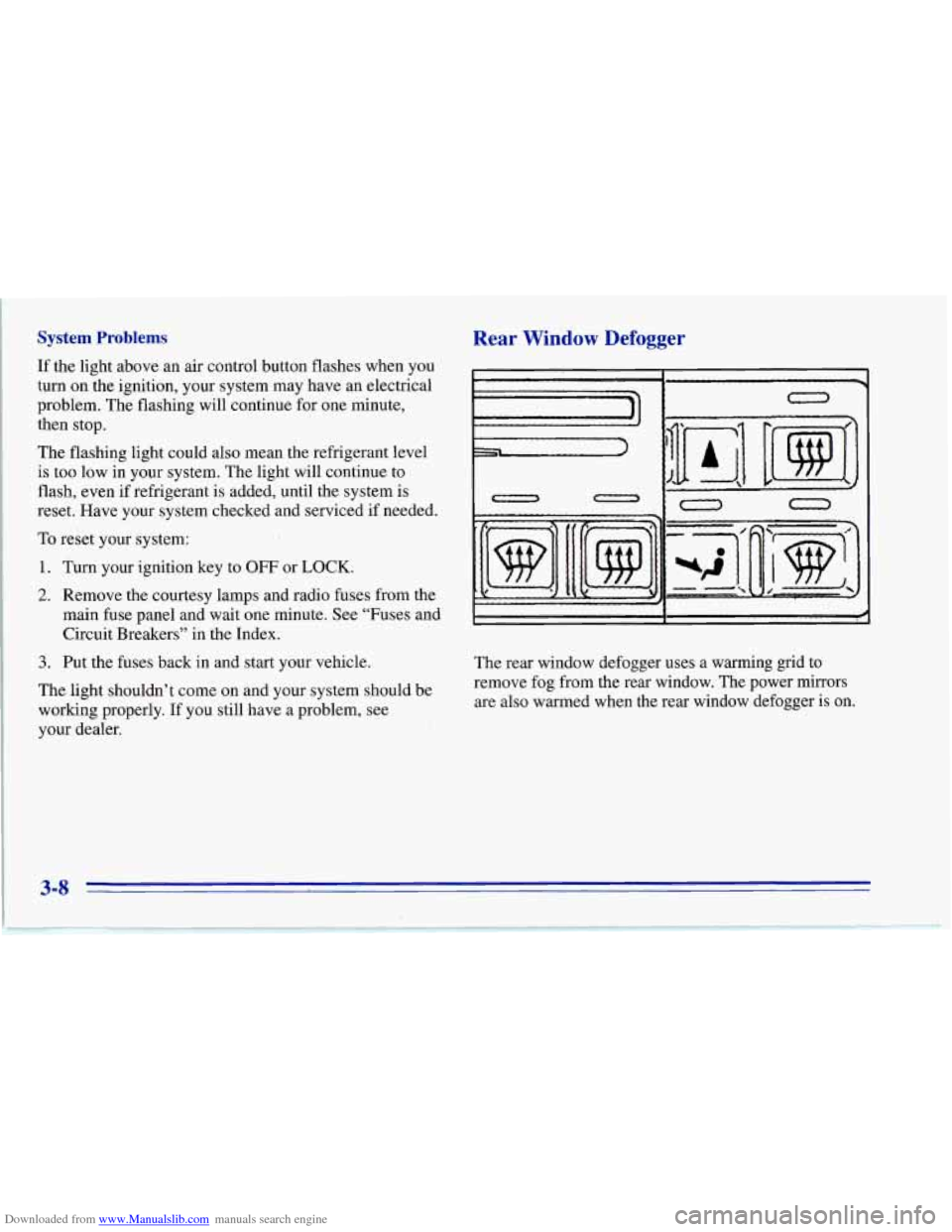
The rear window defogger uses a warming grid to
remove fog from the rear window. The power mirrors
are also warmed when the rear window defogger is on.
3-8
Page 150 of 386
Downloaded from www.Manualslib.com manuals search engine Press the button with the defog symbol on it to turn on
the defogger. (The button is at the lower right on the
manual system and at the upper right on the automatic
system.) An indicator light will come
on to remind you
that the defogger is on. The defogger will turn off
automatically after about
10 minutes of use. You can
also turn the defogger
off by pressing the switch again
or
by turning off the ignition.
Do not attach anything like a temporary vehicle license
or a decal across the defogger grid on the rear window.
NOTICE:
Don’t use a razor blade or something else sharp
on the inside
of the rear window. If you do, you
could cut or damage the warming grid, and the
repairs wouldn’t be covered by your warranty.
Ventilation System
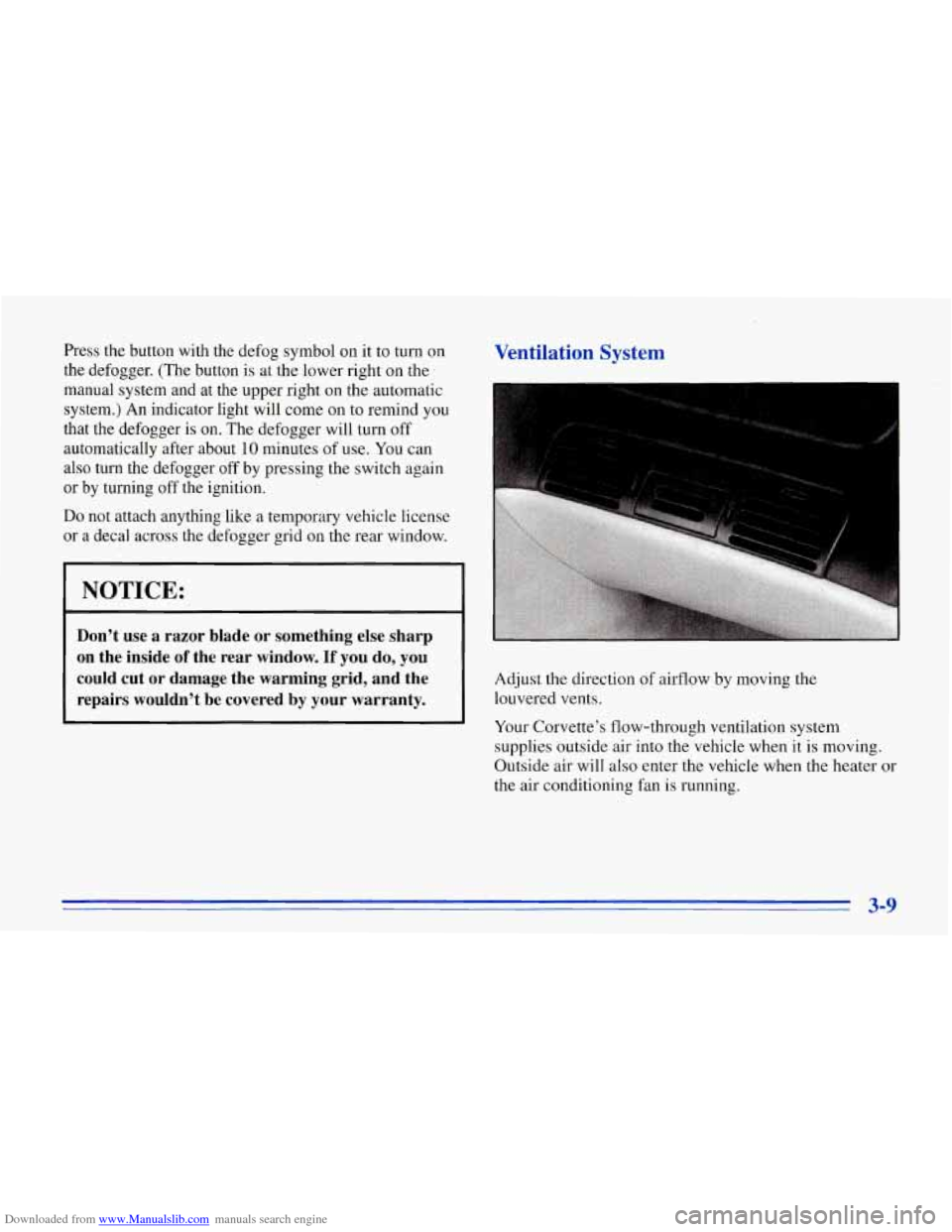
Adjust the direction of airflow by moving the
louvered vents.
Your Corvette’s flow-through ventilation system
supplies outside air into the vehicle when it is moving.
Outside air will also enter the vehicle when the heater or
the air conditioning fan is running.
3-9
Page 152 of 386
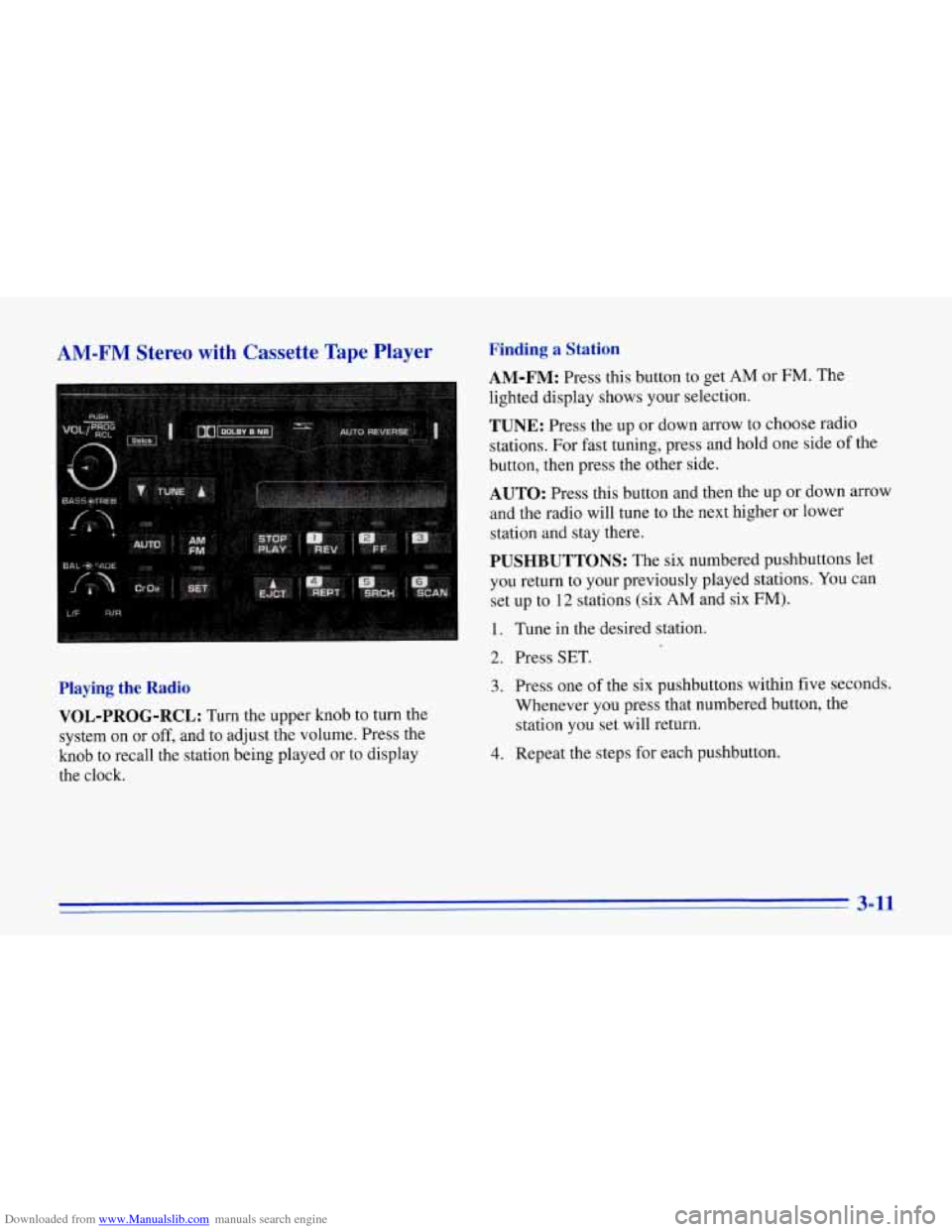
Downloaded from www.Manualslib.com manuals search engine AM-FM Stereo with Cassette Tape Player
Playing the Radio VOL-PROG-RCL:
Turn the upper knob to turn the
system on
or off, and to adjust the volume. Press the
knob to recall the station being played or to display
the clock.
Finding a Station
AM-FM: Press this button to get AM or FM. The
lighted display shows your selection.
TUNE: Press the up or down arrow to choose radio
stations. For fast tuning, press and hold one side
of the
button, then press the other side.
AUTO: Press this button and then the up or down arrow
and the radio will tune to the next higher
or lower
station and stay there.
PUSHBUTTONS: The six numbered pushbuttons let
you return to your previously played stations.
You can
set up to
12 stations (six AM and six FM).
1. Tune in the desired station.
2. Press SET.
3. Press one of the six pushbuttons within five seconds.
Whenever you press that numbered button, the
station you set will return.
4. Repeat the steps for each pushbutton.
3-11
Page 153 of 386

Downloaded from www.Manualslib.com manuals search engine Setting the Tone
BASS:
Turn this knob to the right to hear more bass.
TREB: Turn this control behind the BASS knob to the
right to hear more treble.
Adjusting the Speakers
BAL:
Turn the control behind the FADE knob to move
the sound between the right and left speakers.
FADE: Turn this knob to move the sound between the
front and rear speakers. Turn it counterclockwise to hear
more sound from the front speakers and clockwise to
hear more sound from the rear speakers. Note that
if you
turn the knob all the way to
F or R, you may still get
some sound from the opposite speakers.
Playing a Cassette Tape
Your tape player is built to work best with tapes that are
30 to 45 minutes long on each side. Tapes longer than
that are
so thin they may not work well in this player.
The longer side with the tape visible goes in first. If you
hear nothing or hear just a garbled sound, it may not
be in squarely. Press EJCT to remove the tape and
start over.
Once the tape
is playing, use the knobs for VOL, FADE
and
BAL, just as you do for the radio.
REV: Press this button to return to a previously played
passage rapidly. Press it again to play the passage. The
radio will play while the tape is rewinding.
FF: Press this button to fast forward or advance the tape
rapidly. Press it again to play. The radio will play while
the tape is advancing.
REPT Press this button to go to the beginning of the
current selection after
10 seconds or more of play. After
five seconds or less of play, the player will return to the
beginning of the previous selection.
SRCH: Press this button to go to the beginning of the
next selection.
SCAN: Press this button to listen to the first eight
seconds of each passage. Press it again to stop scanning.
PROG-RCL: Press the upper knob to change the side
of the tape that
is playing. The lighted arrows show
which
side is currently playing.
E JCT Press this button to remove the tape.
STOP-PLAY: Press this button to listen to the radio
without ejecting the cassette tape. Press it again to go
back to the tape.
Cr02: Press this button when playing high-bias chrome
or metal tapes.
3-12
Page 154 of 386
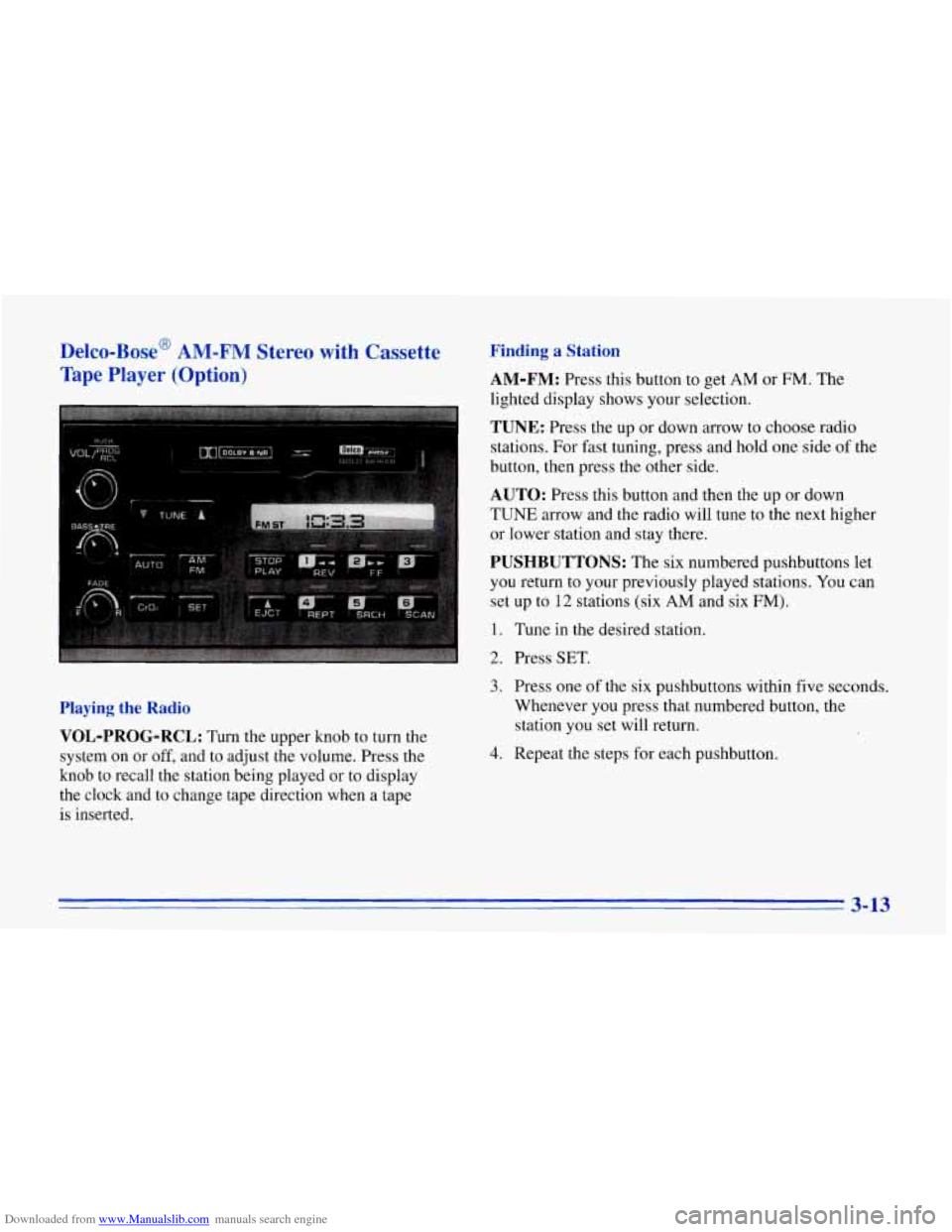
Downloaded from www.Manualslib.com manuals search engine Delco-Bose' AM-FM Stereo with Cassette
Tape Player
(Option)
Finding a Station
AM-FM:
Press this button to get AM or FM. The
lighted display shows your selection.
TUNE: Press the up or down arrow to choose radio
stations. For fast tuning, press and hold one side of the
button, then press the other side.
AUTO: Press this button and then the up or down
TUNE arrow and the radio will tune to the next higher
or lower station and stay there.
PUSHBUTTONS: The six numbered pushbuttons let
you return to your previously played stations. You can
set up to
12 stations (six AM and six FM).
1. Tune in the desired station.
2. Press SET.
Playing the Radio
VOL-PROG-RCL:
Turn the upper knob to turn the
system on or
off, and to adjust the volume. Press the
knob to recall the station being played or to display
the clock and to change tape direction when a tape
is inserted.
3. Press one of the six pushbuttons within five seconds.
Whenever you press that numbered button, the
station you set will return.
4. Repeat the steps for each pushbutton.
3-13
Page 155 of 386
Downloaded from www.Manualslib.com manuals search engine Setting the Tone
BASS:
Turn this knob to the right to hear more bass.
TREB: Turn this control behind the BASS knob to the
right to hear more treble.
Adjusting the Speakers
BAL:
With the DelcoBose system, your speakers are
electronically balanced.
FADE: Turn this knob to move the sound between the
front and rear speakers. Note that, with the Delco/Bose
system, if you turn the knob all the way to
F or R, you
may still get some sound from the opposite speakers.
Playing a Cassette Tape
Your tape player is built to work best with tapes that are
30 to 45 minutes long on each side. Tapes longer than
that
are so thin they may not work well in this player.
The longer side with the tape visible goes in first. If you
hear nothing or hear just a garbled sound, it may not
be in squarely. Press EJCT to remove the tape and
start over.
Once the tape is playing, use the knobs for
VOL, FADE
and BAL, just as you do for the radio.
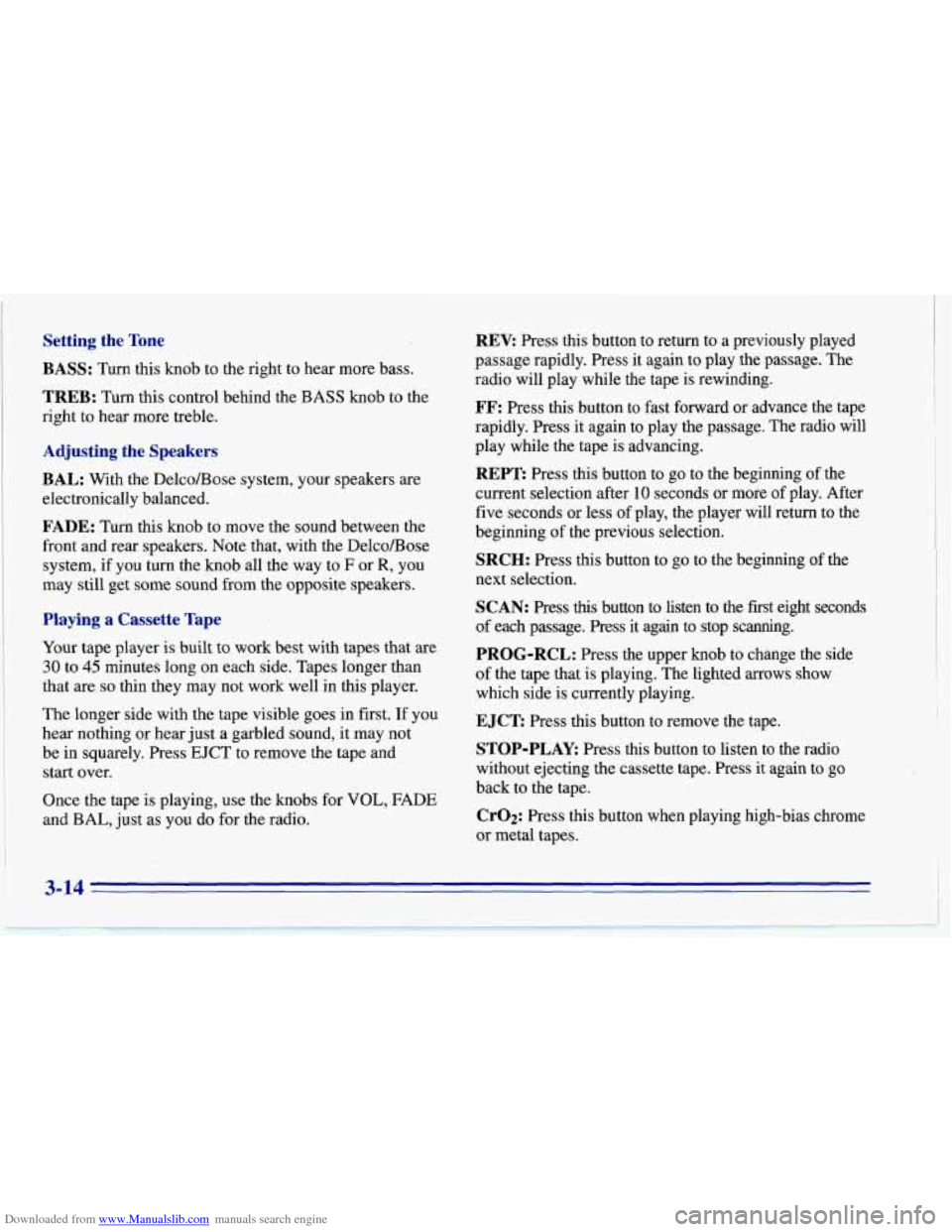
REV: Press this button to return to a previously played
passage rapidly. Press it again to play .the passage. The
radio will play while the tape is rewinding.
FF: Press this button to fast forward or advance the tape
rapidly. Press it again to play the passage. The radio will
play while the tape is advancing.
REPT Press this button to go to the beginning of the
current selection after 10 seconds or more of play. After
five seconds or less
of play, the player will return to the
beginning of the previous selection.
SRCH: Press this button to go to the beginning of the
next selection.
SCAN: Press this button to listen to the first eight seconds
of each passage.
Press it again to ,stop scanning.
PROG-RCL: Press the upper knob to change the side
of the tape that is playing. The lighted
arrows show
which side is currently playing.
EJCT Press this button to remove the tape.
STOP-PLAY: Press this button to listen to the radio
without ejecting the cassette tape. Press it again to
go
back to the tape.
CrO2: Press this button when playing high-bias chrome
or metal tapes.
3-14