Page 158 of 386
Downloaded from www.Manualslib.com manuals search engine Playing a Compact Disc
Don’t use the mini-discs (three-inch singles). They
will eject, and they won’t play. Use only full-size
compact discs.
With the audio system on, insert a disc into the slot with
the label side up. CD will appear on the display and
track one will begin to play.
If both a tape and a compact
disc are loaded into the system, press CNCD to select
the one you want.
If the disc comes back
out and ERR appears on the
display, it could be that:
0 The disc is upside down.
0 It is dirty, scratched or wet.
There’s too much moisture in the air. (Wait about an
hour and try again.)
You are driving on a very rough road.
0 The temperature is too hot or too cold.
RCL: Press this button to see what track is playing.
Press it again within five seconds to
see how long it has
been playing, the elapsed time (EL TIME).
REV: Press and hold this button to return to a
previously played passage rapidly. The decreasing
elapsed time will show on the display.
FF: Press and hold this button to fast forward or
advance through passages. The increasing elapsed time
will show on the display.
REPT: Press this button to go to the beginning of the
current track after eight seconds or more of play. After
eight seconds or less of play, the player will return to the
beginning of the previous track.
SRCH: Press this button to go to the beginning of the
next track.
SCAN: Press this button to listen to the first eight
seconds of each track. Press it again to stop scanning.
COMP: Press this button to make loud and soft passages
more nearly equal
in volume. Press it again for normal play.
Stopping the Disc Player
0 Turn the power off or turn the ignition key to off. The
disc stays in the player and will resume playing at the
point where it stopped when the ignition is turned on.
switch to the radio. Press it again to restart the disc at
the point where it stopped.
Press EJCT to eject the disc and switch to the radio.
If the ignition or audio system
is turned off, the
player will pull the disc back in
if you don’t remove
it from the opening within
30 seconds.
0 Press STOP-PLAY to stop playing the disc and
3-17
Page 163 of 386
Downloaded from www.Manualslib.com manuals search engine Drunken Driving
Death and injury associated with drinking and driving
is a national tragedy. It’s the number one contributor to
the highway death toll, claiming thousands of victims
every year.
Alcohol affects four things that anyone needs to drive a
vehicle:
Judgment
Muscular Coordination
Vision
Attentiveness.
Police records show that almost half of all motor
vehicle-related deaths involve alcohol. In most cases,
these deaths
are the result of someone who was drinking
and driving. In recent years, some 18,000 annual motor
vehicle-related deaths have been associated with the
use
of alcohol, with more than 300,000 people injured.
Many adults
-- by some estimates, nearly half the adult
population
-- choose never to drink alcohol, so they
never drive after drinking. For persons under 21, it’s
against the law in every
US. state to drink alcohol.
There are good medical, psychological and
developmental reasons for these laws. The
obvious way to solve this highway safety problem
is for people never to drink alcohol and then drive. But
what if people do? How much
is “too much” if the
driver plans to drive? It’s a lot less than many might
think. Although it depends on each person and situation,
here is some general information on the problem.
The Blood Alcohol Concentration
(BAC) of someone
who is drinking depends upon four things:
0 The amount of alcohol consumed
0 The drinker’s body weight
The amount of food that is consumed before and
during drinking
0 The length of time it has taken the drinker to
consume the alcohol.
According to the American Medical Association,
a
180-lb. (82 kg) person who drinks three 12-ounce
(355 ml) bottles of beer in an hour will end up with a
BAC of about
0.06 percent. The person would reach the
same BAC by drinking three 4-ounce (120 ml) glasses
of wine or three mixed drinks
if each had 1-1/2 ounces
(45 ml) of a liquor like whiskey, gin or vodka.
4-2
Page 193 of 386
Downloaded from www.Manualslib.com manuals search engine Your hazard warning flashers work no matter what
position your key is in, and even if the key isn’t in.
To turn off the flashers, pull out on the collar.
When the hazard warning flashers
are on, your turn
signals won’t work.
Other Warning Devices
If you carry reflective triangles, you can set one up at the sid\
e
of the road about
300 feet (100 m) behind your vehicle.
Jump Starting
If your battery has run down, you may want to use another
vehicle and some jumper cables to start your Corvette.
But please use the following steps to do it safely.
NOTICE:
Ignoring these steps could result in costly damage
to your vehicle that wouldn’t be covered by
your warranty.
Trying to start your Corvette by pushing or
pulling
it could damage your vehicle, even if you
have
a manual transmission. And if you have an
automatic transmission, it won’t
start that way.
Batteries can hurt you. They can be dangerous
because:
They contain acid that can burn you.
They contain gas that can explode or ignite.
They contain enough electricity to
If you don’t follow these steps exactly, some or all
of these things can hurt you.
burn
you.
1. Check the other vehicle. It must have a 12-volt
battery with a negative ground system.
NOTICE:
If the other system isn’t a 12-volt system with a
negative ground, both vehicles can be damaged.
5-2
I
Page 198 of 386
Downloaded from www.Manualslib.com manuals search engine A CAUTION:
To help avoid injury to you or others:
Never let passengers ride in a vehicle that is
0 Never tow faster than safe or posted speeds.
0 Never tow with damaged parts not
fully secured.
0 Never get under your vehicle after it has
been lifted by the tow truck.
0 Always secure the vehicle on each side with
separate safety chains when towing it.
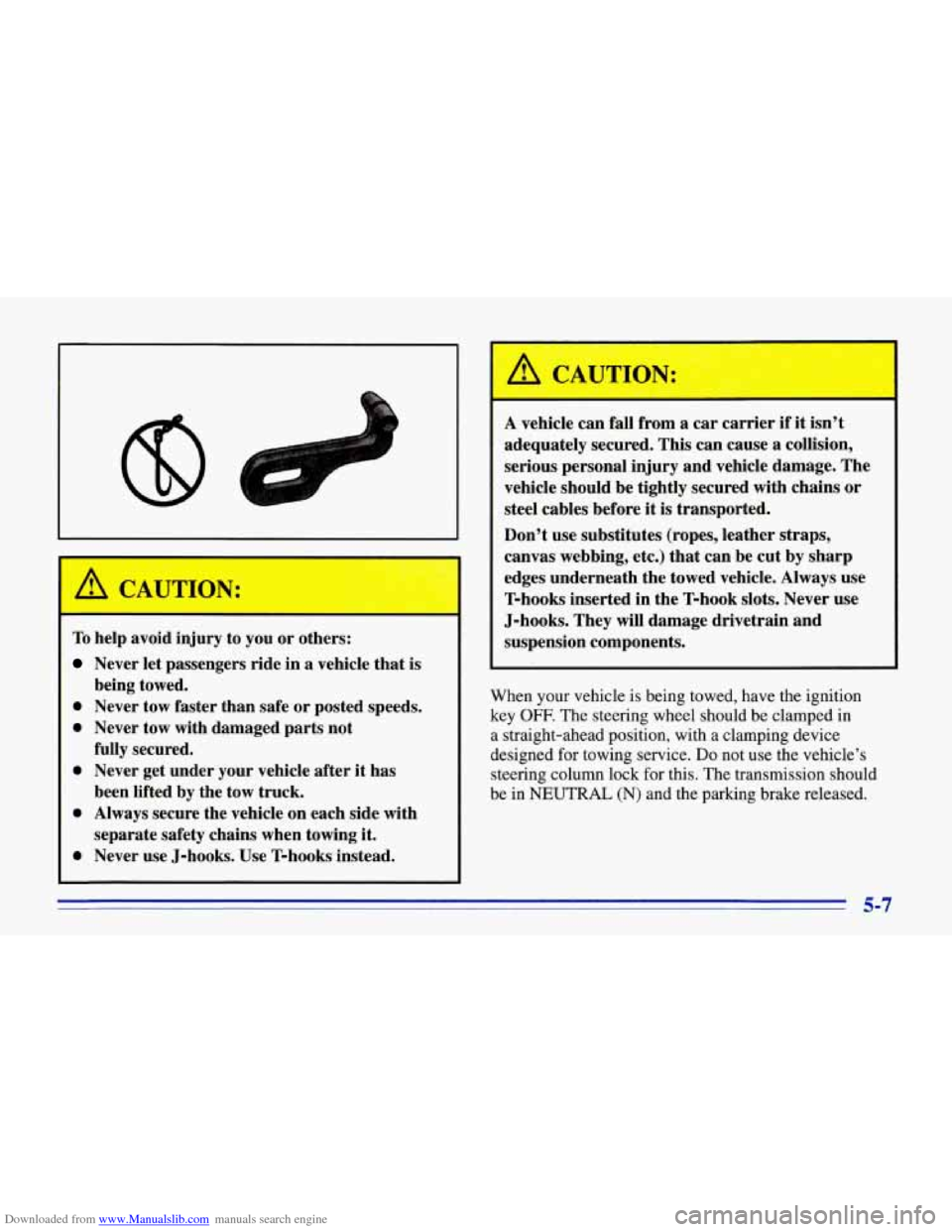
0 Never use J-hooks. Use T-hooks instead.
being towed.
A vehicle
can fall from a car carrier if it isn’t
adequately secured. This can cause a collision,
serious personal injury and vehicle damage. The
vehicle should be tightly secured with chains or
steel cables before
it is transported.
Don’t use substitutes (ropes, leather straps,
canvas webbing, etc.) that can be cut by sharp
edges underneath the towed vehicle. Always use
T-hooks inserted in the T-hook slots. Never use
J-hooks. They will damage drivetrain and
suspension components.
When your vehicle is being towed, have the ignition
key
OFF. The steering wheel should be clamped in
a straight-ahead position, with a clamping device
designed for towing service.
Do not use the vehicle’s
steering column lock for this. The transmission should
be in
NEUTRAL (N) and the parking brake released.
5-7
Page 214 of 386
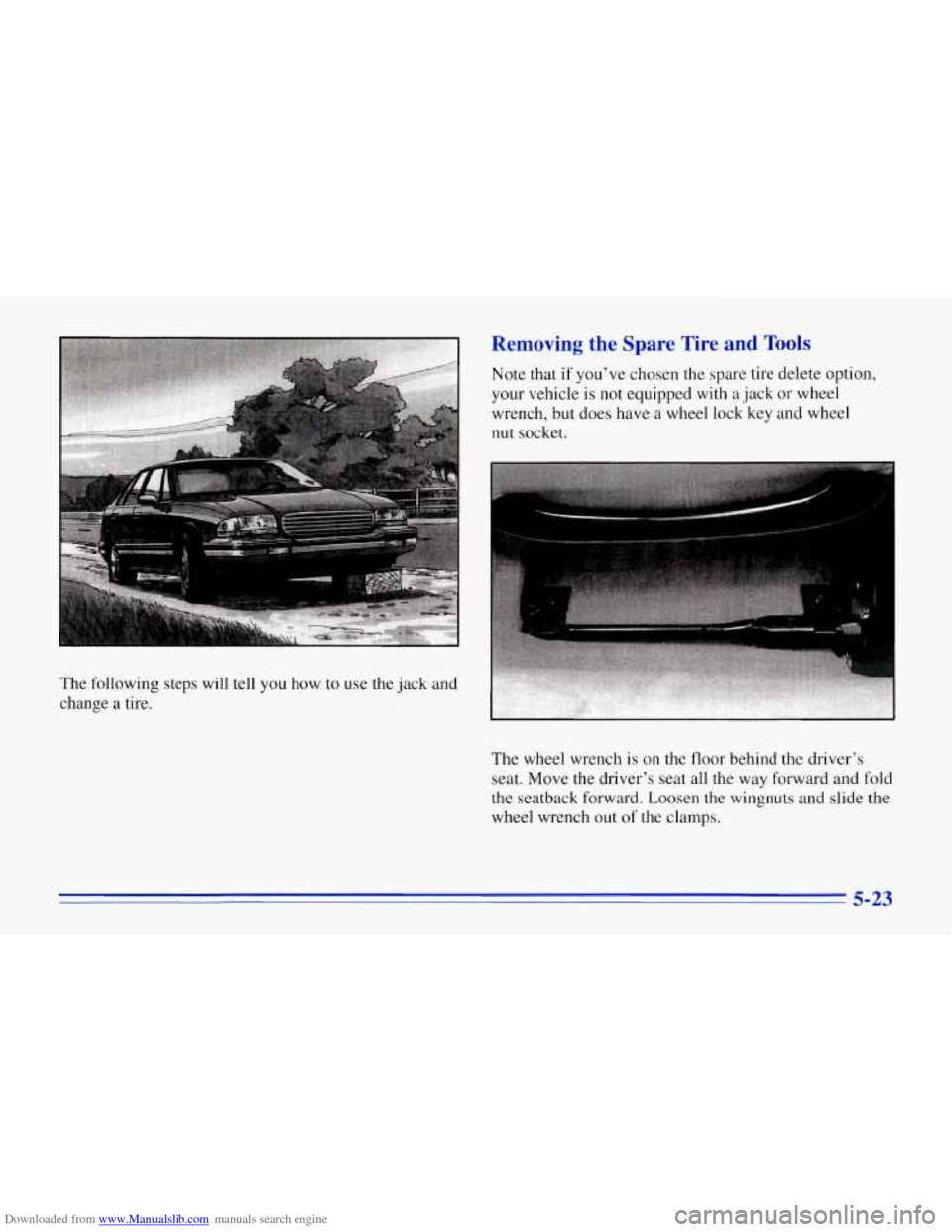
Downloaded from www.Manualslib.com manuals search engine The following steps will tell you how to use the jack and
change
a tire.
Removing the Spare Tire and Tools
Note that if you've chosen the spare tire delete option,
your vehicle is not equipped with
a jack or wheel
wrench, but does have a wheel lock key and wheel
nut socket.
The wheel wrench is on the
floor behind the driver's
seat. Move the driver's
seat all the way forward and fold
the seatback forward. Loosen the wingnuts and slide the
wheel wrench out
of the clamps.
5-23
Page 215 of 386
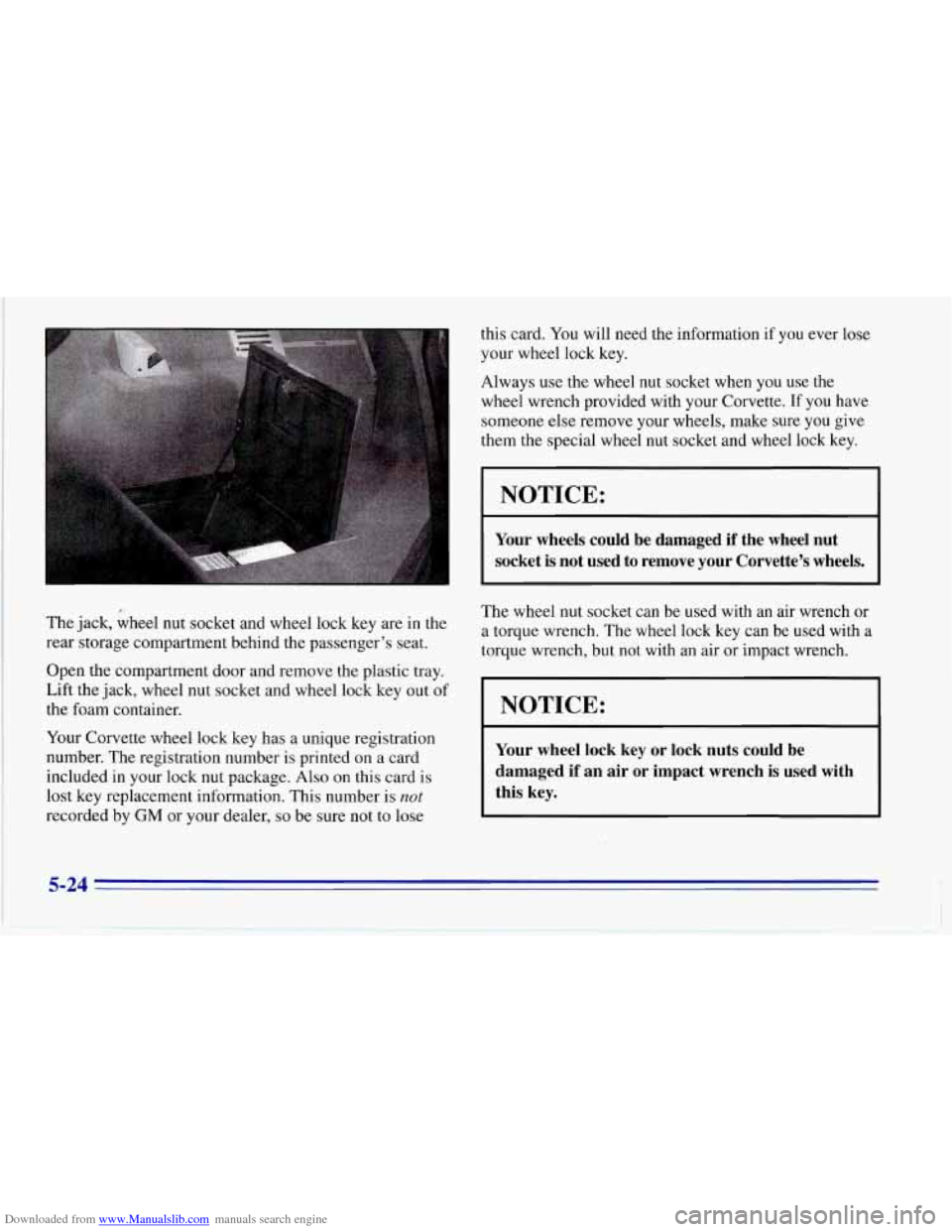
Downloaded from www.Manualslib.com manuals search engine The jack, wheel nut socket and wheel lock key are in the
rear storage compartment behind the passenger’s seat.
Open the compartment door and remove the plastic tray.
Lift the jack, wheel nut socket and wheel lock key out of
the foam container.
Your Corvette wheel lock key has a unique registration
number. The registration number is printed on a card
included in your lock nut package.
Also on this card is
lost key replacement information. This number is
not
recorded by GM or your dealer, so be sure not to lose this card.
You will need the information if you ever lose
your wheel lock key.
Always use the wheel nut socket when you use the
wheel wrench provided with your Corvette.
If you have
someone else remove your wheels, make sure you give
them the special wheel nut socket and wheel lock key.
NOTICE:
Your wheels could be damaged if the wheel nut
socket is not used to remove your Corvette’s wheels.
The wheel nut socket can be used with an air wrench or
a torque wrench. The wheel lock key can be used with a
torque wrench, but not with an air or impact wrench.
I NOTICE:
I
~~
Your wheel lock key or lock nuts could be
damaged if an air
or impact wrench is used with
this key.
5-24
Page 216 of 386
Downloaded from www.Manualslib.com manuals search engine t
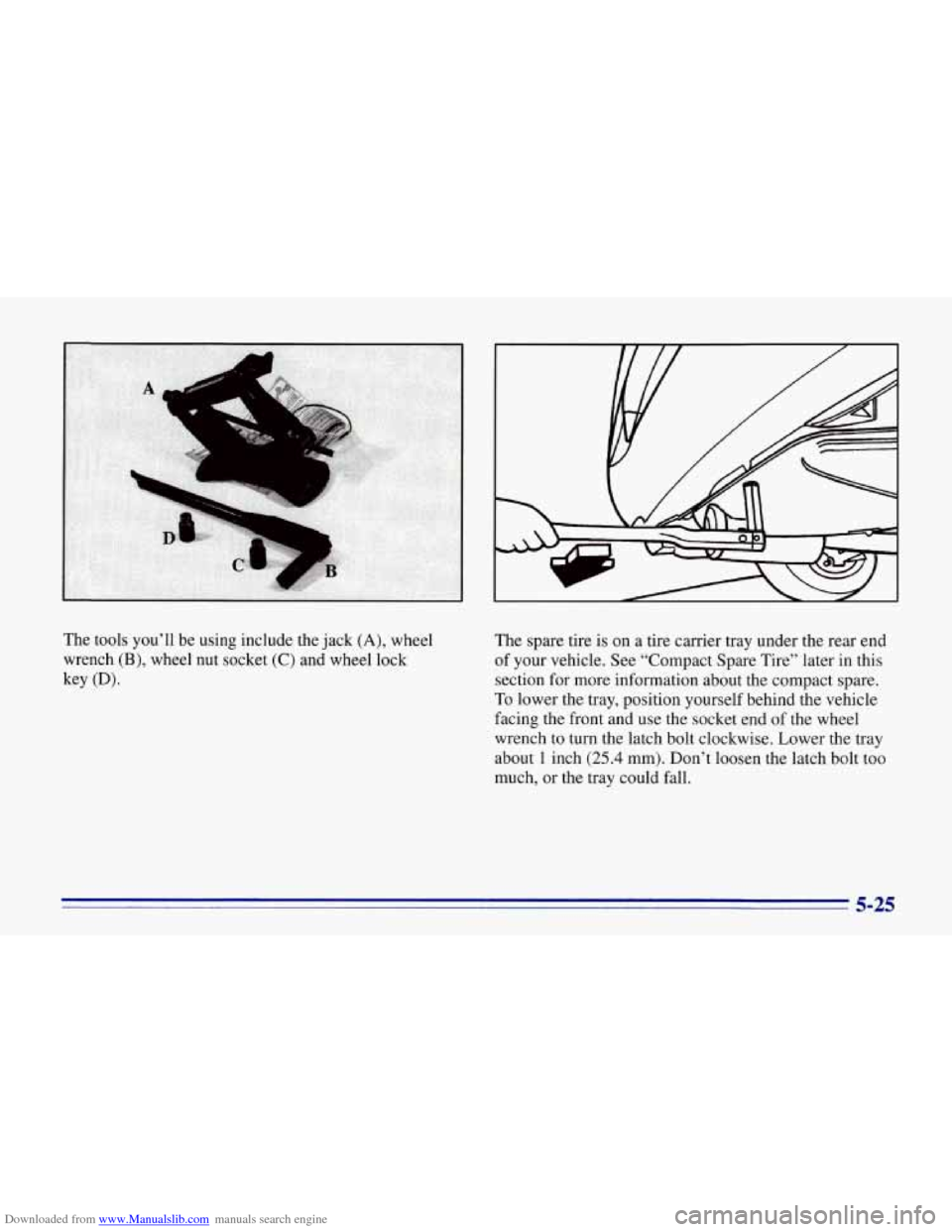
The tools you’ll be using include the jack (A), wheel
wrench
(B), wheel nut socket (C) and wheel lock
key
(Dl.
The spare tire is on a tire carrier tray under the rear end
of your vehicle. See “Compact Spare Tire” later in this
section for more information about the compact spare.
To lower the tray, position yourself behind the vehicle
facing the front and use the socket end
of the wheel
wrench to turn the latch bolt clockwise. Lower the tray
about
1 inch (25.4 mm). Don’t loosen the latch bolt too
much,
or the tray could fall.
5-25
Page 218 of 386
Downloaded from www.Manualslib.com manuals search engine Removing the Flat Tire and Installing the
Spare Tire
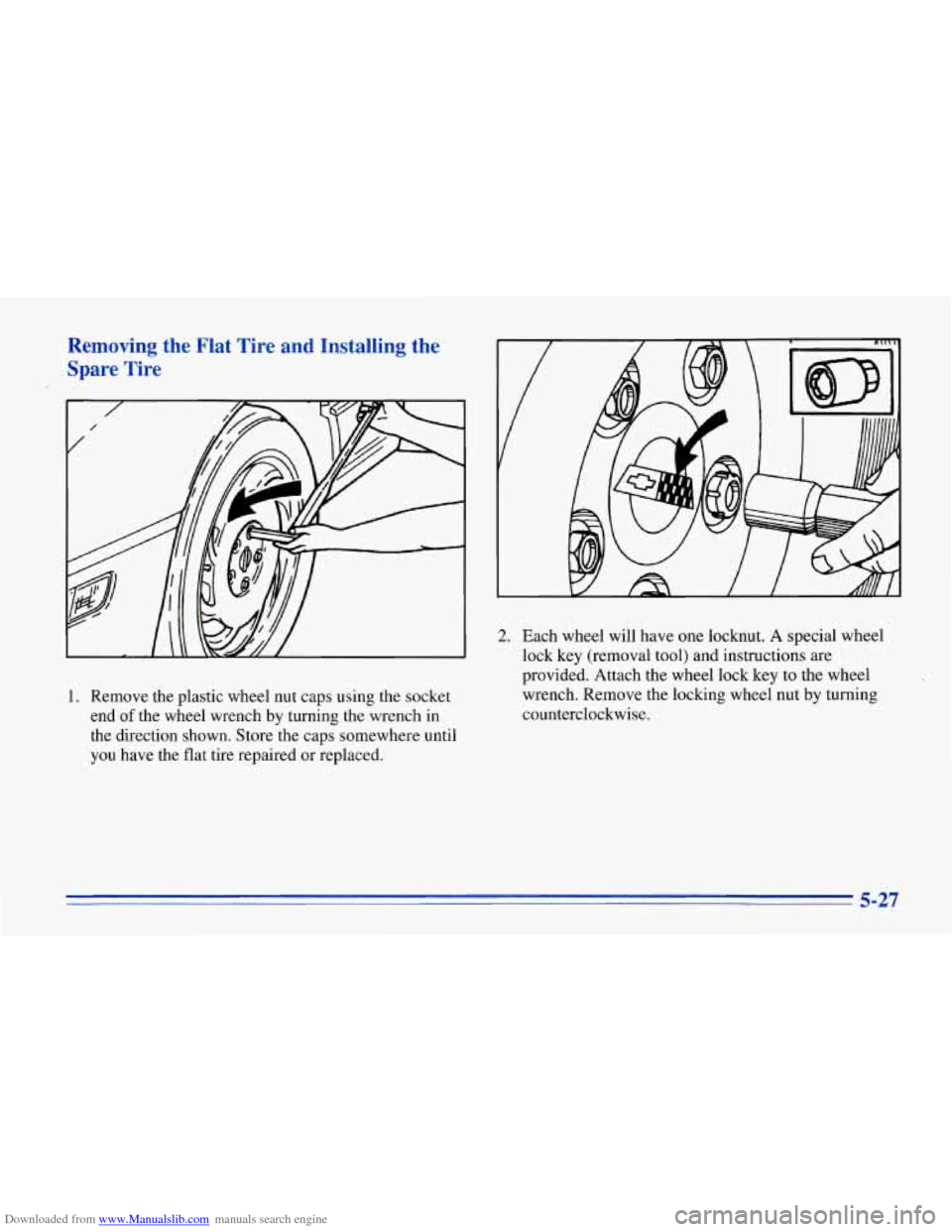
1. Remove the plastic wheel nut caps using the socket
end
of the wheel wrench by turning the wrench in
the direction shown. Store the caps somewhere until
you have the flat tire repaired or replaced.
2. Each wheel will have one locknut. A special wheel
lock key (removal tool)
and instructions are
provided. Attach the wheel lock key to the wheel
wrench. Remove the locking wheel nut by turning
counterclockwise.
5-27