1996 CADILLAC SEVILLE sensor
[x] Cancel search: sensorPage 144 of 354
Downloaded from www.Manualslib.com manuals search engine SPEED SENSOR FAULT - 109: A circuit problem with
the vehicle speed sensor
will trigger this message to appear.
Have
your Cadillac dealership service your vehicle.
STARTING DISABLED DUE TO THEFT SYSTEM
REMOVE IGNITION KEY
- 33: This message will
appear when the Personalized Automotive Security
System (PASS-Key
11) senses that an improper ignition
key is being used to
try to start the vehicle. Check the
ignition key for damage.
If it is damaged, it may need to
be replaced. If you see no damage, clean the pellet
contacts with
a soft cloth or napkin. Remove the ignition
key and wait for the
DIC to display WAIT 3 MINUTES.
The instrument panel cluster will then run a timer and
change the messages to WAIT
2 MINUTES, WAIT
1 MINUTE and then START CAR. When the START
CAR message is displayed, try again to start the engine.
STOP ENGINE ENGINE OVERHEATED - 42: This
message will appear when the engine has overheated.
Stop and turn the engine off immediately to avoid severe
engine damage. See “Engine Overheating” in the Index.
STOP ENGINE LOW OIL PRESSURE - 35:
If this message appears while the engine is running, stop
the engine and do not operate it until the cause of low
oil pressure is corrected. Severe damage to the engine
can result.
THEFT SYSTEM PROBLEMKAR MAY NOT
RESTART
- 34: This message means there is a problem
in the Personalized Automotive Security System
(PASS-Key
11). A fault has been detected in the system
which means that the PASS-Key
I1 system is disabled
and is not protecting the vehicle. The vehicle usually
restarts however, you may want to take your vehicle to a
proper service center before turning off the engine.
TOP SPEED FUEL CUT-OFF - 111: This message
will appear when the
PCM senses that the maximum
speed for your Cadillac has been reached. The speed
of your vehicle will decrease several mph as the fuel
supply is cutoff. This allows your vehicle to stay in a
stable operating range.
TRACTION READY - 91: This message informs the
driver that the traction control system is available. This
occurs when the traction on/off button in the glove box
has been returned to an on position (pressing the button
once turns the traction control system off; pressing the
button again turns the system back
on).
TRACTION OFF - 89: This message will be displayed
after the traction control has been turned off.
TRANS FLUID RESET - 48: With the engine not
running and the ignition on, press and hold the
OFF and
rear defog buttons until the
TRANS FLUID RESET
message appears on the
DIC (between 5 and 20 seconds).
2-85
Page 145 of 354
Downloaded from www.Manualslib.com manuals search engine TRANSMISSION HOT - 112: This messages indicates
that the transmission fluid in your vehicle is too hot
(message apppears when fluid temperature has reached
266°F (1 30°C) for 15 minutes or when the temperature
reaches
291 OF (144°C) for 32 seconds). Have your
vehicle serviced immediately.
TRUNK OPEN - 24: This message indicates that the
trunk
is open when the ignition is in RUN.
TURN SIGNAL ON - 20: This message is a reminder,
after driving about
a mile, that you have the turn signal on.
VEHICLE SPEED LIMITED TO XXX MPH
(KM/H) - 113: A failure in the suspension control
system has occurred when this message appears. The
PCM determines the speed your vehicle is limited to.
Have your Cadillac serviced if this message appears.
VERY LOW REFRIGERANT A/C COMPRESSOR
OFF - 12: This message means that the air conditioning
system detects a refrigerant level that is
low enough to
cause damage to
the A/C compressor. To avoid damage
the
A/C compressor automatically turns off and the
Electronic Climate Control will automatically switch
from
AUTO to ECON and remain there. Have the A/C
system serviced if this message appears.
Traction Active
When your traction control system is limiting wheel
spin, the TRACTION ACTIVE message will be
displayed. SIippery road conditions may exist
if this
message is displayed,
so adjust your driving
accordingly. This message will stay
on for a few
seconds after the traction control system stops
limiting wheel spin.
Trip Computer
Road Sensing Suspension
The Road Sensing Suspension (RSS) and the optional
Continuous Variable-Road Sensing Suspension
(CV-RSS) automatically adjust the ride
of your vehicle,
with the CV-RSS having
a wider range of control.
Automatic ride control is achieved through the
RSS
controller, a computer used to control and monitor the
suspension system. The controller receives inputs from
various sensors
to determine the proper system response.
If the controller detects a problem
within the system, the
DIC will display
a SERVICE RIDE CONTROL
message. If this message appears, have your vehicle
serviced at your Cadillac dealership.
2-86
Page 149 of 354
Downloaded from www.Manualslib.com manuals search engine Fan Button
The button with the fan symbol adjusts the fan speed.
Press the up arrow to increase fan speed and the down
arrow to decrease fan speed.
Temperature Button
The red and blue temperature buttons adjust the air
temperature coming through the system. Press the blue
button for
a cooler setting or the red button for a warmer
setting. The outside temperature
is always displayed
when your vehicle
is running. You can change it from
Fahrenheit
to Celsius by pressing the ENG/MET
(English/metric) button on the
DIC.
Mode Controls
The AUTO/ECON button automatically controls the
direction of air delivery for air conditioning and non-air
conditioning modes.
Automatic Operation
When the system is set for AUTO, sensors will control
the air delivery mode. Air will come from the
floor,
middle or windshield outlets. The fan speed will vary as
the system maintains the selected temperature setting. Be
careful not
to put anything over the solar sensor
located in the middle of the instrument panel near the
windshield. This sensor is used by the automatic system
to regulate temperature.
To find your comfort zone, start with
75°F (24°C)
setting, allow about 20 minutes for the system to
regulate. Press the red or blue temperature buttons to
adjust the temperature if necessary. If you choose 60°F
(1 6"C), the system will remain at that maximum cooling
setting and will not regulate fan speed.
If you choose the
temperature
of 90°F (32 "C), the system will remain at
that maximum heating setting and will not regulate fan
speed. Choosing either maximum setting will not cause
the system
to heat or cool any faster.
With this setting, the air conditioning compressor
automatically cycles when needed to
cool the air. In
cold weather, when the system senses the need for
heat, the airflow will be directed
out the floor outlets.
As the interior temperature approaches a desired setting,
the blower speed will decrease.
To maintain interior
comfort, the airflow may move
to the instrument panel
air outlets and floor outlets
(BI-LEVEL mode). On
bright, sunny days in cold weather, the airflow may
come
out of the A/C outlets (A/C mode) to maintain
comfort and prevent stuffiness.
3-2
Page 152 of 354
Downloaded from www.Manualslib.com manuals search engine c
c
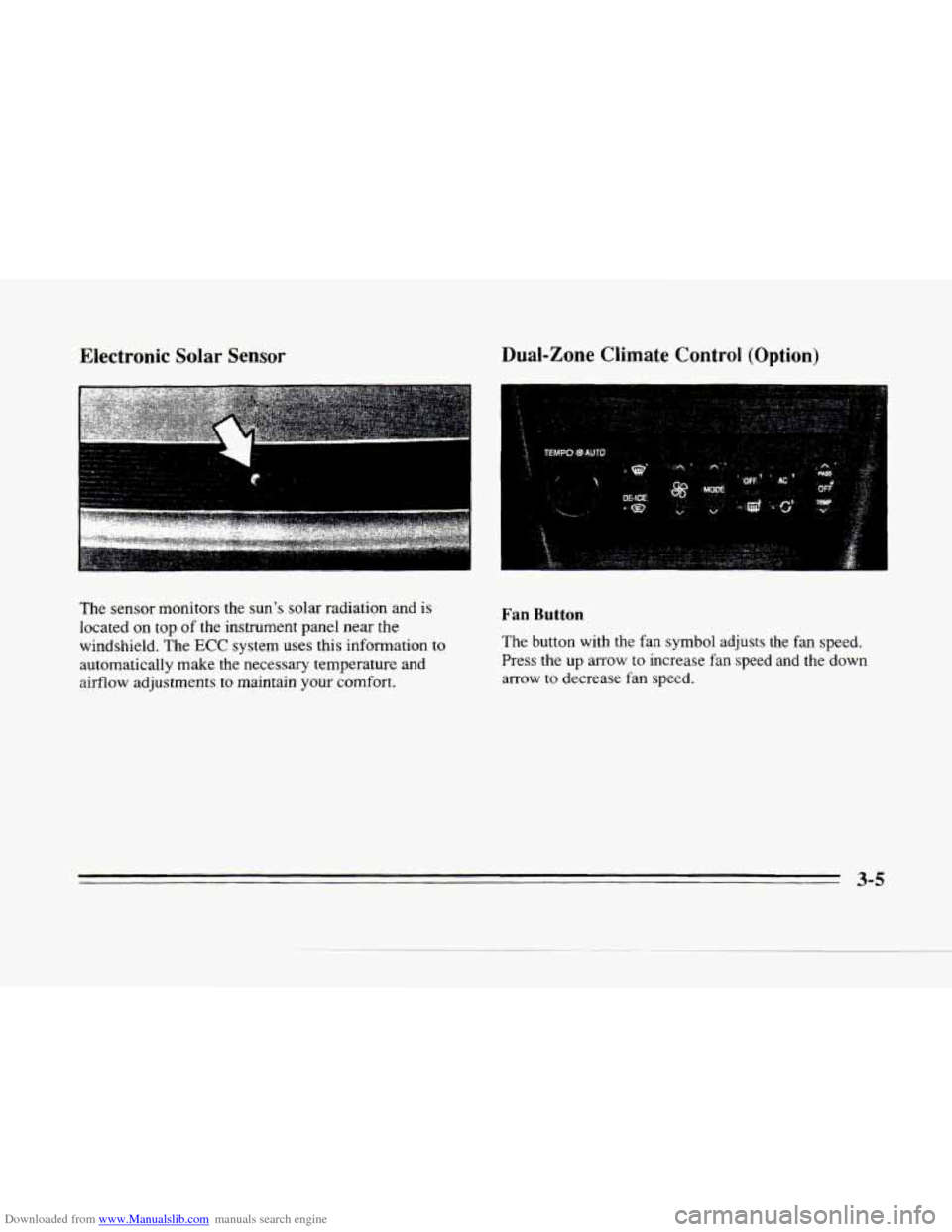
EIectronic Solar Sensor
LI
The sensor monitors the sun's solar radiation and is
located on top of the instrument panel near the
windshield.
The ECC system uses this information to
automatically make the necessary temperature and
airflow adjustments
to maintain your comfort.
Dual-Zone Climate Control (Option)
Fan Button
The button with the fan symbol adjusts the fan speed.
Press the up arrow to increase fan speed and the down
arrow to decrease fan speed.
C.
3-5
Page 153 of 354
Downloaded from www.Manualslib.com manuals search engine Temperature Knob
The TEMP knob adjusts the air temperature coming
through the system. Turn the
TEMP knob clockwise to
increase the temperature and counterclockwise to
decrease
the temperature. The outside temperature is
always displayed when your vehicle is running.
Automatic Operation
Mode Button
Press this button to deliver air through the floor, middle
or windshield outlets. The system will stay in the
selected mode until
the MODE button is pushed again.
Press the
up or down arrow to cycle through the
available modes.
When the system is set for AUTO, sensors will control
the air delivery mode. Air will come
from the floor,
middle or windshield outlets. The fan speed will vary as
the system maintains the selected temperature setting.
Be careful not to put anything over the solar sensor
located in the middle
of the instrument panel near the
windshield. This sensor
is used by the automatic system
to regulate temperature.
To find your comfort zone, start with 75°F (24°C)
setting, allow about 20 minutes for the system to
regulate. Press the red
or blue temperature buttons to
adjust the temperature
if necessary. If you choose 60°F
(16"C), the system will remain at that maximum cooling
setting and will not regulate
fan speed. If you choose the
temperature of
90°F (32"C), the system will remain at
that maximum heating setting
and will not regulate fan
speed. Choosing either maximum setting
will not cause
the system to heat or cool any faster.
3-6
Page 273 of 354
Downloaded from www.Manualslib.com manuals search engine Air Cleaner
A
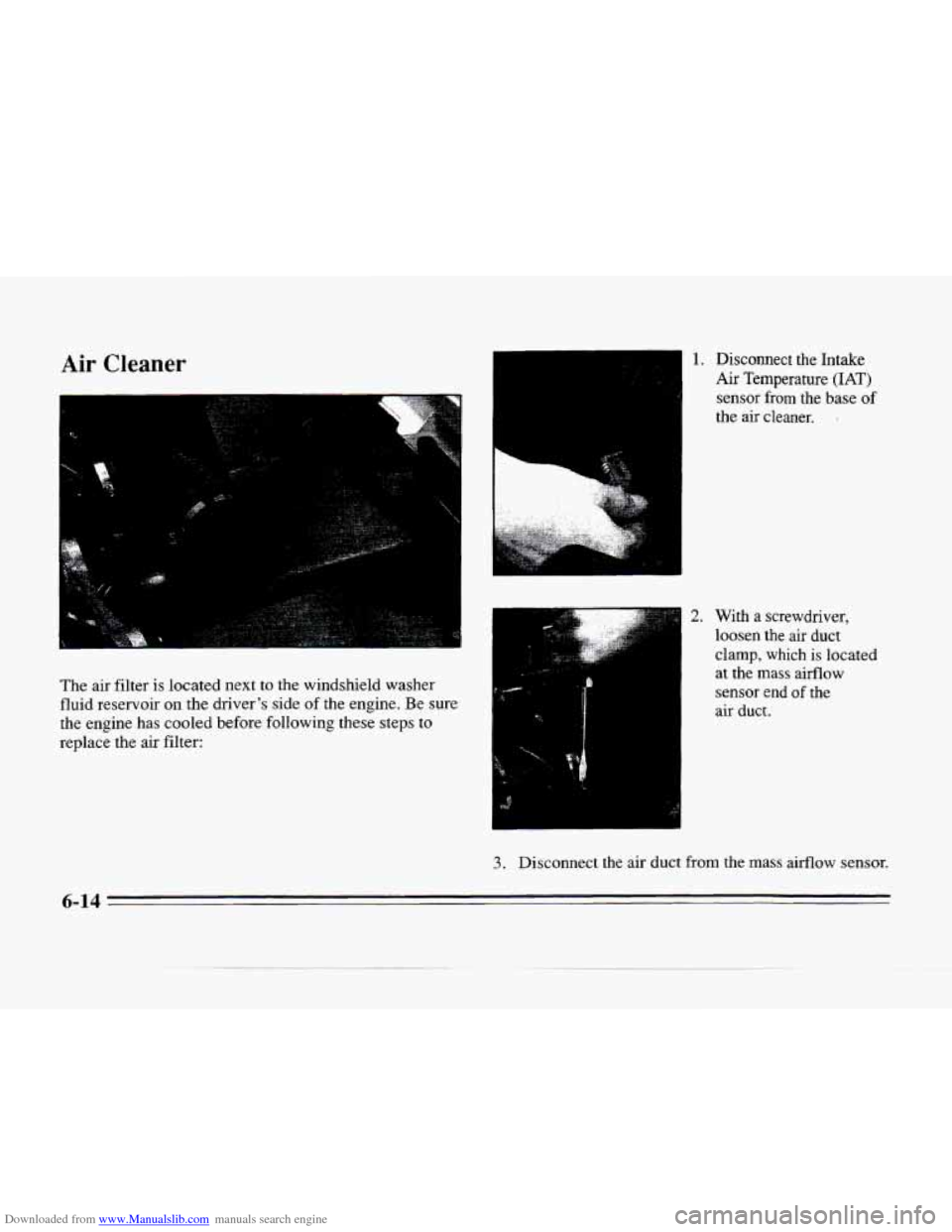
The air filter is located next to the windshield washer
fluid reservoir on the
driver's side of the engine. Be sure
the engine has cooled before following these steps
to
replace the air filter:
..
1. Disconnect the Intake
Air Temperature (IAT)
sensor from the base of
the air cleaner. .
2. With a screwdriver,
loosen the air duct
clamp, which is located
at the
mass airflow
sensor end
of the
air duct.
3. Disconnect the air duct from the mass airflow sensor.
6-14
Page 274 of 354
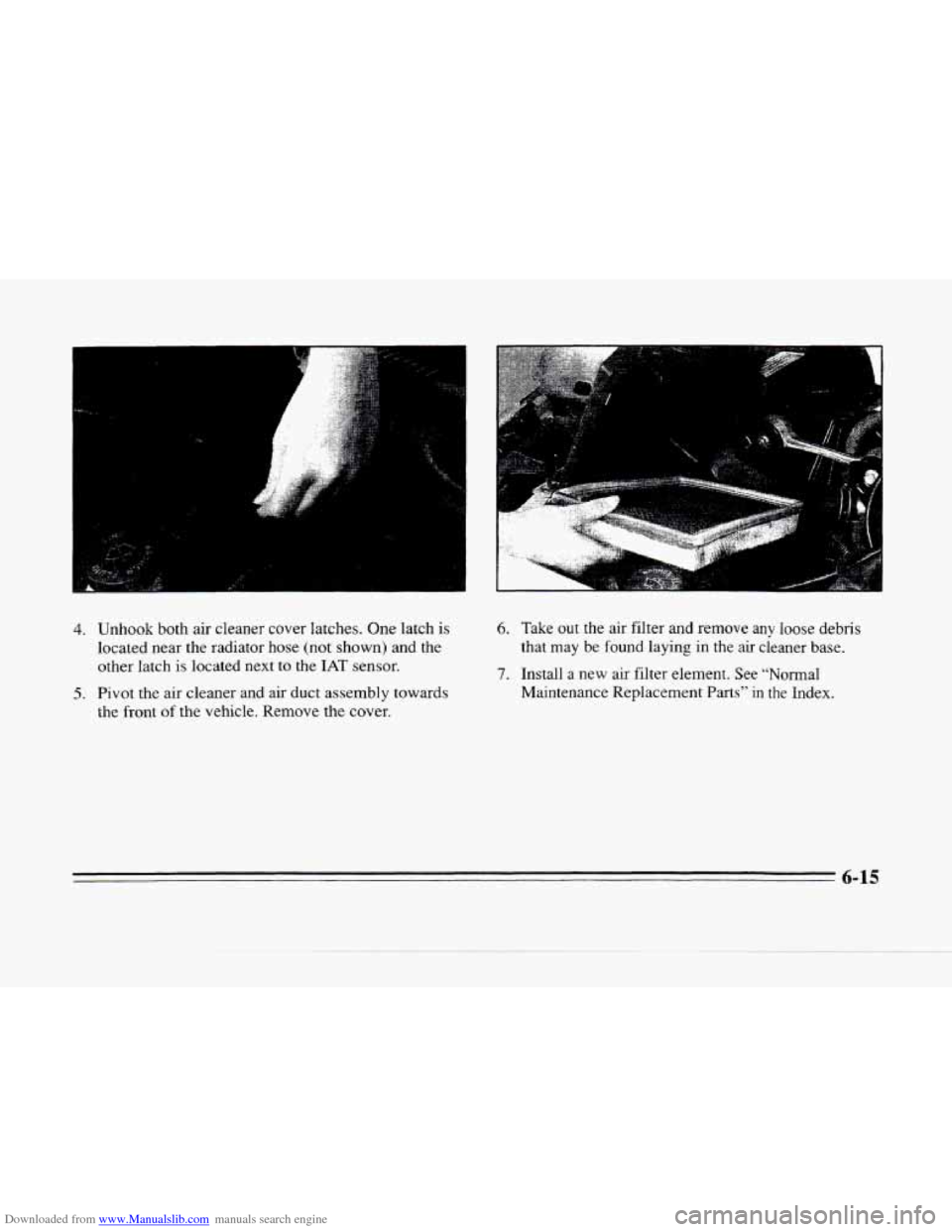
Downloaded from www.Manualslib.com manuals search engine 4. Unhook both air cleaner cover latches. One latch is
located near the radiator hose (not shown) and the
other latch
is located next to the IAT sensor.
5. Pivot the air cleaner and air duct assembly towards
the front
of the vehicle. Remove the cover.
6. Take out the air filter and remove anv loose debris
that may
be found laying in the air cieaner base.
7. Install a new air filter element. See “Normal
Maintenance Replacement Parts” in
the Index.
6-15
Page 275 of 354
Downloaded from www.Manualslib.com manuals search engine Follow these steps to reinstall the air cleaner assembly:
.1 .
2.
3.
4.
5.
Slide the air cleaner lid into the slots in the front
edge
of the air cleaner base.
Pivot the air cleaner cover and the air duct assembly
downward. Make sure that
both latches are secure
and fully engaged.
Reinstall the clean air duct over the mass airflow
sensor. Make sure that the duct
is secure around the
entire outer edge
of the sensor.
Tighten the air duct clamp.
Reconnect the
IAT sensor.
Refer to the Maintenance Schedule to determine when to
replace the air filter. See “Scheduled Maintenance
Services” in the Maintenance Schedule booklet.
1 A CAUTION:
Operating the engine with the air cleaner off can
cause
you or others to be burned. The air cleaner
not
only cleans the air, it stops flames if the
engine backfires.
If it isn’t there, and the engine
backfires,
you could be burned. Don’t drive with
it
off, and be careful working on the engine with
the air cleaner
off.
I NOTICE: ~
If the air cleaner is off, a backfire can cause a
damaging engine fire. And, dirt can easily get
into
your engine, which will damage it. Always
have the air cleaner in place when you’re driving.
6-16