1996 CADILLAC ELDORADO ECU
[x] Cancel search: ECUPage 116 of 354
Downloaded from www.Manualslib.com manuals search engine (I I
I
I
Press the switch rearward and release to express-open
the glass panel and sunshade. The sunshade can
also be
opened by hand.
If you want to stop the roof in a
partially opened position, press the switch
in either
direction. Press and release the switch again to open it
fully. Press and hold the switch forward to close the
glass panel.
The sunshade can only be closed by hand.
To vent, press the switch forward when the glass panel
is closed. Open the sunshade by hand.
To close the vent,
press the switch rearward.
Universal Transmitter (Option)
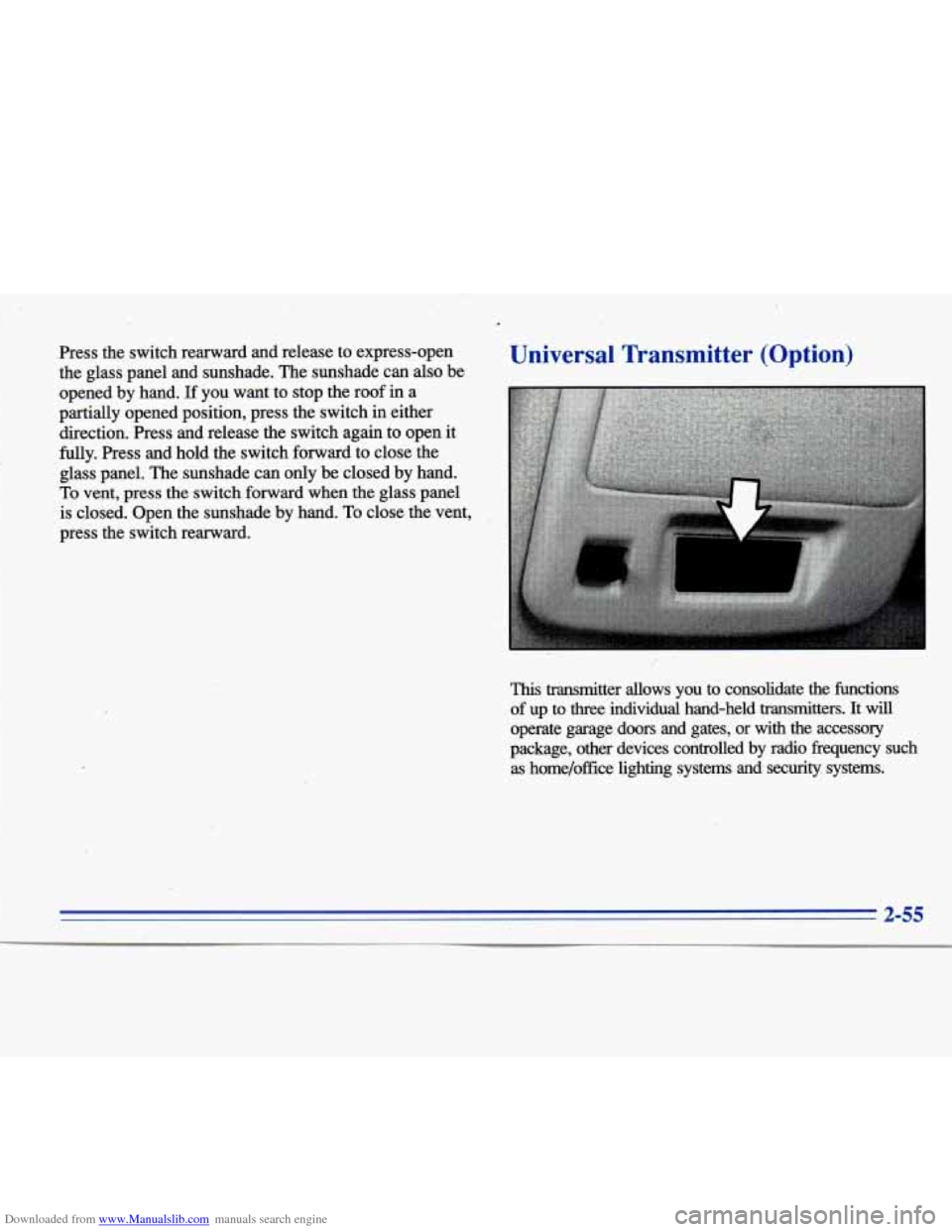
This transmitter allows you to consolidate the functions
of up to
three individual hand-held transmitters. It will
operate garage doors and gates, or with the accessory
package, other devices controlled by radio frequency such as home/office lighting systems and
security systems.
2-55
Page 118 of 354
Downloaded from www.Manualslib.com manuals search engine If you have trouble programming the universal
transmitter, make sure that you have followed the
directions exactly as described and that the battery in the
hand-held transmitter is not dead. If you still cannot
program it, rotate the hand-held transmitter end over end
and try again. The universal transmitter may not work
with older garage door openers that do not meet current
Federal Consumer Safety Standards. If you cannot
program the transmitter after repeated attempts, consult
your Cadillac dealer.
Be sure to keep the original hand-held transmitter
in case
you need to erase and reprogram the universal transmitter.
Note to Canadian Owners: During programming, the
hand-held transmitter may stop transmitting after one or
two seconds. If you
are programming from one of these
transmitters, you should press and re-press the button on
the hand-held transmitter every two seconds without
ever releasing the button on
the universal transmitter.
Release both buttons when the red light on the universal
transmitter begins to flash rapidly.
Operating the Transmitter
Press and hold the appropriate button on the universal
transmitter. The red light comes on while the signal is
being transmitted.
Note that the effective transmission range of the universal
transmitter may differ from the hand-held transmitter and
from one channel to another. Also note that the universal
transmitter is disabled when the VALET button inside of
the glove box is activated. For more information, see
“Security Override” earlier in this section.
Erasing Channels
To erase all three programmed channels, hold down the
two outside buttons until the red light begins to flash.
Individual channels cannot be erased, but can be
reprogrammed using the procedure for programming the
transmitter explained earlier.
Accessories
Accessories for the universal transmitter are available
from the manufacturer of the unit.
If you would like
additional information please call
1-800-355-35 15.
Page 142 of 354

Downloaded from www.Manualslib.com manuals search engine ENGINE COOLANT HOT-IDLE ENGINE - 44:
This message will appear when the engine coolant
temperature is over
248 OF (126°C). To avoid added
strain on a hot engine, turn off the climate control
system. Stop and allow your vehicle to idle until it cools
down or
the message is removed. If it does not cool
down, turn off the engine and have it serviced before
driving it again. Severe engine damage can result from
an overheated engine. See “Engine Overheating” in
the Index.
FUEL LEVEL VERY LOW - 11: This message serves
as a warning that the fuel level in the tank is critically
low. Stop for fuel immediately.
MONITORED SYSTEMS OK - 1: This message only
appears in the “recall” mode by pressing the RESET
button. It lets you know that no other messages are
stored or currently active.
PASS KEY NOT PROGRAMMED - 31: This
warning message displays when the PASS-Key pellet
information has not been programmed into your vehicle.
See your Cadillac dealership for service.
PCM FAULT - 110: The circuit in the Powertrain
Control Module (PCM) has shorted or is loose when this
message appears. Have your Cadillac serviced by your
dealership at once.
REDUCED ENGINE POWER - 41: This message
informs the driver that due to wheel slippage your
vehicle is reducing engine power to compensate for the
loss of traction. Accelerating too fast causing the tires to
spin is an example of when this message would display.
REMOVE KEY - 70: This message will appear when
the Personalized Automotive Security System
(PASS-Key
11) is unable to read the pellet on the
ignition key or an improper key pellet has been inserted.
Wait for the DIC to display STARTING DISABLED
DUE TO THEFT SYSTEM REMOVE IGNITION
KEY. The instrument panel cluster will then run a timer
and change the messages to WAIT
3 MINUTES, WAIT
2 MINUTES, WAIT 1 MINUTE and then START CAR.
When the REMOVE KEY message is displayed, remove
the ignition key. Check the ignition key for damage.
If it
is damaged, it may need to be replaced. If you see no
damage, clean the pellet contacts with a soft cloth or
2-81
Page 144 of 354

Downloaded from www.Manualslib.com manuals search engine SERVICE RIDE CONTROL - 84: This message is
displayed to indicate that the suspension system
is not
operating properly. To correct this problem have your
vehicle serviced at your Cadillac dealership.
SERVICE TRANSMISSION - 100: If a problem is
detected with the transaxle, this message will appear.
Have your vehicle checked by your Cadillac dealership.
SPEED SENSOR FAULT - 109: A circuit problem
with the vehicle speed sensor will trigger this message
to appear. Have your Cadillac dealership service your
vehicle.
STARTING DISABLED DUE TO THEFT SYSTEM
REMOVE IGNITION KEY
- 33: This message will
appear when the Personalized Automotive Security
System (PASS-Key
11) senses that an improper ignition
key is being used to try to start the vehicle. Check the
ignition key for damage.
If it is damaged, it may need to
be replaced.
If you see no damage, clean the pellet
contacts with a soft cloth
or napkin. Remove the ignition
key and wait for the DIC to display WAIT
3 MINUTES.
The instrument panel cluster will then run a timer and
change
the messages to WAIT 2 MINUTES, WAIT
1 MINUTE and then START CAR. When the START
CAR message is displayed, try again to start the engine.
STOP ENGINE ENGINE OVERHEATED - 42: This
message will appear when the engine has overheated.
Stop and turn the engine
off immediately to avoid severe
engine damage. See “Engine Overheating” in the Index.
STOP ENGINE LOW OIL PRESSURE - 35: If this
message appears while the engine is running, stop the
engine and do not operate
it until the cause of low oil
pressure is corrected. Severe damage to the engine
can result.
THEFT SYSTEM PROBLEMKAR MAY NOT
RESTART
- 34: This message means there is a problem
in the Personalized Automotive Security System
(PASS-Key 11). A fault has been detected in the system
which means that the PASS-Key I1 system is disabled
and is not protecting the vehicle. The vehicle usually
restarts however, you may want to take your vehicle to
a
proper service center before turning off the engine.
TOP SPEED FUEL CUT-OFF - 111: This message
will appear when the PCM senses that the maximum
speed for your Cadillac has been reached. The speed of
your vehicle will decrease several mph as the fuel
supply is cutoff. This allows your vehicle to stay in a
stable operating range.
2-83
1
Page 208 of 354
Downloaded from www.Manualslib.com manuals search engine Winter n rivil
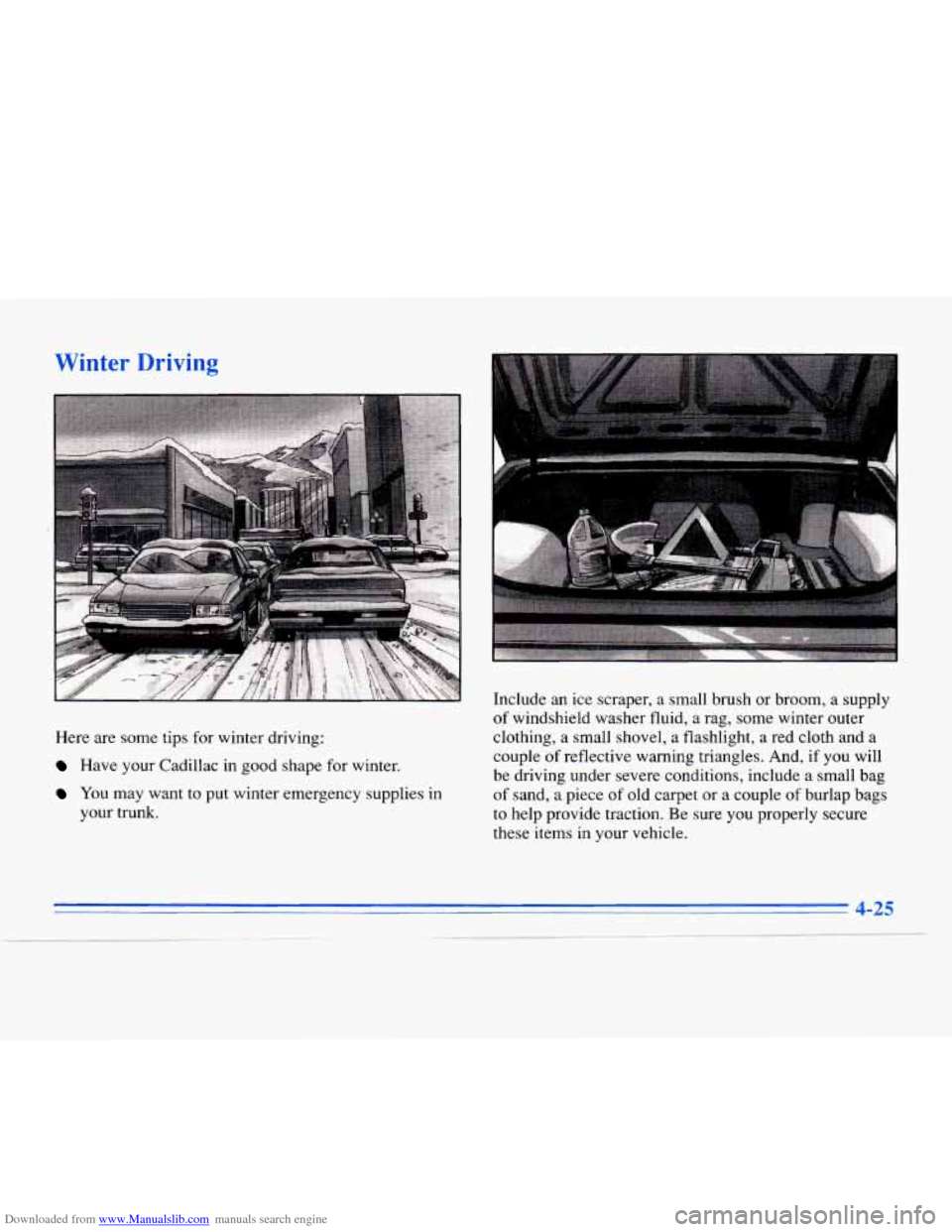
Here are some tips for winter driving:
Have your Cadillac in good shape for winter.
YOU may want to put winter emergency supplies in
your trunk. Include
an ice scraper, a small brush or broom, a supply
of windshield washer fluid, a rag, some winter outer
clothing, a small shovel, a flashlight, a red cloth and
a
couple of reflective warning triangles. And, if you will
be driving under severe conditions, include a small bag
of sand, a piece of old carpet or a couple of burlap bags
to help provide traction. Be sure you properly secure
these items in your vehicle.
Page 214 of 354

Downloaded from www.Manualslib.com manuals search engine Towing a Trailer
Things you put inside your vehicle can strike and
injure people in
a sudden stop or turn, or in a
crash.
Put things in the trunk of your vehicle. In a
trunk, put them as far forward as you can.
'Iky to spread the weight evenly.
Never stack heavier things, like suitcases,
inside the vehicle
so that some of them are
above the tops of the seats.
Don't leave an unsecured child restraint in
your vehicle.
When you carry something inside the
vehicle, secure
it whenever you can.
If you don't use the correct equipment and drive
properly,
you can lose control when you pull a
trailer. For example, if the trailer is too heavy, the
brakes may not work well
-- or even at all. You
and your passengers could be seriously injured.
Pull
a trailer only if you have followed all the
steps in this section. Ask your Cadillac dealer for
advice and information about towing
a trailer
with your vehicle.
NOTICE:
Pulling a trailer improperly can damage your
vehicle and result in costly repairs not covered
by
your warranty. To pull a trailer correctly, follow
the advice in this part, and see your Cadillac
dealer for important information about towing
a
trailer with your vehicle.
4-31
Page 218 of 354

Downloaded from www.Manualslib.com manuals search engine leave just enough slack so you can turn with your rig.
And, never allow safety chains to drag on the ground.
Trailer Brakes
Because you have anti-lock brakes, don’t try to tap into
your vehicle’s hydraulic brake system. If you do, both
brake systems won’t work
Be sure to read and follow
brakes
so you’ll be able to
them properly. well,
or at all.
the instructions for the trailer
install, adjust and maintain
Driving with a ”hailer
Towing a trailer requires a certain amount of experience.
Before setting out for the open road, you’ll want to get
to know your rig. Acquaint yourself with the feel of
handling and braking with the added weight of the
trailer. And always keep in mind that the vehicle you are
driving
is now a good deal longer and not nearly as
responsive as your vehicle is by itself.
Before you start, check the trailer hitch and platform
(and attachments), safety chains, electrical connector,
lamps, tires and mirror adjustment.
If the trailer has
electric brakes, start your vehicle and trailer moving and
then apply the trailer brake controller by hand to be sure
the brakes
are working. This lets you check your
electrical connection at the same time. During your trip, check occasionally
to be sure that the
load is secure, and that the lamps and any trailer brakes
are still working.
Following Distance
Stay at least twice as far behind the vehicle ahead as you
would when driving your vehicle without a trailer. This
can help you avoid situations that require heavy braking
and sudden turns.
Passing
You’ll need more passing distance up ahead when
you’re towing a trailer. And, because you’re a good deal
longer, you’ll need to go much farther beyond the
passed vehicle before you can return to your lane.
Backing Up
Hold the bottom of the steering wheel with one hand.
Then, to move the trailer to the left, just move that hand
to the left.
To move the trailer to the right, move your
hand to the right. Always back up slowly and, if
possible, have someone guide you.
4-35
Page 230 of 354

Downloaded from www.Manualslib.com manuals search engine Rear Towing
A C . UTION:
To help avoid injury to you or others:
Never let passengers ride in a vehicle that is
being towed.
Never tow faster than safe or posted speeds.
Never tow with damaged parts not fully
secured. Never get under your vehicle after it has
been lifted by the tow truck.
Always secure the vehicle on each side with
separate safety chains when towing it.
Never
use J-hooks. Use only T-hooks in the
front T-hook slots and only R-hooks in the
rear R-hook slots.
5-9