1996 CADILLAC ELDORADO climate control
[x] Cancel search: climate controlPage 145 of 354

Downloaded from www.Manualslib.com manuals search engine TRACTION READY - 91: This message informs the
driver that the traction control system is available. This
occurs when the traction on/off button in the glove box
has been returned to an on position (pressing
the button
once turns the traction control system off; pressing the
button again turns the system back on).
TRACTION OFF - 89: This message will be displayed
after the traction control has been turned off.
TRANS FLUID RESET - 48: With the engine not
running and the ignition on, press and hold the
OFF and
rear defog buttons until the
TRANS FLUID RESET
message appears on the DIC (between 5 and 20 seconds).
TRANSMISSION HOT - 112: This messages indicates
that. the transmission fluid in your vehicle is too hot
(message appears when fluid temperature has reached
266°F (130°C) for 15 minutes or when the temperature
reaches
291 OF (144°C) for 32 seconds). Have your
vehicle serviced immediately.
TRUNK OPEN - 24: This message indicates that the
trunk is open when the ignition is in
RUN.
TURN SIGNAL ON - 20: This message is a reminder,
after driving about a mile, that you have the
turn signal on.
VEHICLE SPEED LIMITED TO XXX MPH
(KM/H)
- 113: A failure in the suspension control
system has occurred when this message appears. The
PCM determines the speed your vehicle is limited to.
Have your Cadillac serviced if this message appears.
VERY LOW REFRIGERANT A/C COMPRESSOR
OFF
- 12: This message means that the air conditioning
system detects a refrigerant level that
is low enough to
cause damage to the A/C compressor.
To avoid damage
the A/C compressor automatically turns
off and the
Electronic Climate Control will automatically switch
from AUTO to
ECON and remain there. Have the
A/C system serviced if this message appears.
Page 148 of 354
Downloaded from www.Manualslib.com manuals search engine /+- == li
ke.) Section 3 Comfort Controls and Audio Systems $4.- ,L! gfl
In this section you’ll find out how to operate the comfort
control and audio systems offered with your Cadillac.
Be sure to read about the particular systems supplied
with your vehicle.
Comfort Controls
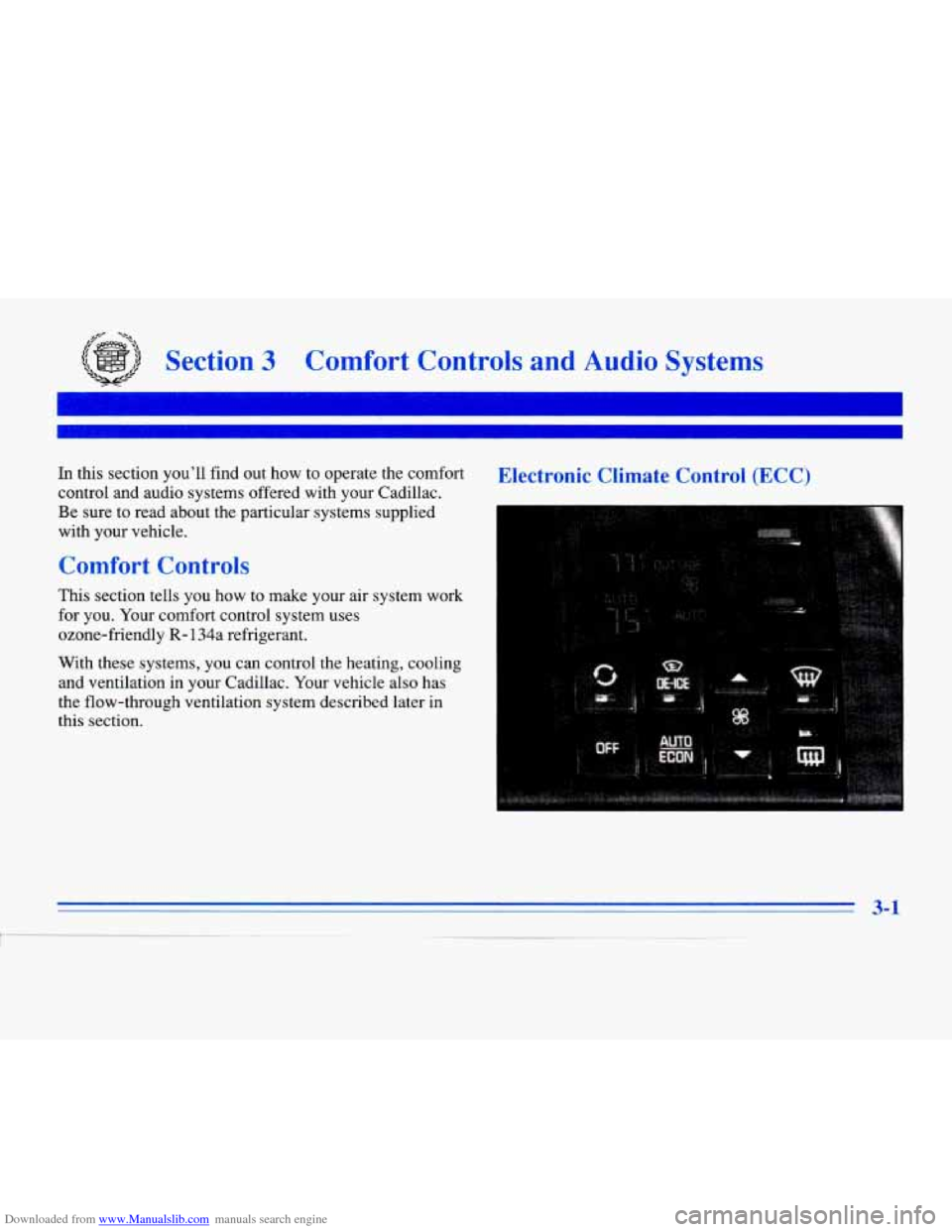
This section tells you how to make your air system work
for you. Your comfort control system uses
ozone-friendly
R- 134a refrigerant.
With these systems, you can control the heating, cooli~
and ventilation in your Cadillac.
Your vehicle also has
the flow-through ventilation system described later in
this section.
Electronic Climate Control (ECC)
3-1
1 ~
Page 152 of 354
Downloaded from www.Manualslib.com manuals search engine Electronic Solar Sensor
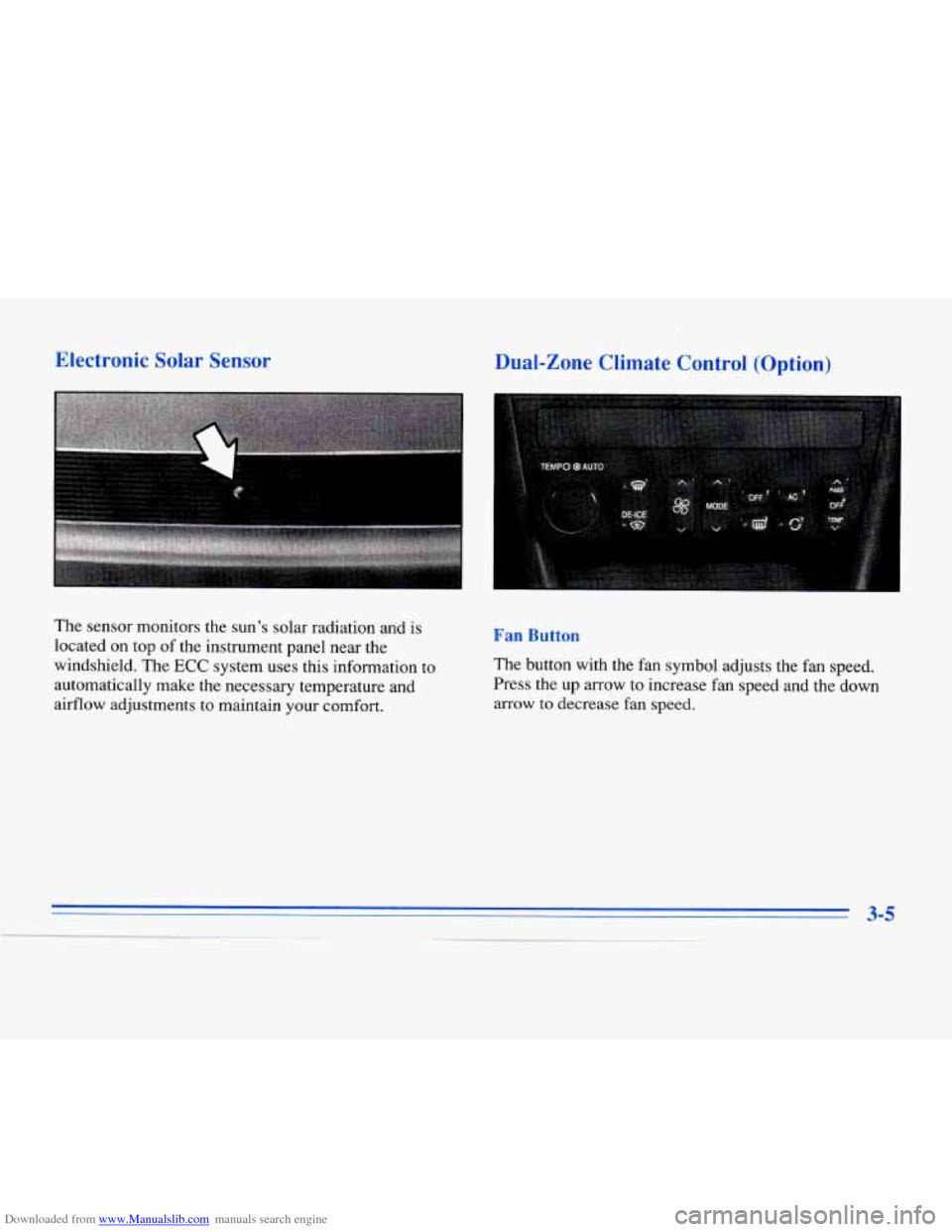
The sensor monitors the sun’s solar radiation and is
located on top of the instrument panel near the
windshield. The
ECC system uses this information to
automatically make the necessary temperature and
airflow adjustments
to maintain your comfort.
Dual-Zone Climate Control (Option)
Fan Button
The button with the fan symbol adjusts the fan speed.
Press the up arrow to increase fan speed and the down
arrow
to decrease fan speed.
Page 155 of 354
Downloaded from www.Manualslib.com manuals search engine sf FAN SPEEDS: Press the button with the fan
symbol until AUTO is displayed on the screen. At this
setting, the fan speed is automatically controlled. If
it is
cold outside, the blower may not run in the maximum
high fan speed right away.
The system checks the
temperature of the engine coolant to assure it is warm
enough
to provide heat. When the engine coolant is
warm, the controller allows the fan to gradually increase
to a higher speed. This prevents cold air from blowing
into the passenger compartment.
If you want the blower
fan at a high speed, press the up arrow button until you
see
HIGH on the display. If you want the fan speed to be
automatic, but you like the
fm speed to be higher than
the AUTO setting, press the fan symbol button until
HIGH AUTO is shown on the display. If you want the
blower fan at a low speed, press the down arrow button
until
LOW is shown on the display. If you want the fan
speed to run lower than the AUTO setting, press the
button until
LOW AUTO is shown on the display.
OFF: Press this button to turn the system off. Fresh
air will continue
to flow through the vehicle, and the
system will try to maintain the previously set
temperature. The outside temperature will show
on
the display when the system is OFF.
AC: Press this button to turn the air conditioning on and
off. The system will cool and dehumidify the air inside
the vehicle. In the AUTO mode, the display will show
that AC is active, but the air conditioning compressor
only operates when the system determines
it is needed.
RECIRCULATION: Press this button to limit the
amount
of fresh air entering your vehicle. This is helpful
when you are trying to cool the air quickly or limit odors
entering your vehicle. In the AUTO mode, the system
will use recirculation as necessary
to cool the air.
Pressing the recirculation button will change the
operation to
a manual mode and the air will recirculate
non-stop. Press this button again to turn
off the
recirculation feature.
If you notice the windows fogging, press the
recirculation button to exit the recirculation mode.
DUAL TEMPERATURE CONTROL: With
this feature, the right front passenger can control the
temperature of heated air for his/her own zone. The
passenger can select
a four degree warmer or cooler
temperature from the driver's setting.
To turn the system
on, press the PASS/TEMP button. Press the up arrow
to increase the temperature and press the down arrow
to
decrease the climate setting. Pressing the OFF button
will turn
off the dual-zone Function.
Page 160 of 354

Downloaded from www.Manualslib.com manuals search engine Steering Wheel Controls for
Climate Control
Some heating and cooling
controls can be adjusted at
the steering wheel. Other
touch controls operate some audio controls. See
“Steering Wheel Controls
for Audio System” later in
this section.
# FAN SPEED: Press the up arrow lever to increase
the fan speed and the down arrow lever to decrease
fan speed.
TEMP: Press the up arrow lever to increase the temperature
and the down arrow lever
to decrease temperature.
Audio Systems
Your Cadillac audio system has been designed to operate
easily and give years of listening pleasure.
You will get
the most enjoyment out of
it if you acquaint yourself
with it first. Find out what your Cadillac system can do
and how to operate all its controls, to be sure you’re
getting the most out of the advanced engineering that
went into
it.
Setting the Clock
Press and hold HR or MN until the time display begins
to change. Release the button as you get close to the
correct time. The time may be set anytime the clock
is
displayed. There is a two-second delay before the clock
goes into time-set mode.
3-13
I
Page 277 of 354
Downloaded from www.Manualslib.com manuals search engine I 3.
5.
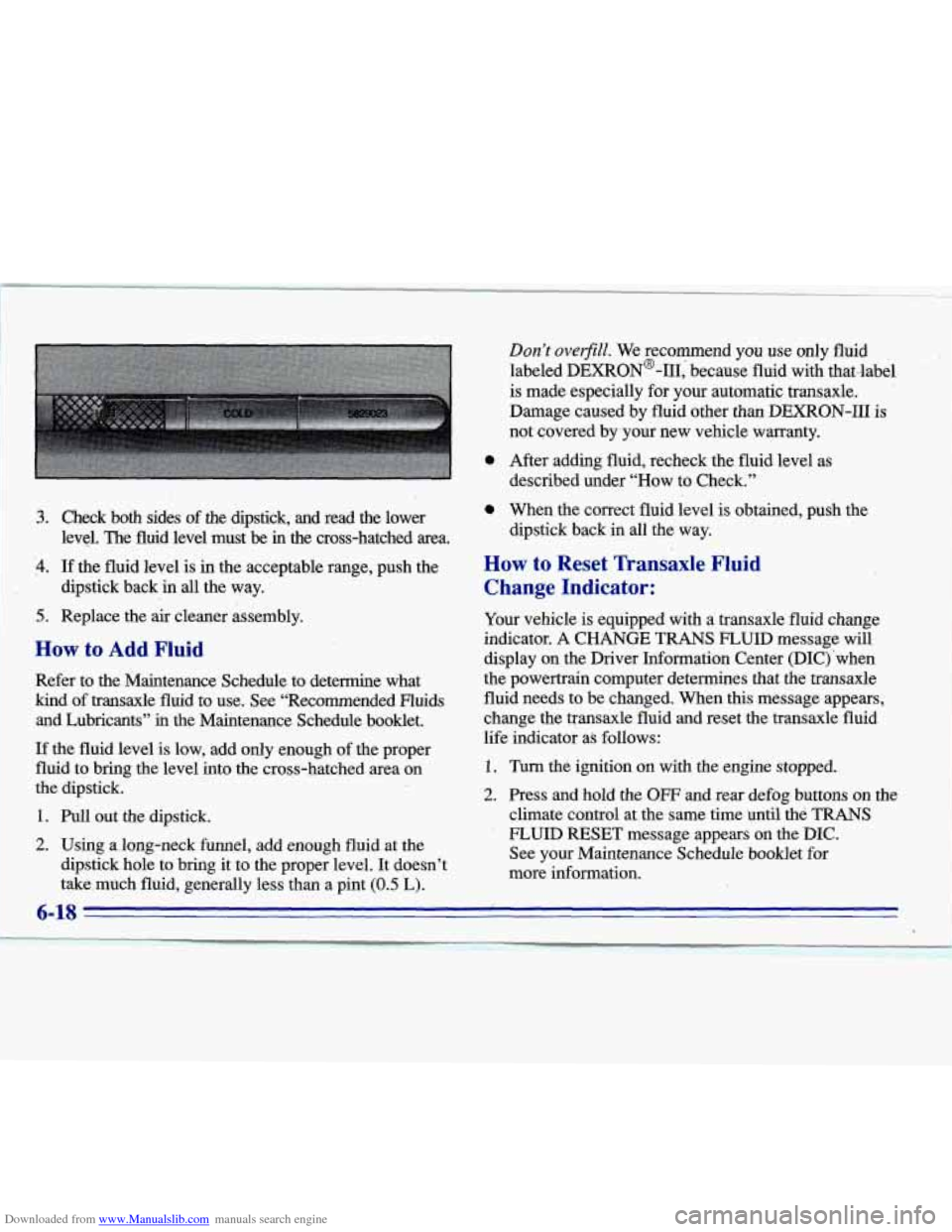
Check both sides of the dipstick, and read the lower
level. The fluid level must be in’the cross-hatched area.
If the fluid level is in the acceptable range, push the
dipstick back in all the way.
Replace the
air cleaner assembly.
How to Add Fluid
Refer to the Maintenance Schedule to determine what
kind of transaxle fluid to use. See “Recommended Fluids and Lubricants”
ii.1 the Maintenance Schedule booklet.
If the fluid level is low, add only,enough of the proper
fluid to bring the level into the cross-hatched area on
the dipstick. 1
1. Pull out the dipstick.
2. Using along-neck funnel, add enough fluid at the
dipstick hole to bring it to the proper level. It doesn’t
take,much fluid, generally less than a pint
(0.5 ‘L).
0
0
Don’t overfiill. We recommend you use only fluid
labeled DEXRON@-111, because fluid with that-label
is made especially for your automatic transaxle.
Damage caused by fluid other than DEXRON-I11
is
not covered by your new vehicle warranty.
After adding fluid, recheck the fluid level
as
described under “How to Check.”
When the correct fluid level is obtained, push the
dipstick back in all the way.
How to Reset Transaxle Fluid
Change Indicator:
Your vehicle is equipped with a transaxle fluid change
indicator.
A CHANGE TRANS FLUID message will
display on the Driver Information Center (DIC) ‘when
the powertrain computer determines that the transaxle
fluid needs to be changed. When
this message appears,
change the transaxle fluid and reset the transaxle fluid
life indicator as follows:
1. Turn the ignition on with the engine stopped.
2. Press and hold the OW and rear defog buttons on the
climate control at the same time until the
TRANS
- FLUID RESET message appears on the DIC.
See your Maintenance Schedule booklet
for
more information.
Page 300 of 354
Downloaded from www.Manualslib.com manuals search engine Uniform Tire Quality Grading
The following information relates to the system
developed by the United States National Highway
Traffic Safety Administration, which grades tires by
treadwear, traction and temperature performance. (This applies only to vehicles sold in the United States.) The
grades are molded on the sidewalls
of most passenger
car tires. The Uniform Tire Quality Grading system does
not apply to deep tread, winter-type snow tires,
space-saver
or temporary use spare tires, tires with
nominal rim diameters of 10 to 12 inches (25 to
30 cm),
or to some limited-production tires.
While the tires available on General Motors passenger
cars and light trucks may vary with respect to these
grades, they must also conform
to Federal safety
requirements and additional General Motors Tire Performance Criteria (TPC) standards.
Treadwear
The treadwear grade is a comparative rating based on
the wear rate
of the tire when tested under controlled
conditions on a specified government test course. For
example, a tire graded 150 would wear one and a half
(1 1/2) times as well on the government course as a tire
graded 100. The relative performance
of tires depends
upon the actual conditions
of their use, however, and
may depart significantly fi-om the norm due to variations
in driving habits, service practices and differences in
road characteristics and climate.
Traction -- A, B, C
The traction grades, from highest to lowest, are A, B
and C, and they represent the tire’s ability to stop on
wet pavement as measured under controlled conditions
on specified government test surfaces of asphalt
and concrete.
A tire marked C may have poor
traction performance.
Warning: The traction grade assigned to this tire is based
on braking (straightahead) traction tests and does not
include cornering (turning) traction.
6-41
Page 320 of 354

Downloaded from www.Manualslib.com manuals search engine Fuse
IGN 0- BODY
TURN CONSOLE
Usage
PRNDL, Heated Windshield (Optional), PZM, Cluster, Air
Control Module (ACM), Upper and Lower Zone Motor, HVAC
Solenoids, Climate Control Panel
(Optional), Rear Defog Relay,
ELC Relay
Cornering Lamp Switch, Right
and Left Cornering Lamps,
Electronic Flasher Module,
Turn/Hazard Switch, Right and Left Rear Turn Signal Lamps,
Right and Left Front
Turn Signal
Lamps, Repeater Lamps (Export)
Cellular Phone Portable Docking
Station, Washer Circuit Board,
Heated Seat Switch, Rear Zone
Blower, Right and Left Heated Seat Switches, Headlamp Wash Relay
Fuse
COMFORT
AMP
(Optional)
PZM
RADIO/ PHONE
CLUSTER
ACC
RR DEFOG
Usage
CD Player, Remote Function
Actuator (RFA), Controlled Power
Relay, Air Control Module (ACM), PZM
Right and Left Hand Bose Relay,
Right Front and Rear Speaker
(On Door), Left Front and Rear
Speaker (On Door)
PZM
Radio Receiver, Radio Interface Module (RIM)(Bose Only),
Phone, DAB Relay, Trunk Release
Relay, Fuel Door Release Relay,
High Beam Relay
Steering Wheel Controls, Cluster
PZM, Electrochromic Mirror, Rain
Sensor (Optional), Accessory Relay
Rear Defog
6-
-I