1995 PONTIAC PONTIAC light
[x] Cancel search: lightPage 116 of 354
En.gine Coolant Temperature Gage
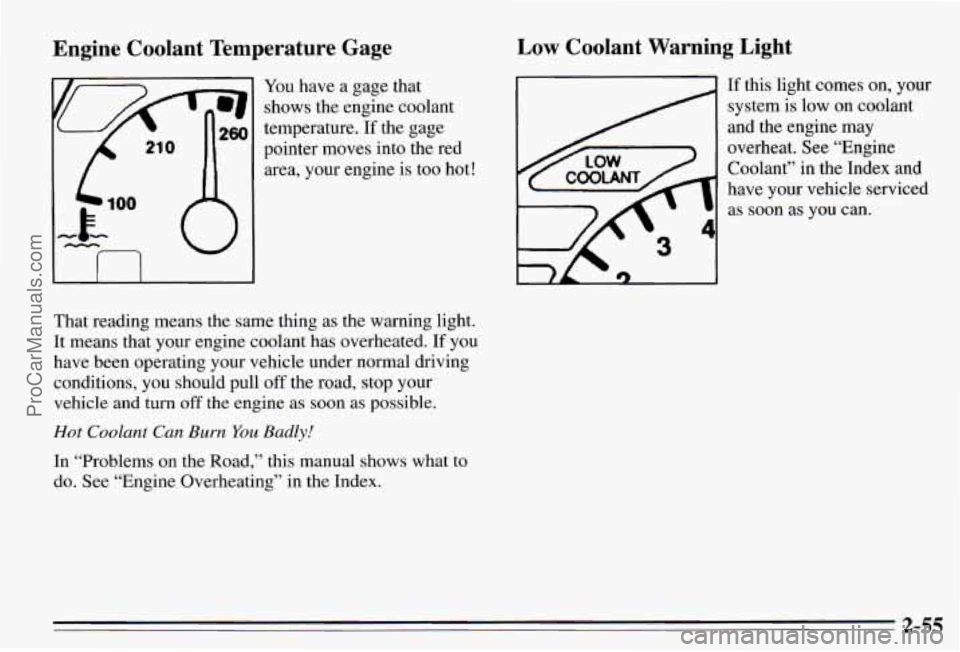
You have a gage that
shows the engine coolant
temperature.
If the gage
pointer moves into the red
area, your engine is too hot!
I I I I
That reading means the same thing as the warning light.
It means that your engine coolant has overheated. If you
have been operating your vehicle under normal driving
conditions, you should pull
off the road, stop your
vehicle and turn off the engine
as soon as possible.
Hot Coolant Can Burn You Badly!
In “Problems on the Road,” this manual shows what to
do. See “Engine Overheating” in the Index.
Low Coolant Warning Light
If this light comes on, your
system is low on coolant
and the engine may
overheat. See “Engine
Coolant” in the Index and
have your vehicle serviced as
soon as you can.
2-55
ProCarManuals.com
Page 117 of 354

Malfunction Indicator Lamp
(Service Engine Soon Light)
A computer monitors
operation
of your fuel,
ignition and emission
control systems. This light should come on when the
ignition is on, but the
engine is not running,
as a
check to show you it is
working.
If it does not come on at all, have it fixed right away. If
it stays on, or it comes on while you are driving, the
computer is indicating that you have a problem. You
should take your vehicle in
for service soon.
NOTICE:
If you keep driving your vehicle with this light
on, after a while the emission controls won’t
work as well, your fuel economy won’t be as good
and your engine may not run as smoothly. This
could lead
to costly repairs not covered by your
warranty.
2-56
ProCarManuals.com
Page 118 of 354
Oil Warning Light
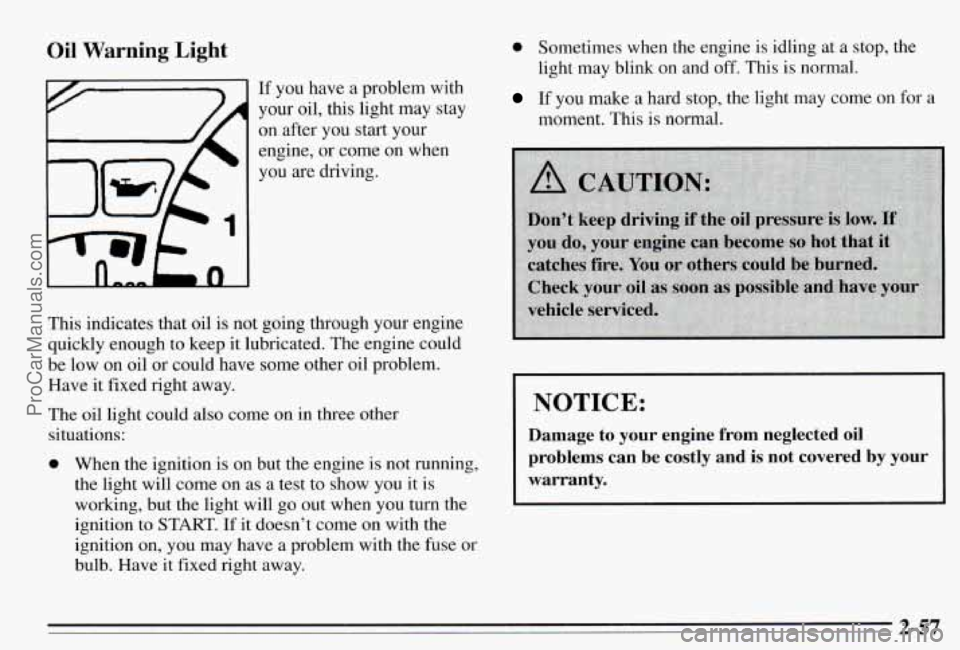
If you have a problem with
your oil, this light may stay
on after you start your
engine,
or come on when
you are driving.
This indicates that oil is not going through your engine
quickly enough to keep it lubricated. The engine could
be low on oil or could have some other oil problem.
Have it fixed right away.
The oil light could also come on in three other
situations:
0 When the ignition is on but the engine is not running,
the light will come on as a test to show you it is
working, but the light will go out when you turn the
ignition to
START. If it doesn’t come on with the
ignition on, you may have a problem with the fuse or
bulb. Have it fixed right away.
0 Sometimes when the engine is idling at a stop, the
light may blink on
and off. This is normal.
If you make a hard stop, the light may come on for a
moment. This is normal.
NOTICE:
Damage to your engine from neglected oil
problems can be costly and
is not covered by your
warranty.
2-57
ProCarManuals.com
Page 119 of 354

Low Oil Level Light Security Light
Your engine is equipped
with an oil level monitoring
system. When the ignition
key is turned on, the LOW
OIL LEVEL light will
briefly flash. If the light
does not flash, have it fixed
so it will be ready to warn
you if there’s
a problem.
If the light stays on, stop the vehicle on a level surface
and
turn the engine off. Check the oil level using the
This light will come on
when you turn the key to
START and stay on until the
vehicle starts. It will also
come on and stay on if your
key is too
dirty or wet for
the PASS-Key@II system to
read the resistor pellet.
If the resistor pellet is damaged or missing, the light will
flash.
engine oil dipstick. (See “Engine Oil” in the Index.) If you’re driving and the light comes on and remains on,
If‘ the light does not flash, have the low oil level sensor your PASS,Key~II system is not working properly.
a problem. and you system repaired SO it will be ready to warn you if there’s Your vehicle is not protected by
should see your dealer.
The
oil level monitoring system only checks oil level
during the brief period between key on and engine
crank.
It does not monitor engine oil level when the
engine is running. Additionally, an oil level check is
only performed
if the engine has been turned off for a
considerable period of time, allowing the oil normally
in
circulation to drain back into the oil pan.
2-58
ProCarManuals.com
Page 120 of 354

Trip Calculator (Option)
L
When you start your engine, the trip calculator will
display a mode.
A lighted arrow shows which mode is
displayed.
INST ECON: Shows your fuel economy when you
select
this mode. This display will update every second
and cannot be reset.
AVG ECON: Shows your average fuel economy since
you last reset this mode.
AVG SPEED: Shows your average speed since you
last reset this mode.
It counts only the time the engine
is running.
The disp1.a~ will be updated every three
seconds until you select another mode.
WEL USED: Shows the total amount of fuel used
since you last reset
this mode. The amount can be
displayed in gallons or liters.
RANGE: Shows how much farther you can travel with
the
fuel you have before refueling. If there is less than
one-eighth
of a tank, LOF’UEL will be displayed. If the
fuel level is
low enough, LOFUEL will show on the
display in all modes. The message
will flash for
60 seconds and then stay on until you add more fuel.
You can’t reset
RANGE mode. Range is updated
automatically when you reset
AVG ECON.
‘EXT TEMP: Shows the temperature outside your
vehicle. Temperature can be displayed in Fahrenheit or
Celsius. This mode can’t be reset.
TRIP: Shows how far you’ve driven since you last reset
this mode.
ELAPSED TIME: Shows how much time has passed
with the engine running since you last reset this mode.
2-59
ProCarManuals.com
Page 121 of 354
Control Buttons
The trip calculator has three buttons that control its
functions.
MODE: Press this button to change the mode being
displayed.
EM: Press this button to change the display from
English to metric units or metric to English.
RESET Press this button for one second to reset the
mode displayed.
If you push and hold RESET for more
than five seconds, all the modes will reset. You can’t
reset
INST ECON, RANGE or EXT TEMP.
Head-Up Display (Option)
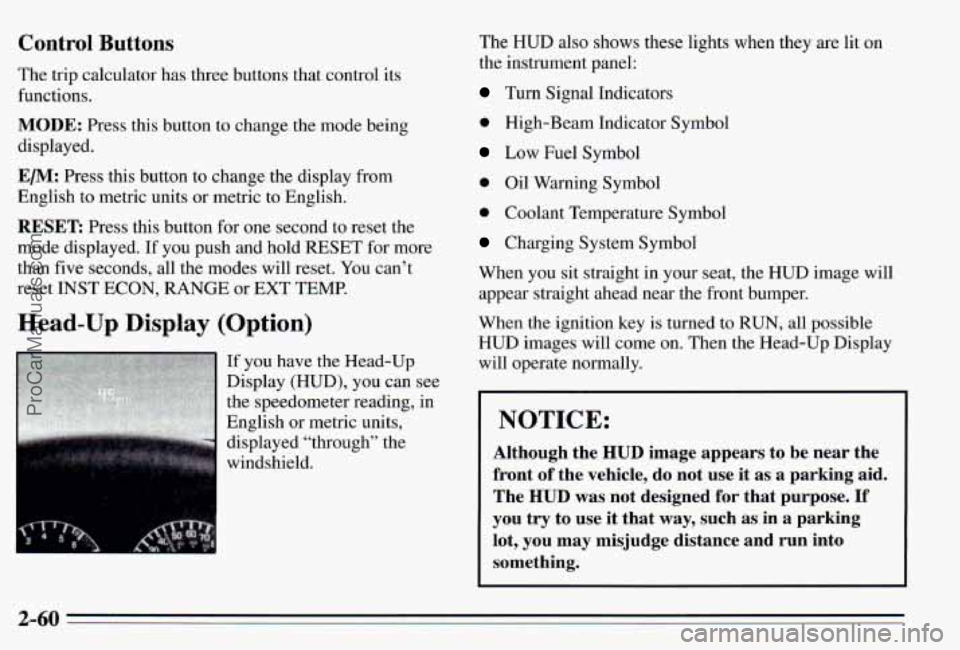
If you have the Head-Up
Display (HUD), you can see
the speedometer reading, in
English or metric units,
displayed “through” the
windshield. The
HUD also shows these lights when they are
lit on
the instrument panel:
Turn Signal Indicators
0 High-Beam Indicator Symbol
Low Fuel Symbol
0 Oil Warning Symbol
0 Coolant Temperature Symbol
Charging System Symbol
When you sit straight in your seat, the HUD image will appear straight ahead near the front bumper.
When the ignition key is turned
to RUN, all possible
HUD images will come on. Then the Head-Up Display
will operate normally.
NOTICE:
Although the HUD image appears to be near the
front
of the vehicle, do not use it as a parking aid.
The
HUD was not designed for that purpose. If
you try to use it that way, such as in a parking
lot, you may misjudge distance and run into
something.
2-60
ProCarManuals.com
Page 127 of 354
Mode Knob
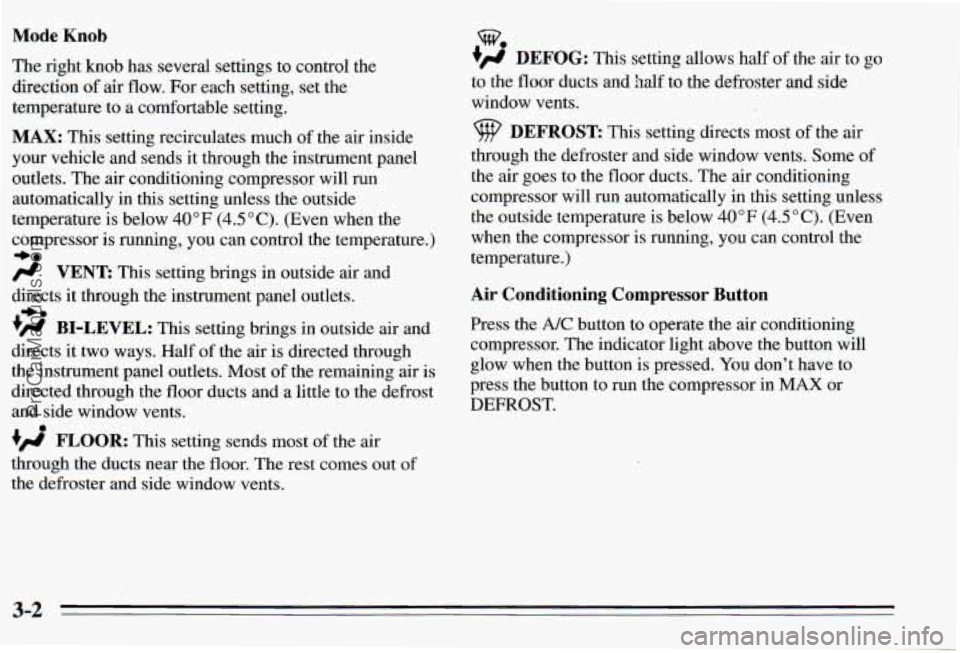
The right knob has several settings to control the
direction
of air flow. For each setting, set the
temperature to a comfortable setting.
MAX: This setting recirculates much of the air inside
your vehicle and sends
it through the instrument panel
outlets. The air conditioning compressor will run
automatically in this setting unless the outside
temperature is below 40°F (4.5"C). (Even when the
compressor
is running, you can control the temperature.)
-be
/.I VENT This setting brings in outside air and
directs it through the instrument panel outlets.
+' BI-LEVEL: This setting brings in outside air and
directs it two ways. Half of the air is directed through
the instrument panel outlets. Most of the remaining air is
directed through the floor ducts and
a little to the defrost
and side window vents.
FLOOR: This setting sends most of the air
through the ducts near the floor. The rest comes out
of
the defroster and side window vents.
+e
%
+)d DEFOG: This setting allows half of the air to go
to the floor ducts and
half to the defroster and side
window vents.
9 DEFROST: This setting directs most of the air
through the defroster and side window vents. Some of
the air goes to the floor ducts. The air conditioning
compressor will run automatically in this setting unless
the outside temperature
is below 40°F (4.5"C). (Even
when the compressor is running, you can control the
temperature.)
Air Conditioning Compressor Button
Press the A/C button to operate the air conditioning
compressor. The indicator light above the button will
glow when the button is pressed.
You don't have to
press the button to run the compressor in
MAX or
DEFROST.
3-2
ProCarManuals.com
Page 128 of 354
Air Conditioning Heating
On very hot days, open the
windows long enough to
let hot inside air escape. This reduces the time the
compressor has
to run, which should help fuel economy.
For quick cool-down on very hot days,
use MAX with
the temperature knob all the way in the blue area.
If this
setting is used for long periods
of time, the air in your
vehicle may become too dry.
For normal cooling on hot days, use
VENT with the
temperature hob in the blue area and the
A/C button
pushed
in. The system will bring in outside air and cool it.
On cool but sunny days, the sun may warm your upper
body, but your lower body may not be warm enough.
You can use BI-LEVEL with the temperature knob in
the middle and the
A/C button pushed in. The system
will bring in outside air and direct it to your upper body,
while sending slightly warmed air to your lower body.
You may notice this temperature difference more at
some times than others. On
cold days use
FLOOR with the temperature knob all
the way in the red area. The system will bring in outside
air, heat
it and send it to the floor ducts.
If your vehicle has an engine coolant heater, you can use
it to help your system provide warm
air faster when it’s
cold outside (0°F (-lS0C) or lower).
An engine coolant
heater warms the coolant your engine and heating
system use to provide heat. See “Engine Coolant
Heater” in the Index.
Ventilation
For mild outside temperatures when little heating or
cooling is needed, use VENT
to direct outside air
through your vehicle. Your vehicle also has the
flow-through ventilation system described later in this
section.
Defogging and Defrosting Windows
Your system has two settings for clearing the front and
side windows. To defrost the windows quickly, use
DEFROST with the temperature knob all the way in the
red area. To warm passengers while keeping the
windows clean, use DEFOG.
3-3
ProCarManuals.com