Page 45 of 390
The safety belt locks if there’s a sudden stop or a crash,
or if you pull the belt very quickly out of the retractor.
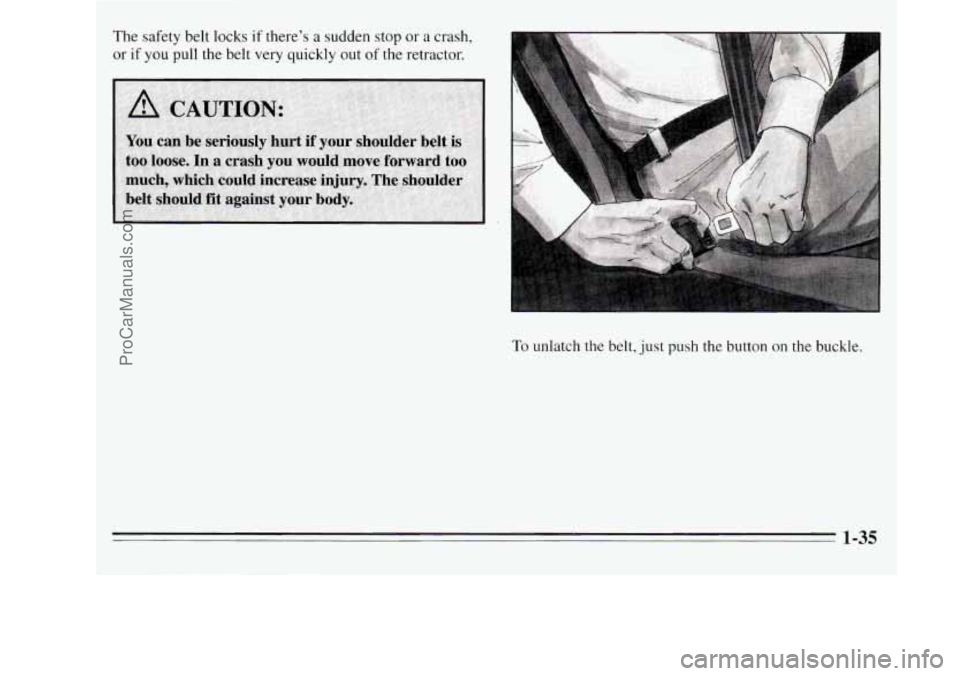
To unlatch the belt, just push the button on the buckle.
1-35
ProCarManuals.com
Page 72 of 390
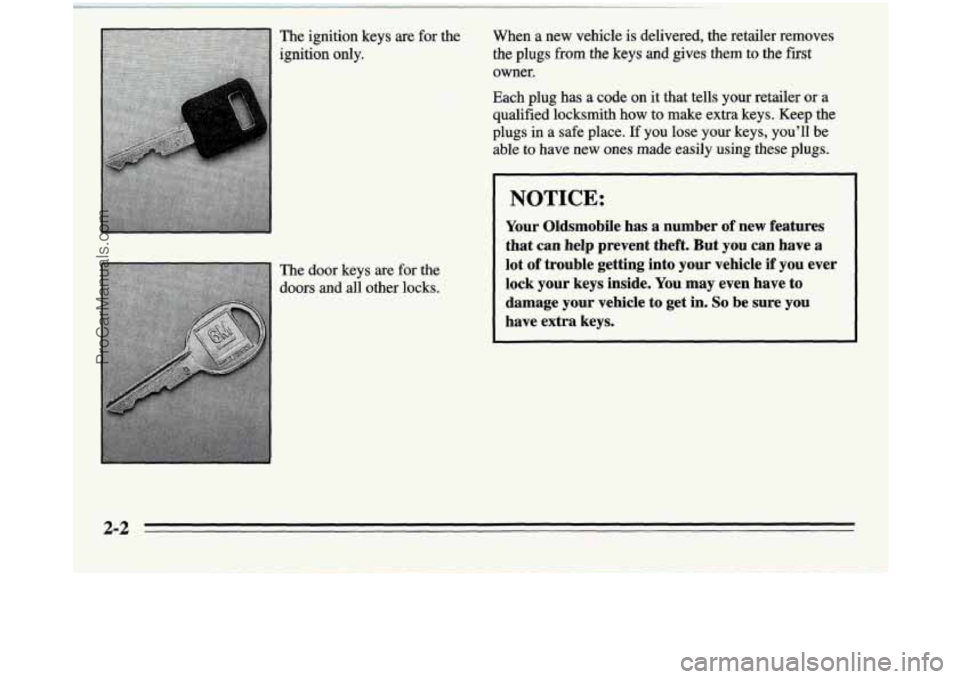
The ignition keys are for the
ignition only.
When a new vehicle is delivered, the retailer removes
the plugs fiom the keys and gives them to the fist
owner.
Each plug has a code on it that tells yourretailer or a
qumied locksmith how to make extra keys. Keep the
plugs in a safe place. If you lose yourkeys, you’ll be
able to have new ones made easily using these plugs.
The door keys are for the
doors
and all other locks.
NOTICE:
Your Oldsmobile has a number of new features
that can help prevent theft. But you can have a
lot
of troubIe getting into your vehicle if you ever
lock your keys
inside. You may even have to
damage your vehicle to
get in. So be sure you
have extra keys.
2-2
ProCarManuals.com
Page 73 of 390
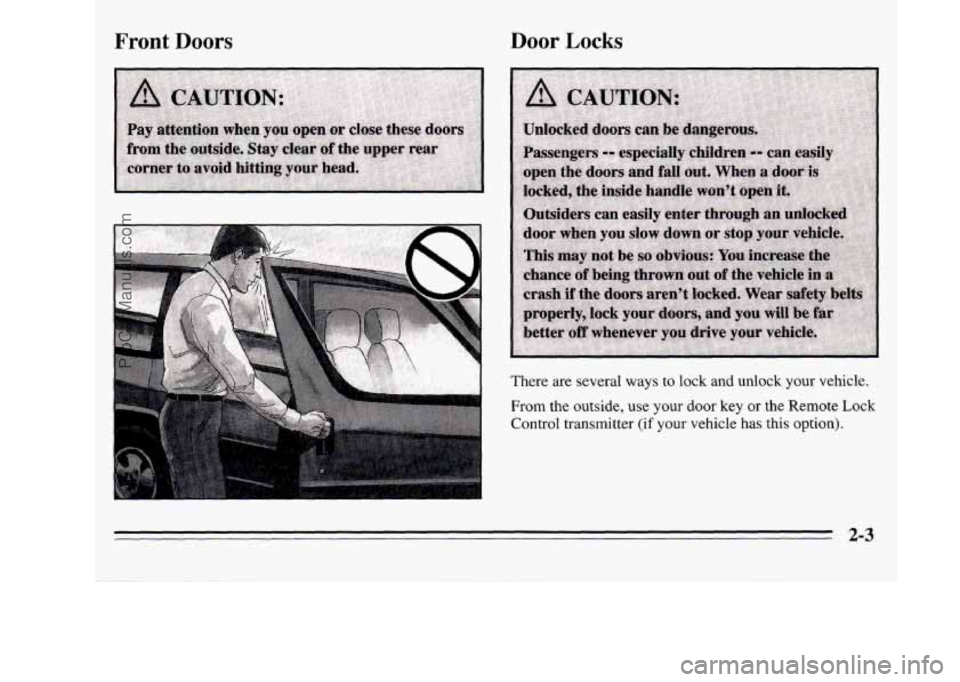
Front Doors Door Locks
From the outside, use your door key or the Remote Lock
Control transmitter (if your vehicle has this option).
There
are several ways to lock and unlock your vehicle.
2-3
ProCarManuals.com
Page 74 of 390
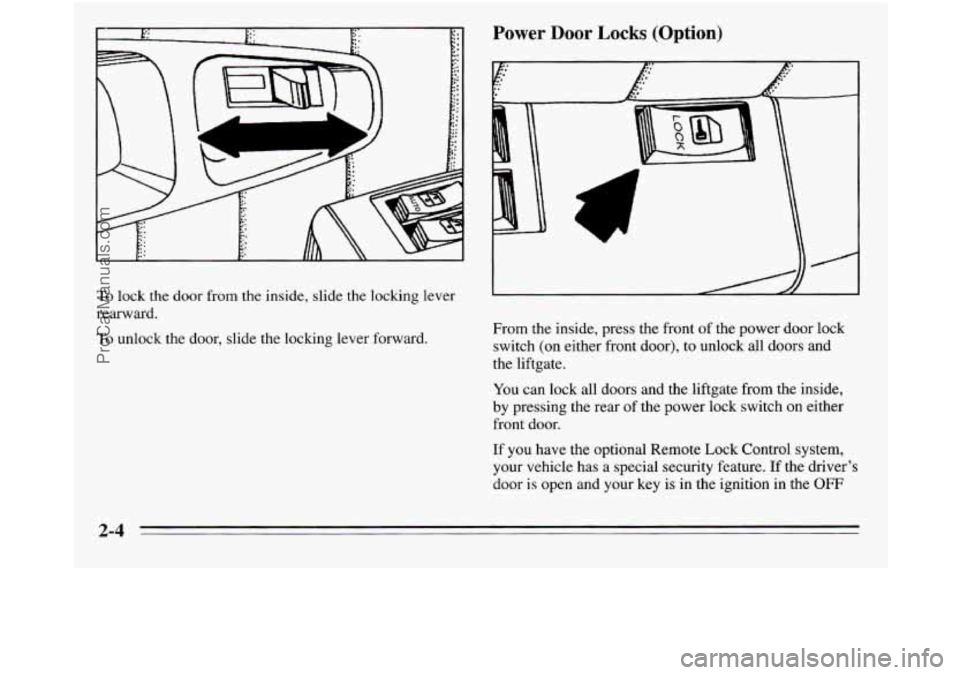
To lock the door from the inside, slide the locking lever
rearward.
lb unlock the door, slide the locking lever forward.
Power Door Locks (Option)
? . .1
From the inside, press the front of the power door lock
switch (on either front door), to unlock all doors and
the liftgate.
You can lock all doors and the liftgate from the inside,
by pressing the rear
of the power lock switch on either
front door.
If you have the optional Remote Lock Control system,
your vehicle has a special security feature. If the driver’s
door is open and your key is in the ignition in the
OFF
2-4
ProCarManuals.com
Page 75 of 390
position, you won’t be able to set the door locks with the
power door lock switch or the remote transmitter.
This
feature is designed to help keep you from locking your
keys in your vehicle.
If the sliding door is open wheq you press the power
door locks switch, it will lock automatically within five
seconds after you close it.
If you have the optional Remote Lock Control system,
this feature will be replaced by a different lock delay
system. See “Remote Lock Control” later in this section.
With power locks, when the doors
are locked, the inside as
well as the outside door latch release cannot open the
doors.
This safety feature prevents a door from being
accidentally opened from the inside by moving the handle.
To override this safety feature, slide the locking lever to
the unlock position on the door you want
to open.
When the liftgate has been unlocked with the power door
locks, you won’t need the key to open it. Simply turn the
lock clockwise until the latch releases. This is also true if
you use the optional Remote Lock Control transmitter.
See “Remote Lock Control” later in this section.
To lock the liftgate, use either the power door lock switch or
the optional Remote Lock Control transmitter.
You may
also lock it manually by turning the lock counterclockwise.
Automatic Door Locks (Option)
With this feature you can unlock all of the doors from
the outside by holding the key
in the unlock position for
one second.
To unlock only the driver’s or passenger’s
door, turn the key to the unlock position and release.
From the inside, when the ignition is on and the driver’s
door
is closed, all doors will lock each time you move
the shift lever out of PARK (P). If the passenger’s door
or the liftgate are open when you move the shift lever
out of PARK
(P), they will lock when closed.
If the sliding door is open when you move the shift lever
out of PARK (P) or manually lock the doors using the
power door lock switches, a lock delay feature allows
the sliding door
to lock five seconds after it is closed.
All other doors will lock again, too.
With the automatic door locks feature, you can still lock
or unlock the doors at any time, either manually or with
the power
door lock switches.
Overriding Lock Delay
To override the lock delay feature, press the front of the
power door locks switch (the unlock position) while the
shift lever is in PARK
(P).
2-5
ProCarManuals.com
Page 76 of 390
If you have the Remote Lock Control system, there are
three additional ways
you can disable the lock delay
feature (see “Remote Lock Control” later in this
section):
Press the unlock symbol on your remote transmitter,
Return the shift lever to PARK (P), or
Turn the ignition off.
Customizing Your Automatic Door Locks Feature
With the Remote Lock Control system you can
customize your automatic door locks feature to suit your
individual needs. (See “Remote Lock Control” later in
this section.)
With
the doors closed and the ignition on, press and hold
the driver’s side power door lock switch in the lock
position for
10 seconds. The doors will lock, then
unlock, indicating that you have 10 seconds in which to
program one
of four custom modes:
Unlock the Driver’s Door Only: To program the
automatic door locks system
to unlock only the driver’s
door when the shift lever is returned to PARK
(P), press
the unlock symbol
on your remote transmitter once. The
driver’s door will unlock, indicating that this mode has
been successfully programmed.
Unlock All Doors: To program the automatic door locks
system
to unlock all doors when the shift lever is
returned to PARK (P), press the unlock symbol on your
remote transmitter once (the driver’s door will unlock),
then press the unlock symbol again. All doors will
unlock, indicating that this mode
has been successfully
programmed.
All Doors Remain Locked: To program the automatic
door locks system to leave
all doors locked when the
shift lever
is returned to PARK (P), press the lock
symbol on your remote transmitter once. All doors will
lock, indicating that this mode has been successfully
programmed.
ProCarManuals.com
Page 77 of 390
Disengage the Automatic Door Locks System: To
disengage the automatic door locks system, press the
lock symbol on your remote transmitter
once (all doors
will lock). Press the lock symbol again. All doors will
lock again, indicating that this mode has been
successfully programmed.
You can reprogram
the automatic door locks system at
any time. If you do not program the automatic door
locks system, all doors will remain locked when the shift
lever is returned
to PARK (P).
If you have more than one remote transmitter for your
vehicle, your automatic door locks system will operate
as programmed with any of them. There is no need to
program each one individually.
Leaving Your Vehicle
If you are leaving the vehicle, open your door and set
the locks from inside. Then get out and close the door.
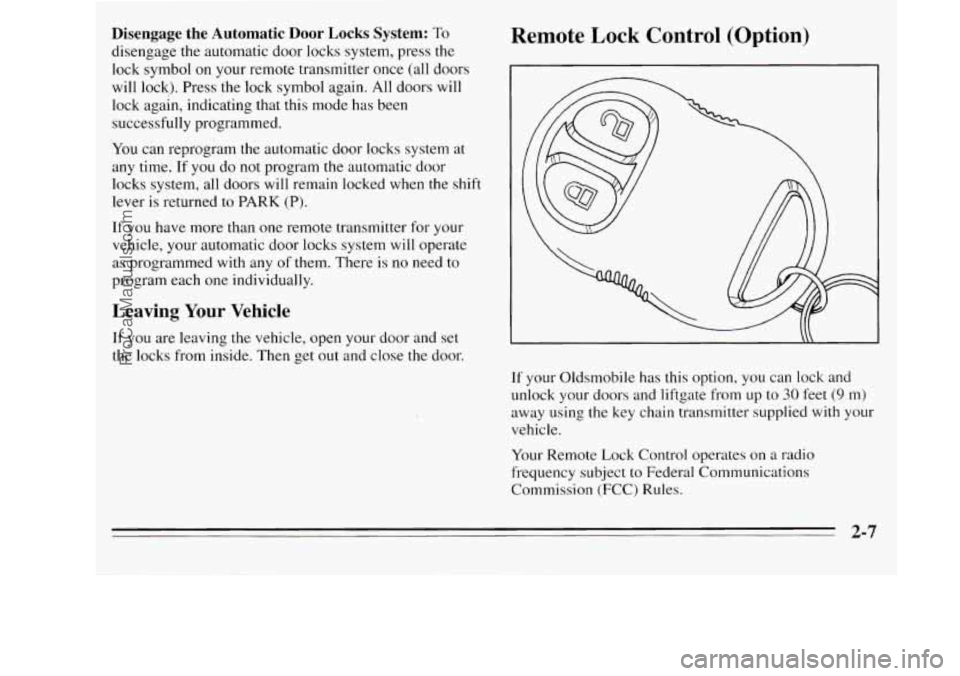
Remote Lock Control (Option)
If your Oldsmobile has this option, you can lock and
unlock your doors and liftgate from up to
30 feet (9 m)
away using the key chain transmitter supplied with your
vehicle.
Your Remote Lock Control operates on a radio
frequency subject
to Federal Communications
Commission
(FCC) Rules.
2-7
ProCarManuals.com
Page 78 of 390
This device complies with Part 15 of the FCC Rules.
Operation is subject to the following two conditions:
(1) This device may not cause harmful interference, and
(2) This device must accept any interference received,
including interference that may cause undesired
operation.
Should interference
to this system occur, try this:
0
0
0
0
Check to determine if battery replacement is
necessary. See the instructions
on battery
replacement.
Check the distance. You may be too far from your
vehicle. This product has a maximum range.
Check the location. Other vehicles or objects may be
blocking the signal.
See your Oldsmobile retailer or a qualified
technician for service.
Operation
The driver’s door will unlock and the interior lamps
will go on when the unlock symbol is pressed (see
“Illuminated Entry System” later in this section). If
pressed again within five seconds, all doors and the
liftgate will unlock. All doors and the liftgate will lock
when the lock symbol is pressed.
If the driver’s door is open and your key is in the
ignition in the
OFF position, you won’t be able to set the
door lock with the power door lock switch or the remote
transmitter. This security feature is designed to help
keep you from locking your keys in your vehicle.
Lock Delay
The lock delay feature can be operated using either the
remote key chain transmitter or the power door locks
switch (see “Power Door Locks” earlier in this section).
Changes or modifications to this system by other than an
authorized service facility could void authorization
to
use this equipment.
2-8
ProCarManuals.com