1995 Oldsmobile Cutlass Supreme lock
[x] Cancel search: lockPage 120 of 340

Air Conditioning with Automatic and
Auxiliary Temperature Control
With this system you set a temperature. You can then
either let the system adjust air flow and force to
maintain the temperature, or you can manually adjust
1 the flow and force, The system works best if you keep
1 your windows closed while usingit.
System Controls
Fan Knob
The left knob selects the force of air you want when the
system is not in AUTO. The display will show the
speed. To turn the system
off, push the knob.
Driver Temperature Knob
The right knob sets the temperature for the entire system
when the light on the
PASS button isn’t lit. If the light is
lit, the knob sets the temperature for the driver. Turn the
knob toward red (clockwise) to r&ise the temperature.
Turn it toward blue (counterclockwise) to lower the
temperature. The display
will show your selection for a
few seconds, then the outside temperature will show. If
you push the knob, the system will control the fan speed
and air flow. AUTO will show
on the display.
Page 121 of 340
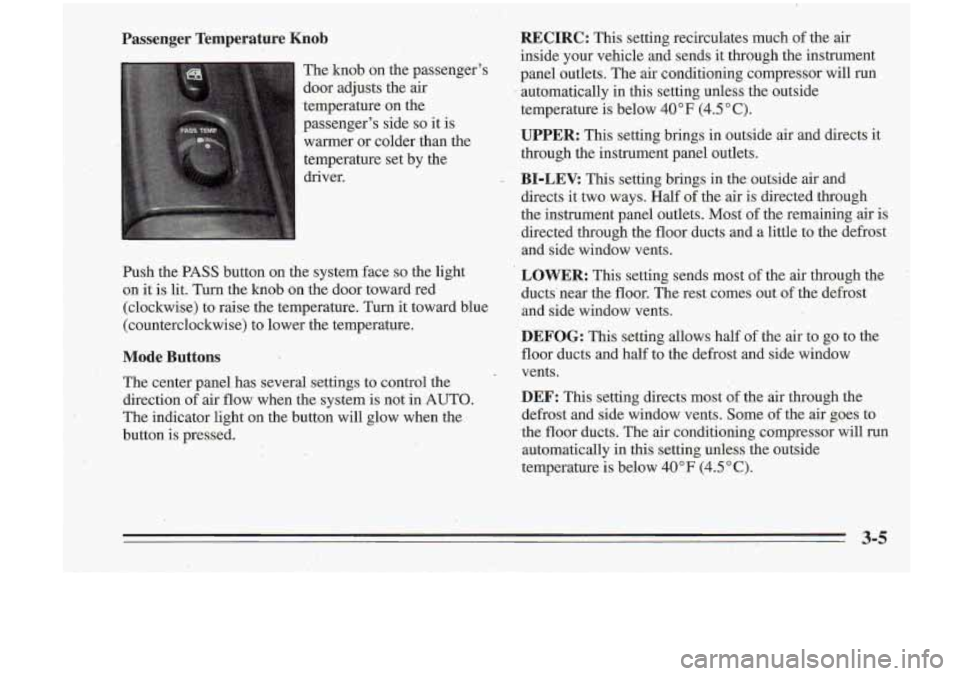
Passenger Temperature Knob
The knob on the passenger's
door adjusts the air
.temperature on the
passenger's side
so it is
warmer or colder- than -the
temperature set by the
driver.
Push the PASS button on the system face
so the light
on
it is lit. Turn the knob on the door toward red
(clockwise) to raise the temperature. Turn it toward blue
(counterclockwise) to lower the temperature.
Mode Buttons
The center panel has' several settings to control the
direction of air flow when the system is not in 'AUTO.
The indicator light on the button will glow when the
button is pressed.
RECIRC: This setting recirculates much of the air
inside your vehicle and sends it through the instrument
panel outlets. The air conditioning compressor will run
automatically
in this setting unless the outside
temperature
is below 40°F (4.5"C).
UPPER: This setting brings in outside air and directs it
through the instrument panel outlets.
BI-LEV. This setting brings in the outside air and
directs it two-ways. Half of the air is directed through
the instrument panel outlets.
Most of the remaining air is
directed through the floor ducts and a little to the defrost
and side window vents.
LOWER: This setting sends most of the air through the
ducts' near the floor. The rest comes out of the defrost
and side window vents.
DEFOG: This setting allows half of the air to go to the
floor ducts and half to the defrost and side window
vents.
DEF: This setting directs most of the air through the
defrost and side window vents. Some of the air goes
to
the floor ducts. The air conditioning compressor will run
automatically in this setting unless the outside
temperature is below
40°F (4.5"C).
Page 124 of 340

Flow-Through Ventilation System
Your vehicle's flow-through ventilation system supplies
outside air info the vehicle when it is moving. Outside
air will also enter the vehicle when the air conditioning
fan
is running.
Ventilation Tips
Keep the hood and fkont air inlet free of ice, snow or
any other obstruction, such- as leaves. The heater and
defroster will work far better, reducing the chance
of
fogging the inside of your windows.
, When you enter a vehicle in cold weather, set the
mode to
FLQOR or LOWER and the fan to .the
highest speed for a few moments before driving off.
This helps clear the intake ,ducts of snow and
moisture and reduces the chance of fogging the
inside of your windows.
'0 Keep the air path under the front seats'clear of
objects. This helps air to circulate throughout your
vehicle.
Audio Systems
Your Delco@ aubo system has been designed to operate
easily and give years of listening pleasure.
You will get
the most enjoyment out of 'it if you acquaint yourself with
it first. Find out what your Delco@system cpn do and how
.
,to operdte all its controls, to be sure you're getting the most
out of the advanced engineering that went into it.
Setting the Clock
You can set the-clock with the ignition on or off.
I
1. Press and hold HR until the correct hour appears.
The letter
A or'-P may appear in'the display for, AM
or PM.
2. Press and hold MN until the correct minute appears.
Page 125 of 340

I
AM/I?M Stereo Radio
Playing the Radio
Push PWR to turn the system on or off.
until the display flashes. If you press the button when
the ignition
is off, the clock will show for a' few seconds.
Finding a Station
AM/FM: Press this button to get AM, FM1 or M.2.
The display shows your selection.
TUNE:'Press this knob lightly
so it extends. Turn it to
choose radio stations. Push the knob back in when
you're not using it.
VOL: Turn this knob clockwise to increase volume.
Turn it counterclockwise to decrease volume
RCL: Press this button briefly to recall the station being
SEEK: Press the up or dawn arrow to go to the next
higher or lower station. The sound will be muted while
seeking.
Presets: The five pushbuttons let you return to your
favorite stations- You can set up to
-15 stations (5 AM,
5 FM1 and 5 FM2).
1. Press AMm' to select the band.
2. Find the station you want. ..
3. Press .and hold one of the five numbered buttons.
4. The sound will mute. When it returns, release the
button.
Played
Or the 'lock To change what is nomallY Whenever you press that numbered button, the station
shown on the display (station
or time), press the button you set will return.
until you see the display you want, then hold the button
3-9
Page 128 of 340
If E and a number appear in the display, the tape won’t
play because of an error.
E10: The tape is tight, and the player can’t turn the
tape hubs. Remove the tape. Hold the tape with the
counterclockwise with’a pencil. Turn the tape over
-:;I. and try to turn the right hub. If the hubs do not turn
.I .,X easily, your tape may be damaged and should not be
, . 1 -.).:,? . .. used in the player. Try a new tape to make sure your
1 . -- a :.. player is working properly.
p --
’ . .: open end down and try to turn the right hub
.,
.. . ~
i( - :@. ’i
SEEK: Press the up or down arrow to search for the
next or previous selection on the tape. Your tape must
have at least four seconds of silence between each
selection for
SEEK to work.
SCAN: Press this button to listen to each selection for a
few seconds. The tape will go to the next selection, stop
for a few seconds, then go on
to the next selection. Press
the button again to stop scanning. The sound will be
muted while scanning, and SCAN will appear
on the
display.
Ell: The tape is broken.
E12 Communication problem.
While the tape is playing, use the VOL, FADE, BAL,
FWD: Press this button to advance quickly to another
TREB and BASS controls just as you do for the radio. part of the tape. Press the button again to play the tape.
Other controls may have different functions when a tape
PROG: Press this button to change the side of the tape
is inserted. The display will show TP and an arrow to that is playing.
show which side of the tape is playing.
/ ’-. .:, . , *: ,.;) ,’..’!’. . REV: Press this button to reverse the tape rapidly. Press ’ .,K . ’ I. it again to play the tape.
NR: Press this button to reduce background noise.
Your tape bias is set automatically. When
a metal or
chrome tape is inserted, HI-BIAS appears on the
display.
If you want to insert a tape when the ignition is
off, first press EJECT or RCL. Dolby@
B Noise Reduction manufactured under license
from Dolby Laboratories Licensing Corporation. “Dolby” and the
On@ symbol are trademarks of Dolby
Laboratories Licensing Corporation.
3-12
Page 131 of 340
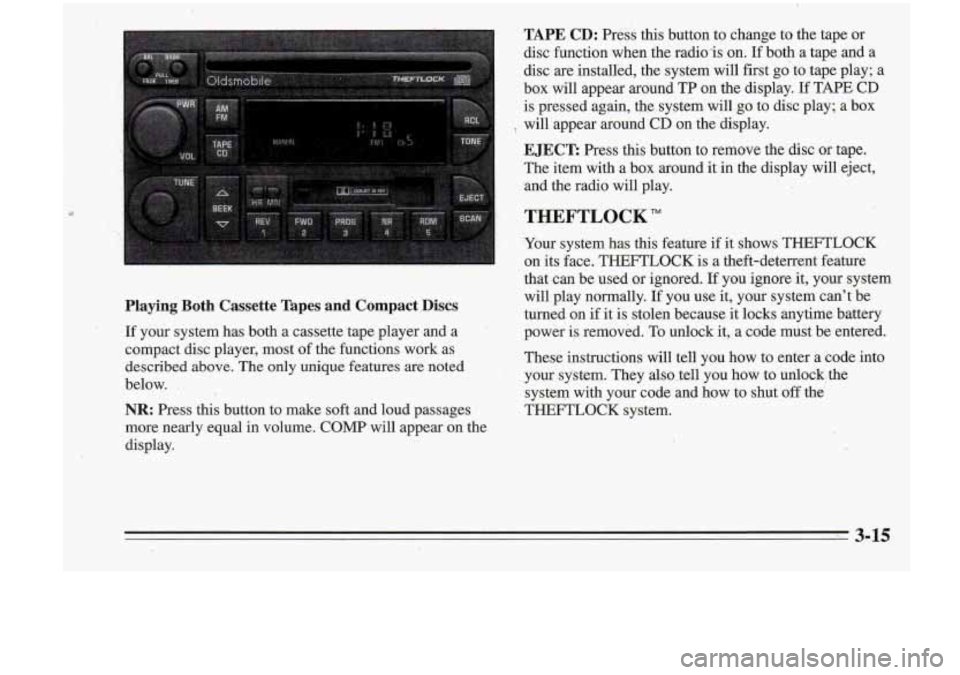
TAPE CD: Press this button to change to the taDe or
Playing Both Cassette Tapes and Compact .Discs
If your system has both a cassette tape player and a
compact disc player, most of the functions work as
described above. The only unique fezares are noted
below.
.
NR: Press this button to make soft and loud pi ages
more nearly equal
in volume. COMP will appear on the
display. disc function when the radio-is on.
Ifboth a
tap; and a
disc are installed, the system will first go to tape play; a
box will appear around TP on the display.
If TAPE CD
is pressed again, the system will go to disc play; a box
EJECT: Press this button to remove the disc or tape.
The item with a box around it in the display will eject,
'8 will appear around CD on the'display.
,, and the radio wi€l play.
THEFTLOCK"
Your system has this feature if it shows THEFTLOCK
on its face. THEFTLOCK is a theft-deterrent feature
that can be used or ignored.
If you ignore it, your system
will play normally.
I€ you use it, your system can't be
turned on if it is stolen because it locks anytime battery
power is removed. To unlock it, a code must be entered.
These instructions will tell you how to enter a code into
,your system. They also .tell you how to unlock, the
system with your code and how to shut off the
THEFTLOCK system.
Page 132 of 340
a
If you lose or forget your code and cmnot unlock the
system, contact your retailer.
3-16' ..
Page 133 of 340
Disabling THEFTLOCK
If you want to turn off THEFTLOCK, you will need to
enter your code.
If you lose or forget your code, see
your retailer.
1. Turn the ignition on and the radio off.
2. Press the 1 and 4 preset buttons at the same time and
hold until
SEC shows on the display.
You now have only
15 seconds between each of the
following steps.
3. Press MN and “000” will appear on the display.
4. Press MN again and hold until the last two digits of
5. Press and hold HR until the first digit or digits of
your code
appear.
your code appear.
4. Press AM/FM after you make sure the code matches
!lie one you wrote down.
“- - -” should appear on the
display, meaning your system is unsecured.
If SEC
appears, you entered the wrong code and the system
is still secured.
Understanding Radio Reception
FM Stereo
EM Stereo will give you the best sound, but FM signals
will reach only about
10 to 40 miles (14 to 45 km). Tall
buildings or hills can interfere with
FM signals, causing
the sound to come and go.
AM
The range for most AM stations is greater than for F”,
especially at night. The longer range, however, can
cause stations to interfere withveach other.
AM can also
pick up noise from things like storms and power lines.
To lower this noise, try reducing the treble level.
Tips about Your Audio System
Hearing damage from loud noise is almost undetectable
until it is too late. Your hearing. can adapt to higher
volumes
of sound. Sound that seems normal can be loud
and harmful to your hearing. Take precautions by
adjusting the volume control on your radio to a safe sound level before your hearing adapts to it.
3-17