Page 66 of 240
Sunroof, Mirrors
If yon try to open the sunroof in below-
freezing temperatures, or when it is
covered with snow or ice, yon can
damage the sunroof panel or motor. Mirrors
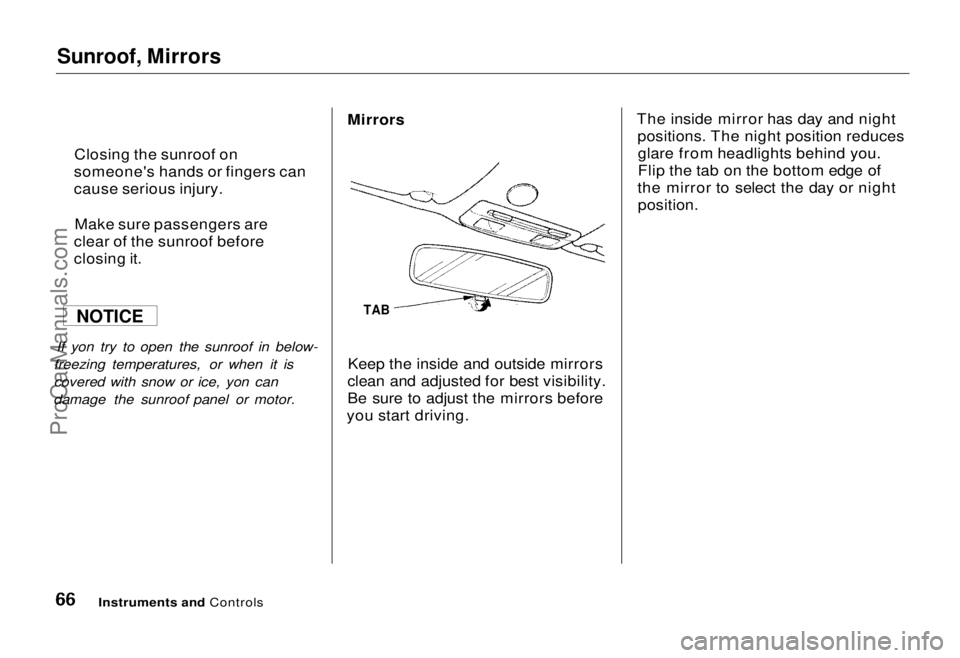
TAB
Keep the inside and outside mirrors
clean and adjusted for best visibility.
Be sure to adjust the mirrors before
you start driving. The inside mirror has day and night
positions. The night position reducesglare from headlights behind you.
Flip the tab on the bottom edge of
the mirror to select the day or night
position.
Instruments and Controls
Closing the sunroof on
someone's hands or fingers can
cause serious injury.
Make sure passengers are
clear of the sunroof before
closing it.
NOTICEProCarManuals.comMain Menu Table of Contents s t
Page 68 of 240
Parking Brake, Digital Clock
Parking Brake
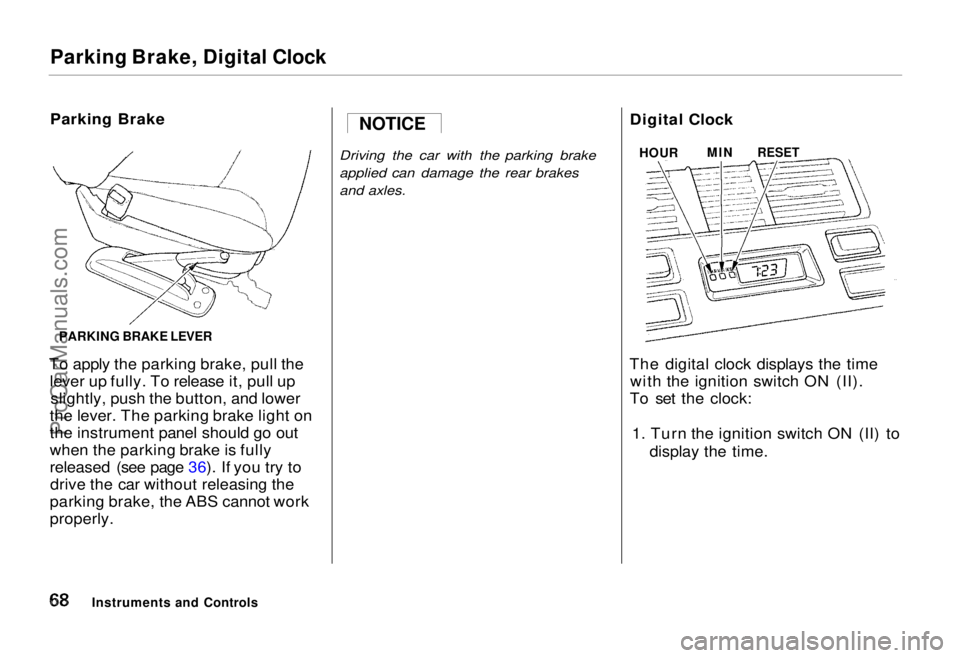
To apply the parking brake, pull the lever up fully. To release it, pull upslightly, push the button, and lower
the lever. The parking brake light on
the instrument panel should go out
when the parking brake is fully
released (see page 36). If you try to drive the car without releasing the
parking brake, the ABS cannot work
properly.
Driving the car with the parking brake
applied can damage the rear brakes
and axles.
Digital Clock
The digital clock displays the time with the ignition switch ON (II).
To set the clock:
1. Turn the ignition switch ON (II) to display the time.
Instruments and Controls NOTICE
HOUR
MIN
RESET
PARKING BRAKE LEVERProCarManuals.comMain Menu Table of Contents s t
Page 69 of 240
Digital Clock, Beverage Holder
2. Press and hold the HOUR button until the hour advances to the
desired time.
3. Press and hold the MIN. button until the numbers advance to thedesired time.
You can use the RESET button to quickly set the time to the nearest
hour. If the displayed time is before
the half hour, pressing the RESET
button sets the clock back to the
previous hour. If the displayed time
is after the half hour, pressing the RESET button sets the clock for-
ward to the beginning of the next
hour. For example: 1:06 would RESET backward to
1:00.
1:52 would RESET forward to 2:00.
Beverage Holder
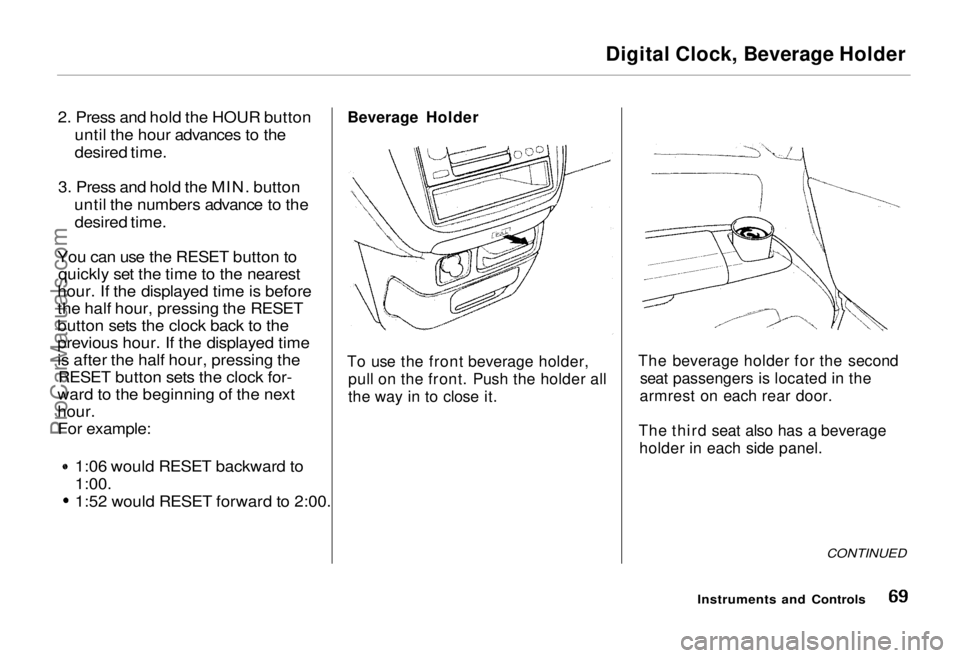
To use the front beverage holder, pull on the front. Push the holder all
the way in to close it. The beverage holder for the second
seat passengers is located in the
armrest on each rear door.
The third seat also has a beverage holder in each side panel.
CONTINUED
Instruments and ControlsProCarManuals.comMain Menu Table of Contents s t
Page 71 of 240
Center Pocket, Coin Box, Vanity Mirror
Center Pocket
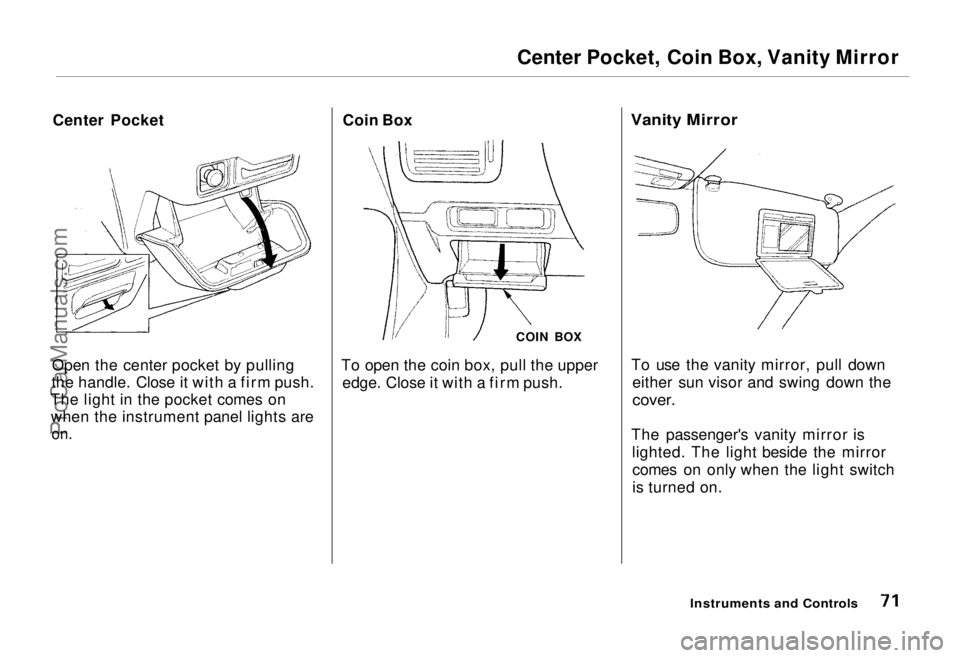
Open the center pocket by pulling
the handle. Close it with a firm push.
The light in the pocket comes on when the instrument panel lights are
on.
Coin Box
COIN BOX
To open the coin box, pull the upper edge. Close it with a firm push.
Vanity Mirror
To use the vanity mirror, pull down either sun visor and swing down the
cover.
The passenger's vanity mirror is lighted. The light beside the mirrorcomes on only when the light switch
is turned on.
Instruments and ControlsProCarManuals.comMain Menu Table of Contents s t
Page 87 of 240
Audio System
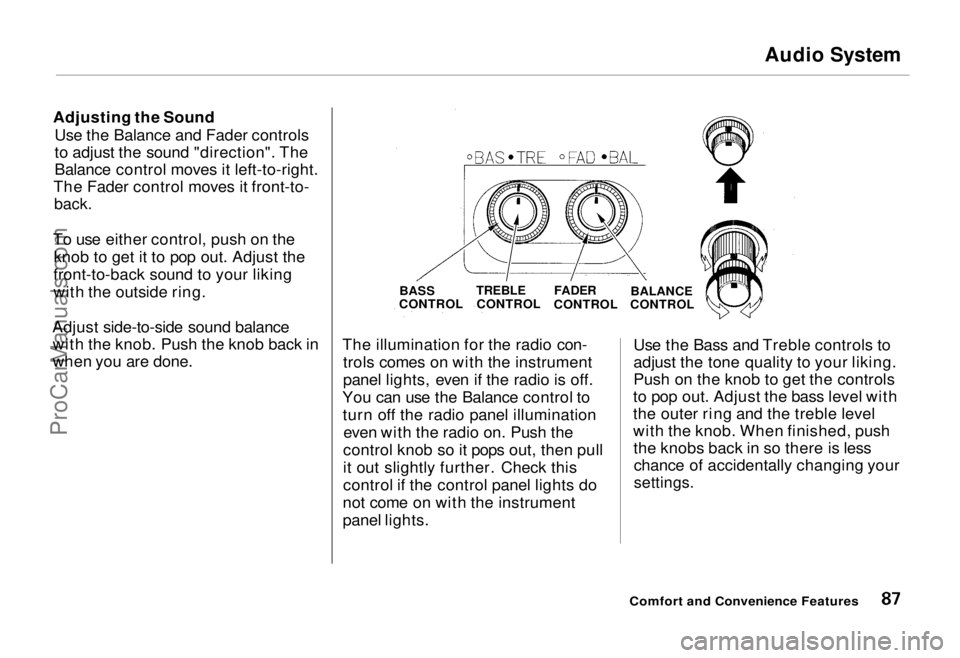
Adjusting the Sound Use the Balance and Fader controls
to adjust the sound "direction". The
Balance control moves it left-to-right.
The Fader control moves it front-to-
back.
To use either control, push on the knob to get it to pop out. Adjust the
front-to-back sound to your liking
with the outside ring.
Adjust side-to-side sound balance with the knob. Push the knob back in
when you are done. The illumination for the radio con-
trols comes on with the instrument
panel lights, even if the radio is off.
You can use the Balance control to turn off the radio panel illumination even with the radio on. Push the
control knob so it pops out, then pull
it out slightly further. Check this
control if the control panel lights do
not come on with the instrument
panel lights. Use the Bass and Treble controls to
adjust the tone quality to your liking.
Push on the knob to get the controls
to pop out. Adjust the bass level with
the outer ring and the treble level
with the knob. When finished, push the knobs back in so there is lesschance of accidentally changing your
settings.
Comfort and Convenience Features
BASS
CONTROL
TREBLE
CONTROL
FADER
CONTROL BALANCE
CONTROLProCarManuals.comMain Menu Table of Contents s t
Page 118 of 240
Preparing to Drive
You should do the following checks and adjustments every day before
you drive your car.
1. Make sure all windows, mirrors, and outside lights are clean and
unobstructed. Remove frost, snow,
or ice.
2. Check that the hood and tailgate are fully closed.
3. Visually check the tires. If a tire looks low, use a gauge to check its
pressure.
4. Check that any items you may be carrying with you inside are stored
properly or fastened down
securely. 5. Check the adjustment of the seat
(see page 56).
6. Check the adjustment of the inside and outside mirrors (see
page 66).
7. Check the adjustment of the steering wheel (see page 46).
8. Make sure the doors are securely closed and locked.
9. Fasten your seat belt. Check that your passengers have fastened
their seat belts (see page 7). 10. Turn the ignition ON (II). Check
the indicator lights in the instru-
ment panel.
11. Start the engine (see page 119).
12. Check the gauges and indicator lights in the instrument panel (see
page 35).
DrivingProCarManuals.comMain Menu Table of Contents s t
Page 120 of 240
Automatic Transmission
Your Honda's transmission has fourforward speeds, and is electronically
controlled for smoother shifting. Italso has a "lock-up" torque converter
for better fuel economy. You may
feel what seems like another shift
when the converter locks. Shift Lever Positions
This display is on the instrument panel. It shows you the position of
the shift lever. It also indicates a
possible problem in the transmissionif the "D4" indicator light flashes. The shift lever has seven positions.
It must be in Park or Neutral to start
the engine. When you are stopped in D4, D3, 2,1, N or R, press firmly on
the brake pedal and keep your foot off the accelerator pedal.
Driving
SHIFT LEVERProCarManuals.comMain Menu Table of Contents s t
Page 125 of 240
The Braking System
If this happens, you will immediately
notice that the brake pedal goes down much farther and you need to
press on it much harder. A much
longer distance will be needed to stop the car.
Slow the car by downshifting to a
lower gear and removing your foot
from the accelerator pedal. Pull to the side of the road as soon as it issafe. Because of the longer stopping
distance needed, brake system
failure is very hazardous. It is best to
have your car towed, but if you must drive the car in this condition, be
extremely cautious. Have your car
repaired as soon as possible.
Anti-lock Brakes
All U.S. models and the Canadian six-passenger model have an Anti-lockBrake System (ABS) as standard
equipment. It is optional on the
Canadian seven-passenger model.
ABS helps you maintain steering control. It does this by helping you to
prevent the wheels from locking up and skidding.
The ABS is always "On". It requires no special effort or driving technique.
You will feel a pulsation in the brake pedal when the ABS activates.
Activation varies with the amount of traction your tires have. On dry
pavement, you will need to press on
the brake pedal very hard before you
feel the pedal pulsation that means
the ABS has activated. However, youmay feel the ABS activate immedi-
ately if you are trying to stop on
snow or ice. Under all conditions, the
ABS is helping to prevent the wheels from locking so you can retainsteering control. You should con-
tinue to press on the brake pedal
with the same force.
You may feel a slight movement of the brake pedal just after you start
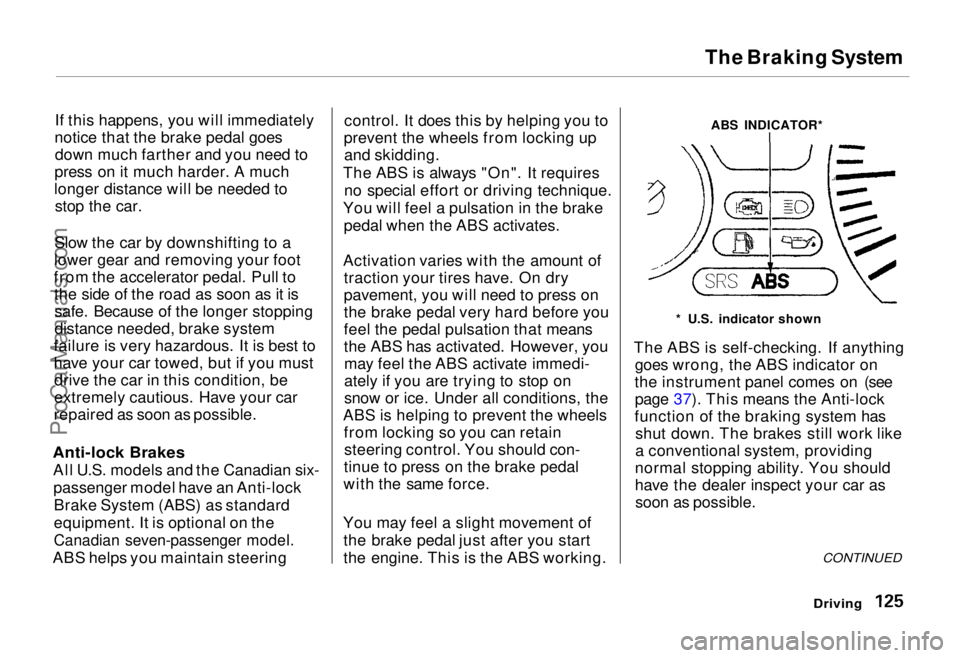
the engine. This is the ABS working. ABS INDICATOR*
* U.S. indicator shown
The ABS is self-checking. If anything goes wrong, the ABS indicator on
the instrument panel comes on (see page 37). This means the Anti-lock
function of the braking system has shut down. The brakes still work like
a conventional system, providing
normal stopping ability. You should
have the dealer inspect your car as soon as possible.
CONTINUED
DrivingProCarManuals.comMain Menu Table of Contents s t