Page 203 of 354
I
I
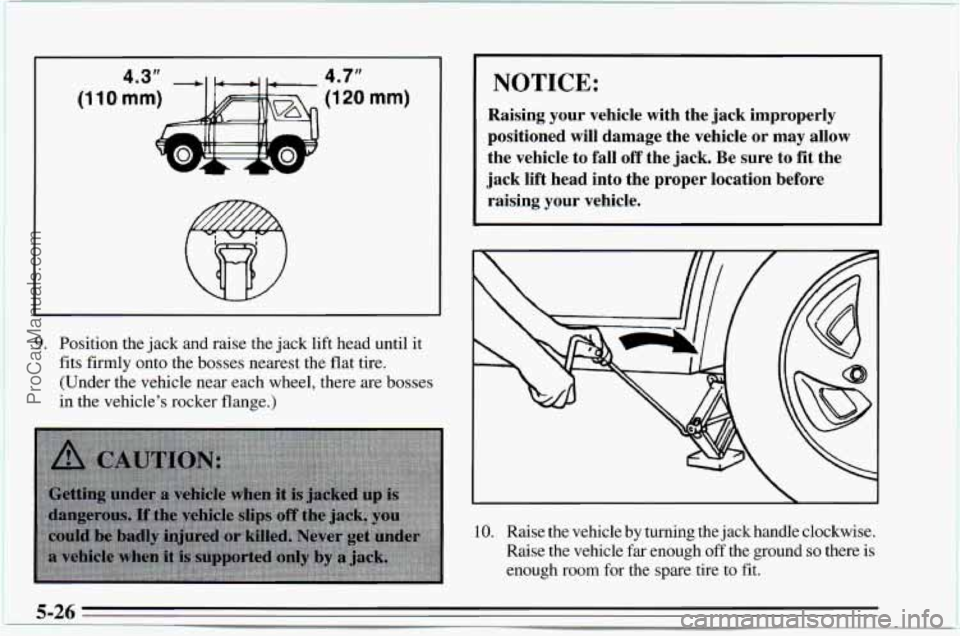
9. Position the jack and raise the jack lift head until it
fits firmly onto the bosses nearest the flat tire.
(Under the vehicle near each wheel, there are bosses
in the vehicle’s rocker flange.)
NOTICE:
Raising your vehicle with the jack improperly
positioned will damage the vehicle or may allow
the vehicle to fall
off the jack. Be sure to fit the
jack lift head into the proper location before raising your vehicle.
10. Raise the vehicle by turning the jack handle clockwise.
Raise the vehicle far enough
off the ground so there is
enough room for the spare tire to fit.
5-26
ProCarManuals.com
Page 204 of 354
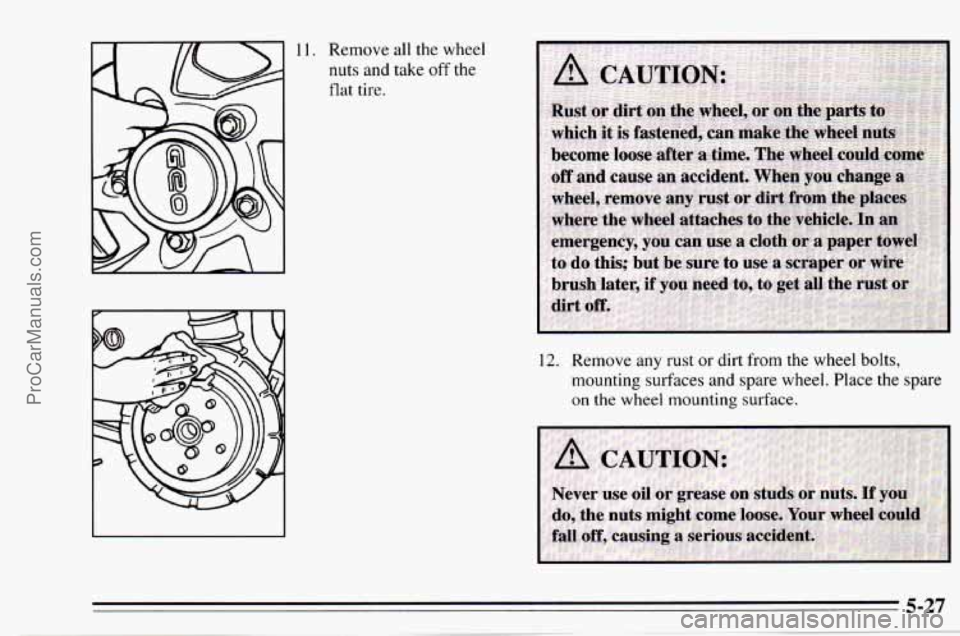
11. Remove all the wheel
nuts and take off the
flat tire.
12. Remove any rust or dirt from the wheel bolts,
mounting surfaces and spare wheel. Place
the spare
on the wheel mounting surface.
ProCarManuals.com
Page 205 of 354
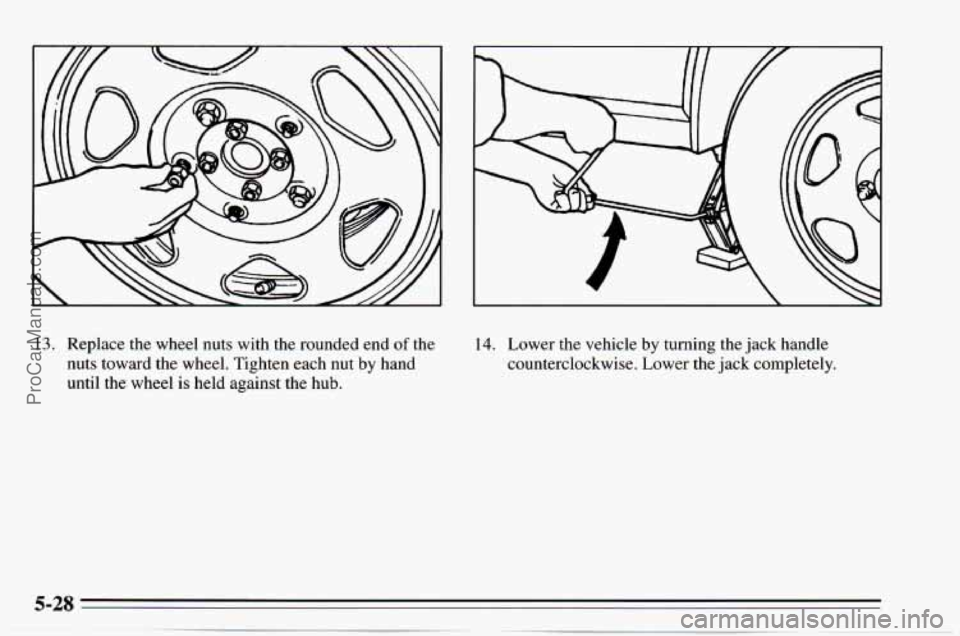
13. Replace the wheel nuts with the rounded end of the
nuts toward the wheel. Tighten each nut
by hand
until the wheel
is held against the hub.
14. Lower the vehicle by turning the jack handle
counterclockwise. Lower the jack completely.
ProCarManuals.com
Page 206 of 354
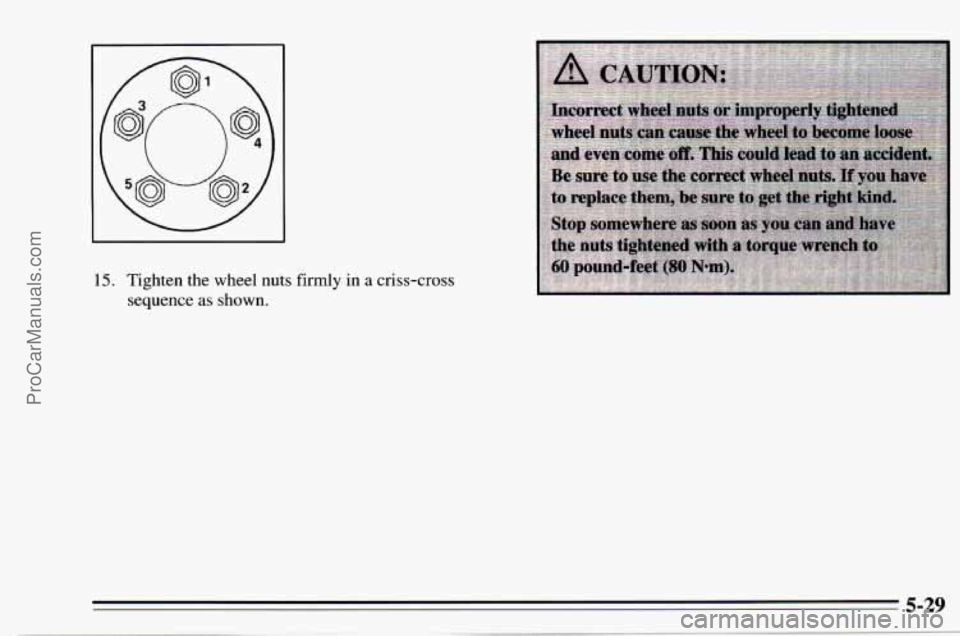
15. Tighten the wheel nuts firmly in a criss-cross
sequence
as shown.
ProCarManuals.com
Page 207 of 354
1.
2.
3.
4.
5.
6.
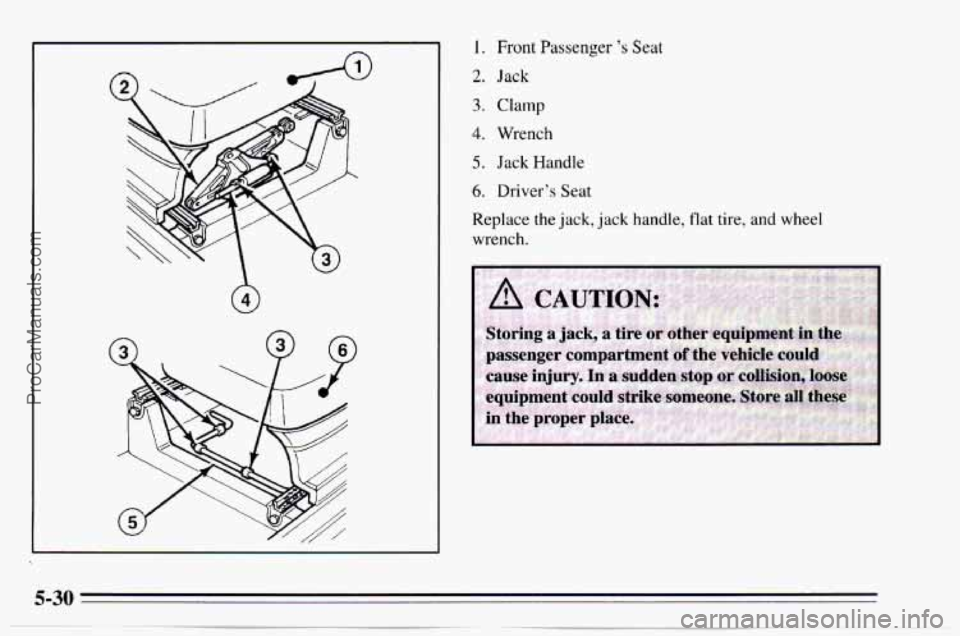
Front Passenger 's Seat
Jack
Clamp
Wrench
Jack Handle
Driver's Seat
Replace the jack, jack handle, flat tire, and wheel
wrench.
ProCarManuals.com
Page 208 of 354
If You’re Stuck: In Sand, Mud, Ice or
Snow
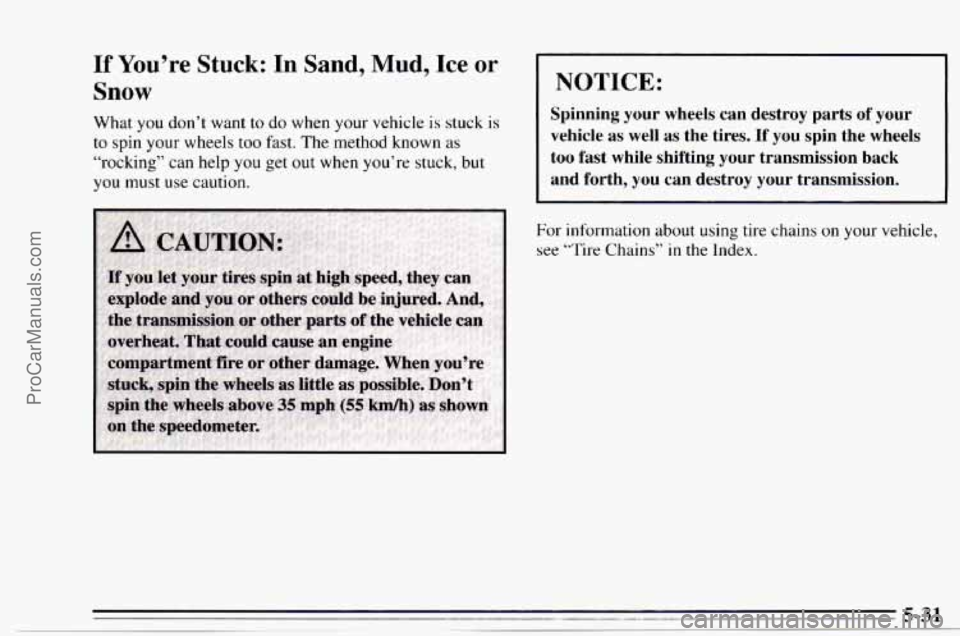
What you don’t want to do when your vehicle is stuck is
to spin
your wheels too fast. The method known as
“rocking” can help you get out when you’re stuck, but
you must use caution.
I NOTICE:
Spinning your wheels can destroy parts of your
vehicle as well as the tires. If you spin the wheels
too fast while shifting your transmission back
and forth, you can destroy your transmission.
For information about using tire chains on your vehicle,
see
‘“Tire Chains” in the Index.
ProCarManuals.com
Page 209 of 354
Rocking your vehicle to get it out:
First, turn your steering wheel left and right. That will
clear the area around your front wheels. Then shift back
and forth between REVERSE (R) and
a forward gear (or
with a manual transmission, between FIRST (1) or
SECOND (2) and REVERSE (R)), spinning the wheels
as little as possible. Release the accelerator pedal while
you shift, and press lightly on the accelerator pedal
when the transmission is in gear. If that doesn’t get
you
out after a few tries, you may need to be towed out. Or,
you can use your recovery hooks, if your vehicle has
them.
If you do need to be towed out, see “Towing Your
Vehicle” in the
Index.
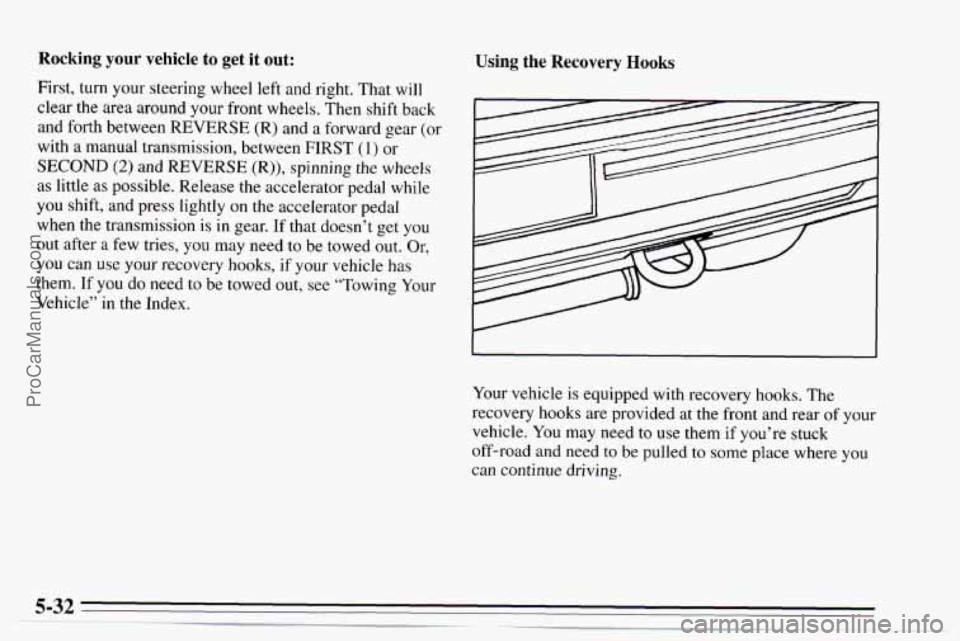
Using the Recovery Hooks
Your vehicle is equipped with recovery hooks. The
recovery hooks are provided at the front and rear of your
vehicle. You may need to use them if you’re stuck
off-road and need to be pulled to some place where
you
can continue driving.
ProCarManuals.com
Page 235 of 354
Rear Axle Four- Wheel Drive
When to Check and Change Lubricant
Refer to the
Maintenance Schedule to determine how
often to check the lubricant and when to change it. See
“Periodic Maintenance Inspections” and “Scheduled
Maintenance Services” in the Index.
How to Check Lubricant
If the level is below the bottom of the filler plug hole,
you’ll need to add some lubricant. Add enough lubricant
to raise the level to the bottom
of the filler plug hole.
What to Use
Refer to the Maintenance Schedule to determine what
kind
of lubricant to use. See “Recommended Fluids and
Lubricants” in the Index. Most
lubricant checks in this section also apply to
four-wheel-drive vehicles. However, they have
two
additional systems that need lubrication.
Transfer Case
When to Check and Change Lubricant
Refer to the Maintenance Schedule to determine how
often to check the lubricant and when
to change it. See
“Scheduled Maintenance Services” in the Index.
How to Check Lubricant
If the level is below the bottom of the filler plug hole,
you’ll need to add some lubricant. Add enough lubricant
to raise the level
to the bottom of the filler plug hole.
What to Use
Refer to the Maintenance Schedule to determine what
kind
of lubricant to use. See “Recommended Fluids and
Lubricants” in the Index.
ProCarManuals.com