1995 CHEVROLET SUBURBAN ignition
[x] Cancel search: ignitionPage 148 of 486
Voltmeter
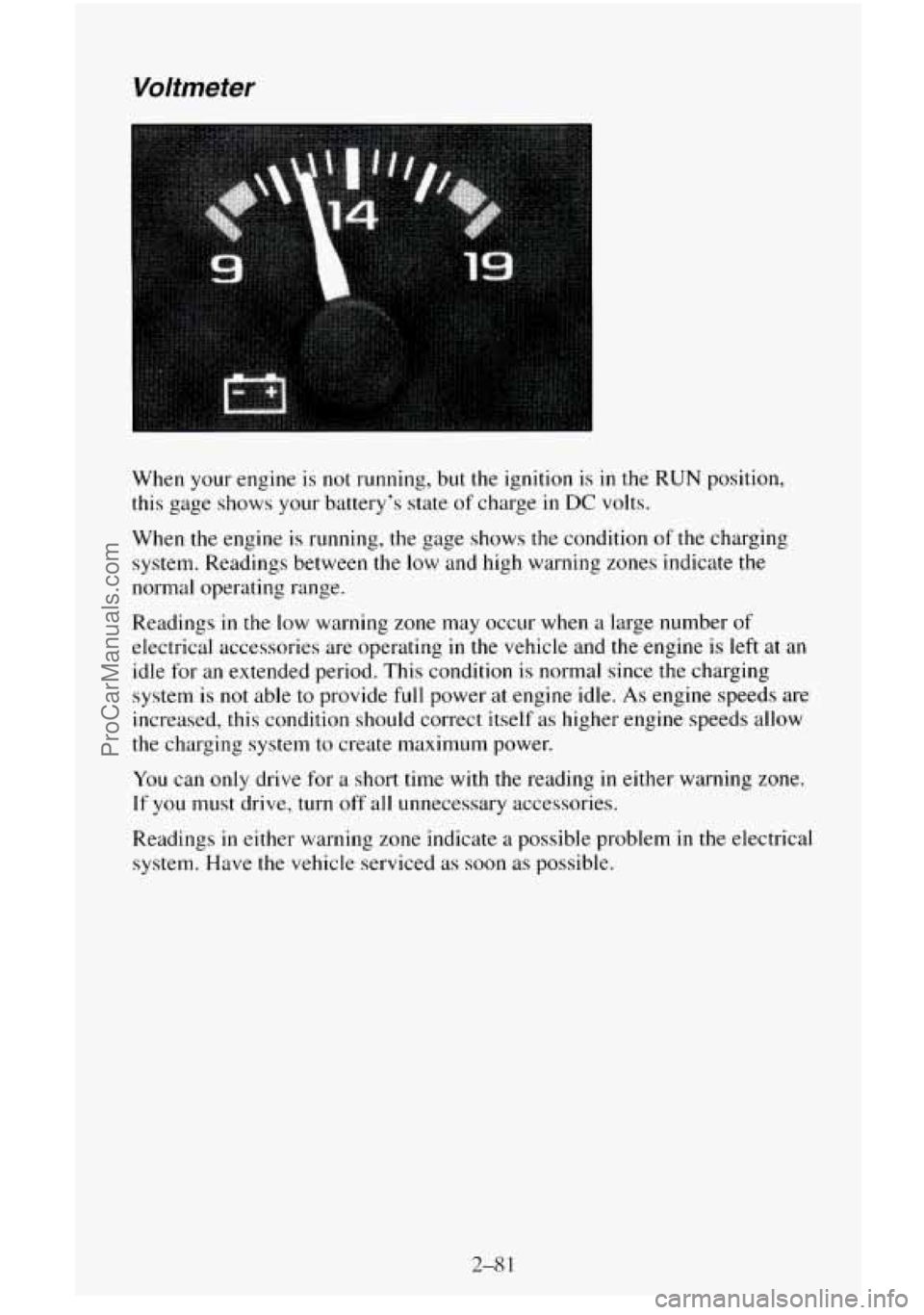
When your engine is not running, but the ignition is in the RUN position,
this gage shows your battery’s state of charge
in DC volts.
When
the engine is running, the gage shows the condition of the charging
system. Readings between the low and high warning zones indicate
the
normal operating range.
Readings in the low warning zone may occur when a large number
of
electrical accessories are operating in the vehicle and the engine is left at an
idle
for an extended period. This condition is normal since the charging
system
is not able to provide full power at engine idle. As engine speeds are
increased,
this condition should correct itself as higher engine speeds allow
the charging system
to create maximum power.
You can only drive for a short time with the reading in either warning zone.
If you must drive, turn off all unnecessary accessories.
Readings in either warning zone indicate a possible problem
in the electrical
system. Have the vehicle serviced as soon as possible.
2-8 1
ProCarManuals.com
Page 162 of 486
Rear Window Defogger (Option)
You can tell if your vehicle has this option by looking at the rear window. If
you see lines running across the glass, you have it. These are the wire-like
elements which heat your window.
NOTICE:
Scraping the inside of your rear window could cut and damage
the defogger. Your warranty would not cover this damage. And,
don’t put decals there, you might have to scrape them off.
For best results, clear the window of as much snow or ice as possible first.
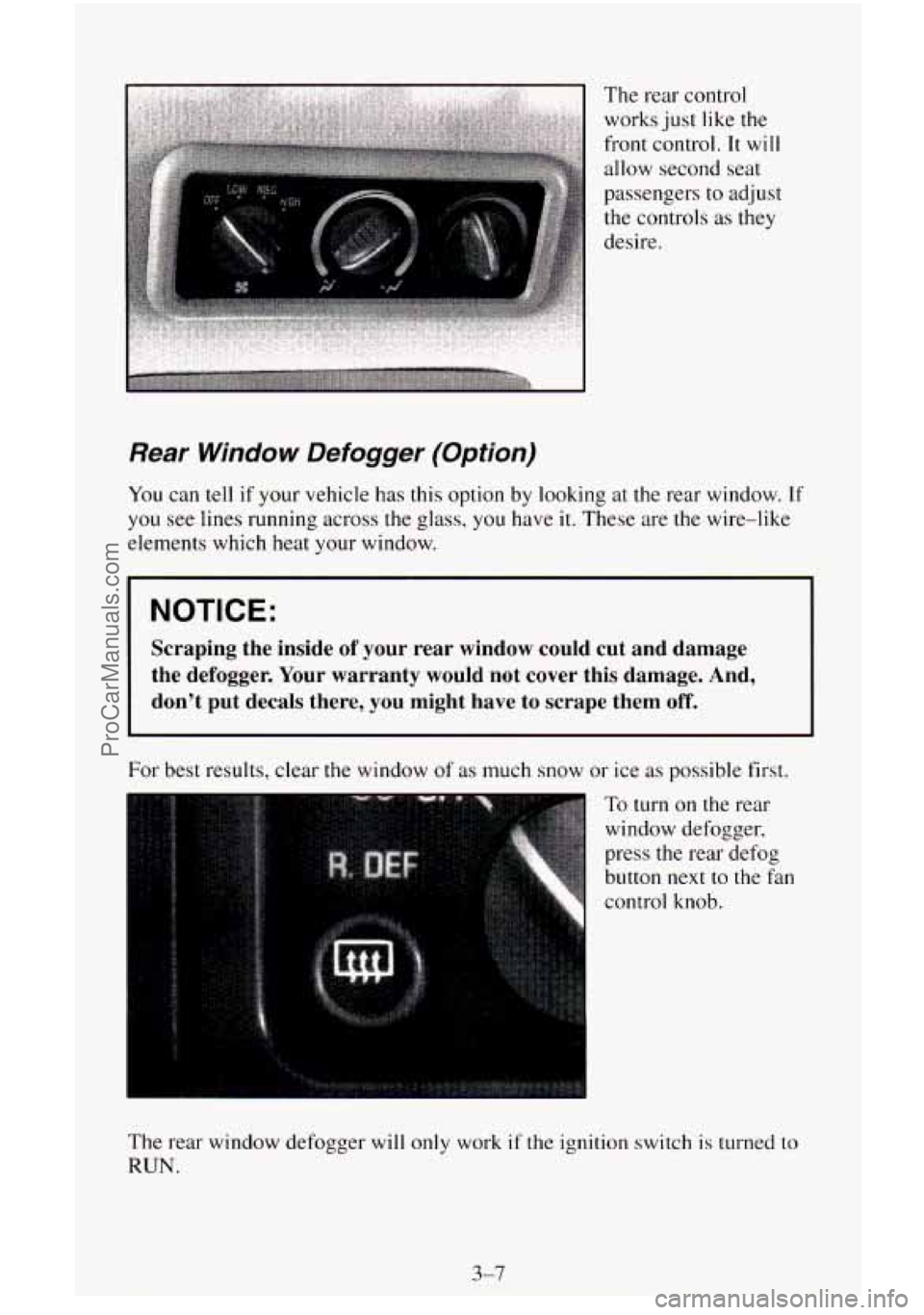
To turn on the rear
window defogger,
press the rear defog
button
next to the fan
control knob.
The rear window defogger will
only work if the ignition switch is turned to
RUN.
3-7
ProCarManuals.com
Page 164 of 486
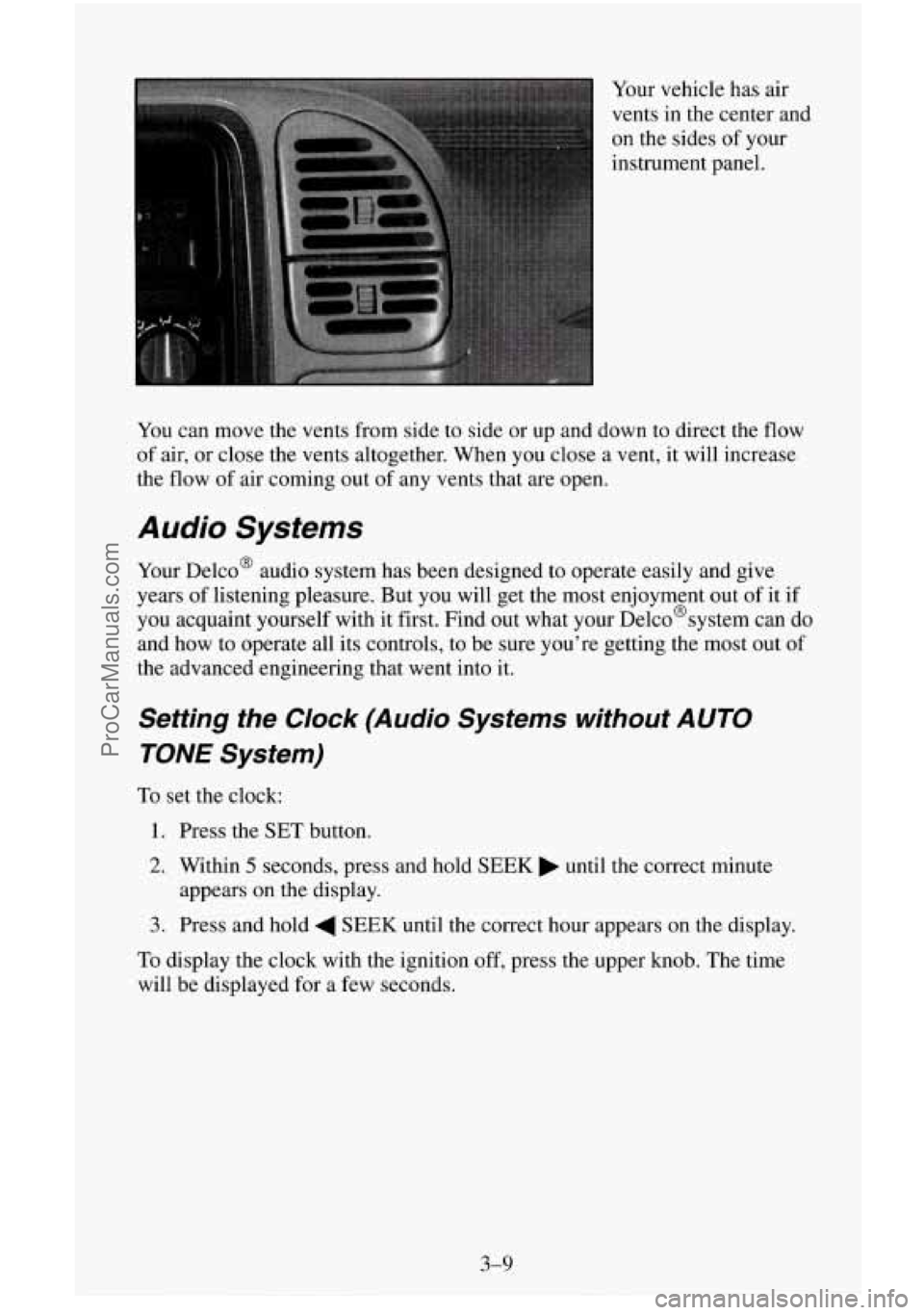
Your vehicle has air
vents in the center and
on the sides of your
instrument panel.
You can move the vents from side to side or up and down to direct the
flow
of air, or close the vents altogether. When you close a vent, it will increase
the flow of air coming out of any vents that are open.
Audio Systems
Your Delco@ audio system has been designed to operate easily and give
years of listening pleasure. But
you will get the most enjoyment out of it if
you acquaint yourself with it first. Find out what your Delco@systern can
do
and how to operate all its controls, to be sure you’re getting the most out of
the advanced engineering that went into it.
Setting the Clock (Audio Systems without AUTO
TONE System)
To set the clock:
1. Press the SET button.
2. Within 5 seconds, press and hold SEEK until the correct minute
3. Press and hold 4 SEEK until the correct hour appears on the display.
appears
on the display.
To display the clock with the ignition off, press the upper knob. The time
will be displayed for a few seconds.
3-9
ProCarManuals.com
Page 165 of 486
Setting the Clock (Audio Systems with AUTO TONE
System)
The buttons used to set the clock are located below the AUTO TONE button
in the bottom right corner of your audio system.
To set the clock:
1. Press and hold HR until the correct hour appears on the display.
2. Press and hold MIN until the correct minute appears on the display.
To display the clock with the ignition off, press the recall button. The time
will be displayed for a few seconds.
There is an initial two-second delay before the clock goes into the time-set
mode.
How to Operate Your ETW AM-FM Stereo Audio
System
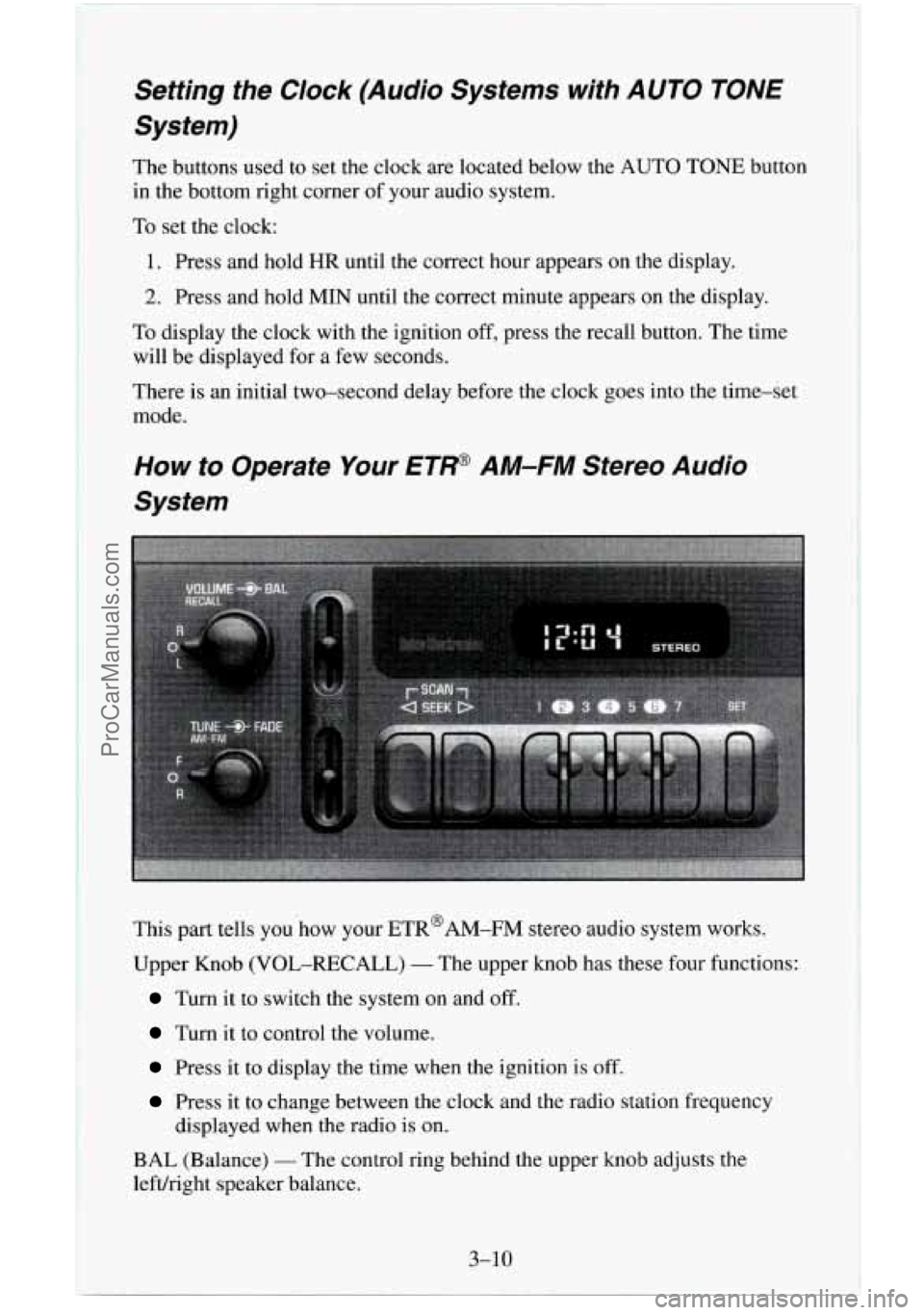
This part tells you.how your ETR@AM-FM stereo audio system works.
Upper Knob (VOL-RECALL)
- The upper knob has these four functions:
Turn it to switch the system on and off.
Turn it to control the volume.
Press it to display the time when the ignition is off.
Press it to change between the clock and the radio station frequency
displayed when the radio is
on.
BAL (Balance) - The control ring behind the upper knob adjusts the
left/right speaker balance.
3-10
ProCarManuals.com
Page 167 of 486
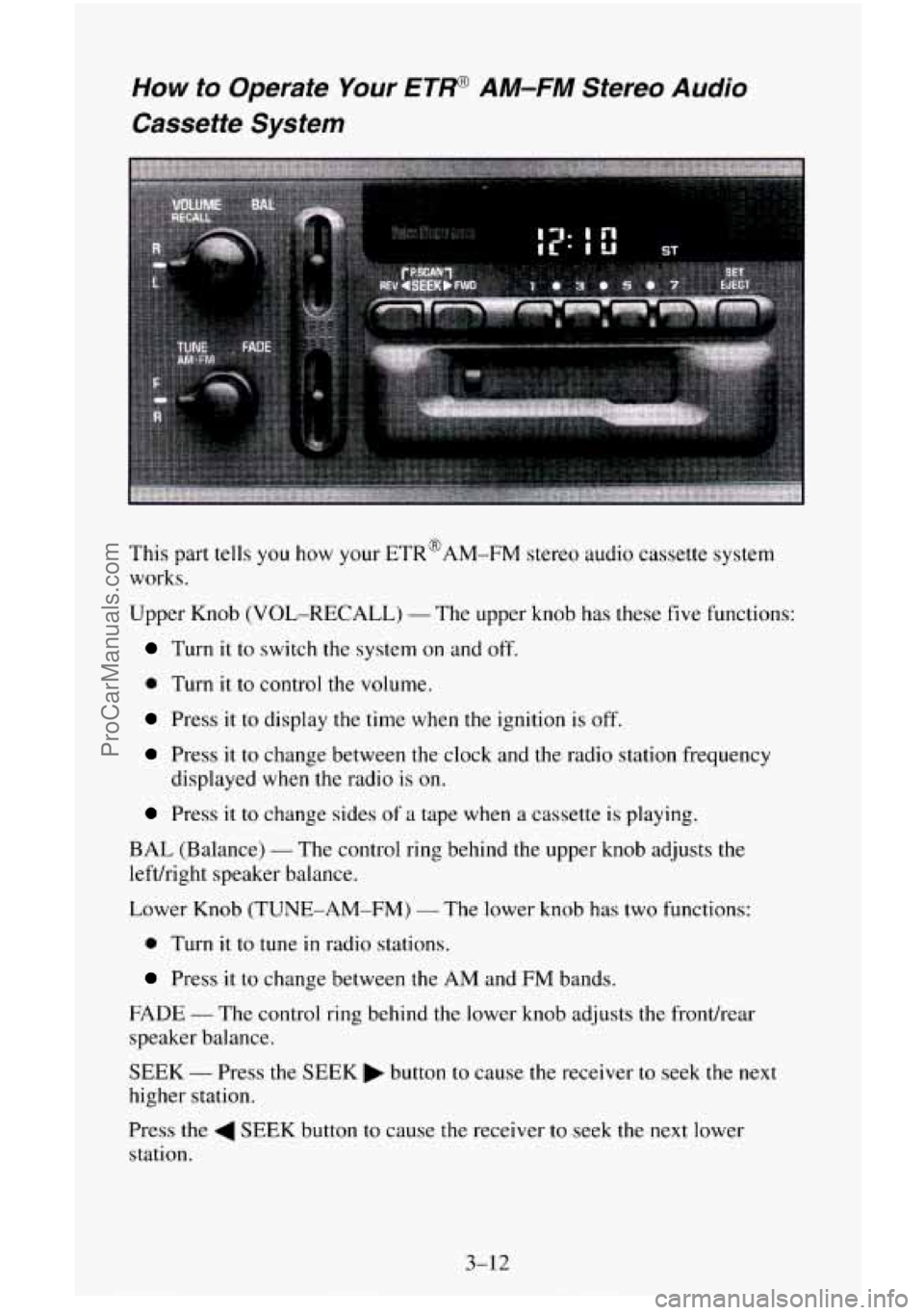
How to Operate Your ETP AM-FM Stereo Audio
Cassette System
This part tells you how your ETR@AM-FM stereo audio cassette system
works.
Upper Knob (VOL-RECALL)
- The upper knob has these five functions:
Turn it to switch the system on and off.
0 Turn it to control the volume.
Press it to display the time when the ignition is off.
Press it to change between the clock and the radio station frequency
displayed when the radio
is on.
Press it to change sides of a tape when a cassette is playing.
BAL (Balance)
- The control ring behind the upper knob adjusts the
lefthight speaker balance.
Lower Knob (TUNE-AM-FM)
- The lower knob has two functions:
0 Turn it to tune in radio stations.
Press it to change between the AM and FM bands.
FADE
- The control ring behind the lower knob adjusts the fronthear
speaker balance.
SEEK
- Press the SEEK button to cause the receiver to seek the next
higher station.
Press the
4 SEEK button to cause the receiver to seek the next lower
station.
3-12
ProCarManuals.com
Page 170 of 486
RCL (Recall) - Press this button to change between the clock and the radio
station frequency displayed when the radio is on. Also, press this button to
display the time when the ignition is off.
TUNE - Press lightly on the TUNE button to release it from its stored
position. Rotate
the knob clockwise to increase frequency and
counterclockwise to decrease radio frequency. When done, press
the knob
again to return
it to its stored position.
Pushbuttons
- The six pushbuttons let you return to favorite stations. To
set the pushbuttons for up to
18 favorite stations (6 AM, 6 FM1 and 6 FM2):
1. Tune in the desired station.
2. Press AUTO TONE to select the best setting for the type of station
chosen.
3. Press and hold one of the pushbuttons until sound returns
(approximately two seconds). Whenever you press
that button, me
preset station will return.
Repeat these steps for each pushbutton.
SEEK
- Press SEEK to cause the receiver to seek the next higher
station.
Press
4 SEEK to cause the receiver to seek the next lower station.
SCAN
- Press and hold the center of the SEEK button to momentarily hear
each available station. Release the button when SCAN appears
in the
display. The receiver will continue to scan and momentarily stop at each
station
until you press the center of the SEEK button again.
P. SCAN (Preset Scan)
- Press this button to scan each preset pushbutton
station. The receiver will continue to scan and momentarily stop at each
station
until you press either P. SCAN again or one of the six pushbuttons.
The AUTO SCAN setting for
that preset button will also return. The
pushbutton number (PI-P6)
will appear momentarily just before frequency
is displayed.
AUTO TONE
- Press this button to select between five preset equalization
settings and tailor the sound to
the music or voice being heard. Each time
you press the button, the selection
will switch to one of the preset settings of
CLASSIC, NEWS, ROCK, POP, or
JAZZ. The display will show which
mode the receiver is in. To return to the manual mode, press and release
AUTO TONE until
MAN (manual) appears in the display. This will return
the tone adjustment to the TREB and BASS controls. Also, any time a
TREB or BASS control is rotated, tone is automatically set back to MAN
(manual).
3-15
ProCarManuals.com
Page 171 of 486
FADE - Press lightly on the FADE knob to release it from its stored
position and
pull it out to the fully extended position. Rotate the knob
clockwise to adjust sound
to the front speakers and counterclockwise to
adjust sound to the rear speakers. Push the knob back
in to the stored
position when done.
BAL
- Press lightly on the BAL knob to release it from its stored position
and pull it
out to the fully extended position. Rotate the knob clockwise to
adjust sound to the right speakers and counterclockwise to adjust sound
to
the left speakers. Push the knob back in to the stored position when done.
BASS
- Press lightly on the BASS knob to release it from its stored
position and pull
it out to the fully extended position. Rotate the knob
clockwise
to increase the bass response and counterclockwise to decrease
bass response. Any time the BASS control is rotated,
tone is automatically
set back to
MAN (manual). Push the knob back in to the stored position
when done.
TREBLE
- Press lightly on the TREB knob to release it from its stored
position and pull
it out to the fully extended position. Rotate the knob
clockwise to increase the treble response and counterclockwise
to decrease
treble response. Any time the TREB control is rotated,
tone is automatically
set back
to MAN (manual). Push the knob back in to the stored position
when done.
To Play a Cassette
Your tape player is built to work best with tapes that are 30 to 45 minutes
long
on each side. Tapes longer than that are so thin they may not work well
in this player.
To load a cassette tape with the ignition off, first press EJECT or RCL.
Then, insert the cassette tape.
Once the tape is playing, use the control knobs for volume, balance, fade,
treble and bass just
as you do for the radio. A lighted tape symbol shows
when a cassette tape is in the player. A lighted arrow
will also appear and
show the direction of play when a tape
is active.
The player automatically senses if the cassette tape
is metal or CR02 and
adjusts for best playback sound. For metal tapes,
00 (Dolby' Noise
Reduction) will appear
in the display.
Any time
a cassette tape is inserted, the top side is selected for play first.
PREV (1)
- Press PREV or 4 SEEK (in the direction that the lighted tape
direction
arrow points) to search for the previous selection. A minimum
three-second blank gap is needed for the player to stop at the beginning
of
the selection. The tape direction arrow will blink during the SEEK
operation.
3-16
..
ProCarManuals.com
Page 172 of 486
PROG (2) - Press PROG to go from one side of the tape to the other.
NEXT
(3) - Press NEXT or SEEK (in the direction that the lighted tape
direction. arrow points) to search for the next selection.
A minimum
three-second blank gap is needed for the player to stop at the beginning of
the selection.
NEXT will appear in the display.
REV
(4)- To rapidly reverse the tape, press REV and the tape will rapidly
reverse to the beginning of the cassette reel or
until you press REV again.
The radio plays the last selected station during REV.
00 (5)- Press 00 to reduce cassette tape noise. The 00 symbol will
appear
in the display while the player is in this mode.
FWD (6)- To rapidly advance the tape, press FWD and the tape will
rapidly advance to the end of the cassette reel or until you press FWD again.
The radio plays the last selected station during FWD.
TAPE AUX- To switch between the player and the radio
when a tape is
playing, press the AM/FM button. To return to the tape player, press
TAPE
AUX. The lighted arrow will appear and show the direction of play when a
tape is active.
EJECT
- To remove the tape press the EJECT button. EJECT can be used
with either the ignition
or radio off. Also, you must press EJECT before
loading a cassette with the radio off to
allow loading.
If a tape is inserted with side “1” (or “A”) up, then the right arrow means
that that side is being played. Likewise, a left arrow would indicate that side
“2” (or “B”) had been selected.
00 Dolby@ Noise Reduction is manufactured under a license from Dolby
Laboratories Licensing Corporation. Dolby@ and
the 00 symbol are
trademarks
of Dolby Laboratories Licensing Corporation.
THEFTLOCK” Theft Deferent Feature
THEFTLOCK” is an anti-theft feature for the cassette player. It can be
used or ignored.
If ignored, the system plays normally. If it is used, your
player won’t be usable if it is ever stolen, because
it will go to LOC mode
any time the battery power is removed. After
a loss of battery power, the
player cannot be turned on unless
an unlock code is entered. When
activated, an indicator will flash
while the ignition is off.
The following instructions tell you how to enter a secret code to activate the
THEFTLOCK system. If your vehicle loses battery power for any reason,
you must unlock the svstem with the secret code before
the radio will turn
on.
3-17
ProCarManuals.com