1995 CHEVROLET MONTE CARLO light
[x] Cancel search: lightPage 113 of 324
Downloaded from www.Manualslib.com manuals search engine Air Conditioning
On very hot days, open the windows long enough to
let
hot inside air escape. This reduces the time the
compressor has to run, which should help fuel economy.
For quick cool-down on very hot days, use
MAX with
the temperature control all the way in the blue area. If
this setting is used for long periods of time, the air in
your vehicle may become too dry.
Heating
For normal cooling on hot days, use A/C with the
temperature control in the blue area. The system will
bring in outside air and cool it.
On cool but sunny days, the sun may warm your upper
body, but your lower body may not be warm enough.
You can use BI-LEVEL with the temperature control in
the middle. The system will bring in outside air and
direct it to your upper body, while sending slightly
warmed air to your lower body. You may notice this
temperature difference more at some times
than others. On
cold days use FLOOR with the temperature control
all the way in the red area. The system will bring in
outside air, heat it and send it to the floor ducts.
If your vehicle has an engine coolant heater, you can use
it
to help your system provide warm air faster when it’s
cold outside
(0°F (-18°C) or lower). An engine
coolant heater warms the coolant your engine and
heating system use to provide heat. See “Engine
Coolant Heater”
in the Index.
Ventilation
For mild outside temperatures when little heating or
cooling
is needed, use VENT to direct outside air
through your vehicle. Your vehicle also has the
flow-through ventilation system described later
in
this section.
Defogging and Defrosting Windows
Your system has two settings for clearing the front and
side windows.
To defrost the windows quickly, use
DEFROST with the temperature knob all
the way in
the red area. To warm passengers while keeping the
windows clean, use
DEFOG.
3-3
Page 119 of 324
Downloaded from www.Manualslib.com manuals search engine Finding a Station
AM FM: Press this button to get AM, FMl or FM2.
The display shows your selection.
TUNE: Press this knob lightly so it extends. Turn it to
choose radio stations. Push the
knob back in when
you’re not using it.
SEEK: Press the forward or backward arrow to go to
the next higher or lower station. The sound will be
muted while seeking.
SCAN: Press one of the SEEK arrows for two seconds,
and
SCAN will appear in the display. Use SCAN to
listen to stations for a few seconds. The radio will go to
a station, stop for a few seconds, then go on to the next
station. Press
SEEK again to stop scanning.
Presets: The six pushbuttons let you return to your
favorite stations.
You can set up to 18 stations (6 AM,
6 FM1 and 6 FM2). You can also set an equalization
setting with each preset station.
1. Press AM FM to select the band.
2. Find the station you want.
3. Press AUTO TONE to choose the equalization
setting for the station.
4. Press and hold one of the six numbered buttons.
5. The sound will mute. When it returns, release the
button.
Whenever you press that numbered button, the station
you set will return.
P SCAN: Press P SCAN to listen to each of your preset
stations for a few seconds. The radio will go to the first
preset station, stop for a few seconds, then
go on to the
next preset station. Press
P SCAN again to stop
scanning.
Setting the Tone
BASS:
Press this knob lightly so it extends. Turn the
knob to increase or decrease bass. The middle position is
a detent.
TREB: Press this button lightly so it extends. Turn the
knob to increase or decrease treble. The middle
position
is a detent.
Push the knobs back in when you’re not using them.
3-9
Page 120 of 324
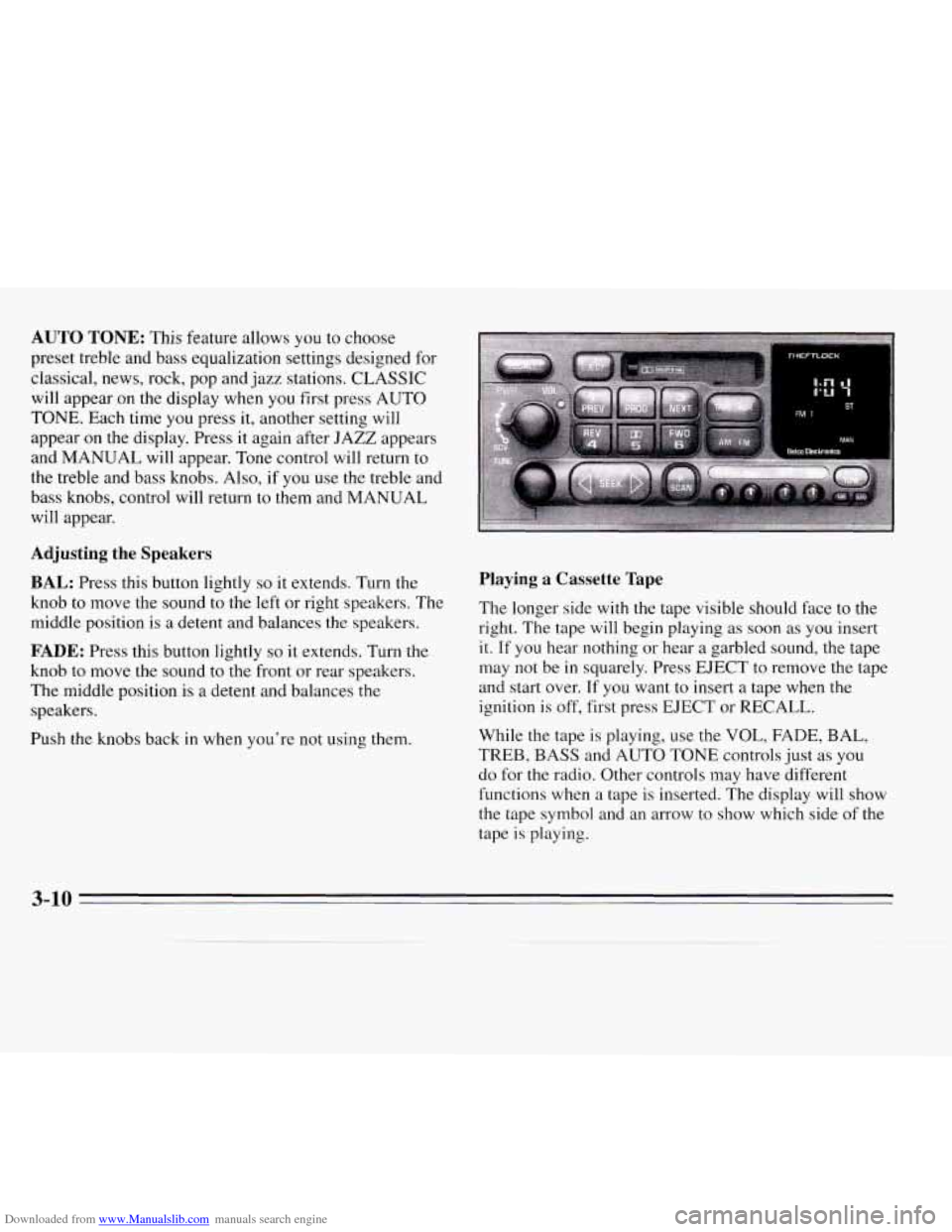
Downloaded from www.Manualslib.com manuals search engine AUTO TONE: This feature allows you to choose
preset treble and bass equalization settings designed for
classical, news, rock, pop and jazz stations. CLASSIC
will appear on the display when you first press AUTO
TONE. Each time you press it, another setting will
appear on the display. Press it again after JAZZ appears
and MANUAL will appear. Tone control will return to
the treble and bass knobs. Also, if
you use the treble and
bass knobs, control will return to them and MANUAL
will appear.
Adjusting the Speakers
BAL: Press this button lightly so it extends. Turn the
knob to move the sound
to the left or right speakers. The
middle position is
a detent and balances the speakers.
FADE: Press this button lightly so it extends. Turn the
knob to move
the sound to the front or rear speakers.
The middle position is a detent and balances the
speakers.
Push
the knobs back in when you're not using them.
Playing a Cassette Tape
The longer side with the tape visible should face to the
right. The tape
will begin playing as soon as you insert
it. If you hear nothing or hear a garbled sound, the tape
may
not be in squarely. Press EJECT to remove the tape
and start over.
If you want to insert a tape when the
ignition is off, first press EJECT or RECALL.
While the tape
is playing, use the VOL, FADE, BAL,
TREB, BASS and AUTO TONE controls just as you
do for the radio. Other controls may have different
functions when a tape is inserted. The display will show
the tape symbol and an arrow to show which side of the
tape
is playing.
3-10
Page 126 of 324
Downloaded from www.Manualslib.com manuals search engine Care of Your Cassette Tape Player
A tape player that is not cleaned regularly is subject to
reduced sound quality, ruining the cassette or damaging
the mechanism. Tape cassettes that are not properly
stored
in their plastic cases away from contaminants,
direct sunlight, and extreme heat may not operate
properly and could cause premature failure
of the
tape player.
Your tape player should be cleaned with every
50 hours
of use to provide optimum performance.
Your radio may
display Cln to indicate that you have used your tape
player for
50 hours without resetting the tape clean
timer.
If you notice a reduction in sound quality,
regardless
of when the tape player was last cleaned, try
playing a different cassette to see
if the tape or the
tape player is at fault. If the second cassette results
in
no improvement in sound quality, try cleaning the
tape player.
Proper tape player cleaning should be done with
a
scrubbing action, non-abrasive cleaner cassette. This is a
wet-type cleaning system that uses
a cleaning cassette
with pads that scrub the tape head as the hubs of
the
cleaner cassette turn. To properly clean your tape player,
follow the instructions with the cleaning cassette. If
you
use this type of cleaner, the radio may display an error
and eject the cartridge. This is normal and is the result
of an added feature in the tape player that detects broken
tapes. If an error occurs, you will need to insert the
cleaning cassette at least three times to thoroughly clean
the tape player.
You may prefer to use a non-scrubbing action, wet-type
cleaner. This type
of cleaner uses a fabric belt to clean
the tape head. This type of cleaner cassette will not
cause an error, but
it may not clean the tape player as
thoroughly as the scrubbing-type cleaner.
A scrubbing action cleaner is available through your
dealer
(GM Part No. 12344600).
Cassettes are subject to wear, and the sound quality may
degrade over time. Always verify that the cassette tape
is
in good condition and the tape player is clean before
obtaining service on your tape player.
3-16
Page 127 of 324
Downloaded from www.Manualslib.com manuals search engine Care of Your Compact Discs
Handle discs carefully. Store them in their original cases
or other protective cases and away from direct sunlight
and dust. If the surface
of a disc is soiled, dampen a
clean, soft cloth in a mild, neutral detergent solution and
clean
it, wiping from the center to the edge.
Be sure never to touch the signal surface
when handling
discs. Pick up discs by grasping the outer edges or
the
edge of the hole and the outer edge.
Fixed Mast Antenna
The fixed mast antenna can withstand most car washes
without being damaged. If the mast should ever become
slightly bent, you can straighten
it out by hand. If the
mast is badly bent, as it might be by vandals, you should
replace
it.
Check every once in a while to be sure the mast is still
tightened
to the fender.
Steering Wheel Touch Controls
(Option)
You can control certain audio system functions using the
buttons on your steering wheel.
VOLUME: Press the up or down arrows to increase or
decrease volume.
PLAY: Press to play the CD or cassette instead of the
radio.
MUTE: Press to silence the system. Press again to turn
on the sound.
SEEK: Press the up or down arrows to tune to the next
or previous radio station. If a tape
or compact disc is
playing, the player will advance or rewind.
PRESET Press to play a station you have programmed
on the radio preset buttons.
AM/FM: Press to choose AM, FMl or FM2. If a tape
or compact disc is playing,
it will stop and the radio will
play.
3-17
Page 134 of 324
Downloaded from www.Manualslib.com manuals search engine Avoid needless heavy braking. Some people drive
in spurts
-- heavy acceleration followed by heavy
braking
-- rather than keeping pace with traffic. This
is a mistake. Your brakes may
not have time to cool
between hard stops. Your brakes will wear out much
faster if you do a
lot of heavy braking. If you keep pace
with
the traffic and allow realistic following distances,
you will eliminate a lot of unnecessary braking. That
means better braking and longer brake life.
If your engine ever stops while you’re driving, brake
normally but don’t pump your brakes. If you do, the
pedal may get harder to push down. If your engine
stops, you will still have some power brake assist. But
you will use it when you brake. Once the power assist is
used up,
it may take longer to stop and the brake pedal
will be harder to push.
Anti-Lock Brakes (ABS)
Your Chevrolet has an advanced electronic braking
system that will help prevent a braking skid.
ANTI -
LOCI
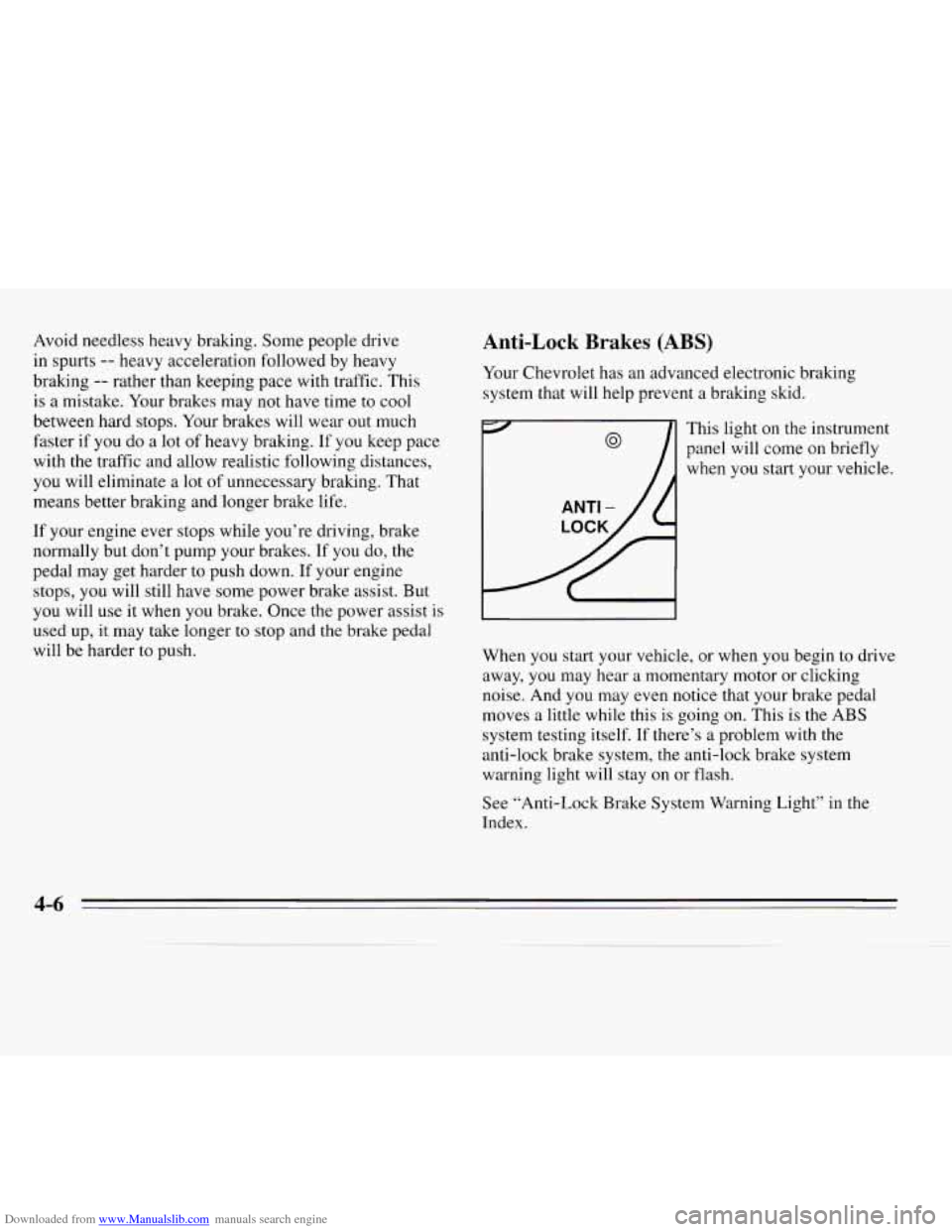
This light
panel will
when you on the
instrument
come on briefly
start your vehicle.
When you start your vehicle,
or when you begin to drive
away, you may hear a momentary motor or clicking
noise. And you may even notice that your brake pedal
moves a little while this
is going on. This is the ABS
system testing itself.
If there’s a problem with the
anti-lock brake system, the anti-lock brake system
warning light will stay on or flash.
See “Anti-Lock Brake System Warning Light’’ in the
Index.
4-6
Page 136 of 324
Downloaded from www.Manualslib.com manuals search engine Remember: Anti-lock doesn’t change the time you need
to get your foot up to the brake pedal. If you get too
close to the vehicle in front of you, you won’t have time
to apply your brakes if that vehicle suddenly slows or
stops. Always leave enough room up ahead
to stop, even
though
you have anti-lock brakes.
To Use Anti-Lock
Don’t pump the brakes. Just hold the brake pedal down
and let anti-lock work for you.
You may feel the system
worhng, or you may notice some noise, but this is
normal. When your anti-lock system
is adjusting brake
pressure to help avoid a braking skid, the
LOW TRAC
light will come on. See “Anti-Lock Brake System
Active Light” in the Index.
Braking in Emergencies
Use your anti-lock braking system when you need to.
With anti-lock, you can steer and brake at the same
time.
In many emergencies, steering can help you more
than even the
very best braking.
Steering
Power Steering
If you lose power steering assist because the engine
stops or the system is not functioning, you can steer but
it will take much more effort.
Steering Tips
Driving on Curves
It’s important to take curves at a reasonable speed.
A
lot of the “driver lost control” accidents mentioned on
the news happen on curves. Here’s why:
Experienced driver
or beginner, each of us is subject to
the same laws of physics when driving on curves. The
traction of the tires against the road surface makes
it
possible for the vehicle to change its path when you turn
the front wheels. If there’s no traction, inertia will keep
the vehicle going in the same direction. If you’ve ever
tried to steer
a vehicle on wet ice, you’ll understand this.
Page 138 of 324
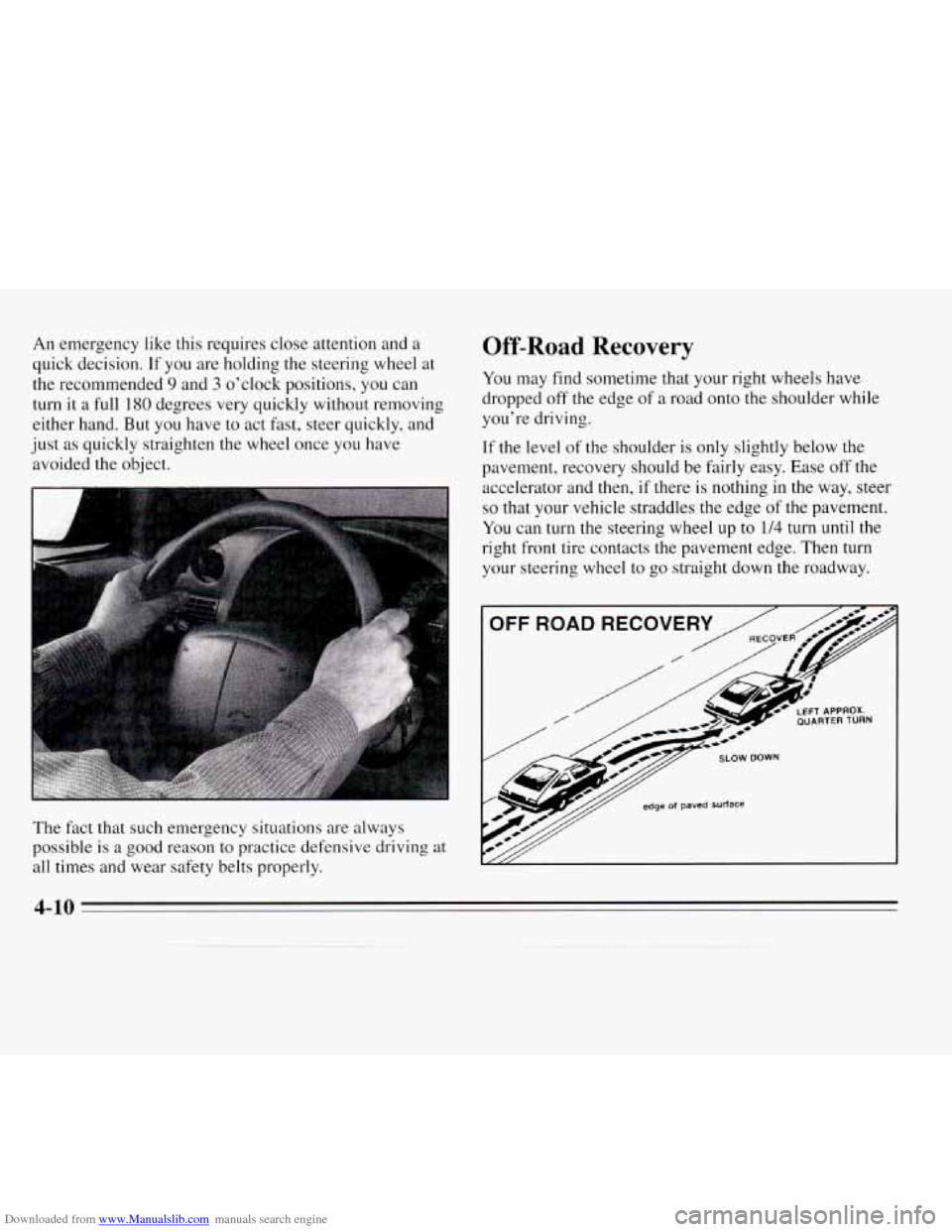
Downloaded from www.Manualslib.com manuals search engine An emergency like this requires close attention and a
quick decision. If you are holding the steering wheel at
the recommended
9 and 3 o’clock positions, you can
turn it a full
180 degrees very quickly without removing
either hand. But you have
to act fast, steer quickly, and
just
as quickly straighten the wheel once you have
avoided the object.
The fact that such emergency situations are always
possible is
a good reason to practice defensive driving at
all times and wear safety belts properly.
Off-Road Recovery
You may find sometime that your right wheels have
dropped off the edge of
a road onto the shoulder while
you’re driving.
If the level of the shoulder is only slightly below the
pavement, recovery should be fairly easy. Ease
off the
accelerator and then, if there is nothing in the way, steer
so that your vehicle straddles the edge of the pavement.
You can turn the steering wheel up to 1/4 turn until the
right front tire contacts the pavement edge. Then
turn
your steering wheel to go straight down the roadway.
4-10